Cursor Ships Build Live Apps: Cloud Agents Now Build, Host and Share Working Web Apps
Cursor's Nov 5 changelog ships Build Live Apps: a cloud agent scaffolds the app, provisions Postgres, auth and hosting, four always-on security checks gate the publish, and the result is a link your team or a script can open. What shipped, what the gate blocks, and the admin switches to set first.
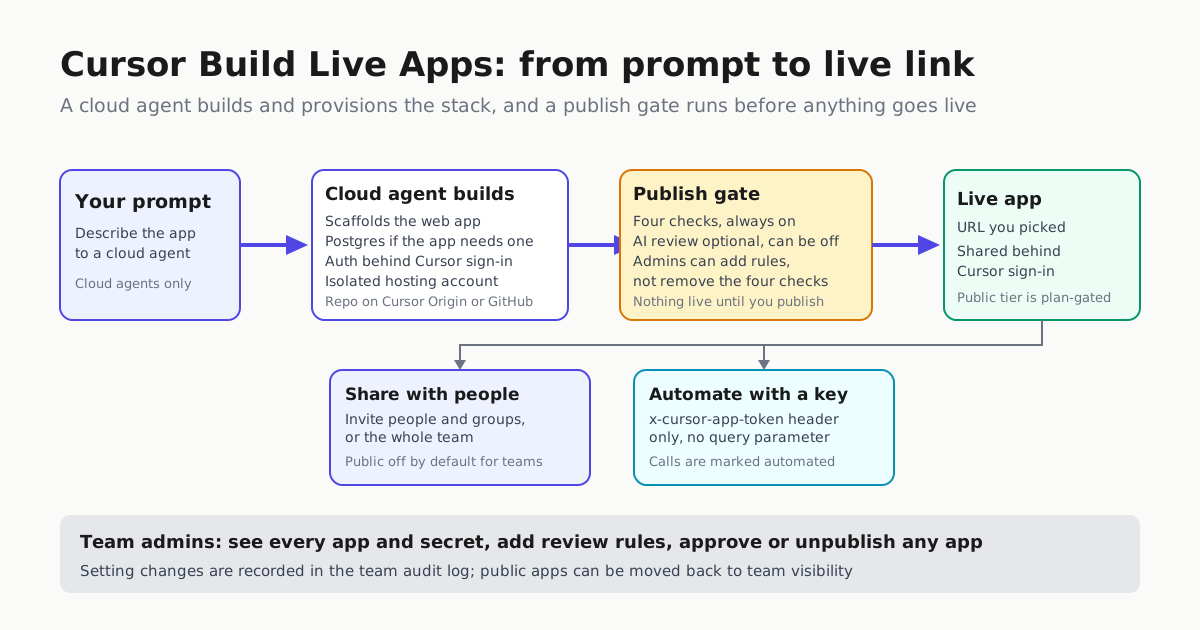
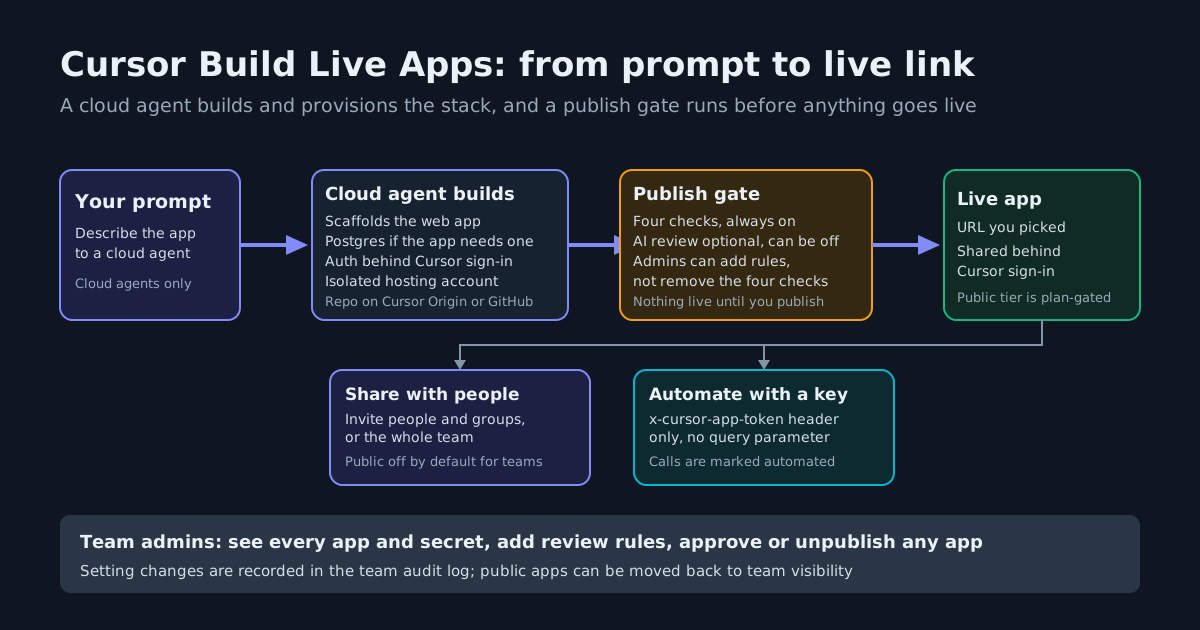
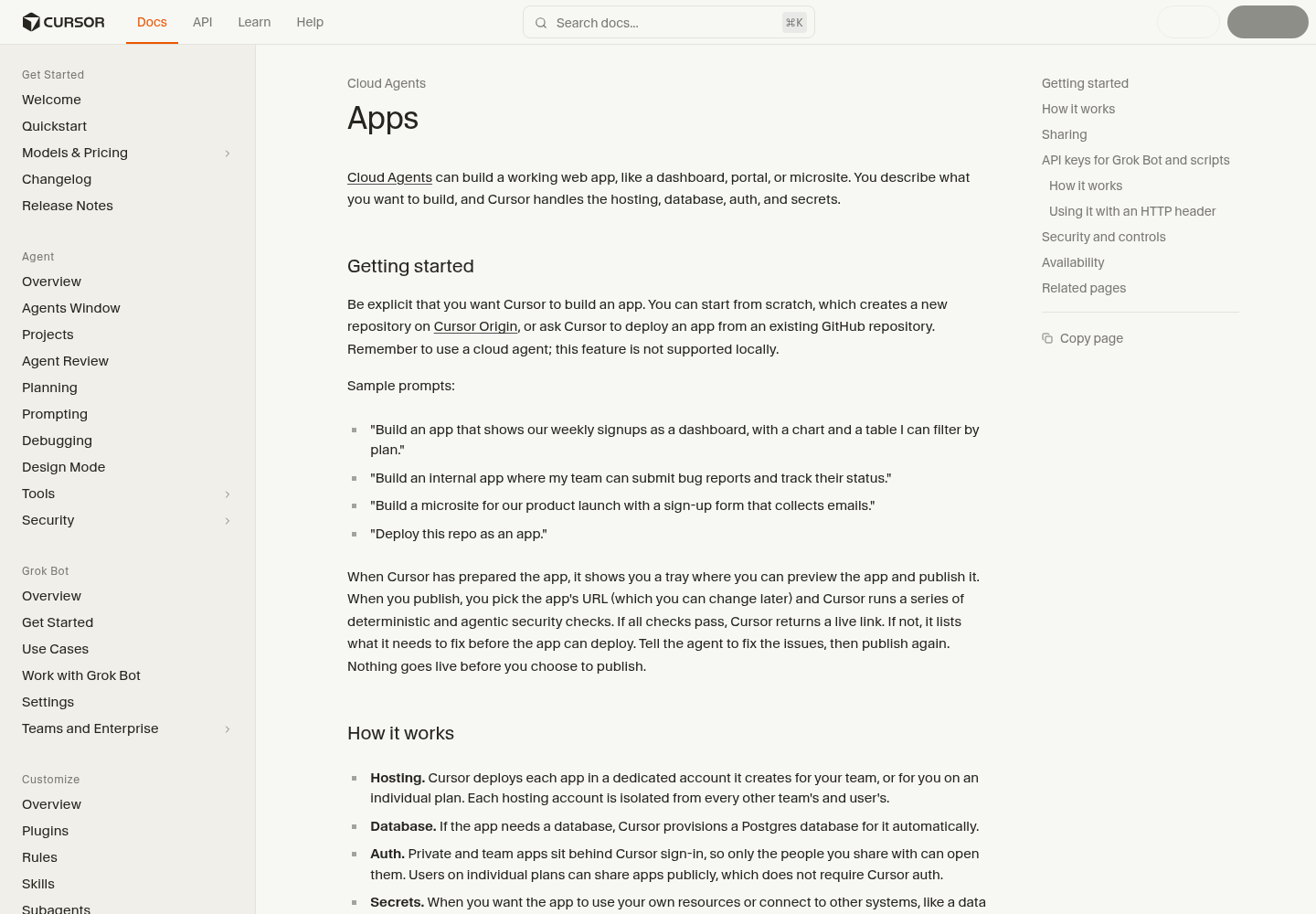
Cursor named the gap in its own announcement: agents have lowered the cost of writing code, but most apps and tools people build never make it off of localhost. Build Live Apps, shipped Nov 5 on Cursor’s changelog, is the company’s attempt to delete that last mile. Kick off a cloud agent, tell it explicitly that you want an app, and Cursor scaffolds the web app, provisions a Postgres database if the app needs one, puts authentication behind Cursor sign-in, provisions hosting, and hands back a live URL once a publish gate passes. It is available on all paid plans with cloud agents enabled.
This lands a step past the shareable canvases that cloud agents got on Oct 16. A canvas is an artifact you look at; an app is hosted, database-backed and reachable by other people. That is why most of this release is the machinery between “it works on my machine” and “here is the link”: four security checks that always run, secret handling the agent never sees, visibility defaults that differ by plan, and admin controls over every app and secret.
How an app gets built
Apps is a cloud-agent feature; the documentation states plainly that it is not supported locally. You can start from scratch — Cursor creates a new repository on Cursor Origin — or point the agent at an existing GitHub repository; GitLab and other providers are coming soon. If the app must reach your own systems, like a data warehouse, Cursor prompts you for the secrets it needs, and the agent never sees the values; team secrets are usually created by an admin in the Apps dashboard. Encoding “the agent never holds the credential” is a piece of the least-privilege posture recommended for agent identity, arrived at by product design instead of config work.
When the app is prepared it appears in a tray where you preview it, pick its URL — changeable later — and publish. Hosting runs in a dedicated account Cursor creates for your team, or for you on an individual plan, isolated from every other team’s and user’s account. One term to read before standardizing on this: the docs state hosting is separate from Cursor’s services, provided as is, and that a published app or subdomain can be revoked or suspended. Recommendation, not a documented promise: keep an independent backup of any repo you deploy from; the docs establish deployment sources, not repo survival.
What the publish gate blocks
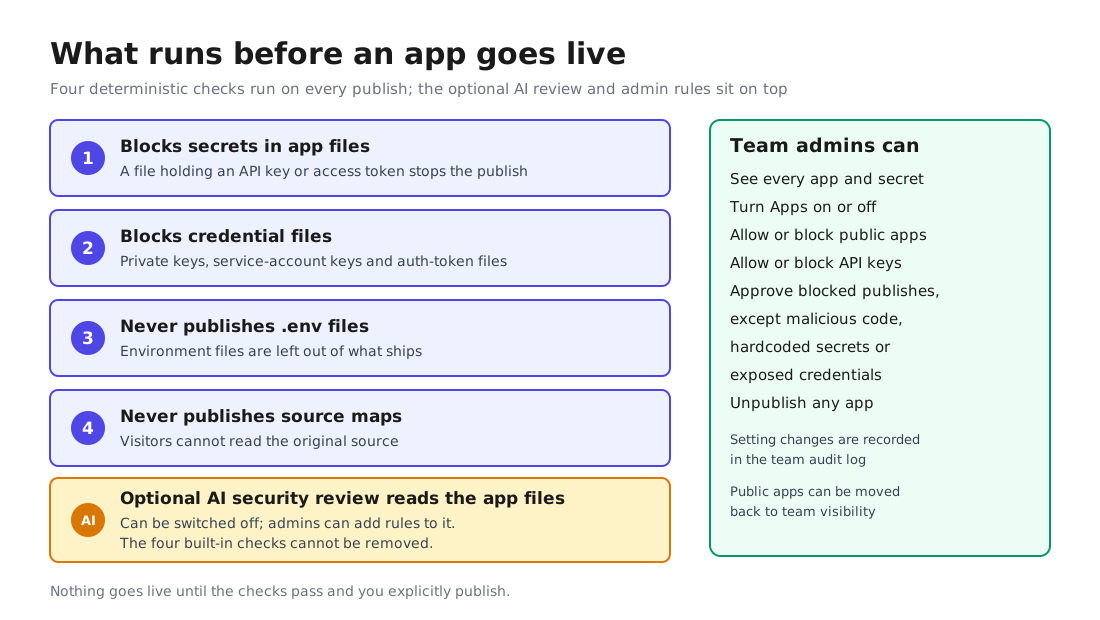
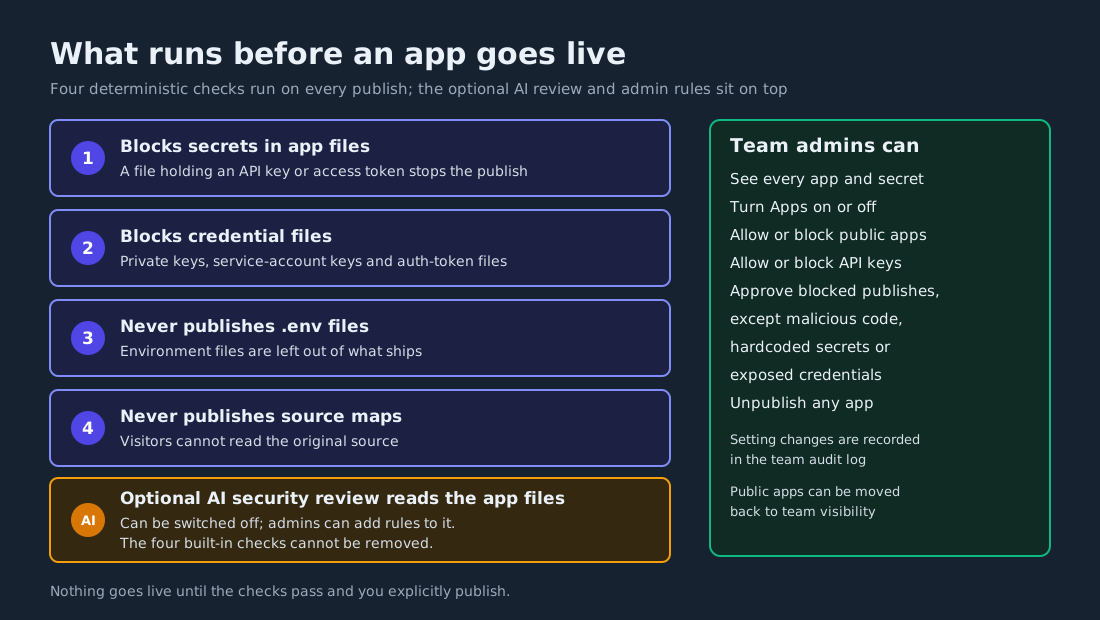
Nothing goes live until the checks pass and you explicitly publish. Four deterministic checks run before every publish and are always on, even when the security review is off:
| Check | What it stops |
|---|---|
| Block secrets in app files | The publish, if any file contains an API key or access token |
| Block credential files | Publishes that include private keys, service-account keys or auth-token files |
| Never publish .env files | Environment files are left out of what ships |
| Never publish source maps | Source maps are stripped so visitors cannot read the original source |
On top of the four, an optional AI security review reads the app’s files and blocks serious issues before launch. Admins can add instructions to the review prompt, and the docs are precise about the direction of that power: custom instructions can add rules but cannot remove the built-in checks. Admins can also see every app and secret on the team, approve publishes the review blocked — except malicious code, hardcoded secrets or exposed credentials — and unpublish any app. Setting changes land in the team’s audit log, which matters more than usual when the app, its logs and its controls sit on vendor infrastructure; the evidence checklist for vendor-hosted agents applies directly.
Who can open the app
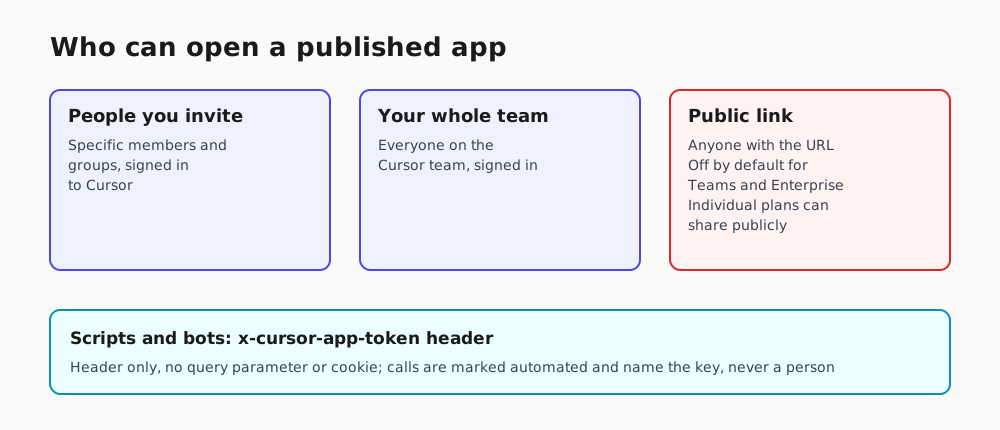
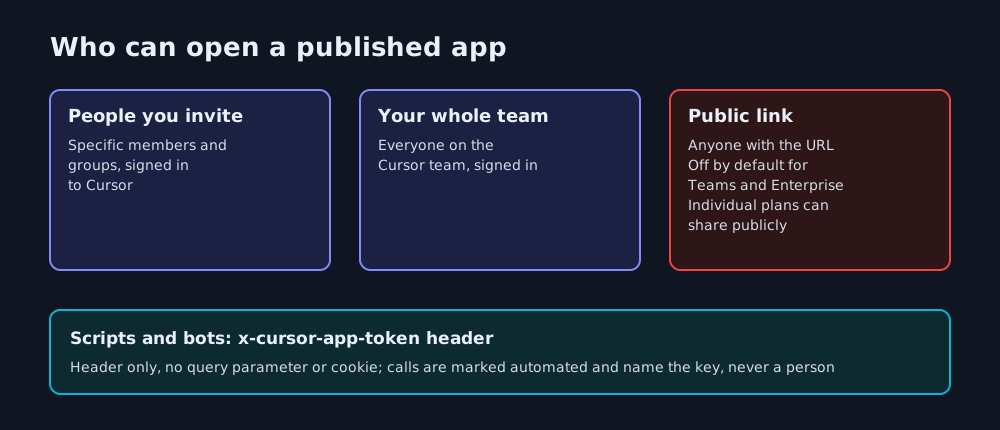
Sharing sits behind Cursor sign-in: specific people and groups, or the whole team. The third tier is where plans diverge. On individual plans you can share an app publicly with no Cursor auth at all, while public sharing is disabled by default for Teams and Enterprise; an admin must switch it on, and can also move existing public apps back to team visibility. The default postures are opposites: enterprises start closed, solo users sit one toggle away from open.
| Visibility | Who can open it | Default |
|---|---|---|
| People you invite | Specific members and groups, signed in to Cursor | — |
| Team | Everyone on your Cursor team, signed in | — |
| Public | Anyone with the link | Off by default for Teams and Enterprise; available on individual plans |
The automation lane: one header, no cookies
Automated tools cannot get through Cursor sign-in, so Cursor issues app API keys for scripts, CI jobs or its own Grok Bot. The key works only as an x-cursor-app-token header on every request — no query parameter, no cookie — and requests made with it are marked as automated and identify the key, never a person:
curl -H "x-cursor-app-token: $CURSOR_APP_KEY" https://your-app-url.example
Personal keys open the apps their owner can open; team keys open only the team apps they were granted. A key that is not allowed in gets treated like a signed-out visitor: the sign-in redirect. Admins can disallow API keys for apps entirely.
Set these before the first publish
For admins, the useful work sits in the Apps dashboard before anyone ships anything: whether Apps is on for the team at all, whether public apps are allowed, whether API keys may open them, and what your review instructions say while the built-in checks stay fixed. Snapshot the day-one defaults — vendors change defaults without asking, and the policy sweep for unconfigured agent features is the standing habit. Keep connection secrets in team secrets rather than in files or prompts; the gate catches secrets in files, but the better property is that the agent never holds the value.
For everyone else the change is smaller and real. The internal tools that used to die on localhost — the signup tracker, the pipeline dashboard, the onboarding portal — now have a sanctioned path to a link, with a gate before launch and an admin who can pull any app after. Cursor says its own sales, operations, legal, finance and engineering teams already build these: event registration and desk-seating tools, customer presentations, training experiences, sales dashboards, engineering-service portals. That is the real audience: not the next flagship app, but the hundred small tools teams never bothered to host.
Cursor’s changelog shows the surface moving fast — canvases and the Environments API on Oct 16, the Agent SDK on Oct 20, apps today. Check what your plan’s cloud agents can publish before a teammate finds out for you.