GitHub Copilot Joins Xcode's Native Coding Assistant, No Extension Required
Xcode 27.3 beta adds GitHub Copilot as a backend for Apple's built-in Coding Intelligence panel, in public preview alongside ChatGPT, Claude and Gemini.
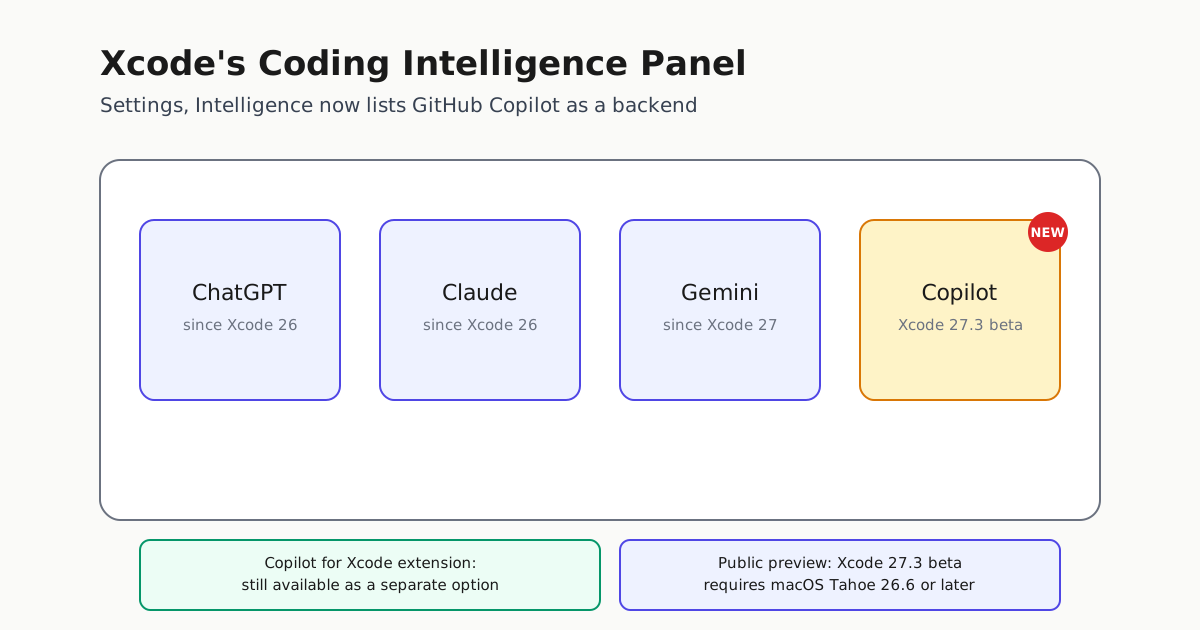
GitHub Copilot is no longer limited to its own separate plugin on Apple’s platform. Starting with Xcode 27.3 beta, developers can set GitHub Copilot as the model behind Xcode’s own built-in Coding Intelligence panel, the same first-party assistant surface that already offers OpenAI and Anthropic and Google models. GitHub’s changelog describes the integration as now in public preview, calling it “another way to use Copilot in Xcode” that sits next to, not in place of, the existing GitHub Copilot for Xcode extension (GitHub Changelog).
What actually changed
Until now, getting Copilot inside Xcode meant installing the separate GitHub Copilot for Xcode extension, a plugin that lives alongside Apple’s own assistant rather than inside it. Xcode 27.3 beta adds Copilot as a selectable backend for Apple’s native Coding Intelligence panel itself, reachable from Xcode > Settings > Intelligence. GitHub says all Copilot plans are supported, and the only requirements are the Xcode 27.3 beta build and a Mac running macOS Tahoe 26.6 or later (GitHub Changelog).
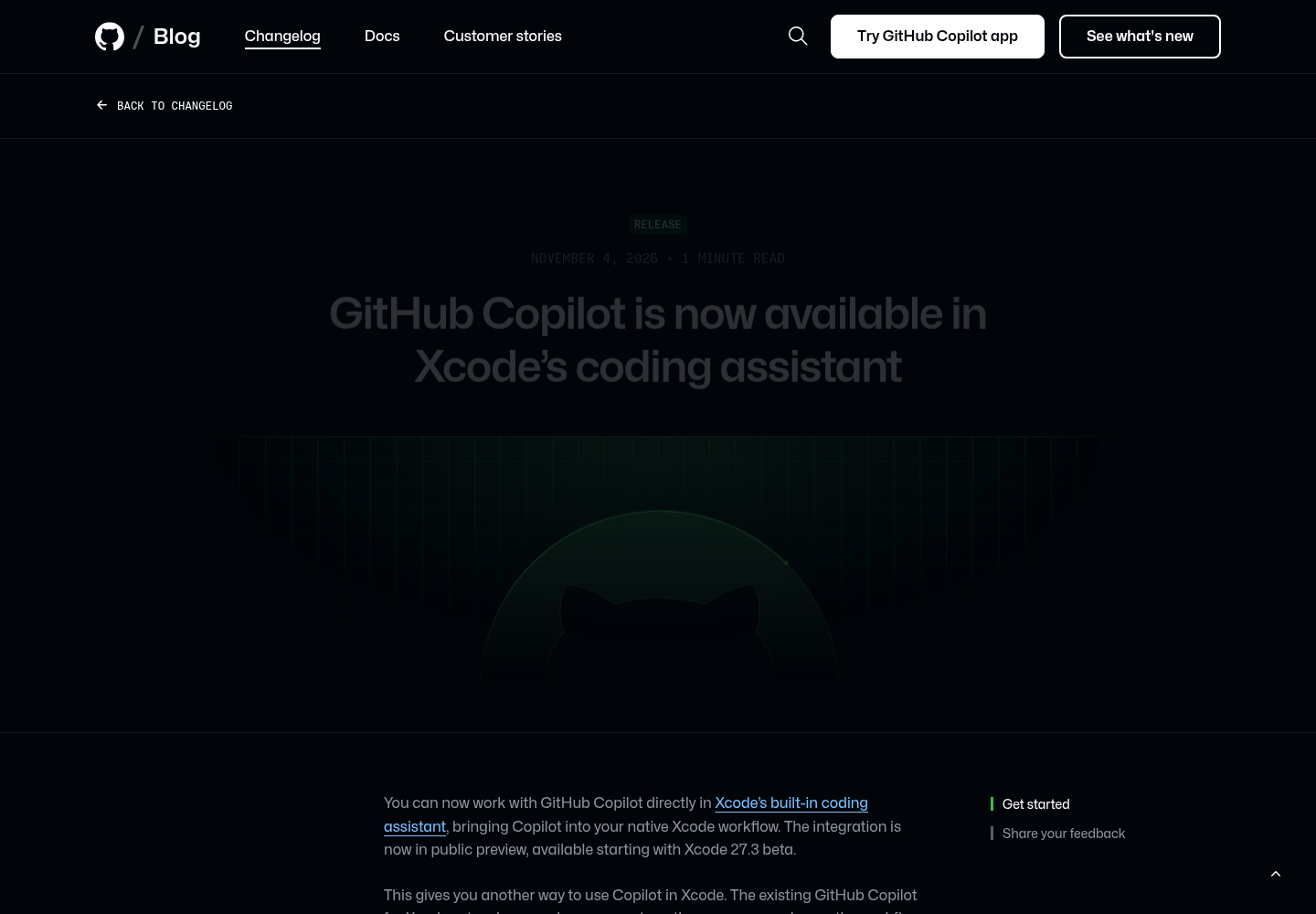
The capture above shows GitHub’s own changelog page: the Nov. 4, 2026 RELEASE dateline, the headline naming the Xcode integration, and the opening lines describing the public preview, alongside the Get started and Share your feedback section anchors visible in the sidebar. The setup steps and the release-notes link sit further down the page, below what this crop shows.
Apple’s own Xcode 27.3 beta 1 release notes confirm the same change from the other side, listing “GitHub Copilot is now available in the coding assistant” under the Coding Intelligence section with feature tracking ID 185837709, as reported by 9to5Mac after reviewing the beta notes directly (9to5Mac). MacRumors’ Nov. 4 report says Apple released the first Xcode 27.3 beta “on Tuesday” — Nov. 3, 2026, consistent with 9to5Mac’s same-day account — naming Copilot support in the built-in coding assistant as one of three headline features in that beta, alongside Siri AI integration testing and new APIs for the touchscreen MacBook Pro line (MacRumors).
Why this matters beyond a version bump
The practical difference is about distribution and control, not model capability. Many engineering organizations standardize on a single sanctioned AI coding vendor for compliance, licensing or procurement reasons. Until this release, standardizing on Copilot meant iOS and macOS developers worked with it through a bolted-on extension that lived outside Apple’s own coding assistant UI, with its own settings, update cycle and interaction model. Now those same developers can get Copilot through the identical panel Apple ships by default, configured the same way as Claude, ChatGPT or Gemini.
That also changes what “using Xcode’s AI assistant” means organizationally. A team lead who tells developers to “use the coding assistant in Settings > Intelligence” no longer has to add a caveat about a separate Copilot install for Copilot-standardized teams. The extension is not going away; GitHub explicitly frames the two as parallel options so developers can pick whichever workflow fits them (GitHub Changelog), but having Copilot inside Apple’s own surface removes a dependency teams previously had to manage separately.
How the built-in assistant got here
This is the fifth expansion of Xcode’s native Coding Intelligence panel since Apple introduced it, and 9to5Mac’s rundown of the release history is useful context for how fast that surface has grown:
| Xcode release | What it added to the built-in assistant |
|---|---|
| Xcode 26 | ChatGPT, then Anthropic’s Claude |
| Xcode 26.3 | Agentic coding via OpenAI’s Codex and Anthropic’s Claude Agent |
| Xcode 27 | Google Gemini, a redesigned interface, interactive planning, multi-turn conversations |
| Xcode 27.3 beta | GitHub Copilot, in public preview |
(Source: 9to5Mac)
Dataconomy’s independent writeup of the same beta notes that Xcode 27.3 also bundles Swift 6.4 and SDKs for iOS 27.3, iPadOS 27.3, tvOS 27.3, watchOS 27.3, macOS 27.3 and visionOS 27.3, and reiterates the macOS Tahoe 26.6+ requirement for running the beta at all (Dataconomy). None of the unrelated Device Hub, Previews or Simulator fixes in that same beta change the Copilot story; they are routine beta housekeeping, not part of this capability.
What to do about it
Developers who want to try this today need the Xcode 27.3 beta from Apple Developer Downloads and a Mac already running macOS Tahoe 26.6 or later; there is no path to the native integration on the current stable Xcode release. Once installed, Copilot is a toggle in Xcode > Settings > Intelligence, not a separate download, and GitHub is routing feedback through the GitHub Copilot for Xcode repository and Apple’s Feedback Assistant rather than a dedicated preview channel (GitHub Changelog).
Teams already running the separate GitHub Copilot for Xcode extension do not need to migrate; GitHub has not announced a retirement date for it, and the changelog frames the extension and the native integration as parallel options so developers can pick whichever workflow fits them, rather than a transition from one to the other. For organizations that haven’t adopted Copilot in Xcode at all, this preview is the first point where trying it costs nothing beyond installing a beta: no second extension to approve through IT, no separate update cadence to track, just a model choice inside the IDE panel Apple already ships.
Xcode 27.3 itself is still in beta; 9to5Mac reports it is expected to ship in December alongside macOS 27.3 (9to5Mac). Anyone standardizing rollout plans on this capability should treat the current build as a preview, not a shipped guarantee, until that general release lands.
For teams already running Copilot through other IDE integrations, Automater’s look at GitHub Copilot’s server-to-server authentication for SDK agents covers a related identity change worth tracking alongside this one.