GitHub Copilot Assisted Permissions Is GA: A Model Now Pre-Approves Agent Commands, Paths and URLs
Copilot CLI, the Copilot app and VS Code can now let a large language model approve clearly safe agent requests and send the rest to you. Here is how to turn it on, what admins can lock down, and why it is not a sandbox.
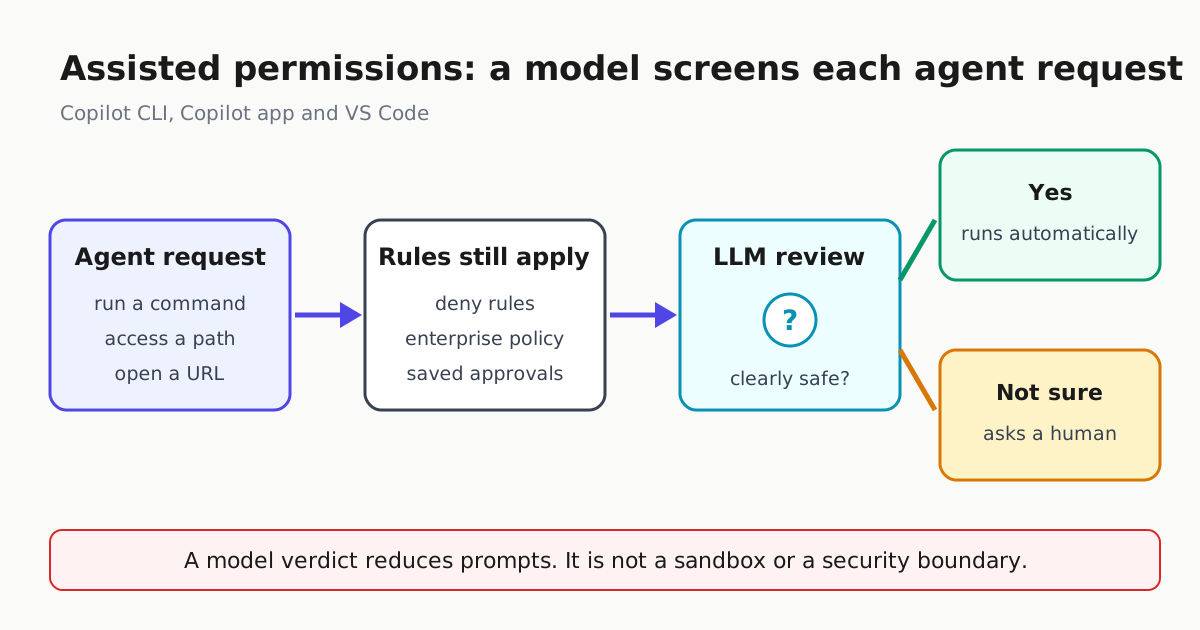
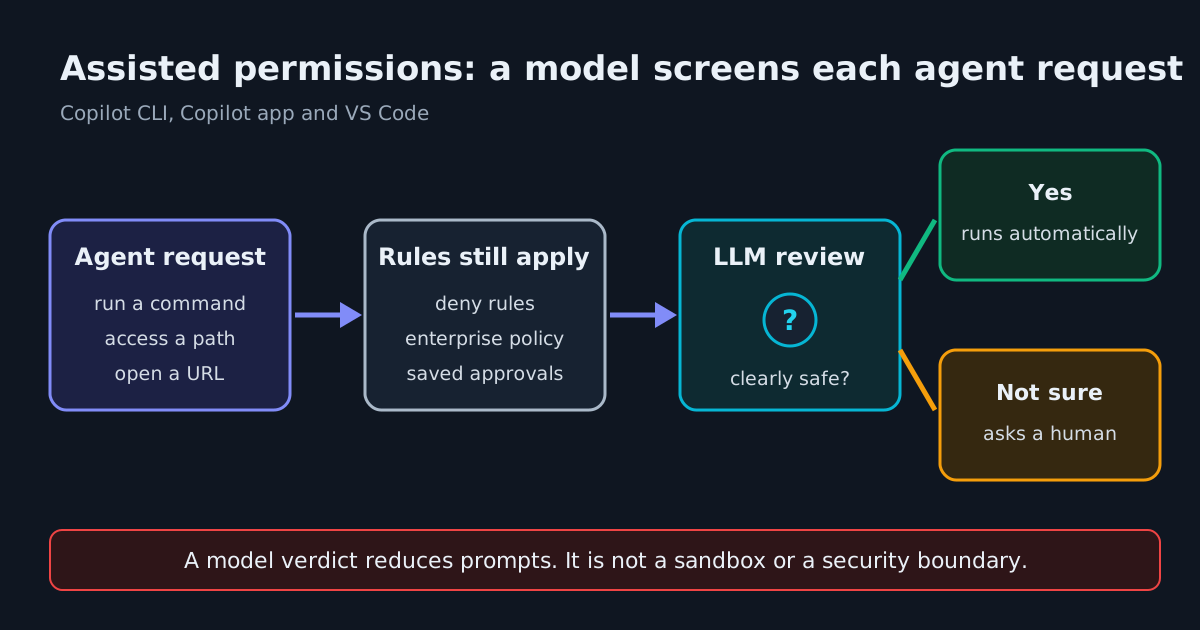
GitHub has made assisted permissions generally available in GitHub Copilot CLI, the GitHub Copilot app and Visual Studio Code. Until now, an agent session usually ran in one of two modes. You approved every command, path and URL by hand, or you switched to allow-all and approved nothing. Assisted mode sits between them. When Copilot asks to run a command, access a file system path or open a URL, a large language model evaluates the request. Requests it classes as clearly safe go ahead automatically. Everything else still needs your approval.
This matters to anyone who keeps an agent running for long stretches. Manual approval interrupts you constantly, so people drift toward allow-all. Assisted mode cuts the interruptions while keeping a human on anything the model is unsure about. It also gives enterprise admins a new choice: allow assisted mode while forbidding allow-all.
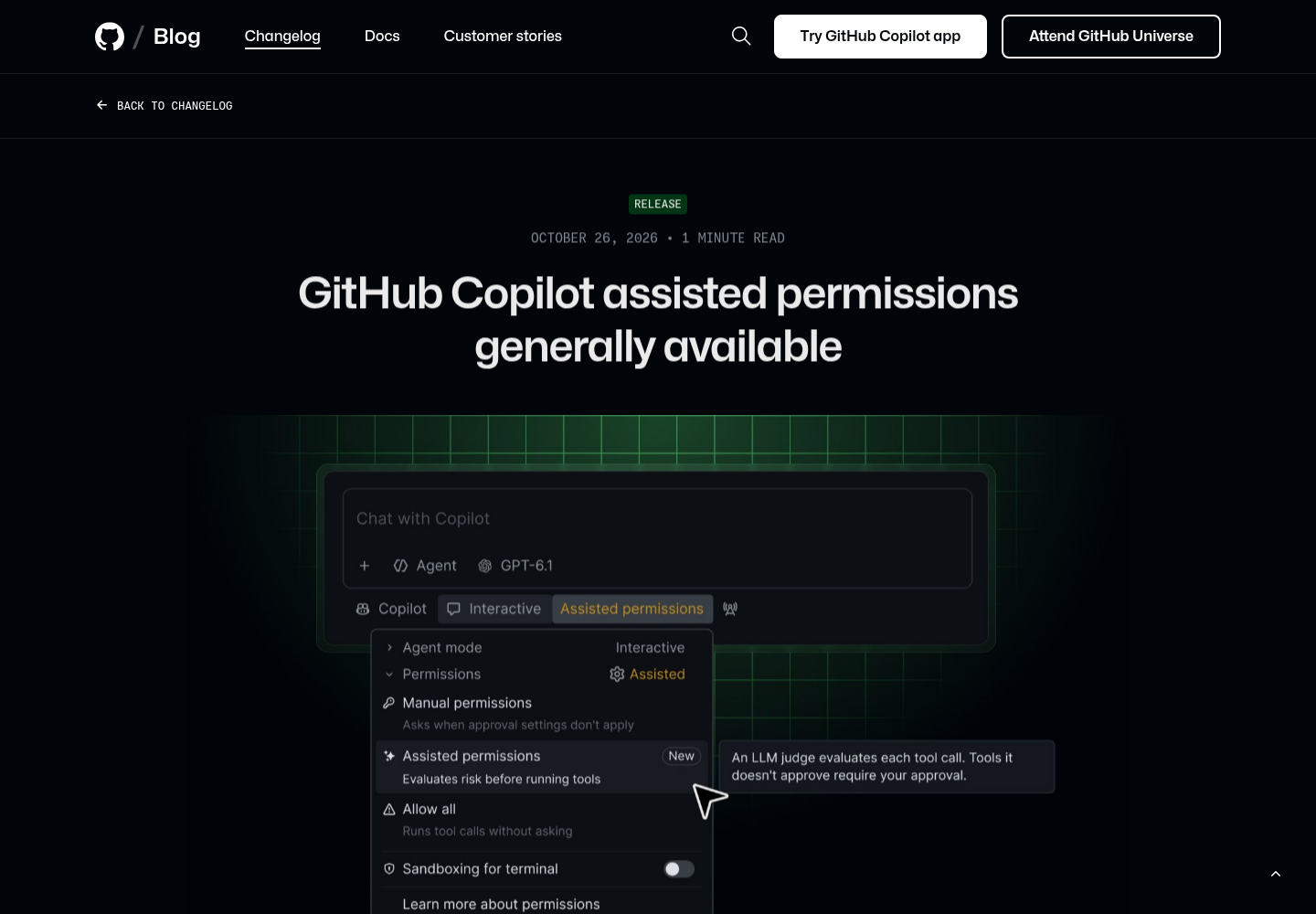
Turning it on
GitHub’s announcement gives a separate route for each client:
| Client | How to enable |
|---|---|
| Copilot CLI | Run /permissions, then select assisted |
| Copilot app | Open the mode picker, click Tool permissions, then select Assisted |
| VS Code | Open the permissions picker, then select Assisted permissions |
GitHub doesn’t list JetBrains, Visual Studio or Copilot cloud agent, so don’t assume the mode exists there.
In the CLI you can also make assisted the starting mode for new interactive sessions. The Copilot CLI configuration reference documents a defaultPermissionMode key in ~/.copilot/settings.json that accepts "manual", "assisted" or "allow-all":
// ~/.copilot/settings.json
{
  "defaultPermissionMode": "assisted"
}
The same reference lists several exceptions. Resumed sessions keep the mode they had. The setting is ignored in non-interactive runs. --allow-all and --yolo take precedence over it. An assisted startup default doesn’t apply to remote sessions. A managed permissions.defaultMode overrides your preference, and if the mode you configured is unavailable or blocked by policy, the CLI starts in manual approval and tells you why.
What the model does and doesn’t replace
According to the config reference, deny rules and enterprise restrictions still apply when you choose assisted. WindowsForum, summarizing GitHub’s documentation, reports that existing permissions are checked before the model sees a request. It also reports GitHub’s warning that the model can approve dangerous or unintended actions and does not replace sandboxing.
Microsoft says much the same about the VS Code version. Visual Studio Magazine quotes Microsoft’s agent permissions documentation: “The model-based risk assessment can make mistakes.”
In practice, assisted mode decides how often you get asked. It doesn’t decide what the agent can reach. A prompt-injected README that persuades the agent to run something harmless-looking is the case a model judge is worst at. File system and network limits should come from the sandbox and managed rules. For the CLI side, see our guide to routing Copilot CLI sandbox traffic through a proxy. For deciding which vendor verdicts still need a human, see Vendor Permission Verdicts: Which Ones Still Need Your Approval?
Unattended runs behave differently
WindowsForum also reports two CLI details you should check against GitHub’s docs before relying on them. First, a --assisted-approval flag for unattended runs denies any request that would still need a human, instead of leaving it waiting. Second, assisted approval doesn’t cancel --allow-all-paths or --allow-all-urls, so combining it with --allow-all can leave those categories unrestricted. If you script the CLI, don’t combine assisted approval with broad allow flags and expect the model to screen everything.
What admins can lock down
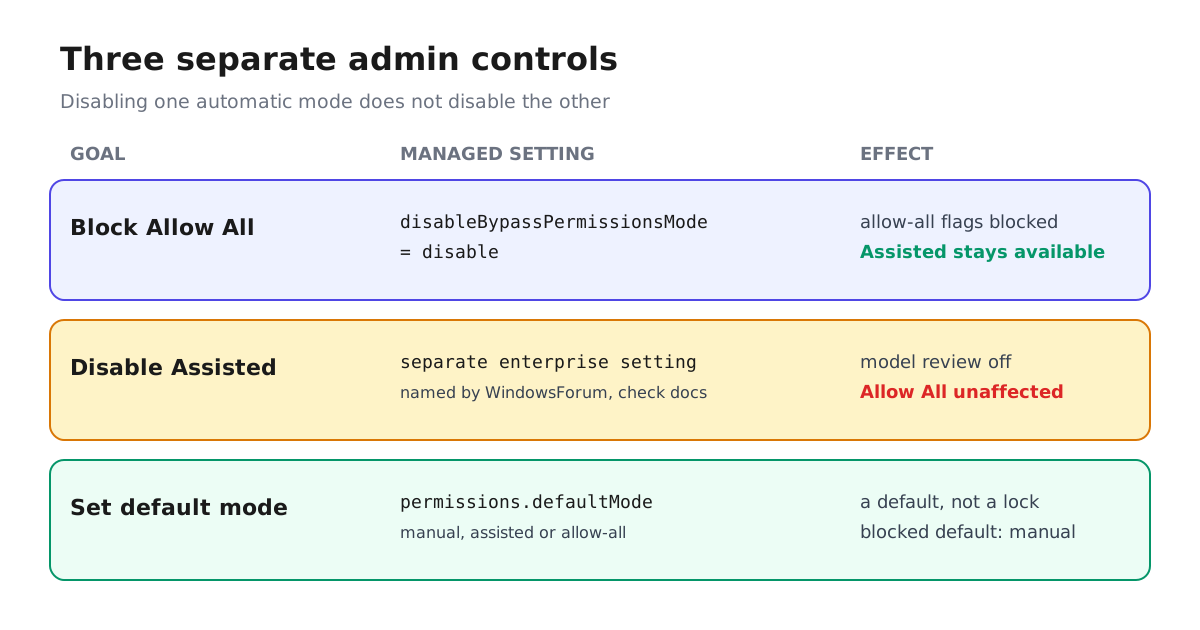
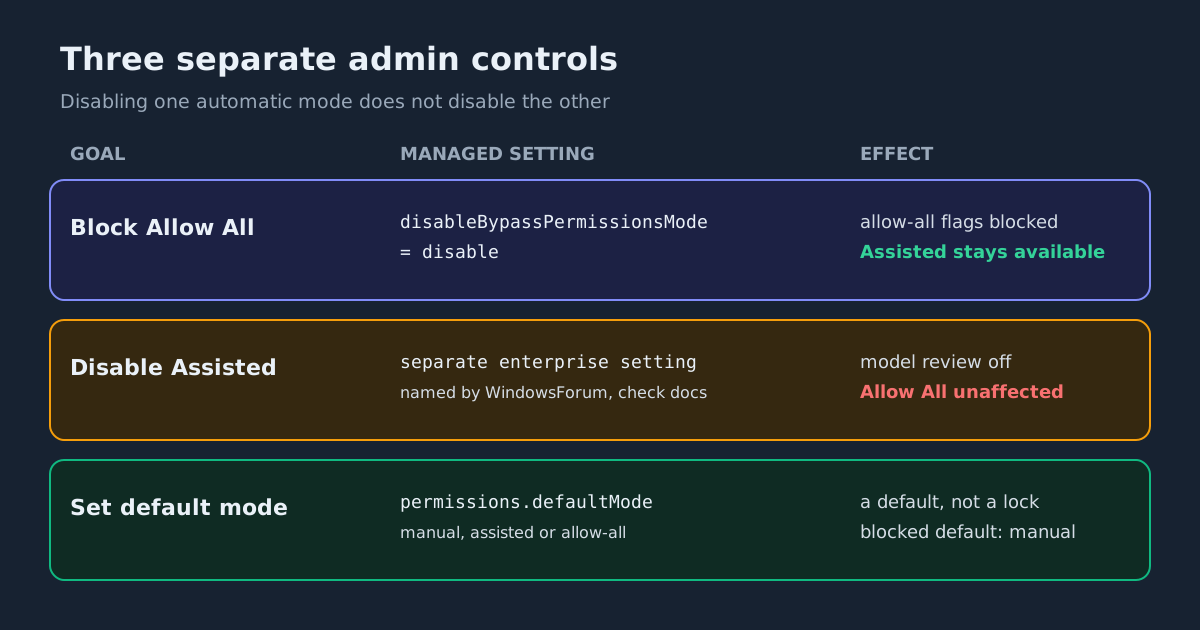
The changelog says enterprise admins can block Allow All while keeping Assisted available, or disable Assisted separately. They can also choose the default mode for new sessions. A default is not a lock. Developers can still pick any other mode that policy permits, and if the default is prohibited the session falls back to manual approval.
The CLI reference documents how this works on the device:
permissions.disableBypassPermissionsModeset to"disable"blocks every allow-all option (--allow-all-tools,--allow-all-paths,--allow-all-urls,--allow-all,--yolo). It explicitly does not block assisted permissions. Any other value is treated as"disable"and logged with a warning. An MDM value of"disable"always beats user settings.- Managed
deny,askandallowrule arrays cover shell commands, PowerShell, reads, edits and domains. Deny wins, then ask, then allow. AlimitTodomain boundary that allow-all modes can’t widen is also available. - Long-running sessions re-fetch managed settings every hour, so a policy change takes effect without a restart.
WindowsForum names the separate switch for turning assisted off as permissions.disableAssistedPermissionsMode. It also points out the trap: if you want manual-only sessions, you have to disable both modes. Turning off one doesn’t turn off the other.
A file-based managed settings example that allows assisted mode, blocks allow-all and keeps hard rules in place (on Linux, /etc/github-copilot/managed-settings.json, owned by root):
{
  "permissions": {
    "disableBypassPermissionsMode": "disable",
    "defaultMode": "assisted",
    "deny": ["Shell(rm -rf *)", "Domain(*.evil.example)"],
    "ask": ["Shell(git push *)"]
  }
}
This builds on the enterprise managed permissions GitHub shipped on September 9 for Copilot Business and Enterprise. User settings, auto-approval and saved approvals can’t weaken those restrictions. Visual Studio Magazine reports that VS Code 1.142 already let admins allow assisted mode while blocking Allow All in Agent Host sessions. GA brings the same split to all three clients. Before rolling it out, test that the rules really hold in each harness your team uses. Our checklist for managed permissions users can’t override covers how.
What to do this week
- Developers: try assisted mode on a repository that has a sandbox enabled. Use
/permissionsto switch back to manual for sensitive work. - Admins: if allow-all is what worries you, set
disableBypassPermissionsModeto"disable"and leave assisted available. Put the commands that must never run indenyrules rather than counting on the model to refuse them. - Everyone: read an assisted approval as “the model saw nothing alarming,” not “this is safe.”
Sources
- GitHub Copilot assisted permissions generally available - GitHub Changelog
- GitHub Copilot CLI configuration directory - GitHub Docs
- Enterprise managed permissions for GitHub Copilot agent operations - GitHub Changelog
- GitHub Copilot Assisted Permissions Now Generally Available: Setup, Security Risks and Admin Controls
- Microsoft and GitHub Keep Giving AI Agents More Power -- and More Restrictions -- Visual Studio Magazine