LM Studio Claude Code Setup: Run Claude Code, OpenCode and Codex on One Local Server
LM Studio Claude Code setup: start the local server, load a model with a real context length, point Claude Code and OpenCode at it, test tool calls, roll back.

Go deeper. Build your own.
You want a coding agent that runs against a model on your own hardware. Maybe you’re on a flight, maybe you don’t want to spend plan usage, or maybe the repository should never leave the laptop. LM Studio Claude Code setup looks like three environment variables on LM Studio’s integration page, and the happy path really is that short. The failures come afterwards. The agent forgets the task halfway through because the model loaded with a small context window. A background request asks for a Claude model your server has never heard of. Tool calls come back as plain text. One extra /v1 in a URL returns a 404.
This guide is for one developer on one machine who wants Claude Code, OpenCode and, ideally, Codex pointed at a single LM Studio server. By the end you will have:
- the server answering on port 1234;
- one model loaded on purpose, under a stable identifier, with a context length you chose;
- a
settings.local.jsonblock for Claude Code and a completeopencode.jsonprovider block; - a tool-call test that tells you whether the model can drive an agent at all;
- a troubleshooting table, and a rollback you have tried once.
This guide started with a post on X by @X_Nosignal_X on October 25, 2026: run LM Studio headless with lms server start, get an OpenAI-compatible API on localhost:1234, then point OpenCode, Crush or Codex at it. The poster adds a warning from their own experience. In their words, 20–30B models run well on a 16 GB GPU and are good for quick scripts, but you shouldn’t expect frontier-level agent work. Keep that expectation in mind. Everything below is about getting the plumbing right, so that the model’s own limits are the only ones you hit.
A note on evidence. The commands and configuration come from LM Studio, OpenCode and Anthropic documentation fetched on October 27, 2026. We did not run them for this article. Each “what you should see” line describes what the documentation says should happen, not output we captured. Where we could not verify something, we say so.
What you need before you start
- [ ] LM Studio, either the desktop app or the headless
llmsterdaemon, plus thelmsCLI. LM Studio’s tool-use guide installs the CLI withnpx lmstudio install-cli. - [ ] At least one downloaded model that can call tools.
lms lslists what you have. The worked example usesopenai/gpt-oss-20b, the model LM Studio’s own Claude Code page runs. - [ ] Enough GPU memory or RAM to hold that model at about 32,000 tokens of context. You’ll check this with an estimate before loading anything.
- [ ] The agent CLIs you plan to use:
claude,opencode, and Codex if you want it. - [ ] A throwaway test repository with a README, a small source file and a test command that passes, so an agent’s first edit can’t damage real work.
- [ ]
curl, plusjqif you want JSON responses that are easy to read.
If you run Ollama or llama.cpp’s server instead, the work has the same shape but different settings. Our guides to proving Ollama stays local and to llama-server’s context and GPU flags cover those backends. This guide stays with LM Studio.
Start the LM Studio server headless and confirm it answers
LM Studio’s headless documentation describes two ways to run without the GUI. The recommended one is llmster: the core of the desktop app, packaged as a standalone daemon that runs on Linux boxes, cloud servers, GPU rigs or your own laptop. The alternative is the desktop app with “run the LLM server on login” checked in its settings. With that box checked, closing the window minimizes the app to the system tray and the server keeps running. Either option works for this guide.
- If you don’t have the desktop app, install llmster with the documented one-liner for your platform.
- Start the daemon with
lms daemon up. - Start the server on the default port with
lms server start --port 1234. This is the exact command on LM Studio’s Claude Code page. - Ask the server what it can see with
curl http://localhost:1234/v1/models, the documented List Models endpoint.
# Documented install commands (LM Studio headless docs)
curl -fsSL https://lmstudio.ai/install.sh | bash        # Linux / macOS
# irm https://lmstudio.ai/install.ps1 | iex             # Windows PowerShell

lms daemon up                      # start llmster
lms server start --port 1234       # REST API on the default port
curl http://localhost:1234/v1/models
What you should see: a JSON response, not a connection error. What the list contains depends on Just-In-Time (JIT) loading, a setting that matters a lot for agents. According to the headless docs, with JIT on, /v1/models returns every downloaded model, not just the ones in memory, and an inference request loads its model if it isn’t loaded yet. With JIT off, /v1/models returns only loaded models, and requests fail until you load one yourself. By default, models loaded through JIT are also unloaded after a period of inactivity.
Turn JIT loading off for agent work. A model loaded on demand skips the step where you choose its context length, so you lose control of the setting that most affects agent quality. A typo in a model name can also load a model you never meant to use, where you’d rather get a clear failure. With JIT off, /v1/models gives an honest answer to “what is in memory right now?”, and the rest of this guide relies on that.
Load one model on purpose, with a context length agents can use
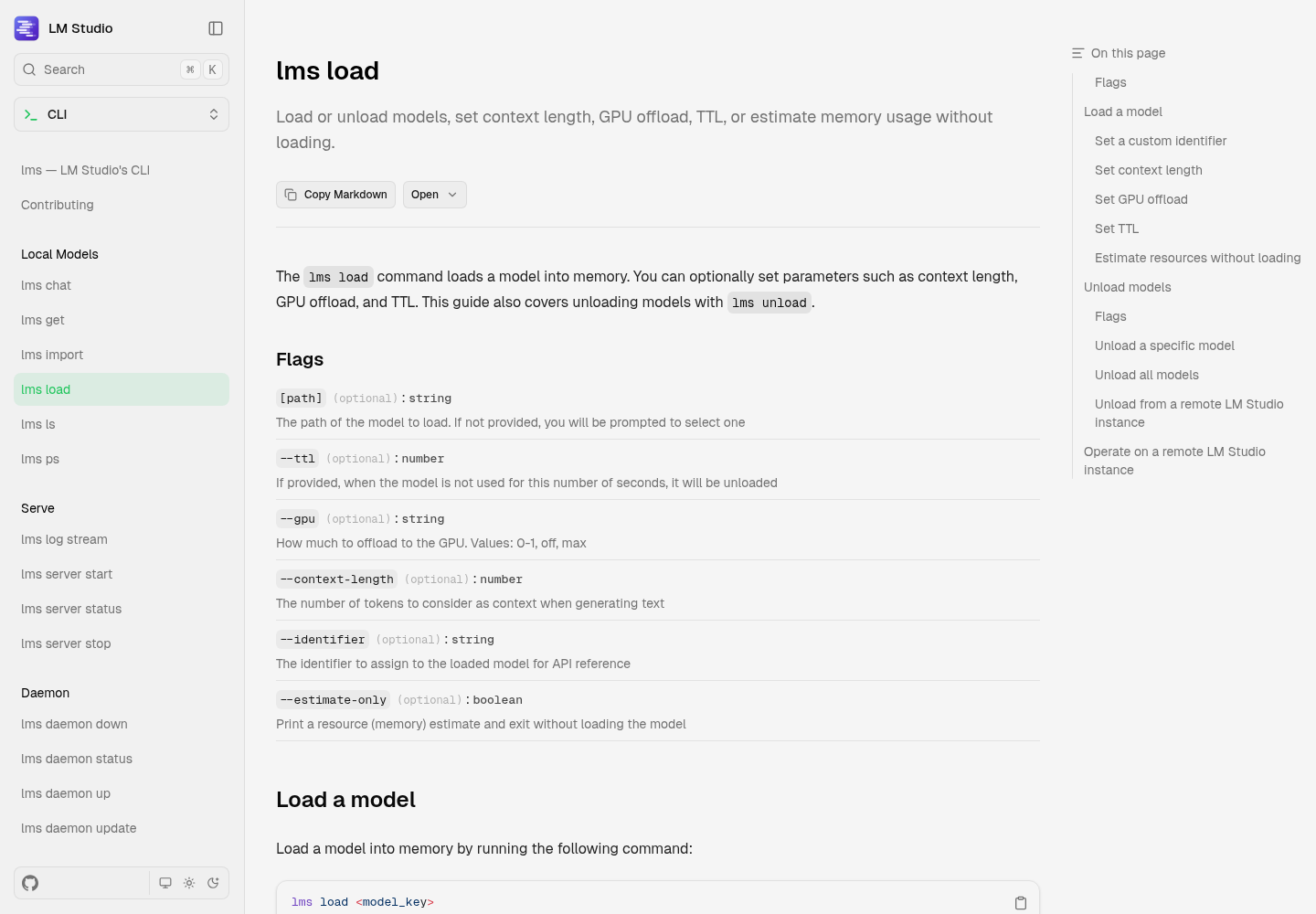
The lms load reference lists the flags that matter here:
--context-lengthsets how many tokens the model considers.--gpusets how much to offload to the GPU: a value from 0 to 1,offormax.--ttlunloads the model after that many idle seconds.--identifiersets the name API calls use.--estimate-onlyprints a memory estimate and exits without loading.
Context length is the one to get right. The reference’s own example uses 4096 tokens, which is fine for chat and far too small for a coding agent. The system prompt, tool definitions and file contents fill thousands of tokens before you type a word. A tip on LM Studio’s Claude Code page says so directly: use a model and server settings with more than about 25,000 tokens of context, because tools like Claude Code consume a lot of it. The worked example uses 32,768. For more on where those tokens go, see how the Claude Code context window fills up.
- Run
lms lsand copy the key of the model you want. The reference says this is wheremodel_keycomes from. - Run the estimate at your target context:
lms load --estimate-only openai/gpt-oss-20b --context-length 32768. The docs say the estimate honors--context-lengthand--gpu, and accounts for context length, flash attention and whether the model is vision-enabled. - Read the result. The documented example for
gpt-oss-120bprints the resolved model, an estimated GPU memory of 65.68 GB, an estimated total memory, and a line saying the model may be loaded based on your resource guardrails settings. - Load it for real with the same context and a stable identifier:
lms load openai/gpt-oss-20b --context-length 32768 --identifier local-coder. Leave--ttloff so the model doesn’t unload in the middle of a session. - Run
curl http://localhost:1234/v1/modelsagain. With JIT off, the loaded model should now be the only entry. Look forlocal-coder. If the list shows a different id, use exactly that id everywhere below.
lms ls
lms load --estimate-only openai/gpt-oss-20b --context-length 32768
lms load openai/gpt-oss-20b --context-length 32768 --identifier local-coder
curl -s http://localhost:1234/v1/models | jq .
Why set an identifier? All three agents need a model name, and sooner or later you’ll swap models. With --identifier local-coder, the configs below never change: you unload one model and load another under the same name. It also avoids a trap that shows up in the docs’ own example, where the key gpt-oss-120b resolves to the model openai/gpt-oss-120b. The name you type and the name the server reports aren’t guaranteed to match, so pick one and check it.
Read the estimate before you load:
| Estimate result | What it tells you | Decision |
|---|---|---|
| Fits in GPU memory with room to spare | Full offload at 32,768 tokens works | Load with --gpu max, or let LM Studio choose the offload |
| Fits in total memory but not in GPU memory | Some layers would run on the CPU | Accept slower turns, or try a smaller quantization |
| Anything other than the “may be loaded” line | Your guardrails settings would refuse the load | Pick a smaller model rather than dropping context below about 25,000 |
| Fits easily at 32,768 | You have memory to spare | Consider 65,536 for longer sessions, then estimate again |
The last row is a judgment call, not a rule. More context helps long agent sessions, but memory use grows with it, and the estimate exists so you can see that cost before you pay it. LM Studio hides llama.cpp’s lower-level KV-cache and layer flags behind these few options. If you need that level of control, the llama-server guide linked above is the better tool.
Point Claude Code at LM Studio’s /v1/messages endpoint
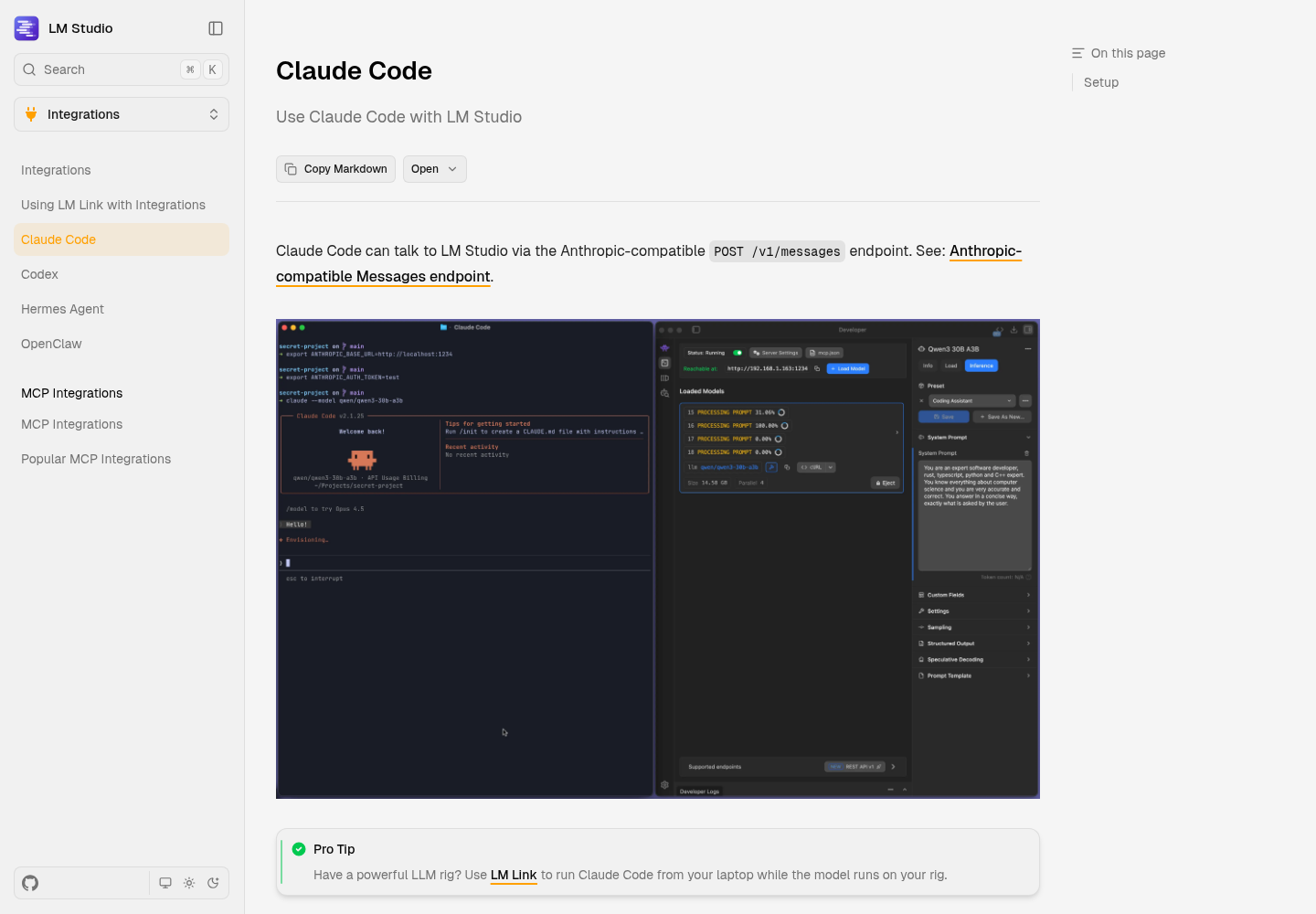
LM Studio’s Claude Code integration page says Claude Code talks to LM Studio through the Anthropic-compatible POST /v1/messages endpoint. That means you don’t need a translating proxy between the two, the kind of bridge our coding CLI bridge register catalogs. The server speaks Claude Code’s API format itself.
Smoke-test that endpoint with curl first. This request is adapted from LM Studio’s Messages reference, with our identifier in place of the example model. The docs say the x-api-key header is optional when Require Authentication is off, so it’s left out here.
curl http://localhost:1234/v1/messages \
  -H "Content-Type: application/json" \
  -d '{
    "model": "local-coder",
    "max_tokens": 256,
    "messages": [{"role": "user", "content": "Say hello from LM Studio."}]
  }'
What you should see: an assistant reply in the Anthropic Messages format, which LM Studio’s reference names as the format it follows. An error naming the model means your identifier doesn’t match step 5 of the load section.
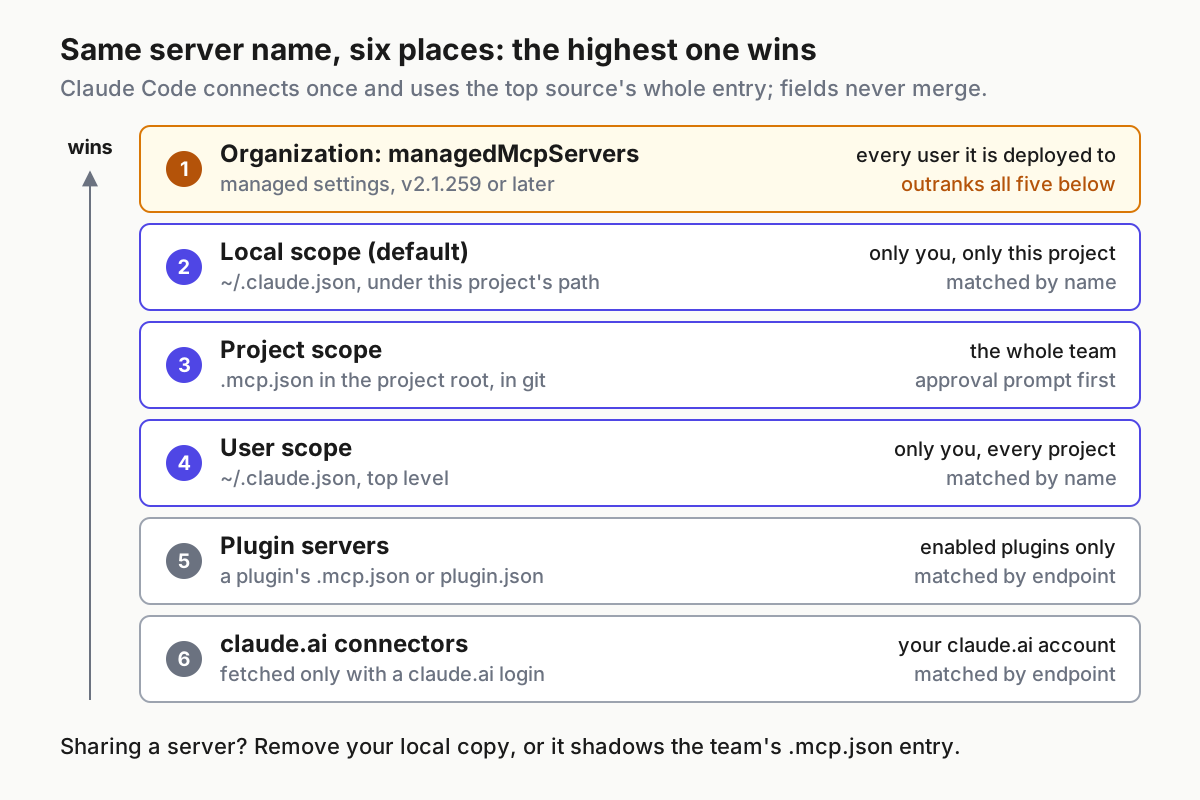
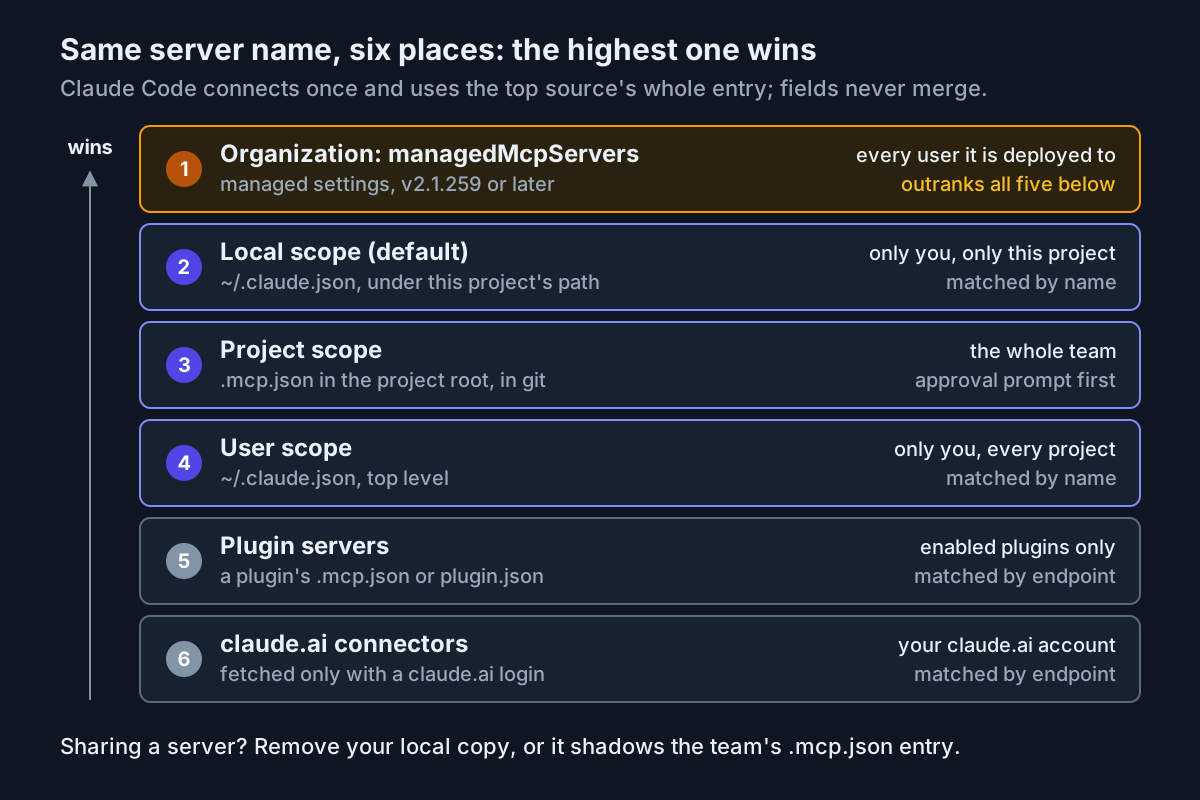
LM Studio’s page sets the variables with shell export lines. A settings file is easier to scope and easier to undo. Anthropic’s environment variable reference says Claude Code reads variables under a settings file’s env key directly from the file, however claude was launched. It also says .claude/settings.local.json applies only to you, in that project. Claude Code adds that file to gitignore when it saves a setting there; if you create the file by hand, add it to .gitignore yourself. Put this in the test repository:
{
  "env": {
    "ANTHROPIC_BASE_URL": "http://localhost:1234",
    "ANTHROPIC_AUTH_TOKEN": "lmstudio",
    "CLAUDE_CODE_ATTRIBUTION_HEADER": "0",
    "ANTHROPIC_MODEL": "local-coder",
    "ANTHROPIC_DEFAULT_OPUS_MODEL": "local-coder",
    "ANTHROPIC_DEFAULT_SONNET_MODEL": "local-coder",
    "ANTHROPIC_DEFAULT_HAIKU_MODEL": "local-coder",
    "CLAUDE_CODE_MAX_CONTEXT_TOKENS": "32768"
  }
}
The first three entries come from LM Studio’s page. The rest are our recommendation, based on Anthropic’s reference:
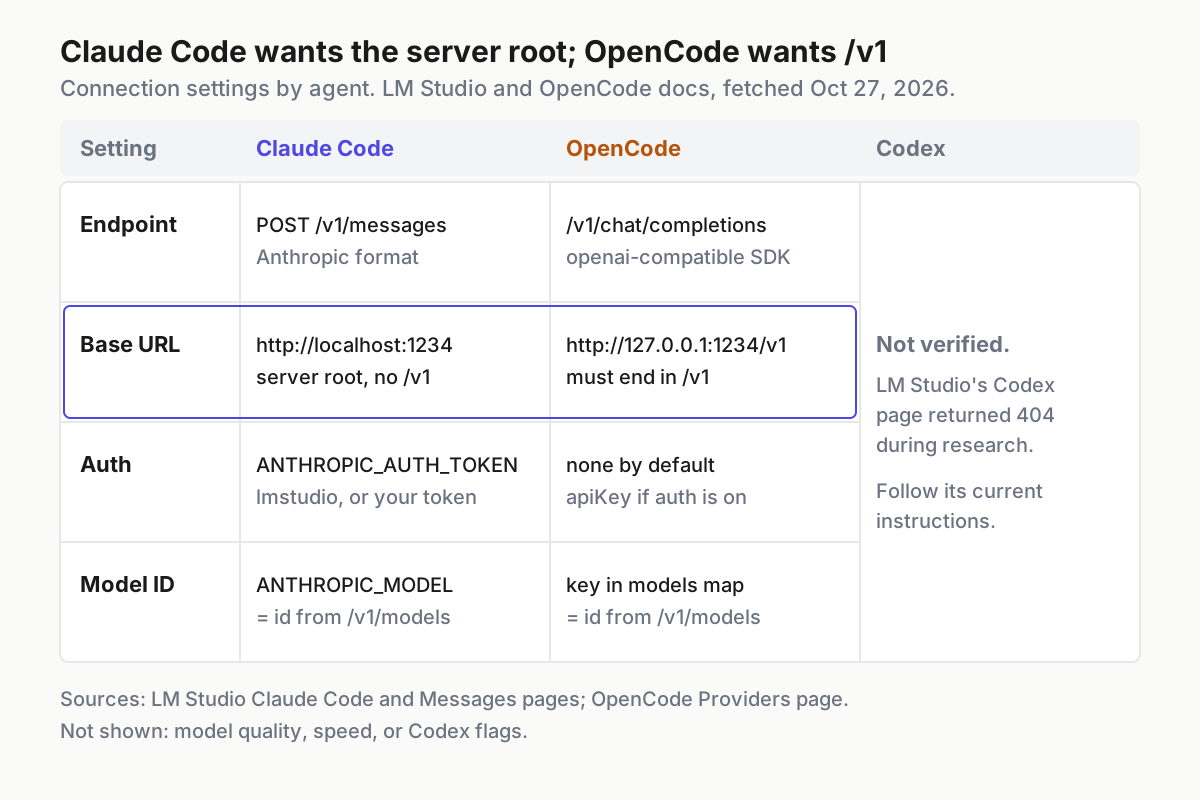
ANTHROPIC_BASE_URLis the server root,http://localhost:1234, with no/v1. LM Studio’s page pairs that bare root with an endpoint that lives at/v1/messages, so Claude Code supplies the path. If you add/v1, requests go to/v1/v1/messages, a path LM Studio doesn’t document.ANTHROPIC_AUTH_TOKENbecomes theAuthorizationheader, prefixed withBearer. With authentication off, any placeholder works; LM Studio useslmstudio. With Require Authentication on, set it to your LM Studio API token. The page says LM Studio then accepts bothx-api-keyandAuthorization: Bearer.CLAUDE_CODE_ATTRIBUTION_HEADERset to0removes a block from the start of the system prompt. According to Anthropic, that block carries the client version and a prompt fingerprint. LM Studio’s page includes this setting, so we keep it.ANTHROPIC_MODELpicks the model, so you can run plainclaude. A--modelflag still overrides it.- The three
ANTHROPIC_DEFAULT_*_MODELentries point Claude Code’s opus, sonnet and haiku aliases at the local model. Anthropic documents that the haiku alias also handles background work. If you leave it unset, those background requests ask LM Studio for a Claude model it doesn’t have. CLAUDE_CODE_MAX_CONTEXT_TOKENSoverrides the context window Claude Code assumes. Anthropic recommends it whenANTHROPIC_BASE_URLroutes to a model whose window doesn’t match the size Claude Code expects. Set it to the number you loaded so Claude Code compacts the conversation before LM Studio runs out of room. Anthropic notes that how it applies depends on how Claude Code resolves the model ID, so watch your first long session.
Now run the worked example:
- Save the file as
.claude/settings.local.jsonin the test repository, and add that path to.gitignore. - Start a session with
claudefrom the repository root. LM Studio’s page shows an equivalent with the model named explicitly:claude --model openai/gpt-oss-20b. - Read task: ask the agent to summarize the README and name the test command. Success is an accurate summary taken from the file.
- Edit task that uses tools: ask it to add one small function with a test, then run the tests. Success is a real file change in
git diffand a passing test run. - Prove the answers come from your machine. With JIT off, run
lms unload local-coder, send one more prompt, and expect an error. Afterwards, reload with the step 4 command from the load section.
Be clear about who supports this. Anthropic’s reference describes ANTHROPIC_BASE_URL as a way to route requests through a proxy or gateway. It doesn’t promise that a non-Claude model behaves like Claude; LM Studio is the one documenting this pairing. Some features also change by design. Anthropic says Remote Control is disabled when the base URL points at a host other than api.anthropic.com, as of v2.1.196. It also says that with ANTHROPIC_AUTH_TOKEN, no API key and a non-Anthropic base URL, Claude Code has no credential to fetch feature flags, so features that depend on those flags can be missing. If you haven’t used the model before, run its first edits in a sandboxed session.
Point OpenCode at the /v1 OpenAI-compatible endpoint
OpenCode uses the server’s OpenAI-compatible side. Its Providers documentation includes an LM Studio block that uses the @ai-sdk/openai-compatible package and http://127.0.0.1:1234/v1. Here is the complete file for the worked example, saved as opencode.json in the test repository:
{
  "$schema": "https://opencode.ai/config.json",
  "provider": {
    "lmstudio": {
      "npm": "@ai-sdk/openai-compatible",
      "name": "LM Studio (local)",
      "options": {
        "baseURL": "http://127.0.0.1:1234/v1"
      },
      "models": {
        "local-coder": {
          "name": "gpt-oss-20b, 32k (local)",
          "limit": {
            "context": 32768,
            "output": 8192
          }
        }
      }
    }
  },
  "model": "lmstudio/local-coder",
  "small_model": "lmstudio/local-coder"
}
Here’s what each setting does:
lmstudiois the provider ID. OpenCode says it can be any string, and it becomes the prefix inlmstudio/local-coder.@ai-sdk/openai-compatibleis the package OpenCode uses for servers that speak/v1/chat/completions. The docs say to use@ai-sdk/openaiinstead if a model uses/v1/responses, and that mixed setups can set the package per model.baseURLends in/v1. That’s the opposite of Claude Code, and it’s the most common copy-paste mistake when you configure both.- The key under
modelsmust be the id the server reports. OpenCode states this rule for another local server on the same page: each ID must match theidreturned byGET /v1/models. limit.contextandlimit.outputtell OpenCode how much context remains. Standard providers get these values from models.dev automatically; a custom local provider doesn’t, so you set them yourself. The 32,768 matches the load command. The 8,192 output cap is our own illustrative choice, leaving most of the window for input.small_modelis easy to miss. OpenCode’s docs say it uses a small model for jobs like generating session titles, configured by default togpt-5-nanohosted by Zen. The docs showsmall_modelas the way to keep that work on your own provider. Without it, title generation can leave the machine even though your main model is local.
If you turn on Require Authentication later, add "apiKey": "{env:LM_API_TOKEN}" under options. OpenCode documents the {env:...} syntax and the apiKey option for custom providers.
- Save the file and start
opencodein the repository. - Run
/models. “LM Studio (local)” and your model’s display name should appear in the picker. - Repeat the read task and the tool-using edit from the Claude Code section.
- Repeat the unload test. If the next prompt errors, nothing else is answering in the background.
Codex: what we could verify and what we could not
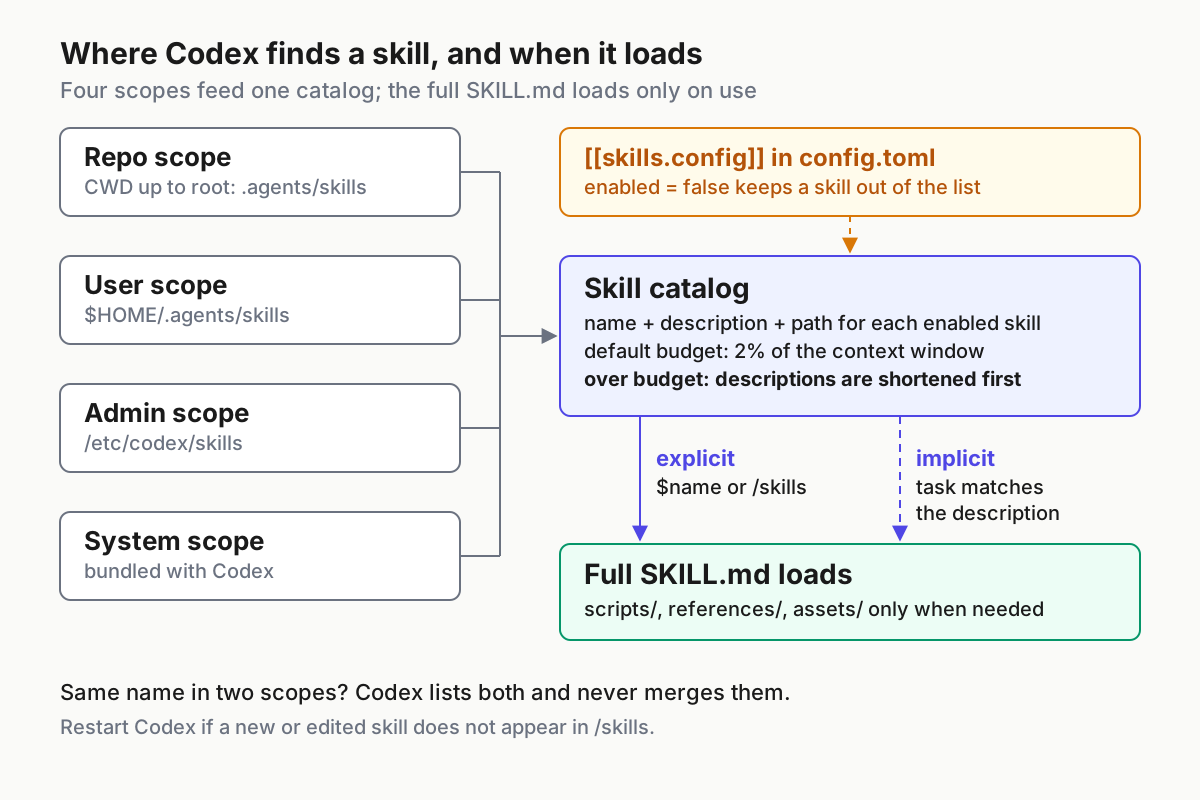
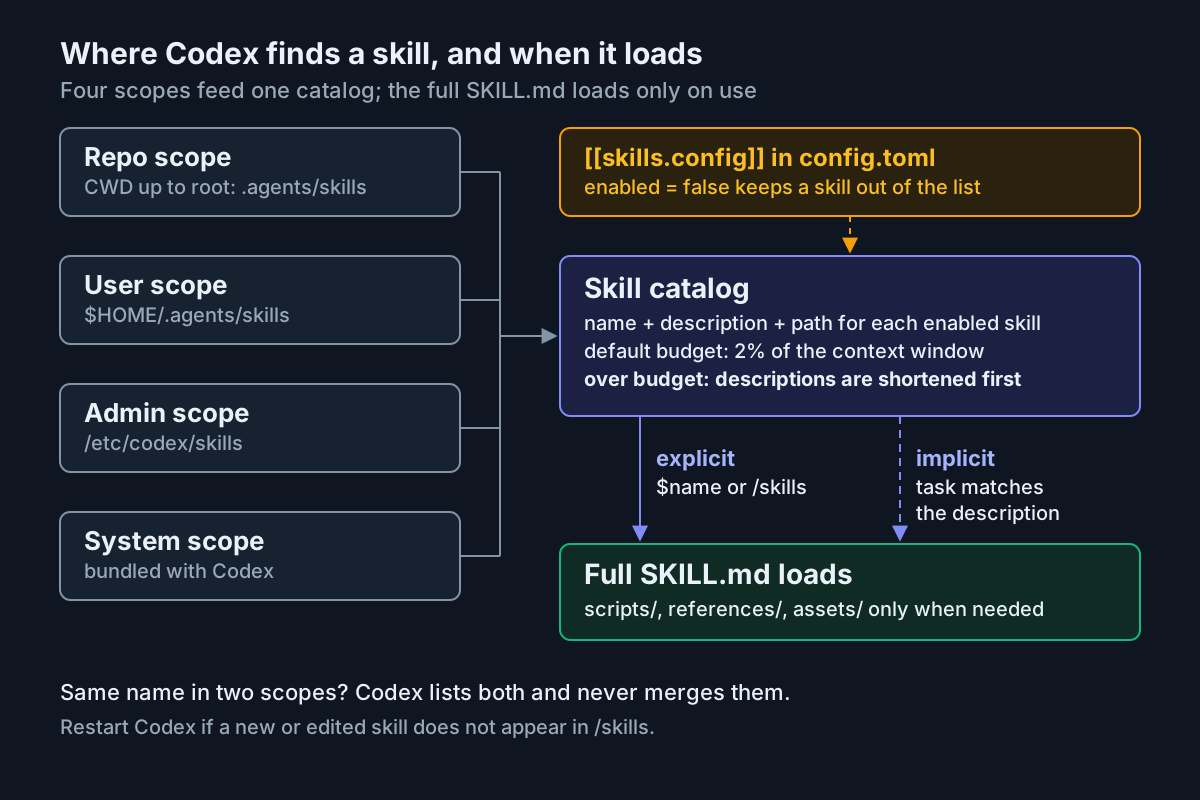
LM Studio’s documentation lists a Codex integration page, and its Claude Code page mentions using coding tools “like Claude Code and Codex” through LM Link. The X post behind this guide also says Codex can use the local server. During our research, though, the source file for LM Studio’s Codex page returned HTTP 404. We couldn’t verify the Codex flags or configuration, so we aren’t printing a command we couldn’t check.
The server-side steps still apply, because they don’t depend on the client:
- [ ] Read LM Studio’s current Codex integration page and use the exact command or config it gives.
- [ ] Load the model yourself first with
--context-length 32768, and keep JIT off, so a Codex request can’t trigger a load you didn’t configure. - [ ] Wherever Codex asks for a model, use the identifier from
GET /v1/models, not whatever default it offers to download. - [ ] Run the tool-call check in the next section. LM Studio documents tool use on both
/v1/chat/completionsand/v1/responses, so the check is meaningful whichever OpenAI API format your Codex build sends. - [ ] Run the unload test after your first prompt to confirm Codex is answering from LM Studio.
Prove the model emits real tool calls before you blame the agent
Every agent here works by asking the model to call tools: read a file, run a command, apply an edit. If the model can’t produce well-formed tool calls, the agent will look broken however you configure it. LM Studio’s tool-use documentation explains why models differ. Every model gets some tool use, but at two levels. Native support means the model’s chat template supports tools and LM Studio understands that format. These models carry a hammer badge in the app and generally do better with tools. Default support gives the other models a custom system prompt and a fallback call format, and the docs say results will vary.
Test it directly. This request adapts the documented curl example, with our identifier and a tool that looks like what a coding agent would offer:
curl -s http://localhost:1234/v1/chat/completions \
  -H "Content-Type: application/json" \
  -d '{
    "model": "local-coder",
    "messages": [{"role": "user", "content": "Read README.md and tell me the test command."}],
    "tools": [
      {
        "type": "function",
        "function": {
          "name": "read_file",
          "description": "Read a file from the repository. Use this whenever you need a file's contents.",
          "parameters": {
            "type": "object",
            "properties": {
              "path": {"type": "string", "description": "Path relative to the repository root"}
            },
            "required": ["path"],
            "additionalProperties": false
          }
        }
      }
    ]
  }' | jq '.choices[0].finish_reason, .choices[0].message'
How to read the result, based on LM Studio’s documentation:
| What comes back | Meaning | Next move |
|---|---|---|
finish_reason is "tool_calls" and choices[0].message.tool_calls holds a read_file call for README.md |
LM Studio parsed a well-formed tool call | Move on to the agents |
An ordinary answer in message.content that talks about the file |
The model chose not to call a tool | Retry once; if it happens again, the model is a weak choice for driving an agent |
Text such as <tool_call> or [TOOL_REQUEST] inside message.content |
The model tried to call the tool, but LM Studio couldn’t parse the call | Run lms log stream, resend the request to see the prompt, then switch to a model with native tool support |
In the docs’ sample response, finish_reason is "tool_calls" and the tool_calls array holds function.arguments as a JSON string. The documentation also notes that smaller models, and models not trained for tool use, can emit malformed calls that LM Studio can’t parse into tool_calls. When that happens, the call lands in the regular content field instead. That third row is the classic cause of an agent printing JSON at you instead of editing files.
For Claude Code’s path, the Messages reference also documents a tools request that uses an Anthropic-style input_schema and "tool_choice": {"type": "any"}. Send that same request with local-coder to test the exact endpoint Claude Code uses. OpenCode’s docs add practical advice: if tool calls aren’t working well, pick a loaded model with strong tool-calling support, such as a Qwen-Coder or DeepSeek-Coder variant. Our guide to open-weight models that can drive a harness covers that choice in more depth.
Which endpoint each agent uses
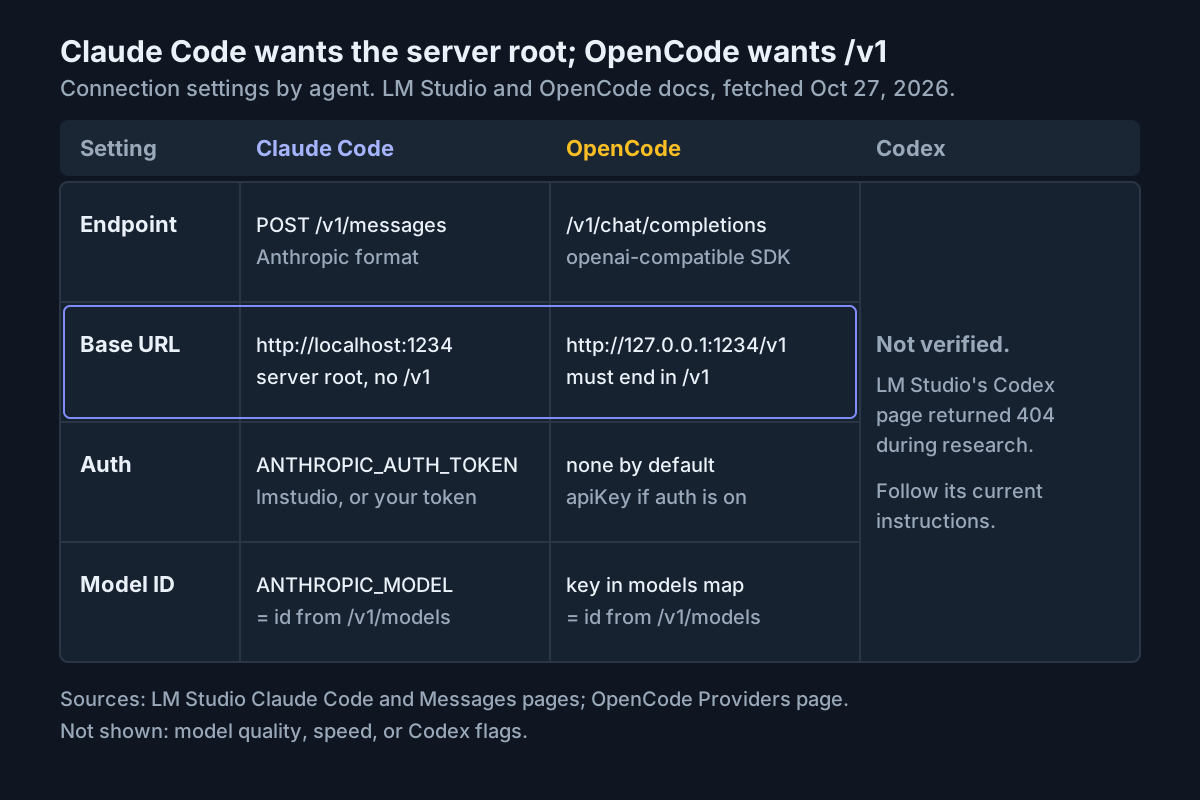
The two working configurations differ in exactly the places people tend to copy wrong. Keep this table next to your configs:
| Agent | LM Studio endpoint | Base URL form | Auth when Require Authentication is off | Where the model ID comes from |
|---|---|---|---|---|
| Claude Code | POST /v1/messages (Anthropic-compatible) |
http://localhost:1234, the server root |
ANTHROPIC_AUTH_TOKEN with any placeholder |
ANTHROPIC_MODEL or --model, matching GET /v1/models |
| OpenCode | /v1/chat/completions via @ai-sdk/openai-compatible, or /v1/responses via @ai-sdk/openai |
http://127.0.0.1:1234/v1 |
None needed | The key in the models map, matching GET /v1/models |
| Codex | Not verified | Not verified | Not verified | GET /v1/models, whatever the client config looks like |
Troubleshooting table: symptom, cause, fix and what you should see
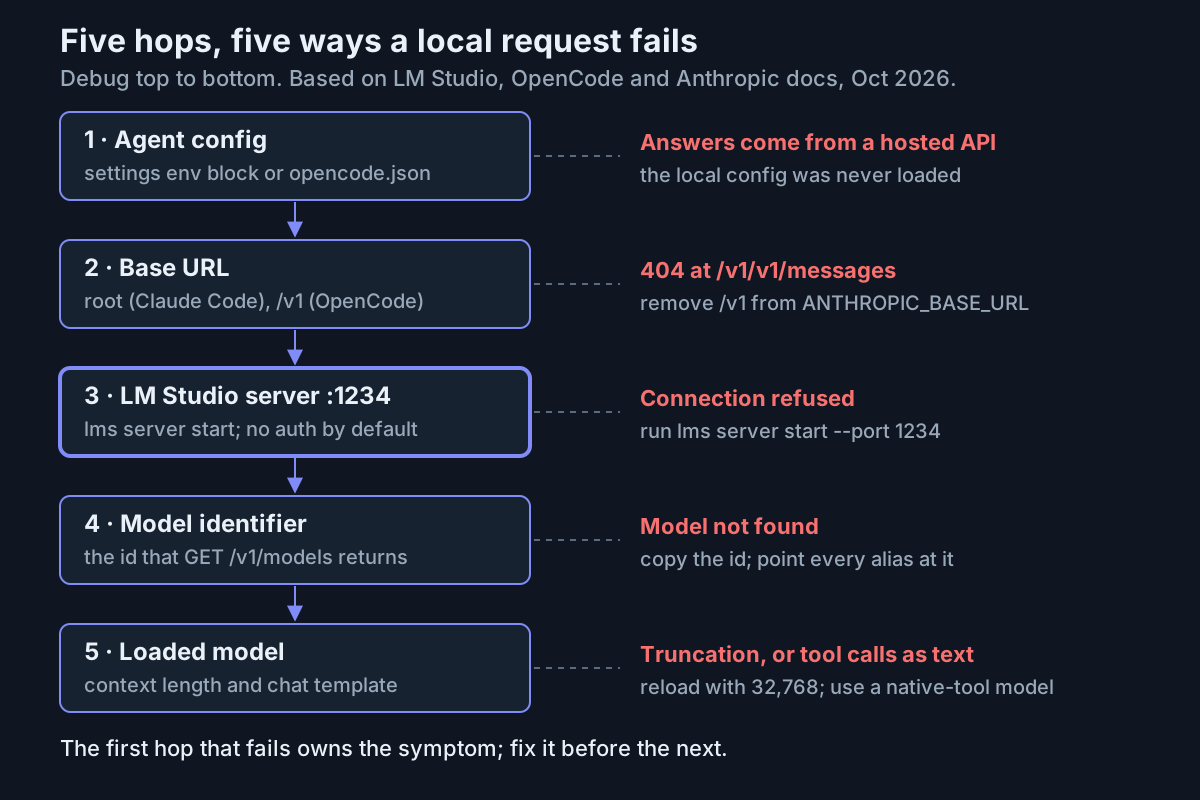
Work from the agent down to the model. The first hop that fails owns the symptom, and fixing a later hop first only hides the problem.
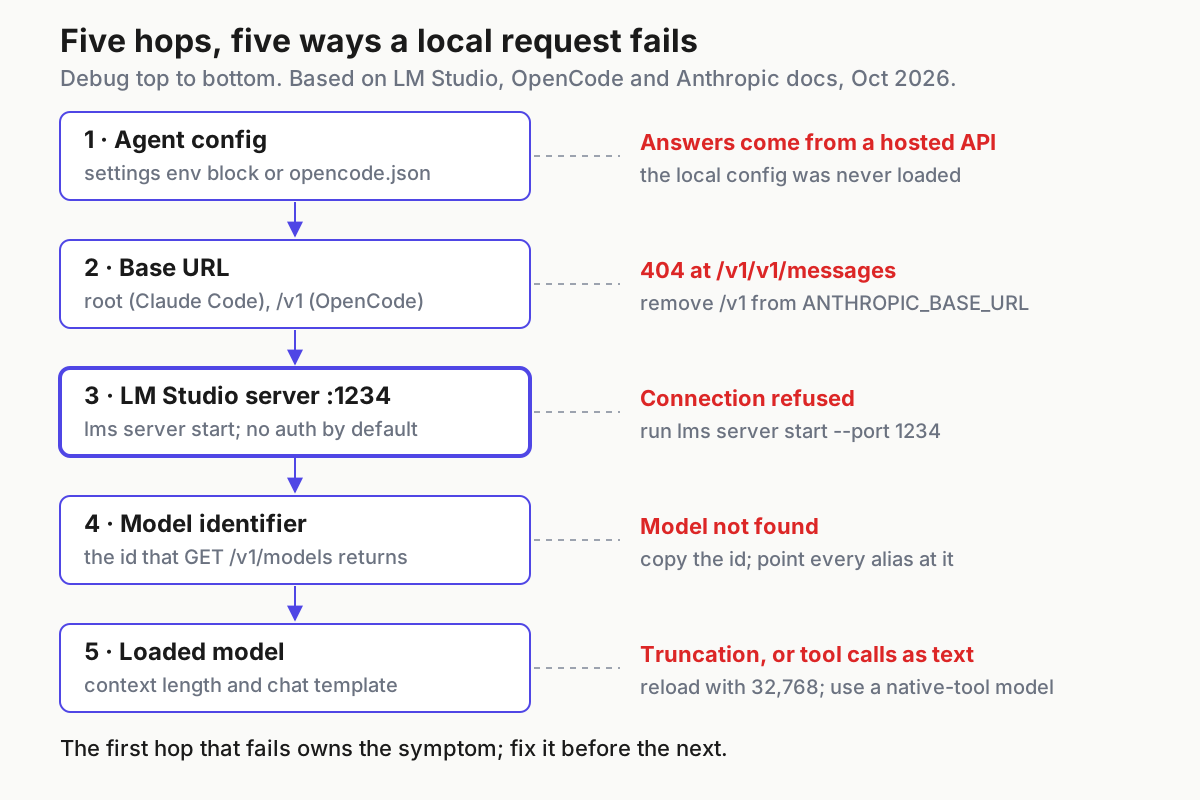
| Symptom | Likely cause | Fix | What you should see after |
|---|---|---|---|
curl to port 1234 says connection refused |
The server isn’t started, or it’s running on another port | Run lms daemon up, then lms server start --port 1234 |
/v1/models returns JSON |
Claude Code fails on every request, and the path shows /v1/v1/messages |
ANTHROPIC_BASE_URL ends in /v1 |
Set it to http://localhost:1234 and relaunch |
The Messages smoke test and a Claude Code prompt both reply |
| OpenCode lists the provider, but every request fails | baseURL is missing /v1, or the port is wrong |
Use http://127.0.0.1:1234/v1 |
The read task completes |
| “Model not found”, or an unexpected model loads | The configured name doesn’t match the server’s id, JIT loaded something else, or Claude Code’s aliases still point at Claude models | Copy the id from GET /v1/models, turn JIT off and set the three ANTHROPIC_DEFAULT_*_MODEL entries |
Only local-coder appears in /v1/models, and every request uses it |
| The agent forgets instructions, truncates files or compacts constantly | The model loaded with a small context, such as 4096 | Unload it, reload with --context-length 32768, and match CLAUDE_CODE_MAX_CONTEXT_TOKENS and OpenCode’s limit.context |
Multi-step tasks keep their instructions |
| The agent prints tool-call JSON instead of editing files | Default-level tool support, or a model too small for tool use | Run the tool-call check, then switch to a model with native tool support | finish_reason is "tool_calls" |
| Claude Code aborts a long response after five quiet minutes | Anthropic’s body idle timeout, which is active for providers other than the direct Anthropic API | Set API_FORCE_IDLE_TIMEOUT to 0 in the env block |
Slow local responses finish; Anthropic notes its separate stream watchdogs still apply |
| Requests return an auth error after you enable Require Authentication | The agent still sends a placeholder | Claude Code: set ANTHROPIC_AUTH_TOKEN to the token. OpenCode: add apiKey with {env:LM_API_TOKEN} |
Smoke tests succeed with the token and fail without it |
| A client on another machine, a VM or WSL can’t reach the server | That client’s localhost is not your LM Studio host |
Use a tunnel, as in our llama-server remote access guide, or LM Studio’s LM Link; turn on Require Authentication before exposing anything | The remote client lists models only with a valid token |
| OpenCode session titles still go to a hosted model | small_model isn’t set |
Add "small_model": "lmstudio/local-coder" |
Titles still generate when you’re offline |
A warning about the remote row. The LM Studio docs we checked describe the server’s port and its optional authentication. They also say a remote instance must be reachable from your machine, for example on the same subnet, for lms load --host to work. The Messages reference treats the API key header as optional unless Require Authentication is on. So if you make the server reachable from beyond your own machine, anyone who can reach it can use your model until authentication is on. Turn it on first.
Roll back to your hosted defaults
Practice this once, now, while you still remember what you changed.
- Claude Code: delete
.claude/settings.local.json, or remove theenventries you added. Anthropic says removing a variable from a settings file doesn’t unset it in a running session. The change takes effect the next time you launchclaude, so quit and relaunch. If you used LM Studio’sexportlines instead, rununset ANTHROPIC_BASE_URL ANTHROPIC_AUTH_TOKEN CLAUDE_CODE_ATTRIBUTION_HEADERin that shell and remove the lines from your shell profile. - OpenCode: delete the
lmstudioprovider block and themodelandsmall_modellines fromopencode.json. Restart OpenCode and pick your usual model in/models. - Free the memory with
lms unload local-coderorlms unload --all. - Stop serving. If you used the desktop app’s run-on-login option, uncheck it. For llmster, use the daemon commands in LM Studio’s CLI reference. We verified the start commands for this guide but not the stop commands, so check the reference rather than guessing.
- Confirm the rollback. Start each agent, send one prompt and check that your usual hosted model answers. Then
curl http://localhost:1234/v1/modelsshould either fail or return an empty list, depending on whether the server is still running.
Done means these checks pass
- [ ] With JIT off,
curl http://localhost:1234/v1/modelslistslocal-coderand nothing else. - [ ] The model was loaded with an explicit
--context-length 32768, after an estimate said it would fit. - [ ] The tool-call check returns
"finish_reason": "tool_calls"with a parsedread_filecall. - [ ] Claude Code completes the read task and a tool-using edit with a passing test, and fails after
lms unload local-coder. - [ ] OpenCode does the same, with
small_modelpointing at the local provider. - [ ] If you configured Codex from LM Studio’s current page, it passes the same unload test.
- [ ] You practiced the rollback, and each agent went back to its hosted default.
- [ ] Require Authentication is on before anything other than this machine can reach the server.
Two of these failures are silent, so they bear repeating. An agent that keeps answering after you unload the model isn’t using LM Studio. A server reachable from the network without authentication will serve anyone who finds it. Once a local setup works, run it like any other agent: keep track of which model and which config produced each session, as our AgentOps guide argues.
Sources
- Nosignal (@X_Nosignal_X) on X: running LM Studio headless for local coding agents, October 25, 2026
- LM Studio: Claude Code integration
- LM Studio: Run LM Studio as a service (headless)
- LM Studio: lms load reference
- LM Studio: Anthropic-compatible Messages endpoint
- LM Studio: Tool Use
- LM Studio: List Models
- OpenCode: Providers
- Anthropic: Claude Code environment variables