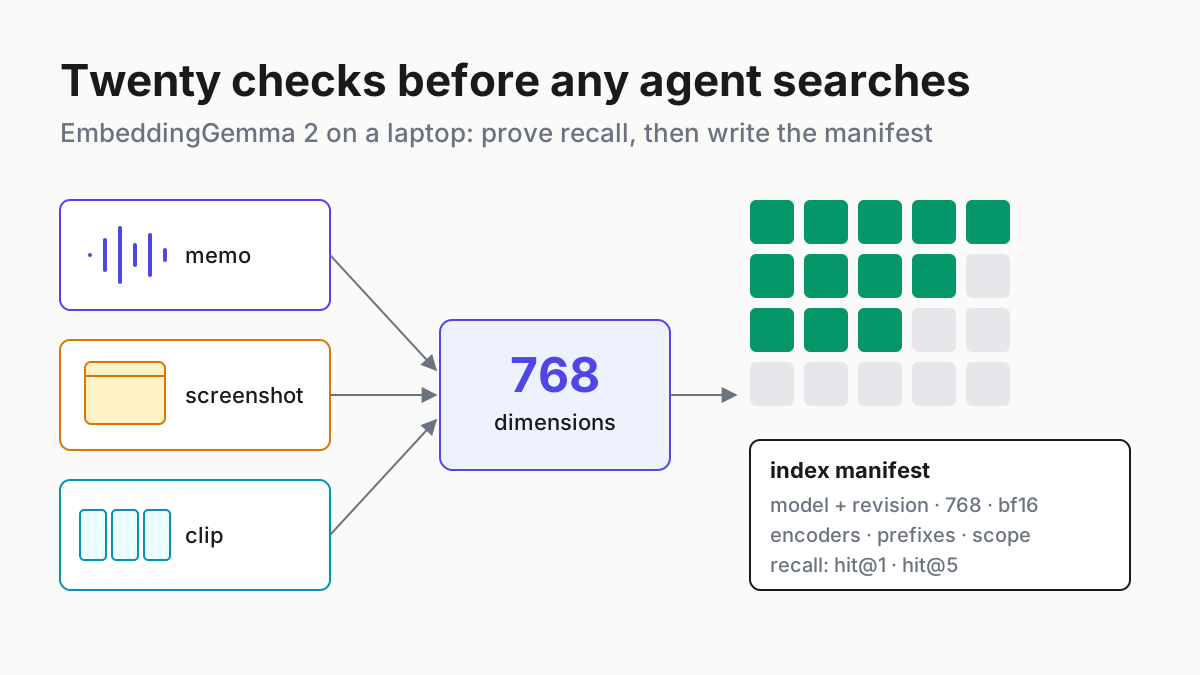
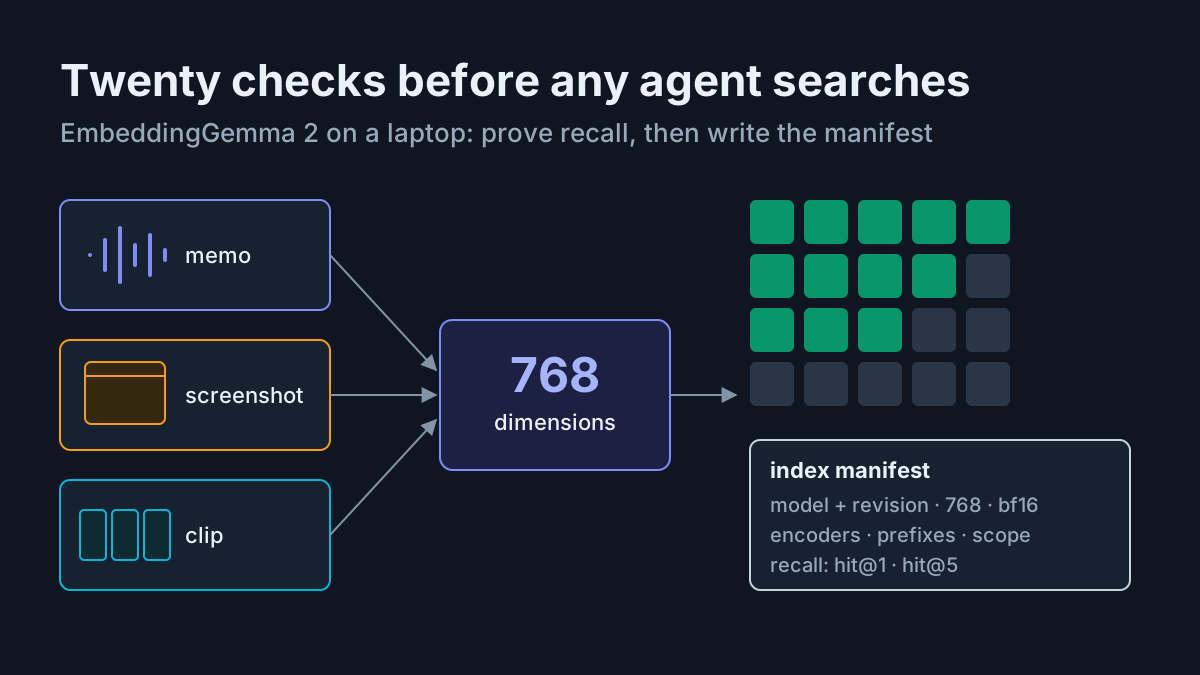
llama-server Remote Access for Coding Agents: SSH Tunnel, Tailscale Serve or Experimental --connect
llama-server remote access done safely: keep it on loopback behind an API key, then reach it via SSH tunnel, Tailscale Serve or the experimental --connect.

Go deeper. Build your own.
Your GPU box sits under a desk at home with a coding model loaded in llama-server. Once you carry your laptop out the door, OpenCode has nothing to talk to. This guide sets up llama-server remote access without opening your home network to strangers. You keep the server on loopback behind an API key, choose one relay to carry traffic to it and point the agent at that relay. When you finish, you tear everything down and run a check that proves nothing still answers.
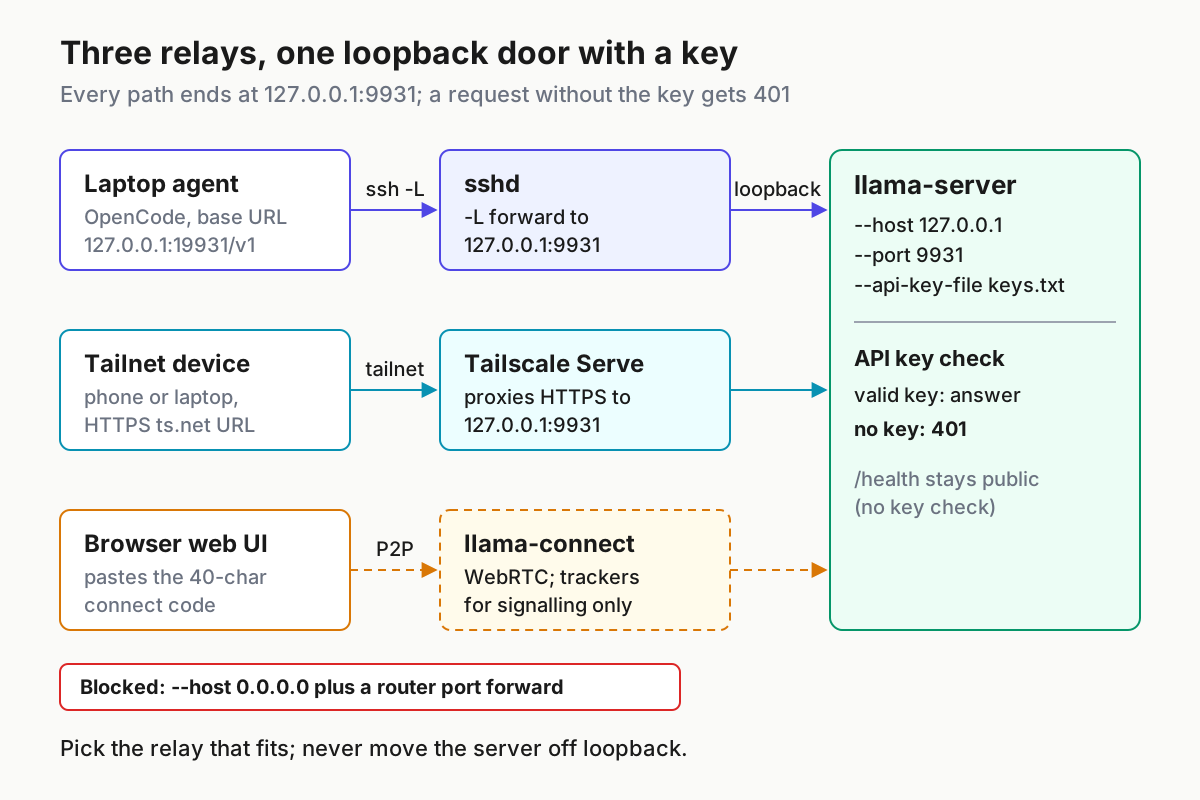
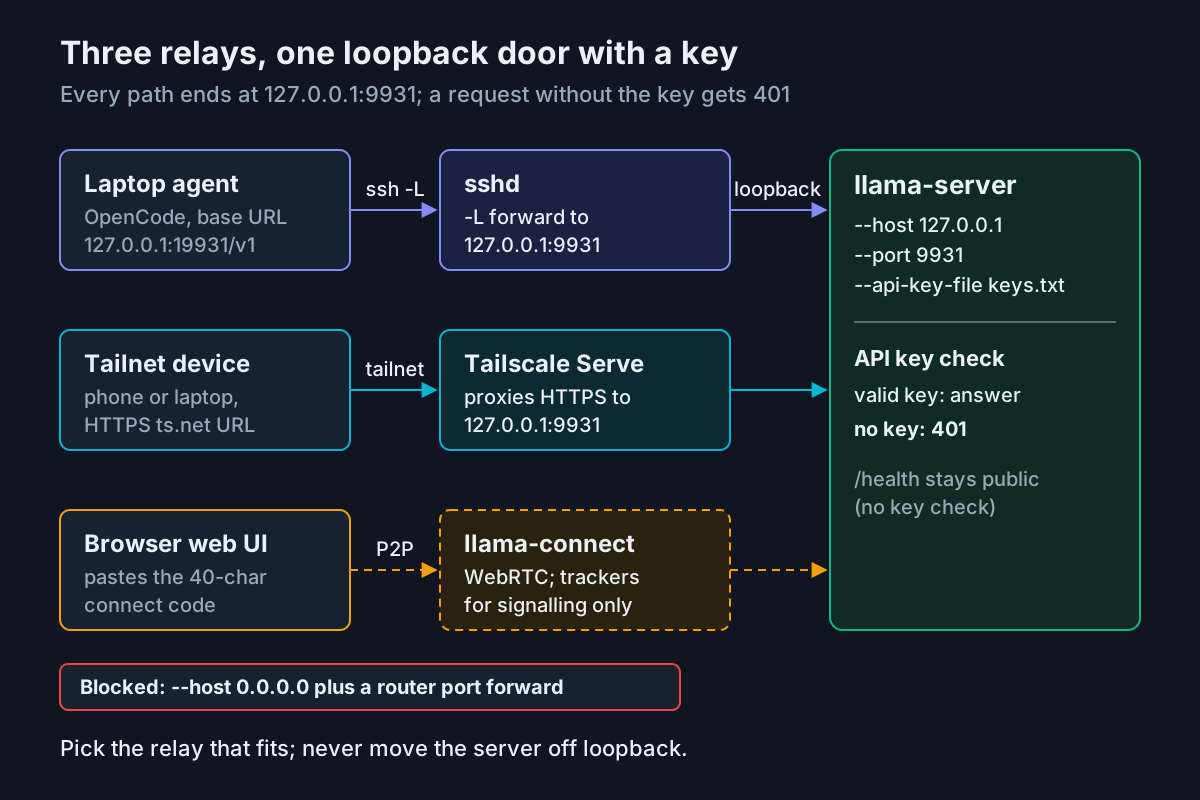
Three relays are worth considering. An SSH local forward needs nothing new if you already log in to the box. Tailscale Serve gives every device on your tailnet an HTTPS address. The third is new. On October 19, 2026, ggml-org published llama.cpp build b11744 on GitHub, and it adds an experimental --connect flag that opens a peer-to-peer tunnel. That flag is why this guide exists this week, but it is also the path least ready for a coding agent. The sections below explain why and link the sources.
What you need before starting. You need a working llama-server build, one GGUF model and a shell on both the GPU box and the laptop. You also need either an SSH server you can reach from outside or both machines joined to the same tailnet. Build b11744 or later matters only if you want to try --connect. The worked example uses illustrative names: the GPU box is gpu-box, the model alias is home-coder, and the laptop listens on local port 19931.
Every command is documented syntax from the sources linked inline. The responses described are the documented ones, not output from a run performed for this article. On an older build, note that the server’s default port is now 9931; our llama.cpp port change runbook covers that change. If you are still choosing the hardware, home AI without a workstation and the local AI workstation guide cover that layer. This article starts after the model has loaded.
Pick the remote path before you touch a flag
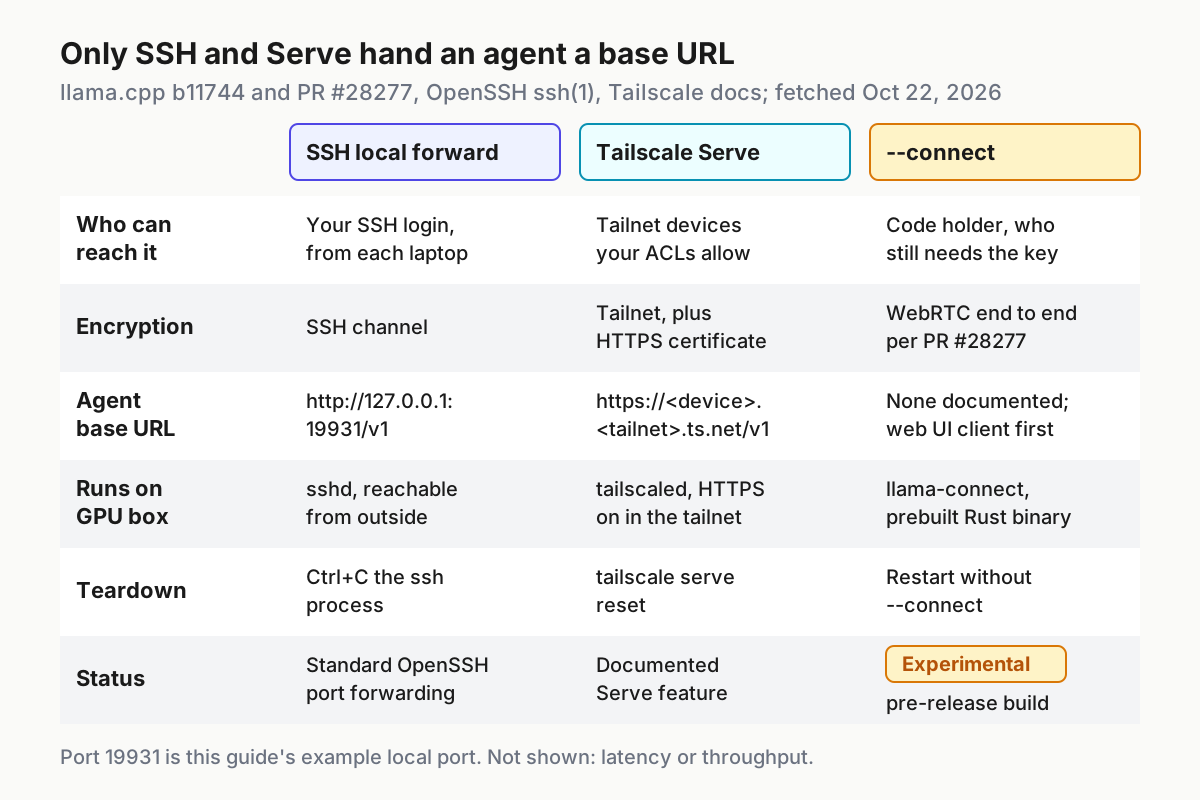
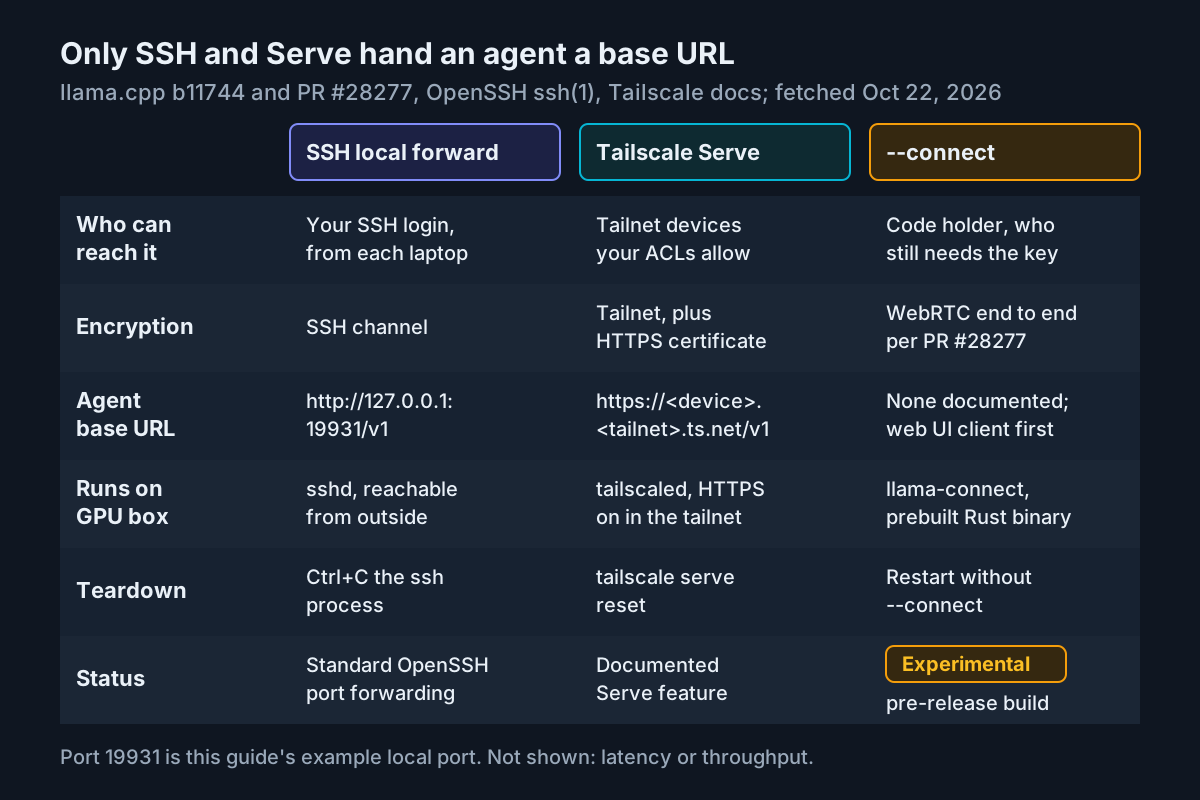
The relays differ in three ways: who can reach the server, what base URL the agent sees and how you switch the relay off. Decide those first, because the server configuration in the next section is the same for all three.
| Path | Who can reach it | What is encrypted | Base URL the agent sees | Setup cost | Teardown | Choose it when |
|---|---|---|---|---|---|---|
| SSH local forward | Anyone who can log in to gpu-box over SSH and runs the forward on their own machine |
The SSH channel from laptop to gpu-box; the last hop is loopback on the box |
http://127.0.0.1:19931/v1 on the laptop |
Low if sshd is already reachable from outside; otherwise add a jump host or a tailnet | Ctrl+C the ssh process |
One laptop, one agent, and you already use SSH |
| Tailscale Serve | Tailnet devices your access rules allow, plus anyone you shared the device with | Tailnet traffic, ending as HTTPS with an automatically provisioned certificate | https://gpu-box.<tailnet>.ts.net/v1 |
Medium: Tailscale on every device and HTTPS certificates enabled in the tailnet | tailscale serve reset |
Several of your own devices, a phone included |
--connect (experimental) |
A client holding the connect code, which still needs the API key | A WebRTC data channel, end to end according to PR #28277; public trackers carry signalling only | None documented; the llama.cpp web UI is the first intended client | Low on the server, but the browser client was still in review on October 21 | Restart llama-server without --connect |
Trying the web UI from a phone; never for unattended agent traffic |
Use the table as a decision procedure:
- If the client is a coding agent such as OpenCode, pick SSH or Tailscale Serve. Both give the agent an ordinary HTTP base URL, and
--connectdoes not have one yet. - If you need the model on two or more of your own devices, or on a phone with no terminal, pick Tailscale Serve. One command on the GPU box covers every device.
- If you already reach the box with SSH keys and only one laptop needs access, pick the SSH forward. It adds no new software.
- If you want to try
--connect, use the web UI and treat it as a pre-release feature. Keep an SSH or Serve path for anything you depend on. - If you are about to bind the server to
0.0.0.0and forward a port on your router, stop. The server README says a public deployment needs an API key and a reverse proxy in front of the server. That is a separate project from reaching your own box.
Lock llama-server to loopback with a key
All three relays reach the server from the GPU box itself. sshd connects to loopback, Tailscale Serve proxies to http://127.0.0.1, and llama-connect dials the address you bound. The server therefore never needs a LAN address.
The README documents three flags for this. --host defaults to 127.0.0.1, and --port defaults to 9931. --api-key-file reads keys from a file, one per line, and treats lines starting with a hash as comments. The file can hold several keys, which matters when you rotate them later.
- Create the key file on
gpu-box. Generate a long random value in your password manager and put it on the first line of the file. - Restrict the file so only your user can read it.
- Start the server with an explicit loopback bind, the key file, a stable model alias and the context size you plan to give the agent.
- Run the three checks below on the box itself before you add a relay.
# On gpu-box. Paths, alias and context size are illustrative.
mkdir -p ~/.config/llama
${EDITOR:-nano} ~/.config/llama/keys.txt   # line 1: your key; lines starting with # are comments
chmod 600 ~/.config/llama/keys.txt

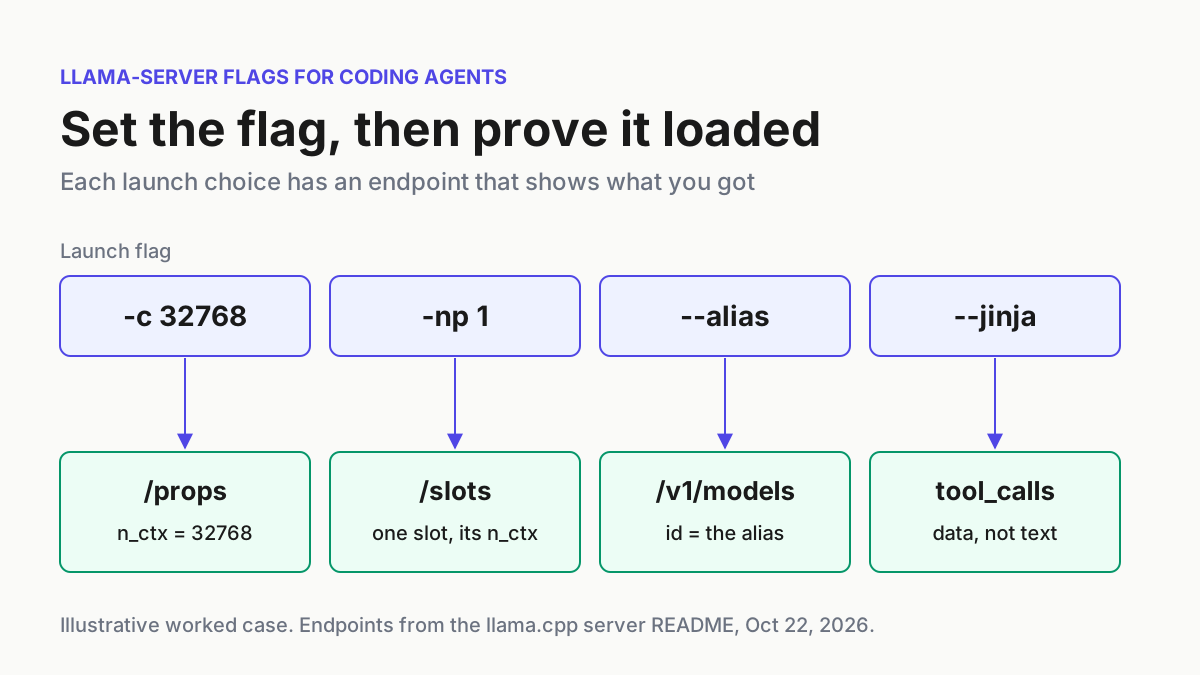
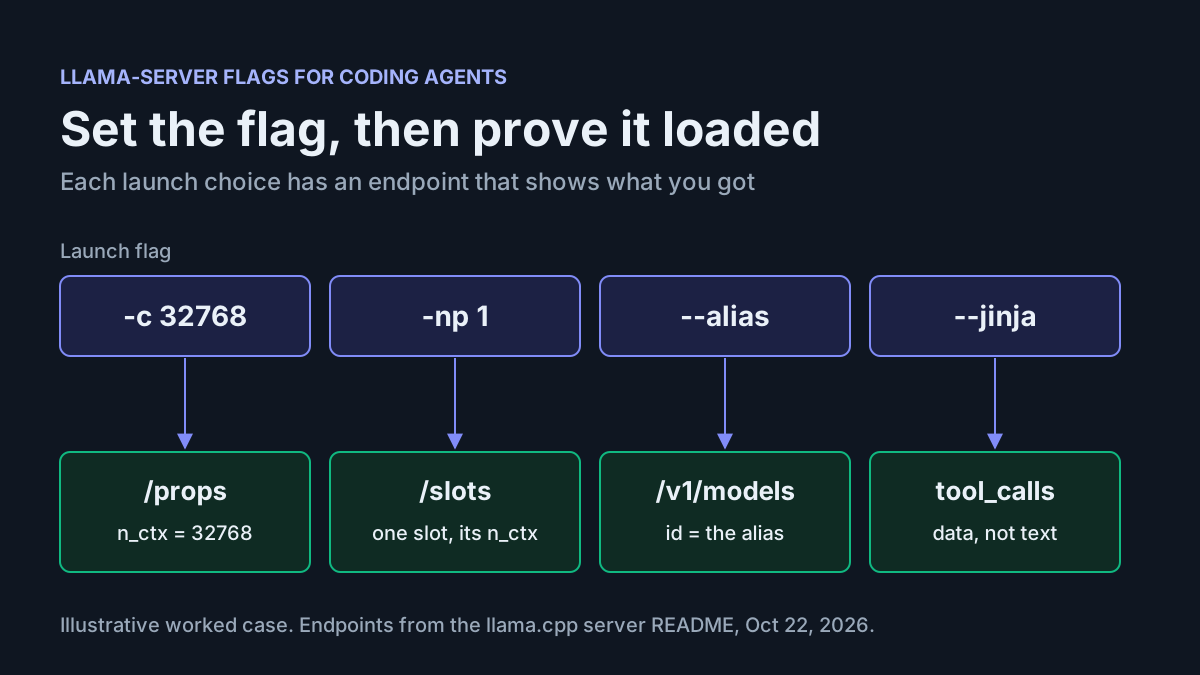
llama-server -m ~/models/coder.gguf --alias home-coder -c 32768 \
  --host 127.0.0.1 --port 9931 \
  --api-key-file ~/.config/llama/keys.txt
Each choice has a reason:
--host 127.0.0.1repeats the default on purpose. The README says a command-line argument takes precedence over its environment variable, so the explicit flag overrides a strayLLAMA_ARG_HOSTleft in a service file.--alias home-coderreplaces the model ID, which otherwise defaults to the file path. The agent configuration needs that ID, and a short alias still works if you rename the GGUF.-c 32768fixes the context size, so the limit you declare to the agent matches the server.- Leave
--toolsand--agentoff. The README lists the built-in tools, includingexec_shell_commandandwrite_file, as experimental and says not to enable them in untrusted environments. A server reachable from a café counts.
Now check the baseline:
# On gpu-box. Endpoints and responses are documented in the server README.
export LLAMA_KEY="$(head -n 1 ~/.config/llama/keys.txt)"

curl http://127.0.0.1:9931/health
# expect {"status": "ok"}; while the model loads, a 503 error with "Loading model"

curl http://127.0.0.1:9931/v1/models
# expect an error object with "code": 401 (no key sent)

curl --header "Authorization: Bearer $LLAMA_KEY" http://127.0.0.1:9931/v1/models
# expect a list whose data[0].id is "home-coder"
Read the results in this order:
/healthreturning{"status": "ok"}means the model has loaded. The README marks this endpoint as public, with no API key check, so a success here says nothing about authentication.- The
/v1/modelscall without a key must fail with a 401 error object. The README’s example message isInvalid API Key. The wording for a missing key may differ, so check the code. If you get the model list instead, the server did not load the key file, and you need to fix that before going further. - The call with the key must list
home-coder. If the ID shown is a file path, the alias did not apply. - From a second machine on your home LAN, request
http://<gpu-box-lan-ip>:9931/health. It should fail to connect, because nothing listens on the LAN address. This failure means the bind is correct.
SSH local forward: one laptop, one agent
The ssh(1) manual documents the form -L [bind_address:]port:host:hostport. ssh listens on a local port and carries each connection over its encrypted channel. The remote machine then opens the connection to host:hostport. Because the remote end makes that connection, a host of 127.0.0.1 means the GPU box’s own loopback, which is where the server listens.
You must be able to reach sshd from outside your home. You may already expose SSH with key-only login. You can also reach the box through a jump host with the documented -J option, or run SSH over a tailnet. Use whichever you already trust, so this setup adds no new exposure.
# On the laptop. Documented ssh(1) options; host names are illustrative.
ssh -N \
  -L 127.0.0.1:19931:127.0.0.1:9931 \
  -o ExitOnForwardFailure=yes \
  you@gpu-box.example.net

# The same forward through a jump host:
# ssh -N -J you@bastion.example.net -L 127.0.0.1:19931:127.0.0.1:9931 you@gpu-box
What each part does:
-Nruns no remote command. The manual says this is useful when you only want to forward ports. The terminal shows no prompt while the forward is up.- The leading
127.0.0.1:is the bind address. The manual says alocalhostbind address keeps the listener for local use only. An empty address or*opens it on every interface, which you do not want on café Wi-Fi. Never add-g, which lets remote hosts connect to local forwarded ports. - Local port 19931 avoids a clash if the laptop runs its own llama-server on 9931.
ExitOnForwardFailure=yesmakes ssh exit when it cannot set up the forward, for example when 19931 is already in use. Without it, ssh can stay connected with nothing forwarded.- Keep-alive settings come from ssh_config(5) and are passed with
-o. The manual cited here documents-oand refers to ssh_config(5) for option names. Look them up there if your network drops idle connections.
Open a second terminal on the laptop and run the same checks through the forward:
export LLAMA_KEY='the-same-key-as-on-gpu-box'

curl http://127.0.0.1:19931/health
# expect {"status": "ok"}
curl http://127.0.0.1:19931/v1/models
# expect the 401 error object
curl --header "Authorization: Bearer $LLAMA_KEY" http://127.0.0.1:19931/v1/models
# expect data[0].id "home-coder"
If you get the same three results as on the box, the forward passes traffic through unchanged and the key still protects the server. The README says the web front end is served at the same URL as the API, so opening http://127.0.0.1:19931 in the laptop’s browser shows the web UI. To stop, press Ctrl+C in the ssh terminal and the listener closes.
Tailscale Serve: every device you own, over HTTPS
Tailscale Serve routes traffic from other devices on your tailnet to a local service on one device. It needs HTTPS certificates enabled in your tailnet. If they are off, the CLI gives you a link to a page where you can enable them. Your access control rules apply to Serve as they do to any other service, so a device your rules block cannot reach the model.
The tailscale serve command reference says that only http://127.0.0.1 is supported as a proxy target. A server bound to loopback meets that requirement.
# On gpu-box. Documented tailscale serve syntax.
tailscale serve --bg 9931     # proxy https://<device>.<tailnet>.ts.net to http://127.0.0.1:9931
tailscale serve status        # list what this device is serving
- For your first run, you can leave out
--bgand run the command in the foreground to watch it. The documentation’s example printsAvailable within your tailnet:, then the HTTPS URL, then a line showing/proxied to the local address. Ctrl+C ends that session. - Use
--bgfor a setup that lasts. The command reference says a background Serve keeps running until you disable it, including across reboots and aftertailscale downandtailscale up. Because it persists, you have to turn it off yourself. - Copy the URL from the status output. Names take the form
device-name.tailnet-name.ts.net. - From the laptop or phone on the tailnet, run the three checks against
https://gpu-box.<tailnet>.ts.net. Expect the same results as on the box.
Keep three cautions in mind with this command:
- Funnel is the public version of Serve, so never point
tailscale funnelat this port. The Serve page says a port cannot be used by Serve and Funnel at the same time. Whichever command configured the port last decides whether it is private or public. The page also says Funnel is enabled by default and can be turned off if you do not plan to use it. Turning it off means a later command cannot publish the model by mistake. - Serve adds identity headers such as
Tailscale-User-Loginto proxied requests. llama-server does not use them for authentication; the API key controls access. The documentation advises that a backend relying on those headers listen only on localhost, and this server already does. - People you share the device with can reach it too. The documentation says identity headers are filled in for external users who accepted a share of your device, so their requests reach Serve URLs. If you shared
gpu-boxwith a friend, add them to your list of who can reach it. The API key is what stops them.
What the experimental --connect flag does today
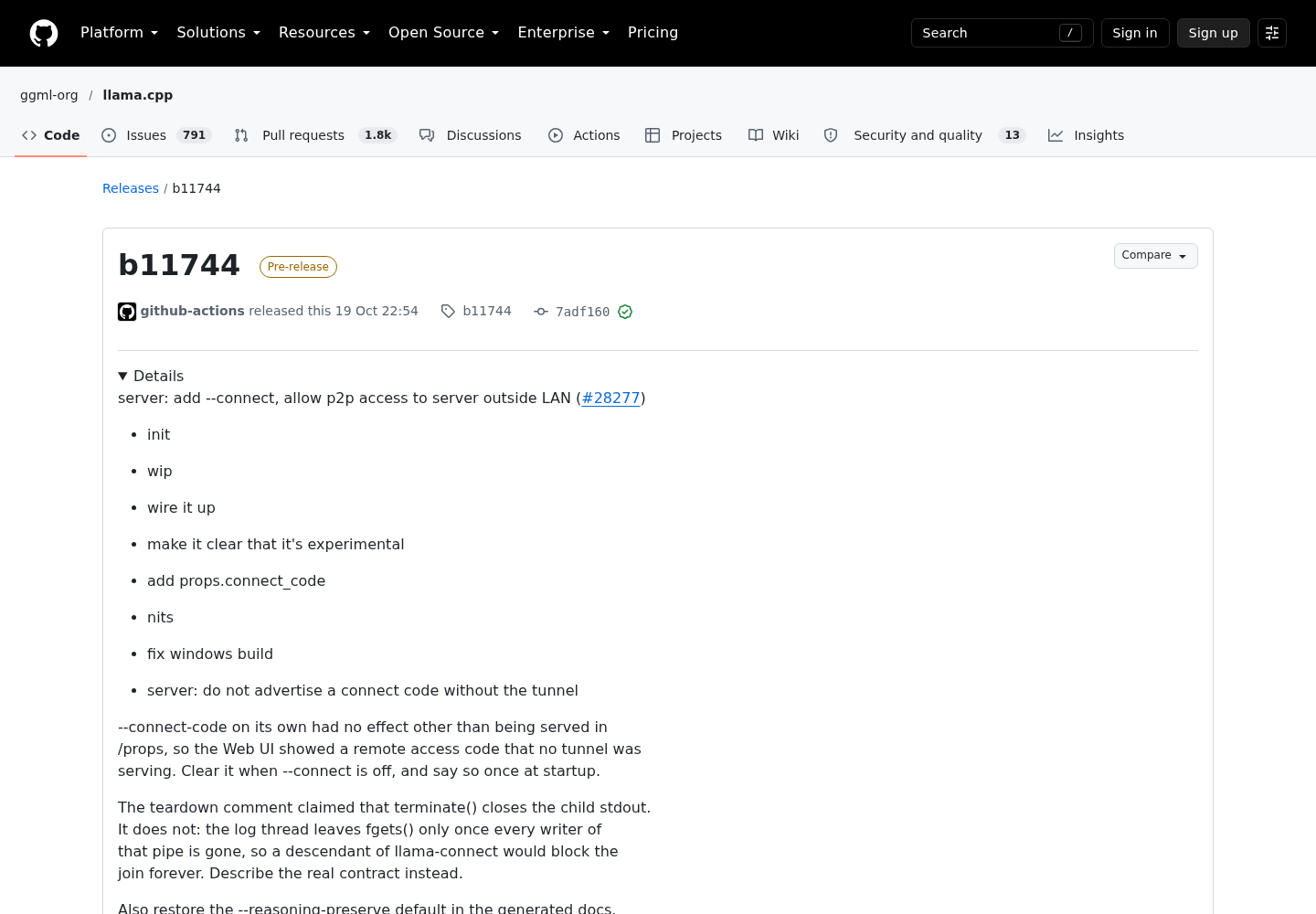
The b11744 release is marked as a pre-release and includes the merged pull request for --connect. The README describes the flag as “(experimental) open a peer-to-peer tunnel for server using llama-connect”. It is off by default, and its environment variable is LLAMA_ARG_CONNECT. A second flag, --connect-code, lets you set the 40-character code yourself. Without it, the server generates a new code on every run.
Pull request #28277 explains the design. The server uses a prebuilt, statically linked Rust binary from the ggml-org/llama-connect project. The PR says implementing the protocol in C++ would add too many third-party dependencies. The connection is peer-to-peer over WebRTC with no central server. It is encrypted end to end, as WebRTC requires, and WebTorrent trackers handle only signalling.
The earlier browser proof of concept is pull request #24577. It adds that STUN servers help get through NAT, and that the client pastes a pass code into the web UI’s remote access settings.
# On gpu-box. The same baseline plus the experimental flag (b11744 or later).
llama-server -m ~/models/coder.gguf --alias home-coder -c 32768 \
  --host 127.0.0.1 --port 9931 \
  --api-key-file ~/.config/llama/keys.txt \
  --connect
The loopback bind still works with the tunnel. The release notes say the server now passes the port it actually bound to llama-connect and picks the address to dial from --host. The PR discussion gives the mapping: 0.0.0.0 becomes 127.0.0.1, :: becomes [::1], and a specific address is used unchanged. If you bind only unix sockets, the server refuses --connect at startup instead of running a tunnel that cannot reach it.
The connect code is the pairing secret for the tunnel. The proof-of-concept client stores the code as you paste it and splits it into a room and a pass internally. Holding the code lets a client open the tunnel, but it does not skip the server’s own key check. A contributor who tested on Linux reported that a request through the tunnel without the key still gets a 401.
The server publishes the code as props.connect_code so the web UI can show it. That makes your /props output sensitive while the tunnel is running. The release also fixed a case where --connect-code used on its own was still served in /props, so the web UI showed a code with no tunnel behind it. It is now cleared, with a warning at startup.
Keep --connect away from agent traffic for now. The PR discussion documents five reasons:
- There is no documented HTTP base URL for an agent. The PR describes a link between the web UI and llama-server and leaves the frontend to a later PR. On October 21, a contributor wrote that the UI work was in progress on another branch. The proof-of-concept PR was still open and needed two approving reviews.
- Reconnects are unreliable. The tester reported that once a browser connects, the host leaves the tracker swarm until its next announce. A second client connecting 30 seconds later gets in, but one that tries right after gets no answer. A page reload lands in that window about half the time.
- Failures are silent. If the
llama-connectchild process dies,/propskeeps advertising a code that no longer works.llama-connectalso only logs a warning when its startup health check fails. - Some platforms are missing. The PR’s to-do list says there is no macOS x64 build of
llama-connectyet, even though the llama.cpp release lists a macOS Intel build. A maintainer also noted that the Homebrew build needs changes, because CMake downloads the prebuilt binary during the build. - You depend on public trackers and STUN servers that you do not run, even though they carry no model traffic.
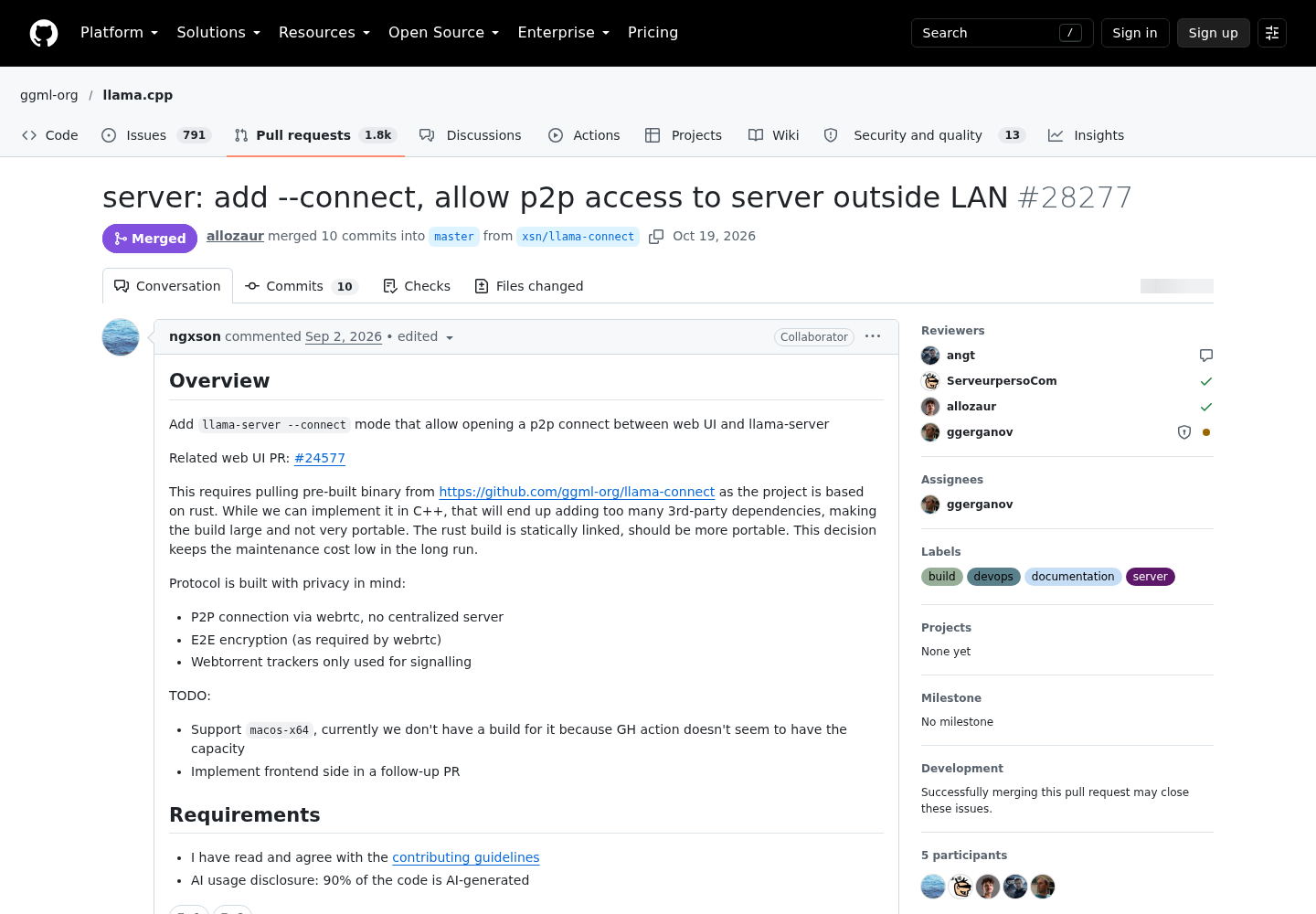
The review thread on #24577 debates this trade-off. One quoted comment argues that WireGuard or Tailscale should handle remote access. The reply points out that the server stays bound to localhost, and says the aim is browser access with no setup for people who will not install a VPN on every device. Both points hold. A laptop running an agent can already use the relays above. For a phone with only a browser, --connect may become the easier option once its client ships.
Any remote-control channel raises the question of what it stores and relays. Our guides to Claude Code Remote Control and to why runs locally is not stays local cover that question.
Wire OpenCode to the remote endpoint
The OpenCode provider documentation describes how to add a custom OpenAI-compatible provider. You set npm to @ai-sdk/openai-compatible, give a display name and set options.baseURL. options.apiKey is optional and accepts {env:VARIABLE} syntax. A models map lists the models, and each entry can set limit.context and limit.output.
The documentation’s llama.cpp example uses port 8080, so change the URL to the current default or, in this setup, to the relay. Its Atomic Chat example notes that each model ID must match the ID returned by GET /v1/models. The same rule applies to llama-server, which is why the server uses --alias home-coder.
This configuration sets up each relay as its own provider, so you can pick whichever one is running:
{
  "$schema": "https://opencode.ai/config.json",
  "provider": {
    "home-llama-ssh": {
      "npm": "@ai-sdk/openai-compatible",
      "name": "Home llama-server (SSH forward)",
      "options": {
        "baseURL": "http://127.0.0.1:19931/v1",
        "apiKey": "{env:HOME_LLAMA_KEY}"
      },
      "models": {
        "home-coder": {
          "name": "Home coder via SSH",
          "limit": { "context": 32768, "output": 8192 }
        }
      }
    },
    "home-llama-tailnet": {
      "npm": "@ai-sdk/openai-compatible",
      "name": "Home llama-server (Tailscale Serve)",
      "options": {
        "baseURL": "https://gpu-box.example-tailnet.ts.net/v1",
        "apiKey": "{env:HOME_LLAMA_KEY}"
      },
      "models": {
        "home-coder": {
          "name": "Home coder via tailnet",
          "limit": { "context": 32768, "output": 8192 }
        }
      }
    }
  }
}
- Save the file as
opencode.jsonin the project directory, where the documentation puts custom providers. Replace the tailnet host name with the URL fromtailscale serve status. - Export the key in the shell that starts OpenCode:
export HOME_LLAMA_KEY='the-same-key'. The{env:}reference keeps the key out of a file that may be committed to version control. - Start your relay, then start OpenCode. Run
/modelsand pick “Home coder via SSH” or “Home coder via tailnet”. - Send a one-line request. The request should appear in the server log on the GPU box, and the reply should appear in the session.
The context limit matches the server’s -c 32768, and OpenCode uses it to estimate how much context is left. The output limit of 8192 is only an example; set it to suit your model and context size. If the agent reports an authentication error, the key is wrong or missing in its shell. If it reports a connection error, the relay is down. If what you actually need is proof that an agent never leaves the machine, see our guide to Ollama’s local-only mode for coding agents.
Troubleshoot by symptom
Start with the row that matches what you see. Each row lists the result to expect once the fix works.
| Symptom | Likely cause | Fix | Expected after the fix |
|---|---|---|---|
curl http://127.0.0.1:19931/health on the laptop says connection refused |
The ssh forward is not running, or it exited because 19931 was in use | Restart the ssh -N -L ... command; pick another local port if it exits right away |
{"status": "ok"} |
| The forward is up but ssh reports a channel open failure | llama-server is not running, or it listens on another port, such as an old 8080 setup | Check the server log on gpu-box, then make the forward’s hostport match --port |
The health check passes through the forward |
Every route except /health returns a 401 error object |
The key is missing or wrong: it was not exported in the agent’s shell, or the key file changed without a server restart | Export the correct key; restart llama-server after editing the file | /v1/models with the key lists home-coder |
| 503 with “Loading model” | The model has not finished loading | Wait, then retry /health |
{"status": "ok"} |
| The agent works at home but not away | The server was bound to 0.0.0.0 and the agent used the LAN address |
Rebind to 127.0.0.1 and point the agent at a relay URL instead of the LAN IP |
The LAN address refuses connections; the relay URL works |
| OpenCode shows no model, or the server rejects the model name | The key in the models map differs from the ID in /v1/models |
Set --alias on the server and use the same string in opencode.json |
The model appears under /models |
| The Serve URL fails or asks you to set up certificates | HTTPS certificates are not enabled in the tailnet | Run tailscale serve interactively and follow the link it prints |
The HTTPS URL answers /health |
llama-server refuses --connect at startup |
Only unix sockets are bound | Add a TCP address, for example --host 127.0.0.1,/tmp/llama.sock |
The server starts with the tunnel |
There is no llama-connect binary for your platform, or an offline build fails |
The macOS x64 build is missing, or the build cannot download the prebuilt binary | Use SSH or Tailscale Serve on that machine | The agent connects through a stable relay |
A second browser that tries right after the first never connects over --connect |
The tracker announce window described in PR #28277 | Wait about 30 seconds and retry | The second client connects |
Tear it down and prove nothing answers
A relay you forget about keeps the server reachable. Work through this list when your trip ends, and save the output of the checks as your record.
- [ ] Stop the SSH forward with Ctrl+C in its terminal. If you started it another way, end the
sshprocess. - [ ] On
gpu-box, runtailscale serve reset, then runtailscale serve statusand confirm nothing is listed. Reset clears all Serve configuration on the device, so set up again anything else you serve. The documented alternative is to rerun the original command, with all its flags, and addoffat the end. - [ ] Restart llama-server without
--connect. RemoveLLAMA_ARG_CONNECTandLLAMA_ARG_CONNECT_CODEfrom any service file or shell profile. Then confirm that/propsno longer includes a connect code; the b11744 fix clears it when the tunnel is off. - [ ] Rotate the key with an overlap. Add the new key as a second line in the key file and restart. Update
HOME_LLAMA_KEYon each client, delete the old line and restart again. - [ ] Run the checks below and save the output.
- [ ] From a network outside your home, such as a phone hotspot, check whether ports 9931 and 19931 on your public IP accept TCP connections. Both should be closed.
# Laptop, after stopping the forward
curl http://127.0.0.1:19931/health
# expect: connection refused

# Any tailnet device, after tailscale serve reset
curl https://gpu-box.example-tailnet.ts.net/health
# expect: the request fails; nothing is served on that name

# gpu-box, after rotation, using the retired key
curl --header "Authorization: Bearer $OLD_KEY" http://127.0.0.1:9931/v1/models
# expect: an error object with "code": 401
If any check gets an answer it should not, a relay is still running somewhere. Look for a second ssh process, a Serve configuration on another device, or a service manager that restarted llama-server with an environment variable set. If you run several agents across machines, list each remote path in the same inventory as the agents themselves. Our agentic ops guide argues for keeping that kind of inventory.
Sources
- Release b11744, ggml-org/llama.cpp on GitHub
- server: add --connect, allow p2p access to server outside LAN, PR #28277
- llama.cpp HTTP server README
- ui: (demo) access server remotely via webrtc, PR #24577
- ssh(1), OpenBSD manual pages
- Tailscale Serve, Tailscale Docs
- tailscale serve command, Tailscale Docs
- Providers, OpenCode documentation