The Anthropic API and Console: A Builder's Guide
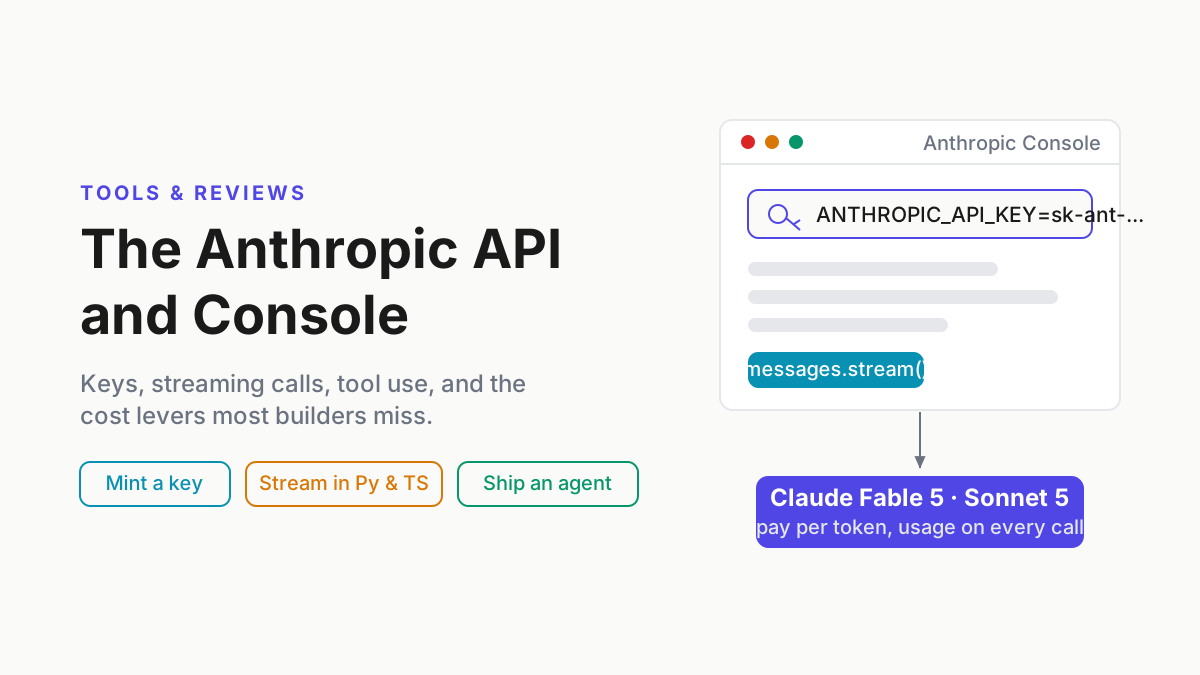
Master the Anthropic Console: mint an API key, make streaming Claude calls in Python and TypeScript, cut costs with caching, and ship a small agent service.

Go deeper. Build your own.
Four different Anthropic products can all be “Claude” in a single team conversation, and only one of them takes an API key. That one — the Anthropic Console and the Anthropic API behind it — is where Claude stops being a chat window and becomes infrastructure: the platform you build agentic software on. It is also where most of the search-visible confusion lives: which surface bills what, where keys come from, and why a claude.ai login doesn’t open the developer platform.
This guide is what we’d hand a competent developer who has never opened the console. By the end you can mint an API key without leaking it, make streaming calls in Python and TypeScript, wire up tool use, cut the bill with prompt caching and the Batch API, and sketch a small agent service that survives rate limits. Chat users can stay in claude.ai. This is for builders.
Which Claude is which: claude.ai, Claude Desktop, Claude Code, and the Console
The Anthropic Console is Anthropic’s developer platform: the web application where builders create API keys, test prompts in the Workbench against live models, monitor usage and cost, and manage billing and rate limits for the Anthropic API — the metered, pay-per-token way to run Claude inside your own products and agents. It lives at platform.claude.com, and older docs and forum threads still call it the Claude Console or console.anthropic.com.
Here is the whole surface map in one table:
| Surface | What it is | How you pay | Built for |
|---|---|---|---|
| claude.ai | Claude chat in the browser | Free tier, or Pro/Max subscription | Everyday chat, research, projects |
| Claude Desktop | Native chat app that can run local MCP servers | Same subscription as claude.ai | Chat wired into your local tools |
| Claude Code | Terminal agent that reads repos, edits files, runs commands | Subscription or API billing | Automating your own coding |
| Anthropic Console + API | Developer platform plus programmatic model access | Pay per token, prepaid credits | Building products and agents on Claude |
The billing split is the fact worth tattooing somewhere: subscription plans do not include API credits, and API credits do not grant claude.ai access. They are separate products with separate money — and, the classic gotcha, separately managed accounts. Your console organization is not your claude.ai identity, even on the same email address. If the console asks you to sign up while you’re already paying for Claude Max, nothing is broken.
Which surface for which job: if you want Claude working in your own repos, that’s Claude Code, and a subscription is usually the cheaper way to run it. If you’re building a feature, product, or agent service other people will use, you want the API — and the rest of this guide is yours.
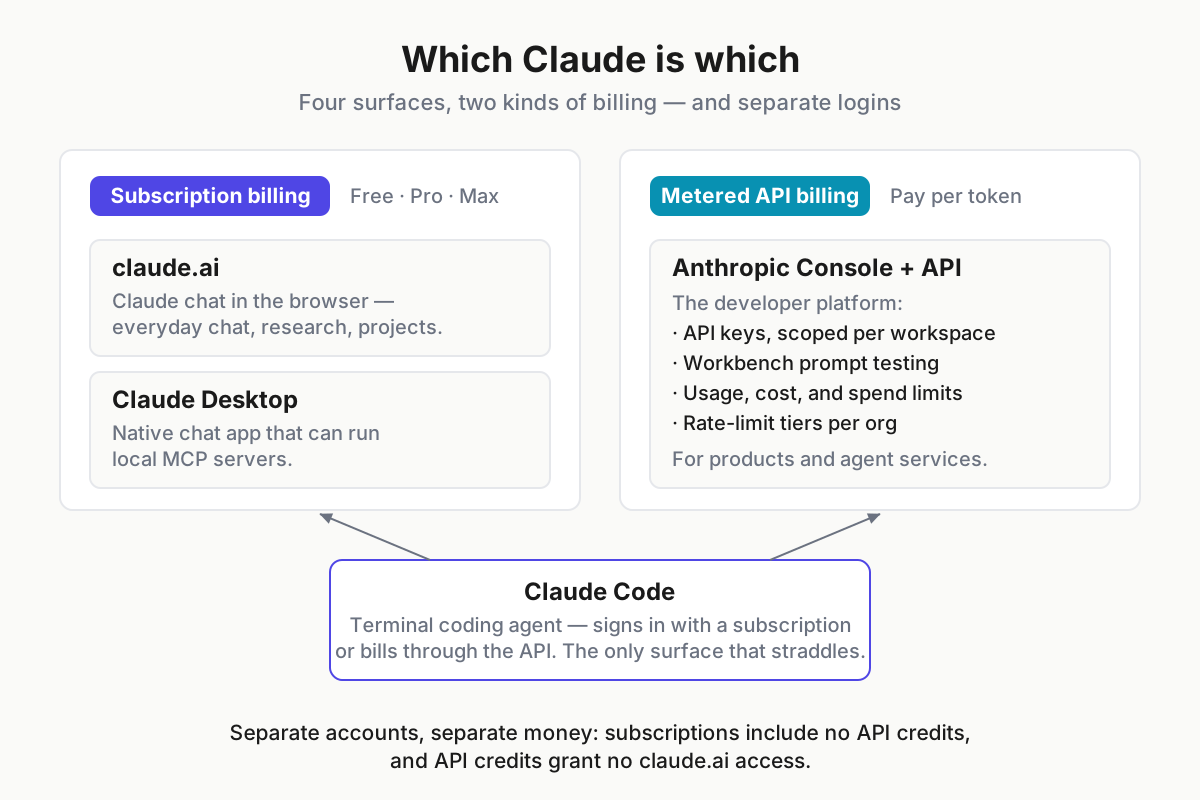
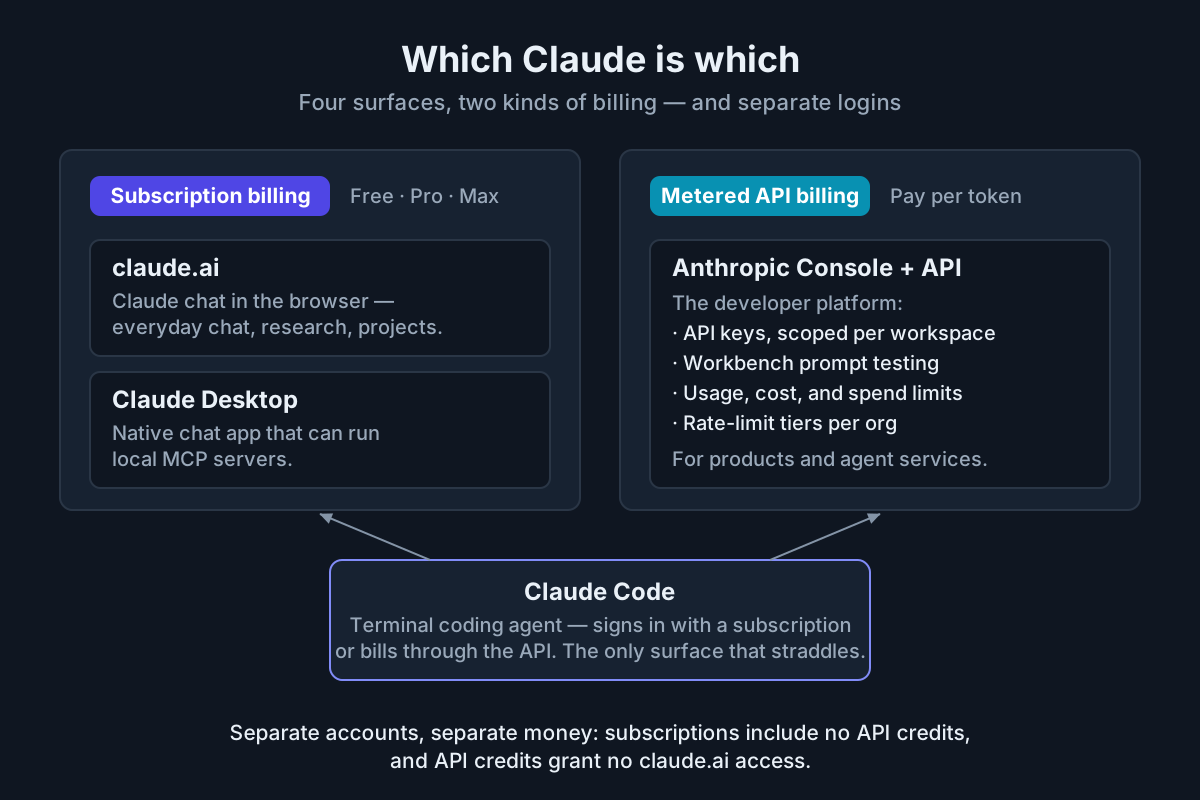 Two kinds of billing, four surfaces — and Claude Code is the only one that straddles the line.
Inside the Anthropic Console: keys, Workbench, usage, limits
Four console surfaces matter on day one. API Keys is where credentials get created and revoked, scoped to a workspace. Workbench is the prompt lab. Usage and Cost are the meters. Limits shows your organization’s rate-limit tier — check it before promising anyone throughput.
The Workbench deserves more attention than most builders give it. You can draft a system prompt with variables, run it against live models side by side, adjust temperature and max_tokens, and export the working call as Python or TypeScript. It is the fastest path from idea to first real request, and iterating a prompt there is cheaper than iterating it inside your app. Keep the Claude Developer Docs open in the next tab; the two together are the actual quickstart.
Rate limits come in spend-based tiers. A new organization starts at tier 1 — roughly 50 requests a minute, an input-token-per-minute ceiling in the tens of thousands per model, and a monthly spend cap in the low hundreds of dollars. Cumulative spend moves you through tiers 2–4 automatically; sustained production loads beyond that go through sales. Tier-1 reality: fine for development and a small pilot, cramped the first time an agent loop fans out in parallel.
Org hygiene from day one costs nothing and pays for years: create a workspace per project, set per-workspace spend limits, and give teammates roles instead of a shared login. Every later section of this guide gets easier when the key-to-project mapping is clean.
How to get a Claude API key (and not leak it)
- Create an account at the Anthropic Console — platform.claude.com — which is separate from any claude.ai login.
- Add a payment method under Billing and buy a small block of prepaid credits; $5 is plenty to start.
- Open API Keys, choose the workspace the key belongs to, and select Create key.
- Name it for its job —
staging-triage-agent, nottest2. - Copy the key immediately. It is shown once; afterward the console displays only a prefix.
Creating a key costs nothing — spend starts when tokens do. Three habits keep it boring:
- Environment variables or a secrets manager, never source code.
export ANTHROPIC_API_KEY=sk-ant-...locally; Vault, SSM, or Doppler in production; never in a notebook that reaches git. - One key per app per environment. Both official SDKs read
ANTHROPIC_API_KEYautomatically, so separate keys are free — and a leak becomes a one-key revocation instead of an incident review. - Rotate on any suspicion. Revocation in the console is instant; the old key starts returning 401s and your deploy simply picks up the new secret.
First requests: pip install anthropic, npm install, and streaming
Python first:
pip install anthropicimport anthropic
client = anthropic.Anthropic() # reads ANTHROPIC_API_KEY from the environment
message = client.messages.create(
model="claude-sonnet-5", # check the models page — IDs age
max_tokens=1024,
system="You are a terse code-review assistant.",
messages=[
{"role": "user", "content": "Review this function for race conditions: ..."}
],
)
print(message.content[0].text)
print(message.usage) # exact input_tokens / output_tokens for this callThe Messages API shape is worth learning once, properly. system carries standing instructions. messages is an alternating list of user and assistant turns — the API is stateless, so every request sends the history you want remembered. max_tokens is a hard output cap, not a target. And every response carries a usage block with exact token counts: read it from call one, because it is the raw material of every cost decision later in this guide.
Streaming is the default posture for anything user-facing, and for long generations it also keeps intermediaries from killing an idle connection:
with client.messages.stream(
    model="claude-sonnet-5",
    max_tokens=2048,
    messages=[{"role": "user", "content": "Draft the rollout plan for the queue migration."}],
) as stream:
    for text in stream.text_stream:
        print(text, end="", flush=True)
TypeScript is the same call with the same shape:
npm install @anthropic-ai/sdkimport Anthropic from '@anthropic-ai/sdk';
const client = new Anthropic(); // reads ANTHROPIC_API_KEY
const stream = client.messages.stream({
model: 'claude-sonnet-5',
max_tokens: 1024,
messages: [{ role: 'user', content: "Summarize yesterday's deploy failures." }],
});
stream.on('text', (text) => process.stdout.write(text));
const message = await stream.finalMessage();
console.log(message.usage);Model IDs in snippets age faster than articles. These use the Sonnet 5-era IDs current as of August 2026; pull the exact strings from the models page when you build.
The model lineup for builders
As of August 2026, the lineup is the Fable era. Anthropic announced Claude Fable 5 and Claude Mythos 5 on June 9, 2026 — a new Mythos-class tier above Opus, documented in the platform introduction to Fable 5 and Mythos 5. Fable 5 is the publicly available version with additional safeguards; Mythos 5 is restricted to approved organizations, so Fable 5 is the top of the lineup you can actually call. Below it sits Claude Sonnet 5, the workhorse most agent traffic should run on, and a Haiku-class small model for cheap, fast steps. Fable 5 also ships through the hyperscalers — AWS carries it on Bedrock — but this guide assumes first-party API access.
| Tier | Model (August 2026) | Price per M tokens (in / out) | Use it for |
|---|---|---|---|
| Frontier | Claude Fable 5 | $15 / $75 | Planning, hard reasoning, high-stakes output |
| Workhorse | Claude Sonnet 5 | $3 / $15 | Tool-call orchestration, everyday agent steps |
| Fast and cheap | Haiku-class small model | $1 / $5 | Classification, extraction, routing |
The routing heuristic for agent builders: the top tier plans, the workhorse orchestrates, the small model classifies. Reserve Fable 5 for the steps where being wrong is expensive — task decomposition, gnarly debugging, final review — and let Sonnet 5 run the tool-calling loop it was priced for.
A worked example: a support-triage agent labels 50,000 tickets a month at roughly 1,200 input and 150 output tokens each. Run everything on Sonnet 5 and the month costs about $293. Route instead — the small model labels everything for about $98, and the ~8% of ambiguous tickets escalate to Sonnet 5 for another $23 — and the same outcomes cost about $121. Same architecture, less than half the bill; at ten times the volume, it is the difference between a rounding error and a budget line.
One production warning: pin exact model versions. Floating aliases point to the newest snapshot and move underneath you mid-quarter, changing behavior your evals never signed off on. Pin the dated ID, upgrade deliberately, re-run evals. For the strategy behind the tiers, see our read on the Fable 5 and Mythos 5 era.
Tool use: the feature that makes it an agent API
Tool use is what turns the Messages API from a text generator into an agent API. You declare tools in the request — a name, a description, and a JSON Schema for inputs. When the model decides a tool would help, it stops with stop_reason: "tool_use" and emits a structured call. Your code executes the tool — the model never runs anything itself — and you return the output in a tool_result block on the next request.
Here is the round trip for a small deploy-status bot with two tools:
{
  "model": "claude-sonnet-5",
  "max_tokens": 1024,
  "tools": [
    {
      "name": "query_ci",
      "description": "Fetch the latest CI status for a service's main branch.",
      "input_schema": {
        "type": "object",
        "properties": { "service": { "type": "string" } },
        "required": ["service"]
      }
    },
    {
      "name": "page_oncall",
      "description": "Page the on-call engineer. Irreversible; use only on confirmed failures.",
      "input_schema": {
        "type": "object",
        "properties": { "service": { "type": "string" }, "reason": { "type": "string" } },
        "required": ["service", "reason"]
      }
    }
  ],
  "messages": [{ "role": "user", "content": "Is the checkout-api deploy green?" }]
}
The model responds by calling a tool instead of answering:
{
  "stop_reason": "tool_use",
  "content": [
    { "type": "text", "text": "Checking CI for checkout-api." },
    {
      "type": "tool_use",
      "id": "toolu_01A9X",
      "name": "query_ci",
      "input": { "service": "checkout-api" }
    }
  ]
}
Your worker runs query_ci("checkout-api"), appends a user turn containing a tool_result block with the matching tool_use_id and the CI payload, and calls the API again. The model either answers the human — “green as of 14:02 UTC” — or, on a failure, calls page_oncall. Which is why that tool’s description says “irreversible”: descriptions are the model’s documentation, and careful ones are cheap insurance.
The architectural point hiding in that flow: the API is stateless between calls. Your worker owns the while-loop, the conversation history, and the stop conditions — max iterations, spend ceiling, wall-clock timeout. The API gives you one turn at a time; the agent is the loop you wrap around it.
Two features separate demo code from production code here. Parallel tool use: the model can emit several tool_use blocks in one turn, and you should execute them concurrently or fan-out latency will eat you. Structured outputs: schema-enforced responses, so a downstream parser never meets almost-valid JSON.
The cost levers most builders miss: prompt caching and the Batch API
Prompt caching is the single biggest lever. Mark the stable prefix of your request — system prompt, tool definitions, reference documents — with cache_control, and repeated calls read that prefix at roughly a tenth of the base input price. Writes cost a small premium over base; the default cache lives about five minutes and refreshes on every hit, with a longer-lived option at a higher write price.
The math is not subtle. An agent with a 20,000-token system-plus-toolset prefix making 500 calls a day on Claude Sonnet 5:
| Setup | Prefix input cost per month |
|---|---|
| No caching — full prefix re-sent at base price every call | ~$900 |
| Prompt caching — ~20 cold writes and ~480 cheap reads a day | ~$130 |
That is roughly 85% off the dominant cost of a chatty agent, from one request field. Rerun it with your own prefix size; the shape survives.
The Batch API is the other lever: submit an asynchronous batch of requests and pay half price on input and output, with results guaranteed inside 24 hours — most batches finish much faster. Anything that can wait belongs there: nightly summarization, eval suites, backfills, report generation.
The combined pattern splits most agent workloads cleanly: caching for the hot interactive loop, batches for the cold path. If a human is waiting on the request, cache its prefix. If nobody is waiting, batch it at half price.
Long context, computer use, MCP, and the Agent SDK
Long context. The standard window is 200K tokens, with a 1M-token option in beta on the workhorse tier at premium rates past 200K. Giant prompts cost real money on every call, and mid-context recall degrades, so targeted retrieval beats stuffing almost every time. Use it when the task genuinely needs one whole artifact — a full codebase diff, a long contract — not as a substitute for retrieval.
Computer use. A beta tool where Claude drives a GUI through a screenshot-act loop: look, click, type, look again. Viable today for form-filling, legacy-app automation, and supervised end-to-end testing; not yet something to point at production unattended. Use it when the target has no API and the workflow tolerates a retry.
MCP. The Model Context Protocol is the open standard for handing models tools and context, and the API can connect MCP servers directly into your requests — the same connector ecosystem Claude Desktop uses, without hand-rolling every integration. Our MCP guide for power users covers the protocol; use the connector when the integration you need already exists as a server.
The Agent SDK. Everything above is you building the agent loop. The Claude Agent SDK ships the loop that powers Claude Code — context management, tool execution, permissions — as a library. Use it when you want a production-grade harness this week and your differentiation is the task, not the loop; build your own when the loop is the product. The strategy behind shipping it is a story of its own — see Anthropic’s agentic bet.
Production concerns: rate limits, retries, timeouts
A checklist, each line implementable this week:
- Respect
retry-afteron 429s. The response header tells you when to come back; honor it, add exponential backoff with jitter for repeats, cap total retries. - Budget client-side against your tier’s token-per-minute ceiling. Count tokens before sending — the SDKs expose a counting endpoint — and queue work that would blow the window instead of bouncing off the limiter.
- Treat 529 as capacity, not quota.
overloaded_errormeans the platform is busy, not that you overspent. Back off harder than for a 429, degrade gracefully — smaller model, cached answer, “try again shortly” — and never retry-storm. - Stream by default and set real timeouts. Long generations over idle connections get killed by intermediate proxies; streaming keeps bytes moving. Set client timeouts from observed generation times, and set
max_tokensdeliberately per call type rather than one global number. - Wire cost controls in two layers. Per-workspace spend limits in the console are the backstop; your worker still needs its own budget counter and kill switch, because a platform-side cap cannot tell one runaway loop from a good week.
Watching usage: what the Anthropic Console shows and what it can’t
The console’s Usage and Cost views slice spend by API key, workspace, model, and time, and the Admin API exposes the same numbers programmatically for your own dashboards. This is where the key-per-app-per-environment discipline pays off: when the bill spikes on the 23rd, a key named prod-triage-agent answers “what spiked” at a glance, and a shared key named my-key answers nothing.
Be clear about the boundary, though. These dashboards meter this organization’s API keys. They do not see your Claude Code subscription usage, your OpenAI or Gemini spend, or the rest of a multi-provider stack — a real gap once you run multiple AI coding agents in a normal week. The console is the source of truth for one org’s API bill, not for your AI footprint.
Product note: The console meters this org’s API keys; your actual AI footprint spans providers and CLIs. Automater Lite meters tokens locally across 10+ AI CLIs — Claude Code included — one local-first ledger beside your dashboards. Free, on automater.ai.
Common errors and their actual fixes
401 authentication_error — the key is wrong, revoked, or belongs to a different org. The classic version: exported in .zshrc while you debug in bash. Sanity check in one line: python -c "import os; print(os.environ.get('ANTHROPIC_API_KEY', 'NOT SET')[:12])" and compare the prefix against the console’s key list.
400 request-too-large / context errors — the request exceeds the model’s context window. Trim history, summarize old turns, cache stable prefixes instead of resending the world. Keep the two limits straight while you’re here: the context window bounds input plus output; max_tokens caps output only. A 400 here is about the window.
429 rate_limit_error — your org hit its tier ceiling. Your fault, politely: honor retry-after, back off with jitter, and consider whether the fix is a tier upgrade rather than a cleverer retry loop.
529 overloaded_error — Anthropic’s capacity, not your quota. Back off harder, degrade, and alert only if it sustains.
Streaming disconnects and tool-input validation failures — for disconnects, re-send the request; that is safe when your worker keys side effects idempotently. For validation, tighten tool schemas — required fields, enums, additionalProperties: false — so the model cannot emit almost-valid input your executor half-accepts.
A starter architecture for a small agent service
The reference shape, buildable by one person in a weekend:
- A queue — SQS or Redis — in front of everything.
- A worker that owns the agent loop: history, tool execution, retries, the spend cap, the stop conditions.
- The Anthropic API as the reasoning engine: Messages, tool use, cached prefix.
- A results store for answers and side-effect records.
- An eval log that persists every request and response with model ID, token counts, and latency.
The queue is not ceremony. It buys retries without duplicated side effects (idempotency keys on jobs), backpressure when your tier throttles (jobs wait instead of failing), and horizontal scaling later by adding workers — no rearchitecting.
The eval log is the part to refuse to postpone. When a model version changes — and the alias warning above says it will — the log is the substrate for regression testing: replay yesterday’s traffic, diff outcomes, decide with data. Logging from day one is cheap; reconstructing history is impossible. Evals for AI agents covers what to do with the log, and agent frameworks covers the orchestration layers you might eventually add above this one.
Right-size the ambition: this design is deliberately boring. Postpone multi-agent orchestration, long-term memory, and fine-grained model routing until traffic earns them. Each is a rewrite magnet, and none is needed to ship.
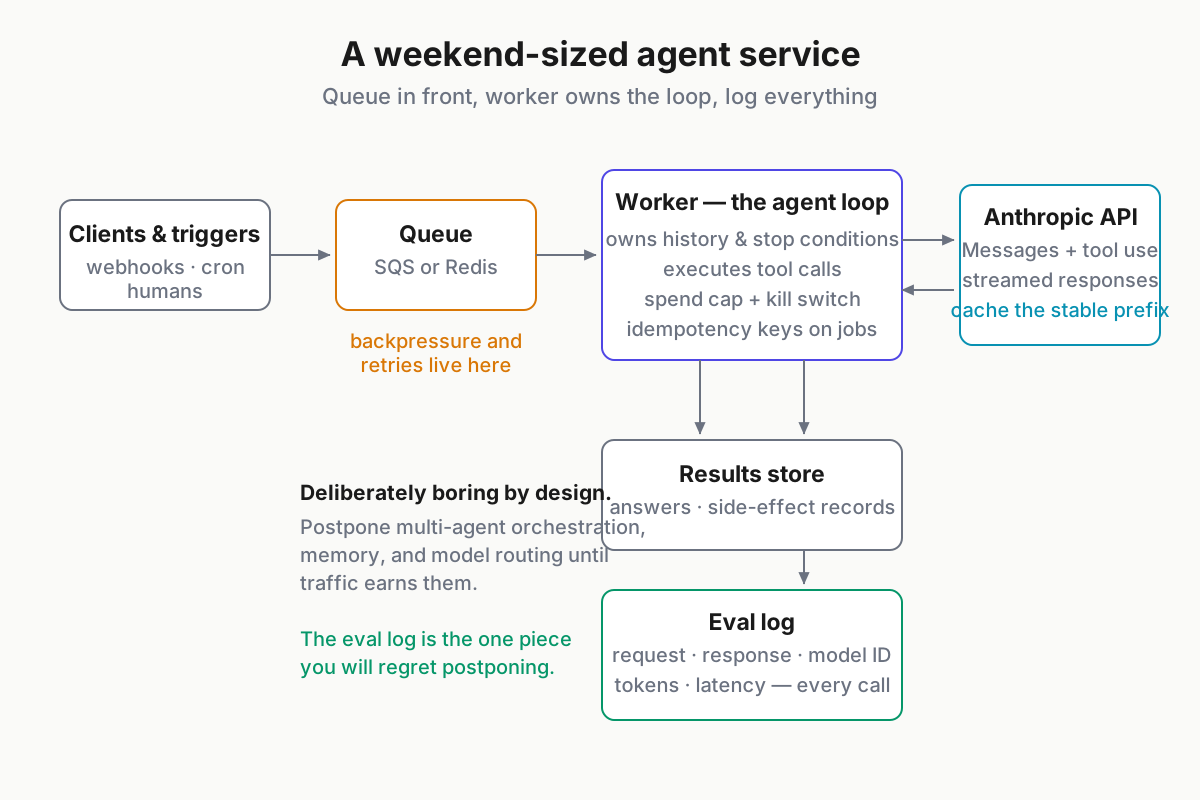
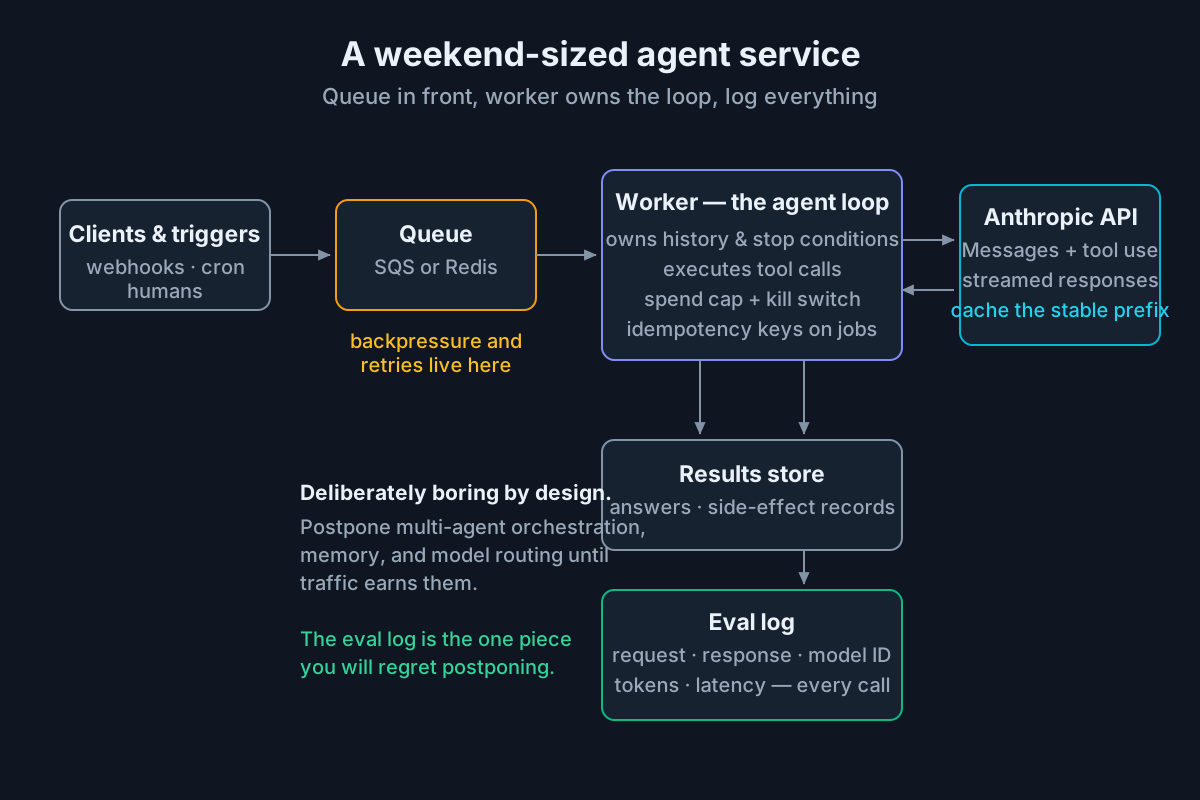 One queue, one worker, one log — the smallest architecture that survives contact with rate limits.
FAQ: the Anthropic Console and Claude API
How do I get a Claude API key?
Create an account at the Anthropic Console (platform.claude.com), add a payment method under Billing, then open API Keys and select Create key. The full key is shown once — copy it into an environment variable or secrets manager. Creating keys is free; you pay per token once requests start.
Is the Anthropic API free?
No. The API is pay-per-token with prepaid credits, priced per model tier. Anthropic has periodically offered small starter credits to new accounts, but you should still plan on adding a payment method. A few dollars covers a surprising amount of small-model experimentation.
What is the Anthropic Console?
The Anthropic Console is the web platform for building on Claude: it issues API keys, hosts the Workbench for prompt testing against live models, and shows usage, cost, rate limits, and billing for your organization. It is separate from claude.ai chat subscriptions, with its own accounts.
Is Claude Pro the same as the API?
No. Claude Pro is a subscription for the chat surfaces and can drive Claude Code; the API is metered developer billing through the Anthropic Console. The two use separate accounts and separate money: subscription plans include no API credits, and API credits grant no claude.ai access.
How do I use the Claude API in Python?
Run pip install anthropic, set ANTHROPIC_API_KEY in your environment, then call client.messages.create() with a model ID, max_tokens, and a messages list. The response object carries content blocks and exact token usage. The streaming variant, client.messages.stream(), yields text as it generates — see the snippets above.
Sources
- Anthropic: Introducing Claude Fable 5 and Claude Mythos 5 (model documentation)
- Anthropic news: Claude Fable 5 and Claude Mythos 5
- Claude Developer Docs
- Model Context Protocol
- TechCrunch: Anthropic’s Claude Fable 5 is a version of Mythos the public can access today
- AWS News Blog: Anthropic Claude Fable 5 on AWS — Mythos-class capabilities with built-in safeguards