The Best Agentic AI Tools in 2026, Tested by Daily-Driver Standards
Agentic AI tools ranked by daily-driver testing: coding CLIs, IDEs, workflow platforms, frameworks, and the operating layer — with a rubric you can rerun.

Go deeper. Build your own.
Every tool in this guide ran on real work — actual repos, actual workflows, actual invoices — by people who live in these terminals daily. That matters because the genre has a problem: most “best agentic AI tools” lists are written by vendors, rank the vendor first, and score by feature checklist rather than by what survives two weeks of production use.
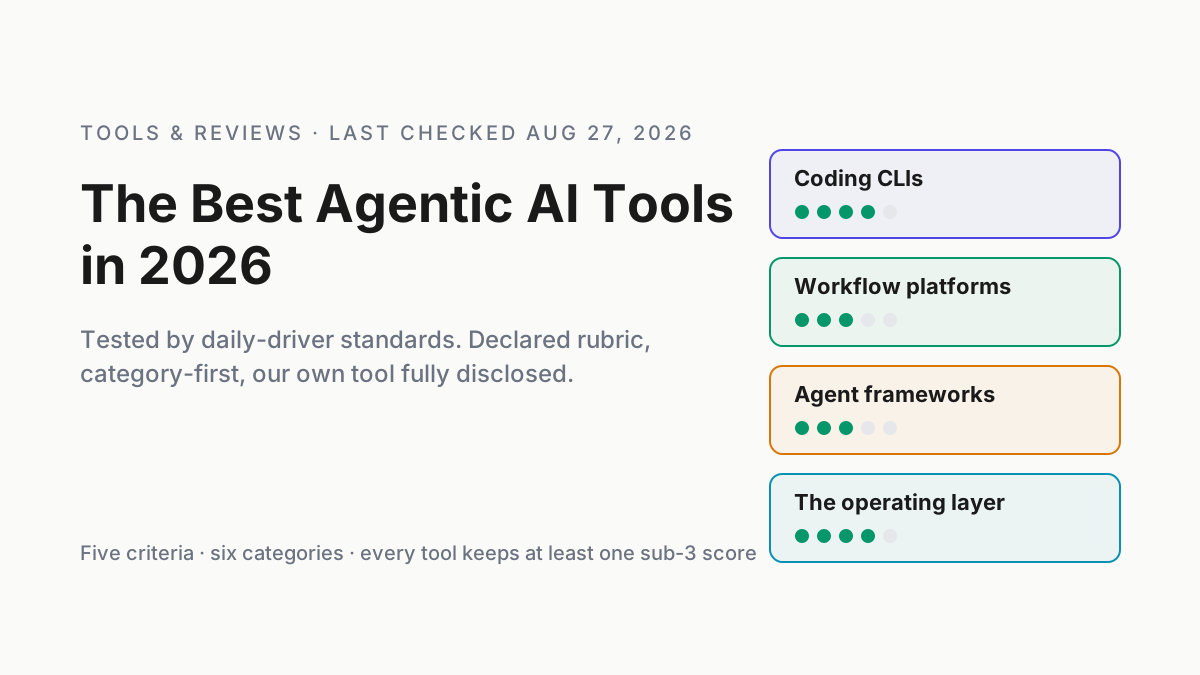
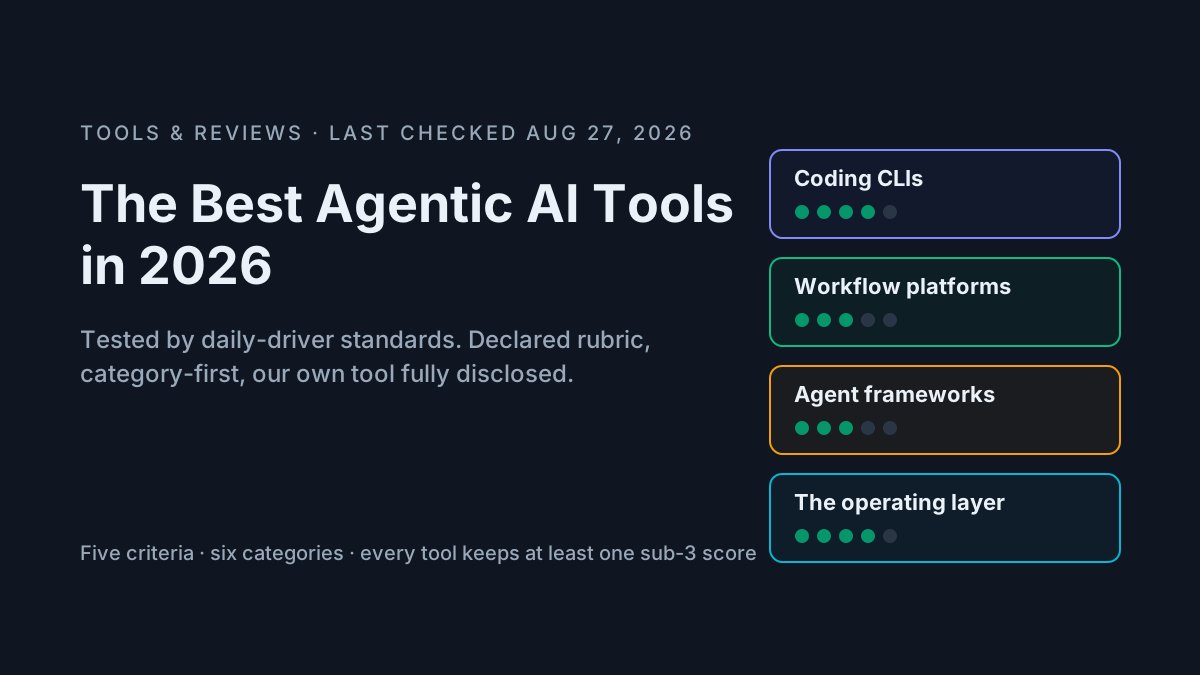
This one works differently. The rubric is declared up front. The organization is category-first, because ranking a coding CLI against a no-code workflow platform produces a meaningless number one. Every entry states real limits, including the entry for our own product, which appears fully disclosed and scored by the same rubric as everything else. That disclosure is the whole trust model of this page.
One warning before the scores: this market moves quarterly. Gemini CLI — a top-three pick in most 2025 lists — no longer exists. Every price and capability claim below was last checked on August 27, 2026, and the ones most likely to drift carry verify flags for our editors. Treat the scores as a dated snapshot and the method as the durable part.
How we evaluated: the daily-driver rubric for agentic AI tools
Five criteria, each scored 1–5 from actual use — not from documentation:
- Real autonomy. Can it carry a multi-step goal — plan, act, recover from a failure — unattended? Our probe task: a three-file refactor with one deliberately broken test, run hands-off. Marketing autonomy (a canned sequence with an LLM step inside) scores low here no matter what the homepage says.
- Control and reviewability. Diffs before writes, permission modes, approval gates, undo. The difference between supervising a tool and trusting it blindly.
- Integration depth. MCP support, APIs, repo/CI/browser reach. Does it meet your stack where it is, or demand migration into a walled workspace?
- Observability. Session logs, traces, replayability, exportable history. Work you cannot see is work you cannot debug — or bill.
- Pricing honesty and exit cost, scored together. Predictable pricing versus opaque credits; data export, open formats, self-hosting. What does leaving cost you?
The probe task deserves one more sentence, because it does most of the work. We hand each tool a failing integration test, ask for a fix that spans three files, and seed one flaky test into the suite mid-run. Tools that plan, act, hit the flake, and recover without a human get autonomy credit. Tools that stop and ask, loop on the flake, or declare victory over a red suite do not — whatever their launch video showed.
A score of 3 means “fine, with caveats you should know.” A 5 means best-in-field. And every tool below carries at least one score under 3 — including ours — because a tool with straight fives is a tool nobody has actually used.
Why category-first beats a ranked top-8
A single ranked list forces false comparisons; what you actually need is the best tool per job, plus a sense of how the jobs compose. A serious 2026 stack typically runs one or two coding agents, one workflow platform, maybe a framework for bespoke systems, and something watching the whole fleet. These are complements, not rivals.
The six categories, with a skip guide:
- Agentic coding CLIs — you write software in a terminal.
- Agentic IDEs — you write software and want diffs in an editor.
- Workflow automation platforms — you connect systems and automate operations.
- Multi-agent frameworks — you build agent systems as a product or platform team.
- Browser and computer-use agents — you automate the GUI-shaped parts of work.
- The operating layer — you already run several of the above and need to manage the fleet.
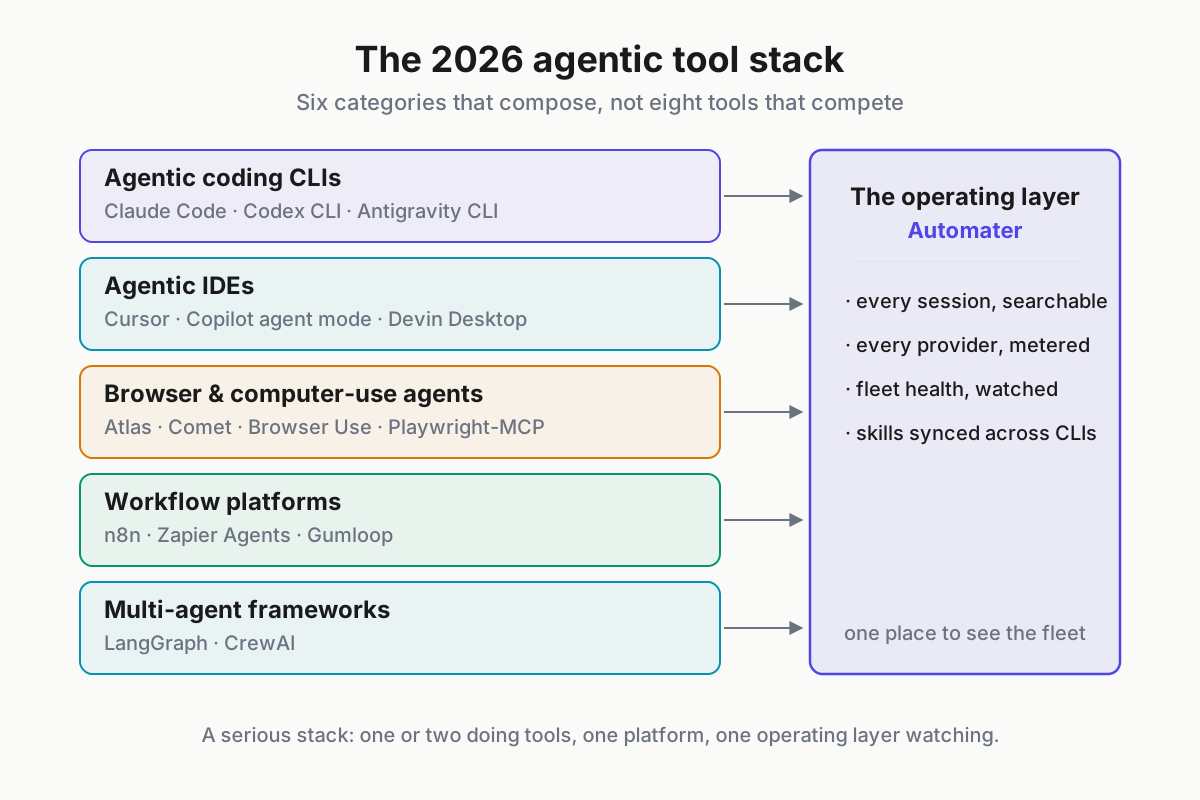
 The map: doing tools on top, building tools in the middle, the operating layer watching everything.
Agentic coding CLIs: Claude Code, Codex CLI, Antigravity CLI
The purest expression of agentic software: a model, a terminal, and a permission system, pointed at your repo. For this category we tracked three numbers across two weeks of real tickets per tool — completion rate on the probe tasks, human review minutes per merged change, and token cost per completed task — and the entries below reflect those runs, not feature matrices.
One roster note up front: Gemini CLI belonged in this section until Google discontinued it on June 18, 2026, breaking CI pipelines mid-week. Its successor, Antigravity CLI, takes the slot.
Claude Code (Anthropic)
Best for: deep, repo-scale work from the terminal by people who review diffs.
Standout: operability. Subagents for parallel work, hooks for policy enforcement — a pre-commit hook that blocks writes outside the workspace is ten lines of config — MCP for integration, and a headless mode (claude -p) that makes it the easiest of the three to script into CI. In the Claude Fable 5 era it holds the strongest sustained-session performance we measured, with Sonnet 5 as the economical workhorse.
Limits: token burn on long sessions is real, and the terminal-first workflow has a learning curve that IDE natives feel for a week or two.
Pricing: via Claude subscription plans or metered API usage. Its lowest rubric score is a 2 on pricing honesty and exit cost — not because data is trapped (sessions are local JSONL, easily exported) but because heavy-use spend is genuinely hard to predict: plan limits have shifted several times since 2025, and identical tasks can vary widely in token cost. Budget by measuring, not by the pricing page.
Our full Claude Code power guide covers subagents, hooks, and CI patterns in depth.
Codex CLI (OpenAI)
Best for: OpenAI-stack teams who want terminal work with cloud-delegated tasks. Standout: the local-to-cloud handoff. Start a task in Codex CLI, push it to Codex cloud to run in a sandboxed container, and get a PR back — genuinely useful for parallelizing chores across a backlog. The GPT-5.6 (Sol) era models are strong on spec-following. Limits: observability scores a 2 — cloud runs come back summarized rather than fully replayable, so when a delegated task goes sideways, reconstructing why takes more archaeology than we accept from a daily driver. Pricing: bundled with ChatGPT plans, plus API metering for heavy use.
Antigravity CLI (Google)
Best for: Google-stack teams and long-context work in the Gemini 3.1 era. Standout: a clean-slate, Go-based design that starts fast and ships without the accumulated cruft of its predecessor. Long-context handling on large monorepos is the best reason to try it. Limits: youth, everywhere. The extension ecosystem is thin, MCP support is still maturing , and observability scores a 2 — session history is basic compared to the other two. There is also a trust question no benchmark captures: Google retired Gemini CLI with notice measured in weeks, and teams that had it wired into CI remember. We score integration a 2 until the ecosystem and the track record thicken. Pricing: free tier with quotas, paid via Google AI plans.
The full shutdown story and migration path are in our Antigravity guide.
Category verdict
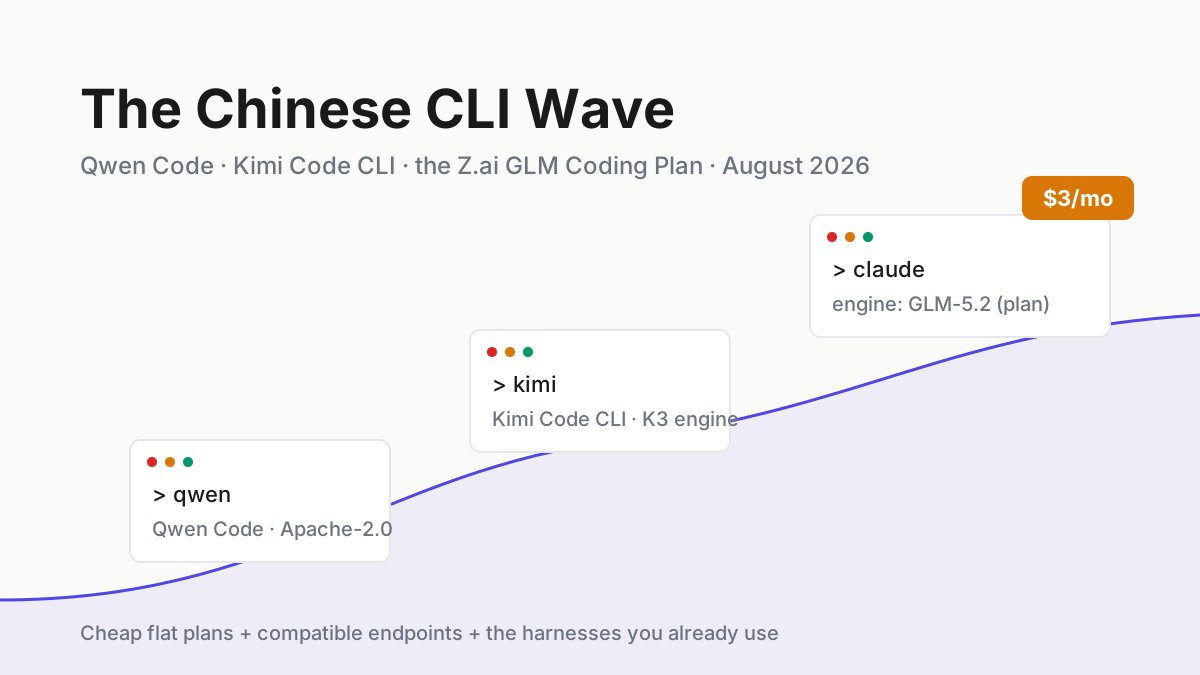
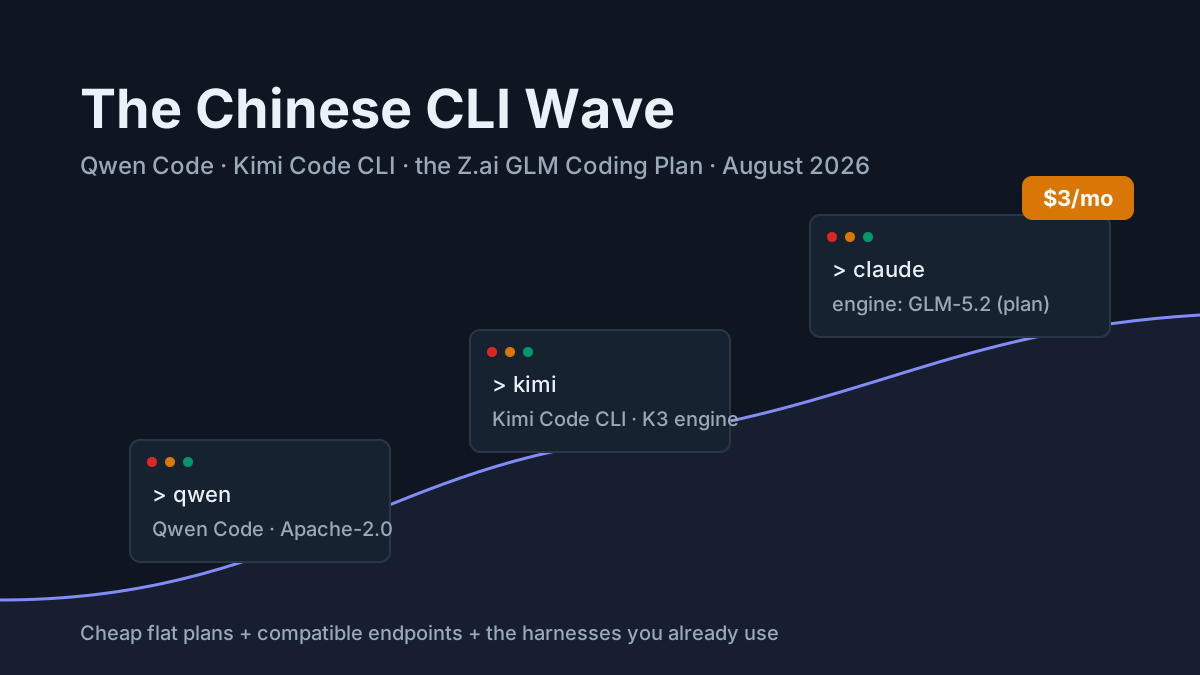
Run two side by side for a week on real tickets and measure — completion rate, review burden, cost per task. Switching costs are lower than they look: per the mid-2026 harness map, every serious CLI accepts OpenAI-compatible or Anthropic-Messages endpoints, so your model choice and your harness choice are increasingly separate decisions. Beyond the big three: a new wave of harnesses — Sourcegraph’s Amp, Crush, OpenClaw, Kimi Code CLI — is worth watching, and the open-source harness lane (Aider, OpenCode, Goose, now under the Linux Foundation ) remains the right answer where auditability or air-gapping rules.
Agentic IDEs: Cursor and the editor question
Cursor
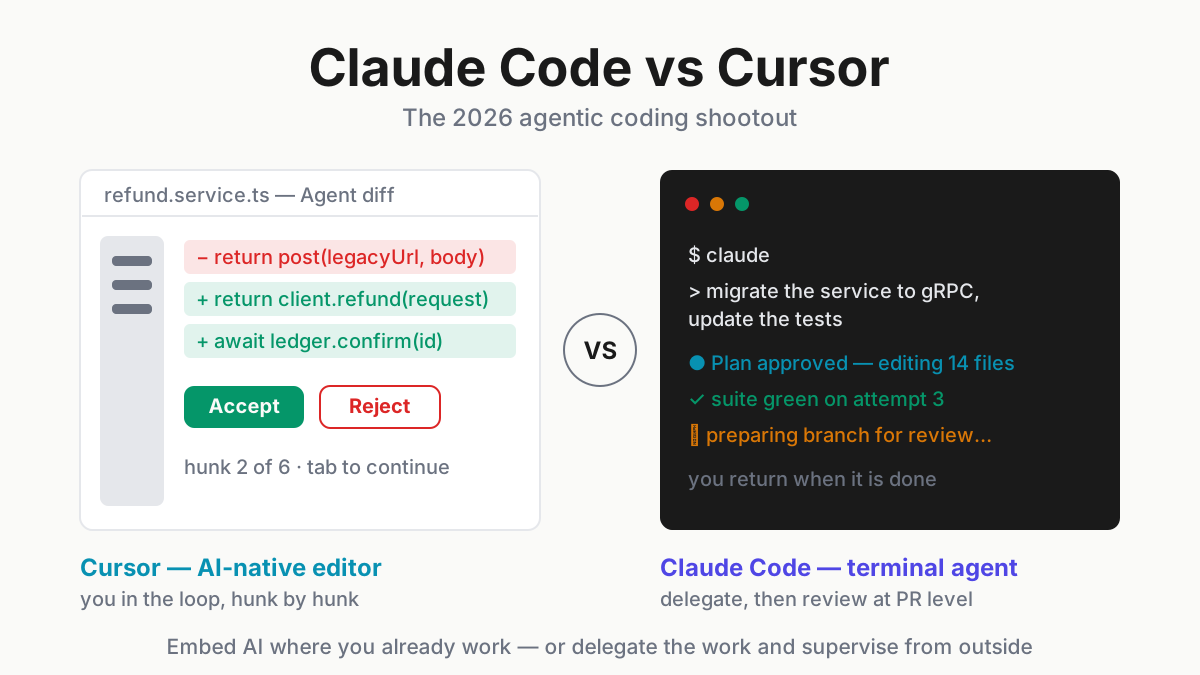
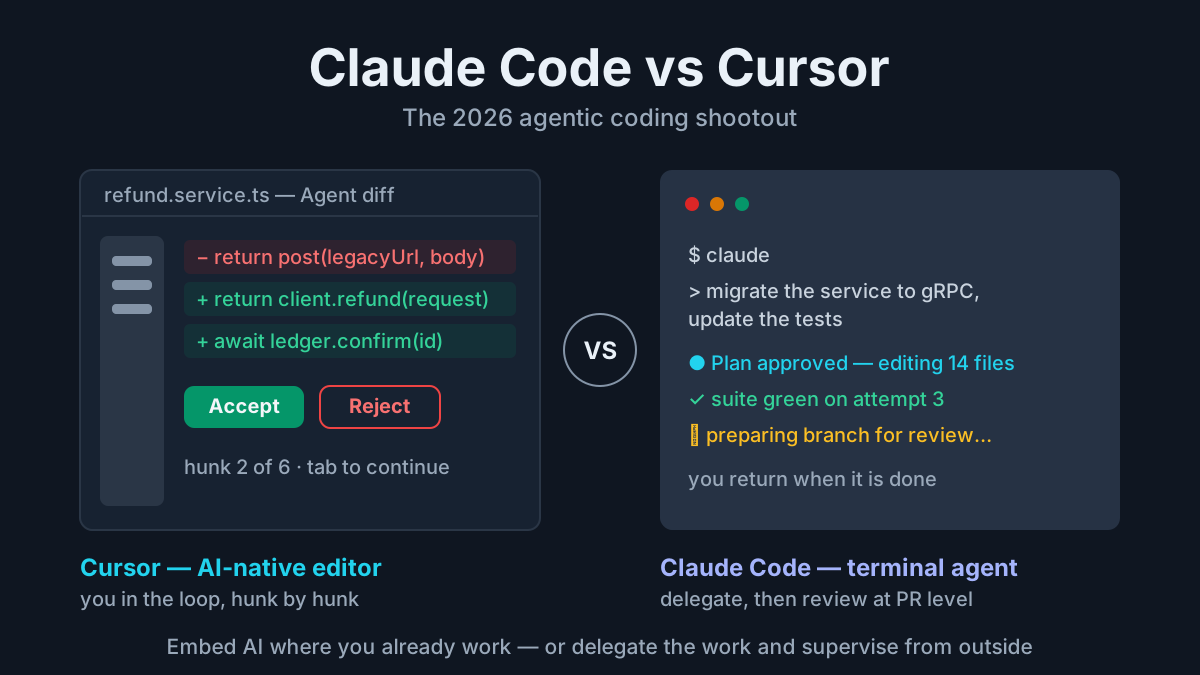
Best for: agentic capability inside a familiar VS Code-shaped editor, with visual diff review as the center of the workflow. Standout: review ergonomics. Background agents run while you work, and the editor-grade diff experience makes supervising parallel changes genuinely pleasant — the strongest control-and-reviewability showing in this guide alongside Claude Code. Limits: it is a full IDE fork you adopt wholesale, and pricing has been the sore spot: plans and usage policies have shifted repeatedly enough that we score pricing honesty a 2. Check the current terms before you commit a team. Pricing: subscription tiers plus usage-based charges above plan limits.
The near field is crowded. GitHub Copilot’s agent mode lives here too, and its economics changed materially when Copilot moved to usage-based billing on June 1, 2026 — “AI credits” replacing the premium-requests system, which turned a flat line item into a metered one for heavy users. That story, and what it signals for every flat-rate plan, is the subscription squeeze. Devin Desktop — the editor formerly known as Windsurf, rebranded after the Cognition acquisition — competes here as well, and Amazon Q Developer has reportedly stopped accepting new signups.
The real decision is workflow identity, not feature count. If your day is review-heavy interactive work — reading diffs, steering mid-task, pair-programming with the agent — the IDE earns its screen space. If your day trends toward automation, batch chores, and headless CI, the CLI wins and the IDE becomes a very expensive diff viewer. Many power users refuse the choice and run both: Cursor for interactive sessions, a CLI for everything scripted. Claude Code vs Cursor argues the trade in full.
Workflow automation platforms: n8n, Zapier Agents, Gumloop
Coding agents write software; these tools run your operations — the glue between SaaS systems, with agent nodes increasingly doing the thinking inside the flows.
n8n
Best for: self-hosters who want workflow automation with real code escape hatches. Standout: you can self-host n8n under its source-available license , drop to JavaScript or Python inside any node, and wire AI agent nodes over several hundred integrations . Exit cost is the best in the category: your workflows are JSON on your own disk, which earns its 5. Limits: you operate it — upgrades, scaling, and credential storage are your problem. And the agent features are younger than the rock-solid workflow core; autonomy scores a 2 because agent nodes still want narrow, well-fenced jobs rather than open-ended goals. Pricing: free self-hosted; paid cloud tiers.
Zapier Agents
Best for: non-engineers automating across the widest SaaS surface in the industry. Standout: the integration catalog — thousands of apps — means the system you need is almost certainly already connected. Limits: task-based pricing compounds quickly at volume, and observability scores a 2: when an agent run misbehaves, the debugging surface is thin compared to anything else in this guide. Autonomy is also modest — flows with an LLM step more than goal-pursuing agents, which is fine, and worth naming. Pricing: per-task, tiered; costs scale with success.
Gumloop
Best for: AI-native, node-based workflows assembled fast. Standout: the canvas treats models as first-class citizens rather than bolted-on steps, and going from idea to working flow is quick. Limits: a young platform — observability scores a 2, and credit-based pricing makes cost forecasting guesswork until you have run a month of real volume. Pricing: credit-based tiers.
Category verdict: decide on two axes — where your integrations live, and who maintains the flows. Engineering teams default to n8n; ops teams without an engineer on call are honestly better served by Zapier; Gumloop is the bet on AI-native design maturing.
Watch the pricing models more than the pricing pages here, because the three tools bill in three different currencies: n8n charges you in operational effort (self-hosting is free until it is your Saturday), Zapier in per-task fees that scale with your success, and Gumloop in credits whose exchange rate to real work you only learn by running volume. Model a busy month before you commit — the rankings reshuffle at 50,000 tasks.
Multi-agent frameworks: LangGraph and CrewAI
Frameworks are not tools you adopt; they are libraries you build with. Reach for one only when an off-the-shelf tool demonstrably cannot do the job — the full decision tree is in our framework guide.
LangGraph
Best for: production agent systems that need explicit state, branching, and human-in-the-loop checkpoints. Standout: graph-based control flow that makes agent behavior inspectable and resumable, with the LangSmith pairing providing the observability story. Limits: a real learning curve, and you own the resulting infrastructure. We score pricing-and-exit a 2 — the open-source core is permissively licensed, but the practical production path funnels toward LangSmith and platform services, and the ecosystem coupling makes leaving a system you built expensive in engineering time. Budget for that honestly. Pricing: open-source core; paid observability and platform tiers.
LangGraph in depth, and when to use something else, if this is your category.
CrewAI
Best for: fast prototyping of role-based multi-agent setups. Standout: the role/crew mental model demos in an afternoon and communicates well to non-engineers — useful when you need a stakeholder to see agents cooperating this week. Limits: control scores a 2 — off the happy path, the abstractions fight you, and production teams routinely rebuild in something lower-level once requirements sharpen. The open-source/enterprise split also deserves a close read before you standardize. Pricing: open-source; enterprise platform.
The 2026 convergence is real: graphs, checkpoints, and MCP-standard tool integration are becoming table stakes across frameworks. That convergence also means the frameworks differentiate less on capability every quarter and more on the thing that was always the point: how much control and visibility you get when a run goes wrong at 2 a.m. Pick for that, not for demo velocity.
Browser and computer-use agents: the youngest category
We brief this category rather than rank it, because it is moving too fast for scores to survive a quarter. The players, as of August 2026: Anthropic’s computer use capability, OpenAI’s browser-agent lineage in Atlas, Perplexity’s Comet, the open-source Browser Use project, and Playwright-MCP-style scripted control as the pragmatic middle path.
The honest maturity read: long, open-ended web tasks still trail coding-agent reliability by a wide margin — the year’s Atlas-vs-Comet-vs-Dia comparisons keep reaching the same conclusion. Where these agents already earn a place is narrow, repeated flows: form filling, structured lookups, report pulls — checkpointed, supervised, and scoped.
Two rules from our own use. First, no logged-in browser sessions for open-ended tasks; a page that can instruct your agent is a page that can redirect it, and prompt injection via page content is this category’s live threat model — one OpenAI’s own security leadership says may never be fully solved. Second, prefer tools that show you every action taken — permissioned, auditable control matters more here than raw capability. Treat the category as promising, adopt it narrowly, and revisit quarterly.
The operating layer: Automater — ours, disclosed
Full disclosure, before anything else: Automater is our product. We built it, we obviously believe in it, and this entry is why the article contains no other product plug. It gets the same rubric and the same bluntness as everything above.
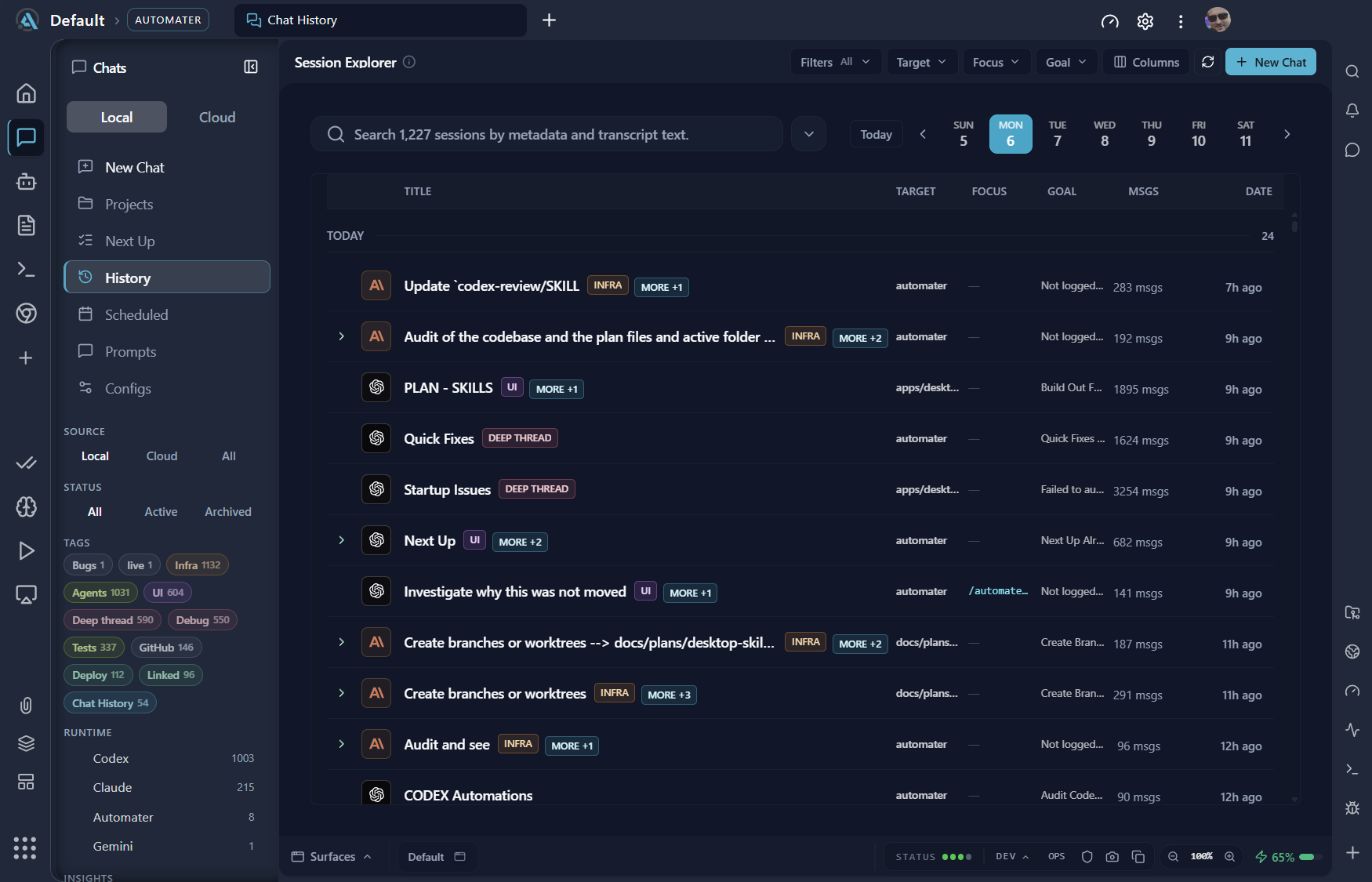
The category exists because of what happens when you daily-drive two or more of the tools in this guide. The problems stop being “which agent is smartest” and become fleet problems: sessions scattered across CLIs that forget everything, no cross-provider view of token spend, no way to search what an agent actually did last Tuesday. We wrote up the pattern in ten assistants, one boss; Automater is that article turned into software.
Best for: anyone running two or more coding agents who needs one place to see, search, and meter the fleet. Standout: a local-first archive with full-text search across sessions from 10+ CLIs — Claude Code, Codex CLI, Antigravity CLI, and others — plus fleet-health monitoring with stall detection, per-provider token metering, and cross-CLI skills sync. Observability scores a 5 because observability is the entire point; exit cost scores a 5 because the archive is local files with import/export, and the core product is free. Limits: stated as bluntly as everyone else’s. Builds cover Windows x64, macOS on Apple silicon and Linux x86_64, with no Intel Mac or arm64 build yet, and Automater reads what supported CLIs leave behind rather than plugging into them, which holds integration depth at a 2. It is a young product. And it manages agents rather than replacing any tool above — autonomy scores a 2 by design, because it does no agentic work itself. It is complementary infrastructure, not another agent. Equally deliberate is what it does not do. Automater does not orchestrate your agents, proxy your API keys through a cloud, or insert itself into the request path — the CLIs keep talking to their providers directly, and the operating layer reads what they leave behind. That design choice is why the exit cost stays low and why we trust it with our own transcripts, which — as our security guide argues at length — are an attack surface of their own.
Pricing: Automater Lite is free. Automater PRO is the paid tier; in the site’s own words it adds “the controls that operate this machine and the rest of your fleet.”
Automater Lite is a free download for Windows, macOS and Linux at automater.ai/downloads.
The comparison table
Scores are 1–5 per the rubric, from daily-driver use; Price & exit is the combined pricing-honesty-and-lock-in score. Browser and computer-use agents are briefed above but not scored — the category shifts too fast for numbers to stay honest. Note that every tool has at least one sub-3 score, ours included; that is what real scoring looks like.
| Tool | Category | Autonomy | Control | Integration | Observability | Price & exit | Pricing model |
|---|---|---|---|---|---|---|---|
| Claude Code | Coding CLI | 5 | 5 | 5 | 4 | 2 | Plans or metered API |
| Codex CLI | Coding CLI | 4 | 4 | 4 | 2 | 3 | ChatGPT plans + API |
| Antigravity CLI | Coding CLI | 3 | 3 | 2 | 2 | 3 | Free tier + Google AI plans |
| Cursor | Agentic IDE | 4 | 5 | 4 | 3 | 2 | Subscription + usage |
| n8n | Workflow platform | 2 | 4 | 5 | 4 | 5 | Self-host free / cloud paid |
| Zapier Agents | Workflow platform | 2 | 3 | 5 | 2 | 2 | Per-task tiers |
| Gumloop | Workflow platform | 3 | 3 | 3 | 2 | 2 | Credit-based |
| LangGraph | Framework | 5 | 5 | 4 | 4 | 2 | OSS + paid platform |
| CrewAI | Framework | 3 | 2 | 3 | 3 | 3 | OSS + enterprise |
| Automater Lite | Operating layer | 2 | 4 | 2 | 5 | 5 | Free / paid PRO tier |
Read it as a menu, not a leaderboard: the winning move is one strong pick per category you actually need. Read the low scores first — they are where the entries above earned their keep, and where your context might disagree with ours. A team that never worries about spend can ignore Claude Code’s 2; a shop on Intel Macs should treat Automater’s 2 as a hard stop, because there is no Intel Mac build.
Picks by persona
Solo power user. One coding CLI driven hard beats three driven shallowly — Claude Code if you review diffs in the terminal, Cursor if you want them in an editor. Self-hosted n8n for the glue, Automater Lite watching sessions and spend. Stack: Claude Code + n8n + Automater Lite.
Platform team. Build on LangGraph with observability and eval discipline wired in from day one; coding CLIs stay individual-contributor tools rather than platform components. Stack: LangGraph + LangSmith-class observability + Claude Code or Codex CLI per engineer.
Enterprise. Reweight the rubric toward control, audit, and deployment options — cloud-provider model hosting, SSO, data residency . Agent-washing runs thickest in enterprise sales, and the defense is unglamorous: run the probe task from our rubric in the vendor’s own demo environment and watch what happens at the seeded failure. Stack: Claude Code or Codex CLI under enterprise agreements + n8n self-hosted + LangGraph for bespoke systems.
Non-technical operator. You are honestly better served by Zapier Agents or Gumloop than by anything terminal-shaped — managed simplicity is a feature, not a compromise. Stack: Zapier Agents or Gumloop, plus a human who reads the run logs weekly.
What we left out, and why
Pure chat interfaces. ChatGPT, Claude, and Gemini as web chat are capable models, but a chat window without tool execution is not agentic under this rubric — no plan-act-recover loop, no tools, no score.
Thin wrappers and agent-washed SaaS. An “agent” that is one LLM call inside a fixed flow. The tell: no visible planning, no tool transparency, no recovery from failure — if you cannot see the loop, there is no loop.
Hosted autonomous engineers. Devin’s cloud agent (now $20/month plus usage, per mid-2026 reporting ) and its peers are excluded for a boring reason: our bar is daily-driver testing, and we could not complete an honest cycle this round. Revisit next revision, not a verdict.
Early autonomous-agent frameworks. AutoGPT and BabyAGI earned their place in history and no longer earn one in production. Respect, and a wave.
Exclusions are what make a rubric real. If you think we are wrong about any of them, the next section is the rebuttal mechanism.
Run your own bake-off instead of trusting ours
Our scores are a hypothesis; your stack is the experiment. The two-week method:
- Pick five real backlog tasks — not demos, not toy repos. Tasks you would have done anyway.
- Run every candidate on all five. Same tasks, same acceptance bar. Keep every session log as evidence.
- Score on this rubric, 1–5, from what actually happened — including the failure-recovery behavior, which is where daily drivers separate from demos.
- Measure cost from actual usage — token spend per completed task, read from your metering, not from pricing pages. The two diverge widely, and the divergence is the finding.
- Weight week two over day one. The honeymoon effect is real: day-one wow fades, and what remains — or doesn’t — is the tool.
- Write the one-page memo — scores, costs, and the two session logs that decided it. The memo outlives the decision, briefs the team, and gives next quarter’s re-run a baseline.
That is the whole trick, and it is also the close. The tools above are our best answers as of August 2026; the rubric traveling to your stack is the durable deliverable. Method and disclosure are what we think a tools list owes you — the scores are just where ours came out.
FAQ: agentic AI tools
What are agentic AI tools?
Agentic AI tools are software that pursues multi-step goals by planning, calling tools, and acting with limited supervision — rather than answering a single prompt. The category spans coding CLIs like Claude Code, workflow platforms like n8n, multi-agent frameworks like LangGraph, computer-use agents, and the operating layer that manages them.
What is the best agentic AI tool?
There is no meaningful single answer — the jobs differ. Our category picks as of August 2026: Claude Code for terminal coding, Cursor for IDE-based work, n8n for self-hosted workflow automation, LangGraph for production agent systems, and Automater for operating a multi-tool fleet. Compose them; don’t crown one.
Are there free agentic AI tools?
Fewer than a year ago — Gemini CLI’s free tier died with the product in June 2026, and Qwen’s free OAuth tier ended in April. Still free: self-hosted n8n, open-source frameworks like LangGraph and CrewAI, open-source harnesses like Aider, OpenCode, and Goose, and Automater Lite on Windows.
What is the difference between agentic AI tools and AI agent frameworks?
Tools are products you adopt — install, authenticate, work. Frameworks are libraries you build with: LangGraph and CrewAI give you primitives for state, roles, and control flow, and you own the resulting system. Adopt tools first; reach for a framework when an off-the-shelf tool demonstrably cannot do the job.
Sources
- GitHub — Copilot is moving to usage-based billing
- TechTimes — Gemini CLI shutdown takes effect; Go-based Antigravity CLI arrives
- Coding CLIs in mid-2026: the engineer’s map
- Anthropic — Claude Fable 5 and Claude Mythos 5
- OpenAI — GPT-5.6
- Model Context Protocol — the 2026-07-28 specification release
- n8n — workflow automation platform
- LangChain — LangGraph
- CrewAI
- CyberScoop — OpenAI on prompt injection in browser agents