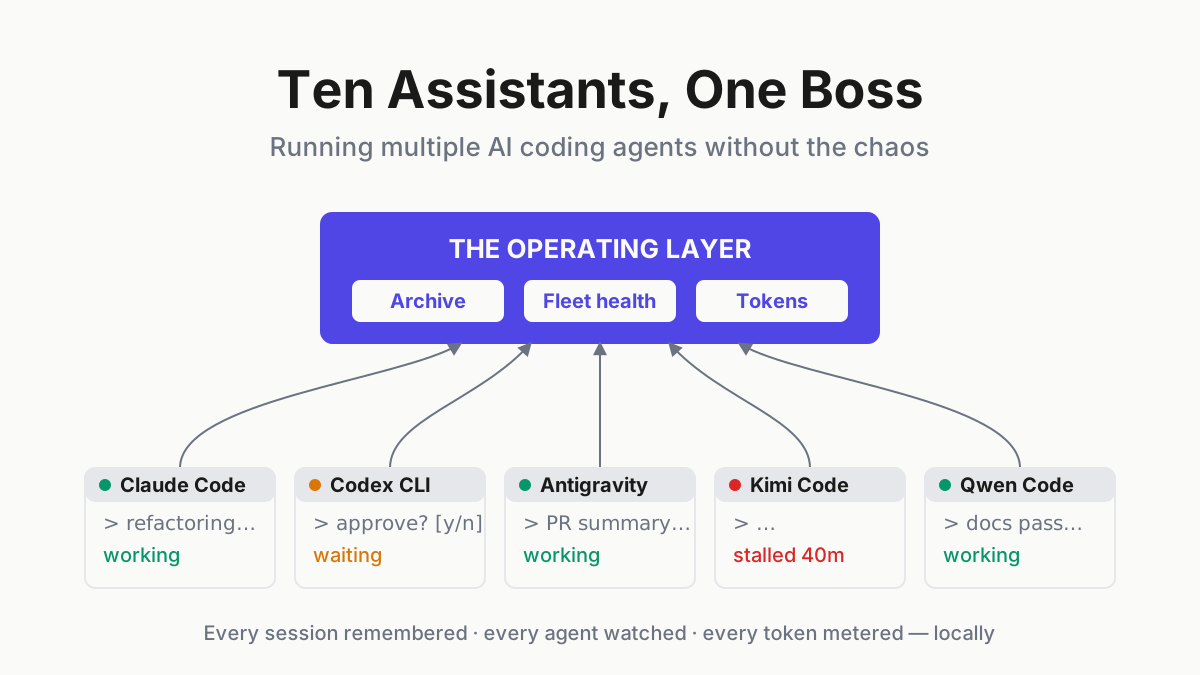
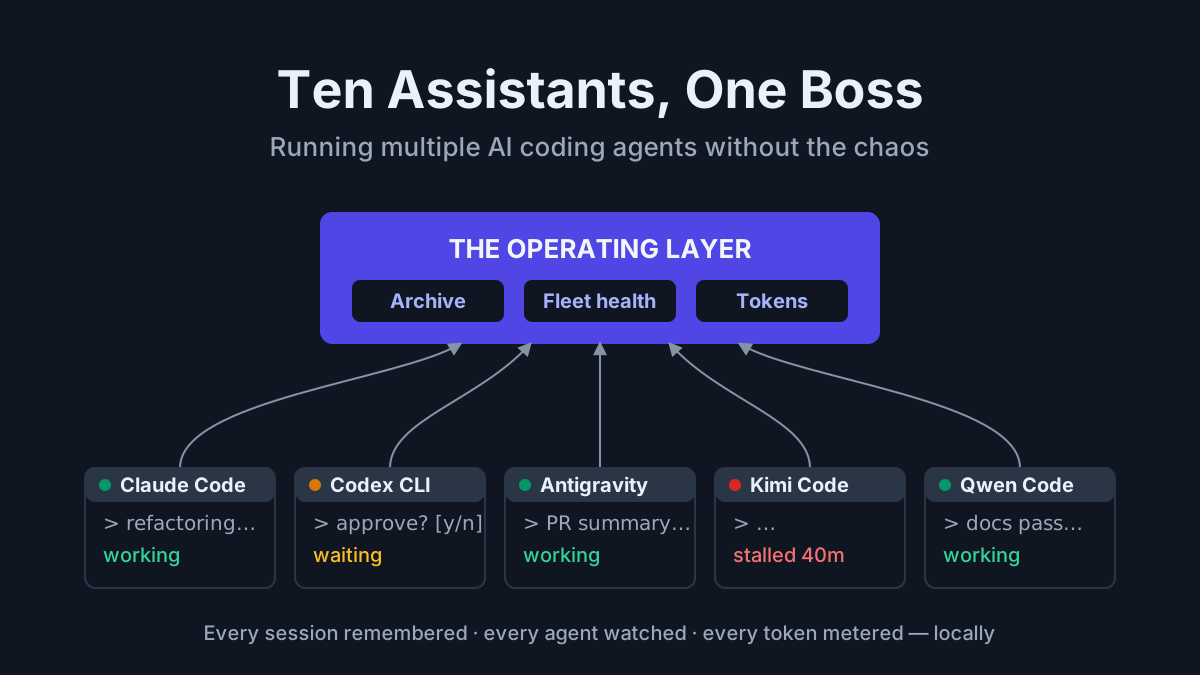
Ten Assistants, One Boss: Running Multiple AI Coding Agents Without the Chaos
Running Claude Code, Codex, and Kimi side by side? Manage multiple AI agents with one searchable archive, fleet health alerts, and local token metering.

Go deeper. Build your own.
The new normal: you don’t have an AI assistant, you have a fleet
Tuesday, 9:40 a.m. Claude Code is halfway through a repository-wide refactor in pane one. Codex CLI has been grinding a flaky test suite in pane two, quiet for eleven minutes. Antigravity CLI is summarizing overnight PRs, Kimi Code CLI is on changelog duty, a Grok tab is open for search, and a sixth terminal holds a session you meant to get back to on Friday. Nobody teaches you how to manage multiple AI agents. You discover the skill exists the first morning one of them stalls silently while you watch a different one work.
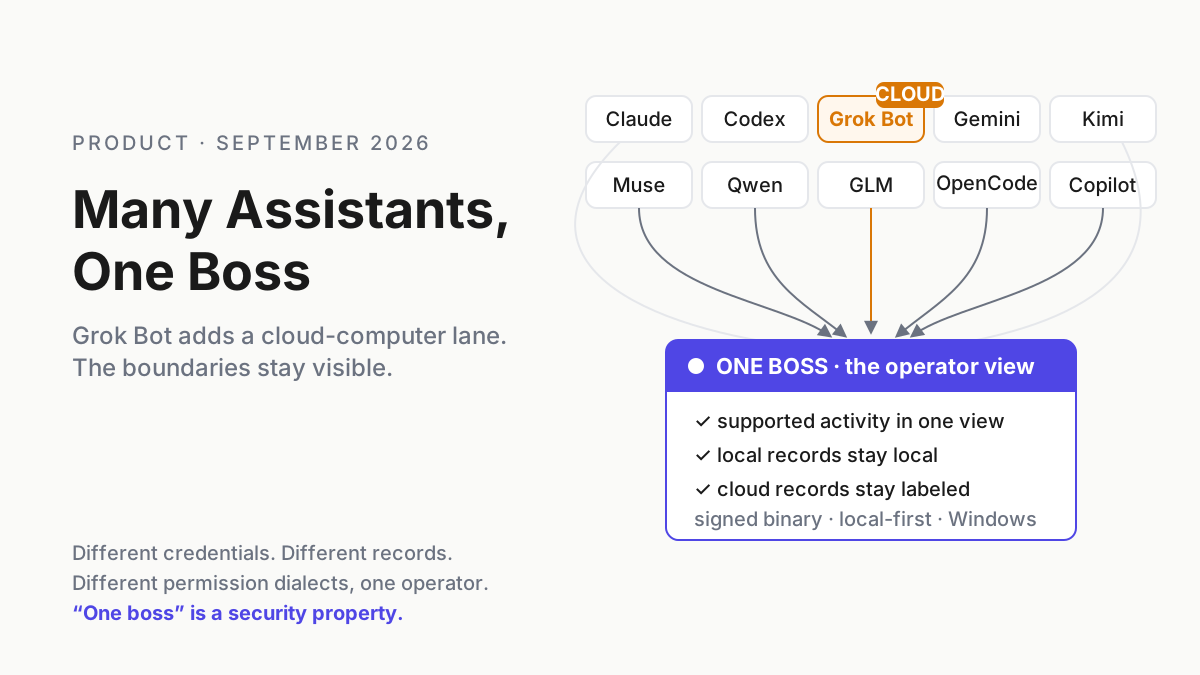
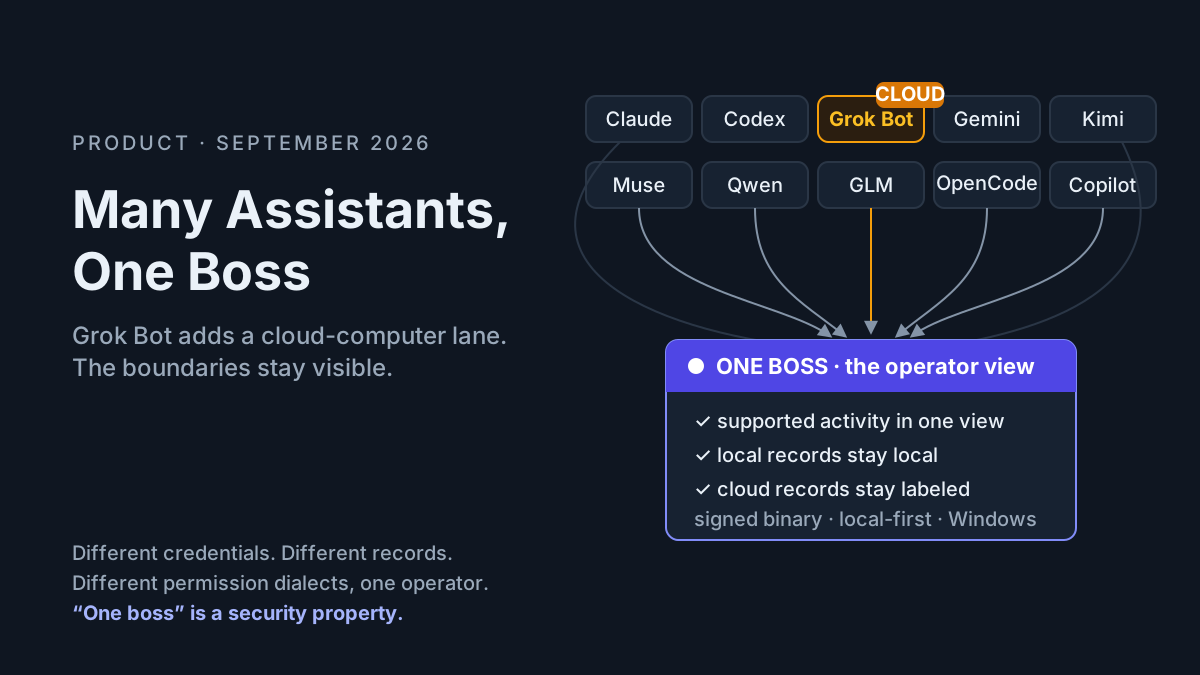
The question changed somewhere along the way. In 2024 you compared assistants and picked one; in 2026 the best agentic AI tools are cheap and plentiful enough that power users simply run several. Claude Code, Codex, Antigravity, Grok, Kimi, Qwen Code, Z.ai GLM Coding Plan, OpenCode, GitHub Copilot — the mid-2026 field map counts more active coding CLIs than most teams have engineers. If at least three of those names are installed on your machine, this article is about your desktop — and if a few are unfamiliar, the agent harness field map covers the full roster.
Here is the thesis. The bottleneck is no longer agent capability — Claude Fable 5 and GPT-5.6 will both close the ticket. The bottleneck is operations: memory, visibility, cost, and control across the fleet. That is a different problem from the ones agentic software vendors are racing each other to solve, and no smarter model fixes it.
Why power users run more than one agent (and won’t stop)
A multi-agent setup is not tool hoarding. Every agent on a working developer’s machine earned its slot for one of five rational reasons:
- Different models win different tasks. You put Claude Fable 5 on the architecture refactor and let DeepSeek V4 Flash — $0.14 per million input tokens as of August 2026 — write commit messages and docstrings. Paying frontier rates for prose chores is burning money.
- Rate limits force rotation. Subscription usage windows end mid-task. When your primary plan throttles at 3 p.m., the second harness finishes the branch.
- Outages demand a fallback. Every provider has a bad day. A fleet means a status-page incident costs you a model preference, not an afternoon.
- Pricing arbitrage is real money. Flat-rate plans, metered APIs, and loss-leader free tiers coexist, and the spread is wide — the token-plan math rewards routing grind work to the cheap lane and saving the premium plan for hard problems.
- Second opinions work. Handing a gnarly bug to a different model family is the cheapest code review you will ever commission. When two models disagree about your concurrency fix, that disagreement is signal.
The standard objection is context fragmentation and tool sprawl, and the objection is correct. That is the tax. The rest of this article is about paying less of it, because the alternative — consolidating to one agent — means giving up everything on the list above.
The hidden tax: four failure modes when you manage multiple AI agents
Each agent you add multiplies small frictions: minutes lost re-explaining context a previous session already had, sessions that vanish when a terminal closes, an end-of-month bill nobody can attribute to anything. Four failure modes account for nearly all of it:
- Session amnesia — every CLI forgets, and each forgets differently.
- Fleet blindness — nothing tells you which agent finished, stalled, or spun.
- Token opacity — spend scattered across dashboards that don’t agree on units.
- Configuration fragmentation — the same preferences re-implemented per tool, drifting.
Note what these have in common: they are operations problems, not model problems. A smarter model produces better work inside a session and does precisely nothing about what happens between sessions.
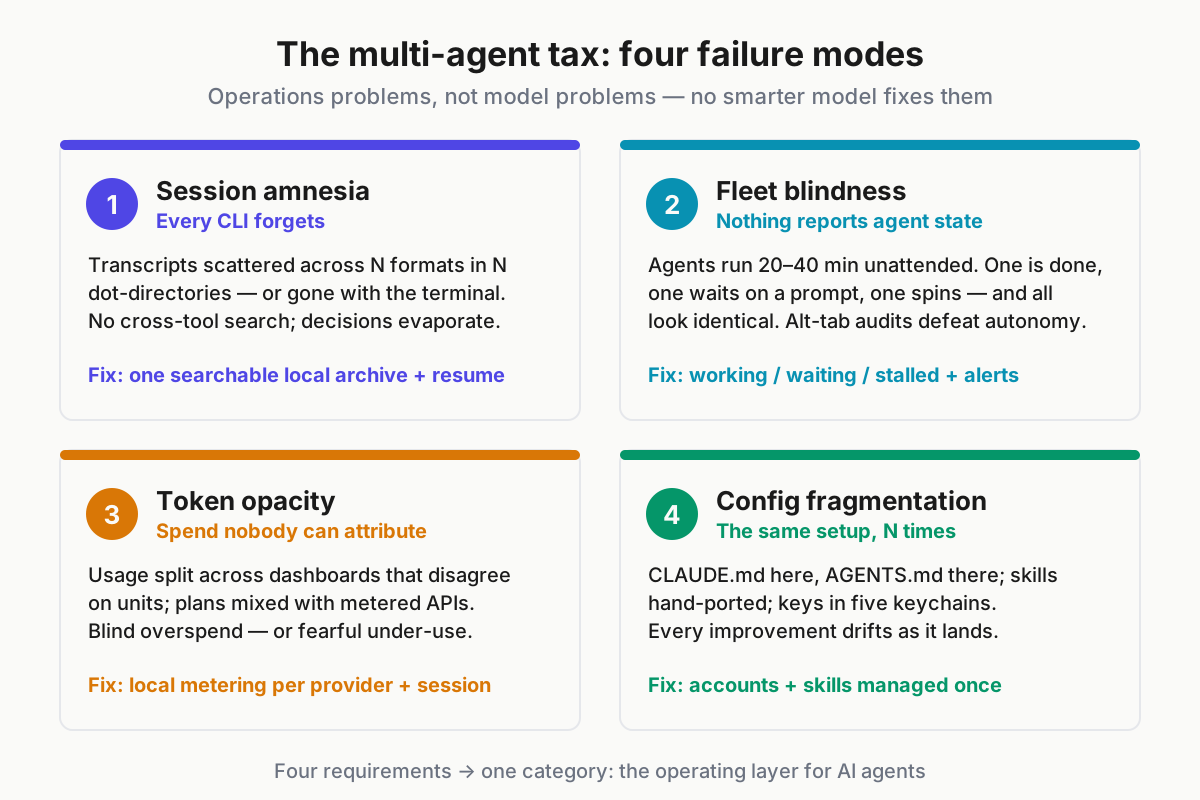
 The multi-agent tax, itemized: amnesia, blindness, opacity, fragmentation.
Failure mode 1: every CLI forgets
- Transcripts scatter across per-tool history files in per-tool formats — Claude Code writes JSONL under its dot-directory and ships a session picker (docs), others keep proprietary session files, and some keep nothing durable at all.
- There is no cross-tool search. “That session two weeks ago where the agent explained the auth bug” exists in exactly one of six history formats, and you don’t know which.
- Recovery without tooling is grim: grepping JSONL in dot-directories, scrolling a dead tmux buffer, then giving up and re-asking the agent — paying tokens to rebuild context you already paid for once.
- When a tool dies, its history strands. Gemini CLI was discontinued on June 18, 2026; every session that lived only in its format became a fossil that morning.
Here is the version of this story everyone has. Three weeks ago an agent spent forty minutes mapping exactly why your token-refresh logic double-fires under load, produced a beautiful four-file explanation, and you shipped the fix. Today the same bug class resurfaces in a sibling service. You remember the session existed. You cannot remember which of your five CLIs ran it, and after fifteen minutes of grepping you pay a model to re-derive what you already own.
The compounding cost is worse than the minutes: lost sessions are lost decisions and lost rationale. The institutional memory of your AI-assisted work evaporates daily. Even the best-documented tool in the fleet only remembers itself — Claude Code’s own resume sees Claude Code sessions and nothing else.
The requirement: a unified, searchable, local archive of every session from every provider — full-text, cross-tool, with resume.
Failure mode 2: fleet blindness
- Modern agents run 20–40-minute autonomous stretches. That is the point of them — and it means at any moment you genuinely do not know the state of your own fleet.
- One agent finished ten minutes ago. One has been waiting on a permission prompt since 9:52. One is silently spinning on a network call that will never return. From your current window, all three look identical: a terminal you are not looking at.
- The anti-pattern is the alt-tab audit — cycling through every terminal every few minutes “just to check.” If you are babysitting, the autonomy you are paying for is refunding nothing.
- The requirement: at-a-glance health for every installed agent — working, waiting, stalled — plus a notification when a session stalls, so attention flows to the one agent that needs it.
This is mission control at desk scale: the personal version of the observability discipline that AgentOps brings to production agent fleets. Same problem, smaller blast radius, same fix.
Failure mode 3: token and cost opacity
- Your spend lives in five places: two provider dashboards with different units, one subscription with an opaque usage meter, one raw API bill, one free tier silently approaching its cliff.
- Subscriptions no longer hide the problem. GitHub Copilot moved to usage-based billing with AI credits on June 1, 2026, and developer sentiment was blunt: “you will get less, but pay the same price”. Metering is now everyone’s problem, even inside flat plans.
- The behavioral cost cuts both ways: developers either overspend blindly or under-use agents out of budget fear. Both are losses — the second one is just quieter.
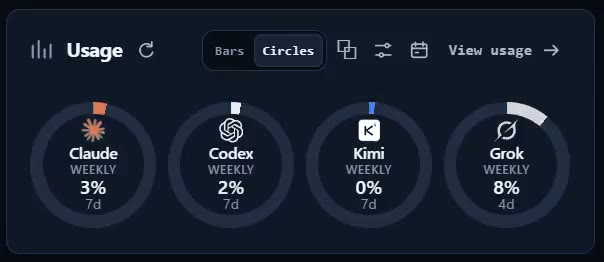
- The requirement: local metering across all providers in one view, per provider and per session, without shipping your usage data to yet another third party.
As open models keep collapsing the cost of running agents, knowing your unit costs is how you actually exploit the drop — you cannot arbitrage prices you cannot see. The view you want answers three questions per provider: how much, on what, trending which way.
| Provider | Sessions (this week) | Tokens | Trend |
|---|---|---|---|
| Claude Code | 41 | 18.2M | ▲ heavy refactor week |
| Codex CLI | 26 | 9.6M | ▼ shifted tests to grind lane |
| Kimi Code CLI | 33 | 22.4M | ▲ absorbing the grind lane |
| Qwen Code | 7 | 1.1M | — experiment slot |
What one usage view should answer — numbers illustrative.
Failure mode 4: configuration and skills fragmentation
- Preferences live in N places: a CLAUDE.md here, an AGENTS.md there, a GEMINI.md you forgot to delete after June, MCP server configs duplicated per tool, API keys in five keychains.
- The concrete version: you spend an evening refining a code-review skill for one CLI until it catches the bug class your team actually ships. Your other four agents never benefit unless you hand-port it — and the ports drift the first time you improve the original.
- Multiply by every skill, every MCP server, every provider credential, and “five assistants” quietly becomes five slightly different engineering cultures on one machine.
- The requirement: one place to manage provider accounts — OAuth and API keys — and to sync skills across CLIs, so an improvement made once lands everywhere.
The operating layer: what a command center for AI agents needs
Stack the four requirements and add the two that daily driving teaches you, and you get a six-line spec. It is deliberately vendor-neutral — evaluate any tool against it, including ours:
- Archive & search — every session, every provider, full-text searchable, resumable.
- Fleet awareness — health at a glance, notifications when an agent stalls.
- Unified metering — token usage per provider and per session, computed locally.
- Cross-tool management — accounts, keys, and skills maintained once, synced everywhere.
- Voice input — talking beats typing for context dumps; a global hotkey beats switching windows.
- Privacy by architecture — transcripts contain your codebase; they should stay on your machine by default.
Can you build this yourself? Partially. A grep alias over Claude Code’s JSONL, a tmux status hack, a spreadsheet for spend — scripts and dotfile discipline get you about 30% of the way. The remaining 70% — parsing every tool’s format, watching live processes, normalizing meters across providers, keeping it all current as vendors churn — is what makes this a product category rather than a weekend project.
The category needs a name, so here is ours. An operating layer is the software that sits above your AI agents the way an operating system sits above processes: it does not do the work, it remembers the work, watches it, meters it, and keeps its configuration coherent. One layer, many agents, one boss — you.
One boundary worth drawing: this spec covers operations. Whether the work your agents produce is any good is a separate discipline with its own tooling — that one belongs to evals.
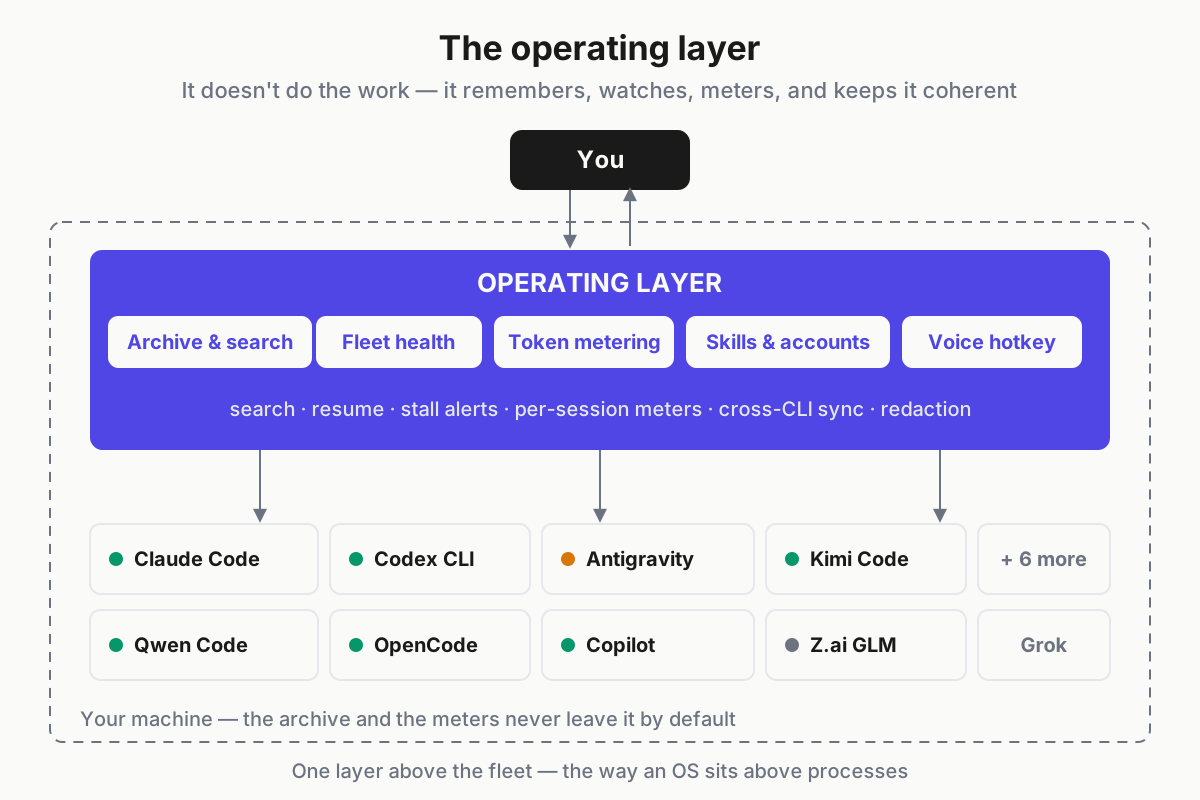
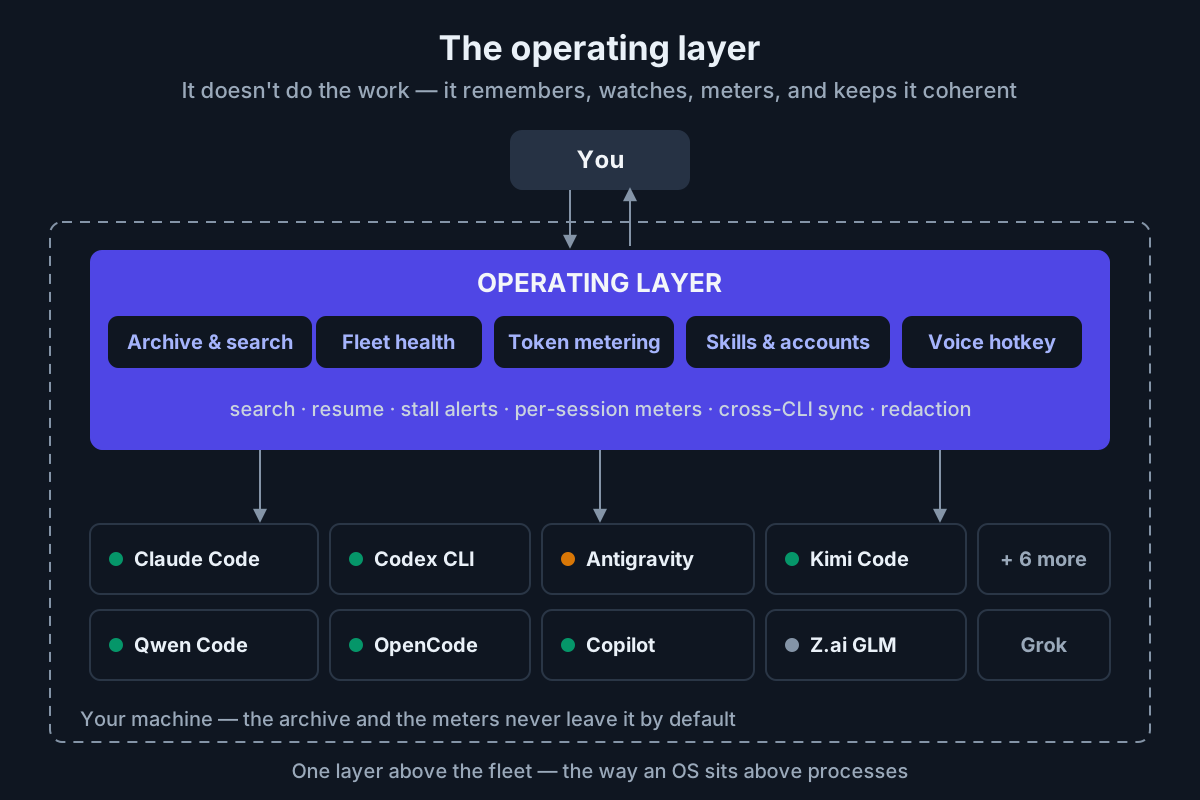 The operating layer sits between you and the fleet — and everything stays on your machine.
Automater Lite: the free command center
Automater Lite is our answer to that checklist, and this is the part where we talk our own book — so hold it against the requirements above, line by line.
| Requirement | How Automater Lite covers it |
|---|---|
| Archive & search | A unified library consolidating sessions from 10+ providers — Claude Code, Codex, Gemini, Grok, Kimi, Qwen Code, Antigravity, Z.ai GLM, OpenCode, Copilot — with full-text search, session resume, and import/export. |
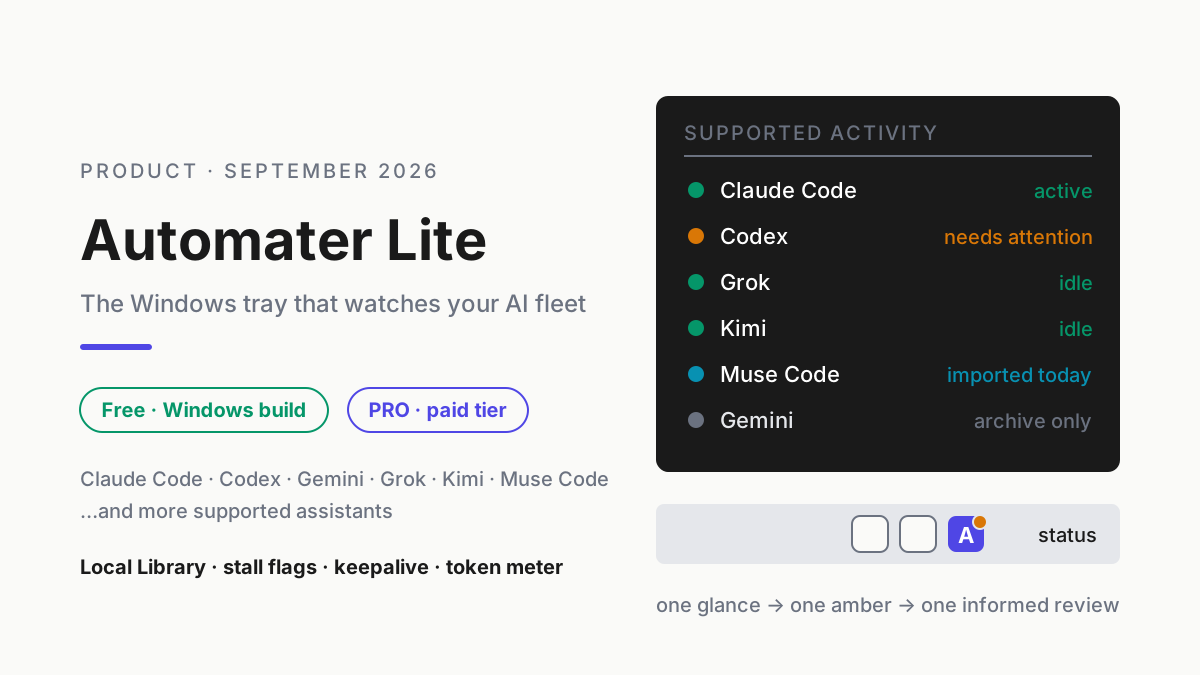
| Fleet awareness | Live monitoring of every installed AI CLI: amber/green agent health, session stall detection, tray notifications when one needs you. |
| Unified metering | Local token metering across all providers — per provider and per session, computed on your machine. |
| Cross-tool management | The Toolbelt: provider account management (OAuth/API keys), a Skills manager with cross-CLI sync, a batch tool updater, git branch/status display, and permissioned computer control. |
| Voice input | Global hotkey (Ctrl+Alt+Space), local GPU speech-to-text, dictation into any focused app. |
| Privacy by architecture | Local-first: the archive never leaves your machine, and Vault redaction scrubs sensitive strings (next section). |
The mechanics matter: the archive ingests transcripts any CLI writes, so niche tools join the library the day you install them — no waiting for an official integration. It also means dead tools stay searchable. Your Gemini CLI history outlives Gemini CLI.
Now the honest part, stated plainly rather than buried: Automater Lite ships for Windows x64, macOS on Apple silicon and Linux x86_64 (AppImage or .deb). It is built on Tauri 2, runs offline, and every build ships as a signed installer whose update payloads are minisign-verified before they install. There is no Intel Mac build yet and no arm64 build for Windows or Linux; if that is your machine, that is the whole story for now, and we would rather say it in plain text than in a footnote.
Price: free. Not free-tier free — the companion feature set above is the free product.
Vault, redaction, and the local-first stance
- Be clear-eyed about what a session archive is: proprietary code, secrets pasted in passing at 11 p.m., internal URLs, and months of architecture discussion. Aggregated, it is a map of your engineering organization.
- The local-first guarantee is architectural, not contractual: the archive never leaves your machine. There is no server-side copy to breach, subpoena, or train on.
- Leaderboard and telemetry are strictly opt-in. Nothing is published or transmitted until you explicitly turn it on.
- Vault redaction scrubs sensitive strings from stored sessions — for the API key that went into a prompt before you thought better of it.
- Cloud session-history products make retention and access a policy decision on someone else’s infrastructure. Sometimes that trade is right — multi-device users have a real reason to want sync. It should be a choice you make deliberately, never a default you discover later.
Automater Desktop: from companion to Agentic Development Environment
Lite manages the fleet. Automater Desktop — the full Agentic Development Environment — is for when managing is not enough and you want to drive from one cockpit:
- Advanced messaging and control of agents — direct the fleet instead of visiting each terminal.
- Built-in terminal, repo and file browser — the work surface lives next to the agents doing the work.
- Inline replies with Markdown and browser views — read an agent’s output the way it was meant to render, answer in place.
- Mini-apps — small purpose-built surfaces on top of your sessions.
The honest one-liner: Lite remembers and watches your fleet; Desktop is where you command it. Desktop is a separate app in beta, and new installs are on hold: “Desktop downloads are paused for new installs while we finish a review. Existing installs keep updating.” (automater.ai/desktop)
| Capability | Automater Lite (free) | Automater Desktop (beta) + PRO |
|---|---|---|
| Session archive, full-text search, resume (10+ providers) | Yes | Yes |
| Fleet health + stall notifications | Yes | Yes |
| Local token metering | Yes | Yes |
| Vault redaction | Yes | Yes |
| Voice dictation (Ctrl+Alt+Space, local GPU STT) | Yes | Yes |
| Skills sync, provider accounts, Toolbelt | Yes | Yes |
| Advanced messaging & control of agents | — | Yes |
| Built-in terminal, repo & file browser | — | Yes |
| Inline replies, Markdown & browser views | — | Yes |
| Mini-apps | — | Yes |
| Price | Free | Paid tier (automater.ai/upgrade) |
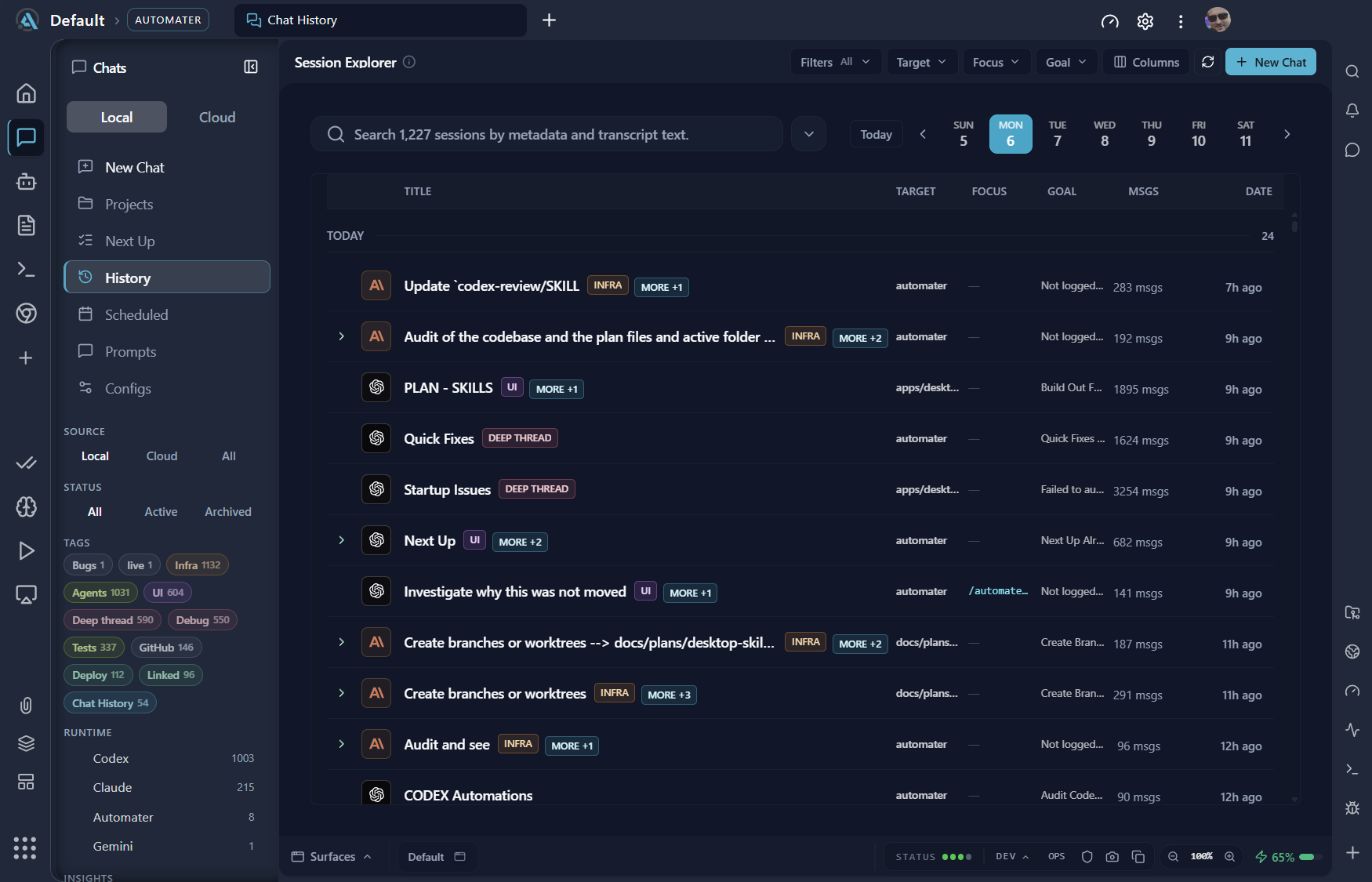
The leaderboard: making the grind measurable (and a little fun)
- Usage is metered locally either way; the leaderboard is what happens if you choose to publish it — under your GitHub identity, with README badges for your profile.
- Call it the quantified-self angle of AI-assisted development: you run five agents and burn nine figures of tokens a month; a public number is proof-of-work for an identity this audience already holds.
- The data ethics repeat on purpose: metering is local, publication is opt-in, and you control what appears. Off by default, like everything else that leaves the machine.
Setting up your command center in an afternoon
- Install Automater Lite from automater.ai. Tip: pick your build on automater.ai/downloads (Windows x64, Apple-silicon macOS or Linux x86_64); it runs offline, so the install is the only download that matters.
- Let it discover your CLIs and ingest existing transcripts. Tip: your history appears retroactively — including tools you stopped using months ago.
- Pin the fleet and usage widgets. Tip: the floating glass cards sit above your terminals, which is exactly where fleet status belongs.
- Set the voice hotkey. Tip: Ctrl+Alt+Space is the default; local GPU speech-to-text works with no cloud round-trip.
- Turn on stall notifications. Tip: amber means an agent is waiting on you — that is the tray icon to trust instead of the alt-tab audit.
- Optionally, connect provider accounts and sync skills. Tip: port your best-tuned skill to every CLI first; it is the fastest compounding win in the app.
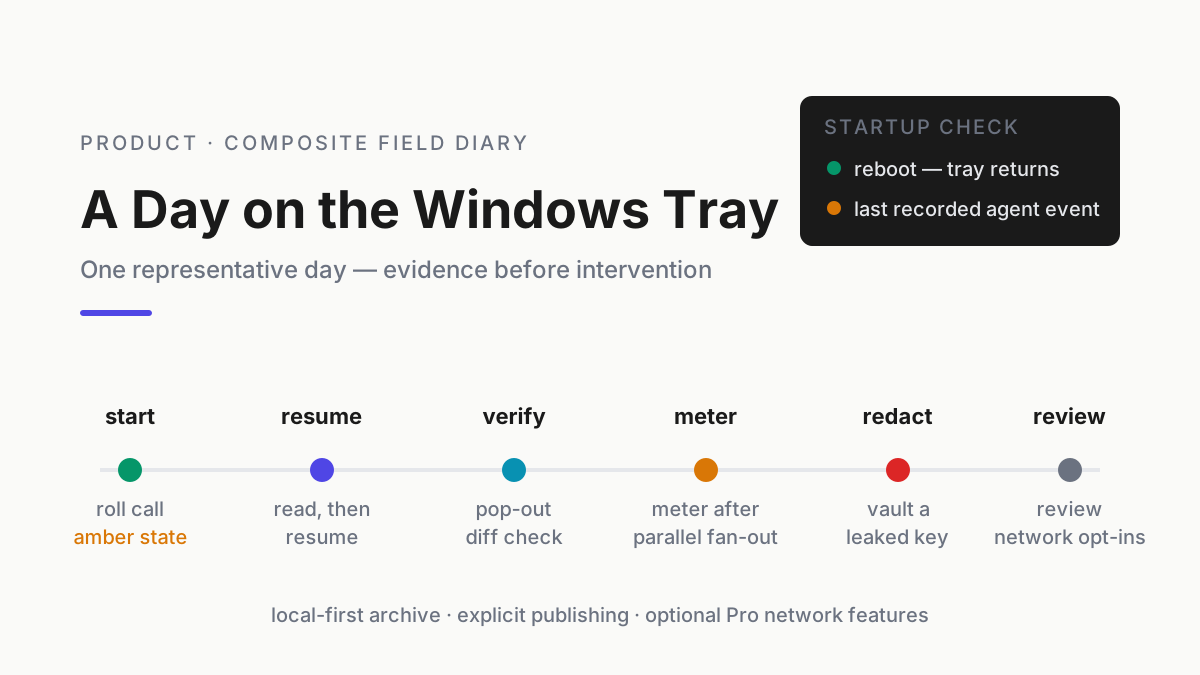
Then run a first-week routine. Work normally, but when you are about to re-explain context, search and resume instead. Review the usage view on Friday — the first week’s numbers usually surprise people in both directions. Prune or redact anything sensitive with Vault as you go.
The upgrade trigger is unmistakable when it arrives: the evening you catch yourself wanting to steer a stalled agent from the tray instead of hunting for its terminal. That is the moment to check what PRO, the paid tier, covers today on automater.ai/upgrade.
FAQ: managing multiple AI agents
How do I see all my Claude Code sessions in one place?
Claude Code stores sessions locally and its own picker resumes them, but it only sees Claude Code. An operating layer like Automater Lite ingests those transcripts alongside every other CLI’s, so one full-text search covers your whole Claude Code session history next to Codex, Kimi, and the rest.
Can I resume an old AI CLI session?
Often natively: Claude Code and several other CLIs can resume recent sessions from their own history. Across tools, the reliable pattern is an archive with resume — find the transcript by full-text search, reopen it in the original tool, or carry its context into a fresh session.
How do I track token usage across multiple AI providers?
Provider dashboards each show one slice, in that vendor’s units, on that vendor’s servers. Local metering inverts the model: usage is read from the sessions on your machine and rolled into one ledger, per provider and per session. Automater Lite does this without sending usage data anywhere.
Is my session data uploaded anywhere?
Not by default. Automater Lite is local-first: the archive stays on your machine, the app works offline, and Vault redaction scrubs sensitive strings from stored transcripts. The leaderboard and telemetry are strictly opt-in — nothing is published until you connect a GitHub identity and choose to.
Does Automater work on Mac or Linux?
Yes, with limits. Automater Lite ships for Windows x64, macOS on Apple silicon and Linux x86_64 (AppImage or .deb), built on Tauri 2 with signed installers. There is no Intel Mac build yet and no arm64 build for Windows or Linux; the downloads page lists only the builds published right now.
Sources
- TechTimes — Gemini CLI Shutdown Takes Effect, CI/CD Pipelines Break, Go-Based Antigravity CLI Arrives (June 18, 2026)
- GitHub Blog — GitHub Copilot is moving to usage-based billing
- Visual Studio Magazine — Devs Sound Off on Usage-Based Copilot Pricing Change (April 27, 2026)
- Morph — The Best Open-Source Coding Models of 2026
- dev.to — Coding CLIs in mid-2026: the engineer’s map and what changed in 30 days
- Claude Docs — Claude Code documentation