Automater Lite: The Windows Tray That Watches Your AI Fleet
Automater Lite is a free Windows tray companion with a local AI-session Library, fleet status, search, usage meters, and signed updates. See where PRO begins.

Go deeper. Build your own.
The Intel archive has reviewed harnesses, mapped token plans, and written about stall detection without giving the software in the system tray a proper definition. This is that missing page. The product is called Automater, the free app is Automater Lite, and this article explains the current product rather than a future roadmap.
One housekeeping note for the search crowd: a steady stream of people arrive here having typed “mater ai” into Google. Yes — this is that. Automater, automater.ai, the Windows tray app. You are in the right place, and the rest of this page is the answer.
What follows is an evaluation field note: where Automater Lite fits in the companion-versus-harness taxonomy, how its tray features map to a working day, how the local-first archive boundary works, exactly where the free tier ends and the PRO tier begins, and — because this is the part most product pages omit — a plain list of what you do not get.
What Automater Lite is
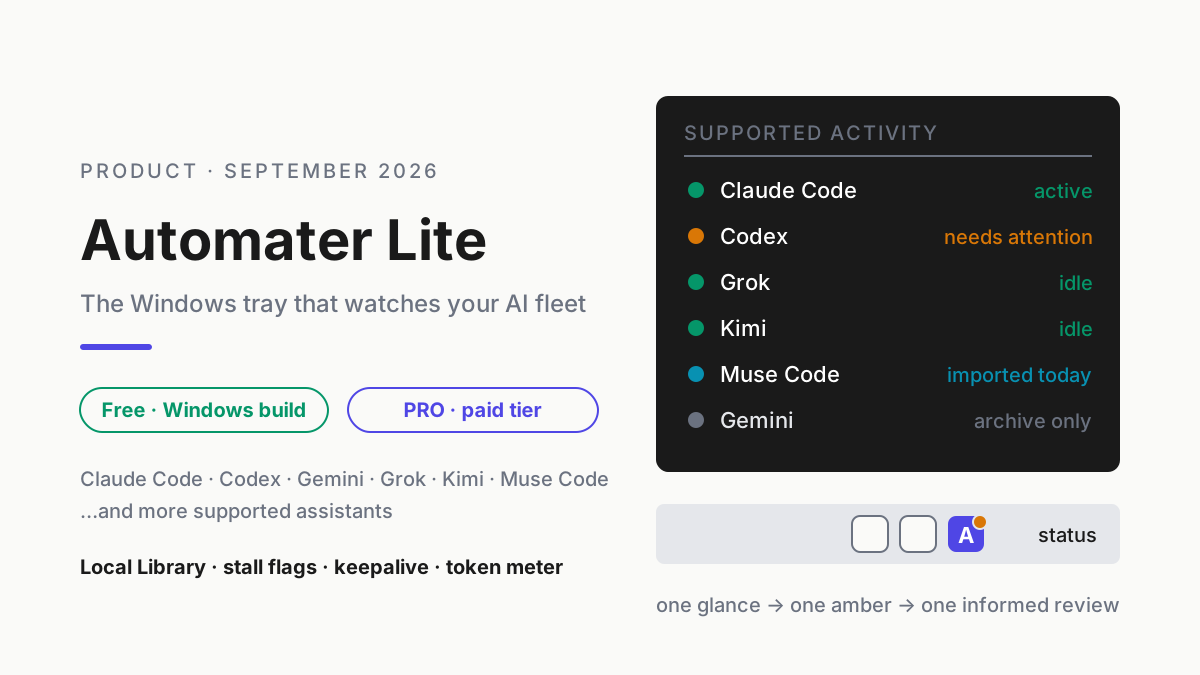
Automater Lite is a free Windows tray companion that detects supported AI apps, imports recognized session transcripts into one local, searchable Library, and surfaces live activity when an agent needs attention. Its keepalive task brings the companion back after an unexpected exit or reboot; it does not resurrect agent processes that the reboot ended. The archive is local-first and has no automatic cloud copy.
The most precise category is AI session manager, because that is the job. Claude Code documents local transcripts and session resume; Codex and other terminal agents keep their own histories too. Six assistants can mean six filing systems that cannot see one another. Automater Lite normalizes supported histories into one Library with full-text search and native-session resume where the provider supports it. The public product page describes the archive and search as part of the free companion.
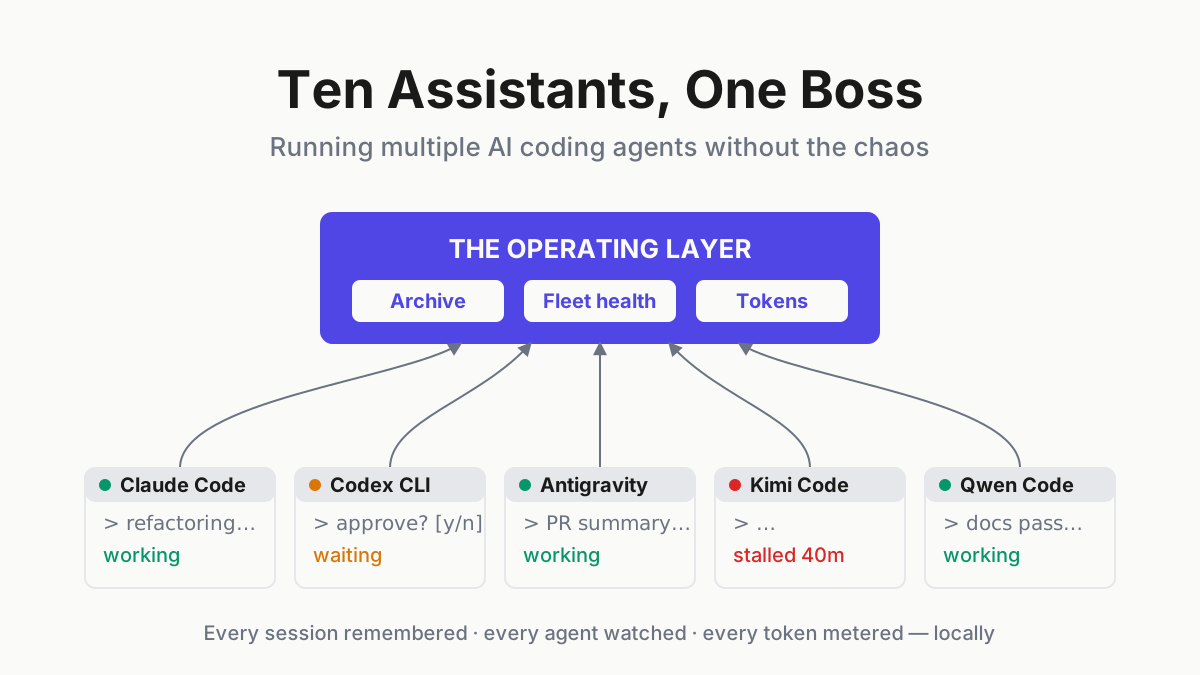
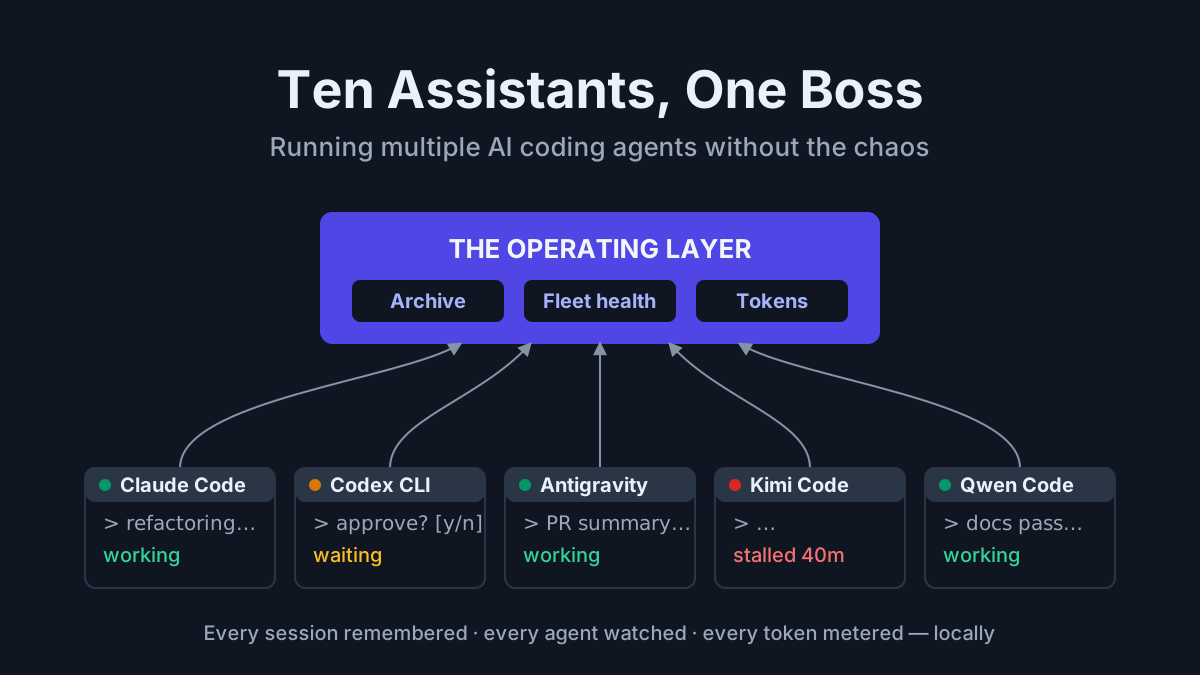
The other half of the job is fleet awareness: the tray knows which CLIs are installed, which sessions are live, and which ones have quietly stopped making progress. More on the operating model below, because stall flags and keepalive are what turn the product from a searchable archive into an attention surface.
What Automater Lite is not
Three disclaimers, because the category is crowded with things that look adjacent and are not.
It is not a harness. Automater Lite does not run an agent loop, does not call a model, does not edit your files. Claude Code, Codex, and their peers do that work; the tray manages the fleet they create. If a harness is an employee, this is the front desk that knows where everyone is and what they said. You keep your harnesses; you keep your existing subscriptions; nothing about your prompting changes.
It is not an “AI computer.” Perplexity’s Personal Computer for Windows works across local files, Microsoft 365, and the web, and is available on Pro, Max, and Enterprise plans; Computer tasks use credits under Perplexity’s current billing model. Automater Lite occupies a different layer: the free companion organizes local records and fleet status rather than supplying a remote agent that operates the desktop. The full three-lane taxonomy — companion, harness, AI computer — maps that distinction.
It is not Automater Desktop. Desktop is the ADE — the full agentic development environment, currently in beta, with its Session Explorer and live topology across hosts, WSL runtimes, and Docker Compose stacks. Different product, different review, not this page. Everything below is about the free tray and its PRO tier.
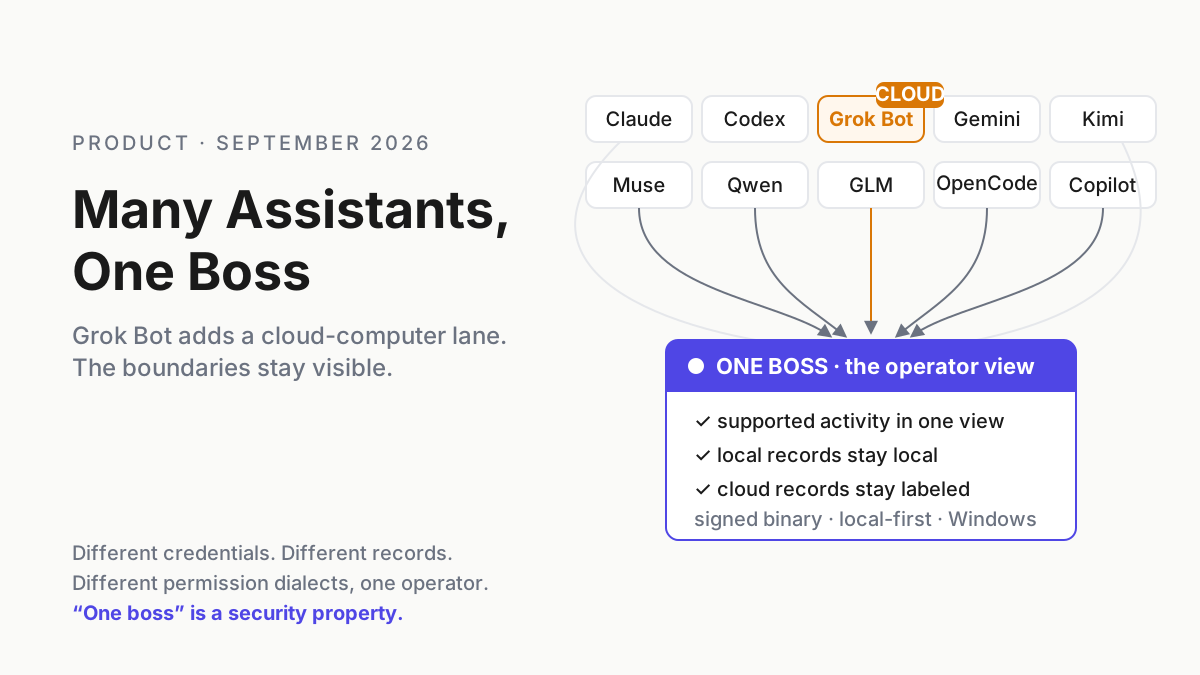
Ten assistants, one boss
The homepage now says “Every AI, one boss” and lists Claude Code, Codex, Gemini, Grok, Kimi, Antigravity, Qwen Code, Z.ai GLM, OpenCode, Copilot, and more. It also carries a current “Now works with GrokBot” notice. Meta, meanwhile, describes Muse Code as out of beta and publishes a Developer Preview SDK for its session protocol. Compatibility still has a concrete boundary: Automater can only import histories and activity its adapters recognize. “Every CLI that writes a transcript” is the direction; the current provider list is the testable promise.
The archive angle has a sharper edge than convenience. On June 18, 2026, Google stopped serving Gemini CLI to individual Google-account users and moved them to Antigravity CLI; enterprise and API-key use, plus the open-source project, continued. That narrower change still makes the durable point: vendor access paths move on the vendor’s schedule. A local copy of your working history should not move with them.
In practice the Library’s strongest case is retrieval rather than storage. A useful test is to search for a known decision without first choosing which assistant produced it. If an idempotency discussion might live in Claude Code or Codex, one full-text query across supported records should surface the relevant provider, session, and project tag. Tags can stay minimal — a repo name plus a trial-* marker for bake-offs — because search does the heavy lifting. Provider-specific resume remains bounded by the adapter.
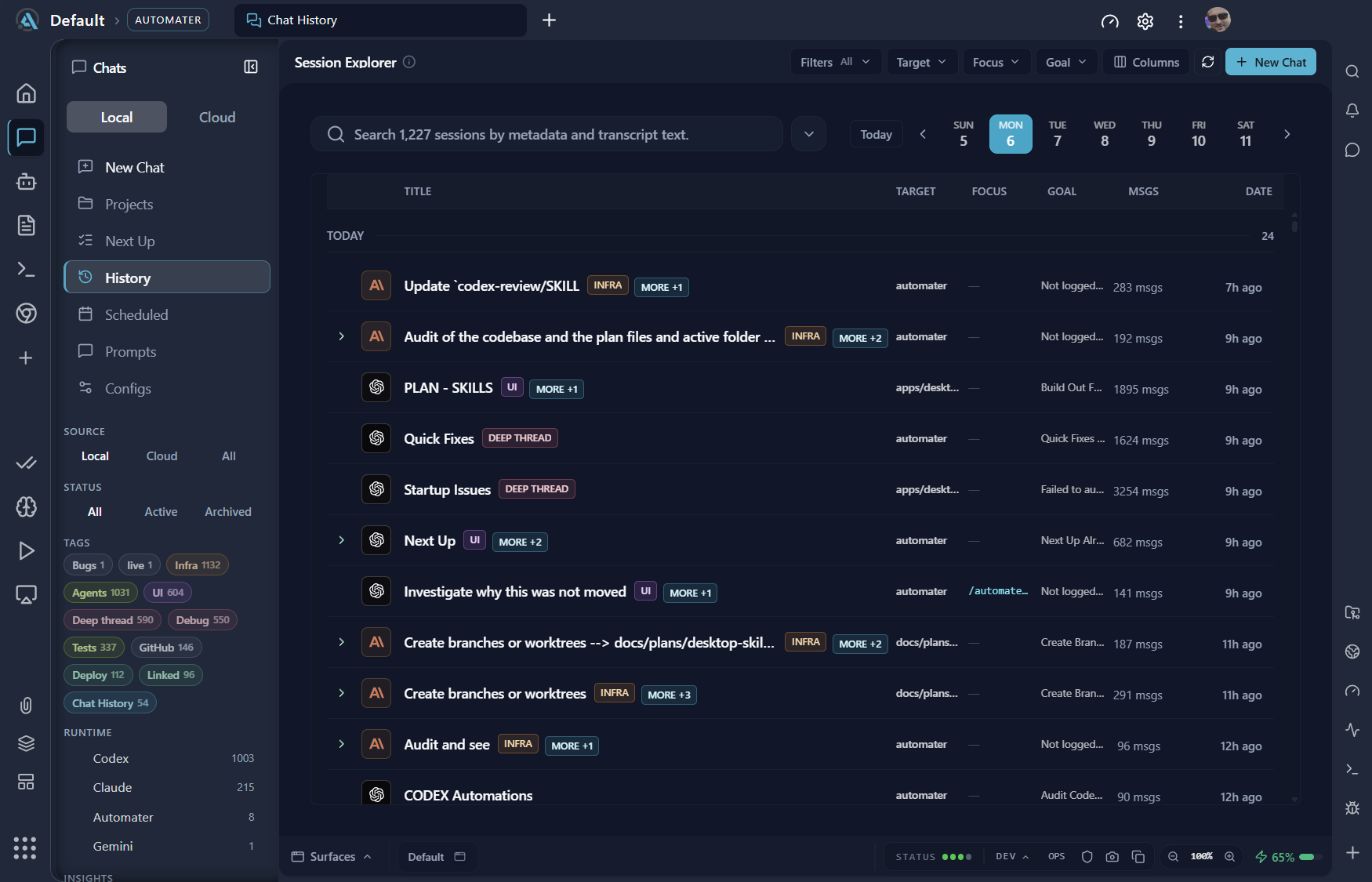
“One boss” is also an operating discipline: when Grok Bot joined the public compatibility list, the useful question was not whether every product has the same data path. It was whether one view could show the supported state while preserving Grok Bot’s documented cloud boundary. If you are orchestrating agents above any single tool, the multi-agent command center piece maps that pattern in vendor-neutral terms.
What lives in the tray
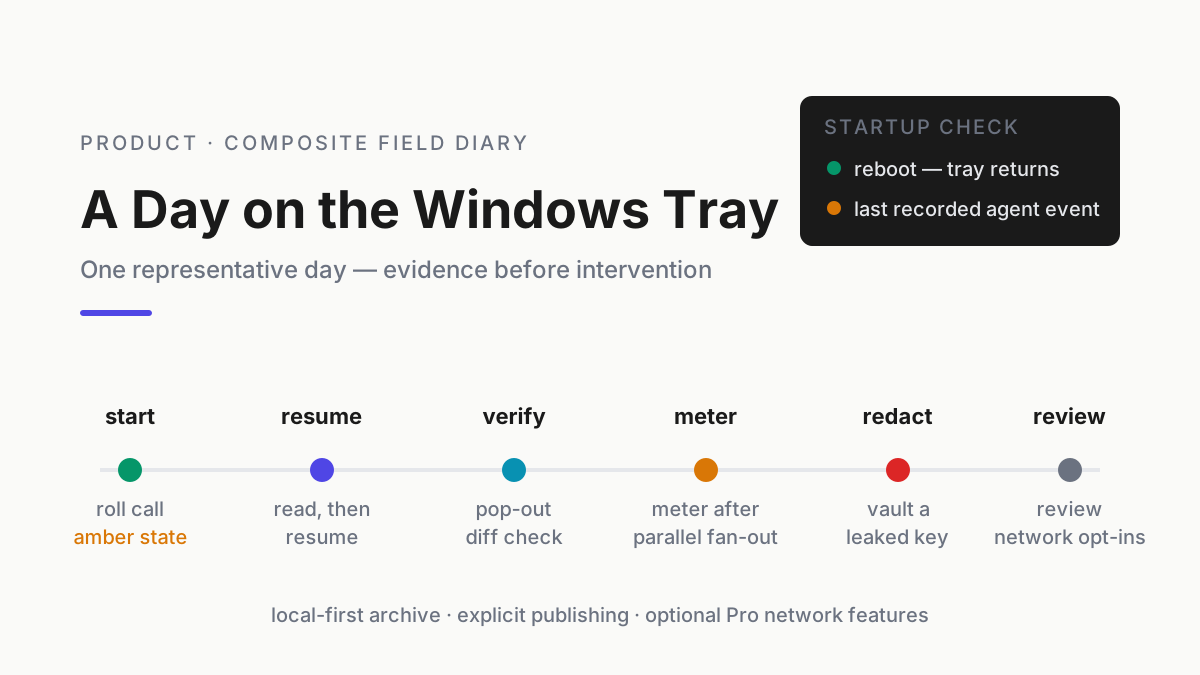
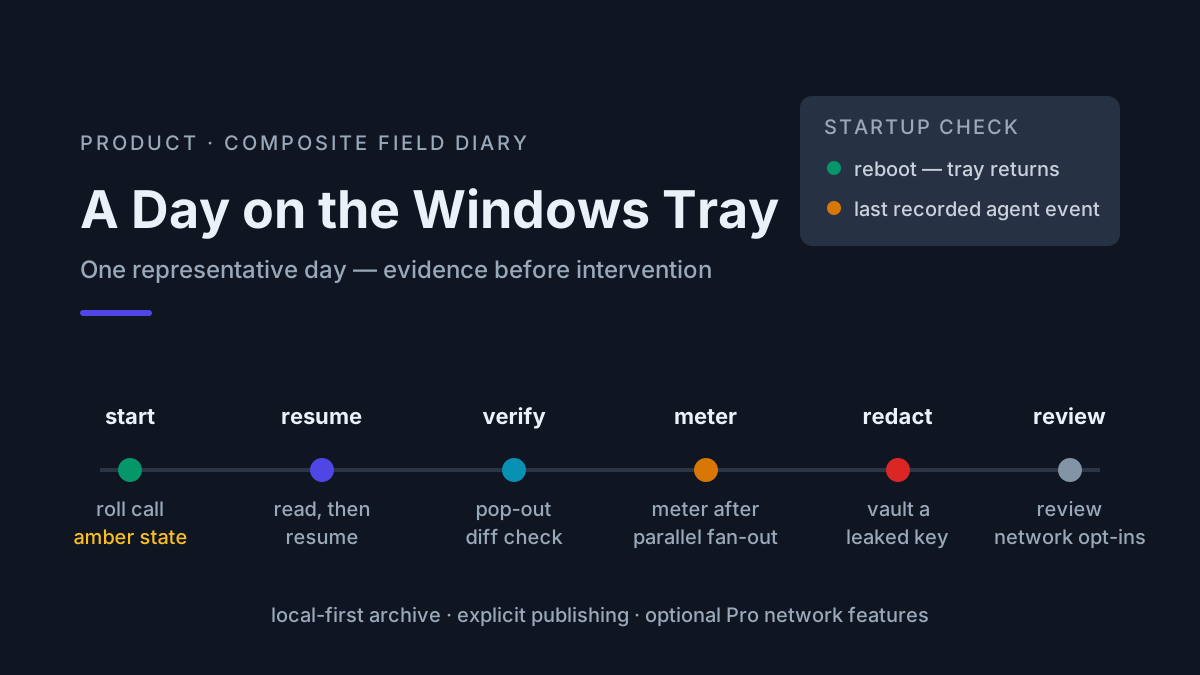
The features below show how the product’s public behavior maps to ordinary operation, without turning a hypothetical workday into an incident report.
The stall flag. A supported refactor can go quiet because it is waiting on a confirmation prompt in a buried terminal. An amber attention state shortens the discovery path to one glance; it does not diagnose the cause or prove the agent is stuck. The operator still inspects the terminal. That is the pitch for fleet awareness: agents fail quietly, and quiet failure taxes every parallel session. The stall-flags piece covers the mechanics; the short version is that the tray watches recognized activity, not just process exits.
Keepalive. The Windows keepalive task restarts the companion after an unexpected exit or reboot so the absence of the watcher cannot masquerade as an all-clear. It does not restart agent sessions that the reboot killed; those still need an operator decision.
The token meter. A local meter puts supported-provider usage in one view instead of six dashboards. It does not replace a provider invoice, because providers define allowances and billing differently; it gives the operator one consistent local record for comparison. Publishing totals to the leaderboard remains opt-in.
Vault redaction. An archive of everything your agents said is also an archive of everything they accidentally logged — keys, tokens, connection strings. Vault provides a path to scrub a secret across transcripts before it settles into permanent local history. Given the archive is the product, redaction is load-bearing, not a checkbox.
What PRO adds
The current public pricing split is unusually legible. Lite is free and includes the companion, local archive, usage meters, voice, widgets, and signed updates. Provider coverage and individual actions vary by adapter, so the downloads and pricing pages remain the source of truth for a particular build.
Automater PRO is, in the site’s own words, “Everything in Lite, plus the controls that operate this machine and the rest of your fleet.” Its connected features should not be confused with the Lite archive: the public trust statement still says the local session archive has no cloud copy.
Diagnostics earns its place when a folk theory such as “the update broke it” meets actual evidence about the affected integration, repository, or process. The current public material advertises integration health and managed control, but the fields vary by provider and build. Judge the feature by whether it shortens a real diagnosis on your machine.
For PRO, the honest comparison is not a made-up token-overage multiple; it is whether the managed features solve a recurring workflow on the current build. The mini-apps are the difference between the tray being a monitor and being a workbench, while the free tier still contains the complete session-manager story. Start there. Automater Lite is a free download for Windows, macOS and Linux at automater.ai/downloads.
What the product claims do not mean
The boundaries matter more than a dramatic list of absences.
- Local archive does not mean local inference. Your model prompts still go wherever the CLI and model provider send them.
- GrokBot support does not make GrokBot local. xAI documents Grok Bot as using persistent cloud computers and requiring cloud data storage.
- Keepalive does not restore killed agents. It restores the companion so missing monitoring cannot look like healthy silence.
- “Every CLI” is adapter-bounded. Check the current provider list and test import/resume with the exact CLI version you use.
- PRO’s connected features are explicit choices. They are paid features with their own data paths; the Lite archive remains the local record.
That distinction is the trust model: the local archive stays useful without turning into an automatic upload queue, while connected features are named and chosen. A session archive is one of the most sensitive datasets on a developer’s machine. Verify the behavior you rely on with the current build, network controls, and the provider-specific data settings behind each agent.
This article covers the Windows tray build. The current downloads page is authoritative for Windows, macOS, and Linux artifacts and marks unavailable platforms explicitly; do not infer platform availability from an old screenshot or an article date.
FAQ: Automater Lite
What is Automater Lite?
Automater Lite is a free tray companion for people who run multiple AI tools. It normalizes supported histories into a local, searchable Library, shows fleet activity, meters supported-provider usage, and ships signed updates. On Windows, keepalive restores the companion after an unexpected exit or reboot; it does not revive killed agent processes.
Is Automater Lite free?
Yes. The public pricing page lists Lite as free, including the local archive, usage meters, voice, widgets, and signed updates. Publishing to the leaderboard is opt-in. Automater PRO is the paid tier; check automater.ai/upgrade for its current price and terms before you buy, because pricing can change.
What does Automater PRO add?
In the site’s own words, PRO is “Everything in Lite, plus the controls that operate this machine and the rest of your fleet.” The upgrade page groups them under Operate, See every machine and Tools in the tray. Confirm current packaging, availability and terms on automater.ai/upgrade before purchase.
Does Automater Lite replace Claude Code?
No. Automater Lite is a companion, not a harness — it does not supply the model or agent loop. Claude Code, Codex, Grok, Kimi, Muse Code, and other tools do the work; the tray exposes the history, activity, and usage its current adapters support.
Is Automater Lite Windows only?
No. Automater Lite ships for Windows x64, macOS on Apple silicon and Linux x86_64; there is no Intel Mac or arm64 build yet. This article covers the Windows tray build. The Lite archive remains local; PRO’s optional connected capabilities are separate and should be evaluated on their own.