Local-First AI: The Vault and Session Archives That Stay Local
Local-first AI as operating practice: keep the session archive on your disk, scrub secrets before indexing, and map every optional connected data path.

Go deeper. Build your own.
Run a full-text search across the supported session archive in a Windows tray companion for common credential prefixes such as sk-, ghp_, and AKIA. Even one real hit proves the central point: keeping an archive local is only half the job. The second half is deciding what has no business remaining in that record, even on hardware you own.
The first discipline is keeping the session archive on hardware you control. The second is removing credentials and sensitive spans that should not persist there at all.
This playbook covers both, from the operator’s chair. What “the archive never leaves the disk” actually means as a contract. How that archive differs from the harnesses and computer-use workers that create its records. What the big vendors do differently, stated factually. What to scrub with the vault, what to keep, and what a signed Windows installer does and does not prove. It is operating practice, not a legal document.
What “AI with no restrictions” means for data control
Queries such as ai with no restrictions and home ai are often answered as if everyone wants jailbreaks. A more useful interpretation is data control: an AI setup with explicit request paths, local history, defined telemetry choices, and no surprise dependence on a vendor’s retention policy. The full decode of that query is separate; here, “no restrictions” means controlling the record rather than bypassing model safety.
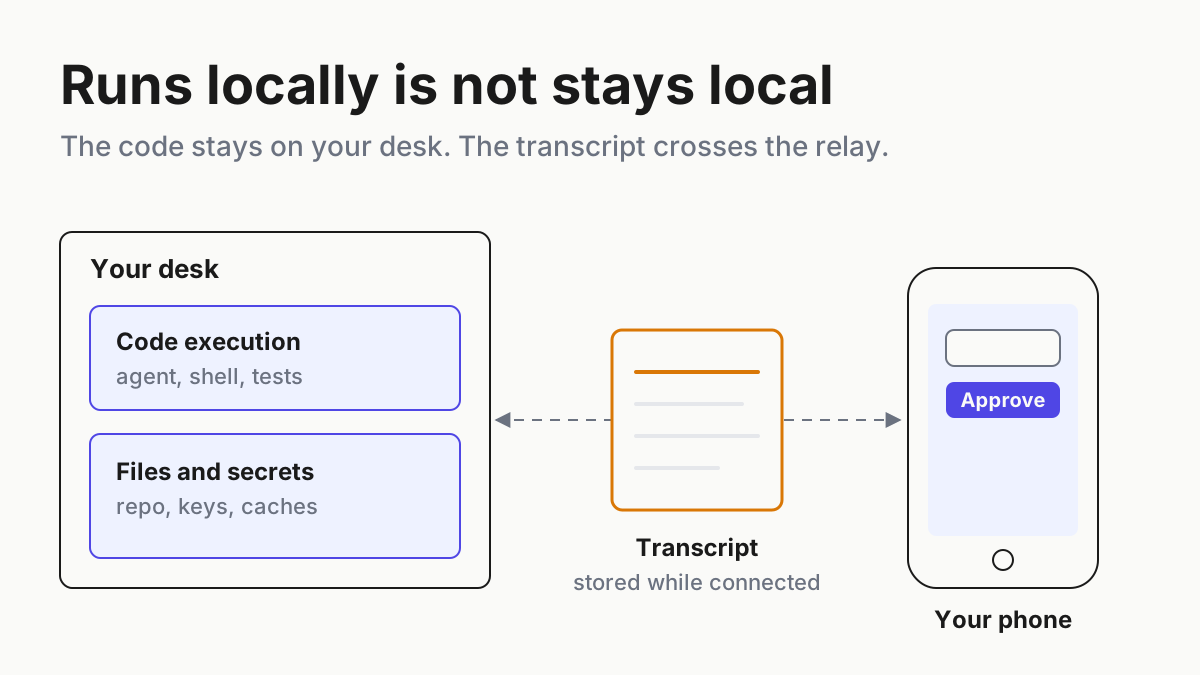
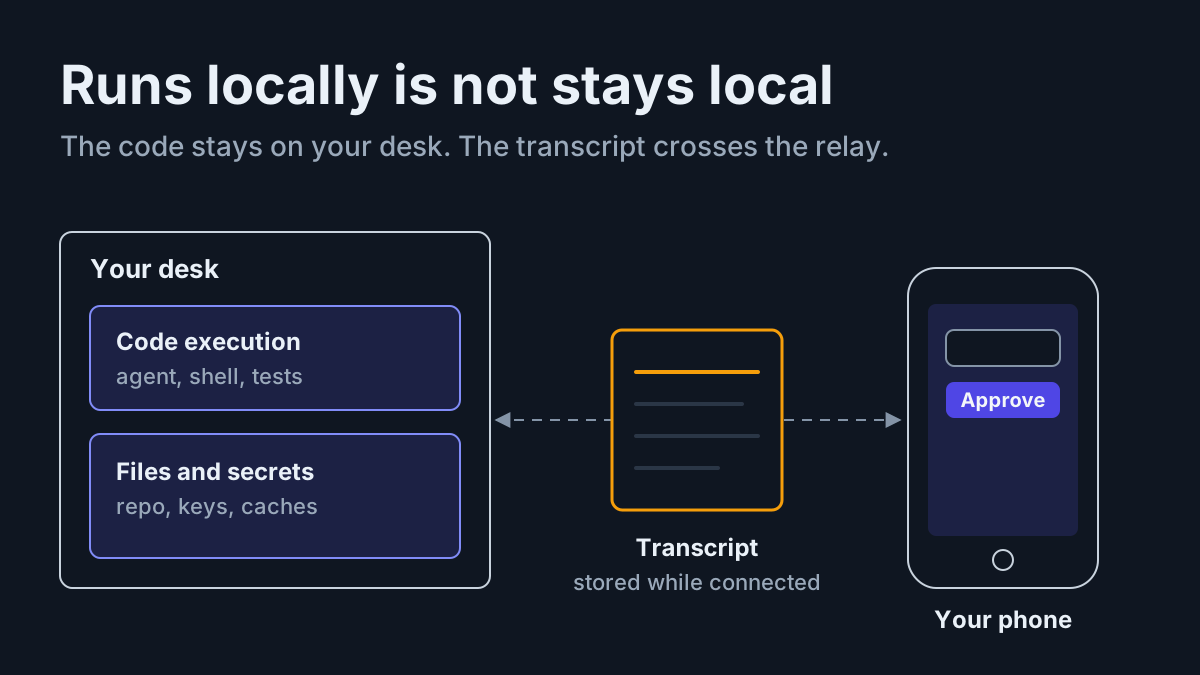
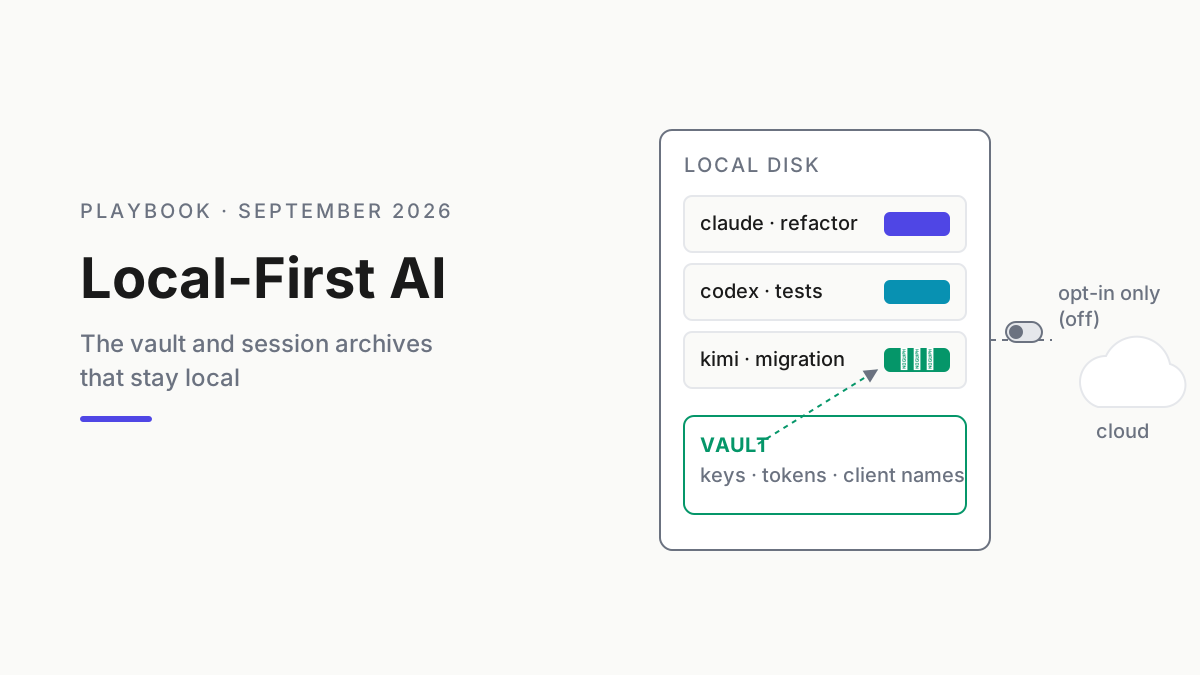
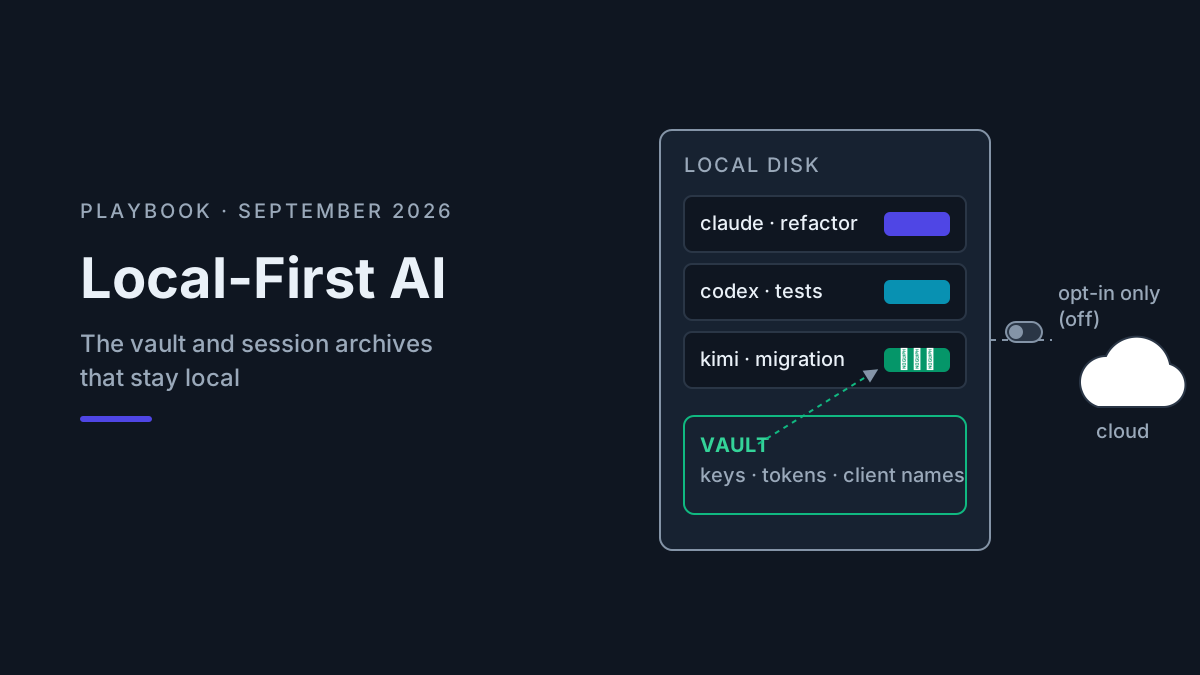
Local-first AI means the durable record of your AI work — transcripts, archives, search indexes, usage meters — lives on your own disk, while model calls still go wherever you point them. Verify disconnected behavior for the exact build and features you depend on. The architecture controls what persists remotely; it does not determine which model you call or what you ask it.
That definition splits cleanly from two neighbors it gets mashed into. It is not local models — prompts may still reach hosted APIs; if you want weights on your own silicon, that is the local AI workstation problem. And it is not a jailbreak — model safeguards do not disappear because transcripts sleep locally. Local-first is the third thing: the durable record answers to the operator.
Automater Lite on the Windows tray is one implementation of this posture. The layer it occupies — companion, not harness, not model — is explained in companion, harness, computer. The posture matters more than the tool, so the contract should be stated plainly.
The contract: the archive lives on the disk
Lite’s data stance, in plain terms: the normalized session archive and search index live on the user’s disk. Search runs locally. The usage view is built from supported local records. The tray watches supported app and session activity locally. On Windows, keepalive restores the companion after an unexpected exit or reboot; it does not restore agent processes the reboot ended.
For Lite, the public product page says the archive has no cloud copy and leaderboard publishing is opt-in. The same page lists telemetry as opt-in. PRO’s optional connected features are separate, so “local-first” must be scoped to the archive rather than stretched into a claim that the entire product has no network path.
Product note: Automater Lite is a free download for Windows, macOS and Linux at automater.ai/downloads.
The practical test is straightforward: run a controlled outbound-deny test and confirm which local features remain useful, then re-enable only the endpoints required for updates or connected features you chose. Record the build, rule, and result. A local-first claim should survive a reproducible test, not rely on a promise in a modal.
Where the vendors keep your sessions
None of what follows is an accusation. It is architecture, and architecture decides where the record lives. If orchestration happens in someone’s cloud, the session record is in that cloud — no setting changes that.
Claude’s Managed Agents run on vendor-managed compute. Anthropic describes an append-only session event log outside the model’s context window and a memory tool that writes selected context to files. That architecture supports continuity, but the durable record is still in the managed environment. Memory you never review can drift; cross-CLI session memory covers the review boundary.
Cursor with BYOK is the one that surprises people. Cursor’s privacy documentation says model requests still pass through Cursor’s backend even when you supply your own API key; BYOK changes credentials and billing, not the full request path. OpenAI has separately said it plans to end Cursor’s access to OpenAI models on November 12 after Cursor’s change of control. Those are two distinct facts, and both belong in a data-flow review.
Perplexity’s Personal Computer works across local files, Microsoft 365, and the web on Windows 10/11. Perplexity offers it to Pro, Max, and Enterprise subscribers, and Computer tasks consume credits. Its Portable Computer is a different architecture: Qwen3.8 27B or PPLX27B runs locally on a DGX Spark under Linux, with optional user-authorized cloud escalation. Perplexity says Windows and broader RTX-PC support are coming, without a published date or minimum hardware floor in the primary announcement.
| Surface | Where the relevant record or request path lives | What you control |
|---|---|---|
| Claude Managed Agents | Vendor-managed compute and append-only session log | What context and memory you review |
| Cursor with BYOK | Model requests still transit Cursor’s backend | Key, privacy settings, and provider choice |
| Perplexity Personal Computer | Cloud service operating selected local and Microsoft content | Files, plan, task scope, and credit spend |
| CLI with local transcripts | Your filesystem | Retention, backup, redaction, and export |
| Automater Lite library | Local disk; leaderboard and telemetry are opt-in | Archive, redaction, and publishing switches |
The last two rows are the point. A CLI that writes transcripts to disk already gave you the raw material for keeping AI sessions local. The companion’s job is making that pile searchable and resumable without turning it into somebody’s upload queue.
The vault: what to scrub from a local library
Here is the discipline the “local = safe” argument skips. A session library can be more sensitive than the repositories it describes because it may contain source excerpts plus everything pasted while debugging: environment files, connection strings, stack traces with hostnames, or customer data. Local-first keeps the archive on the machine. It does nothing about the sensitivity of the archive itself.
The vault is the redaction layer — the AI privacy vault in the sense searchers mean it: scrub the spans that should not sit in any transcript before they get indexed, searched, quoted, or exported. A defensible rule set includes:
- Credentials, always. API keys (
sk-,ghp_,AKIA…), OAuth tokens, session cookies. A key in a transcript is a key in every future grep, paste, and screen share. - Whole
.envspans. Not just the secrets — the shape of your config is reconnaissance. - Client names and identifying strings. Project codenames can survive while a client’s legal name does not. A future export or screen share should not expose the identity by accident.
- Prod hostnames, internal IPs, connection strings. Same logic, sharper edge.
- Anything a customer typed. Support tickets and user data pasted into a debugging session get scrubbed on import, no exceptions.
Why bother when the archive itself stays local? Because the owner can quote old sessions into new prompts, share search results on a call, export sessions to a teammate, lose a laptop, or restore a backup to the wrong machine. At that point a sensitive span has crossed the original boundary. A recurring credential-prefix search creates an audit loop: treat every hit as a redaction-rule failure to fix at the rule level, not one by one. The same caution that drives securing AI agents at runtime applies to the record they leave behind.
And the vault is where “restrictions” earn their keep. The searcher who wants AI with no restrictions and the operator scrubbing client names are the same person on different days: restrictions imposed on you are friction, restrictions you impose on your own data are hygiene.
What stays in the Library
Everything else. This deserves saying because the failure mode on the paranoid end is real too: operators who scrub so aggressively their archive stops being a record. A session with the decisions redacted out cannot be resumed, and a library you cannot trust sends you back to re-deriving Friday’s work every Monday — the exact amnesia that cross-CLI session memory exists to kill.
So the library keeps the substance: failed approaches and why they failed, working configs, model output, human corrections, which assistant did the work, and what it burned in tokens. Secrets are useful to attackers and worthless to future analysis — the config shape and the decision matter, while the credential inside never does. That is the line: vault what identifies and authenticates; keep what explains.
What a signed Windows installer actually buys you
Automater’s current public trust page says every binary carries an Authenticode signature, names Azure Trusted Signing, and says update payloads are minisign-verified before installation. Be precise about what that proves, because “signed” is often treated as a broader security claim than it is.
Provenance, it buys. A valid signature lets you verify the signer and that the binary has not changed since it was signed; it does not prove the publisher’s build process was flawless. Automater’s stated update path also rejects payloads that fail minisign verification. Those checks make tampering detectable, which is worth having.
Behavior, it does not buy. A signature says who shipped the code, not what the code does; signed software can still phone home enthusiastically. That is why a controlled outbound-deny test matters. Provenance comes from the certificate; the local-first behavior is something you verify with a firewall rule, a recorded build, and observed results. Both checks belong in the review.
What local-first AI does not get you
Local-first does not make the model call local, remove the need for endpoint controls, or certify the software for your industry. It also does not mean the product has no optional network features; PRO has connected features of its own. The defensible claim is narrower and stronger — the Lite session archive itself remains local and has no automatic cloud copy. Evaluate every connected feature as a separate data flow.
That last gap is sharper than it looks. If you run AI on a corporate Windows machine, local-first architecture does not exempt you from policy — your employer may require the opposite of everything here, or may quietly depend on you doing it. That collision gets its own treatment in corporate AI on a Windows PC.
What you get, then: a local record for supported sessions, a vault that keeps radioactive spans out of it, explicit switches for optional publishing, and an installer whose provenance you can verify. Model calls and paid connected features keep their own data paths; local-first means those paths are named rather than blurred.
FAQ: local-first AI
Does local-first AI mean the model runs on my machine?
Not necessarily. Local-first describes where durable records live — transcripts, archives, indexes on your own disk — while prompts still go to whatever model API you use. Running open-weight models locally is a separate discipline; either architecture can exist without the other.
Do AI coding CLIs upload my code?
Your prompts and attached context go to the model API — that part is inherent. The separate question is what persists afterward: most CLIs write transcripts to your disk, some vendors also keep memory or session state server-side. Read each tool’s data controls; defaults differ by vendor and plan.
What is an AI privacy vault?
A redaction layer for your local session archive. It scrubs spans that should not sit in any transcript — API keys, tokens, .env contents, client names — before they are indexed, searched, or quoted into new prompts. It protects the archive from the archive: your likeliest leak is re-pasting your own history.
Is “AI with no restrictions” about jailbreaking?
It can be, but the phrase can also express a data-control requirement: no forced cloud archive, explicit administrative boundaries, and clear training or retention terms for repository data. That version is answerable with architecture and policy instead of prompt tricks.