Companion vs Harness vs Computer
AI companion vs harness vs computer-use agent vs ADE: define each layer, map who commands whom, and identify the capability a product actually sells.

Go deeper. Build your own.
“AI agent” can describe a model running a tool loop, an app supervising several coding CLIs, a worker clicking through a desktop computer, or an environment mapping sessions across machines. Those products can cooperate, but they are not substitutes.
The useful question is not which label a landing page chose. Ask what layer the product supplies, what it commands, and what evidence it returns.
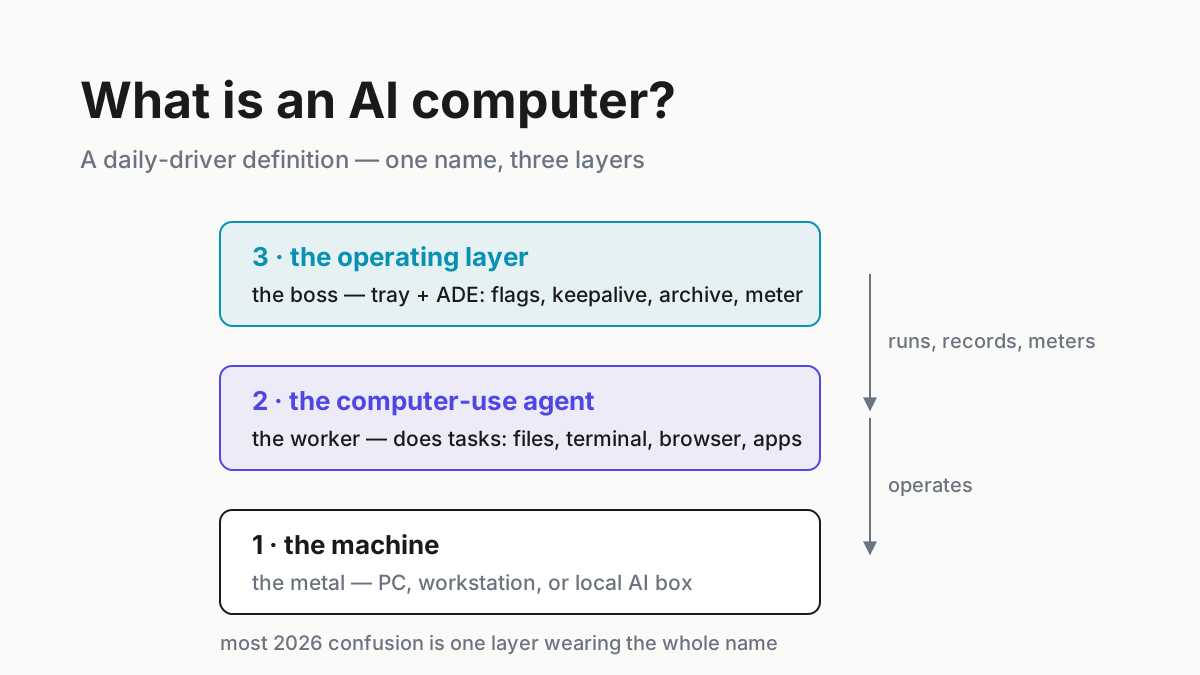
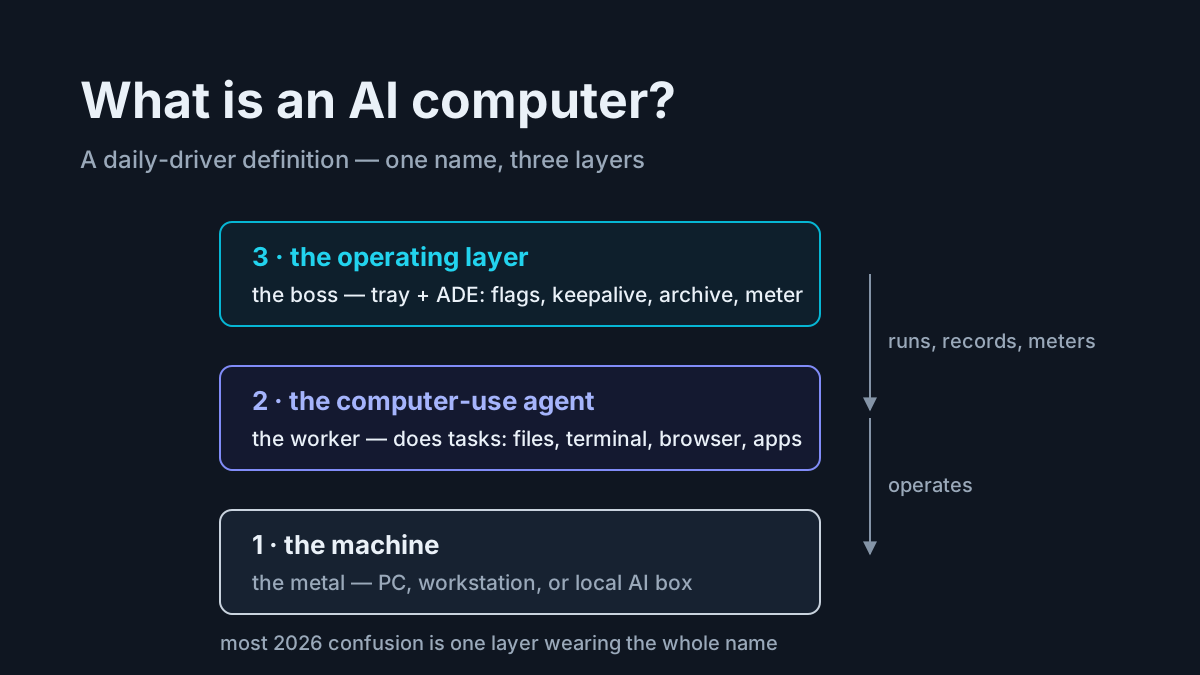
In this article, an AI companion is the operating layer beside your workers: it watches sessions, organizes their records, meters usage, and helps an operator return to work across multiple tools. An agent harness is the loop that turns a model into a worker. A computer-use agent operates a graphical interface. An agentic development environment, or ADE, is the broader workspace that combines agent sessions with the repositories and runtimes where software is built.
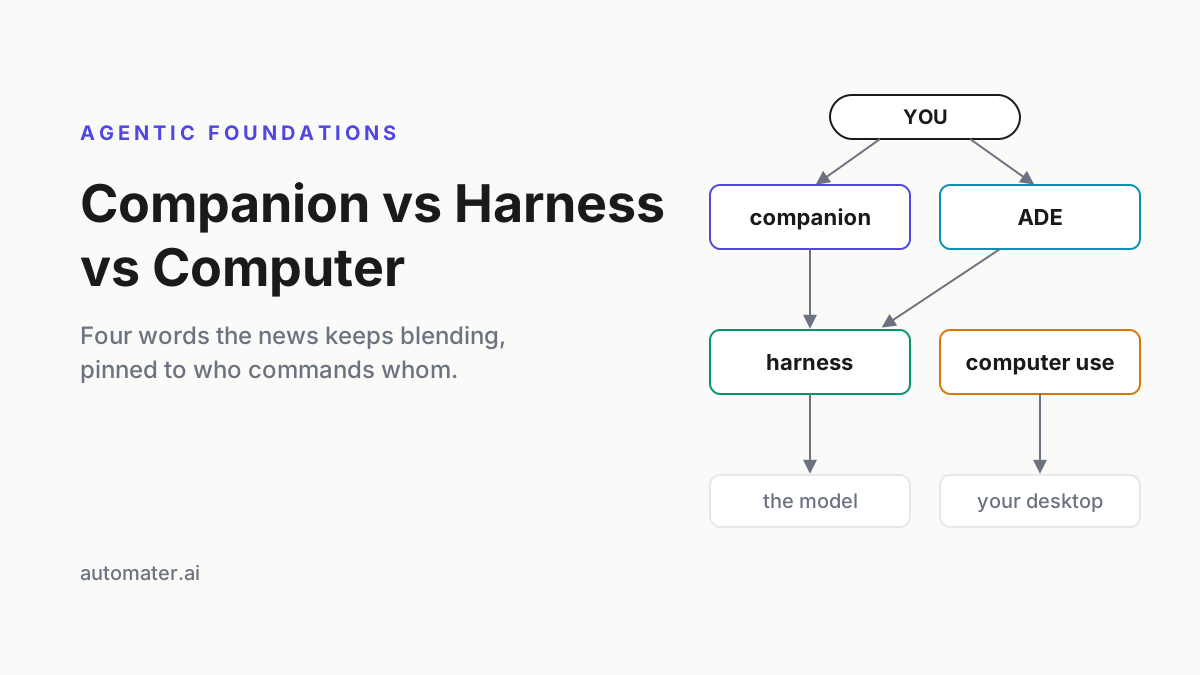
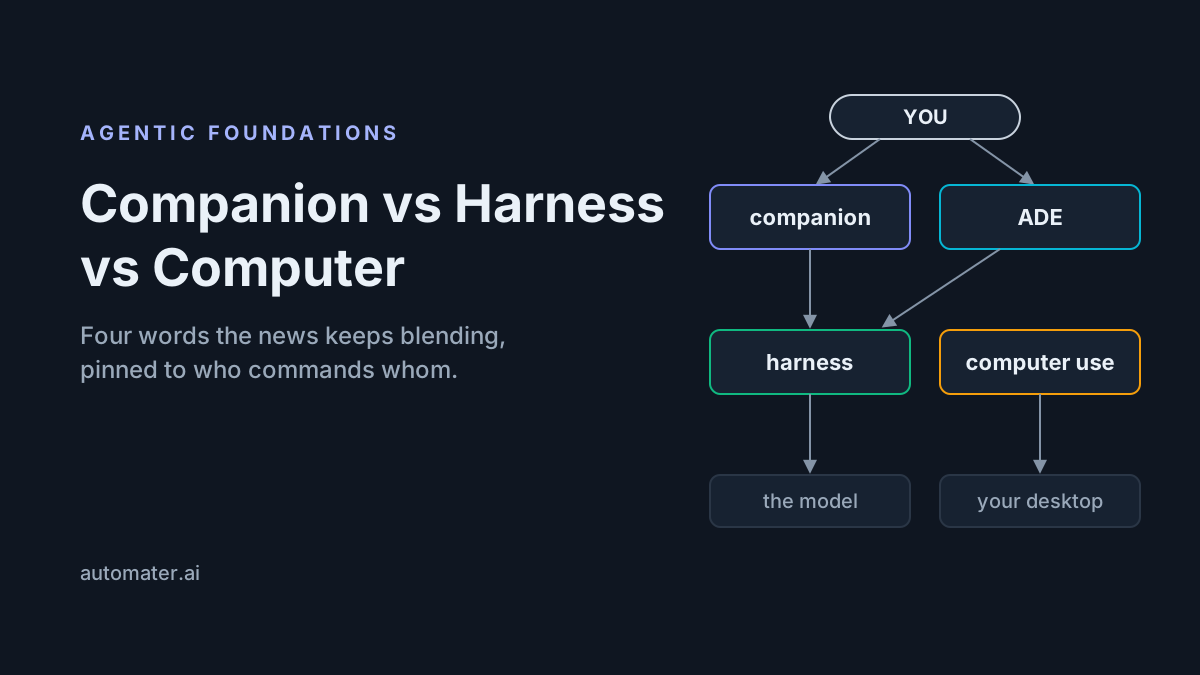
The command chain
An operator gives an objective through a companion, an ADE, or a harness directly. The harness assembles context, calls a model, offers tools, applies permissions, and repeats until the task ends. One of those tools may be computer use, which acts through screenshots, pointer movement, and keyboard input. The companion or ADE can then surface status and retain evidence from the run.
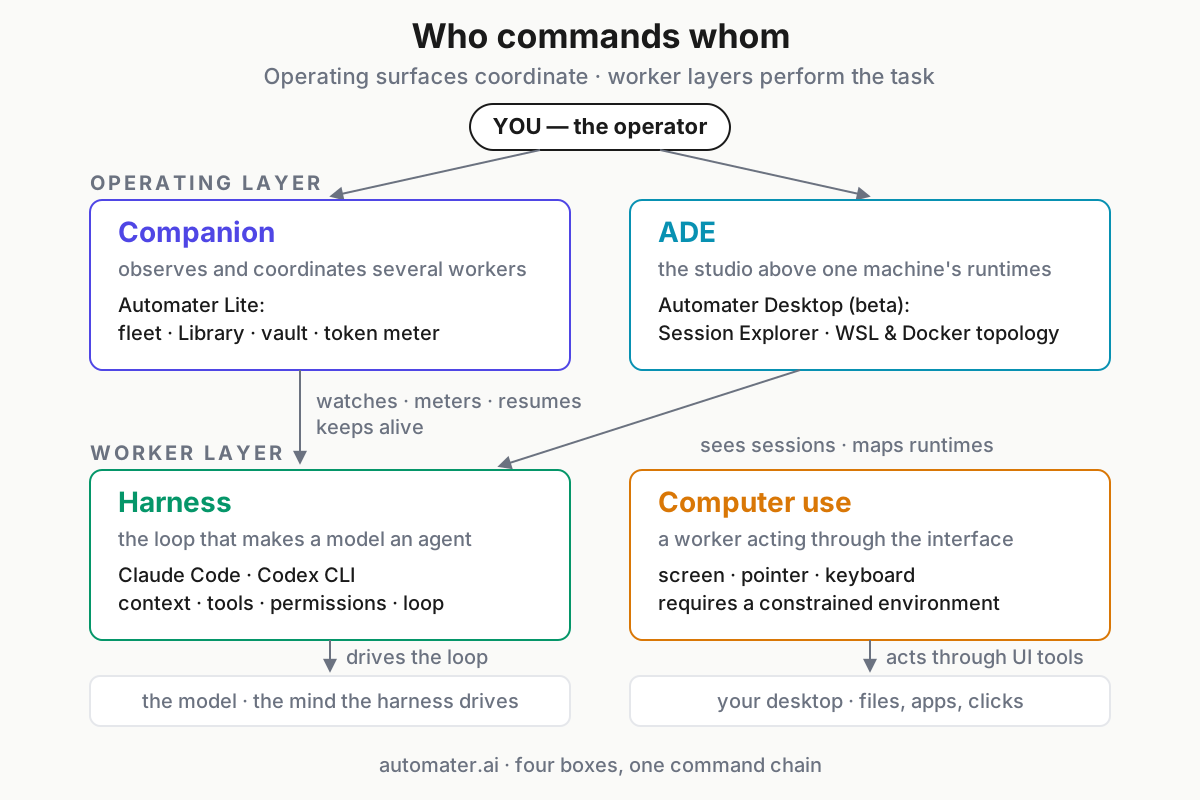
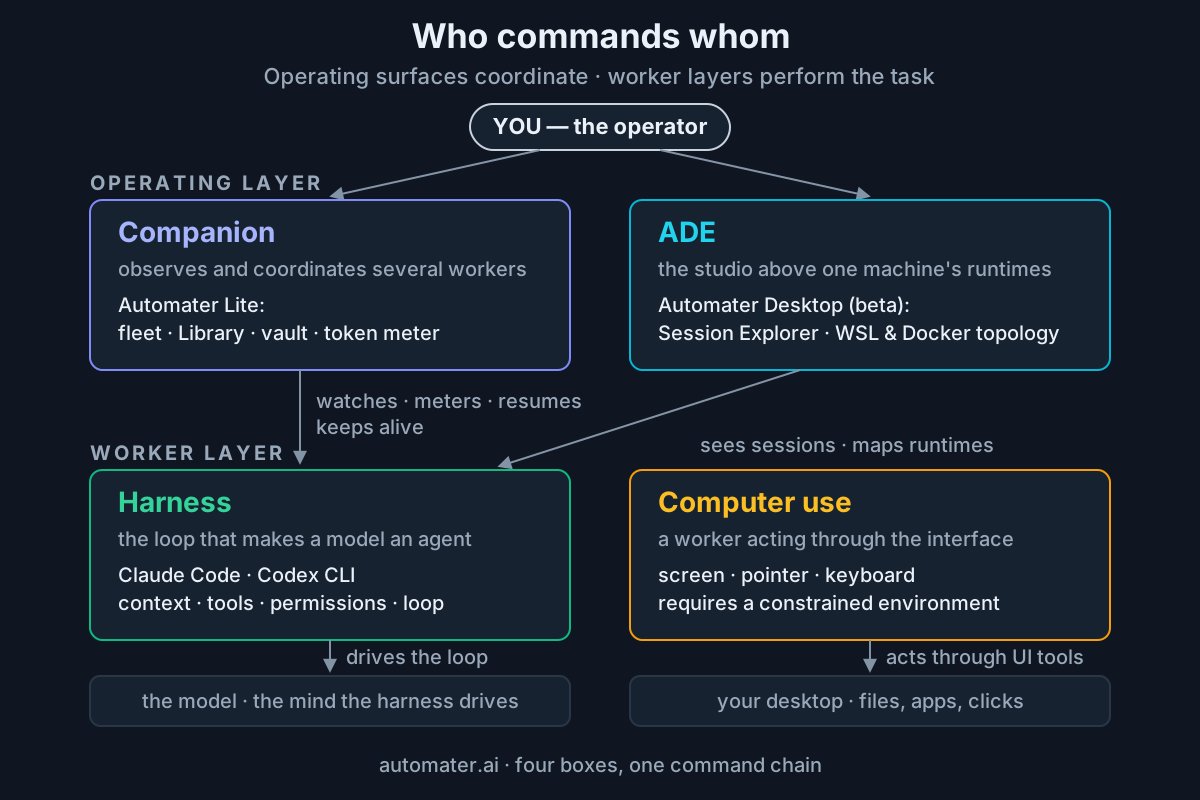 Operating surfaces coordinate work; worker layers perform it. A deployment may combine the boxes, but the responsibilities remain distinct.
The arrows matter more than the rectangles. A product may occupy two boxes. Claude Code includes a harness and interactive session UI. An ADE may launch agents and expose a terminal. A companion may gain managed-session controls. Classification is a way to inspect capabilities, not a rule that each executable may do only one thing.
Companion: the cross-worker operating layer
A companion stays near the operator while several assistants come and go. Its durable responsibilities are fleet visibility and continuity:
- detect installed or active assistants;
- flag a session waiting on a question or permission;
- normalize supported transcripts into one searchable archive;
- resume a saved session through its original CLI;
- meter usage across providers; and
- protect archived evidence with local storage and redaction controls.
Automater Lite is the concrete example on this site. Its current product page describes a local Library, live fleet awareness, a usage card, Vault redaction, widgets, voice, and tray keepalive. PRO, in the site’s own words, adds “the controls that operate this machine and the rest of your fleet.”
Calling the companion “the boss” is helpful only if it does not erase the operator. The human still decides objectives, permissions, and escalation. The companion makes several worker states legible in one place.
Harness: the loop that makes a model operational
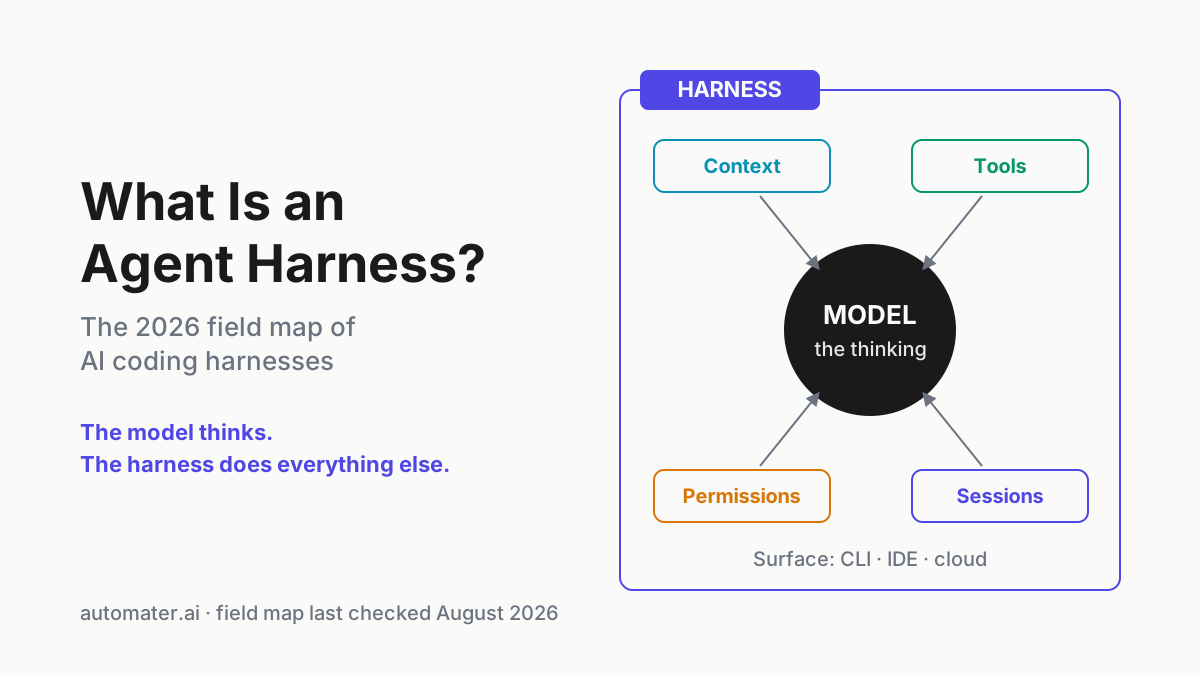
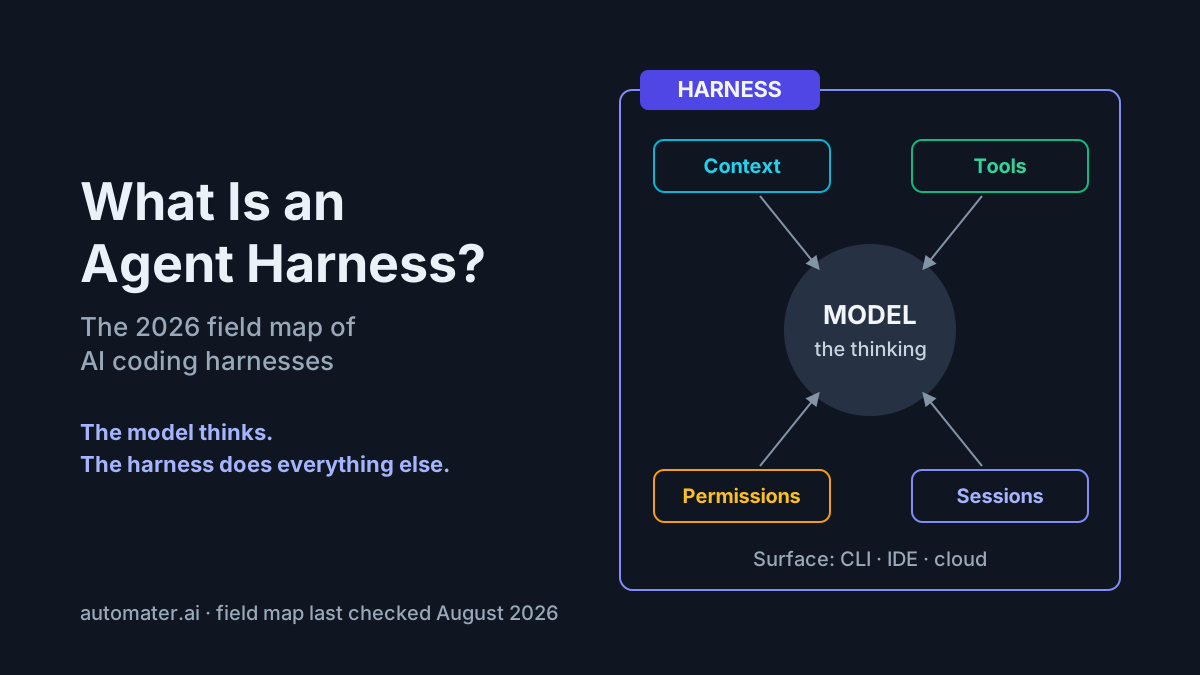
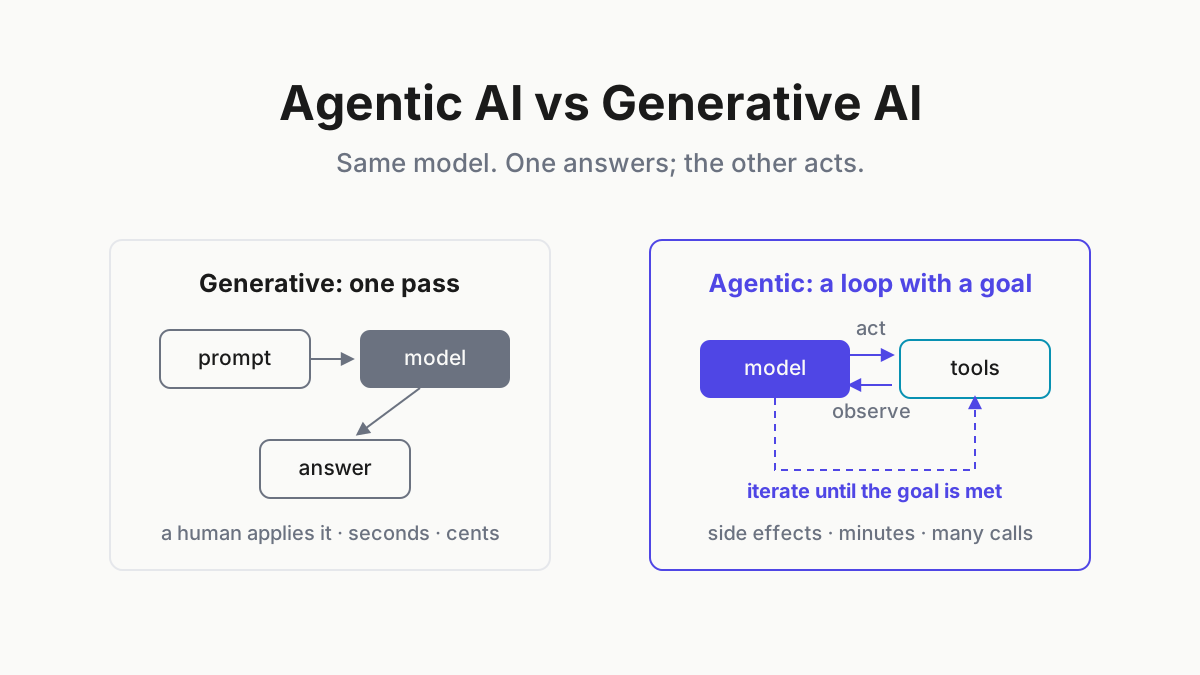
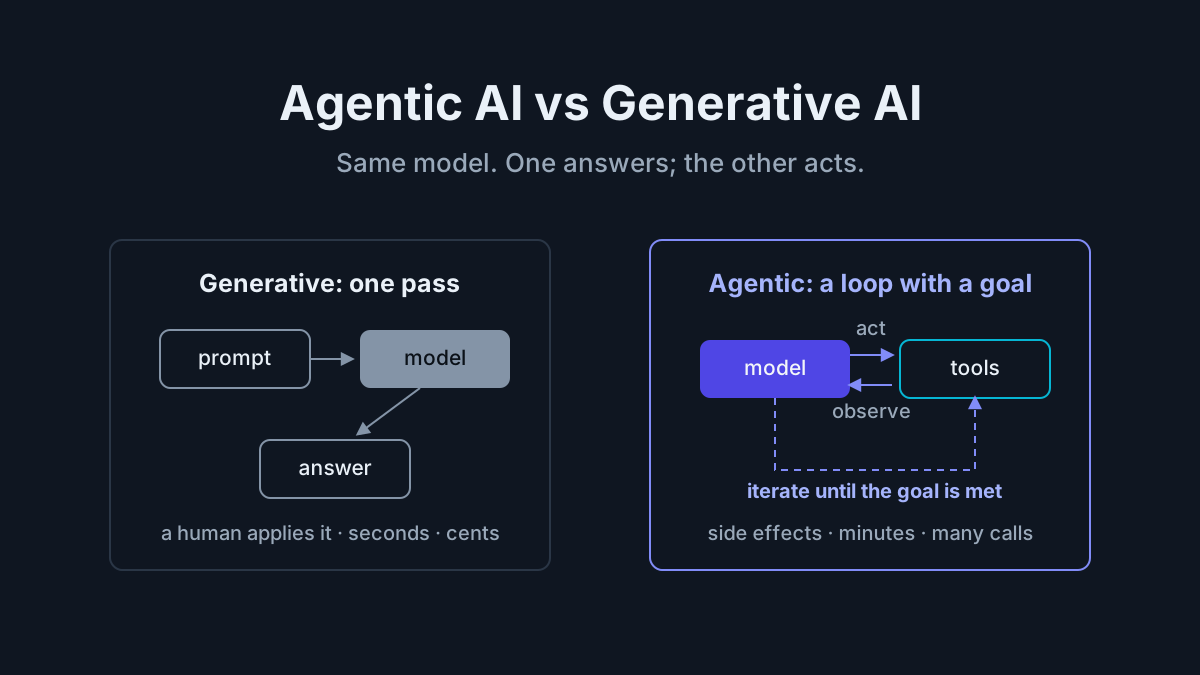
A language model returns messages. A harness gives those messages consequences.
Claude Code’s architecture overview describes a repeated agentic loop: gather context, take action through tools, and verify the result. Around that loop sit session persistence, permissions, compaction, hooks, MCP integrations, and environment access. These mechanics explain why two products using similar models can behave differently.
Claude Code and Codex CLI are coding-harness examples. They interpret a repository task, inspect files, run tools under a permission policy, and preserve session history. Their interface may look like chat, but their operating contract is closer to a programmable development worker.
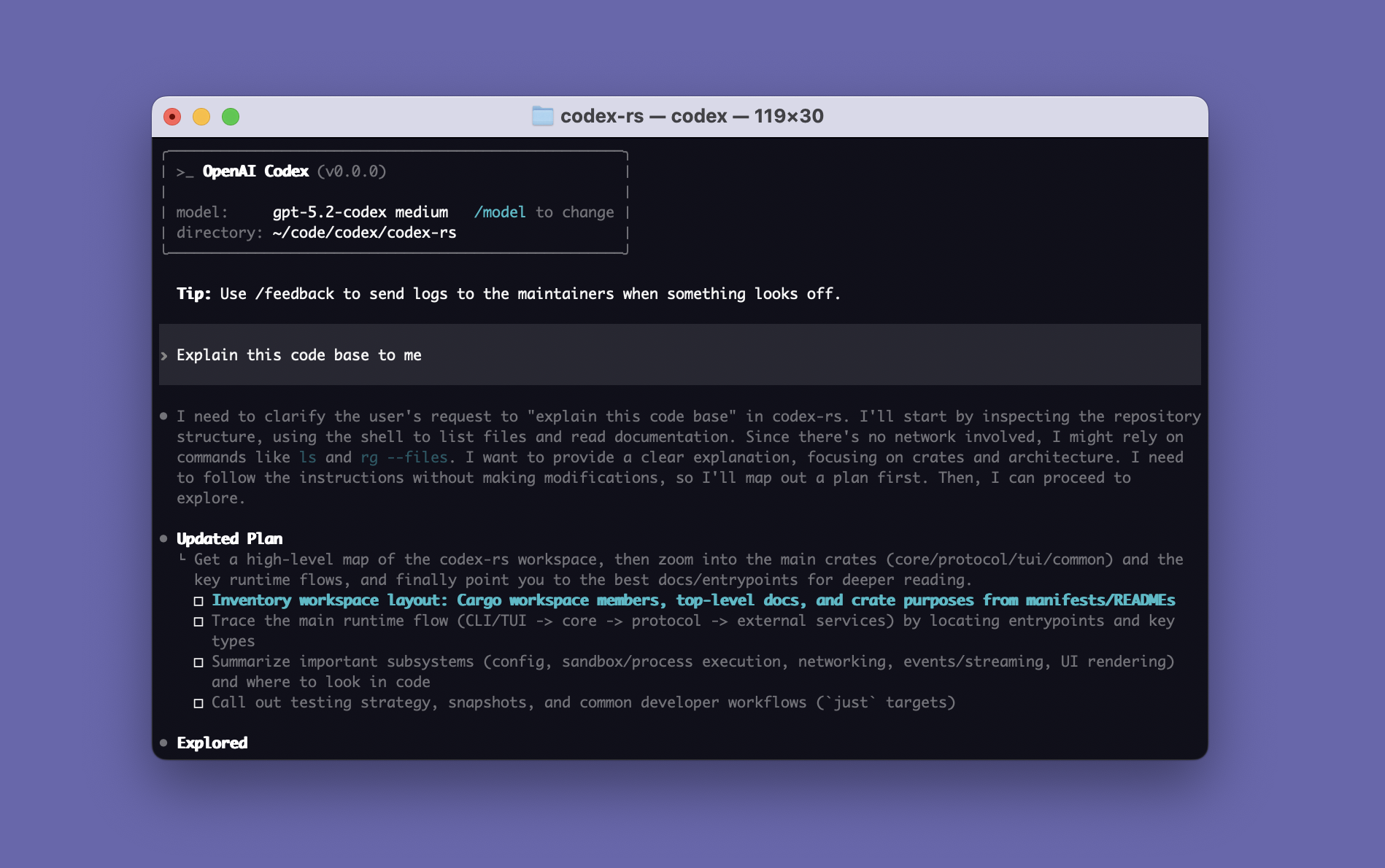
The model/harness distinction helps diagnose failures. Weak reasoning may belong to the model. A lost tool result, over-aggressive compaction, wrong working directory, or permission deadlock belongs to the harness or its configuration. “The agent failed” is an incident symptom, not a root-cause category.
Computer-use agent: a worker that acts through the interface
Computer use is an action surface. Instead of calling a purpose-built API or editing a repository file directly, the agent receives screenshots and produces mouse and keyboard actions.
Anthropic’s computer-use documentation describes this as a beta tool that requires an application to provide the execution environment and implement the tool actions. That detail prevents a common category mistake: a model with computer-use capability is not automatically a complete secure desktop worker. The surrounding harness must capture screens, execute inputs, enforce boundaries, and manage confirmation.
Computer use is valuable when an application lacks a suitable API, but it is a high-friction and high-risk interface:
- pixels can be ambiguous;
- layouts and focus can change between actions;
- webpages and documents can contain prompt injection;
- credentials may be visible on screen; and
- a click can have an irreversible external effect.
Run computer-use workers in constrained environments, require confirmation for consequential actions, and keep an independent activity record. Anthropic’s guidance explicitly recommends isolation and human confirmation for sensitive work.
The AI computer definition covers products that package more of this stack into a complete worker. Here, “computer use” names the interaction capability, not a particular subscription or hardware bundle.
ADE: the development environment above sessions and runtimes
An agentic development environment is the studio where agents, code, terminals, browsers, hosts, and runtime topology meet. It answers questions a single harness cannot:
- Which repository and worktree owns this session?
- Is the worker in Windows, WSL, a container, or a remote host?
- Which services must be healthy before the agent can verify a change?
- Where are the related sessions, diffs, logs, and terminals?
Automater Desktop is the beta example in this stack. Its Session Explorer and topology surfaces expose session records and runtime infrastructure in separate views, helping an operator correlate project paths with hosts, WSL runtimes, and Docker Compose services. The ADE does not eliminate harnesses; it gives them an environment with shared context and operator controls.
A companion and an ADE can overlap. The practical distinction is scope. The tray optimizes for glanceable status and rapid intervention. The ADE optimizes for sustained work across repositories and runtimes.
The four layers in one table
| Layer | Primary job | Typical inputs | Primary evidence | Verified example |
|---|---|---|---|---|
| Companion | Observe and coordinate several workers | Process state, transcripts, provider usage | Fleet state, normalized archive, alerts | Automater Lite |
| Harness | Turn a model into an operational loop | Prompt, repository, tools, permissions | Tool calls, edits, command results, transcript | Claude Code, Codex CLI |
| Computer use | Operate a graphical interface | Screenshots, accessibility/UI state, objective | Input actions, screenshots, task result | Anthropic computer-use tool |
| ADE | Connect agents with development topology | Sessions, repos, terminals, hosts, runtimes | Session map, diffs, logs, service state | Automater Desktop beta |
The table is deliberately capability-based. A vendor can add a second capability without invalidating the first. Reclassify the feature, not the logo.
Buying and architecture mistakes the vocabulary prevents
Adding another harness when visibility is the problem
If three assistants are already producing useful code but the operator cannot see which one is stalled, find yesterday’s transcript, or compare usage, a fourth harness adds another worker to the same operating gap. The missing layer is companion or ADE visibility.
Buying screen control for an API-shaped task
Computer use can operate almost any visible application, but a typed API is usually more deterministic, testable, and auditable. Use pixels when no reliable integration exists or when the UI itself is the task. Do not choose clicks merely because they look more autonomous.
Blaming the model for a harness failure
Before changing models, inspect the actual failure: context assembly, working directory, permissions, tool schema, command output, compaction, and retry policy. The harness owns those mechanisms.
Treating a local archive as automatic model memory
Searchable history is retained evidence. Model memory is context supplied to an inference call. Reading a local transcript costs no model tokens; injecting the transcript into a new session does. Keeping those layers separate makes memory costs and privacy easier to control.
What most operators actually need
Start with the work:
- Choose at least one harness for repository tasks.
- Add a companion when sessions span several CLIs or continuity becomes hard to manage.
- Add computer use only for workflows that truly require screen and input control.
- Add an ADE when development state spans worktrees, WSL, containers, remote hosts, and multiple concurrent sessions.
You may eventually use all four. The glossary simply prevents paying for one layer while expecting another layer’s outcome.
Automater Lite is a free download for Windows, macOS and Linux at automater.ai/downloads.
FAQ
What is the difference between an AI companion and an agent harness?
The harness performs one agent’s loop: context, model, tools, permissions, and verification. The companion observes and coordinates several workers, preserves their records, and gives the operator a shared fleet surface. Either product may add overlapping controls, so classify the capability being used rather than the logo.
Is Claude Code a harness or an agent?
Claude Code is a shipped harness and interface. When it runs a model with tools against a task, that runtime process is commonly called an agent. The terms describe different levels of the same system: one names the reusable machinery, while the other names that machinery performing a particular task.
What is a computer-use agent?
It is an agent whose tools can perceive and operate a graphical interface through screenshots, mouse actions, and keyboard input. It still needs a harness and a constrained execution environment around those actions, plus human confirmation for consequential steps where a mistaken click could create an external effect.
Do I need all four layers?
No. Match layers to the work. A single repository task may need only a harness. Multi-CLI operators benefit from a companion. UI automation needs computer use. Complex multi-runtime development benefits from an ADE. Add a layer when its distinct operating problem appears, not because a vendor bundles all four labels.
Sources
- Claude Code: how it works — agent loop, tools, context, sessions, and verification
- Claude Code permissions — permission modes and sandbox boundaries
- Anthropic computer use — screen/input tool architecture and safety guidance
- OpenAI Codex — coding-harness implementation and credited interface example
- Automater — current Lite, PRO, and Desktop product capabilities