What People Mean by 'AI Computer' on Windows in 2026
Searching for AI computers? On Windows in 2026 the phrase means agents on the PC you own — computer-use workers, the tray boss that runs them, no new hardware.

Go deeper. Build your own.
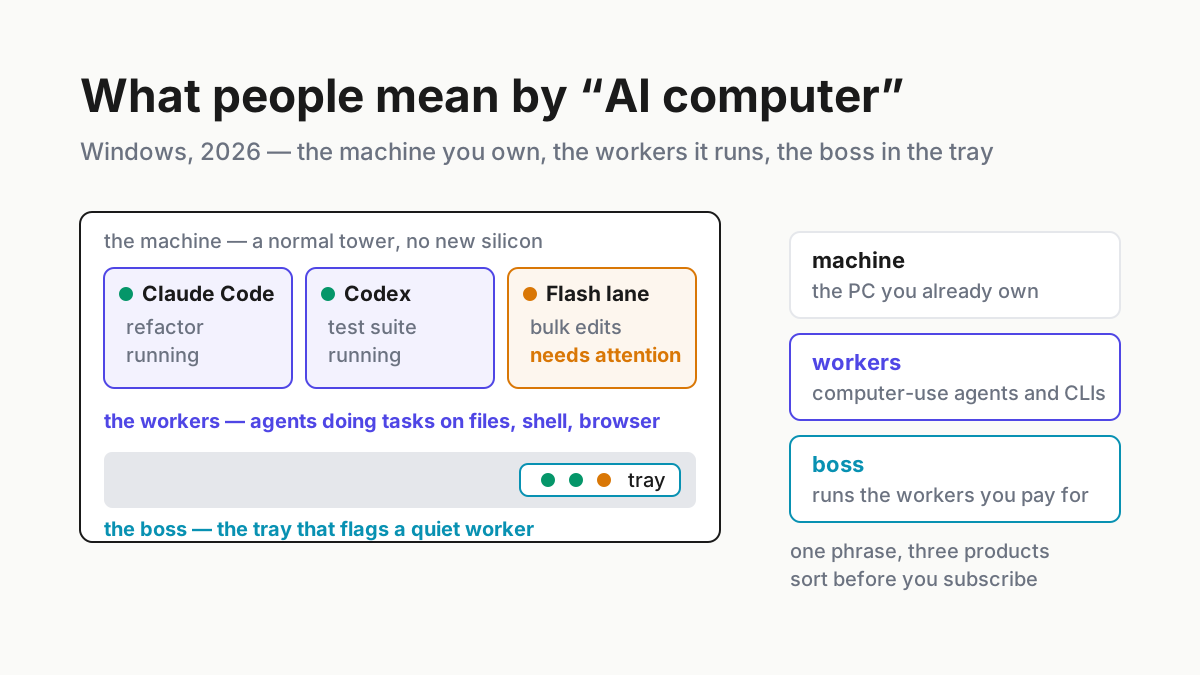
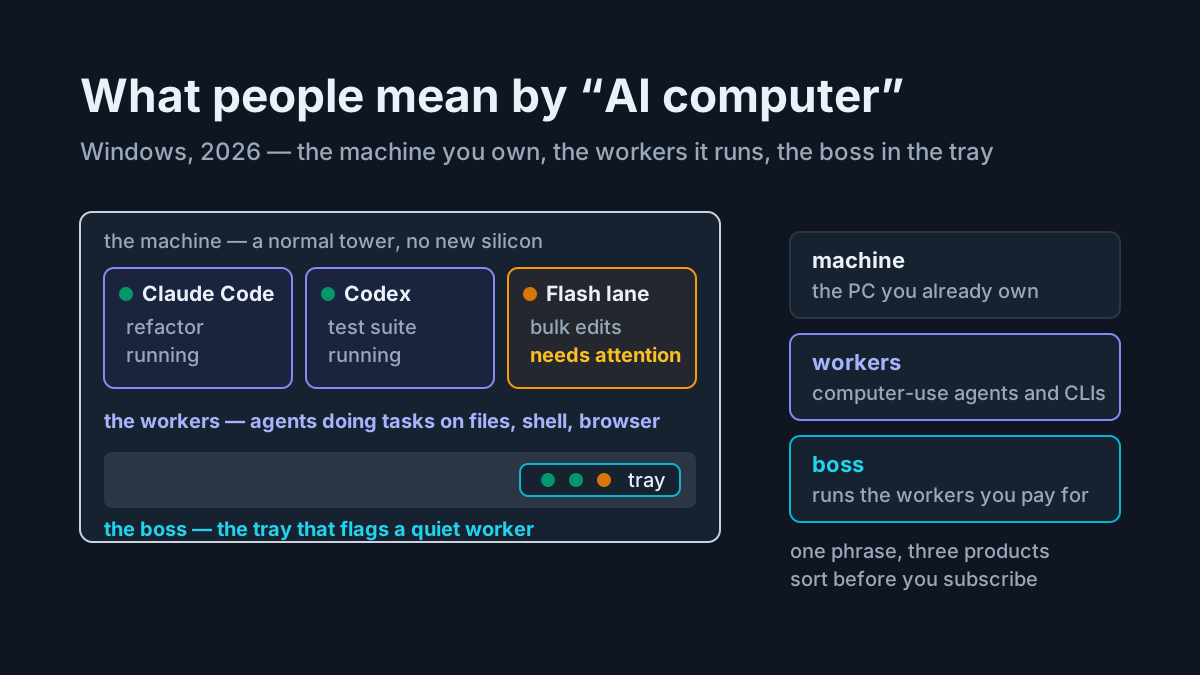
An AI computer can be the same mid-tower Windows box already sitting under a desk. The hardware has not changed; the job has. It now runs a small fleet of agents against local files, a terminal, and a browser, while a tray companion reports when a supported session needs attention. When people type ai computers or local computer ai into a search box, many are looking for exactly that machine. Not a four-figure inference box. Not a laptop with an NPU sticker. The PC they already own, doing agent work without a lab buildout.
This page maps what those searches are reaching for, the product launch that bent the meaning, the worker-versus-boss distinction, and a practical setup pattern. Hardware shopping is deliberately absent — the local AI workstation piece already covers the GPU math. This is the other half: OS integration and the software layer.
What people searching ‘AI computers’ actually want
Read the query family together — ai computers, local computer ai, home ai, ai computer windows — and the intent is consistent. Nobody typing those phrases is comparing memory bandwidth. They want to know whether the computer in front of them can do the thing they keep reading about: agents that read and write real files, run commands in a real shell, drive a real browser, and keep going while the human is somewhere else.
That is an OS-integration question, not only a silicon question. An ordinary x64 tower can run many coding CLIs whose model weights live behind APIs; what the box contributes is disk, shell, and screen. Compatibility still depends on the tool, operating system, architecture, and runtime. The gap that sends people to a search engine is softer: which agents to run, how to run more than one without losing track, and what happens to the histories they leave behind.
There is also a version of the search that is really a compatibility worry — ai computer windows, typed by someone who noticed that most agent demos happen on a Mac. WSL2 closes much of that gap for Linux-first tools that officially support the environment, though every CLI still needs its own compatibility check.
There is a quieter want underneath the word “local,” too: people want this without automatically shipping their working history to a vendor. The local-first vault argument is its own piece because local files, remote model calls, and durable transcript storage are separate data paths.
The launch that bent the phrase
Here is the news hook, and it gets one paragraph. Perplexity’s Personal Computer is now available on Windows 10 and 11, where it can work across local files, Microsoft 365, and the web. Perplexity makes it available to Pro, Max, and Enterprise subscribers, while Computer tasks consume credits under the current billing model. The product is software operating the computer you already own, not a new box. That is confirmation that vendors read this search intent as an operating-system problem too.
That is all the recap the launch gets here, because the interesting part is what it collapses. One product category now contains machines, agents, and management software, and the differences between those are where operators get burned on price and privacy. The head-to-head against the tray is separate; this page needs the distinction underneath it.
A worker is not a boss
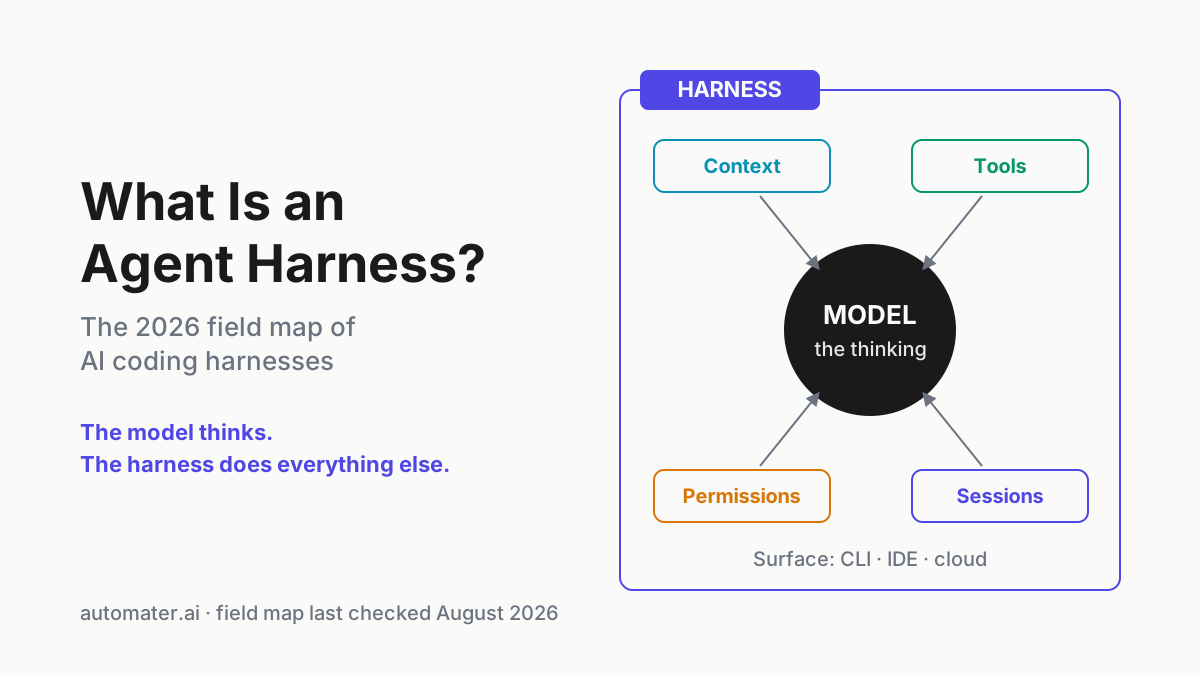
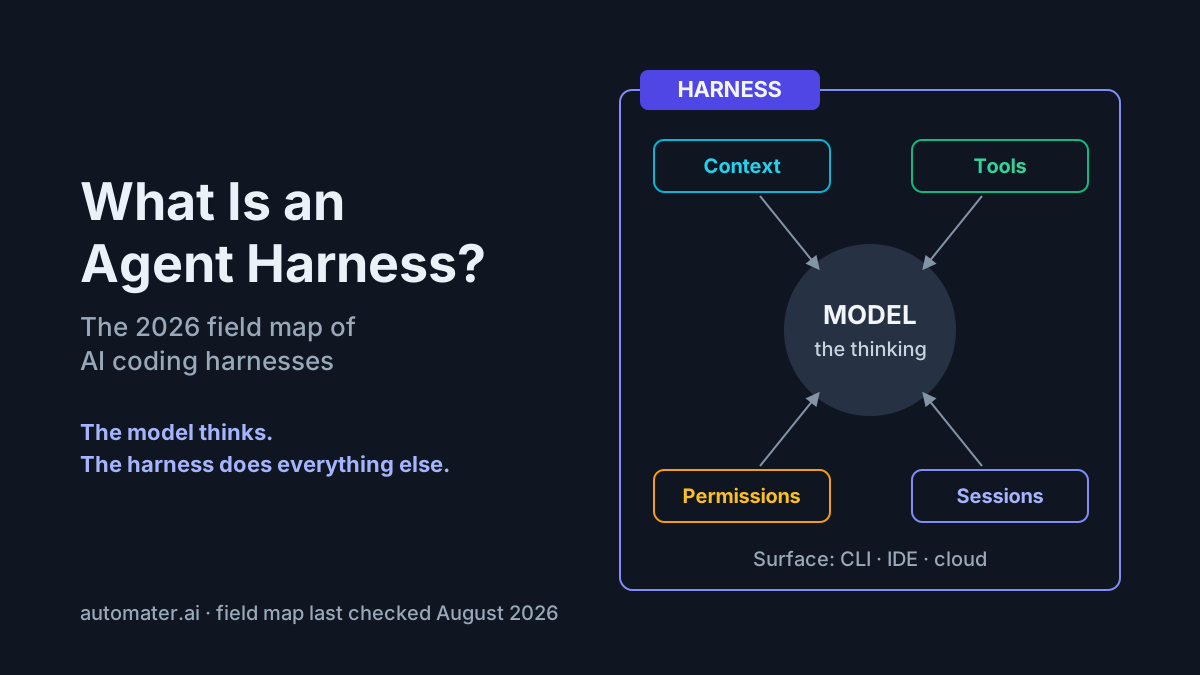
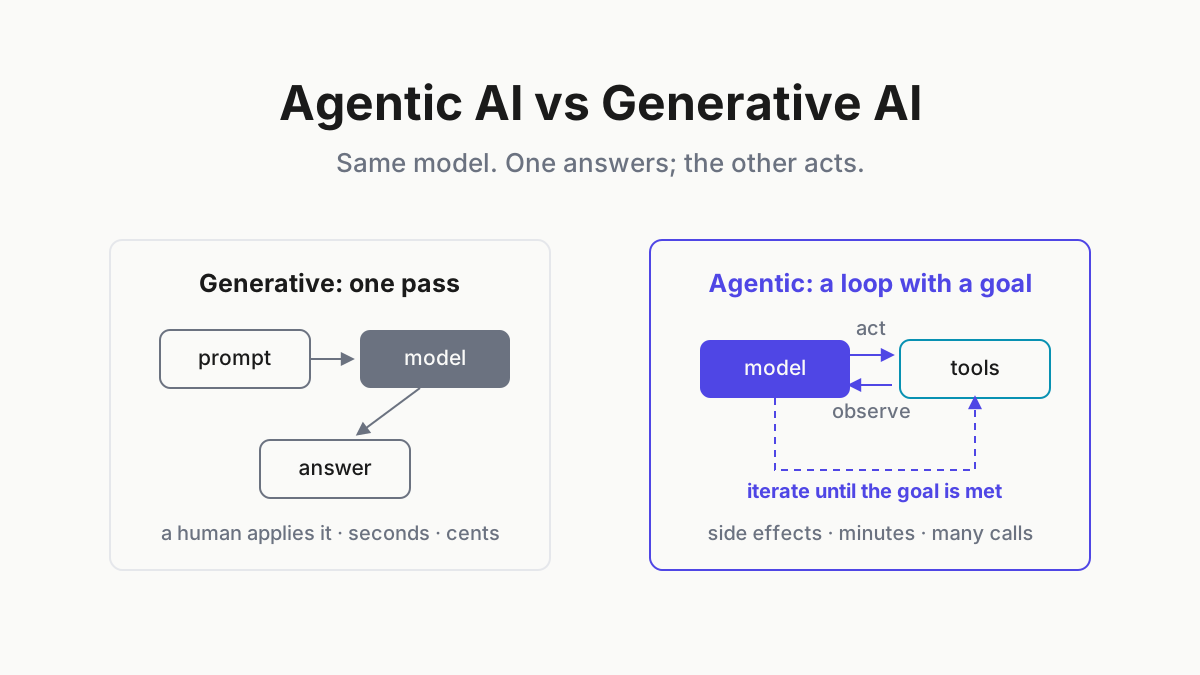
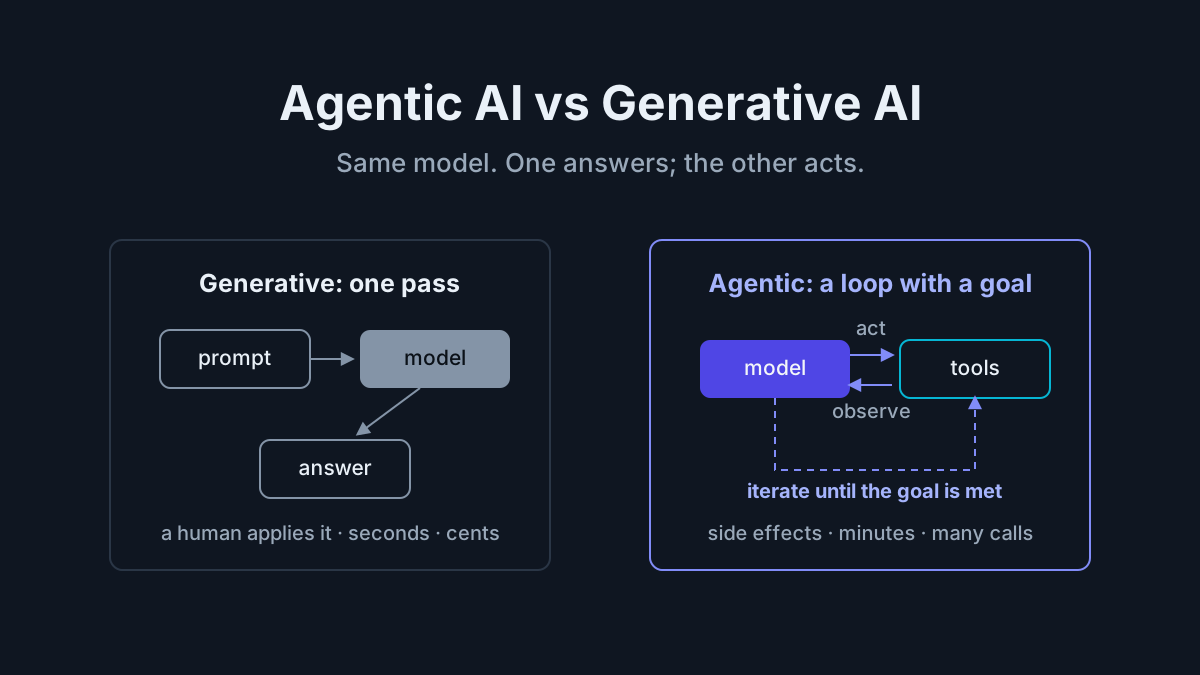
A computer-use agent is a worker. It takes a task, touches files, drives a terminal or a browser, finishes or fails. Perplexity Personal is a worker. So are coding CLIs such as Claude Code, Codex, Gemini, Kimi, and Qwen Code. Workers are what model and agent subscriptions fund; operators may already pay for several.
A tray companion is a different kind of software: it supervises the workers you already pay for. It does none of the tasks itself. It watches supported sessions, surfaces attention states, normalizes recognized transcripts into a searchable archive, and meters supported-provider usage. On Windows, keepalive restores the companion after an unexpected exit or reboot; it cannot restore agent processes the reboot killed. Automater Lite occupies that layer.
Workers also have weather: providers change limits, prices, and model availability. That is another reason the boss layer earns its slot. When allowance changes under you, a local usage record beats memory and guesswork, though the provider’s own billing page remains authoritative.
So the sorting question for any “AI computer” pitch: does this product do the work, or does it run the things that do the work? Every pitch is one or the other, and the pricing follows the answer — workers bill like labor, bosses bill like software. The stricter three-layer definition, machine included, is in what is an AI computer.
Local computer AI without new hardware
The “local” in local computer ai is doing two different jobs. Local control means an agent works on files and tools on your machine; many coding CLIs offer that without local model weights. Local inference means the model itself runs on hardware you control. That is a separate, priced decision.
A durable rule is to treat local control as an operating requirement and local inference as a separate project. Fleet models can arrive over APIs, while compact open models can run through Ollama when the hardware and workload fit. Perplexity’s Portable Computer sits in the dedicated-local lane: its first release runs Qwen3.8 27B or PPLX27B on an NVIDIA DGX Spark under Linux, with optional user-authorized cloud escalation. Perplexity says Windows and broader RTX-PC support are coming, but gives no date or 24GB entry specification in that announcement. That is workstation buying, not a settings toggle.
The record is the first component worth keeping local. Transcripts can hold prompts, file paths, accidentally pasted keys, and half-formed ideas. A local archive with deliberate redaction before export creates a useful boundary without requiring local model weights.
What Windows gives you, and what the sticker doesn’t
Windows is a practical home for this for unglamorous reasons. The system tray is a useful place for fleet state — glanceable, always resident, and not buried behind terminal windows. WSL2 supports many Linux-first workflows, subject to each tool’s documented platform requirements. The scheduler, shell, and file system are also the surfaces agents need.
Windows also fights you in one specific way: it reboots. Patch Tuesday does not care that a session was mid-task at 3 a.m. The stall-flags and keepalive piece explains the honest boundary: keepalive restores the companion, not the terminated agent. Reliable overnight work still needs checkpointing and explicit resume behavior in the agent itself.
Add the boring plumbing and the picture completes: Task Scheduler can bring the tray up at logon, Windows Terminal can keep workers in tabs instead of lost windows, and notifications land in the normal Windows surface. An AI computer on Windows is assembled from parts the OS has shipped for a decade; the companion adds a resident view across supported tools.
The retail sticker, meanwhile, answers a different question. Microsoft defines a Copilot+ PC around an NPU capable of 40+ trillion operations per second and uses that hardware for local Windows AI experiences. That silicon can accelerate software written for it, but it does not automatically supervise a fleet of coding agents or replace their model backends. “AI PC” on a shelf tag and “AI computer” in an operator’s mouth can describe different layers of the same machine.
A setup pattern
For the searcher who wants a concrete pattern: start with a supported Windows machine, one or two agent CLIs, and a deliberate record of where each tool stores history and credentials. Claude Code’s CLI reference documents local transcripts and resume; every other tool needs the same version-specific check.
The boss: Automater Lite in the tray. It detects supported AI apps, surfaces live attention states, normalizes recognized histories into a local searchable Library, and meters supported-provider usage. The free public tier includes archive, meters, voice, widgets, and signed updates. PRO, in the site’s own words, adds “the controls that operate this machine and the rest of your fleet.” Automater Lite is a free download for Windows, macOS and Linux at automater.ai/downloads.
Honesty where it belongs: this article is about the Windows build, and platform artifacts should be checked on the current downloads page. The Lite session archive remains local and has no automatic cloud copy. PRO’s optional connected features are separate; local archive and connected control are distinct claims.
FAQ: AI computers on Windows
What is an AI computer on Windows?
In 2026 usage, it is a Windows PC — usually one you already own — set up to run AI agents against local files, a terminal, and a browser, plus the software layer that manages those agents. Dedicated AI hardware is optional; the defining parts are the agent fleet and its operating layer.
Do I need a new PC to run AI agents?
Usually not. Many coding CLIs run on ordinary x64 Windows machines or through WSL because inference is served remotely, but support varies by tool and architecture. New inference hardware enters the picture when you want open-weight models to run locally, which is a separate, priced decision.
Is Perplexity’s Personal Computer an actual computer?
No. It is software for Windows 10/11 that works across local files, Microsoft 365, and the web. Perplexity currently offers it to Pro, Max, and Enterprise subscribers, and Computer tasks consume credits. The name describes what it operates, not what ships in a box; check current plan and credit terms before subscribing.
Can my existing Windows PC run local AI models?
Probably, at modest scale. Compact models run through tools such as Ollama on supported CPUs and GPUs, but usable speed and context size depend heavily on the exact model, quantization, memory, and accelerator. Dedicated local agent workloads are workstation shopping. Local control of files and transcripts needs no new inference hardware.
What does a tray companion add if my agents already work?
Supervision the workers cannot give themselves. A quiet session can look busy until you check it; a tray companion surfaces attention states, keeps its own watcher available after reboot, archives supported transcripts, and meters supported-provider usage. Agents do the work; the companion helps you see whether that work is still moving.