The Desktop ADE: Session Explorer, WSL, Docker, and the Topology Chat Never Shows
Tour the Automater Desktop beta: searchable cross-provider Session Explorer plus a separate live topology for WSL, Docker stacks, containers, and hosts.

Go deeper. Build your own.
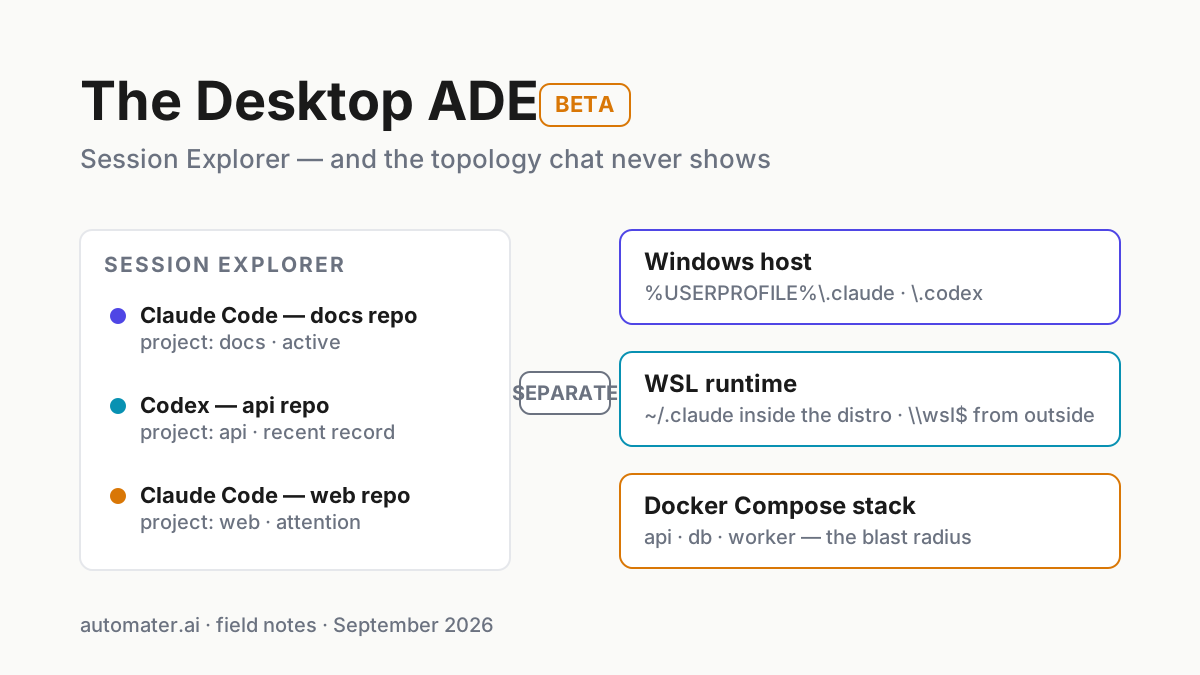
The chat transcript is excellent evidence of what an agent said and which tools it invoked. It is not an inventory of the machine around the process: the Windows host, WSL distro, Docker daemon, Compose stack, or second assistant running beside it. That visibility gap is precisely what an agentic development environment exists to close.
The chat window shows turns. It does not show where the process lives. A Windows development machine can contain the host, several WSL distros, and a Docker Engine running multiple Compose stacks. The tray companion can show that supported workers need attention and flag stalls; the companion-harness-computer split explains why awareness should sit outside any one harness. Neither replaces an infrastructure map.
Automater Desktop — the ADE, currently in beta — supplies two complementary maps: Session Explorer for history, and Topology for infrastructure. This field guide explains when WSL is the runtime that matters, when Docker is the blast radius, when Session Explorer beats dot-folder archaeology, and how to use the two surfaces without pretending they are already one graph.
An agentic development environment, defined
An agentic development environment (ADE) is a workspace built around agent sessions and the runtimes they execute in, rather than around files and buffers. Where an IDE organizes code you edit, an ADE organizes sessions you supervise: which assistant, which runtime, which working directory, what it touched, and what is still running.
Automater Desktop is Automater’s implementation of that idea, and it remains a beta whose new installs are on hold; the site says “Desktop downloads are paused for new installs while we finish a review. Existing installs keep updating.” Three published surfaces define it today:
- Session Explorer. Claude Code, Codex, and Gemini histories in one searchable list, with provider, project, date, tags, and transcript search.
- Live topology. A separate infrastructure tree of servers, WSL and other VMs, Docker Compose stacks, containers, Conda apps, and connected remote machines.
- Built-in browser and terminals. So that when the map shows you where the problem is, you can act on that layer without alt-tabbing into a guessing game.
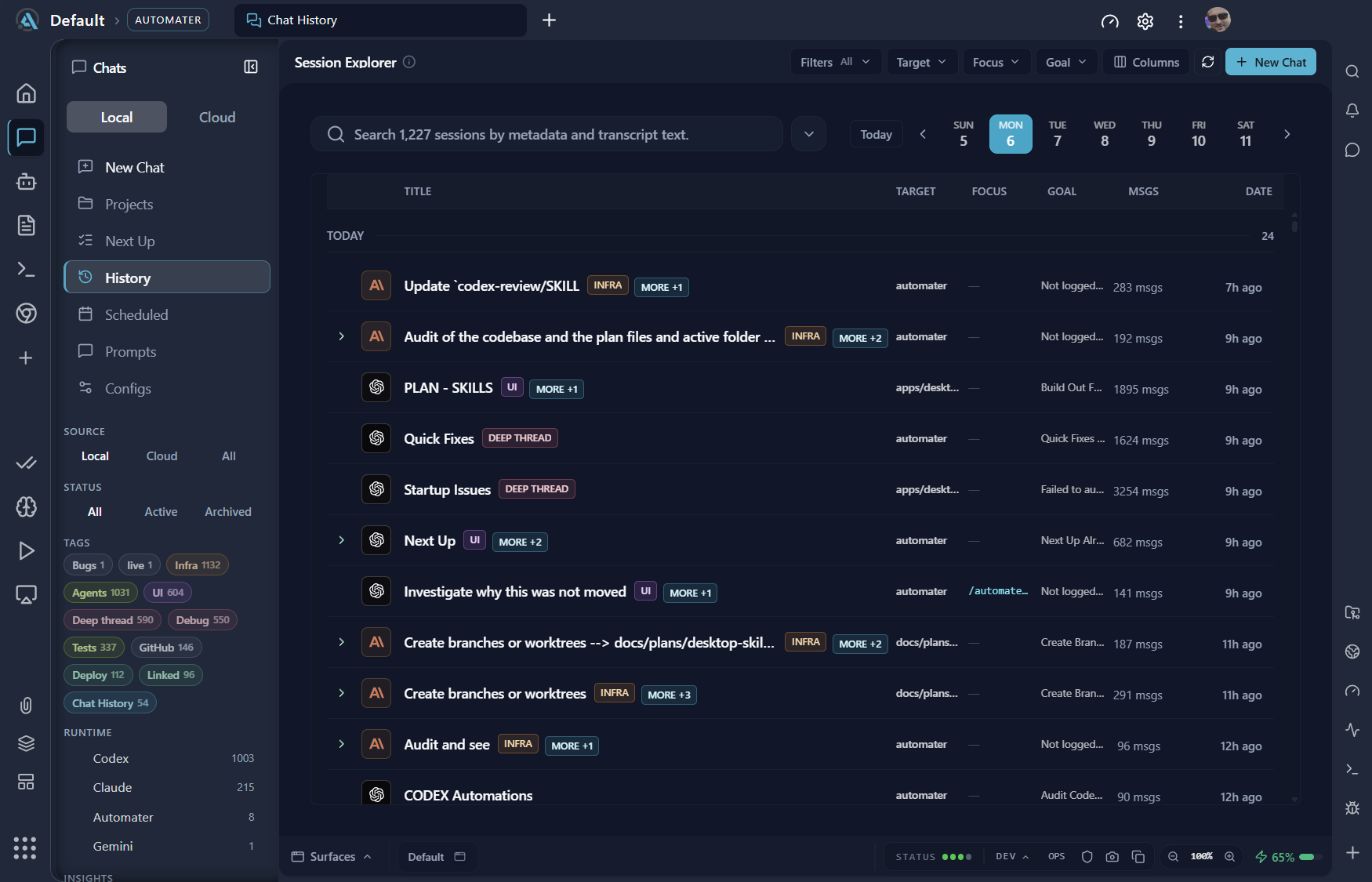
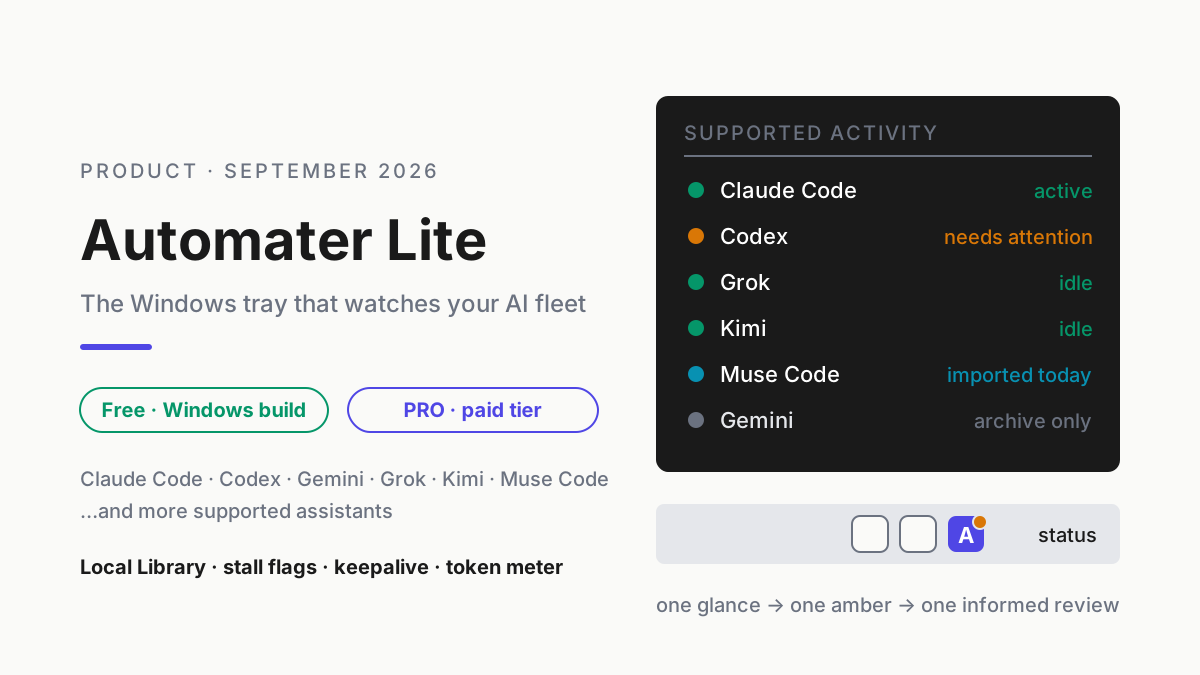
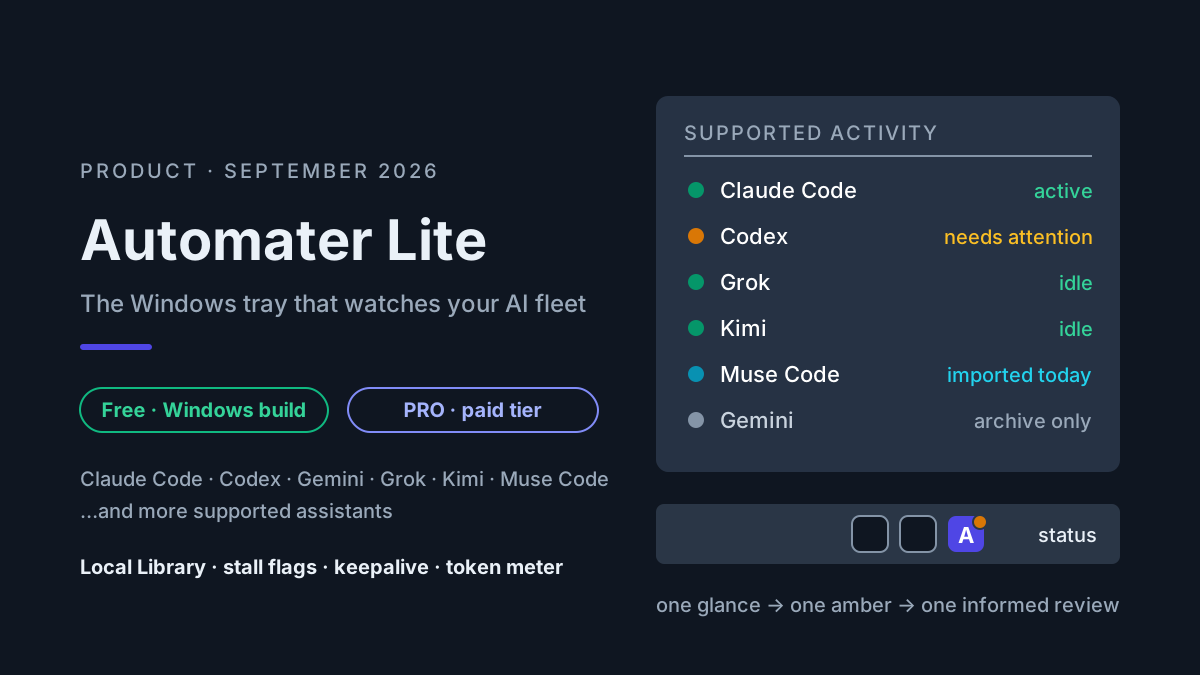
Automater Lite stays the tray companion — stall flags, keepalive, the local Library — and that one line is all the tray review you get here; the Lite piece covers it properly. Desktop is the studio you open when the tray tells you something needs eyes.
The topology chat never shows
A CLI can present a deceptively simple surface: a prompt, some tool calls, and a summary. Underneath, on a layered Windows development box, that prompt may execute on the host, inside a WSL distro, or within a container, each with its own filesystem, home directory, and transcript location.
| Layer | What runs there | Where its transcripts land |
|---|---|---|
| Windows host | CLIs launched from PowerShell or Windows Terminal | %USERPROFILE%\.claude\projects\, %USERPROFILE%\.codex\sessions\ |
| WSL runtime (per distro) | bash-first harnesses, toolchains, the docker client |
~/.claude and ~/.codex inside the distro — from Windows, \\wsl$\<distro>\home\<you>\... |
| Docker Compose stack | containers agents build, exec into, or bind-mount | if the CLI runs on host/WSL, its transcript stays there; a CLI launched inside a container writes inside that container or a mounted volume |
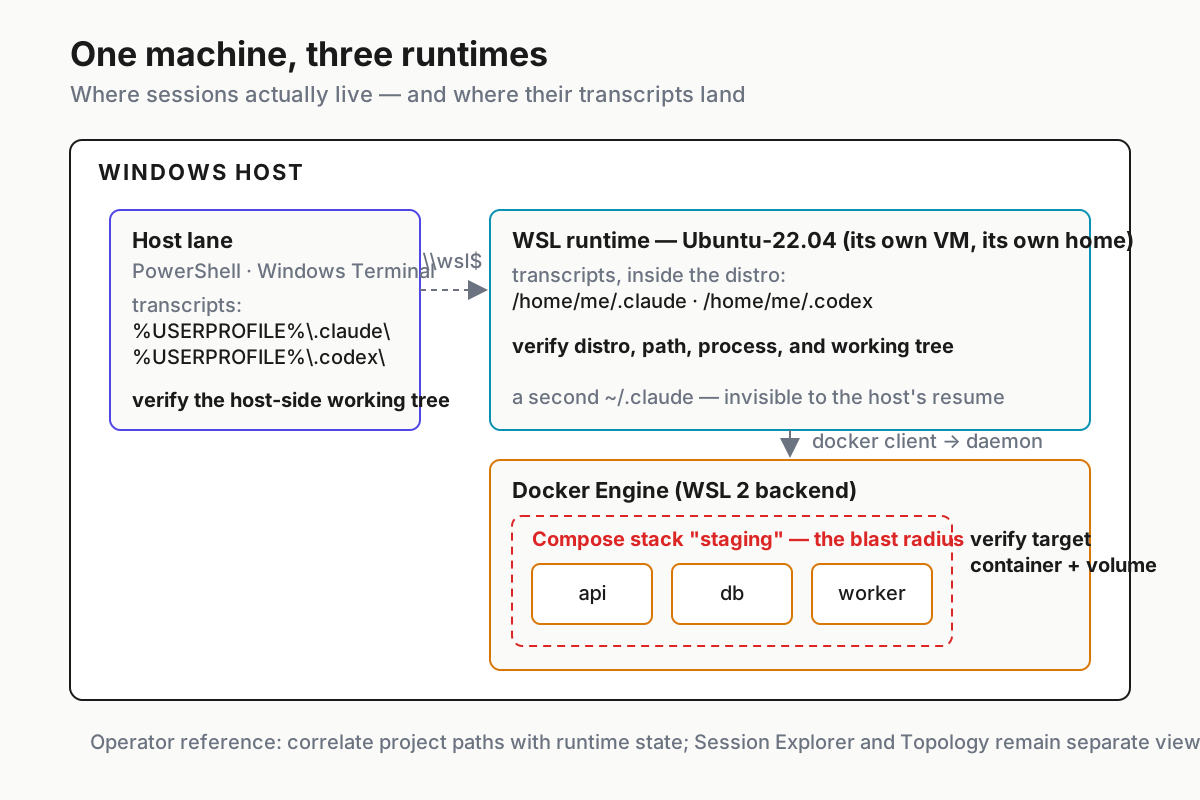
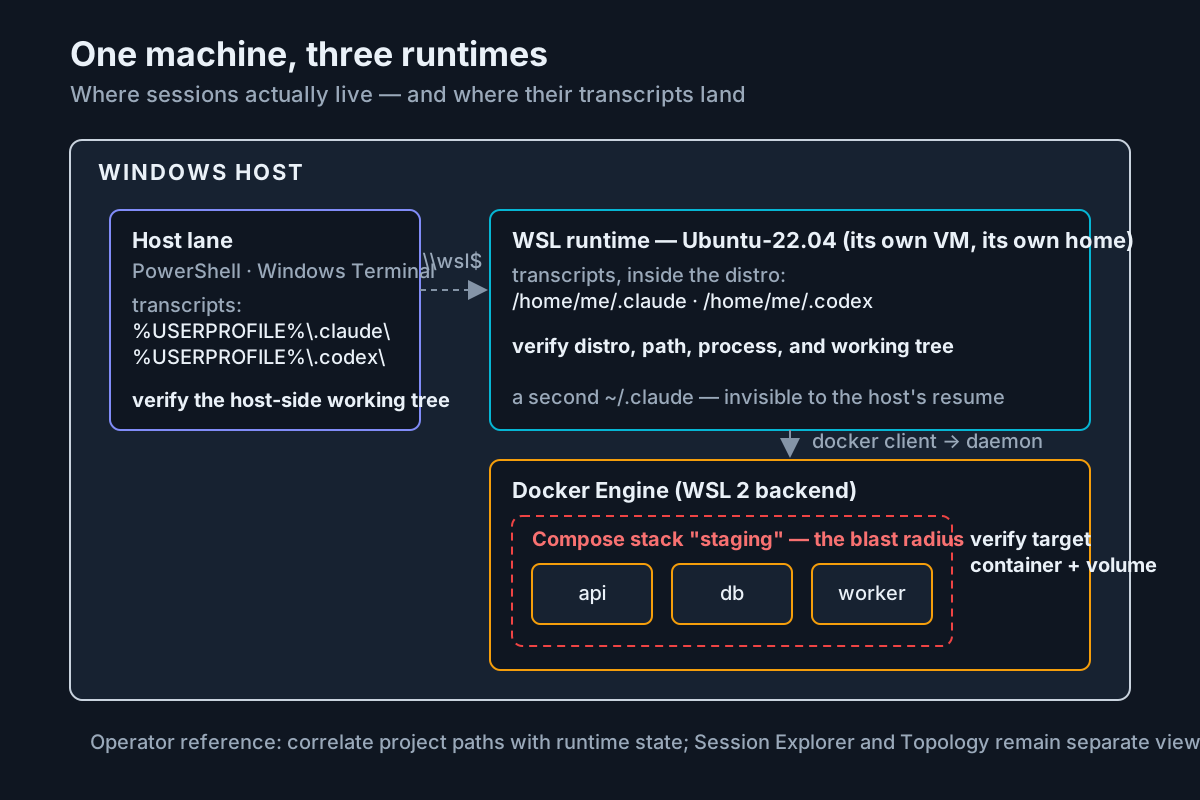 One machine, three runtime layers. Session history and infrastructure answer related questions, but the current beta presents them in separate views.
Two consequences follow.
First, there is no single ~/.claude on a machine like this. There is one per home directory, and a WSL distro is its own home directory. A session that lived in Ubuntu is invisible to a resume command typed in PowerShell, and vice versa. The transcripts are all real files on disk — the local-first vault argument still holds — but “on disk” turns out to mean “on one of three disks-worth of namespaces.”
And the harness cannot map this for you, because each harness only knows itself. Claude Code can print its own working directory; Codex CLI can report its own sandbox mode; neither has any idea the other exists, let alone which layer its sibling is executing in. The map has to come from outside every chat window, or it does not exist.
Second, sandbox questions are topology questions. A transcript can report a working directory or command, but it does not prove the operating-system boundary or Docker privileges around that command. Seeing the layers is not a substitute for an enforced sandbox; it is the inventory you need before checking that enforcement.
When WSL is the runtime — and where transcripts actually live
WSL often becomes the runtime when agents need a Linux toolchain: bash-first harnesses, make, Linux packages, or the docker client. A Windows Terminal profile can drop directly into a distro, making a WSL session look almost identical to a host session even though its paths and home directory are different.
What “the runtime is WSL” means in practice:
- The transcript lives inside the distro.
\\wsl$\Ubuntu-22.04\home\me\.codex\sessions\...if you want it from the Windows side. Microsoft recommends doing Linux-side work in the WSL filesystem rather than repeatedly traversing the Windows bridge. - The working directory is a Linux path.
/home/me/src/apiis notC:\src\api, even when both are clones of the same repo. An agent can be entirely truthful about “done, committed” while your Windows checkout sits untouched. - The distro is a lifecycle of its own. WSL VMs stop when idle and die on reboot; whether services come back is your distro’s config, not Windows’ promise. That whole failure family is the cold-restart playbook.
Desktop treats each discovered distro as a first-class VM in Topology. Session Explorer separately records project and source metadata from imported history. Today, the operator still correlates those views; the beta does not draw an automatic session-to-WSL edge.
When Docker is the blast radius
If WSL answers “where does the agent run,” Docker answers “what can the agent reach?” The moment a session can access the Docker daemon, its reach is not limited to its working directory. Docker’s security guidance treats daemon access as highly privileged because it can reach containers, networks, volumes, and host mounts. The useful operational unit is usually the Compose stack.
Four controls follow from that boundary:
- Compose stacks are the unit of diagnosis and recovery. Inspect and recover the application as a declared stack. Use the project’s documented migration and restart procedure; a blind
down/upcycle can hide the state that explains the failure. --rmcontainers are ghosts. Agents lovedocker run --rmfor test scratchpads. Whatever happened in there left no container behind to inspect — only whatever the transcript deigned to quote.- The socket is a root-equivalent boundary on a typical host. A session that can talk to the Docker daemon may be able to mount host paths into a container. Grant Docker access as a high-privilege capability, not a routine convenience.
- Bind mounts leak the blast radius outward. An “inside the container” edit on a bind-mounted directory is a host edit wearing a costume. This is the number-one way an agent modifies files that no host-side session appears responsible for.
In Topology, a Compose stack is a node with its containers underneath. Session Explorer remains the place to inspect agent history. For a postmortem such as “what did the fleet do to the staging stack last night,” you correlate the infrastructure state with the fleet’s recorded actions. That is more manual than an automatic edge, but it is still better than confusing container state with chat history.
When Session Explorer beats ~/.claude archaeology
Dot-folder archaeology is still appropriate for one assistant in one runtime. Claude Code writes JSONL under ~/.claude/projects/, Codex CLI writes rollouts under ~/.codex/sessions/, and grep plus jq answer many questions. Scripted bulk analysis over transcripts remains a files job; that lane does not require a UI.
Session Explorer wins the moment any of these are true:
- More than one assistant. Vendors use different directory layouts and file names; each vendor’s own history surface naturally covers its product. The Codex deep dive maps one vendor’s records; Explorer normalizes the formats it supports into one view.
- More than one runtime. The two-home problem from the WSL section, multiplied by however many distros you keep.
- A question with a clock on it. “Which session touched the API repo yesterday” at 9:10 a.m., with standup at 9:30, is not the moment for writing a
findexpression against three filesystems.
The third case deserves a worked example.
The worked trace: which runtime did that agent actually edit?
Take a representative failure: a Codex transcript says “done — tests green, committed,” while VS Code, open on C:\src\api, shows no new commit. The likely explanation is a second clone under WSL, but the transcript and infrastructure must be checked before treating that guess as fact.
A representative command-line trace looks like this:
# 1. Which side even has a fresh transcript? Windows first.
gci $env:USERPROFILE\.codex\sessions, $env:USERPROFILE\.claude\projects -Recurse -File |
  ? LastWriteTime -gt (Get-Date).AddHours(-14) | sort LastWriteTime
# ...nothing newer than Friday. So: a distro. Which one?

# 2. Ask each WSL runtime the same question.
wsl.exe -d Ubuntu-22.04 -e bash -lc "find ~/.codex/sessions ~/.claude/projects -type f -newermt '14 hours ago' 2>/dev/null"
wsl.exe -d Debian -e bash -lc "find ~/.codex/sessions -type f -newermt '14 hours ago' 2>/dev/null"
# Hit in Ubuntu-22.04: ~/.codex/sessions/2026/08/31/rollout-...jsonl

# 3. Pull the working directory out of the rollout JSONL.
wsl.exe -d Ubuntu-22.04 -e bash -lc "grep -m1 -o '\"cwd\":\"[^\"]*\"' ~/.codex/sessions/2026/08/31/rollout-*.jsonl"
# "cwd":"/home/me/src/api"

# 4. Confirm against both repos.
wsl.exe -d Ubuntu-22.04 -e git -C /home/me/src/api log --oneline --since=yesterday
git -C C:\src\api log --oneline --since=yesterday   # empty — mystery solved
The trace crosses four tools and two filesystem namespaces before it proves which checkout changed. Forgetting that ~/.codex exists per home directory sends the investigation to the wrong distro.
The Desktop-assisted version starts in Session Explorer: filter to Codex and the API project, open the matching history, and inspect the recorded project path. Then open Topology separately to confirm which WSL runtimes and Docker stacks are active before launching the appropriate terminal. The current beta does not highlight a session inside Topology or claim a direct edge to a Compose stack. That missing join is a real product limit, not a reason to overstate what the views already do.
The improvement is still concrete: cross-provider history search narrows the transcript, and an infrastructure tree narrows the runtime. The final correlation remains an operator decision backed by paths and process state.
What an agentic development environment is not
Automater Desktop is beta software, not GA. It reads local machine and infrastructure state, and its Session Explorer and Topology views are separate. The broader Automater product has optional connected PRO features, but that does not prove every Desktop surface — including live Topology — has identical remote behavior. Verify the exact view and data boundary required by the deployment. Desktop is also not a replacement for each assistant; it is the studio around them.
And it is not a replacement for the tray. The companion watches; the ADE investigates. One more current-beta boundary belongs here: Session Explorer and Topology are separate surfaces, with no direct session-to-infrastructure link. Automater Lite is a free download for Windows, macOS and Linux at automater.ai/downloads. Desktop, in beta, is where the infrastructure view in this piece lives.
FAQ: agentic development environments
What is an agentic development environment?
An agentic development environment (ADE) is a workspace organized around agent sessions, tools, and runtime infrastructure instead of files and buffers alone. In the Automater beta, Session Explorer and Topology expose those concerns in separate searchable views.
Does Automater Desktop replace the tray companion?
No. Automater Lite stays the tray layer: fleet awareness, stall flags, keepalive, and the local Library. Desktop is the beta studio you open when something needs investigation — Session Explorer, the live topology, built-in browser and terminals. They share a philosophy, not a job description.
Can Session Explorer see sessions inside WSL and Docker?
Session Explorer imports supported local histories, including records found through the product’s local archive path. Topology separately draws hosts, WSL runtimes, Docker Compose stacks, and containers. The current beta does not pin session nodes onto that infrastructure tree, so verify project paths and runtime state when correlating the two.
Sources
- Automater Desktop — current beta positioning and published product surfaces
- Automater Session Explorer capture — published interface example used above
- Microsoft Learn — Working across Windows and Linux file systems — WSL path and filesystem guidance
- Docker Engine security — daemon privilege and attack-surface guidance
- Docker Compose documentation — stack-level application model and lifecycle commands