Cold Restarts on Windows: Sessions That Don't Come Back
Recover AI sessions after a Windows reboot: verify transcripts, restore WSL and Docker bottom-up, inspect the working tree, then resume or re-brief each agent.

Go deeper. Build your own.
Consider a composite morning-after incident. Windows restarted while a coding assistant was mid-refactor. The terminal is gone, a local API does not answer, and the container stack is stopped. A resume command may recover the conversation, but it cannot resurrect an operating-system process or prove that the working tree still matches the conversation’s last assumption.
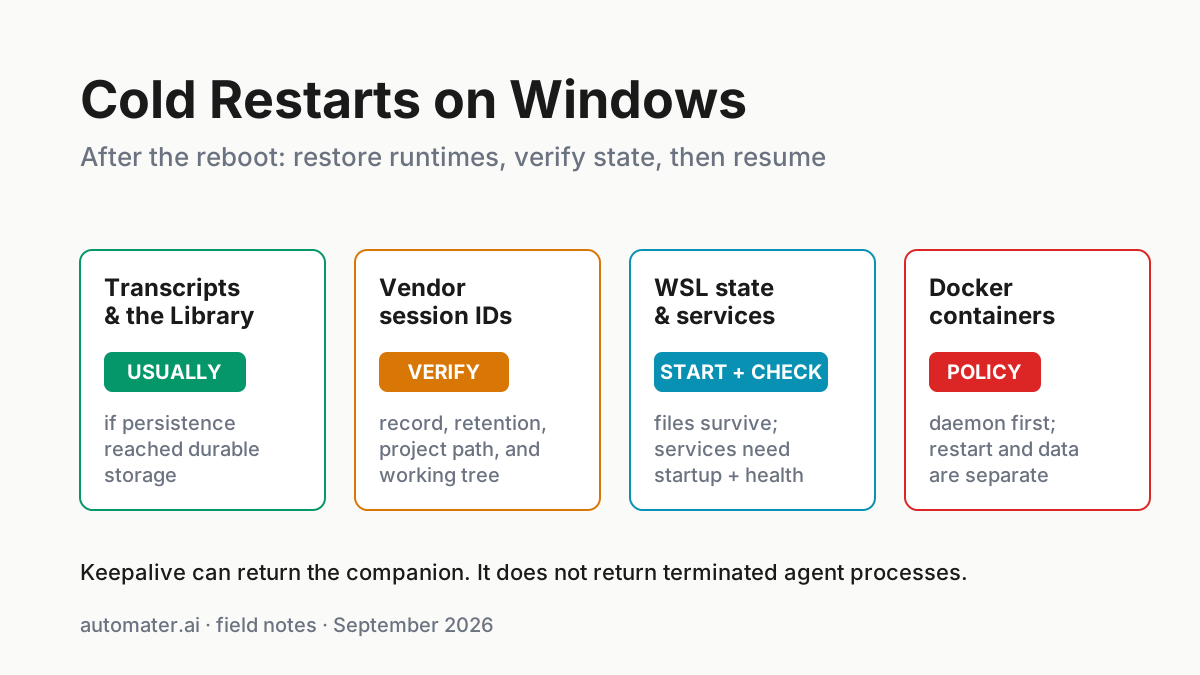
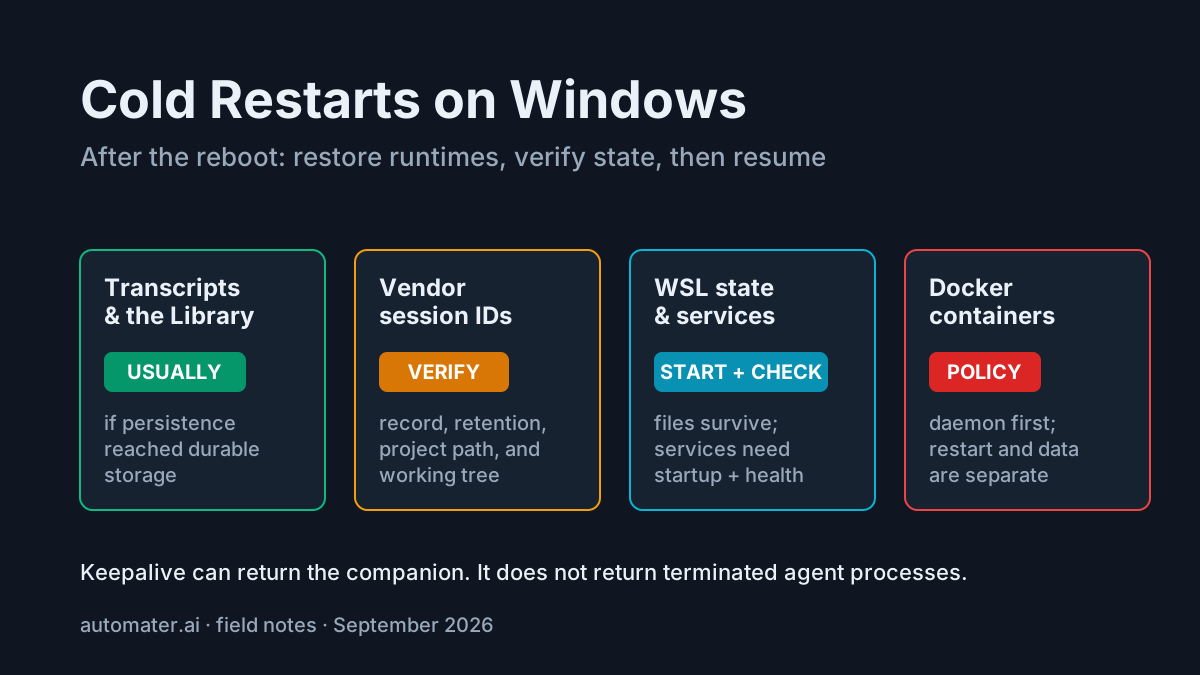
That is the central rule of AI session recovery: resume conversation state only after you recover and verify runtime state. The Windows tray companion may preserve supported records, while its stall and keepalive boundary does not change that rule.
The “session” an operator remembers is really a stack:
| Layer | Typical state after restart | Recovery authority |
|---|---|---|
| CLI process and in-flight tool call | Terminated | Relaunch; the old process does not return |
| Saved session ID and transcript | Usually available if persistence was enabled and data reached durable disk | Vendor CLI and its retention settings |
| Git working tree | Files persist; partially completed edits may remain | Git status, diff, and targeted validation |
| Automater normalized archive | Imported records persist locally | Library database and local storage health |
| WSL filesystem | Persists in the distro’s virtual disk | Windows/WSL storage health |
| WSL processes and services | Must be started again | Distro startup and service configuration |
| Docker containers | Stopped until the daemon and restart policy act | Docker Desktop/Engine plus container policy |
| Container data | Depends on writable layer, bind mounts, and volumes | Storage design and cleanup history |
Avoid absolutes. A transcript is a file, but files can be disabled, expired, truncated, deleted, or stored on a damaged disk. A container may still exist in docker ps -a, but an --rm container is removed when it exits. Recovery is an evidence exercise, not a promise that “files always survive.”
This runbook uses a layered recovery order: persisted records, the working tree, WSL services, Docker, and only then the resumed agent. Treat the sequence as triage rather than a guarantee. It does not repair disk corruption, recover deleted credentials, or resolve provider-side retention failures. Record each observation before changing state, and stop before destructive cleanup or recreation commands. If the expected transcript, volume, distro, or worktree cannot be identified, preserve what exists and escalate to the owner of that storage or runtime layer instead of guessing.
1. Establish the reboot boundary
Before restarting tools, record what changed:
- approximate reboot time;
- whether the restart was orderly or a power loss;
- repositories and worktrees active before it;
- expected WSL distro and Docker context; and
- services or ports the task depended on.
The timestamp narrows transcript and Git history. The restart type affects how skeptical to be about the tail of a file. The environment inventory prevents resuming a session into the wrong checkout or an empty runtime.
If the tray companion returned through keepalive, use it as an inventory surface. Do not infer that watched agents also survived. Keepalive restores the watcher; terminated workers still require recovery.
2. Read persisted evidence before resuming
Claude Code’s current session documentation says interactive sessions are saved continuously as local JSONL under ~/.claude/projects/<project>/<session-id>.jsonl. The default retention period is 30 days and can be configured. Persistence can also be suppressed for some non-interactive uses.
The same docs distinguish:
claude --continue— resume the most recent session for the current directory;claude --resume— open the picker; andclaude --resume <name-or-id>— target a saved session.
Before using those commands, inspect the final recorded messages and tool results. Ask:
- What was the last completed edit?
- Did the final command return an exit code?
- Was the assistant waiting on permission or user input?
- Did it claim a service was running?
- Which branch and worktree did it believe it owned?
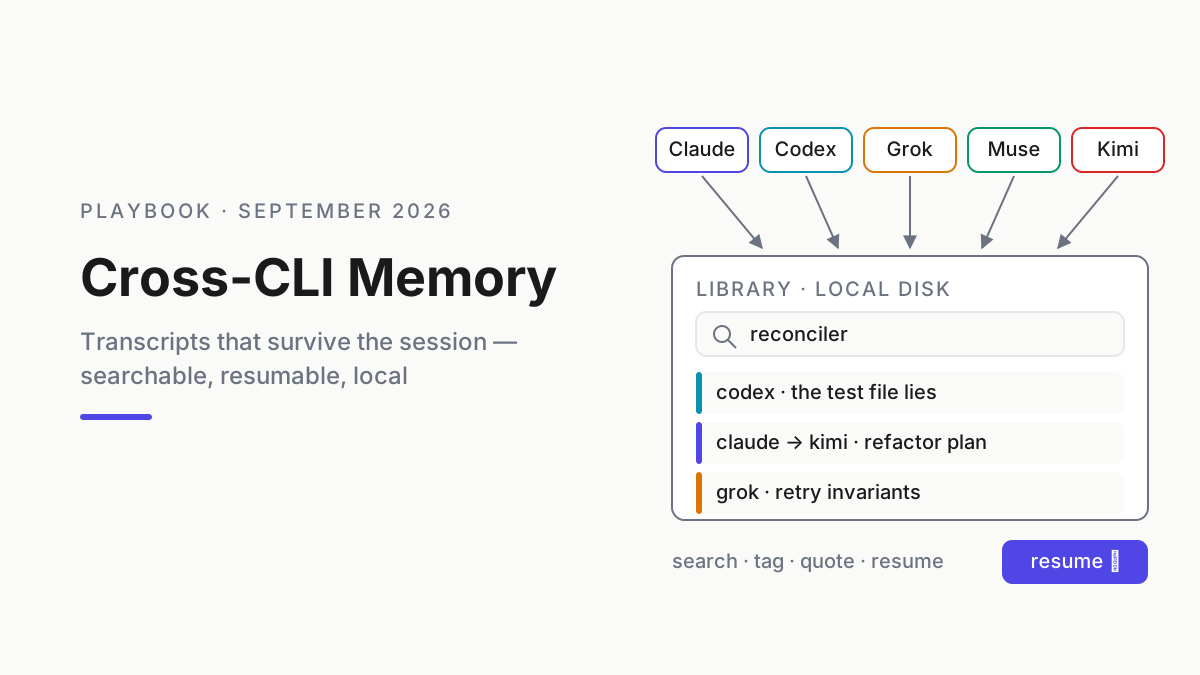
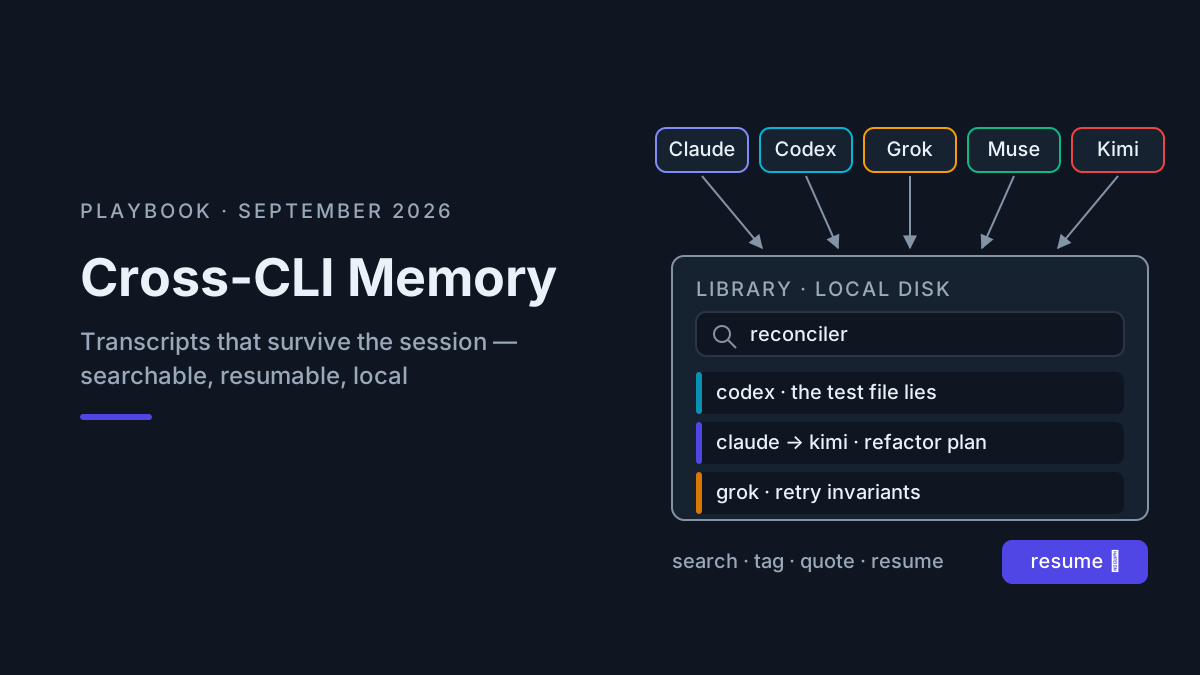
Automater Lite’s local Library can make supported transcripts searchable across providers. That archive is recovery evidence even when a vendor’s resume picker cannot load a session. It is still only as complete as the records imported and written before the restart.
Automater Lite is a free download for Windows, macOS and Linux at automater.ai/downloads.
3. Restore WSL before the tools that depend on it
WSL separates durable distro files from ephemeral runtime. The virtual disk persists through a normal Windows restart. Linux processes do not.
Microsoft’s current systemd guidance says WSL version 0.67.6 or later can enable systemd with:
# /etc/wsl.conf
[boot]
systemd=true
After changing the file, run wsl.exe --shutdown from PowerShell so the next distro start applies it. Recent Ubuntu installations through the current wsl --install flow may already use systemd by default, so check rather than editing blindly:
wsl.exe --version
wsl.exe -d Ubuntu-22.04 -e systemctl is-system-running
wsl.exe -d Ubuntu-22.04 -e systemctl --failed
Invoking the distro starts it on demand. Systemd then starts units enabled for that environment. Do not assume that systemd=true keeps every development daemon healthy forever; inspect the exact units, ports, and logs required by the task.
A scheduled logon action can invoke the distro if the workstation requires early availability, but the action should run a health script and exit with a useful status. A generic hidden sleep infinity keeps a process around without proving any dependency is ready.
4. Restore Docker from storage outward
Docker restart behavior begins only after Docker Engine is running. For Docker Desktop, that may depend on its start-on-sign-in setting and user login.
The official restart-policy documentation defines no, on-failure, always, and unless-stopped. For long-lived local services, unless-stopped is often the clearest intent: start again with the daemon unless an operator deliberately stopped the container.
services:
  api:
    restart: unless-stopped
    depends_on:
      db:
        condition: service_healthy

  db:
    image: postgres:17
    restart: unless-stopped
    environment:
      POSTGRES_PASSWORD: ${POSTGRES_PASSWORD:?set POSTGRES_PASSWORD}
    healthcheck:
      test: ['CMD-SHELL', 'pg_isready -U postgres']
      interval: 5s
      timeout: 3s
      retries: 10
      start_period: 10s
    volumes:
      - pgdata:/var/lib/postgresql/data

volumes:
  pgdata: {}
A restart policy does not guarantee application readiness. Use health checks, then verify with:
docker context show
docker ps -a
docker compose ps
docker compose up -d
docker compose logs --tail 100
Storage needs its own accurate model. Docker’s volume documentation says both named and anonymous volumes persist beyond a container’s lifecycle by default. Named volumes are easier to identify, reuse, and back up. Anonymous volumes associated with an --rm container are removed automatically, and explicit removal or pruning can delete other unused volumes. State that matters should have a named owner and a backup plan.
5. Verify the working tree
A resumed conversation may remember that tests passed while the current filesystem contains only part of the intended change. Before allowing another tool call:
git status --short
git diff --stat
git diff --check
git log -5 --oneline --decorate
Then run the smallest existing check that covers the touched surface. Inspect untracked files and worktrees; a session picker can find a conversation while you are standing in the wrong checkout.
This is the point where a development topology view helps. If you already run Automater Desktop, its Session Explorer can connect saved session evidence with hosts and runtimes, but it does not replace git status, service health, or logs. New installs are on hold for now; the site says “Desktop downloads are paused for new installs while we finish a review.”
6. Resume or re-brief
If the saved session opens, tell it explicitly what happened:
Windows restarted. The transcript was recovered, WSL and Compose were restarted, and the working tree currently shows these files. Re-read status and the relevant diff before proposing another action.
Do not ask the resumed agent to infer the reboot from failed commands. Give it the new boundary and require a state check.
If resume fails, start a clean session with a compact human-written handoff:
- objective;
- last verified completed step;
- current diff and test status;
- runtime health;
- unresolved decision; and
- links or excerpts from the old transcript.
That is manual fleet replay: use the prior record as evidence, not as a giant context dump.
Diagnose the layer from the symptom
Cold-start failures become faster to solve when each symptom maps to a narrow evidence check.
| Symptom | Likely layer | First check | Do not assume |
|---|---|---|---|
| Session missing from Claude picker | Project scope, retention, or persistence | Confirm current directory; widen picker scope; inspect transcript path | The conversation was deleted |
| Transcript exists but resume opens fresh | Wrong directory, wrong ID, or unsupported record | Compare encoded project path and session ID | The model forgot the session |
| WSL command returns but tools fail | Linux service or environment startup | systemctl --failed, unit logs, environment and sockets |
systemd=true means every daemon is healthy |
| Container is running but API fails | Application readiness | Health check, bound ports, Compose logs | “Up” means ready |
| Database container returns with empty data | Wrong mount, volume name, or Docker context | docker inspect, docker volume ls, Compose project name |
Docker deleted the only copy |
| Resumed agent sees unexpected changes | Working tree or worktree mismatch | git status, branch, worktree list, recent log |
The transcript reflects current disk state |
| Library has an older tail than provider file | Import freshness or adapter error | Compare source mtime, imported timestamp, and adapter logs | Normalized archive is the source of truth |
The first two rows are easy to confuse. Claude Code stores sessions per project directory, and its picker can widen from the current worktree to the repository or all projects. A session that is invisible at the narrow scope may still be intact. Likewise, a transcript file can exist while a wrapper invokes the CLI from a different cwd and therefore resolves a different project store.
The container rows separate process recovery from data recovery. Restarting the service is safe only after identifying the intended Compose project and storage. Recreating a stack under a different project name can attach a new empty named volume and make durable data look lost. Inspect before deleting or pruning anything.
The final row protects the archive’s credibility. A searchable normalized record is useful, but recovery decisions should compare it with the provider’s source transcript when freshness is uncertain. Record both timestamps and preserve the original before attempting a repair.
A ten-minute recovery checklist
- Minutes 0–1: record reboot time and list affected repos, distros, and stacks.
- Minutes 1–3: inspect the tail of relevant transcripts and tag the affected sessions.
- Minutes 3–5: start WSL; check systemd and failed units.
- Minutes 5–7: start Docker; inspect containers, health, and logs.
- Minutes 7–9: verify each working tree and run the narrowest relevant check.
- Minute 10: resume sessions that remain valid; re-brief the rest from evidence.
Ten minutes is a target, not a guarantee. Database recovery, a corrupted virtual disk, missing credentials, or an unflushed transcript can turn the event into a longer incident. The checklist still helps because it identifies the failing layer instead of sending every symptom to the resume command.
Prepare before the next restart
- Name important sessions so they are easier to target.
- Keep valuable work in Git and durable volumes, not terminal scrollback or container scratch.
- Configure WSL systemd only where services need it; document exact unit names.
- Give long-lived Compose services deliberate restart policies and health checks.
- Keep the companion and Docker Desktop startup behavior explicit.
- Test a planned restart while the stakes are low.
A recovery plan is complete only when it has been rehearsed. A green “resume succeeded” message proves conversation history loaded. It does not prove the development environment returned.
FAQ
Do Claude Code sessions survive a Windows reboot?
The process does not. A persisted local transcript usually does, subject to retention, storage health, and session settings. Resume the saved conversation only after verifying its project directory, working tree, and runtime dependencies.
Does WSL restart automatically after Windows reboots?
WSL distributions start on demand when invoked. Their files persist, while processes must start again. Systemd can start enabled Linux units inside the distro; verify support, configuration, and service health rather than assuming the previous runtime returned.
How do I make Docker containers return after a restart?
Start Docker Engine, assign an appropriate restart policy such as unless-stopped, persist important data in identified volumes or bind mounts, and add health checks. Then verify application readiness; a running container is not necessarily a ready service.
Sources
- Claude Code sessions — persistence, retention, transcript paths, and resume commands
- Microsoft WSL systemd — version requirement, configuration, and restart procedure
- Docker restart policies — supported policies and daemon behavior
- Docker volumes — named and anonymous volume lifecycle
- Automater — current local Library, keepalive, Desktop, and pricing claims