LangGraph in 2026: Deep Review, Real Use Cases, and When to Use Something Else
An honest LangGraph review for 2026: the graph model, checkpointing and interrupts, three real builds, platform pricing scrutiny, and when to skip it.

Go deeper. Build your own.
What this review covers and who it’s for
LangGraph is, by the signals that matter — package downloads, production case studies, the orchestrator named in job postings — the most widely adopted open-source agent orchestrator running today. Most writing about it is either documentation paraphrase or framework-war content. This is neither. It is the review we wanted before betting production systems on it, judged on four axes: whether the abstraction is correct, what it costs to learn, how it operates in production, and what leaving would cost you.
If early LangChain burned you, your distrust is noted and widely shared; we evaluate the 2026 library on 2026 evidence, changelogs included. The verdict shape up front: genuinely strong for durable, stateful, human-gated workflows — the deep end of agentic software — and overkill for simple tool loops. The full decision map sits near the end, and it sometimes points away from LangGraph.
What LangGraph is (and how it relates to LangChain)
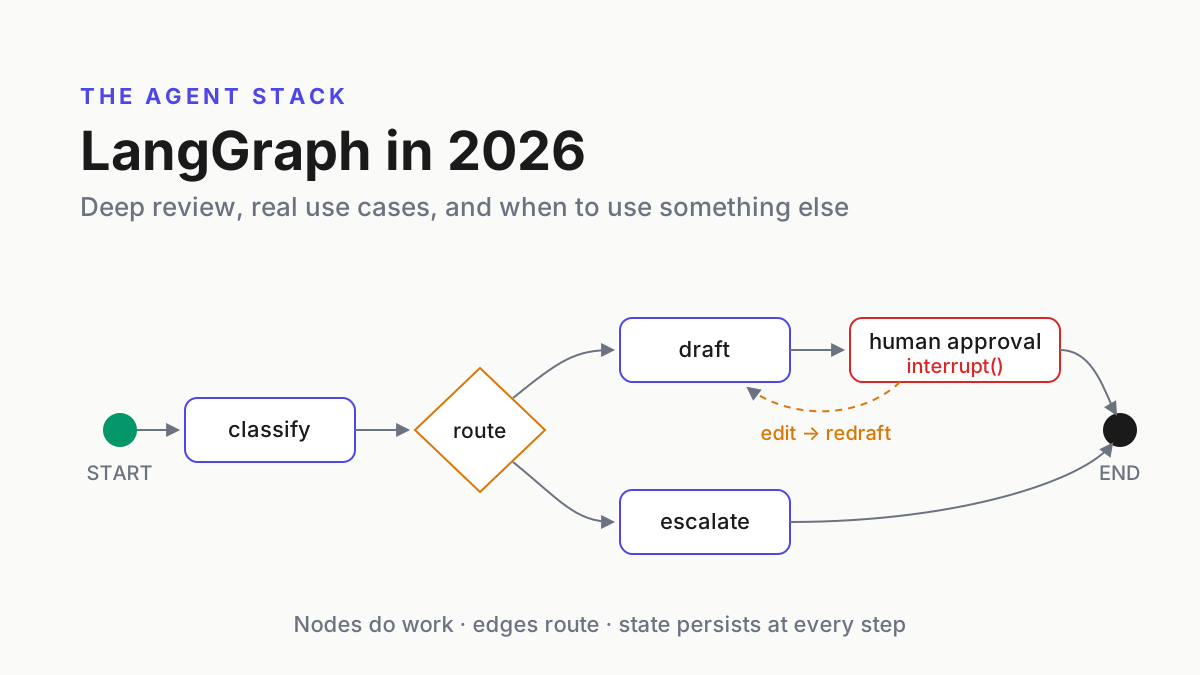
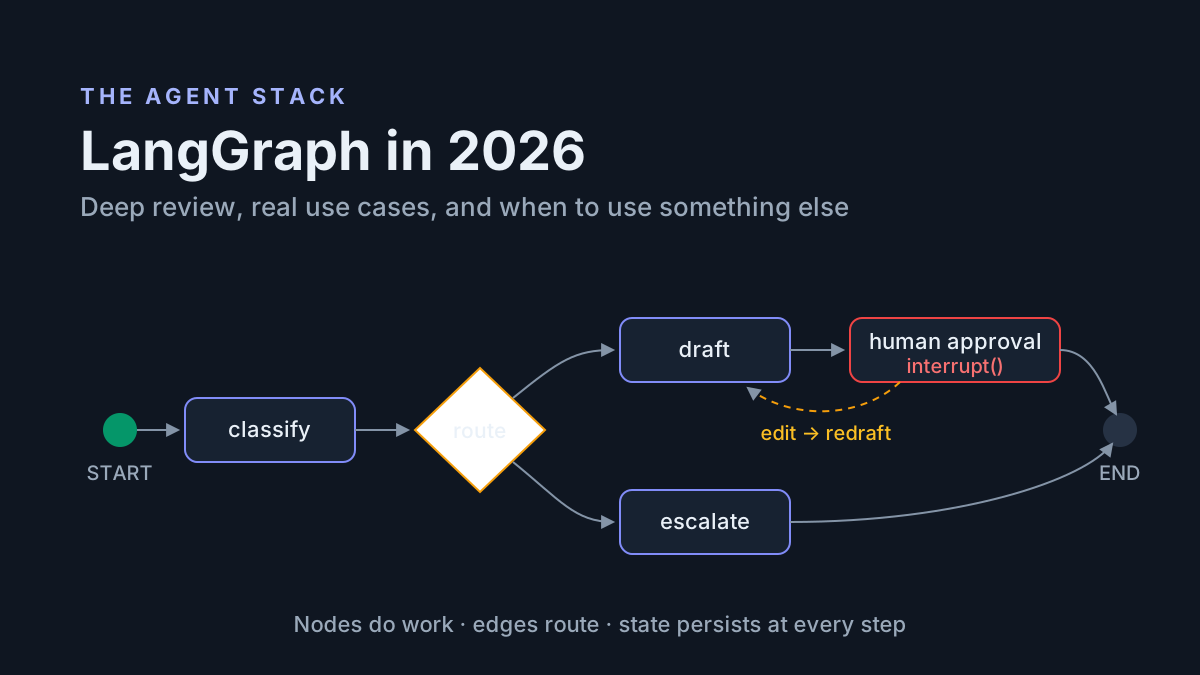
LangGraph is a low-level orchestration library from the LangChain team that models agent workflows as graphs: nodes are functions that do work, edges route between them, and a shared state object persists across steps. It supplies durable execution, checkpointing, streaming, and human-in-the-loop pauses while you keep control of prompts, models, and logic.
The LangChain relationship confuses more evaluators than any technical detail, so, plainly:
- Dependency:
langgraphdepends onlangchain-core(shared message and model interfaces), not on LangChain-the-framework. Installing it does not drag in chains, retrievers, or the kitchen sink. - You can skip LangChain entirely. A node that calls the Anthropic or OpenAI SDK directly is normal, documented usage per the official docs — the graph does not care what runs inside a node.
- Why it exists: LangChain’s old AgentExecutor hid the agent loop behind an abstraction you could not inspect or interrupt. LangGraph is the same team’s correction — it exposes the loop as a graph you own. Worth saying plainly: the library everyone adopted is the apology for the one everyone left.
- Where it sits: it competes with hand-rolled loops and workflow engines, not with model providers or MCP — tools connected over the open protocol spec plug into any orchestrator on this page. For the full category map, see our AI agent frameworks guide.
The graph model: nodes, edges, conditional edges
One example runs through this review: a support-ticket workflow. Code targets LangGraph 1.x, Python.
from typing import TypedDict
from langgraph.graph import StateGraph, START, END

class TicketState(TypedDict):
    ticket: str
    category: str
    draft: str
    confidence: float

def classify(state: TicketState) -> dict:
    return {"category": categorize(state["ticket"])}   # any SDK, any code

def draft_reply(state: TicketState) -> dict:
    draft, conf = write_draft(state)                   # raw Anthropic SDK call
    return {"draft": draft, "confidence": conf}

def route(state: TicketState) -> str:
    return "billing" if state["category"] == "billing" else "draft_reply"

g = StateGraph(TicketState)
g.add_node("classify", classify)
g.add_node("draft_reply", draft_reply)
g.add_node("billing", billing_handler)
g.add_edge(START, "classify")
g.add_conditional_edges("classify", route, {"billing": "billing", "draft_reply": "draft_reply"})
g.add_edge("draft_reply", END)
app = g.compile()
Everything above is the whole conceptual surface. Nodes are plain functions: state in, partial update out — classify returns only the key it changed. Edges are fixed transitions (add_edge(START, "classify")), the boring, reliable backbone. Conditional edges are the branching mechanism: route returns the name of the next node, and the mapping declares every destination so the graph stays statically inspectable.
compile() turns the builder into a runnable with invoke, ainvoke, and stream. Streaming deserves a sentence more than the docs give it up front: you choose what streams — full state after each node, just the deltas, or model tokens as they generate — and that choice is the difference between a progress bar and a wall of JSON in whatever UI sits on top. This is also the honest place to note that method and import names shifted repeatedly across the 0.x era, so a pre-1.0 LangGraph tutorial has decent odds of showing calls that no longer exist.
State, persistence, and control flow
The state object is a typed schema — TypedDict or Pydantic — and reducers control how updates merge. Without one, a returned key overwrites; with one, it accumulates:
from typing import Annotated
import operator
from langgraph.graph.message import add_messages

class TicketState(TypedDict):
    messages: Annotated[list, add_messages]        # append, never clobber
    audit: Annotated[list[str], operator.add]      # append-only trail
Checkpointers snapshot state after every node to memory, SQLite, or Postgres. One line buys threads, resume-after-crash, and time travel:
from langgraph.checkpoint.postgres import PostgresSaver

app = g.compile(checkpointer=PostgresSaver.from_conn_string(DB_URL))
config = {"configurable": {"thread_id": "ticket-4812"}}
The thread_id is the unit of memory: every invocation carrying the same ID appends to the same checkpointed history, which is how a graph becomes a long-lived conversation about one ticket rather than a stateless function. Different ticket, different thread, fully isolated. Time travel falls out of the same design — any historical checkpoint on a thread can be loaded, inspected, forked, and re-run.
Interrupts are the pause button. interrupt() inside a node stops the run and persists it; Command(resume=...) continues it with the human’s answer — hours later, on a different process:
from langgraph.types import interrupt, Command

def approval(state):
    decision = interrupt({"draft": state["draft"]})   # run pauses here
    return {"decision": decision}

app.invoke({"ticket": "I was charged twice."}, config)  # runs to the pause
app.invoke(Command(resume="approve"), config)           # next day, resumes
Subgraphs let a compiled graph become a node in a larger one — the composition story for big systems. It works, with one warning from experience: mapping state schemas between parent and child is fiddly, and mismatched keys fail quieter than you would like.
What LangGraph is genuinely best at
Durable stateful workflows. A dependency-upgrade run is forty minutes in when the deploy restarts the worker. With a Postgres checkpointer, the thread resumes at the last completed node on whichever process picks it up — no lost work, no re-running paid model calls, no “sorry, start over” in front of a user. If your runs are long enough to meet a deploy, this is the feature, and it is the one a hand-rolled loop takes weeks to replicate correctly.
Human-in-the-loop approvals. Pause-for-sign-off is first-class, not bolted on: interrupt() plus a checkpointer means an approval can arrive six hours later and the run continues exactly where it stopped. This is the single strongest reason teams adopt LangGraph, and the machinery underneath every serious approval flow built on it.
Complex branching. Five ticket categories, an escalation path, bounded retries: as a graph, that stays legible and drawable. As a hand-rolled loop it decays into nested conditionals with flags — readable at commit time, archaeology three months later.
Replay and time-travel debugging. Every checkpoint is addressable: rewind to the state before a bad step, edit it, re-run. A real vignette: a triage graph kept mis-filing refund tickets; rewinding to the pre-classification checkpoint and replaying with the model’s inputs pinned showed the bug was a truncated ticket body from the ingest node, not the classifier prompt. That diagnosis takes minutes with checkpoints and an evening with print statements.
The honest pain list
The learning curve is real. Graph thinking plus reducers plus checkpointer configuration all land before “hello world” feels productive. A 20-line loop against a raw SDK covers 80% of simple agent cases — that is just how the agent loop works — and LangGraph only starts repaying once you need what the loop cannot do.
Abstraction churn, 0.x era. The pre-1.0 years shipped breaking changes at framework speed: checkpoint schema migrations that required data care on upgrade, the prebuilt ReAct agent renamed and relocated across packages, interrupt mechanics revised mid-series, config conventions rewritten. The 1.0 releases (October 2025) arrived with an explicit API-stability commitment , and it has largely held — but the internet is still full of pre-1.0 LangGraph tutorial content that now misleads, and model-generated code trained on it cheerfully reproduces the stale APIs. Budget review time for exactly that failure when an agent writes your graph code.
Debugging through layers. Stack traces route through the framework’s execution internals. When a run misbehaves, you triage whether the bug is your node, the graph wiring, or the checkpointer — and that triage costs real time a plain loop never charges.
Docs sprawl. LangGraph documentation splits across Python and JS, versioned doc sites, LangChain-adjacent tutorials, and Academy courses. Searches routinely land on a stale version of the answer. Consolidation has improved post-1.0, but “which docs am I reading” remains a live question.
Platform, Studio, and LangSmith: the money layer
The open-source library is one of four layers, and evaluations that blur them buy the wrong thing:
| Layer | What it is | License | Cost shape |
|---|---|---|---|
| LangGraph (OSS) | The orchestration library, checkpointers included | MIT | Free; runs on your infra |
| LangGraph Platform | Managed deployment: task queues, cron, scale-out, an assistants API | Commercial | Free developer tier, then usage-based |
| Studio | Visual graph debugger and trace explorer | Commercial (bundled) | Included with the paid layers |
| LangSmith | Tracing, evals, monitoring | Commercial | Free tier, then per-seat plus per-trace |
Two scrutiny notes. First, naming: LangChain has reshuffled its product packaging more than once, and Platform capabilities increasingly surface under the LangSmith umbrella — treat the table’s boundaries as an August 2026 snapshot. Second, billing units: nodes executed and traces ingested scale with graph complexity, not user count. A graph that fans out to a dozen workers with retries executes hundreds of nodes per run; at production volume, per-node and per-trace pricing surprises in a way per-seat pricing never does. Price your worst graph, not your demo.
The self-host picture is genuinely good: the MIT core plus your own Postgres checkpointer is the entire orchestration story, on your infrastructure, at no license cost. What stays proprietary is the managed control plane — queues, cron, one-click deploys — and Studio, which earns a specific mention: watching a run walk the graph node by node, with state diffs at each hop and interrupts you can answer in place, is the fastest way to teach graph thinking to a teammate who has only ever read the code. The free developer tiers cover real evaluation work; what they do not cover is the trace volume a production graph generates in its first busy week.
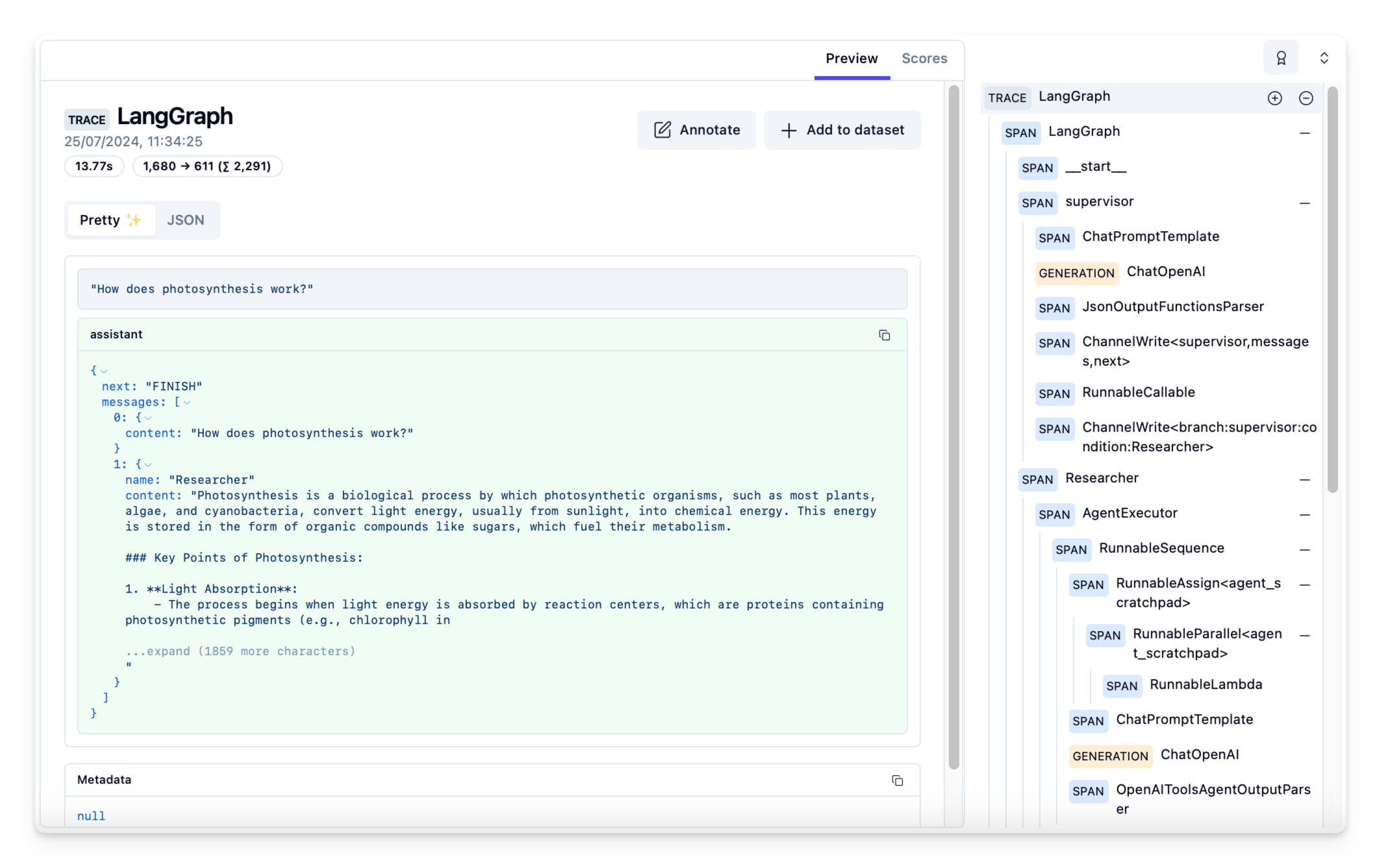
On observability: LangSmith shows one run from the inside — every node, token counts, latency, state diffs — and failing traces promote directly into eval datasets, exactly the loop our agent evals guide says to build regardless of vendor.
Product note: Traces show one run from the inside. Automater Lite keeps a local, searchable archive of every agent session across every CLI you run — the outside, fleet-level view. Free on automater.ai.
Build 1: support triage with approval gates
The graph: classify → draft_reply → confidence gate → (auto-send | human review) → send, with an escalation node for repeated tool failures. The conditional edge routes on confidence, and anything touching refunds goes to a human regardless of score. State carries the evidence:
class TriageState(TypedDict):
    ticket: str          # "Hi — I was charged twice for the July invoice..."
    category: str        # "billing"
    draft: str
    confidence: float    # 0.62 → below the 0.8 auto-send bar
    decision: str        # "approve" | "edit" | "escalate"
    audit: Annotated[list[str], operator.add]
The audit reducer is doing quiet compliance work: every node appends one line — "classified billing @ 0.91", "draft v1, confidence 0.62", "held for review: refund" — and because the reducer is append-only, no later step can rewrite history. When someone asks why the customer got that reply, the answer is in state, not in a log-aggregation query.
Checkpointing earns its keep at the interrupt. The reviewer gets pinged, opens the queue after lunch, approves — and Command(resume="approve") continues a thread that has been asleep for three hours, on whatever worker is free. No state was held in RAM; nothing was lost when the morning deploy recycled the pods.
Failure handling is graph structure, not try/except sprawl: a tool node that fails twice routes to escalate, and interrupts older than a configurable timeout sweep to a stale-approvals queue instead of blocking forever.
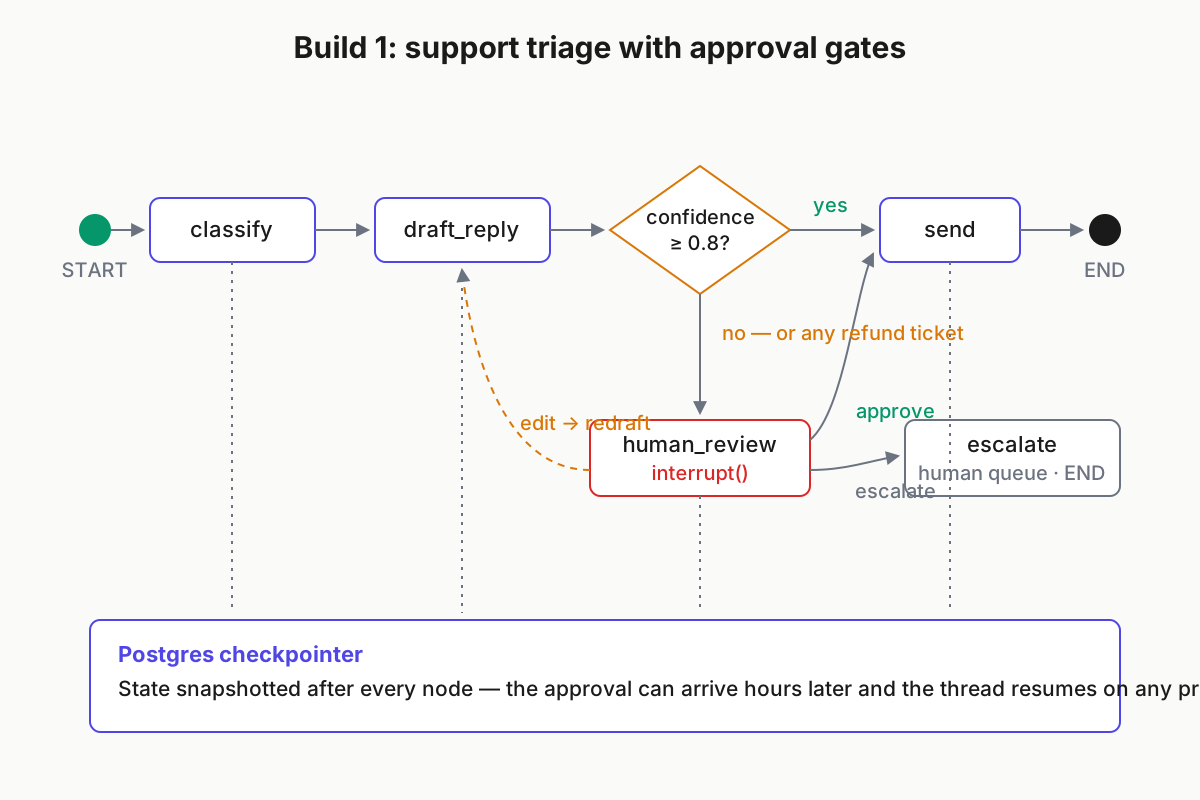
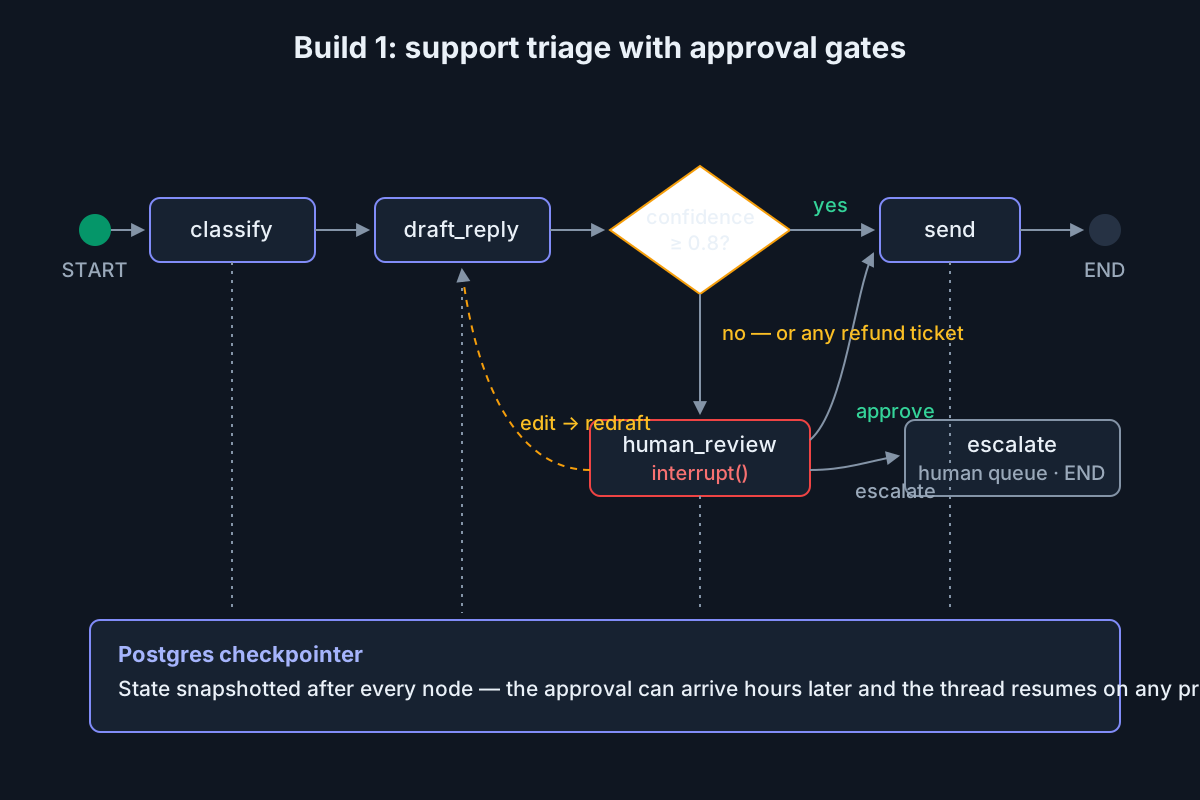 Build 1: the approval gate is an interrupt; the checkpointer is why it can wait three hours.
Build 2: multi-step research agent
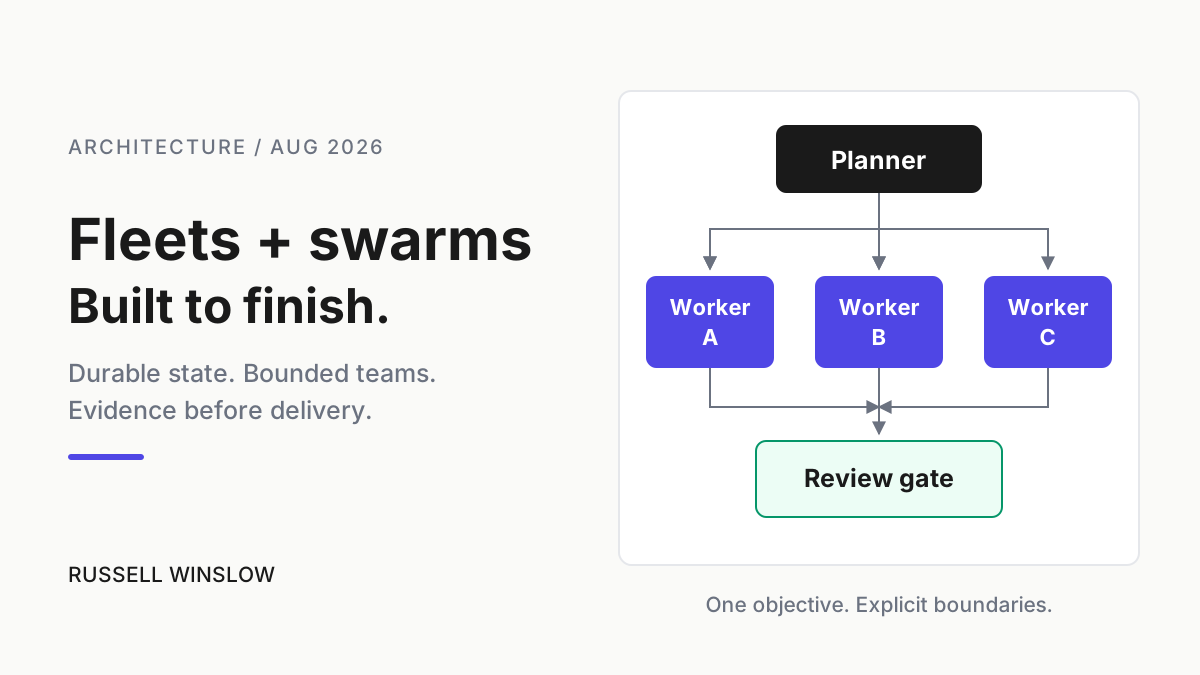
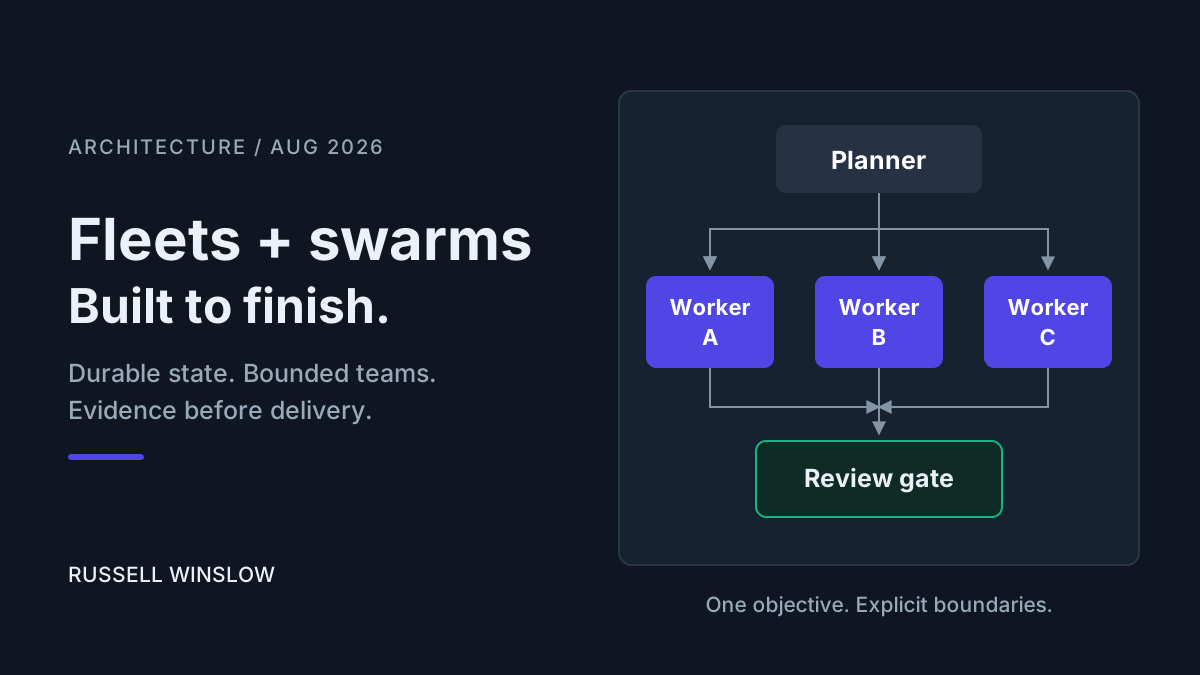
The shape: plan → fan-out (fetch + summarize per source) → merge → synthesize → critic → done-or-retry. Fan-out uses the Send API — the planner emits one Send per source, and LangGraph runs the branches in parallel:
from langgraph.types import Send

def fan_out(state: ResearchState):
    return [Send("summarize", {"source": s}) for s in state["sources"]]

g.add_conditional_edges("plan", fan_out)
The state schema is small but every field earns its place: question, sources (the planner’s list), findings (reducer-merged), draft, critique, and revisions — an integer the critic increments, which is what makes the retry bound enforceable rather than aspirational.
Reducers do real work here: each parallel branch returns {"findings": [f]}, and an operator.add reducer merges them into shared state without branches clobbering each other — the exact bug you would otherwise spend a day on in hand-rolled asyncio.
The critic node is the part worth copying. It grades the synthesized brief, and a conditional edge routes back to plan with a bounded retry counter — cycles are where graphs beat linear pipelines, and the bound is what keeps “improve it” from becoming an infinite loop. Cost control is per-node model selection: a cheap model on the fetch/summarize workers, a frontier model only at synthesis and critique. In our runs the honest note on parallelism is that the win is I/O-shaped — fan-out cuts a nine-source gather from minutes to the length of the slowest fetch, while serial synthesis still dominates the tail.
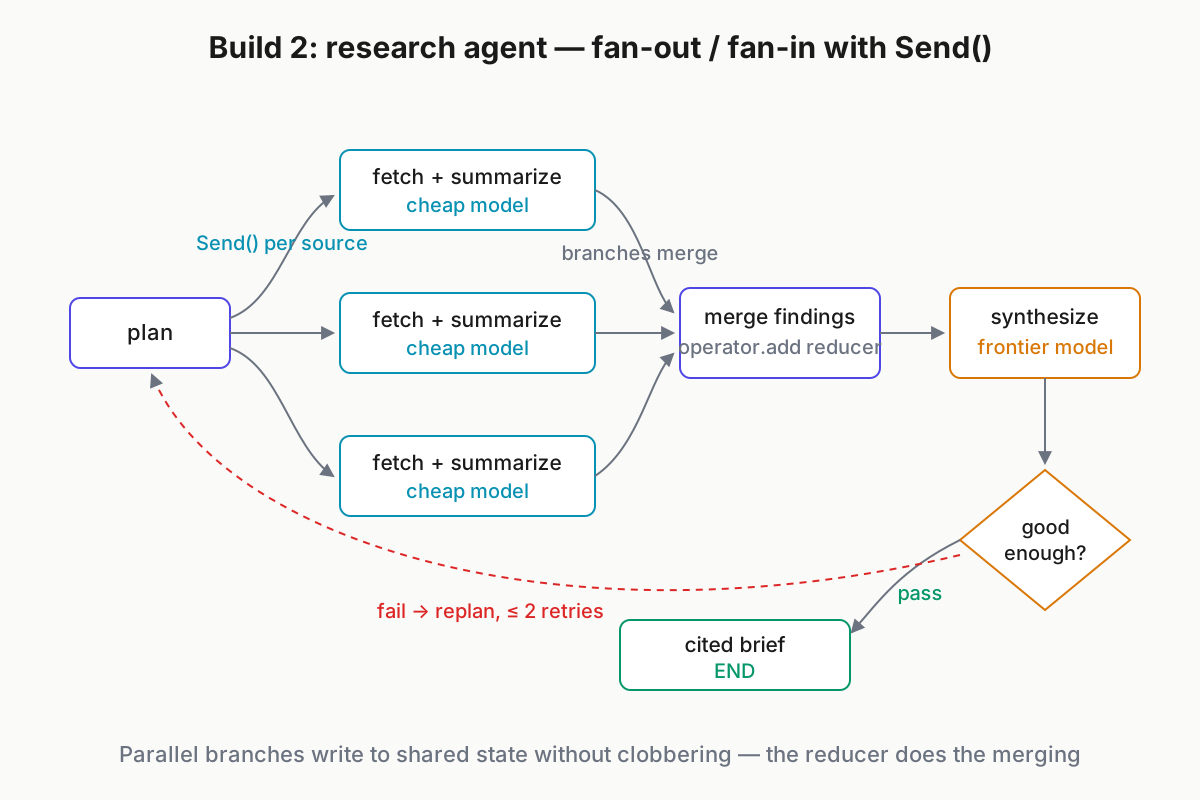
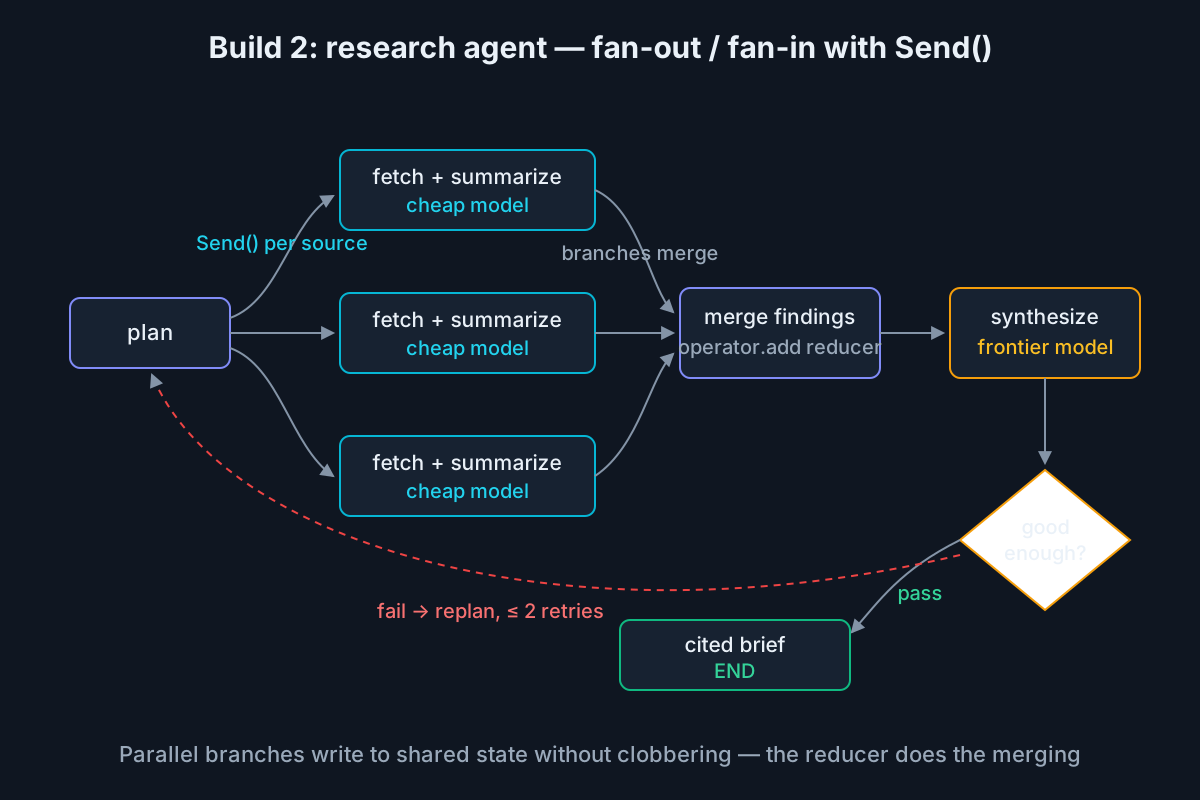 Build 2: parallel branches merge through reducers; the critic loops back with bounded retries.
Build 3: CI-triggered code-fix workflow
The trigger path: a CI failure webhook starts a run — parse_logs → classify (flake vs regression) → attempt_fix on a branch → open PR → interrupt for human review. The wiring is deliberately thin: a small HTTP endpoint receives the webhook and calls app.invoke with thread_id set to the failing job ID, so retries of the same job land on the same thread instead of spawning duplicate investigations. The log excerpt that starts everything:
FAIL tests/billing/test_refunds.py::test_partial_refund
AssertionError: expected 1 refund event, got 2   (retry 1/1: FAIL)
State carries evidence, not just artifacts: failing job ID, the log excerpt, the diagnosis, the diff, and post-fix test results. Reviewers open a PR that shows reasoning — “duplicate event emitted because the retry path re-publishes” — alongside the change, which is the difference between reviewing and rubber-stamping.
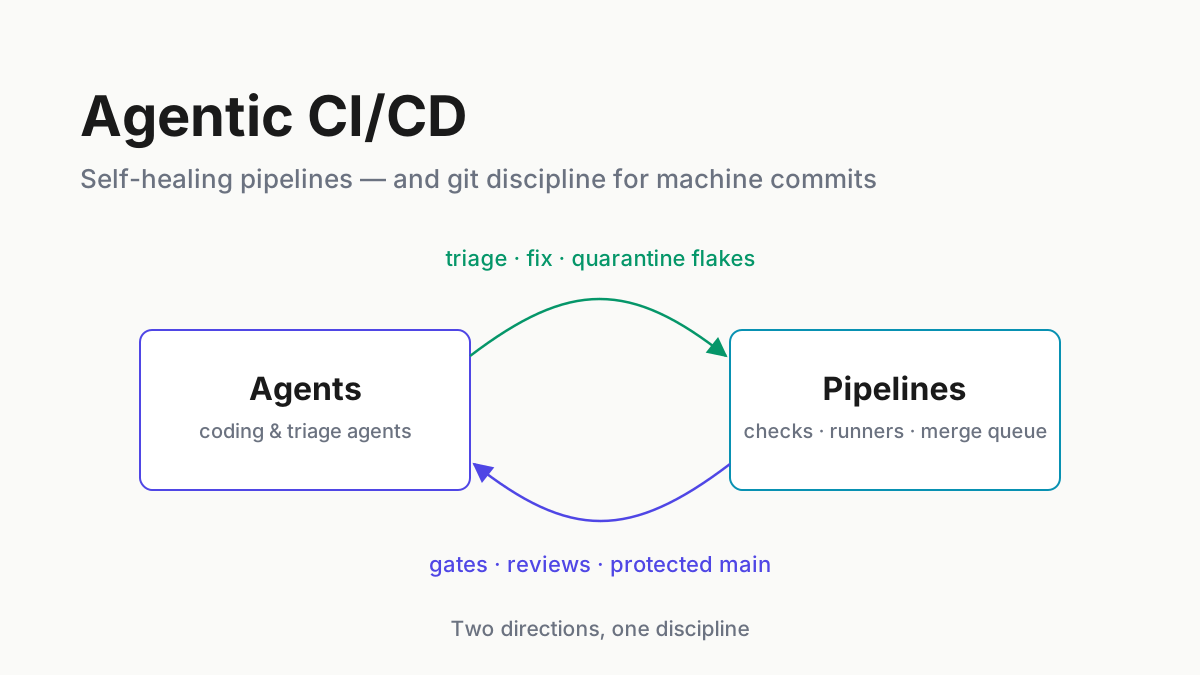
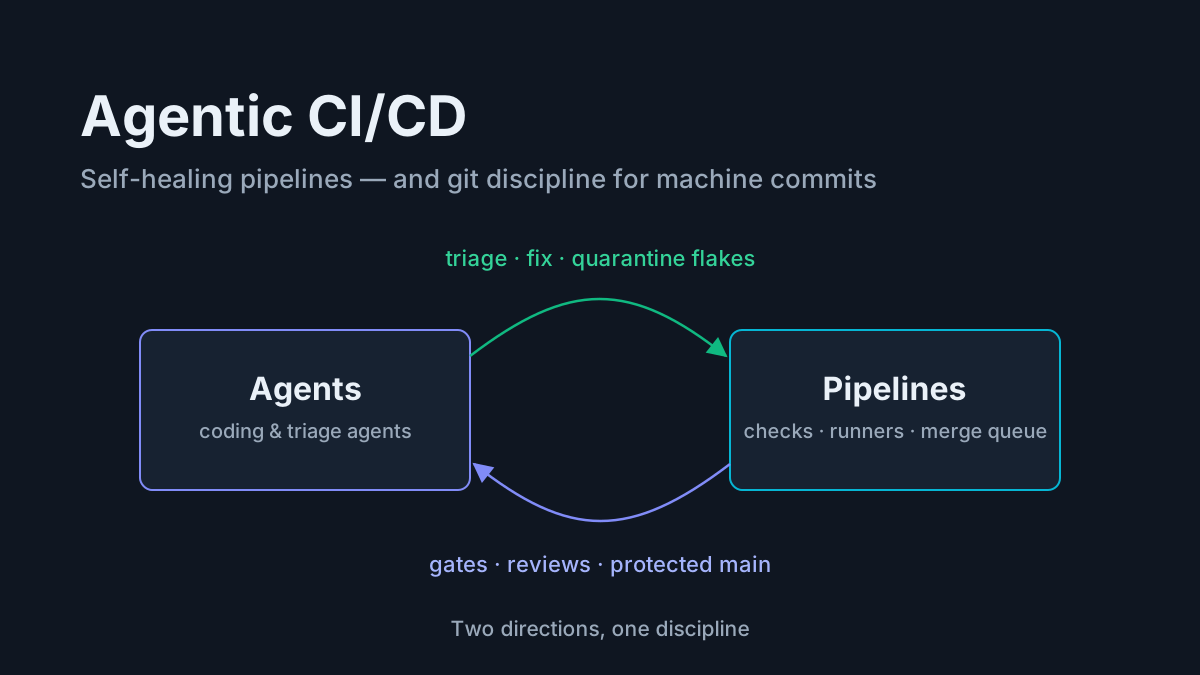
The guardrail line is drawn in graph structure: there is no merge node. The graph ends at a PR plus a review request, every time, and the interrupt before it means a human decision is structurally unavoidable — the same stop-at-the-PR discipline we argue for in agentic CI/CD. Degradation is explicit too: if fix attempts exceed two or tests still fail, a fallback node posts a diagnosis-only comment on the failing run instead of a low-confidence patch. Checkpointed resume matters here because fix attempts run long — a worker recycle mid-attempt costs the step, not the investigation.
When to use something else
Map by need, not brand:
| You need | Reach for | Why |
|---|---|---|
| A tool loop under ~5 steps | A plain SDK loop | Best debuggability, zero framework dependencies |
| Multi-agent delegation, minimal ceremony | OpenAI Agents SDK | Lightweight, handoffs-first design |
| Role-based crews, fast assembly | CrewAI | Quickest idea-to-demo for linear crews; thinner on durable state and replay |
| Reliability is the product; the LLM is one activity | Temporal / Inngest / Restate | Industrial durable execution, none of the agent ergonomics |
| Durable, human-gated agent workflows | LangGraph | This review |
The OpenAI Agents SDK fits teams that want agents delegating to agents without graph ceremony — handoffs are the primitive, the abstraction stays thin, and you can read the whole thing in an afternoon. CrewAI assembles role-based teams fastest and demos beautifully; interrogate its persistence and replay story before betting long-running production flows on it. Temporal-class engines are the pick when durability guarantees are the actual product requirement — stronger than any agent framework’s, battle-tested at boring-infrastructure scale — and you are willing to rebuild the LLM ergonomics yourself. These are not mutually exclusive, either: running a LangGraph graph inside a Temporal activity, letting each layer do what it is good at, is a pattern we have seen more than once in the wild.
And the null option deserves respect: under five steps, a plain loop against a raw SDK beats every framework on debuggability, dependency count, and time-to-understanding for the next person. Frameworks are for the workflows that outgrow it. The wider open-source context for all of these lives in our open-source agent stack guide.
Migration notes, both directions
- From AgentExecutor-era LangChain into LangGraph (S). Tools port directly; the implicit loop becomes an explicit graph. The prebuilt agent constructor is the stepping stone — start there, then unroll it into a graph when you need control.
- From a hand-rolled loop into LangGraph (M). Prompts and tools carry over untouched. The real work is designing the state schema and choosing interrupt points — decisions your loop never forced you to make explicit.
- Out of LangGraph to a plain SDK loop (M–L). Budget honestly for rebuilding persistence, resume, and human-in-the-loop plumbing: the checkpointer semantics are most of what you were paying for, and re-implementing them well is weeks, not days.
- Out to Temporal-style engines (L). The state machine translates cleanly — nodes become activities. Per-step LLM ergonomics (token streaming, usage accounting, partial-output handling) you rebuild yourself.
No direction here is scaremongering: exit is entirely possible both ways, it just has a price, and knowing it before adoption is the point of this section.
Verdict by persona
Solo builder. Skip it for simple tools — write the 20-line loop first. Adopt the day you need persistence or approval flows, which is the day the loop starts growing states. If your daily reality is a fleet of coding agents in terminals rather than one server-side graph, that is a different discipline — see running multiple AI coding agents.
Platform team. The strongest fit. MIT core, self-hosted Postgres checkpointer, traces piped to your observability stack — and one shared orchestration idiom across squads pays compounding dividends every time an engineer changes teams and already reads the graphs.
Enterprise. The Platform/LangSmith bundle answers governance questions — audit trails, replay, evals — convincingly. Before signing, price per-node and per-trace costs at production volume, not pilot volume.
The one-line verdict: LangGraph is best-in-class at durable, human-gated agent workflows, and unnecessary for everything simpler.
FAQ: LangGraph
What is LangGraph used for?
LangGraph orchestrates stateful, multi-step agent workflows as graphs: nodes do the work, edges route between them, and shared state persists across steps. It is strongest where runs must survive restarts, pause for human approval, branch on conditions, or replay from checkpoints — durable agent workflows rather than quick tool loops.
Is LangGraph free?
The library is MIT-licensed open source — free to use, self-host, and modify, Postgres checkpointer included. LangGraph Platform (managed deployment), Studio (the visual debugger), and LangSmith (tracing and evals) are commercial layers with free developer tiers and paid plans above them.
What is the difference between LangGraph and LangChain?
LangChain is a broad application framework; LangGraph is a lower-level orchestration library from the same team that models workflows as explicit graphs with persistent state. LangGraph depends only on langchain-core for shared interfaces — you can use it without adopting LangChain’s chains, agents, or abstractions.
Do I need LangChain to use LangGraph?
No. Nodes are plain Python or TypeScript functions; inside them you can call the Anthropic or OpenAI SDK directly, hit an HTTP endpoint, or run deterministic code. Many production graphs use LangGraph purely for orchestration and persistence while keeping every model call on raw provider SDKs.
Is LangGraph production-ready?
Yes, with normal caveats. The 1.0 releases (October 2025) carried API-stability commitments after a churn-heavy 0.x era, and LangChain’s case studies document large production deployments. Budget real time for checkpointer operations and version pinning — production-ready is not the same as effort-free.