Cloudflare MCP Server Setup for Claude Code, Codex and Cursor: Move From /sse to /mcp, Sign In With Scoped OAuth, Fix invalid_grant
Set up a Cloudflare MCP server in Claude Code, Codex or Cursor: replace /sse URLs with /mcp, grant read-only permissions, fix invalid_grant and roll back.

Go deeper. Build your own.
Your Cloudflare MCP server entry worked last week. Now Claude Code lists it as failed with a 410, a client log shows Error POSTing to endpoint with status 410, or a server that connected yesterday suddenly asks you to sign in again. This guide is for a developer or small-team lead who runs Claude Code, Codex CLI or Cursor and wants the agent to read Cloudflare documentation, inspect a test Worker and query account configuration through Cloudflare’s own servers. It covers fresh setups and anyone whose old /sse entry just stopped answering.
You will finish with four things: the right server chosen for each job, every client pointed at a /mcp URL, a sign-in whose permissions you picked on purpose, and one read-only task per server that proves the connection returns real account data. A rollback section explains how to disconnect without leaving a credential behind.
A note on evidence. Every command and configuration key below is documented syntax from the vendor pages listed in Sources. Nothing was executed for this article, so any sample output is marked Illustrative, and the worked example’s register shows how a finished audit should read, not a captured run.
What changed on October 22, and why there is no redirect
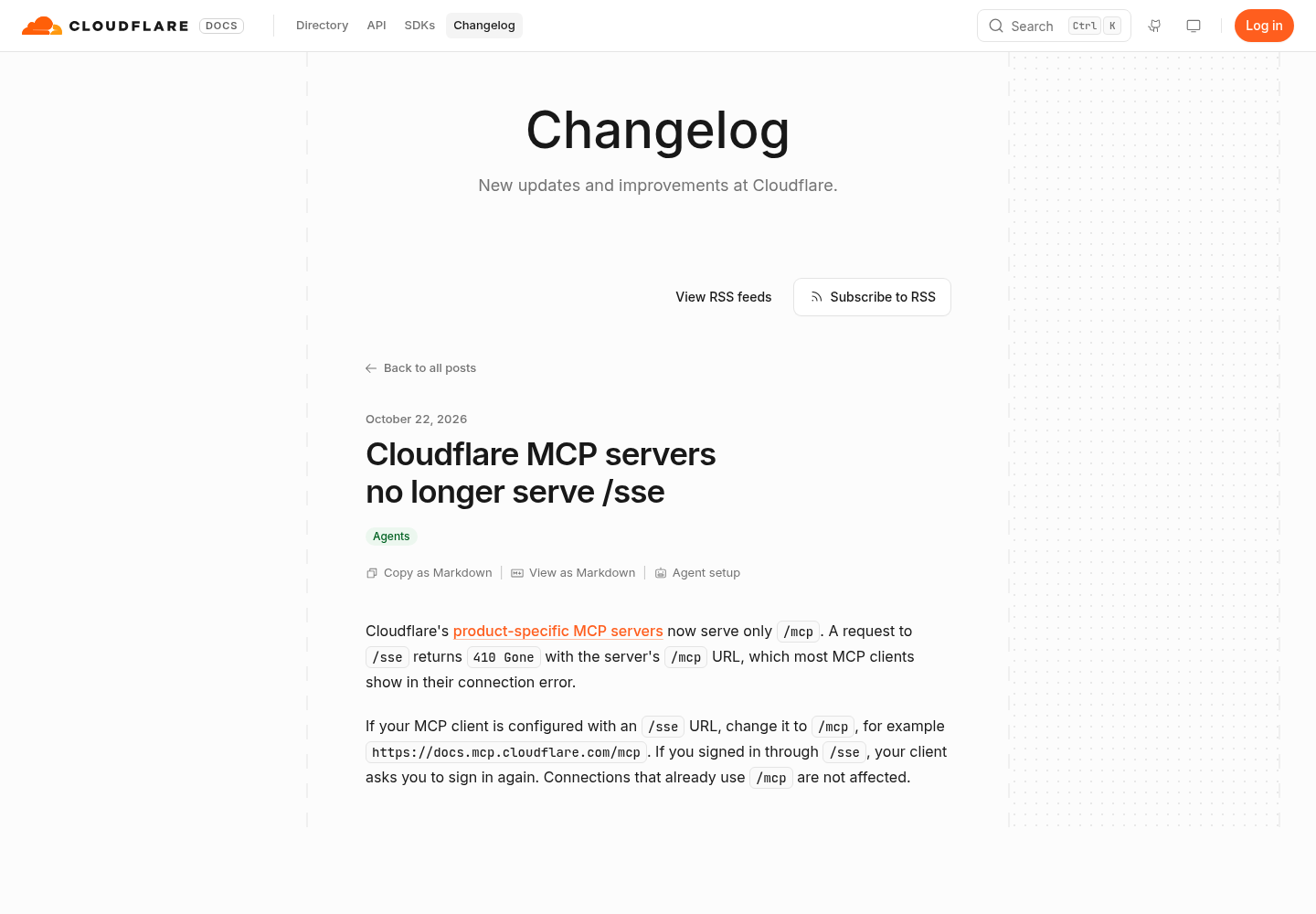
Cloudflare’s changelog entry dated October 22, 2026 says the product-specific MCP servers now serve only /mcp. A request to /sse returns 410 Gone with the server’s /mcp URL, which most clients print in their connection error. If you signed in through /sse, your client asks you to sign in again. Connections already on /mcp are not affected. The Cloudflare Changelog account repeated the notice on X on October 23.
The engineering reason is in mcp-server-cloudflare pull request #505, merged the same day. It upgrades @cloudflare/workers-oauth-provider from 0.10.3 to 1.2.4. In the 1.x provider every token is bound to one protected resource, and every API route has to sit under that resource’s path. Cloudflare chose <origin>/mcp as the resource, so /mcp and /sse cannot both be OAuth-protected. The old path is retired rather than forwarded.
The PR author tested both options against real MCP SDK clients. A 307 or 308 redirect rescued only clients using an API token. OAuth clients failed with a protected-resource mismatch error that never mentioned /mcp, and the redirect would have hidden the move from token users until it was removed. The 410 body instead places a line such as “Update your MCP client configuration to https://bindings.mcp.cloudflare.com/mcp” directly in the client’s error. Read the error text: it names your replacement URL.
The second break is quieter. Fixing the URL does not fix a stored grant. In a sample of 700 live production grants described in the PR, about 56 percent were bound to /mcp and about 33 percent had no stored resource. Both keep working, and the second kind is bound to /mcp on its next refresh. About 10 percent were bound to the bare origin, because the 0.x provider advertised the origin at its root metadata URL, and about 1 percent to /sse. Those grants fail their next refresh with invalid_grant, and the client signs in again at /mcp.
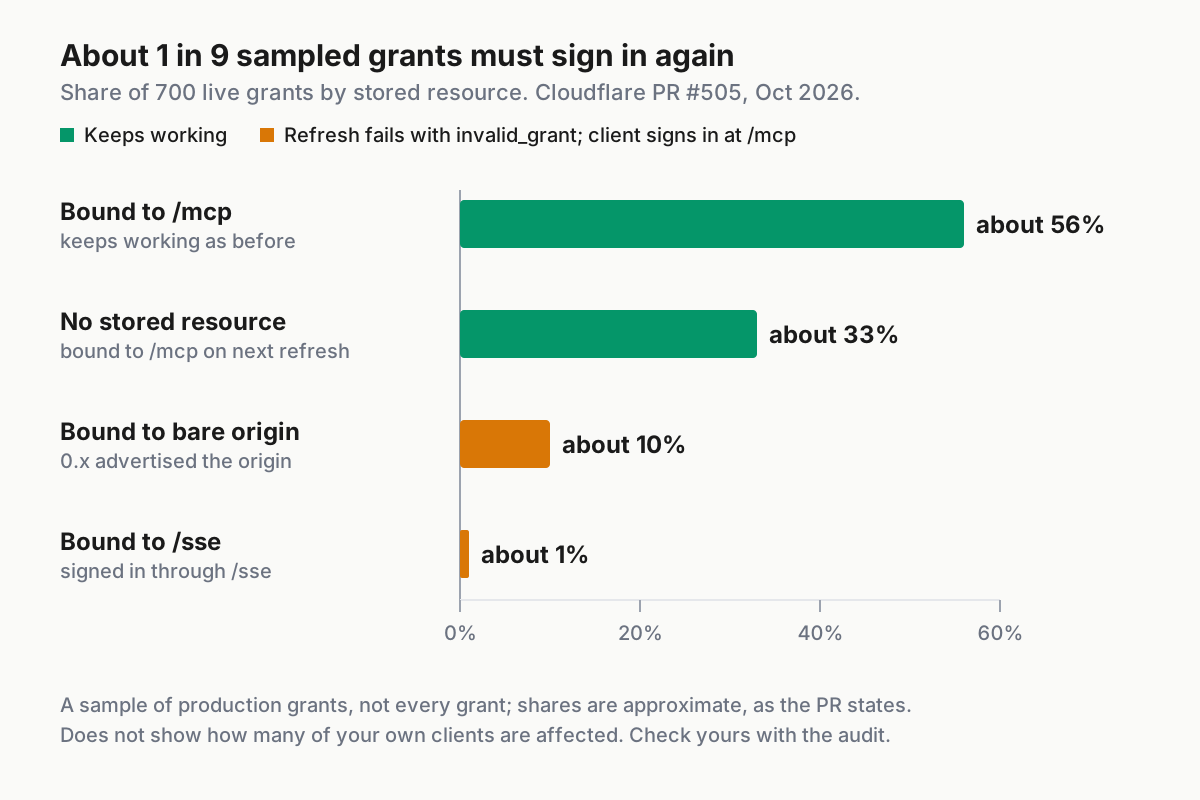
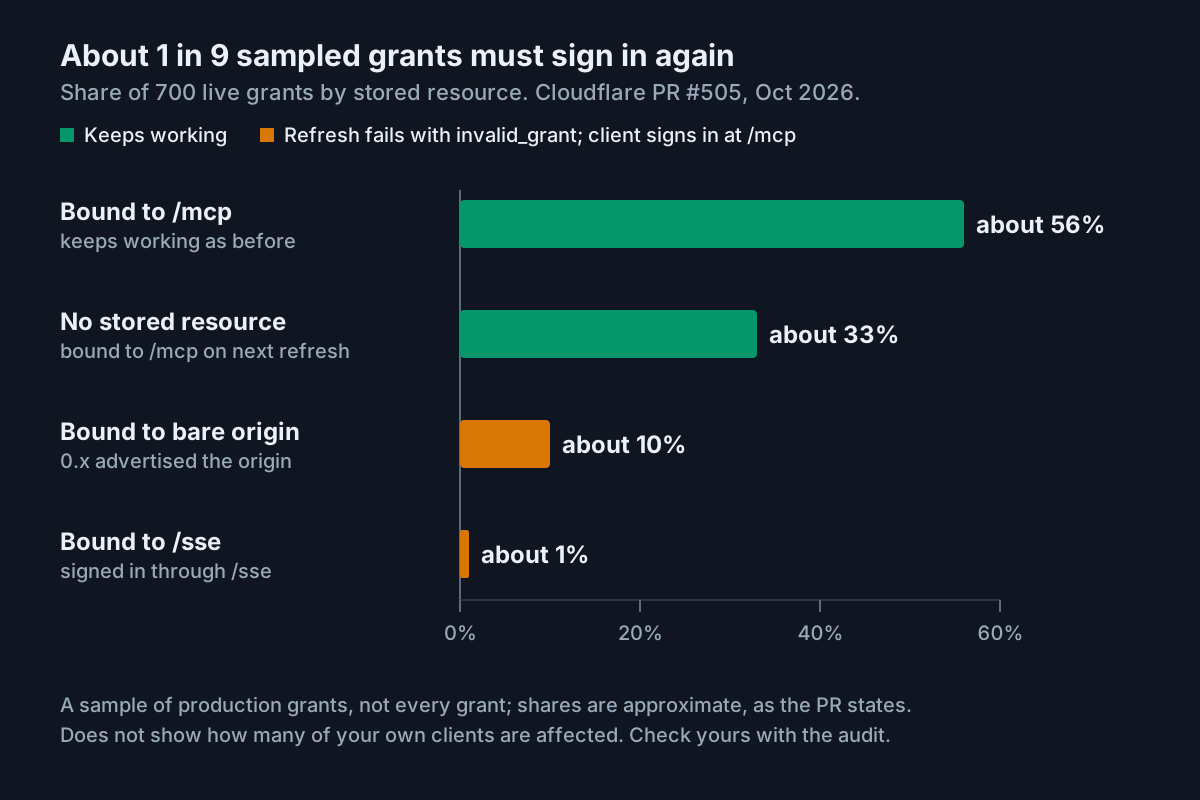
Provider version 1.2.4 matters for that last step. Under 1.2.3 the same refresh returned invalid_target, which the MCP SDKs throw on instead of re-authorizing, so users stayed stuck until they removed the server. With 1.2.4 the refresh returns invalid_grant, which the SDKs treat as a cue to sign in again. If you still see invalid_target, the troubleshooting table below covers it.
The lesson outlasts this particular change. When any remote MCP server moves its endpoint, you migrate two things: the URL in each config file, and the OAuth grant each client stored for the old endpoint. Plan for both, and the next endpoint move becomes a short checklist instead of an afternoon.
Before you start
- [ ] A Cloudflare account with one test Worker or zone you are willing to let an agent read. Do not start against production.
- [ ] At least one client installed and current: Claude Code, Codex (the CLI, IDE extension and ChatGPT desktop app share one config) or Cursor.
- [ ] A browser on the same machine for OAuth. Over SSH,
claude mcp login <name> --no-browserprints the authorization URL and accepts the pasted redirect. - [ ] Shell access to your home directory and to each project root, so you can search config files.
- [ ] Optional: permission to create a Cloudflare API token, needed only for the CI path.
- [ ] A text file or ticket to hold the migration register this guide fills in.
If you have never added a remote server to Claude Code, the Claude Code MCP setup and scopes guide explains local, project and user scope in more depth than this guide repeats.
Pick the Cloudflare MCP server for each job
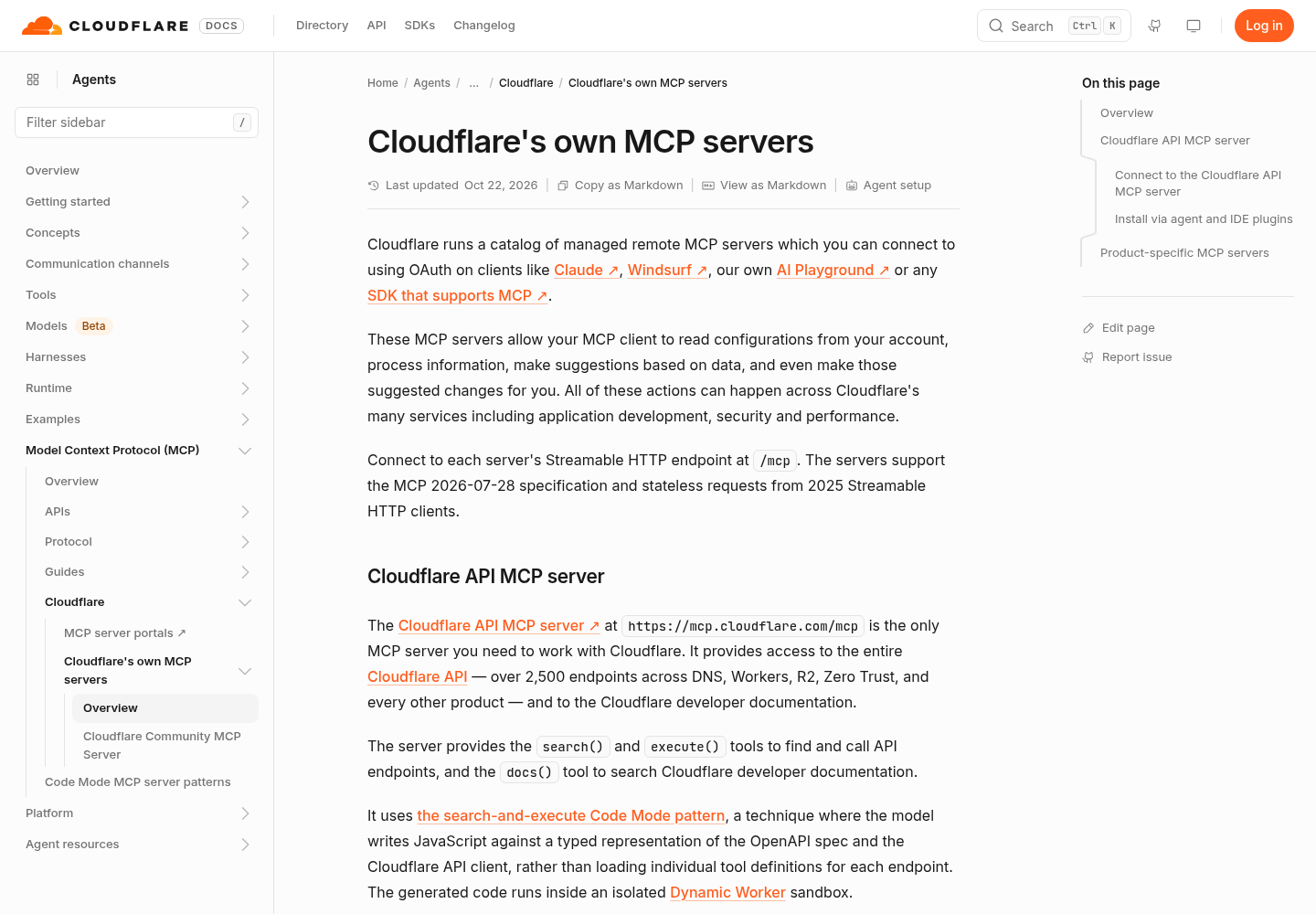
Cloudflare runs two kinds of servers. The Cloudflare API MCP server at https://mcp.cloudflare.com/mcp covers the entire Cloudflare API, more than 2,500 endpoints, plus the developer documentation. It exposes three tools: search() and execute() to find and call endpoints, and docs() to search documentation. It uses Code Mode: the model writes JavaScript against a typed representation of the OpenAPI spec and the API client, and that code runs inside an isolated Dynamic Worker sandbox.
Context cost is the reason to start there. Cloudflare’s table puts Code Mode at roughly 1,000 tokens with two tools, against about 244,000 tokens for 2,594 native tools with required parameters only and about 1,170,000 tokens with full schemas. Cloudflare’s own advice is that most people should use the API server alone.
Product-specific servers still earn a place when you want curated, typed tools for one area. The repository README splits them into current servers (Documentation, Container, Browser Run, Digital Experience Monitoring, Cloudflare One CASB, Blog and Demo Day) and a deprecated list: AI Gateway, Audit Logs, AutoRAG, DNS Analytics, GraphQL, Logpush, Observability, Radar, Workers Bindings and Workers Builds. Deprecated servers still answer at their /mcp URLs, but Cloudflare asks users to migrate to the API server.
That changes the obvious plan. If your agent used the Observability server to read Worker logs, the durable fix is not just swapping /sse for /mcp. It is moving that job to the API server, so you have one fewer endpoint to sign in to and audit.
Here is the filled decision table for this guide’s worked example: a two-person team, one laptop running Claude Code and Codex, a teammate on Cursor, and a test Worker named hello-staging (Illustrative names).
| Job the agent does | Server | URL | Why this one | Permissions to approve first |
|---|---|---|---|---|
| Answer “how do I configure cron triggers” from docs | Documentation server | https://docs.mcp.cloudflare.com/mcp |
Narrow docs lookups; the answer needs no account data | Nothing beyond what sign-in requires |
Read hello-staging settings and recent activity |
Cloudflare API MCP server | https://mcp.cloudflare.com/mcp |
One server at about 1,000 tokens; replaces deprecated Observability and Bindings | Read-only Workers access on the test account |
| Questions about the Agents SDK | Agents SDK Documentation server | https://agents.cloudflare.com/mcp |
Token-efficient search of the SDK docs | Nothing beyond what sign-in requires |
| Fetch a page as Markdown or take a screenshot | Browser Run server | https://browser.mcp.cloudflare.com/mcp |
Purpose-built tools for that job | Only what Browser Run asks for |
| Old scripts that still call Workers Builds | Workers Builds server (deprecated) | https://builds.mcp.cloudflare.com/mcp |
Fix the path today, schedule the move to the API server | Read-only Builds access |
Two rules come out of the table. Give every client the API server plus at most one documentation server, and do not add a deprecated server just because an old tutorial used it. Each extra server is another endpoint to sign in to, another grant to track and another place an /sse URL can hide.
Audit every client config for /sse URLs
Each client keeps servers in different files, and a stale project file can quietly override a fixed user file. Search all of them before editing anything.
- Open a terminal in the project root you use most.
- Run the first search below. It covers Claude Code’s
~/.claude.jsonand project.mcp.json, Codex’s~/.codex/config.tomland project.codex/config.toml, and Cursor’s~/.cursor/mcp.jsonand project.cursor/mcp.json. - Run the second search, which catches entries that name only a bare Cloudflare MCP host with no path.
- Repeat both searches in every other project root that has its own
.mcp.json,.codexor.cursorfolder. - Write each hit into the register below, one row per entry, including URLs passed as command arguments to wrapper tools.
- If you installed the Cloudflare plugin for Claude Code with
/plugin install cloudflare@cloudflare, record it on its own row. Plugin servers are added and removed by the plugin, not byclaude mcpcommands.
# Documented config locations; POSIX grep. Run from a project root.
grep -nE 'cloudflare\.com/sse' \
  ~/.claude.json .mcp.json \
  ~/.codex/config.toml .codex/config.toml \
  ~/.cursor/mcp.json .cursor/mcp.json 2>/dev/null

# Entries that point at a bare Cloudflare MCP host with no path
grep -nE 'mcp\.cloudflare\.com/?"' \
  ~/.claude.json .mcp.json \
  ~/.codex/config.toml .codex/config.toml \
  ~/.cursor/mcp.json .cursor/mcp.json 2>/dev/null
Illustrative output: a hit reads like /home/dana/.cursor/mcp.json:5: "url": "https://docs.mcp.cloudflare.com/sse". The file name and line number tell you exactly what to edit. No output means no match in those files; 2>/dev/null hides the messages for files you do not have.
How to read a hit: an /sse URL returns 410 on every request, so it is broken today. A bare host is ambiguous; treat it as broken until a /mcp URL replaces it. The first pattern also catches the Agents SDK host, agents.cloudflare.com.
Here is the worked example’s register once the migration is finished. The rows are Illustrative: they show how a complete register should read.
| Client | Scope and file | Server name | Old URL | New URL | Signed in again | Verified by |
|---|---|---|---|---|---|---|
| Claude Code | user, ~/.claude.json |
cf-docs |
https://docs.mcp.cloudflare.com/sse |
https://docs.mcp.cloudflare.com/mcp as cloudflare-docs |
Yes, from /mcp |
Docs lookup returned a developers.cloudflare.com page |
| Claude Code | project, .mcp.json (committed) |
cf-bindings |
https://bindings.mcp.cloudflare.com/sse |
Removed; job moved to cloudflare-api |
Not needed | claude mcp get cf-bindings finds no server |
| Claude Code | user, ~/.claude.json |
cloudflare-api |
none (new) | https://mcp.cloudflare.com/mcp |
Yes, read-only Workers | Worker list matched the dashboard |
| Codex | user, ~/.codex/config.toml |
cloudflare |
https://observability.mcp.cloudflare.com/sse |
https://mcp.cloudflare.com/mcp as cloudflare-api |
Yes, codex mcp login |
Same Worker list |
| Codex | project, .codex/config.toml |
none | none | none | Not needed | Search returned nothing |
| Cursor | global, ~/.cursor/mcp.json |
cloudflare-docs |
https://docs.mcp.cloudflare.com/sse |
https://docs.mcp.cloudflare.com/mcp |
Yes, from Customize | Docs lookup in chat |
| Cursor | project, .cursor/mcp.json |
none | none | none | Not needed | Search returned nothing |
The register is complete when no /sse URL remains in use, every new URL ends in /mcp, every connected row records the permissions approved, and every row has a verification entry. For a recurring version of this audit across all your tools, see the weekly MCP server inventory ritual.
Claude Code: replace the entry, then sign in from /mcp
Claude Code recommends the HTTP transport for remote servers, and the Claude Code MCP reference documents every command below.
- Remove the old entry from the scope where the audit found it, for example
claude mcp remove cf-docs --scope user. Removing a remote server also deletes the OAuth tokens and client registration Claude Code stored for it, which discards any grant bound to/sse. - Add the replacements at user scope so every project resolves the same endpoint.
- Run
claude mcp list. Each new server should report! Needs authenticationuntil you sign in. - Sign in: start
claude, run/mcp, select the server and finish the browser flow, or runclaude mcp login cloudflare-apifrom your shell. - Run
claude mcp listagain and look for✔ Connected. - Run
claude mcp get cloudflare-apito confirm the scope and the stored URL.
claude mcp remove cf-docs --scope user
claude mcp add --transport http cloudflare-api --scope user https://mcp.cloudflare.com/mcp
claude mcp add --transport http cloudflare-docs --scope user https://docs.mcp.cloudflare.com/mcp
claude mcp list
claude mcp login cloudflare-api
claude mcp get cloudflare-api
What to expect. claude mcp add prints an Added ... line, which only means the configuration was written. The health status comes from claude mcp list. When a server shows ✘ Failed to connect, Claude Code v2.1.219 and later append the HTTP status and the server’s error text, so an untouched /sse entry shows a 410 with the “moved to /mcp” message. If you edit JSON by hand, keep "type": "http". Claude Code reads an entry with a url and no type as a stdio server, skips it and reports the missing field.
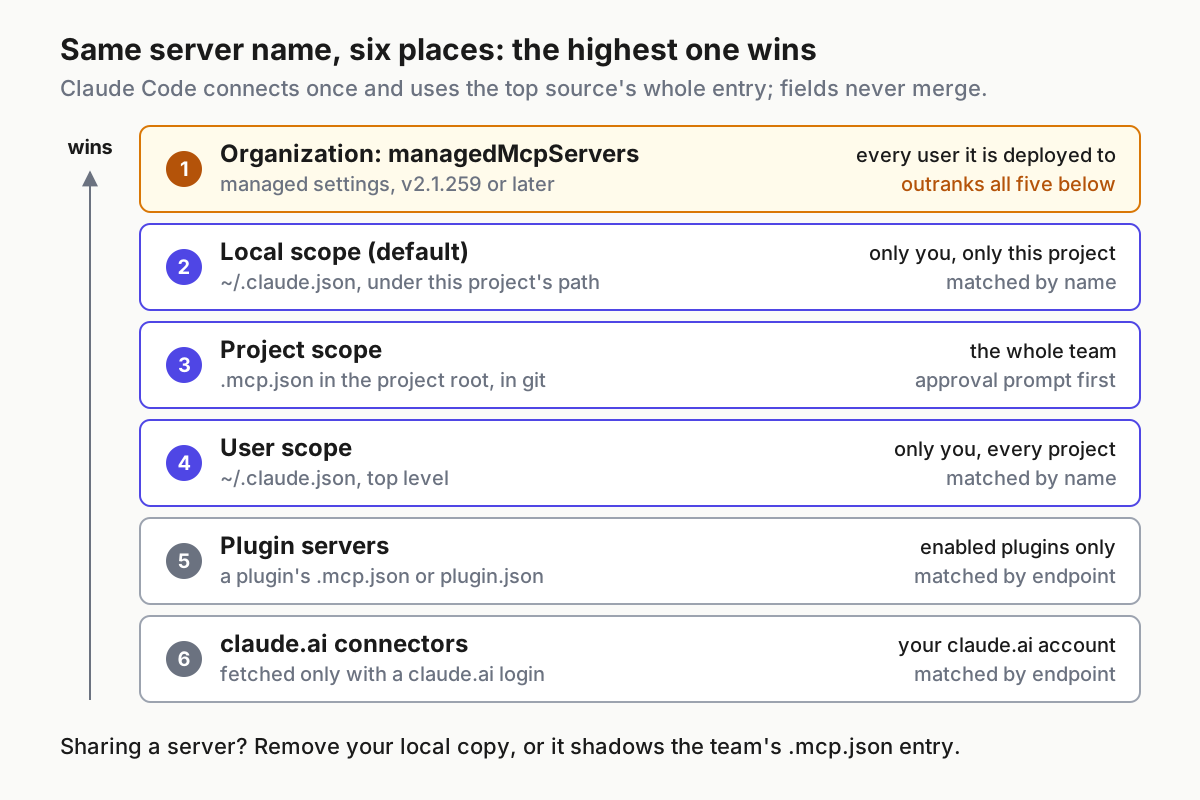
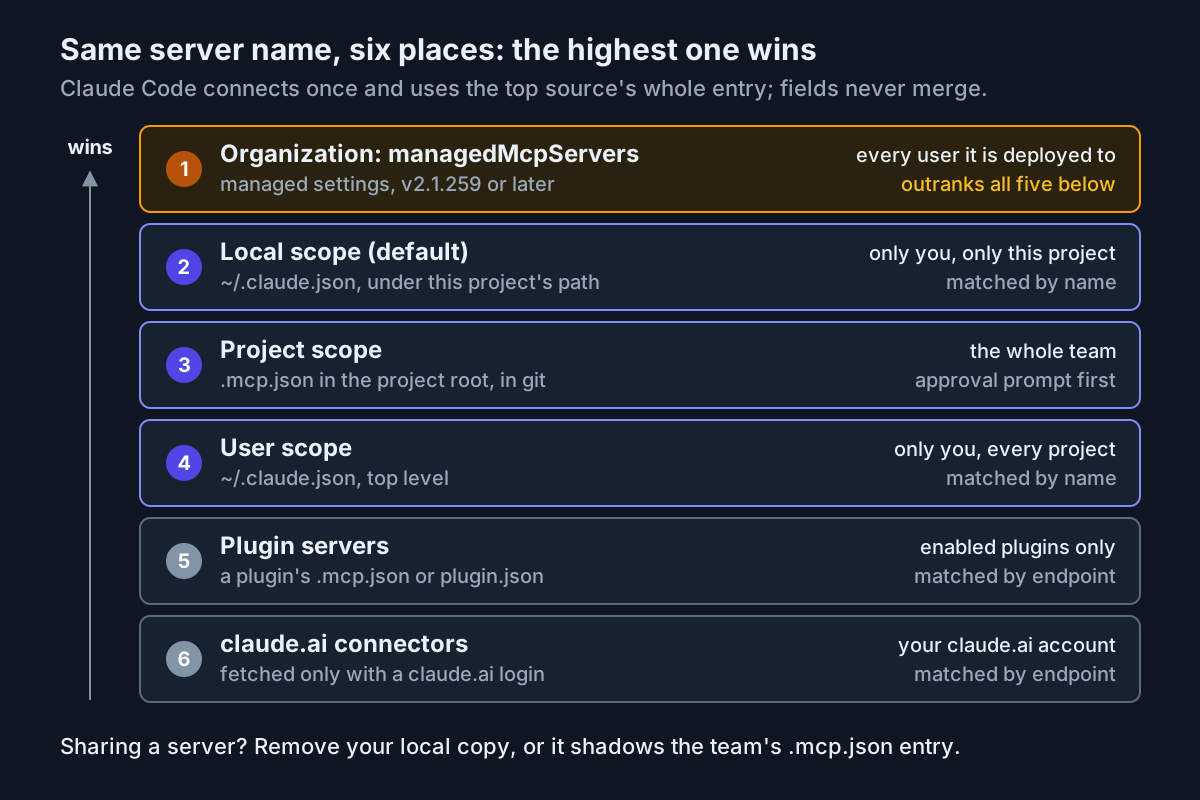
Two traps are specific to Claude Code. Scope precedence runs local, then project, then user, and fields are never merged across scopes. A leftover cf-docs entry in a committed .mcp.json with an /sse URL beats a fixed user entry of the same name inside that project, and claude mcp list warns when one name has different endpoints in more than one scope. Also, OAuth sign-ins are stored per endpoint: signing in to the new /mcp URL does not carry over to a project where a different definition loads.
If you installed the Cloudflare plugin instead, the Cloudflare Claude Code setup page says to run /reload-plugins when a server fails to connect or times out. A manually added server that points at the same URL as a plugin server counts as a duplicate, and the higher-precedence definition wins, so you will not end up with two copies.
Codex: one config.toml entry serves the CLI, IDE and desktop app
The Codex MCP documentation stores servers in ~/.codex/config.toml, with an optional project-scoped .codex/config.toml that loads in trusted projects only. The CLI, the IDE extension and the ChatGPT desktop app share that configuration, so one fix covers all three surfaces.
- Delete or rewrite the old
[mcp_servers.<name>]table the audit found. - Add the API server with
codex mcp add, or write the table yourself. - Set
default_tools_approval_mode = "prompt"so every Cloudflare tool call asks first while you test. - Run
codex mcp login cloudflare-apiand finish the browser flow. - Run
codex mcp list, then open thecodexTUI and type/mcpto see active servers.
codex mcp add cloudflare-api --url https://mcp.cloudflare.com/mcp
codex mcp login cloudflare-api
codex mcp list
# ~/.codex/config.toml
[mcp_servers.cloudflare-api]
url = "https://mcp.cloudflare.com/mcp"
default_tools_approval_mode = "prompt"   # ask before every Cloudflare tool call
startup_timeout_sec = 20                 # documented default is 10

[mcp_servers.cloudflare-docs]
url = "https://docs.mcp.cloudflare.com/mcp"
Why prompt rather than writes: the writes mode prompts only for tools not marked read-only, and a Code Mode execute() call can perform a read or a write depending on the code the model generates. Prompting on every call lets you read that code before it runs. Relax the setting after the verification task passes.
What to expect. Codex can connect to a server without authentication when no credential source resolves, so a server appearing in codex mcp list is not proof that you signed in. Run codex mcp login explicitly. The 20-second startup timeout keeps a slow first connection from dropping an optional server; set required = true only if you want Codex startup to fail when Cloudflare is unreachable.
Cursor: edit mcp.json, then sign in from Customize
The Cursor MCP documentation reads ~/.cursor/mcp.json for global servers and .cursor/mcp.json for project servers. Remote entries use a url key.
- Open the file the audit flagged and change the URL to
/mcp, or add the API server entry. - Save the file, open Customize in the sidebar and find the server.
- Complete the OAuth sign-in Cursor offers for it. Cursor uses the authorization code flow with PKCE and finds the authorization server through the server’s protected resource metadata.
- Confirm the server is toggled on and its tools appear under Available Tools.
- If anything fails, open the Output panel, choose “MCP Logs” and read the connection error.
{
  "mcpServers": {
    "cloudflare-api": {
      "url": "https://mcp.cloudflare.com/mcp"
    },
    "cloudflare-docs": {
      "url": "https://docs.mcp.cloudflare.com/mcp"
    }
  }
}
This is the same shape Cloudflare’s server page gives for the API server. Cursor asks for approval before using MCP tools by default; keep that on while you test.
One Cursor surprise catches people after migrations. Cloud Agents keep their own MCP sign-ins on Cursor’s servers, separate from your machine. Re-authenticating locally does not fix a Cloud Agent that still holds an old grant, and signing out locally does not sign out the cloud row. Check both rows in Customize. The Linear MCP setup guide for the same three clients walks through these client screens for a different remote server if you want a second reference.
Choose permissions on Cloudflare’s consent page
When sign-in starts, you are redirected to Cloudflare to authorize and select the permissions to grant your agent. PR #505 adds that the consent page shows the redirect URI, the publishing domain of a Client ID Metadata Document client, and a warning when the redirect goes to a local app. Each browser sees the consent page once more after the upgrade, so expect it even if you approved the client before.
- [ ] Confirm the redirect URI belongs to the client you just launched: a localhost callback for Claude Code or Codex on your machine, a Cursor callback for Cursor.
- [ ] Select the test account, not every account you can reach.
- [ ] Approve read permissions only for the products in your decision-table row.
- [ ] Decline anything that edits, deletes or deploys during this first sign-in.
- [ ] Write the approved permissions into the register.
- [ ] After sign-in, ask the agent for one small, harmless write on the test account and confirm it is refused.
The last item matters because the evidence available here does not fully document how a token’s effective permissions track your selection. PR #505 lists “Limiting tokens to the scopes Cloudflare granted” under work it does not include, pointing to a separate change. Treat the consent screen as your intent and the refused write as your proof. If a write succeeds on a lane you meant to keep read-only, clear the authentication and sign in again with less.
Widen permissions one product at a time, and only for a named task such as “redeploy hello-staging after review”. Signing in again with broader permissions takes a minute; untangling an unexpected change takes much longer. The keyless MCP trust tier guide is a useful contrast for servers that need no account access at all.
CI and automation: a scoped API token instead of OAuth
Headless runs cannot open a browser. Cloudflare’s server page says that for CI/CD or automation you can create a Cloudflare API token with the permissions you need and pass it as a bearer token in the Authorization header, and that both user tokens and account tokens work. The Claude Code setup page gives the same advice for skipping OAuth in CI.
- In the Cloudflare dashboard, create a token limited to the test account and the read permissions your job needs. The sources do not list exact permission names per tool, so start minimal and add one permission when a call fails.
- Store it in your CI secret store as
CF_MCP_TOKEN. Never paste the value into a committed file. - Reference the variable name, not the value, in each client’s config, as shown below.
- Run the job’s read-only verification task and check that it lists the test Worker.
Claude Code, in a project .mcp.json that is safe to commit because it holds only the variable name:
{
  "mcpServers": {
    "cloudflare-api": {
      "type": "http",
      "url": "https://mcp.cloudflare.com/mcp",
      "headers": { "Authorization": "Bearer ${CF_MCP_TOKEN}" }
    }
  }
}
Codex reads the token from the named environment variable:
[mcp_servers.cloudflare-api]
url = "https://mcp.cloudflare.com/mcp"
bearer_token_env_var = "CF_MCP_TOKEN"
Cursor uses its own interpolation syntax:
{
  "mcpServers": {
    "cloudflare-api": {
      "url": "https://mcp.cloudflare.com/mcp",
      "headers": { "Authorization": "Bearer ${env:CF_MCP_TOKEN}" }
    }
  }
}
The documented caveats change how failures look. In Claude Code, when you configure an Authorization header and the server rejects it, the connection is reported as failed and Claude Code does not fall back to OAuth. Claude Code also reads some credential variable names as empty in remote headers, in which case the server receives Bearer with nothing after it and usually answers 401; if that happens, rename the variable to one of your own. Avoid claude mcp add --header "Authorization: Bearer $CF_MCP_TOKEN", because your shell expands the variable before Claude Code sees it and the saved entry would contain the token itself. In claude -p runs, Claude Code loads project-scoped servers without the approval prompt, so a committed .mcp.json server will load in CI.
In Codex, explicit bearer tokens take precedence over stored OAuth. If CF_MCP_TOKEN is unset in the job, no credential resolves and Codex may connect without authentication, so a job that connects but cannot read anything has probably lost its secret. In Cursor, envFile works only for stdio servers; remote servers need ${env:NAME} from the process environment.
Prove each connection with one read-only task
A green status only proves a handshake. Send one task per server that must return data you can check against the dashboard. Keep tool approval on, and read each request before approving it.
| Server | Prompt to send | Expected tool activity | Success looks like | Failure looks like |
|---|---|---|---|---|
cloudflare-docs |
“Using cloudflare-docs, find the Cloudflare page on Workers cron triggers and give me its URL. Do not use web search.” | One docs tool call you approve | A developers.cloudflare.com URL and a short summary | A 410 means the URL still ends in /sse; no tool call means the server’s tools are not loaded |
cloudflare-api |
“Using cloudflare-api, list the Workers scripts in my test account. Read only; do not change anything.” | search() to find the endpoint, then execute() with code you read before approving |
hello-staging appears and the names match the dashboard |
A permission error means the consent or token lacks Workers read access |
cloudflare-api refusal check |
“Using cloudflare-api, try to create a KV namespace named mcp-permission-check in the test account.” | execute() with a create request |
The call is refused for lack of permission | The namespace is created: delete it, clear authentication and sign in again with read-only permissions |
| CI token job | The same Workers list prompt in a headless run | Tool calls authenticated by the bearer header | The job log lists hello-staging |
A 401 or 403 means the token or the variable expansion failed |
When you approve execute(), check that the generated code only reads. If it calls a create, update or delete method on a read-only lane, deny it. That denial is also useful evidence that your approval setting works. The README warns that long chains of tool calls can hit Claude’s context limit mid-reply, so keep these verification prompts narrow.
Troubleshooting: symptom, cause, fix
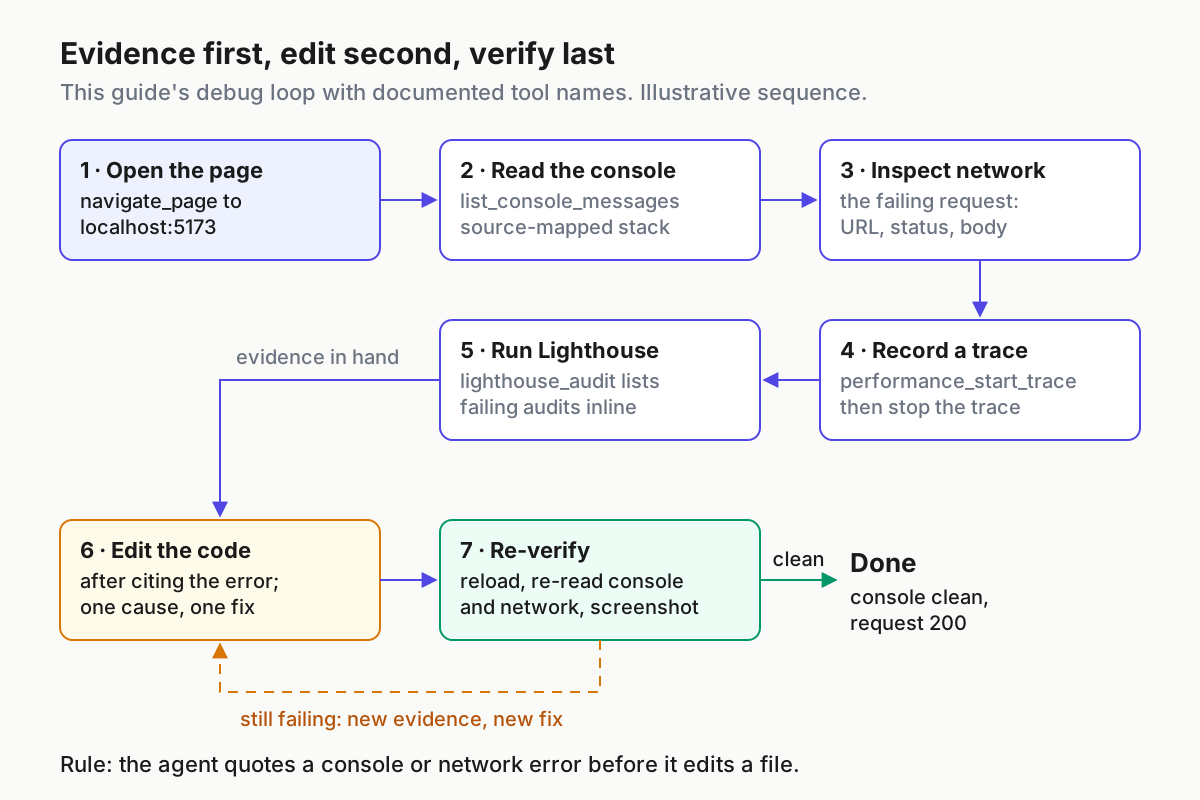
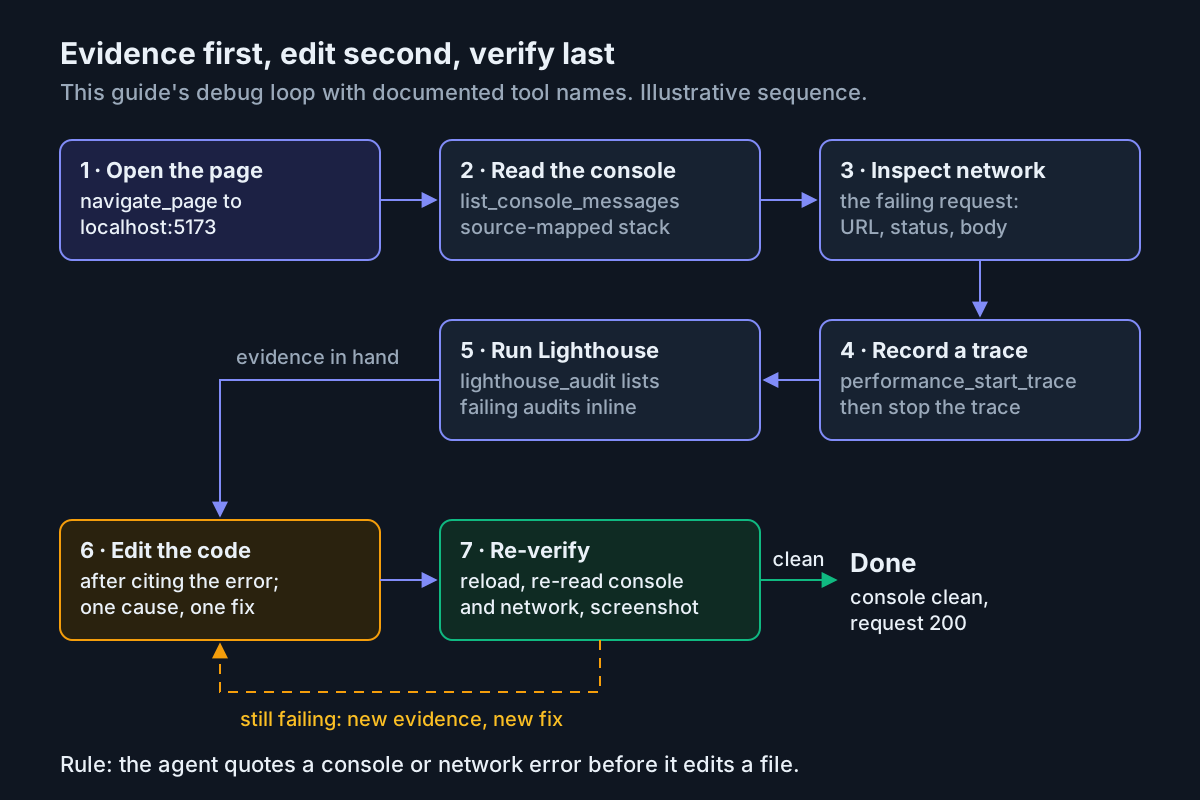
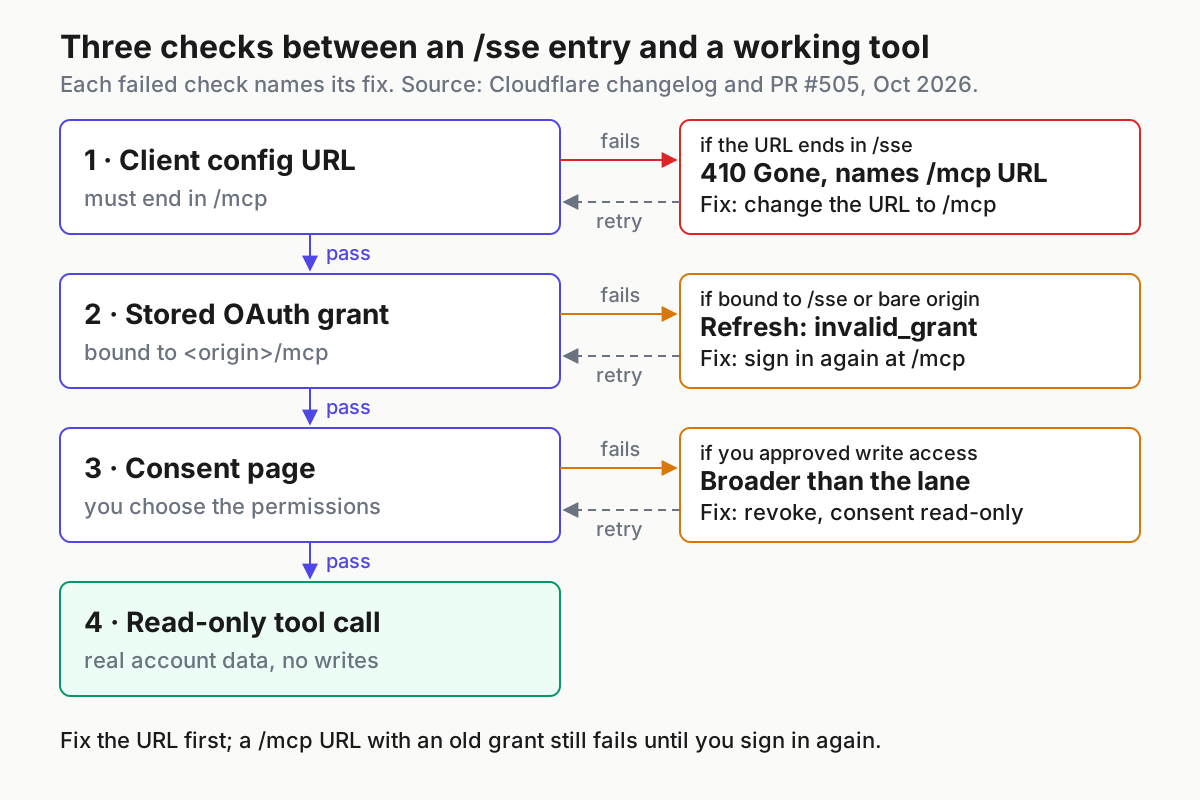
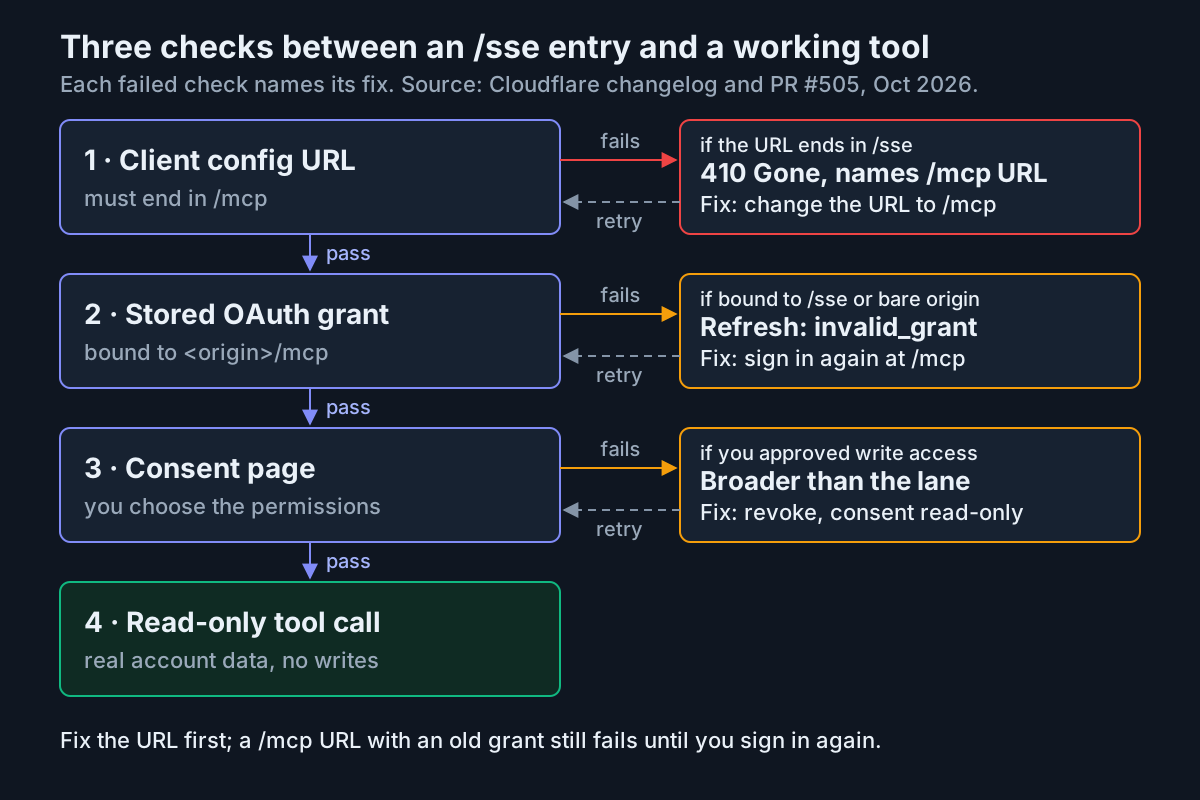
The diagram shows the order in which failures appear. Clear the URL check before chasing grants, and the grant check before judging permissions.
| Symptom | Likely cause | Fix | What you should see next |
|---|---|---|---|
claude mcp list shows ✘ Failed to connect with a 410, or a log shows “This MCP URL has moved to /mcp” |
The entry still ends in /sse |
Replace the URL with the one named in the error, in the scope where the entry lives | Status changes to ! Needs authentication or ✔ Connected |
Claude Code shows a notice pointing at /mcp, or Codex and Cursor ask you to sign in again after a refresh |
The stored grant is bound to /sse or the bare origin, and the refresh returned invalid_grant |
Claude Code: open /mcp, select the server, choose Re-authenticate. Codex: codex mcp login cloudflare-api. Cursor: sign in again from Customize |
Cloudflare’s consent page opens once, then the server connects |
A refresh fails with invalid_target and no new sign-in is offered |
The refresh named a resource the server no longer hosts, an error MCP SDKs throw on instead of re-authorizing | Remove the server entry, which clears its stored tokens in Claude Code, then add it again at /mcp and sign in |
A fresh sign-in prompt instead of a loop |
The server stays at ! Needs authentication after you edited the URL |
Sign-ins are stored per endpoint, so the new URL has no grant yet; or a claude -p run cannot perform OAuth |
Sign in interactively once with /mcp or claude mcp login <name>, then rerun the job |
✔ Connected in claude mcp list |
| The server is listed but the agent has no Cloudflare tools | The server is toggled off in Customize or /mcp, a Codex enabled_tools list omits the tools, or tools are deferred until tool search loads them |
Check the tool count in /mcp, the Customize toggle, or remove the enabled_tools line |
search, execute and docs appear for the API server |
| CI fails with 401 or 403 and never falls back to OAuth | The bearer token is invalid, lacks a permission, or the variable expanded to nothing | Run claude mcp get cloudflare-api, confirm the variable is set in the job, recreate the token with the missing read permission |
The CI task lists the test Worker |
| The fixed user entry works in one repo but fails in another | A project .mcp.json, .codex/config.toml or .cursor/mcp.json defines the same name with an old URL |
Rerun the audit search in that repo; in Claude Code, claude mcp remove <name> --scope project |
The duplicate-endpoint warning disappears from claude mcp list |
| Claude’s reply stops mid-answer during long chained calls | Context-length limit, common with many chained tool calls | Ask narrower questions and split multi-tool requests | Shorter replies that finish |
If none of the rows match, collect the exact error text from claude mcp get <name>, the Codex TUI’s /mcp view or Cursor’s MCP Logs. The 410 body and OAuth errors are specific enough to point to one row once you can read them.
Roll back without leaving a grant behind
Rollback here means disconnecting, not reverting. Going back to /sse is not an option, because every request to it now returns 410.
- Decide whether you are pausing or removing. A pause keeps the configuration for later; removal also clears stored credentials.
- Claude Code: to pause, toggle the server off in
/mcp, which records it in the project’sdisabledMcpServerslist. To revoke access but keep the entry, choose Clear authentication in the server’s/mcpmenu. To remove, runclaude mcp remove cloudflare-api --scope user, which also deletes the stored OAuth tokens. For plugin servers, disable or uninstall the plugin instead. - Codex: to pause, add
enabled = falseto the[mcp_servers.cloudflare-api]table. To remove, delete the table. Checkcodex mcp --helpfor the subcommands your version offers to clear stored credentials. - Cursor: toggle the server off in Customize, or delete its entry from
mcp.json. Log out of the server’s Cloud row too if Cloud Agents used it. - Cloudflare: delete the API token you created for CI, and remove the access you approved for OAuth clients from your Cloudflare account.
- Verify:
claude mcp listandcodex mcp listno longer show the server, Cursor’s Available Tools contain no Cloudflare tools, the audit search returns nothing unexpected, and the register rows read “rolled back” with the date.
Two failure checks belong in every review of this setup, rollback or not: no lane that the decision table calls read-only should hold write permissions, and no committed file should contain a token value instead of a variable name.
Where the neighbouring guides pick up
This migration is a concrete case of the Streamable HTTP and stateless request model described in the MCP 2026-07-28 spec explainer; Cloudflare’s servers support that specification and stateless requests from 2025 Streamable HTTP clients. If you route agent traffic through a gateway, the stateless MCP gateways guide explains why per-request servers like these are easier to proxy. For a local server with a very different auth story, compare the Chrome DevTools MCP setup. Once several agents share these connections, the AgentOps guide to running a fleet covers keeping their configs and credentials consistent.
Sources
- Cloudflare MCP servers no longer serve /sse, Cloudflare changelog, Oct 22, 2026
- Cloudflare’s own MCP servers, Cloudflare Agents docs, updated Oct 22, 2026
- feat!: retire /sse and upgrade to workers-oauth-provider 1.2.4, cloudflare/mcp-server-cloudflare PR #505
- mcp-server-cloudflare README, Cloudflare on GitHub
- Claude Code + Cloudflare, Cloudflare Agent setup docs
- Connect Claude Code to tools via MCP, Claude Code Docs
- Model Context Protocol, OpenAI Codex documentation
- Model Context Protocol (MCP), Cursor Docs
- Cloudflare Changelog on X, Oct 23, 2026