JetBrains IDEs Swap Their Built-In Terminal to libghostty in 2026.3: Shift+Enter, Modifier Keys and Theme Sync Now Work for Claude Code and Codex
Starting with 2026.3, JetBrains IDEs use libghostty instead of JediTerm for terminal emulation. Agent CLIs get the Kitty keyboard protocol, theme notifications and almost 50 newly handled control sequences. Here is what changes and how to check it.
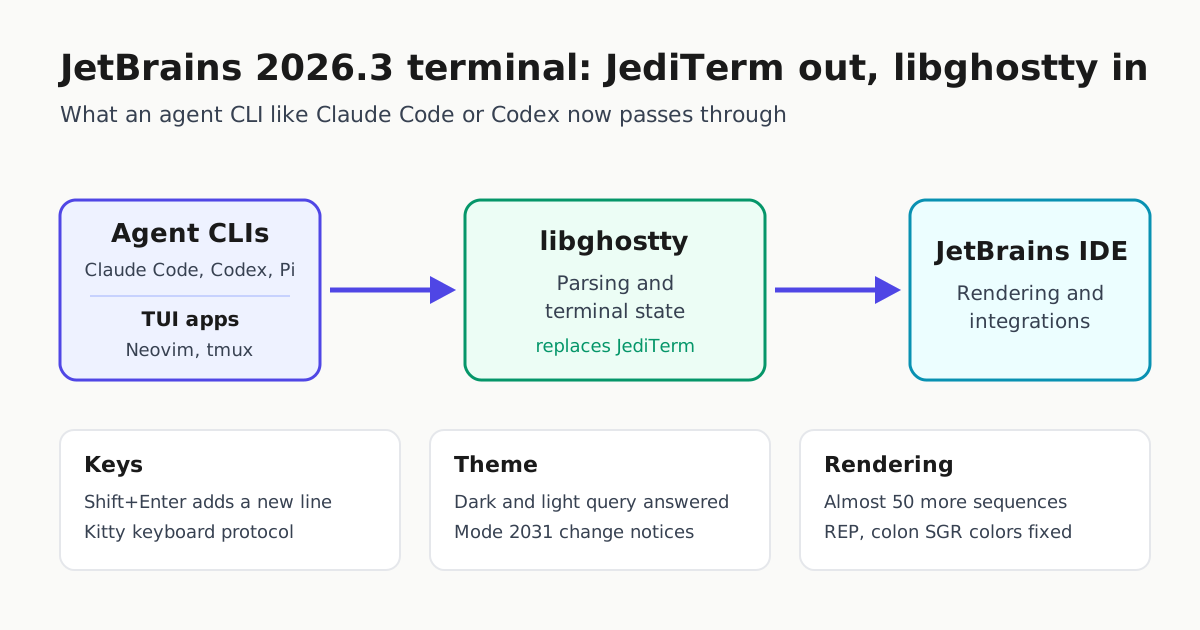
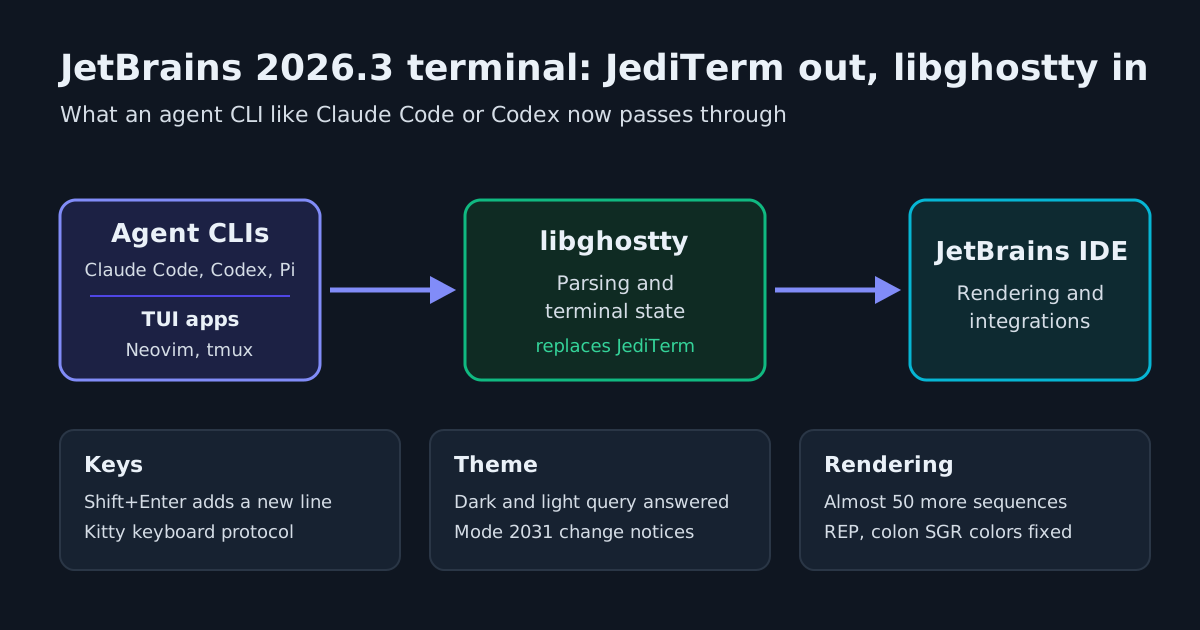
If you run Claude Code, Codex or another terminal agent inside IntelliJ IDEA, PyCharm or WebStorm, the terminal underneath it is changing. JetBrains announced on its Platform blog that, starting with 2026.3, the built-in terminal runs on libghostty, the emulation library behind the Ghostty terminal. It replaces JediTerm, the emulator JetBrains used for many years.
This matters for agent users because the blog post names them directly. JetBrains says AI coding agents like Claude Code and Codex, along with Neovim and tmux, “push the terminal harder than a shell prompt ever did” and rely on modern protocols that JediTerm never supported. The fixes it lists cover the problems those tools hit most: multi-line prompts, modifier keys, theme detection and broken rich output.
What actually changed
JetBrains describes a split of responsibilities. libghostty now handles parsing and terminal state, while the IDE still handles rendering and the higher-level features and integrations. The Ghostty repository, which JetBrains also hosts a copy of on GitHub, describes libghostty as a cross-platform, zero-dependency C and Zig library for building terminal emulators. Its first component, libghostty-vt, covers exactly that job: parsing terminal sequences and keeping terminal state.
The changes that matter in practice, as JetBrains lists them:
| Area | Before (JediTerm) | 2026.3 (libghostty) |
|---|---|---|
| Shift+Enter in an agent prompt | Could send a half-written message | Inserts a new line, via the Kitty keyboard protocol |
| Ctrl, Shift or Alt combinations | Could arrive mangled | Reach the app intact; xterm modifyOtherKeys is also supported |
| Dark or light theme | Tools had to guess or be set up by hand | Terminal answers the dark/light query (CSI ? 996 n) and sends mode 2031 change notifications |
| Palette queries | OSC 10/11 only | Adds OSC 4 and Kitty OSC 21 |
| Rich output | Missing characters, stray colons, garbage text | Almost 50 more control sequences handled |
The keyboard change is the one most agent users will notice first. With the Kitty keyboard protocol, apps can tell Enter, Shift+Enter and Ctrl+Enter apart, and can ask for key-release and repeat events. JetBrains says Claude Code, Codex, Pi, the fish shell and Neovim all use this protocol.
On theme sync, the post says Claude Code, OpenCode, Pi, Neovim and tmux subscribe to theme-change notifications, so most of them should switch with the IDE when you toggle dark mode. It also says Junie CLI asks whether the terminal is dark or light, and OpenCode and Pi read the palette. Programs can now set the extended palette colors 16 to 255 with OSC 4, while colors 0 to 15 stay tied to the IDE theme.
The rendering bugs it fixes
JetBrains gives three concrete examples of what JediTerm got wrong:
- REP (CSI Ps b): ncurses uses it for runs of seven or more identical characters, so some lines rendered with characters missing.
- Colon-separated SGR colors (38:2::r:g:b): JediTerm printed the colons and applied the digits to the wrong attribute.
- Unknown APC, SOS and PM strings: JediTerm printed them as text. They are now dropped silently.
The post also lists left and right margins (DECSLRM), protected areas, tab-stop control, insert mode, XTSAVE/XTRESTORE, the Kitty CSI 22 J scroll-and-clear and X10 mouse reporting. Cursor blink mode (?12) is now respected. JetBrains’ summary is that borders and separators no longer break, colored output no longer shows stray colons, and invisible codes no longer appear as junk. That is the kind of damage agent TUIs with boxes, diffs and status lines tend to take.
How to check it yourself
According to JetBrains, the libghostty engine is on by default in the reworked terminal in 2026.3 EAP builds and will stay on through Beta, Release Candidate and the stable release. Stable 2026.3 is not out yet, so this means running a pre-release IDE build for now.
Once you have a 2026.3 pre-release build, open the terminal and run a few checks:
# REP: should print seven a characters (one a, then repeated six times)
printf 'a\033[6b\n'

# Colon-form truecolor SGR: should print orange text with no visible colons
printf '\033[38:2::255:140:0mcolon truecolor\033[0m\n'
Then start your agent in the same terminal. In Claude Code, type part of a prompt, press Shift+Enter and confirm you get a new line rather than a submitted message. Switch the IDE between light and dark themes while the session is open and check whether the agent’s colors follow. Our Claude Code keyboard shortcuts guide covers the bindings worth testing.
One config detail to look at: if you or your team turned on the old IDE setting that sent Esc+CR on Shift+Enter as a workaround, JetBrains says it “is no longer needed and is ignored.” The setting will not break anything, but anyone documenting setup should drop it from their instructions so new machines don’t depend on it.
If something breaks
This is still a pre-release change. JetBrains gives a way back: go to Help | Find Action, open Registry…, and turn off terminal.use.ghostty.emulator to return to JediTerm. JetBrains asks people who do this to report what went wrong on IJPL-218849 or in a bug report. If a team is rolling out 2026.3 pre-releases to agent users, write down that registry key so people can recover without waiting for a fix.
Where this fits with the Claude Code plugin
The terminal change is separate from editor integration. Anthropic’s Claude Code overview describes a plugin for IntelliJ IDEA, PyCharm, WebStorm and other JetBrains IDEs that adds interactive diff viewing and shares your selection as context. The plugin requires the Claude Code CLI to be installed separately. The CLI still runs in a terminal, and in a JetBrains IDE that is often the built-in one. libghostty improves that layer. If you are choosing between an editor extension and the plain CLI elsewhere, our Claude Code VS Code extension vs terminal CLI comparison walks through the trade-offs.
What comes next
JetBrains says libghostty already parses several sequences the IDE does not act on yet: OSC 52 clipboard, desktop notifications (OSC 9/777), ConEmu progress bars, Kitty graphics, and styled and colored underlines. The blog gives an agent example: a notification when Claude finishes processing a prompt and is waiting on you. That is groundwork, not a shipped feature. JetBrains only says parsing is no longer the bottleneck and these features should arrive faster than they would have with JediTerm.
The Ghostty README adds a caveat for anyone building on the library: libghostty has not been tagged with a version and its API signatures are still changing, even though the functionality is stable. For IDE users that is JetBrains’ integration problem, not theirs. It does explain why the rollout runs through EAP and Beta before the stable release.