Qwen Code v0.26.8 Adds Qwen Subscription Sign-In Across CLI, VS Code and Desktop
Qwen Code v0.26.8 adds Qwen subscription support across the CLI, VS Code extension and Desktop (#16378), with concurrent managed-agent workspace rewinds and GitHub links in channel events. What the release establishes, and what it leaves unverified, about accounts and billing.
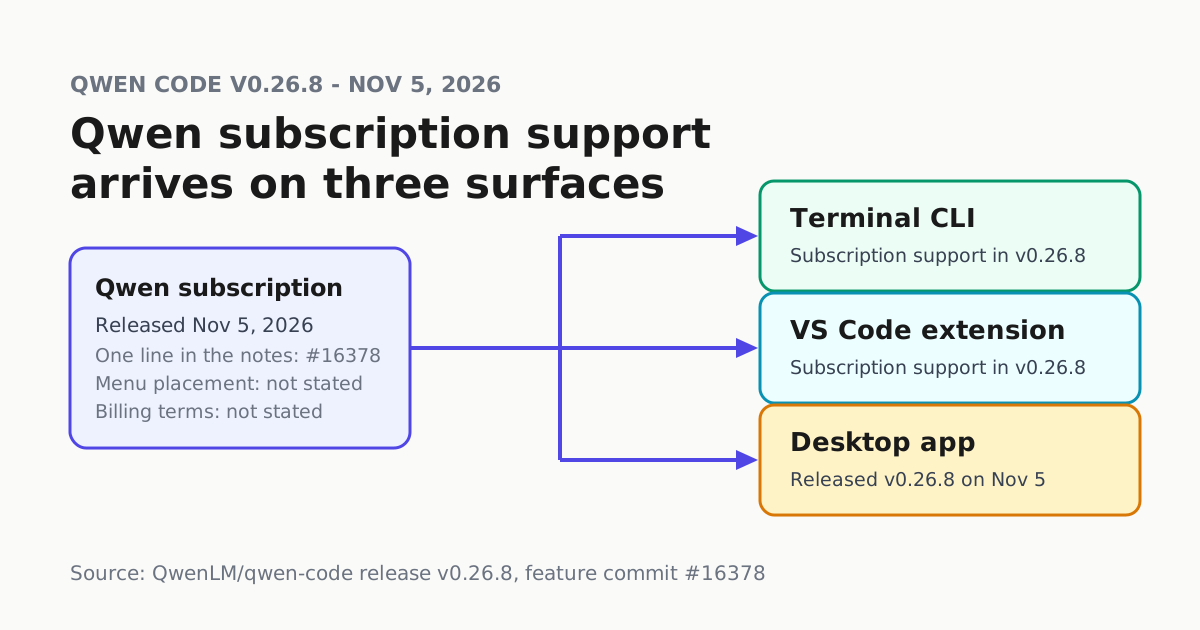
Qwen Code moves fast, and v0.26.8 carries the change most individual users will notice first. Release v0.26.8, published Nov 5 at 16:23 on the official GitHub releases page, adds Qwen subscription support across CLI, VS Code, and Desktop (#16378) and states there are no known breaking changes. The same release lets managed agents run concurrent workspace rewinds and links channel events to GitHub pull requests and issues.
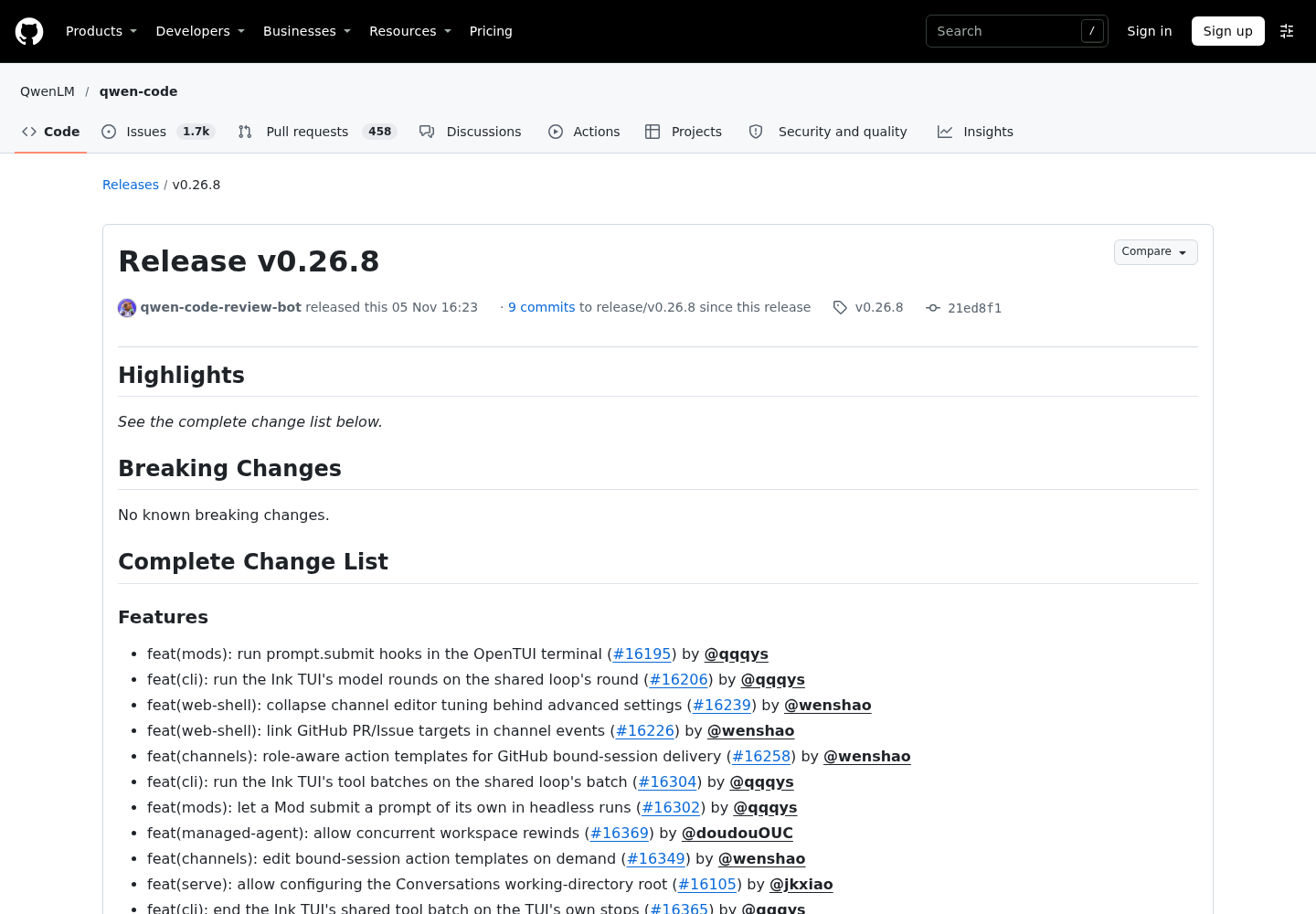
What #16378 adds, and what it does not
The feature commit adds Qwen subscription support to the terminal CLI, the VS Code companion and Desktop in one release. That one line is the published detail: the release notes list the change without describing how accounts, sessions or billing behave across surfaces, so do not assume one shared login state or pooled quotas until you verify it on your own machines.
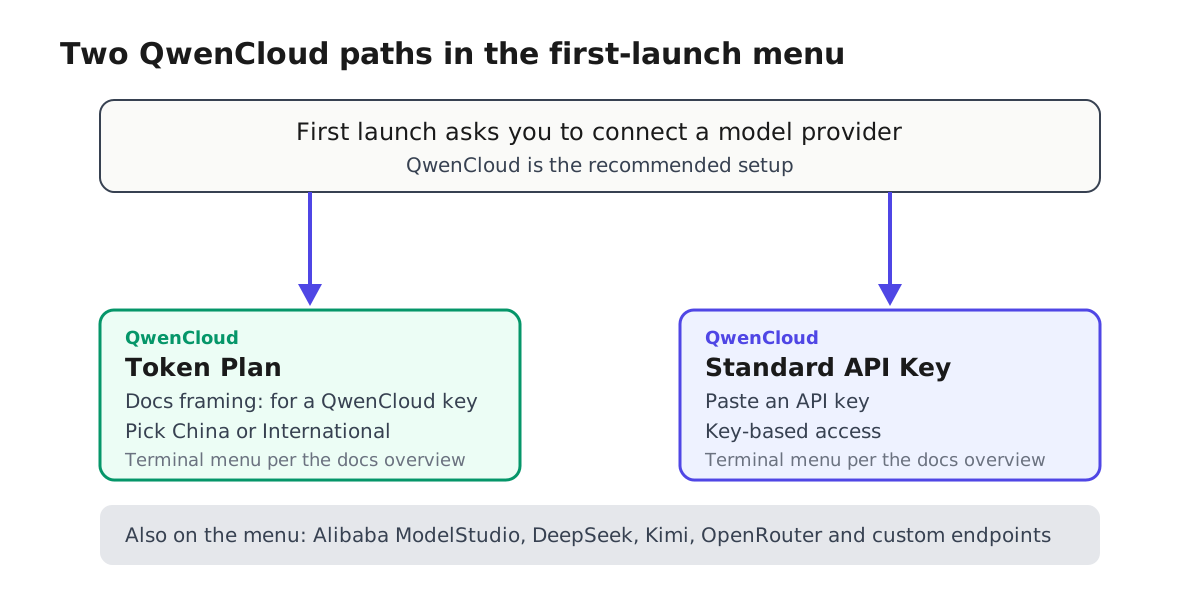
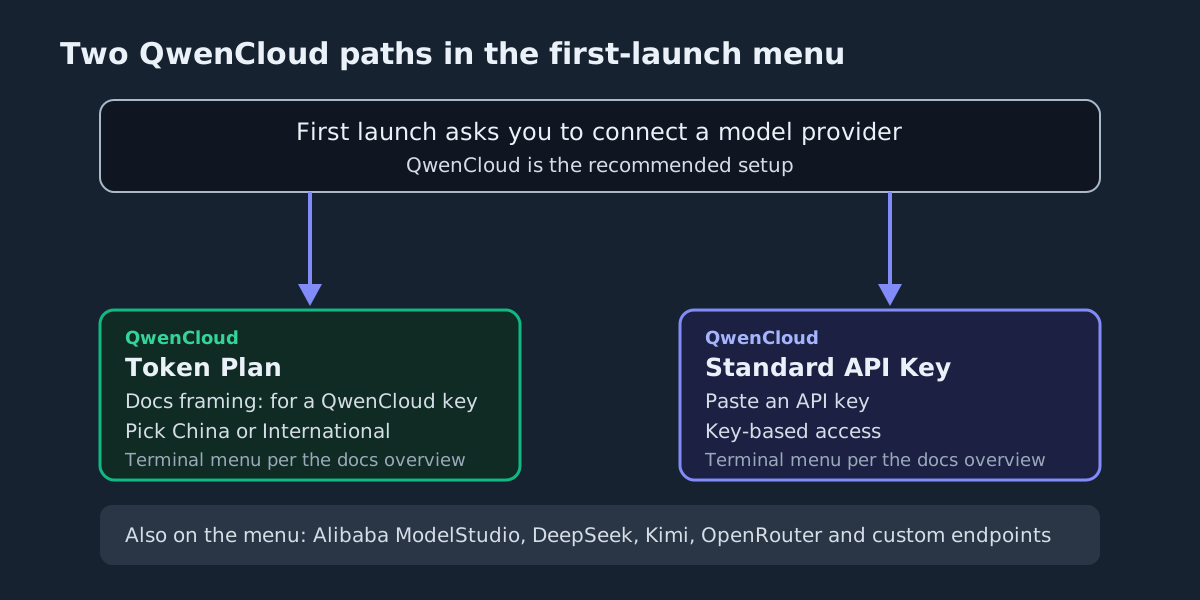
What the official docs overview documents is the terminal’s first-launch provider menu, which the docs describe separately from the release notes. Install, run qwen in a project directory, and the menu asks you to connect a model provider: QwenCloud (the recommended setup), Alibaba ModelStudio, third-party providers such as DeepSeek, MiniMax, Z.AI, Kimi and OpenRouter, or a custom provider. For a QwenCloud key, the docs say, choose Token Plan or Standard API Key and pick a China or International platform, and you are prompted to log in on first use.
Keep the two facts separate. The release line establishes subscription support on the three surfaces; the menu just described is the terminal flow the docs present for key-based QwenCloud setup. Neither page reviewed here connects #16378 to a specific screen, and neither documents how the subscription option behaves at first launch in VS Code or Desktop. That mapping, plus a billing question the release notes do not answer, is what to verify on your own machines before you commit a team to the subscription path.
One gap the public pages reviewed here do not settle: plan pricing and quota terms. The release notes list the feature without terms, and the overview covers setup steps, not prices — it links an Authentication guide for sign-in setup. Read Qwen’s current plan documentation before you rely on the subscription path for team budgets.
How to switch
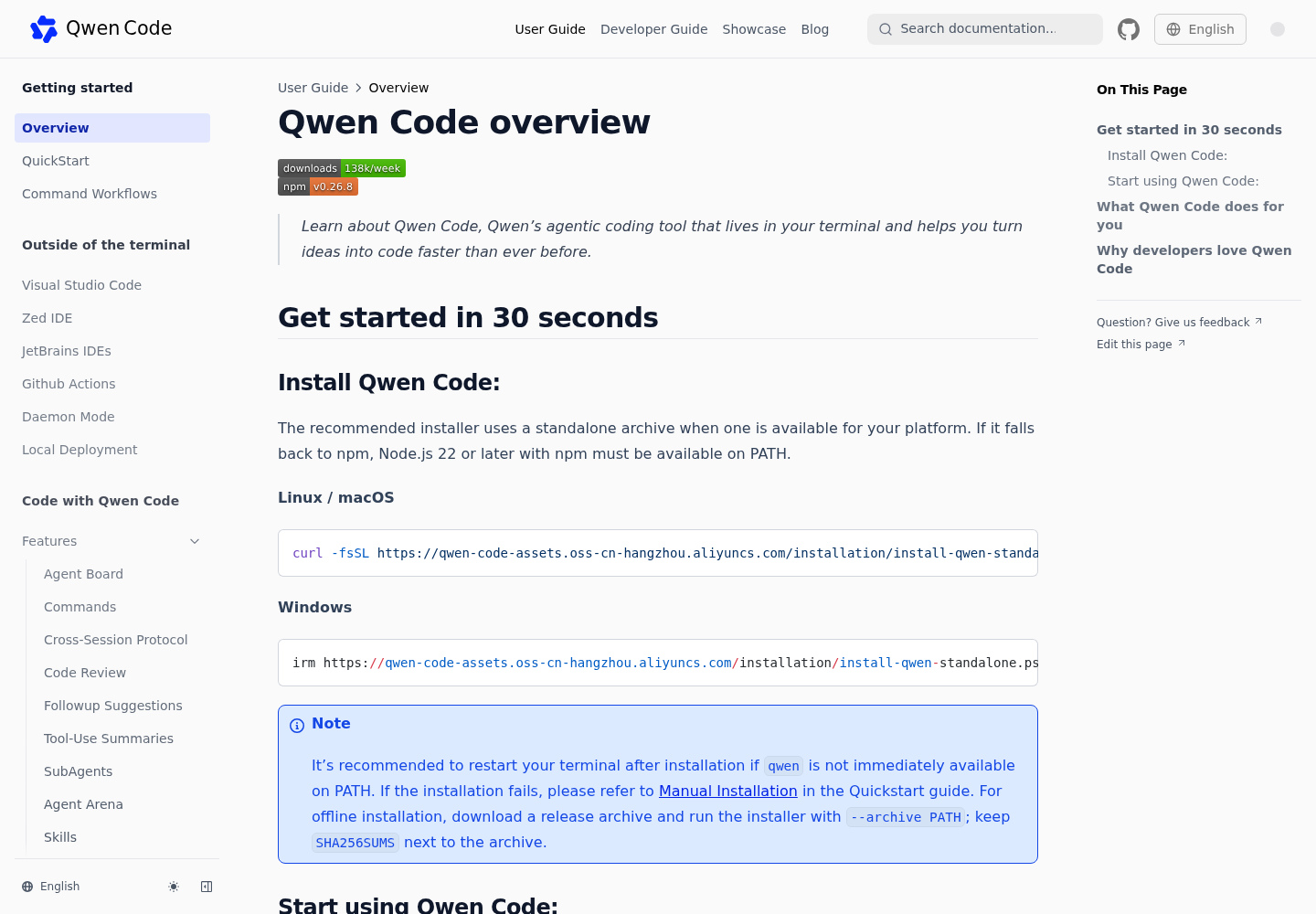
The documented install path is the standalone installer, with an npm fallback requiring Node.js 22 or later:
curl -fsSL https://qwen-code-assets.oss-cn-hangzhou.aliyuncs.com/installation/install-qwen-standalone.sh | bash
Windows:
irm https://qwen-code-assets.oss-cn-hangzhou.aliyuncs.com/installation/install-qwen-standalone.ps1 | iex
Then run qwen in a project directory and pick a QwenCloud path at the provider prompt. If you already run Qwen Code, update to a build that carries #16378 before looking for the subscription option. The releases list pins the CLI tag at v0.26.8, shows SDK TypeScript v0.1.28 (Nov 5, 17:33) bundling CLI 0.26.8, and shows Qwen Code Desktop v0.26.8 shipping at 18:48 the same evening. None of these sources displays a version number for the VS Code extension, so confirm your installed companion build actually includes the change.
What else changed for operators
| Change | Commit | Why an operator cares |
|---|---|---|
| Qwen subscription support on CLI, VS Code and Desktop | #16378 | Adds a subscription access option on each surface; the notes give no menu placement or billing detail |
| Concurrent managed-agent workspace rewinds | #16369 | Roll back several agent workspaces at once |
| GitHub PR and issue targets linked in channel events | #16226 | Jump from a channel message straight to the pull request |
| Channel event rows link to their sessions | #16375 | Trace a notification back to the agent run |
| Configurable Conversations working-directory root | #16105 | Point the Conversations directory root at a location you choose |
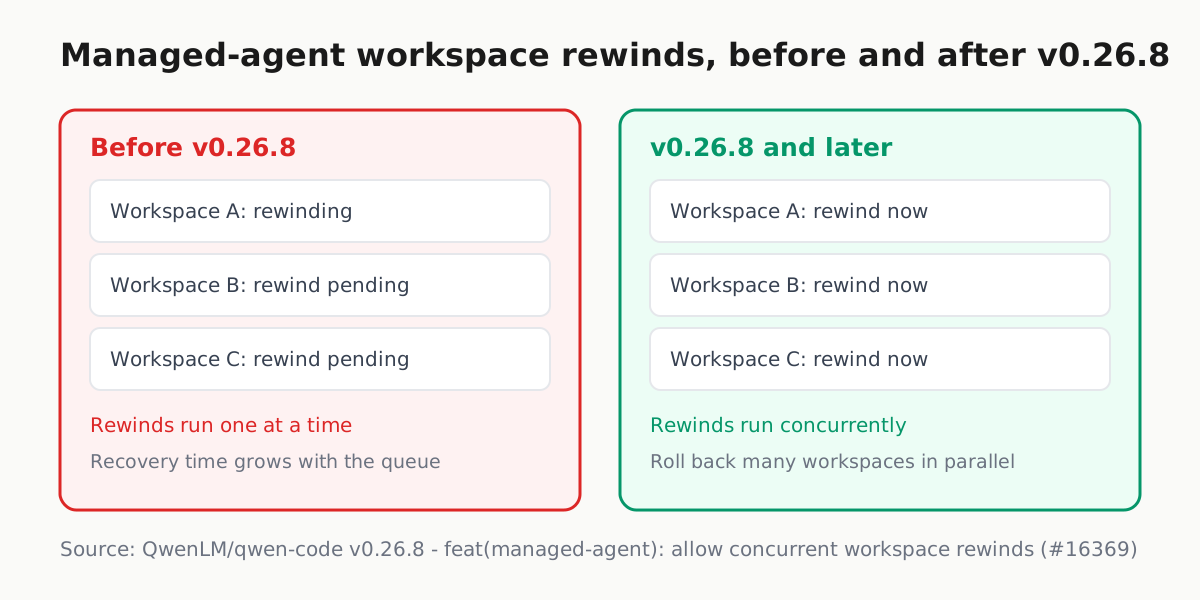
Concurrent rewinds matter most on a bad day: a broken dependency or a bad merge lands in ten agent workspaces, and recovery time scales with how many rewinds you can run in parallel instead of with the queue. Channel links matter on ordinary days, when the GitHub notification is where the trail starts.
Why it matters
Subscription onboarding is the shape the mainstream harnesses converged on, and Qwen Code’s documented first-launch flow routes through provider keys and a first-use login. We covered v0.26.7’s folder-trust gating the day before; that release (Nov 4, 04:03) tightened what untrusted projects may run, while v0.26.8 (Nov 5, 16:23) follows about 36 hours later with a different agenda — how you connect to a provider. It also feeds the token-plan economics question every subscription agent raises: flat plan versus metered keys, priced per completed task. Our Chinese CLI wave overview tracks that space.
Three takeaways:
- Update the surfaces you run to a build carrying #16378 — verified for CLI v0.26.8 and Desktop v0.26.8; check the VS Code companion separately.
- Keep the Standard API Key path for headless and CI setups that prefer a key in the environment to an interactive login.
- If you operate managed agents, note that workspace rewinds can now overlap (#16369) and rehearse recovery with several workspaces at once.
The release notes and docs reviewed here publish no subscription pricing and no sign-in walkthrough, so treat #16378 as established subscription support on three surfaces — nothing more — until Qwen’s own documentation fills in the rest.