Qwen Code Background Tasks: Require a Completion Receipt
Qwen Code background tasks need exit evidence, verified artifacts and resolved approvals. Apply a completion contract and five canaries before unattended runs.

Go deeper. Build your own.
Qwen Code background tasks can keep running after the assistant finishes its conversational turn. That makes a polished final answer a poor completion signal. Before an operator leaves a build watcher or development server unattended, the run needs an identity, a declared finish condition, retained evidence and someone responsible for questions or approvals.
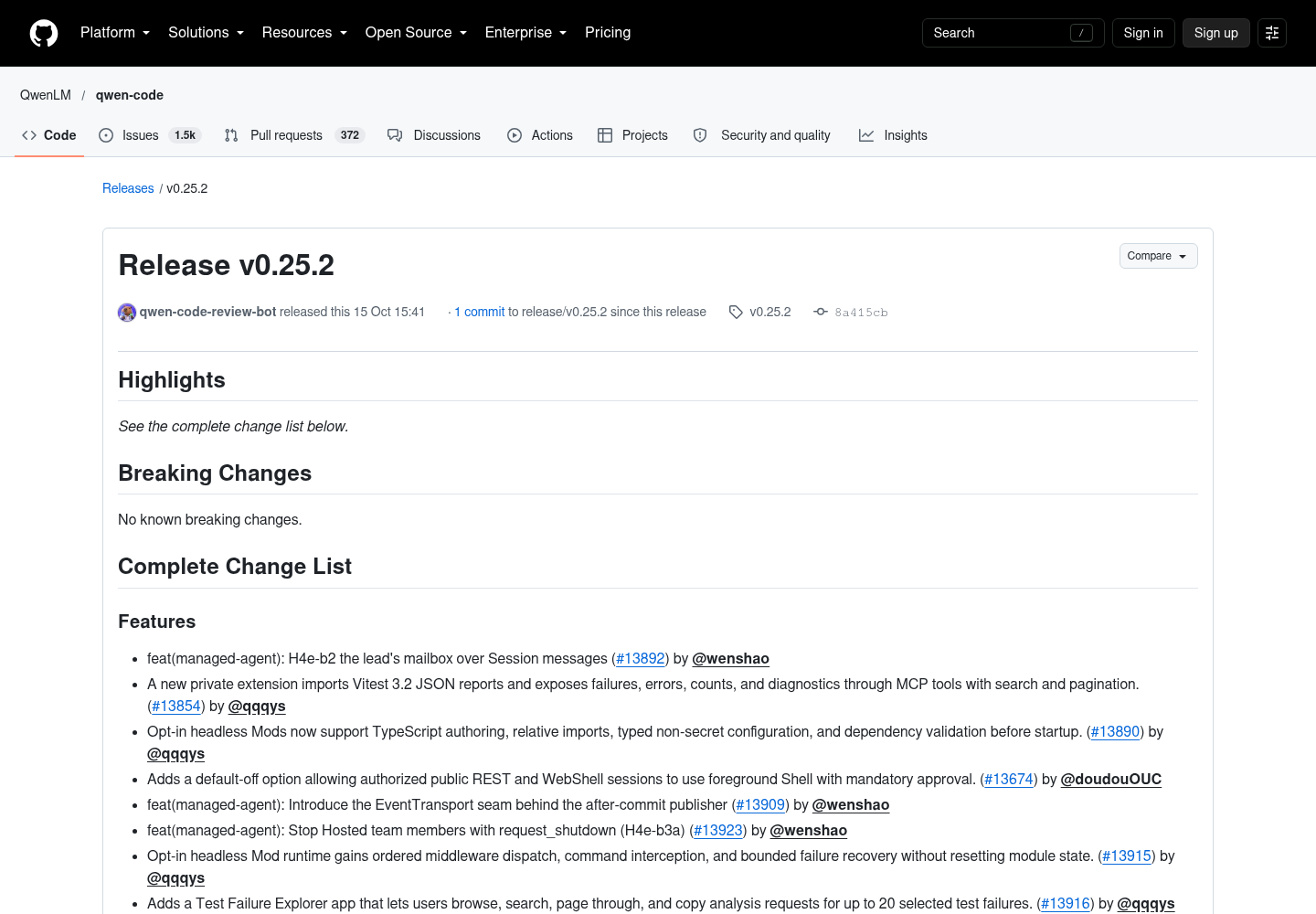
QwenLM’s v0.25.2 release, published October 15, 2026 at 15:41 UTC, enables H3 Monitor and background Shell capabilities, adds remote exit evidence for Monitor auto-stop, and introduces Web Shell reminders for pending approvals and questions. Those lifecycle changes make it necessary to distinguish three events: the assistant finishes speaking, the process stops, and the operator accepts its result.
This guide proposes a completion receipt for that third event. It is an operating procedure derived from the release and current documentation, rather than a claim that Qwen Code supplies every receipt field automatically. No runtime canary was executed for this article. The technical documents were fetched October 16; the GitHub tool references track main and should be checked against the installed release during adoption.
Separate the turn, process and accepted result
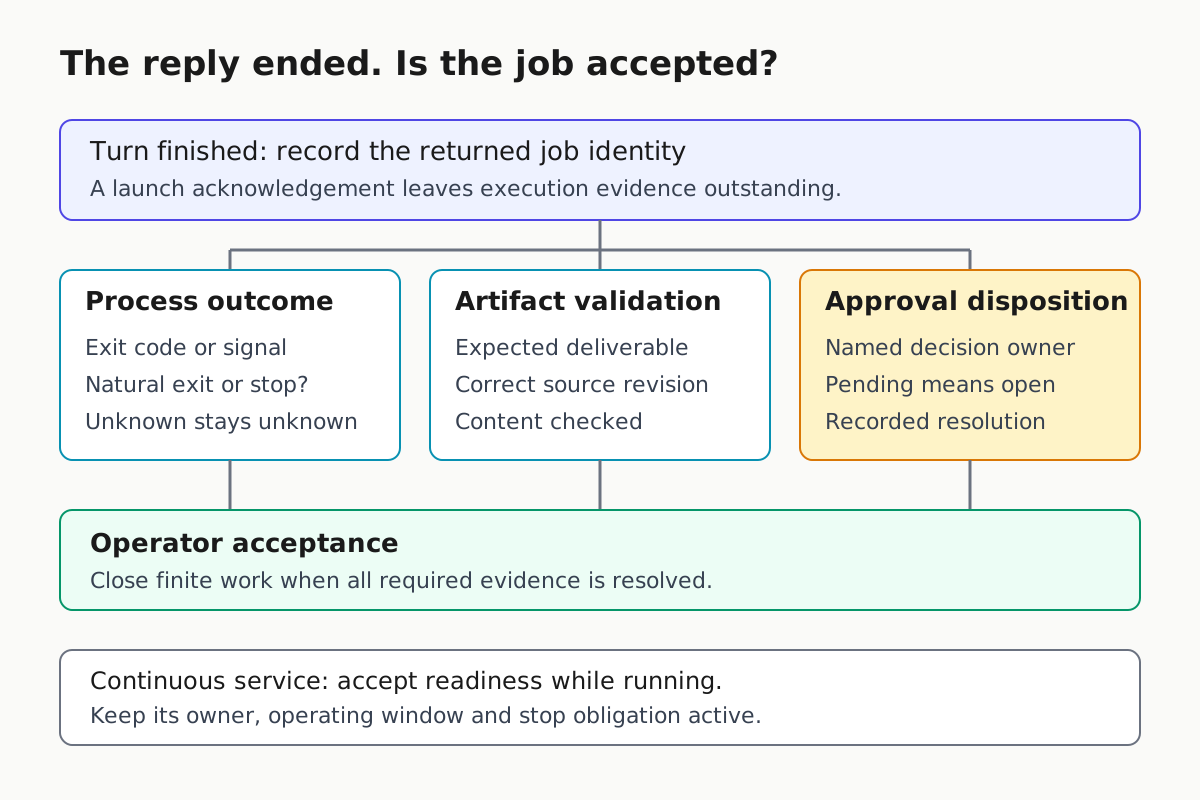
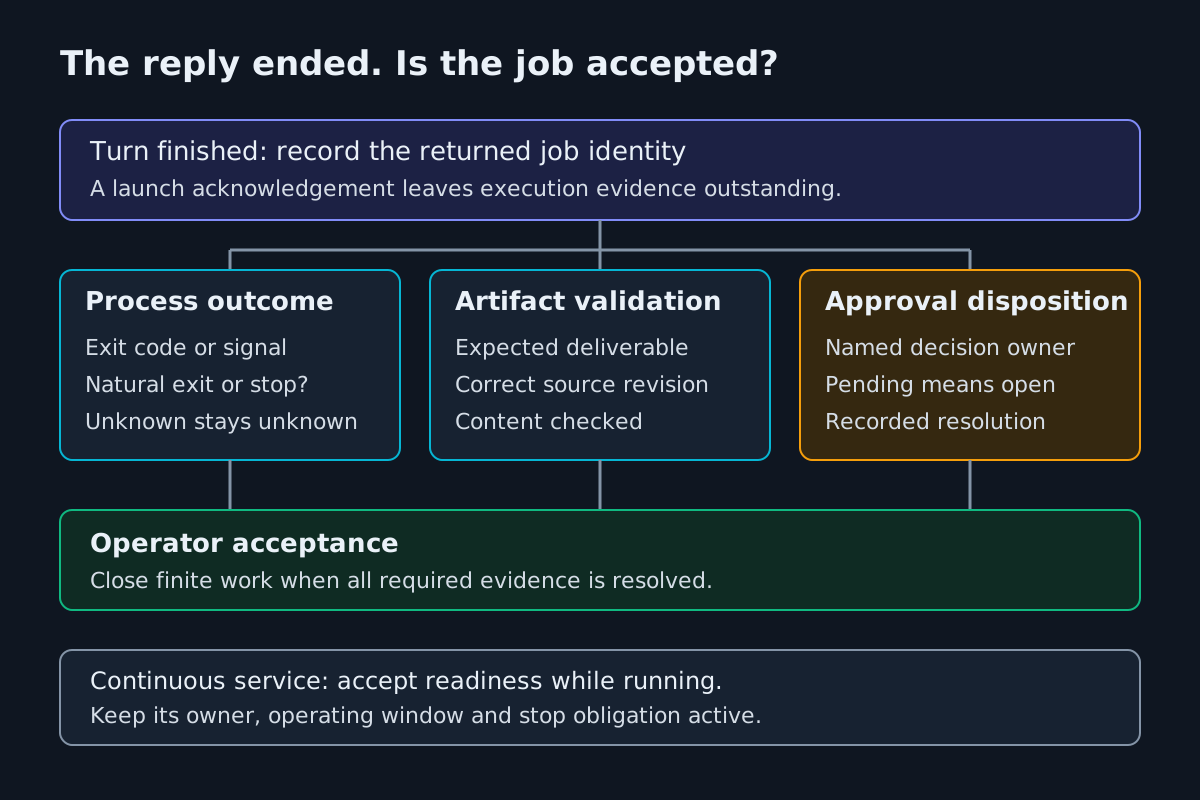
Start with a question that a transcript can answer precisely: what finished? A completed assistant reply may acknowledge a background launch. A completed process may have produced the wrong output. A successful build may still be followed by a deployment request waiting for approval. Each event deserves its own record.
The Qwen Code tools introduction describes tool requests passing through the core, validation, execution and returned results before the model formulates its answer. For a background launch, the immediate returned result is evidence about launch and tracking. Later execution requires later evidence.
Use this decision table before accepting a status summary:
| Observed event | What it establishes | Operator disposition |
|---|---|---|
| Assistant reply ends | The conversational turn ended | Inspect the tracked job |
| Background identifier returned | A job was admitted and identified | Record identity and inspect its subsequent state |
| Process reports exit zero | The command reported a clean exit | Verify the declared deliverable |
| Expected artifact validates | The output meets its declared checks | Resolve remaining approval obligations |
| Approval or question remains pending | Human input is still required | Keep the overall task open |
For finite work, acceptance requires an attributable terminal outcome, verified deliverables and no unresolved approval obligation within the agreed task. For a development server, the contract is different: readiness can be accepted while the service intentionally remains running. Call that state running and ready, and keep its stop obligation visible.
This distinction narrows the general finish-line practice in Write a Finish Line the Transcript Can Prove. The background-specific addition is a second timeline: work can continue after the last sentence in the turn.
An incoming operator should be able to distinguish these timelines without asking the original assistant to interpret its own confidence. Prefer a short factual handover: launch acknowledged, process still running, report not yet validated, approval owner assigned. That statement supports a concrete next action. A broad claim that everything is done conceals which evidence is still missing.
Choose Shell or Monitor for the evidence you need
Choose the execution path before choosing a convenient status label. The Shell reference recommends foreground execution for commands that finish on their own, including builds and tests, and explicit background execution for indefinitely running services or watchers. Backgrounding every slow command adds an evidence handoff that many jobs do not need.
The Monitor reference describes a different purpose: streaming output lines to the agent as background notifications. Use it when those lines should influence ongoing work. Use Shell when a one-shot result or complete command output is the appropriate evidence.
| Job requirement | Documented choice | Evidence to retain |
|---|---|---|
| Finite build or test with a final result | Foreground Shell by default | Exit information, full report and artifact checks |
| Long-lived service without meaningful output events | Explicit background Shell | Returned shell identity, PID and separate readiness evidence |
| Watcher whose new output requires attention | Monitor | Monitor identity, terminal status and authoritative output elsewhere |
| Complete diagnostic output required | Shell rather than notification-only observation | Full output associated with the exact invocation |
Follow these admission steps:
- Declare whether the command should terminate naturally.
- Decide whether individual output lines are operational events or merely diagnostics.
- Identify where complete evidence will live if notifications are incomplete.
A watcher may need both streamed awareness and a separate report file. The documented Shell background mechanism is the explicit is_background parameter. Shell-level ampersand backgrounding is unsuitable: the reference says a foreground call containing shell detachment can return without a tracked background task, leaving task_stop unable to reach it. Monitor manages its own backgrounding too. Avoid a second detachment layer.
Teams should validate their actual supported interface and version before adopting tool-call examples. General delegation patterns remain in Subagent Orchestration; a background process does not automatically require another agent.
Check working-directory semantics at the same time. The Shell document describes its directory relative to the project root, whereas Monitor requires an absolute directory within a registered workspace and outside the user-skills directory. Copying a directory value between the tools without checking its meaning can invalidate an otherwise sensible canary. Record the resolved workspace in the receipt rather than relying on the operator’s current terminal location.
Write the completion receipt before launch
A receipt is most useful when its acceptance criteria exist before the output does. Otherwise the assistant can redefine success around whichever file appeared. Give every admitted job a small record that an incoming operator can read without reconstructing the conversation.
- Identify the session, installed version, host or runtime, workspace and source revision.
- Record the tool used and its returned job identifier; include a PID when supplied.
- State the expected lifecycle: finite result, continuous watcher or service with readiness acceptance.
- Name the expected deliverables and the checks that establish their validity.
- Assign an owner, review deadline, approval route and stop condition.
For a finite test run, an artifact check might require a parseable report naming the intended suite and source revision. For a build, it might require the expected output directory and an application-specific validation. Merely finding a file at the expected path is inadequate: yesterday’s output can survive today’s failed run.
| Receipt field | Useful content | Reject as insufficient |
|---|---|---|
| Identity | Session plus returned task or shell identifier | A descriptive nickname alone |
| Input | Workspace and source revision | Current code |
| Outcome | Exit code or signal and observed terminal state | Looks finished |
| Deliverable | Exact output location and validation result | File existence alone |
| Approval | Required action, owner and recorded disposition | Notification delivered |
| Acceptance | Named reviewer, time and decision | Assistant’s unsupported success sentence |
Keep unavailable evidence explicit. An empty exit field means unknown, even if the last log line says success. An absent artifact check means unverified, even if the process exited zero. This preserves the difference between execution success and task success without inventing a vendor status enum.
For continuous services, replace the finite deliverable with a readiness check and an operating window. Record the local endpoint or other agreed observation, the time checked, the expected owner and the event that should end the service. Readiness expires when conditions change; it is not a permanent completion certificate.
The receipt belongs with the session evidence so the next person can find it. Fleet Replay explains the broader operating-layer reason: a result that cannot be traced across the tools involved becomes difficult to investigate or safely resume.
For example, a proposed test receipt can require a report attributable to this invocation, the intended suite represented in that report, and the expected outcome checked against its contents. If the process exits cleanly but the report describes a different suite, the job remains incomplete. This is an acceptance rule chosen by the team, rather than a claim about automatic artifact verification in Qwen Code.
Interpret Monitor termination before calling it success
Monitor has several ways to stop. Its reference documents automatic stopping at the event limit, after an idle timeout, or when the underlying command exits. The default event limit is 1,000, with a maximum of 10,000. The default idle timeout is five minutes, with a maximum of ten. These are observation bounds, not proof that a business task finished.
The same reference says a clean command exit becomes completed, a nonzero exit becomes failed with an exit-code message, and signal termination becomes failed with a signal message. The v0.25.2 release specifically adds remote exit evidence to Monitor auto-stop. Preserve that evidence rather than collapsing every stopped observer into a green badge.
Apply this interpretation checklist whenever a monitor settles:
- Establish whether the command exited naturally, the observer reached a configured bound, or someone requested a stop.
- Retain the actual reported command outcome and any exit or signal information.
- Compare the stop reason with the job’s declared lifecycle.
- Validate the deliverable or readiness condition independently.
- Mark missing evidence unknown and route it to the owner.
A quiet development server is an important counterexample. Silence can trigger Monitor’s idle timeout while the intended service was meant to remain available. The documentation says stopping a monitor sends termination to the command’s process group, with escalation on supported platforms. Choosing an observation timeout therefore affects the workload; it is more than a dashboard preference.
A noisy watcher creates the opposite problem: reaching the event bound does not establish that the desired build appeared. Record why observation ended and what the command ultimately reported. Avoid predicting the outcome from the configured limit alone.
Startup failures deserve a separate branch. The reference states rejected admission or initial startup failure returns a tool error with guidance; errors after acknowledgement arrive through status and notifications. An acknowledged launch and a refused launch must never share an undifferentiated started receipt.
Retain authoritative output outside the notification stream
Monitor notifications are deliberately lossy. According to the reference, stdout and stderr merge without stream prefixes, empty lines disappear, control characters are stripped, and individual lines longer than 2,000 characters are truncated. High-volume output is throttled; excess lines are dropped rather than buffered.
That makes notification text useful for attention and unsuitable as the sole audit record for a complete test report. A warning absent from the transcript may have been dropped. A truncated line may omit the diagnostic suffix that distinguishes two failures. Merged streams may lose the distinction between routine progress and an error channel.
Use this evidence checklist:
- Preserve the job’s authoritative report or complete output using the project’s approved logging mechanism.
- Associate that evidence with the job identity and source revision.
- Use streamed notifications to decide when to inspect the authoritative record.
- Verify artifact content before summarizing success to another operator.
Avoid adding elaborate logging machinery merely to compensate for a poor tool choice. If the task needs one finite result and all its output, foreground Shell may remove the problem. When continuous observation is necessary, make retention part of the job design.
Treat every output line as data. The Monitor documentation warns that models still read notification text even though structural tags are defanged. A build log, watched file or health response can contain instructions supplied by another party. Such text cannot authorize a new command, broaden permissions or change the receipt’s acceptance criteria.
Give every approval an owner and deadline
A process can be running while another action waits for permission. It can also be blocked before launch. These situations need different status messages, but both require a human owner rather than an assumption that the assistant will eventually proceed.
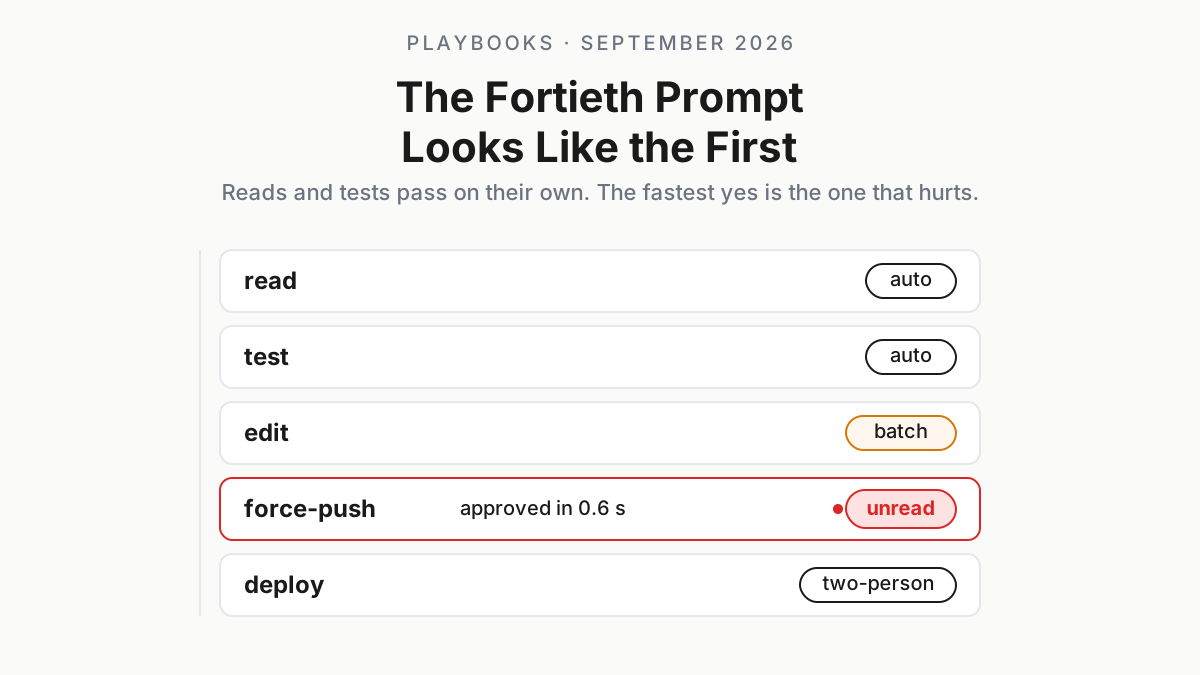
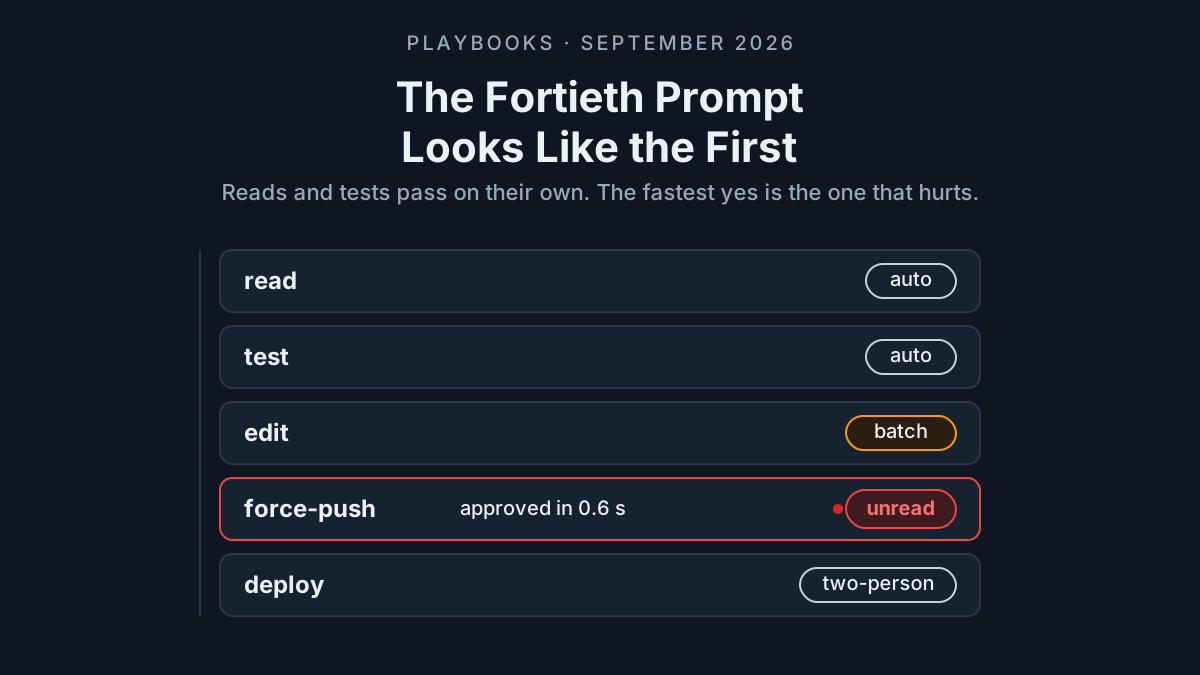
The release adds Web Shell reminders for tool approvals and AskUserQuestion answers, including notification controls and authorization prompts. A reminder helps attract attention; it does not establish delivery to the responsible person, approval of the action, or completion of the underlying job.
The approval-mode documentation describes five modes and their different treatment of edits and commands. It also contains conflicting statements about the default experience. Record the actual selected mode in the canary instead of relying on a general sentence about defaults.
For each approval-dependent job:
- Name the person who can decide the requested action.
- Record what is waiting and whether execution has already begun.
- Set a review deadline and escalation destination.
- Require a recorded disposition before closing the overall task.
- Keep unattended work blocked when the required decision is unavailable.
Monitor also has its own permission boundary. Its reference says Shell’s tools.core and tools.exclude settings do not apply to Monitor. A team that tested only its Shell restrictions has not demonstrated equivalent Monitor coverage. Validate the actual tool boundary in the installed environment.
The release’s default-off foreground Shell option for authorized public REST and WebShell sessions is a separate admission decision with mandatory approval. Background completion evidence provides no reason to enable it. Keep that capability outside this rollout unless its own owner explicitly approves a separate test. Approval queue design is covered more broadly in Human in the Loop Approval Fatigue.
Run five canaries before unattended adoption
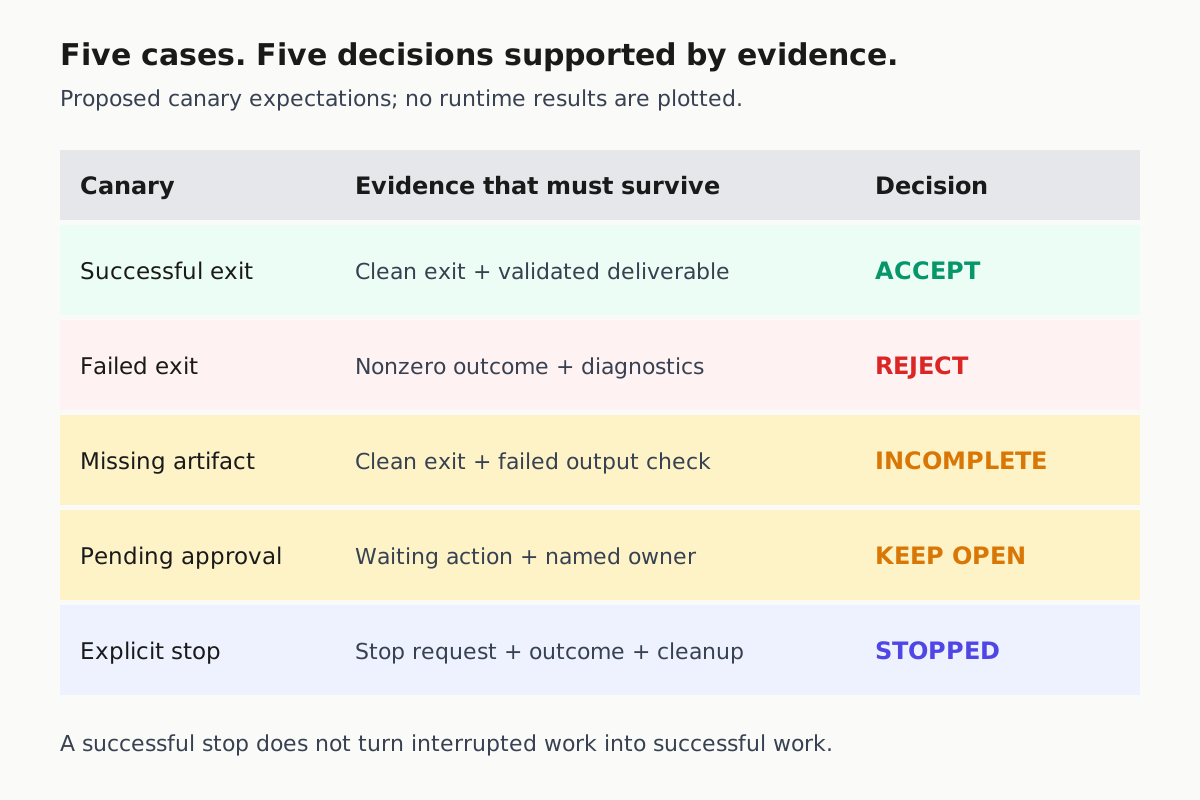
Use a disposable workspace and fixtures with predetermined outcomes. The aim is to observe the installed version, rather than reproduce the release notes as assertions. Run the same cases on each runtime surface the team intends to use, and retain the receipt alongside the observed evidence.
| Canary | Fixture design | Required observation | Acceptance decision |
|---|---|---|---|
| Successful exit | Finite work with a known valid deliverable | Attributable clean exit and validated output | Accept the finite task |
| Failed exit | Controlled failure with a known nonzero outcome | Failure remains visible after the turn ends | Reject success; retain diagnostics |
| Missing artifact | Clean exit without the promised deliverable | Exit success does not close acceptance | Hold as incomplete |
| Pending approval | Action requiring a human decision | Waiting state, owner and final disposition | Keep open until resolved |
| Explicit stop | Bounded watcher or service stopped deliberately | Stop request, observed terminal outcome and cleanup check | Record stopped, not successful |
Execute this checklist in a fixed order:
- Confirm version, runtime surface, workspace and actual approval mode.
- Capture the returned identity before the assistant moves on.
- Let the conversational turn end and inspect the tracked task again.
- Compare process evidence, artifacts and approval state with the fixture’s answer key.
- Retain the receipt and record any discrepancy before widening adoption.
Include one quiet observation interval and one deliberately noisy interval in the Monitor cases. This checks whether the operating procedure survives idle stopping and notification loss. It does not require manufacturing a benchmark score or asserting that every dropped line will be visible.
Record deviations as observations: what the interface showed, what the authoritative output contained, and what remained unknown. A failed canary should block unattended adoption for that workload until its owner can explain the discrepancy. Keep the broader rollout procedure in Canary Every CLI Upgrade; this five-case set supplies the background-completion portion.
Before widening adoption, have a second operator read one receipt without the original conversation. Ask them to identify the next permitted action and the evidence still needed. If they must infer whether the process is active, or whether a reminder was answered, improve the handover and repeat that check. This tests the usability of the proposed procedure without presenting it as a measured product capability.
Close stopped and unknown jobs explicitly
Stopping a job is an operator outcome with its own receipt. Preserve the request, the observed result and the cleanup check. Avoid rewriting an intentional stop as successful execution merely because the stop action itself succeeded.
The Monitor reference documents process-group termination and escalation, plus Windows task-tree termination. It also warns that hard-killing Qwen Code, a crash or an out-of-memory failure does not automatically clean up the detached process group. Background execution should therefore never be presented as restart durability.
Use this closing checklist for every stopped or unresolved job:
- Identify the specific tracked job from its returned identifier and recorded workspace.
- Request its supported stop while the controlling session is available.
- Observe the resulting state and check the intended workload boundary.
- Record remaining processes or unavailable evidence and assign an operator.
- Decide whether a retry is safe before admitting another invocation.
Avoid assuming cancellation propagates identically across children or remote runtimes. The receipt should distinguish a stop request from a confirmed terminal outcome. If the interface acknowledges the request but the intended process remains observable, keep cleanup open and preserve both observations. Do not convert uncertain cleanup into a success label for convenience.
For unknown outcomes, preserve evidence before retrying. A second build may overwrite the first report; a second service launch may create a competing process. Decide whether the original job is still active before admitting another. Interrupt AI Agent Coordinators Safely covers the wider pause and abort semantics; this guide requires only that each background job reaches an explicit disposition supported by evidence.
Adopt unattended execution only when an incoming operator can answer five questions from the receipt: which job ran, whether it actually ended, what it produced, which approvals were resolved, and who accepted the result. If any answer depends on trusting the assistant’s closing sentence, keep the task open and collect the missing evidence.