Human in the Loop Approval Fatigue: Queues That Don't Become Rubber Stamps
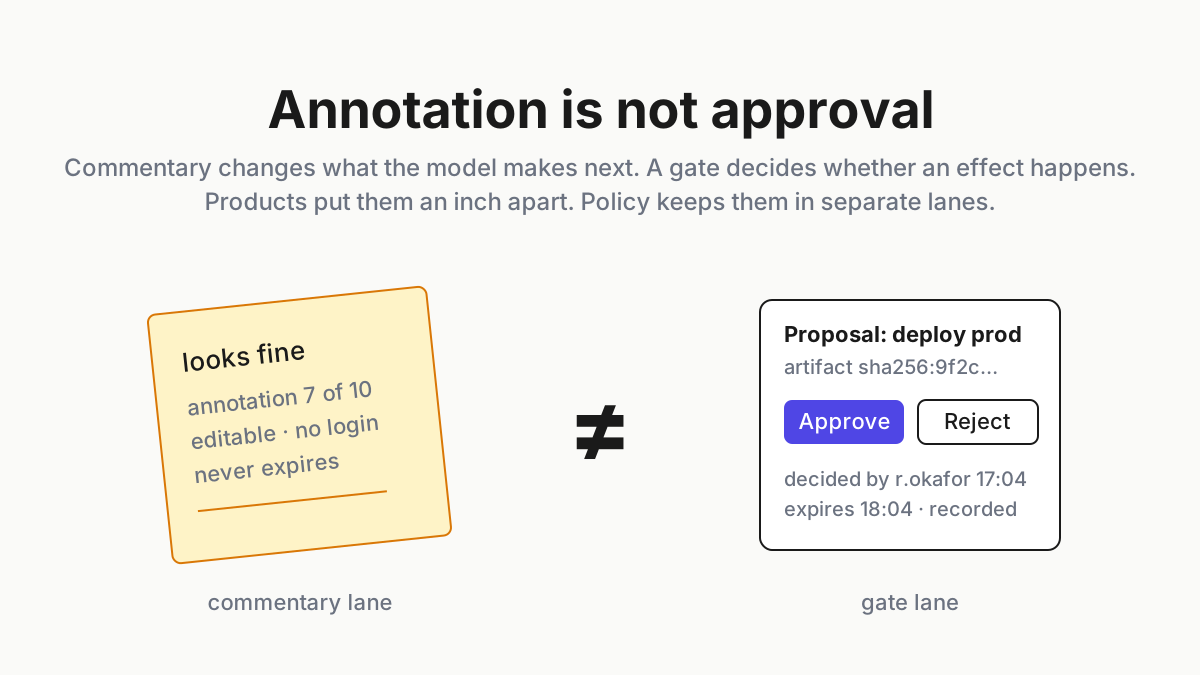
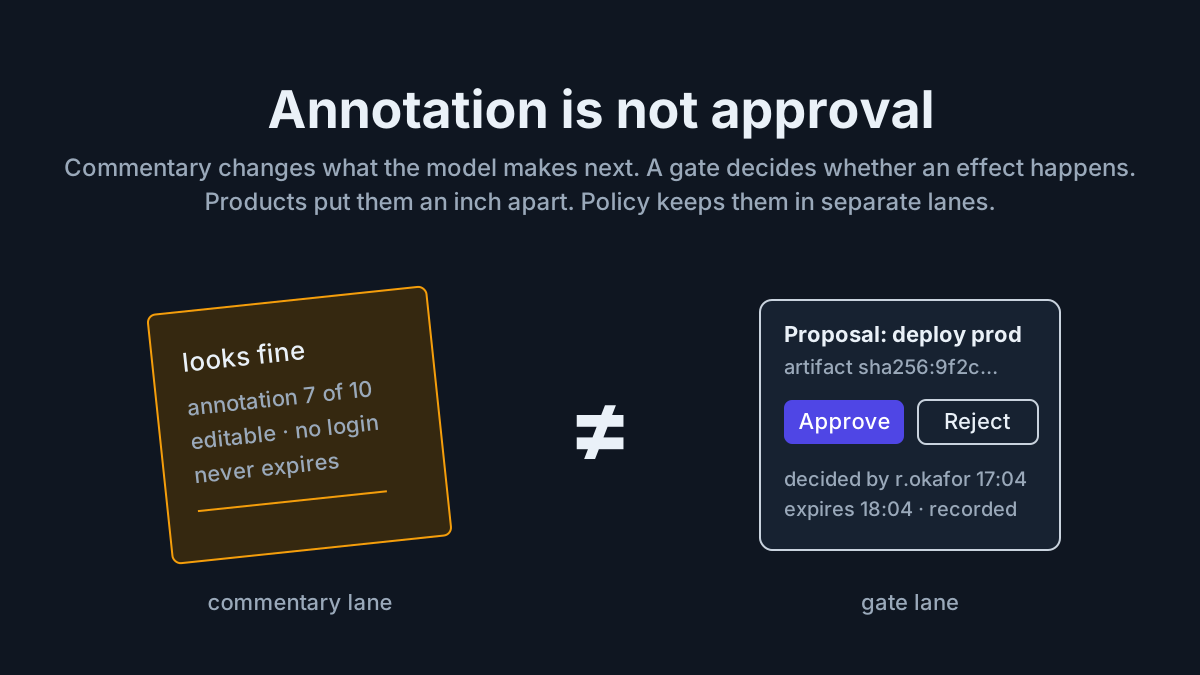
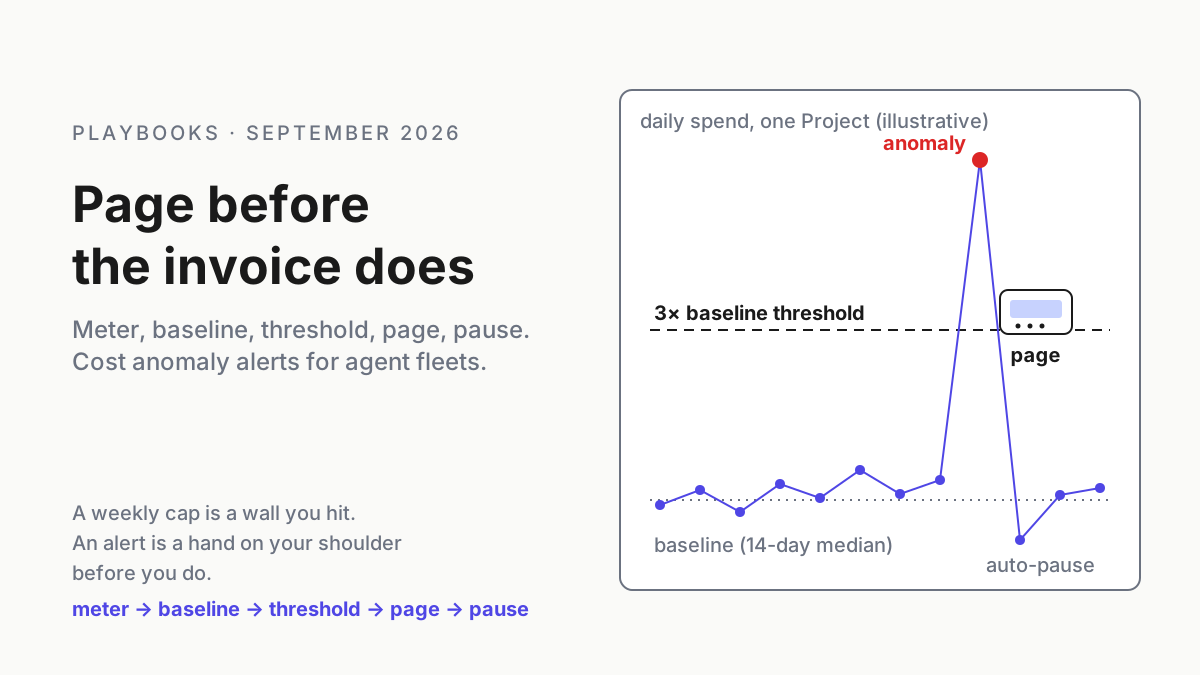
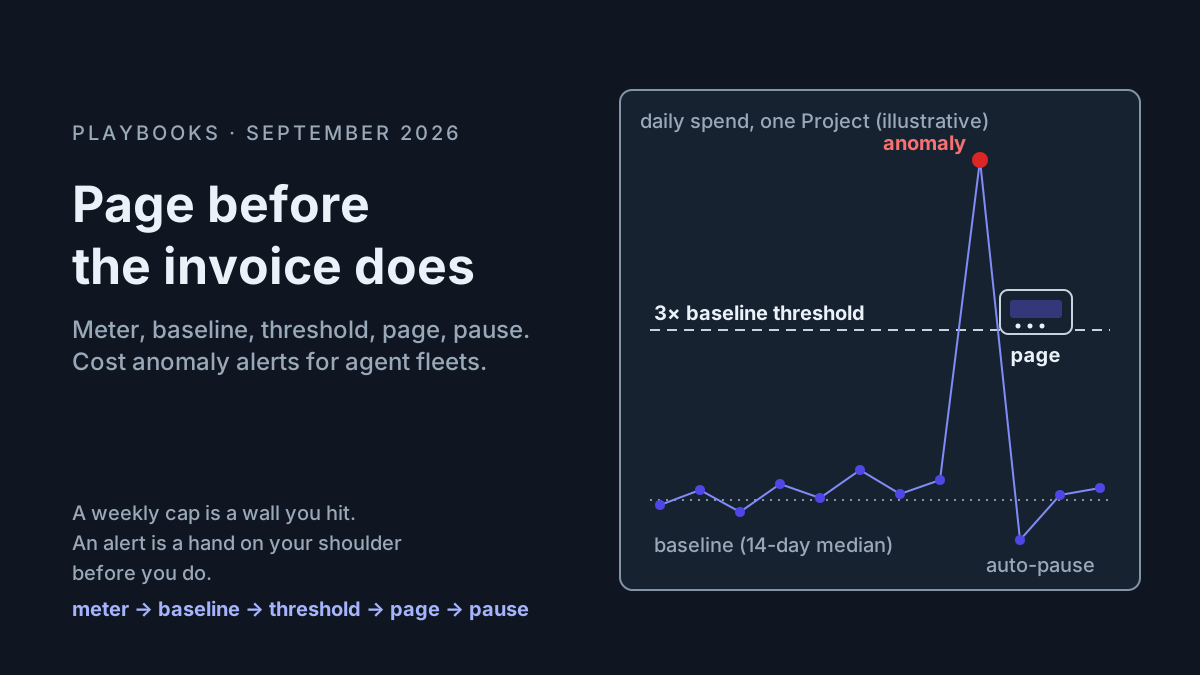
Human in the loop approval fatigue turns agent approvals into rubber stamps. Tier by consequence, batch the low-risk, expire stale prompts, measure the reflex.

Go deeper. Build your own.
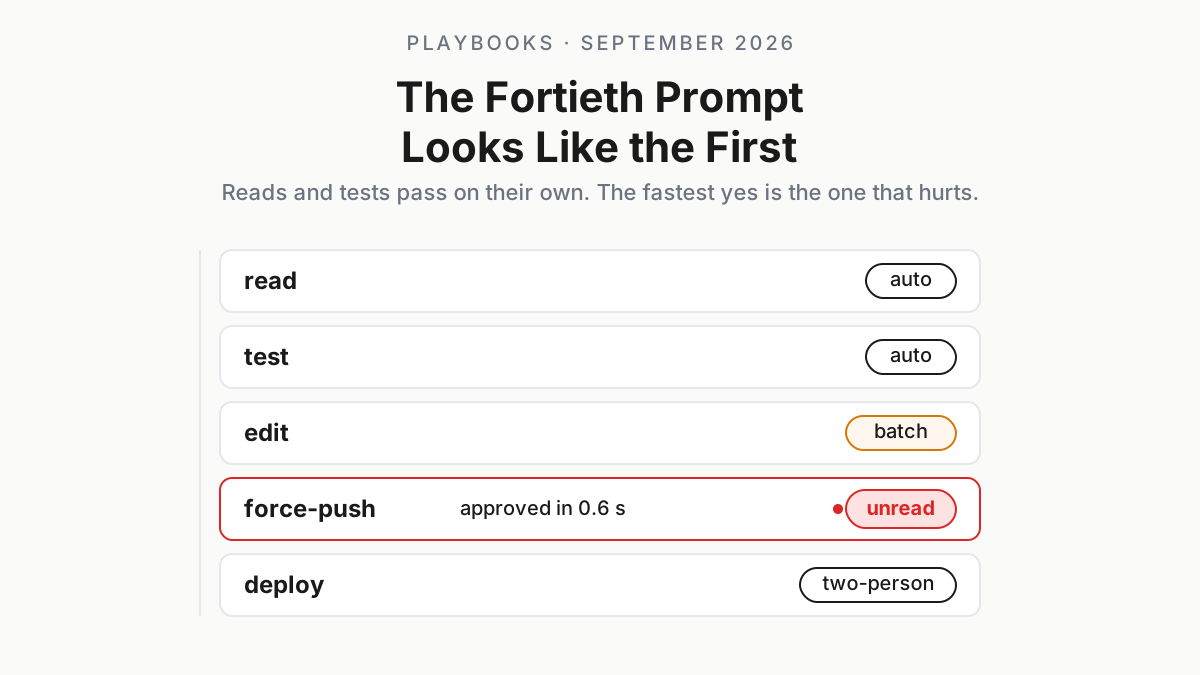
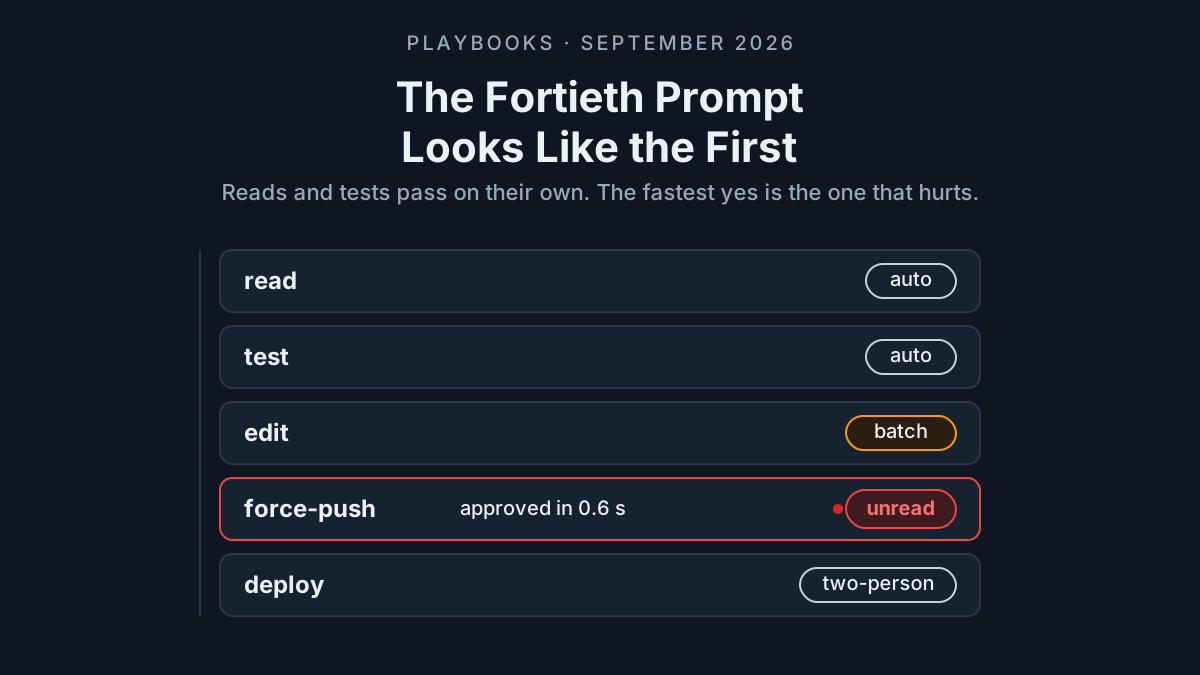
Picture the forty-first prompt of an illustrative morning: Bash(git push --force origin main). You press y in six tenths of a second because the forty before it read Read(src/...) and Bash(npm test), and every one of them was fine. That keystroke is human in the loop approval fatigue in its purest form: a control designed for a person reading one action at a time, operated by a person who stopped reading an hour ago.
Approvals now sit at every layer a fleet touches. The CLI’s permission prompt, the MCP gateway’s policy check, the coordinator’s “brought back to you to check” hand-off, the managed harness’s tool-approval event. Each was added in good faith and each is correct on its own; together they produce a prompt rate no human can read at, so the human stops reading. Cursor’s Projects post from September 10 describes the drift in a sentence honest enough to frame: “Early on, you review each PR closely. As the fixes hold up, you review less.” That is a reasonable way to treat PR quality once the tests hold. It is a terrible way to treat a deploy.
This runbook is the queue you put between the fleet and the person: fewer prompts reach you, the ones that do carry consequences, stale ones expire instead of being answered, and two numbers tell you each week whether the queue has turned into a rubber stamp. It complements the approve-once runbook, which is about servers that change after approval. This one is about humans that change after the fortieth prompt.
“Approve?” is now a surface on every layer
Cursor Projects, in beta from September 10, 2026, puts a coordinator in charge: it “doesn’t write code itself; it plans the work, delegates it to agents that implement it, and brings the finished work back to you to check,” running “as many in parallel as the work needs” (Cursor). The launch post contains no permission model, so test how a Project handles consequential actions before putting one in a production queue. The review-less passage sits in the same post, under Migrations.
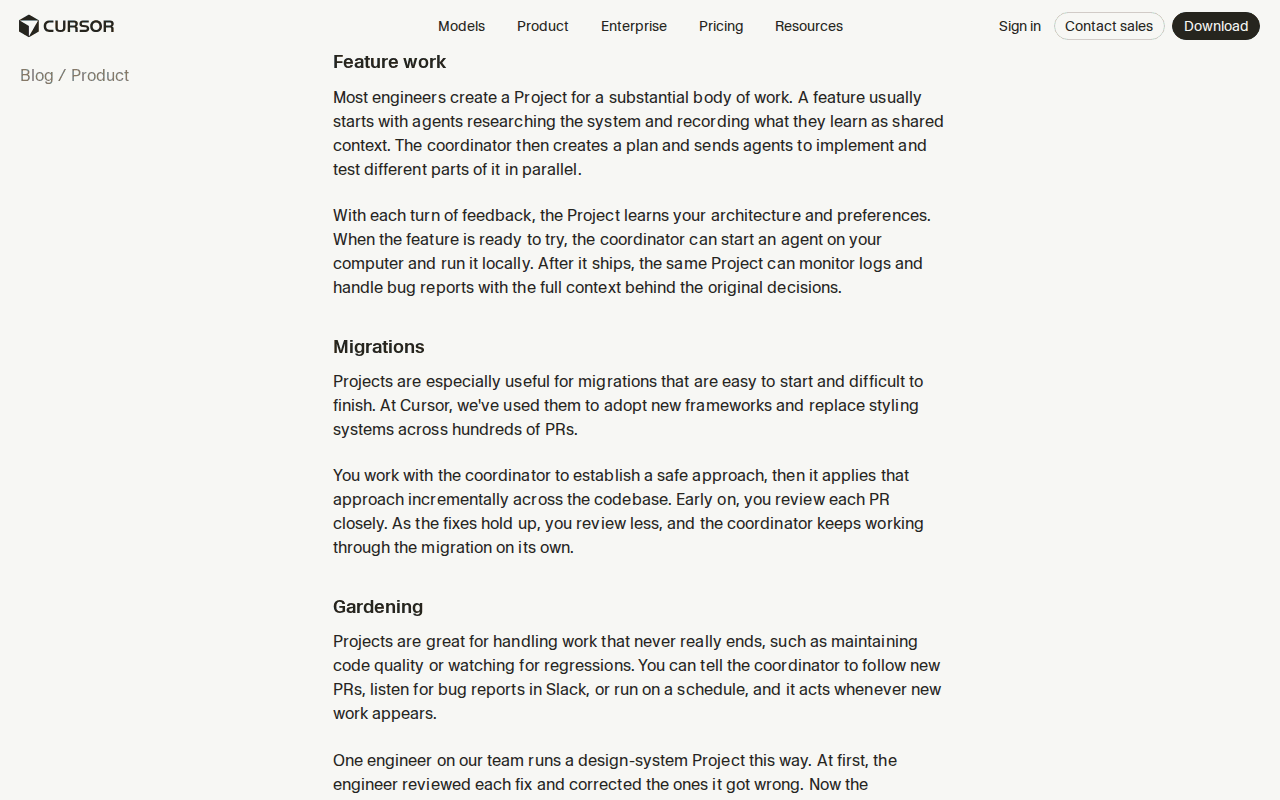 Screenshot: Cursor blog, “Introducing Projects” (Sep 10, 2026), Migrations and Gardening sections, captured Sep 13, 2026.
The CLIs have their own dialects. Claude Code’s permissions page describes “a tiered permission system.” Its current modes include Manual (default), Accept Edits (acceptEdits), Plan (plan), Auto (auto), Don’t Ask (dontAsk), and Bypass Permissions (bypassPermissions), each changing which actions can run without a prompt (Claude Code docs). Codex CLI exposes --ask-for-approval on-request | never next to --sandbox read-only | workspace-write | danger-full-access (Codex CLI docs). OpenAI’s Agents API, in public beta since September 10, runs the whole loop “fully managed by OpenAI,” so any approval policy you require must be tested at your application boundary rather than inferred from the launch post (OpenAI). And at the gateway, Nightfall’s page describes exception workflows that “allow users to request access with business justification, explicit on-demand approval by SecOps” (Nightfall): one more queue, with a security team at the end of it.
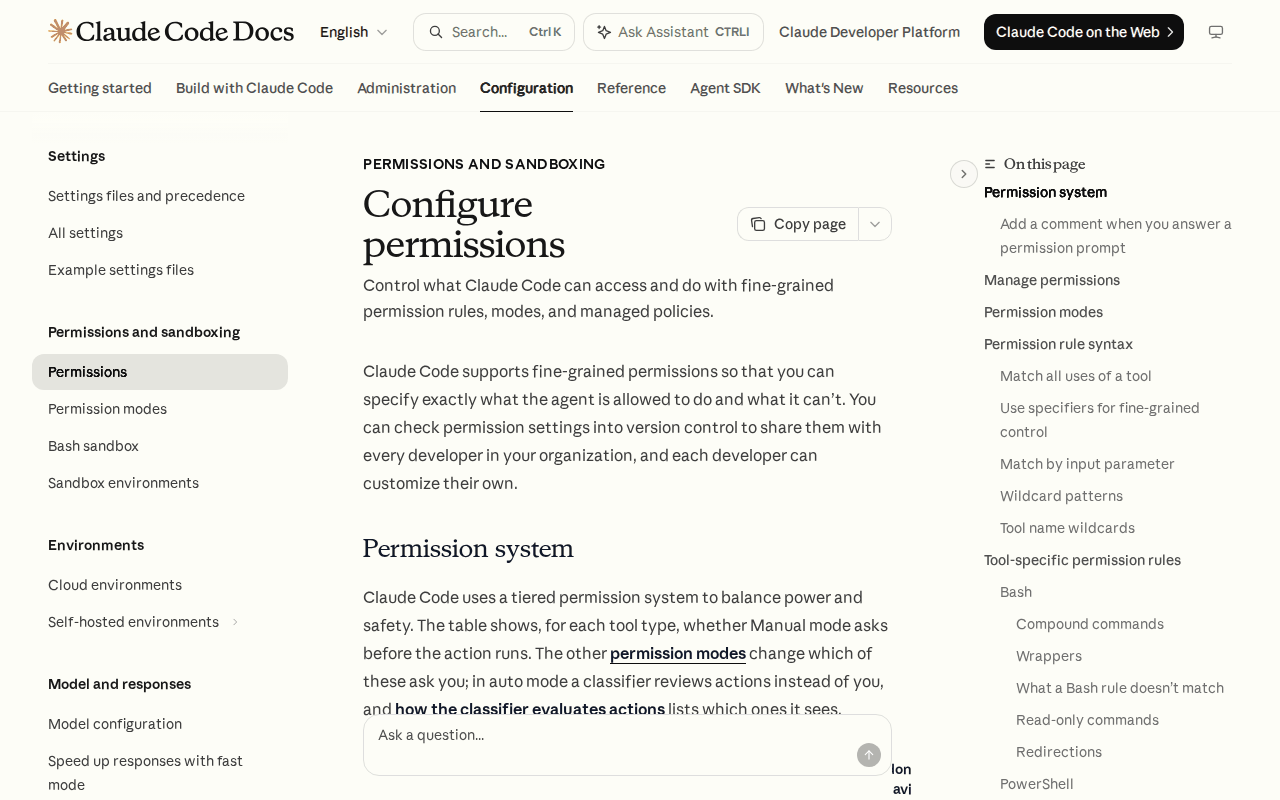 Screenshot: Claude Code docs, “Configure permissions” (Permissions and sandboxing), captured Sep 13, 2026.
One timing detail from the August 19 changelog matters later: with Cursor’s steering, “follow-ups wait for the next tool call instead of cutting the agent off mid-action” (Cursor changelog). Decisions land on tool boundaries. So do approvals, and so should their expiry.
Why human in the loop approval fatigue is a fleet failure
The prompt-per-action model was designed for one CLI producing a handful of prompts an hour, read by the person who typed the task. A coordinator that runs agents in parallel multiplies that rate by its fan-out, and the harness’s prompt has no idea it is one of forty. Reading has a floor: one line of shell takes a second or two, a 40-line diff takes twenty, an unfamiliar MCP tool with six arguments takes a minute. Above the floor, the approval is a keystroke, and a keystroke is not a control.
The failure is structural. The control’s capacity is one human’s reading rate, and nobody provisioned it. Fatigue then leaks into policy: “always allow” clicked at 4:50 p.m., a bypass mode enabled “for the migration,” a coordinator that reviews less because the last fifty were fine. Approve-once died for servers because a server can change after approval. Approve-by-reflex is the same death on the human side: the approver changed after the fortieth prompt, and the fifty-first looked like the fifty before it.
Step 1: tier every action by consequence, not by tool
The tool name tells you almost nothing. Bash runs ls and rm -rf; an MCP tool called update_record can touch a test fixture or a customer. Tier by what happens if the action is wrong, and by how you get back.
| Tier | What qualifies | Example actions | Who decides |
|---|---|---|---|
| 0, auto | Read-only, or workspace writes that git checkout undoes; no network side effects |
Read, Grep, npm test, git status, edits to tracked files |
Nobody; logged |
| 1, batch | Workspace writes with a wider footprint, reversible in minutes | Create a branch, open a draft PR, install dev dependencies in the sandbox | One approval per batch window, with a summary |
| 2, single-approve | Consequential and reversible with effort, or visible to other people | Push to a non-default branch, comment on a PR, post to a team channel, apply to staging, spend above a per-task cap | One human who has to read it; latency measured |
| 3, two-person | Irreversible, external, or touching the controls themselves | Force-push, delete, merge to the default branch, deploy to production, message a customer, change CI, IAM, or secrets | A second human, out of band; never a y in the same terminal |
Write it as a file the harness hook and the gateway both read, so that a Tier 3 action is Tier 3 in Claude Code, in Codex, and in the coordinator; one permission dialect across CLIs is the sibling runbook for the mapping.
# approvals/tiers.yaml: illustrative; matcher syntax borrows the CLI rule shape, your hook decides
tiers:
  auto:
    {
      match: ['Read(*)', 'Grep(*)', 'Bash(npm test:*)', 'Bash(git status:*)', 'Edit(src/**)'],
      expiry: none,
    }
  batch:
    {
      match: ['Bash(git checkout -b:*)', 'Bash(gh pr create --draft:*)'],
      window: 15m,
      max_actions: 25,
      expiry: 15m,
    }
  single: {
      match:
        [
          'Bash(git push origin feature/:*)',
          'mcp__slack__post_message',
          'Bash(kubectl apply -n staging:*)',
        ],
      reading_floor: 2s,
      expiry: 10m,
    } # unanswered: the agent pauses and re-asks with fresh context
  two_person:
    {
      match:
        [
          'Bash(git push --force:*)',
          'Bash(git merge:*)',
          'mcp__deploy__*',
          'Bash(aws iam:*)',
          'Bash(rm -rf:*)',
        ],
      approvers: 2,
      channel: out-of-band,
      expiry: 60m,
    }
default: single # anything unmatched is Tier 2 until someone tiers it
MCP tool annotations (readOnlyHint, destructiveHint, idempotentHint, openWorldHint) are inputs to the classifier, never verdicts; they are the server describing itself, and the approve-once piece exists because servers change what they say (modelcontextprotocol.io). A destructive hint can only raise a tier. A read-only hint cannot lower one.
Step 2: batch the low-risk lane into one approval a human can read
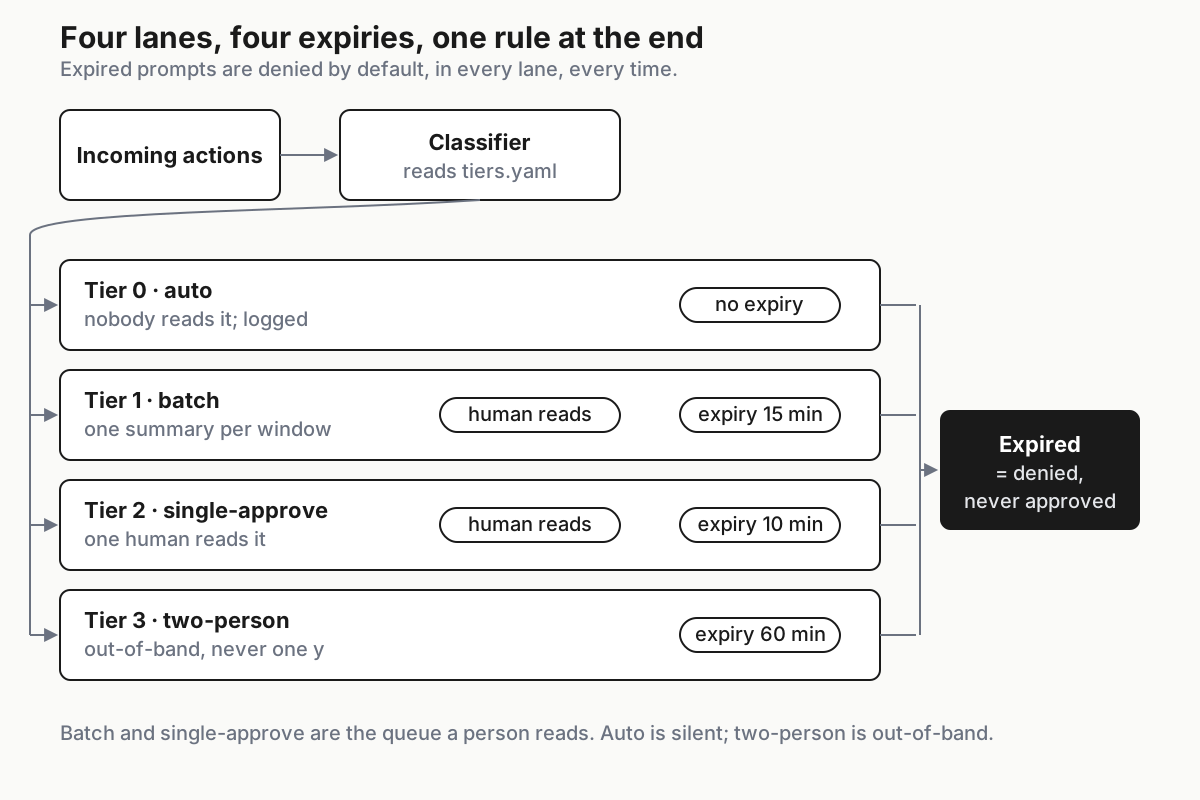
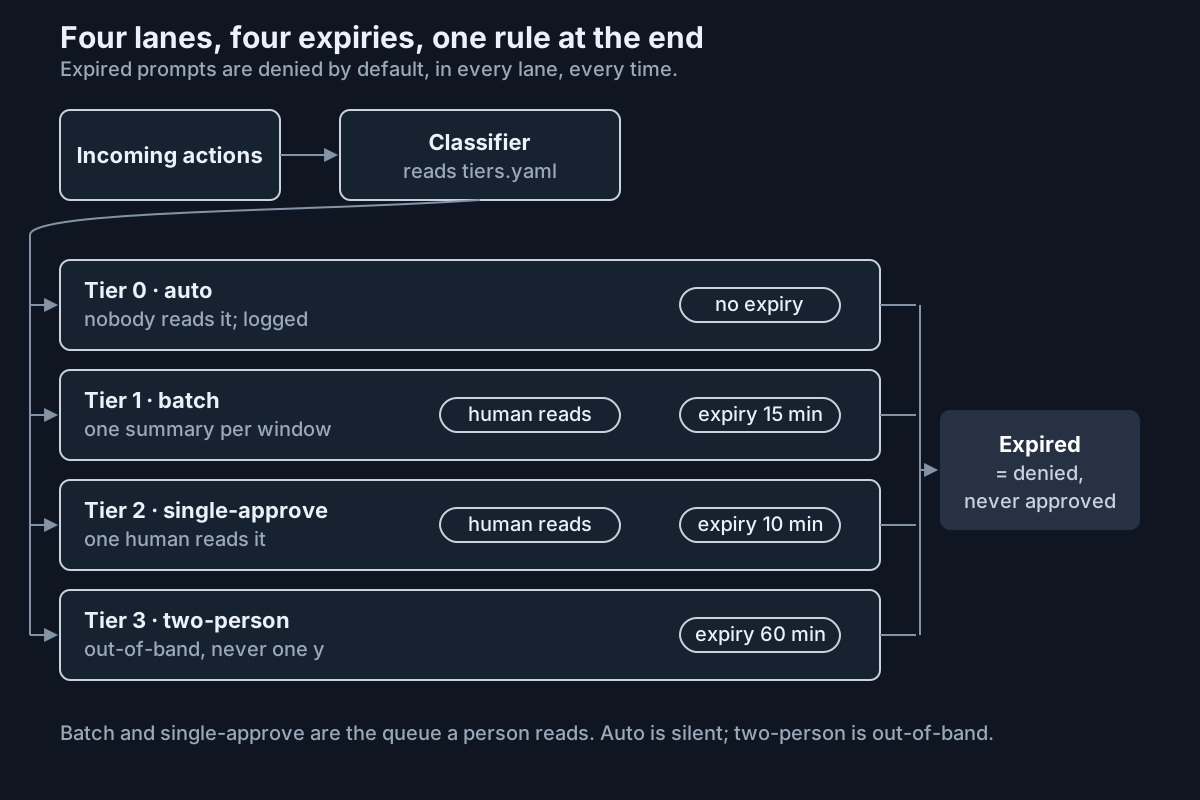 Four lanes, four expiries. The classifier reads the tiers file; the human reads only lanes 2 and 3.
Batching means one prompt per window that shows the state change rather than the action list: files touched, net lines, anything outside the workspace, anything on the network, and the three actions the classifier was least sure about. A summary a human reads in twenty seconds replaces twenty-five prompts nobody read at all, which is a different thing from “approve all.”
Batch 14:07-14:22 · agent release-bot · task #4821 (migrate styling) · illustrative
  23 actions · 19 edits in src/ (+412 / -388) · 3 commands (npm test x2, git checkout -b) · 1 draft PR
  outside workspace: none · network: api.github.com (1) · new dependencies: none
  least certain: Edit(src/theme/tokens.ts) · Bash(npm test -- --updateSnapshot) · Bash(gh pr create --draft)
  [approve batch]  [open least certain]  [pause agent]
Harness modes implement the lane inside one CLI: Claude Code’s acceptEdits automatically accepts file edits and common filesystem commands inside the working directory, while Codex’s --ask-for-approval on-request with --sandbox workspace-write can ask before a command leaves the box. The tiers file decides what goes in each lane; the mode is how the lane is enforced. Two guards keep it honest. A batch containing anything unmatched gets split, with the unmatched action promoted to Tier 2 on its own. And a window that closes with the agent mid-action holds until the next tool boundary, the same rule Cursor applies to follow-ups.
Step 3: expire stale approvals, and never let fatigue become auto-approve
An approval is a decision about a state. A prompt that sat unanswered for ten minutes refers to a state the agent, or another agent, may have changed since. Expire it. The agent pauses, or re-asks with a fresh summary; it never proceeds on a decision older than the tier’s expiry, and it never treats an expired prompt as consent. Tier 3 expiry escalates to the backup approver; if that expires too, the task pauses and the pause shows up in the weekly numbers, which is the correct outcome for an action nobody was willing to read.
The second rule is the one that saves you from yourself. An “always allow” clicked from a prompt is a policy change made by the most tired person in the building, at the moment of least attention. Route it: the click records a proposal in the tiers file, effective after the weekly review. Allow rules older than 30 days expire on their own and have to be re-proposed. The harness can be persuaded to approve anything; the file cannot be persuaded at 4:50 p.m.
Time windows belong here too. Nightfall’s page uses after-hours production databases as its example of a time-based policy; the desk version is that Tier 2 and Tier 3 have hours, and outside them the agent queues rather than asks, because a prompt answered at 23:40 is an approve-without-read with extra steps.
Step 4: measure human in the loop approval fatigue with two numbers
Approve latency is the time from prompt shown to decision received. Approve-without-read rate is the share of approvals faster than the reading floor for the prompt’s size. Both come from one log line per prompt, written by the component that renders the approval UI or owns the durable queue. Do not assume a CLI hook records prompt timing; instrument the boundary you control.
{
  "ts": "2026-09-11T14:09:12Z",
  "prompt_id": "p_7c1e",
  "agent": "release-bot",
  "tier": "single",
  "action": "Bash(git push origin feature/tokens)",
  "chars": 38,
  "diff_lines": 0,
  "latency_ms": 627,
  "floor_ms": 2000,
  "read": false,
  "decision": "allow",
  "approver": "r.okafor"
}
The reading floor is a table, and it is deliberately generous to the reader:
| Prompt size | Floor | Why |
|---|---|---|
| One line, under 60 characters | 2 s | Enough to read the verb and the target |
| One line over 60 characters, or two to five lines | 5 s | Flags and paths hide in the second half |
| Diff of 6 to 40 lines | 15 s | You are checking what changed, not that something did |
| Diff over 40 lines, or an MCP call with more than three arguments | 45 s, or open-in-editor required | Anything faster is a scroll |
The query is one line in whatever you keep logs in; illustrative, with jq:
jq -s '[.[] | select(.tier=="single" and .decision=="allow")]
       | {n: length, approve_without_read: ((map(select(.read==false)) | length) / length),
          p50_latency_ms: (map(.latency_ms) | sort | .[length/2|floor])}' approvals-*.jsonl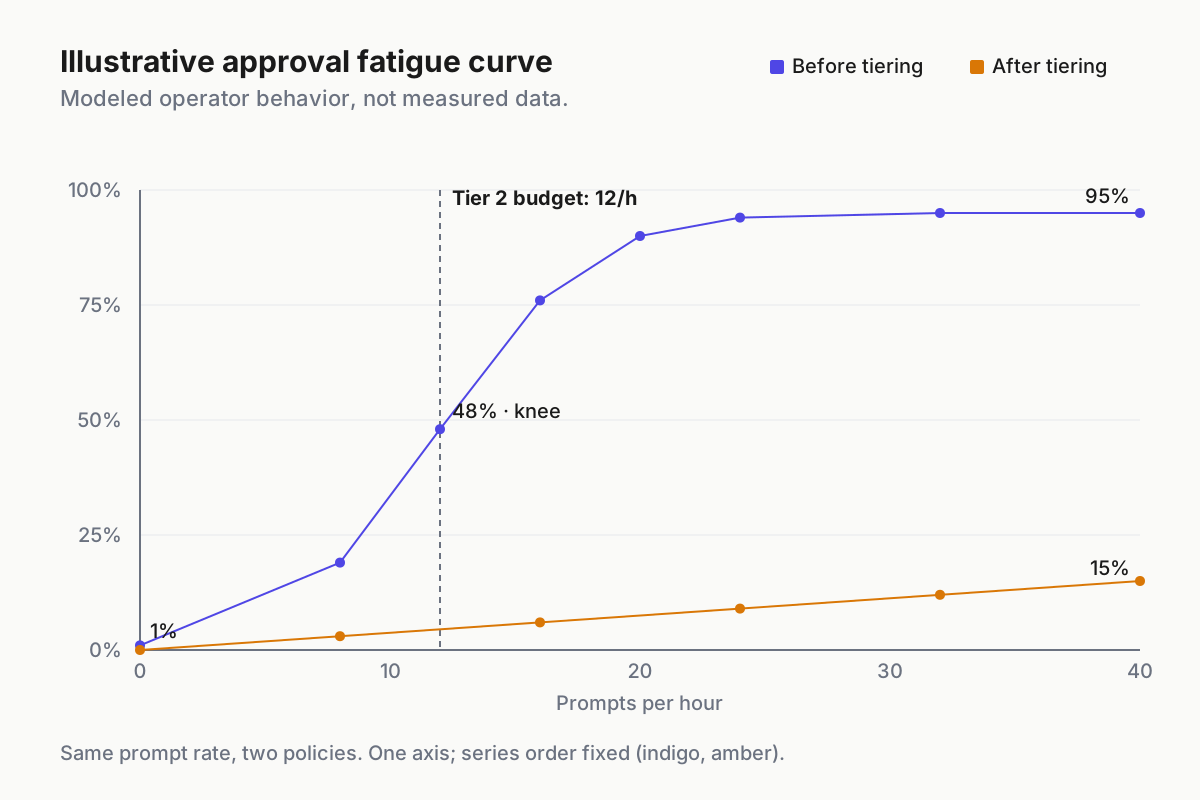
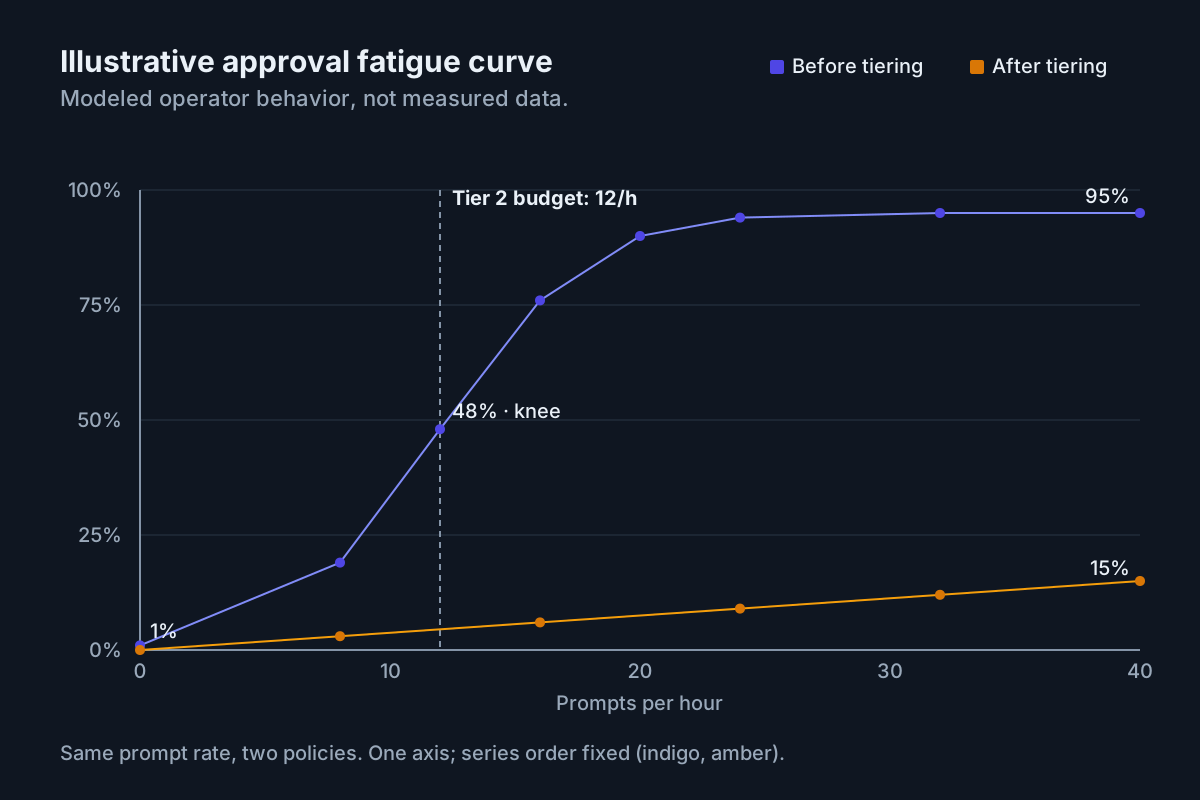 Illustrative: modeled operator behavior, not measured data. The knee is where the prompt rate passes what one person can read.
Thresholds, illustrative and worth arguing about in your own numbers: Tier 2 approve-without-read above 10 percent is amber and above 20 percent is red; Tier 3 above zero is an incident, because a two-person action approved under the floor means one person did it. Approve latency p50 under the floor is the same signal from the other side. Latency p90 above the tier’s expiry means the agent is stalling on you, which is a capacity problem for the SLOs below rather than a reason for a faster thumb.
Step 5: give the queue SLOs and backpressure
A queue without a service level is a pile. Set the numbers per tier, and make the fleet respect them.
| Tier | Prompt budget | Latency target (p50) | Expiry | On expiry | Backup |
|---|---|---|---|---|---|
| 0, auto | Unbounded, logged | n/a | n/a | n/a | n/a |
| 1, batch | 4 batches per hour per approver | 20 to 90 s per batch | 15 min | Agent holds at the next tool boundary | Second approver after 15 min |
| 2, single | 12 prompts per hour per approver | 5 to 60 s, above the floor | 10 min | Agent pauses, re-asks with a fresh summary | Named backup, paged at 5 min |
| 3, two-person | 3 per day per fleet | 5 to 30 min, out of band | 60 min | Task pauses; weekly report | Owner of the system touched |
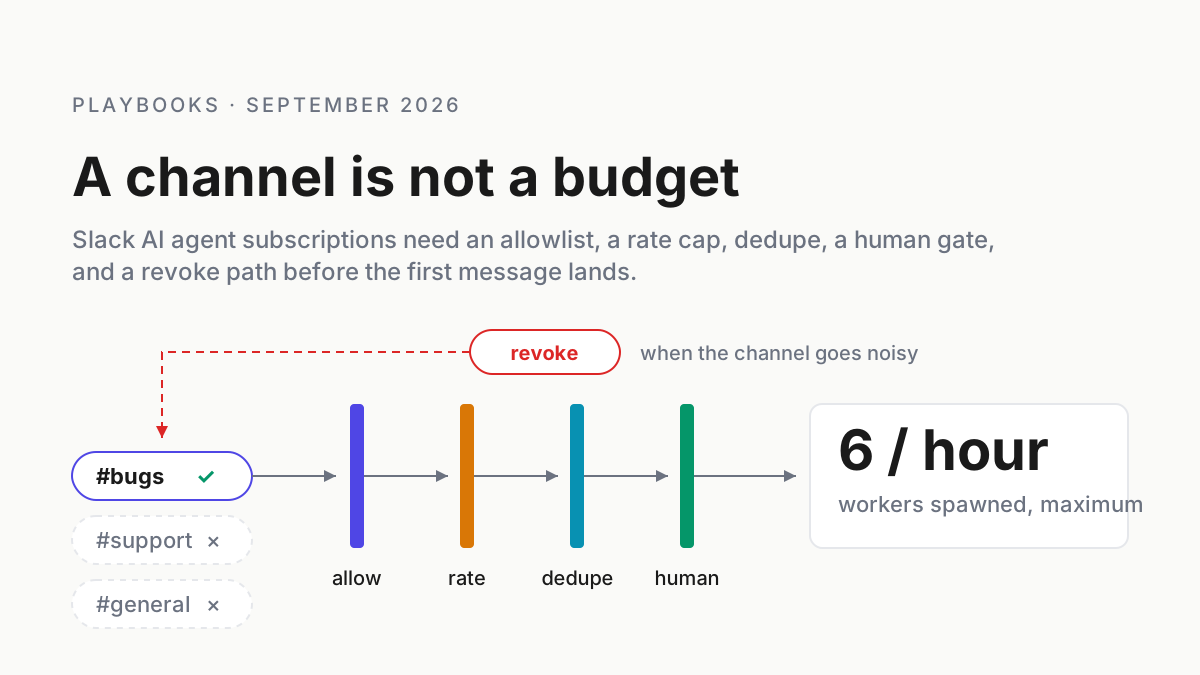
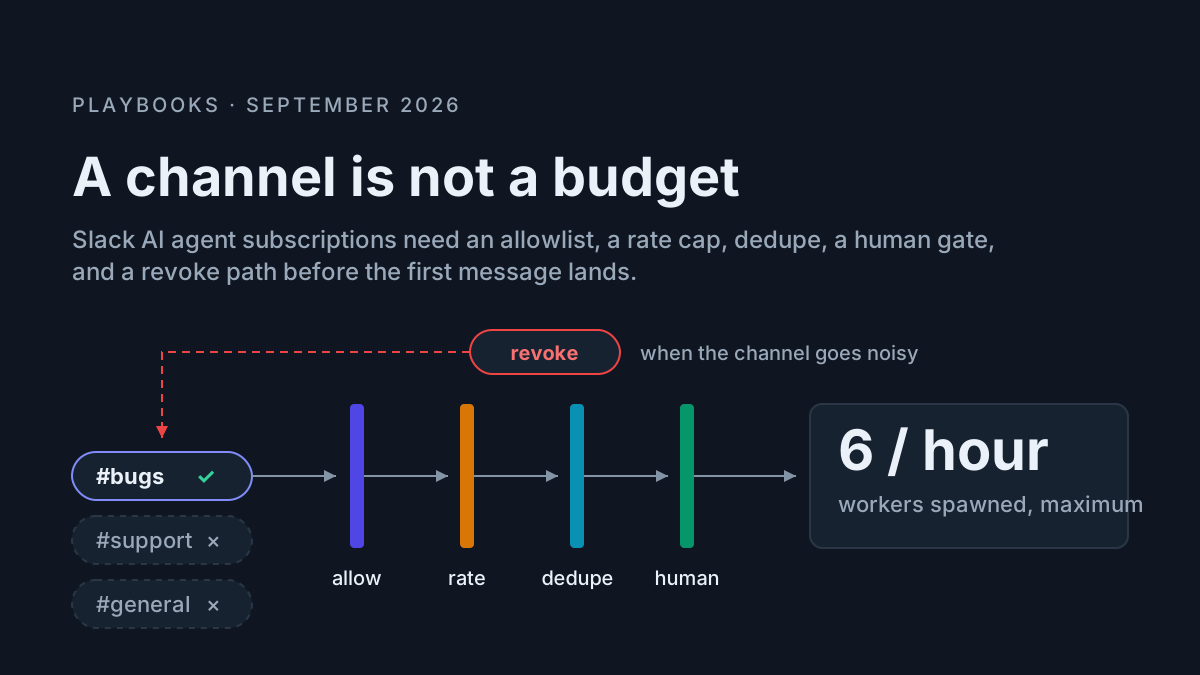
Backpressure is the part most queues lack. When Tier 2 prompts exceed the budget, the queue does not stack them for the human to plough through later; it pauses the agents producing them at their next tool boundary, and the coordinator learns that approval is a capacity rather than a formality. What pause, redirect, and abort must mean is the sibling runbook; subscriptions that turn a chat channel into a prompt firehose are the usual cause of a budget breach, and merge gates are where Tier 3 lives for code. A required-reviewers rule on a protected branch or a deployment environment is a two-person gate the platform already enforces, out of band by construction (docs.github.com).
Step 6: the Friday half hour
Thirty minutes, same time every week, with the numbers on screen.
- Read the two numbers per tier and per approver. Anyone above 20 percent approve-without-read on Tier 2 hands their queue to someone else for a week, and the reason is written down; usually it is prompt rate, not the person.
- Walk the proposals. Every “always allow” clicked this week is a proposal in the tiers file; accept it into Tier 0 or 1 with a matcher you would defend in a design review, or reject it.
- Expire the old rules. Allow rules older than 30 days come out unless re-proposed.
- Re-read ten Tier 2 approvals cold. Pick them at random from the log, with the diff. If you would not approve one now, it was an approve-without-read the floor missed; tighten the floor for that prompt shape.
- Re-tier the top five most-prompted actions. Either they belong in Tier 0 with a guard, or the agent should stop needing them; a prompt that fires forty times a day is a design bug in the task.
- Rotate approvers. No single person above 60 percent of Tier 2 approvals in a week; the queue is a role.
- Publish the numbers where the people who launch agents can see them.
Six signals the queue has become a rubber stamp
Latency clusters under one second. A histogram of Tier 2 approve latency with its mode below the floor. The keystroke is muscle memory.
One approver, all week. Above 60 percent of approvals from one login. Whoever it is, they stopped reading on Tuesday.
The allow list grew. More than a handful of new “always allow” rules in a week, none of them proposed through the file.
Tier 3 answered in the terminal. A force-push or a production apply approved as a y rather than out of band. That is a tiering bug and a process bug at once.
Agents stalling on prompts. p90 latency above expiry, re-asks piling up, coordinators idle. The budget is too high for the approver capacity, and the queue is telling you to add an approver, batch harder, or shrink the fan-out.
Approvals after 22:00. From a session that started at 09:00. The person is reading nothing; the window rule exists for exactly this.
The queue is operating-layer infrastructure, not a smarter prompt
Every harness ships its own prompt, and each one is fine alone. A fleet of eleven sessions across five CLIs, plus a coordinator that spawns as many as it likes, is eleven prompts with no shared clock, no shared budget, and no shared idea of what “already approved” means. The queue is the layer under them: one tiers file, one log line per prompt, one budget, one place to pause the fleet when the human is the bottleneck. That is the one-boss shape applied to approvals, and it is why per-CLI flags never add up to fleet policy.
The evidence side matters as much as the gate. When the question is “who approved the force-push and how long did they look at it,” the answer has to be a line in a log you own, next to the transcript that shows what the agent said it was doing; replaying a fleet is how you check the approver saw the same thing the agent did. Cursor’s line stays honest: you will review less. Make sure the queue decides what “less” means, and your thumb does not.
FAQ: human in the loop approval fatigue
What is approval fatigue in human-in-the-loop AI agents?
Approval fatigue is the drift from reading each agent action to approving on reflex, once the prompt rate exceeds the rate a person can read. It shows up as approve latency below the reading floor, a rising approve-without-read rate, and “always allow” rules added under pressure rather than through review.
How many agent approvals per hour can one person actually review?
Fewer than the fleet will generate. Illustrative budgets from this runbook: about twelve single-approve prompts an hour, four batch summaries an hour, and three two-person actions a day, per approver. Above those, latency drops under the reading floor and the approvals stop meaning anything; pause the agents instead.
Should an AI agent auto-approve actions after a period of good behavior?
Only for actions that were reversible and low-consequence all along, and only through a reviewed change to the tiers file. Good behavior lowers your attention, not the action’s consequence. A migration that held up for fifty PRs still needs a human on the force-push, the merge, and the deploy, every time.
Sources
- Cursor — Introducing Projects (September 10, 2026)
- Cursor changelog — “Cursor Projects” (September 10, 2026) and “Cloud Agents and Cursor Harness Improvements” (August 19, 2026)
- Claude Code docs — Configure permissions
- Codex CLI docs
- OpenAI — Introducing the Agents API (September 10, 2026)
- Nightfall — MCP Security product page
- Model Context Protocol — tool annotations (
readOnlyHint,destructiveHint,idempotentHint,openWorldHint) - GitHub Docs — protected branches, required reviewers, deployment environments