Anthropic Lists Claude Code’s Experimental Code Mode for Four Cloud Providers
Claude Code v2.1.331 lists terminal Code Mode support for four cloud providers. Anthropic’s setup guide still excludes all four. Here’s what the release says and how to tell whether the mode is active in your session.
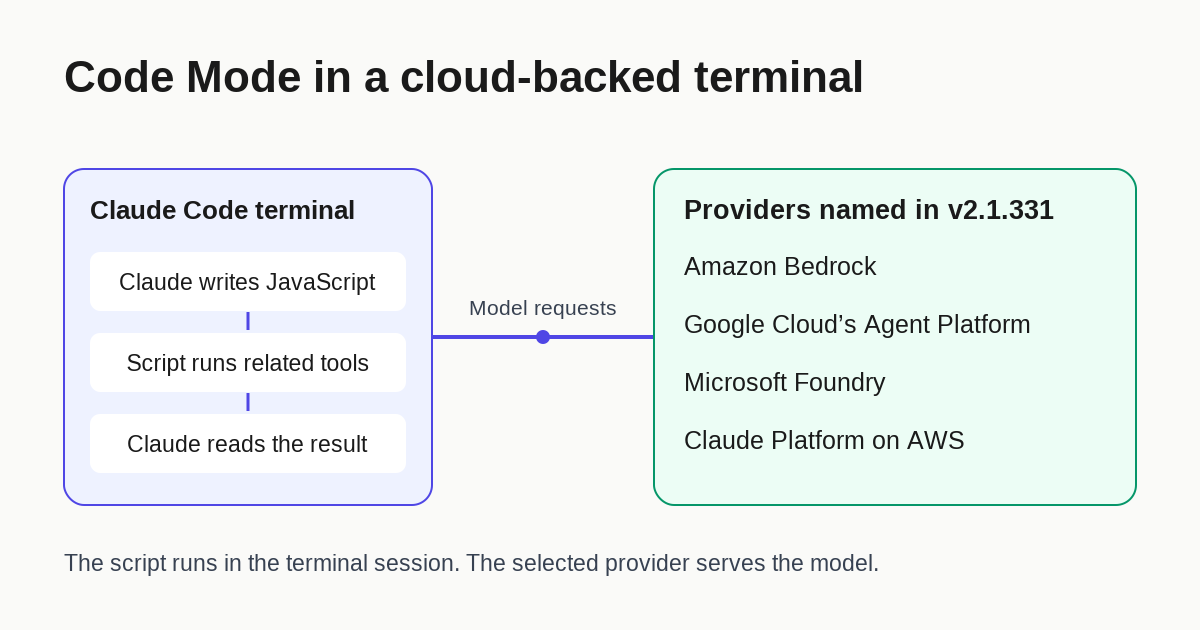
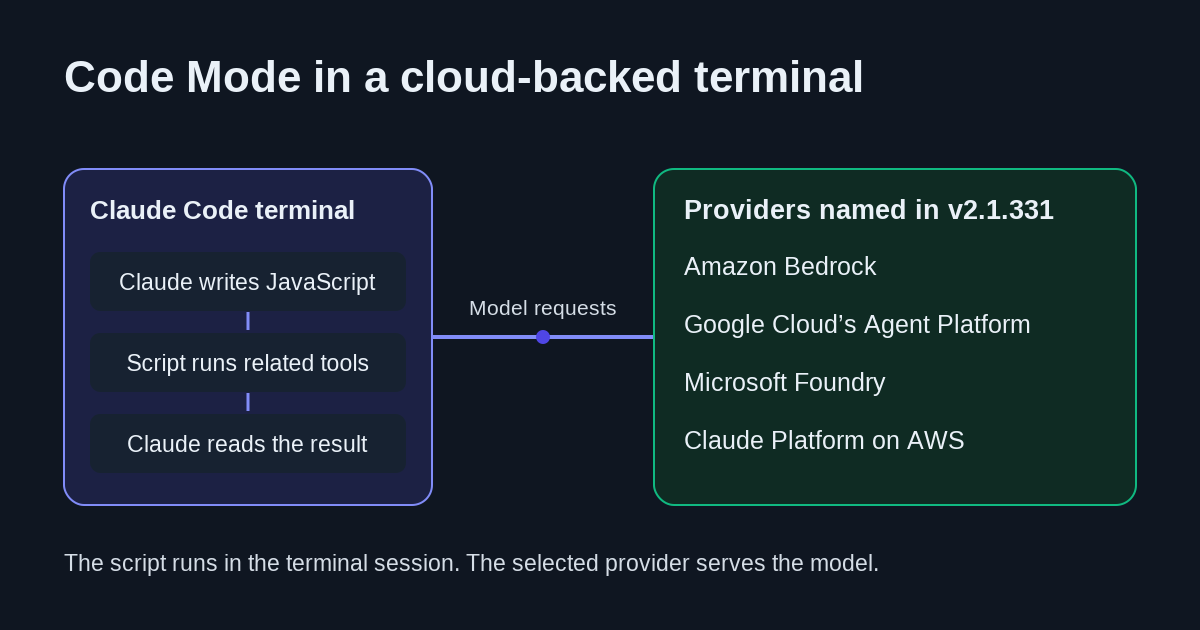
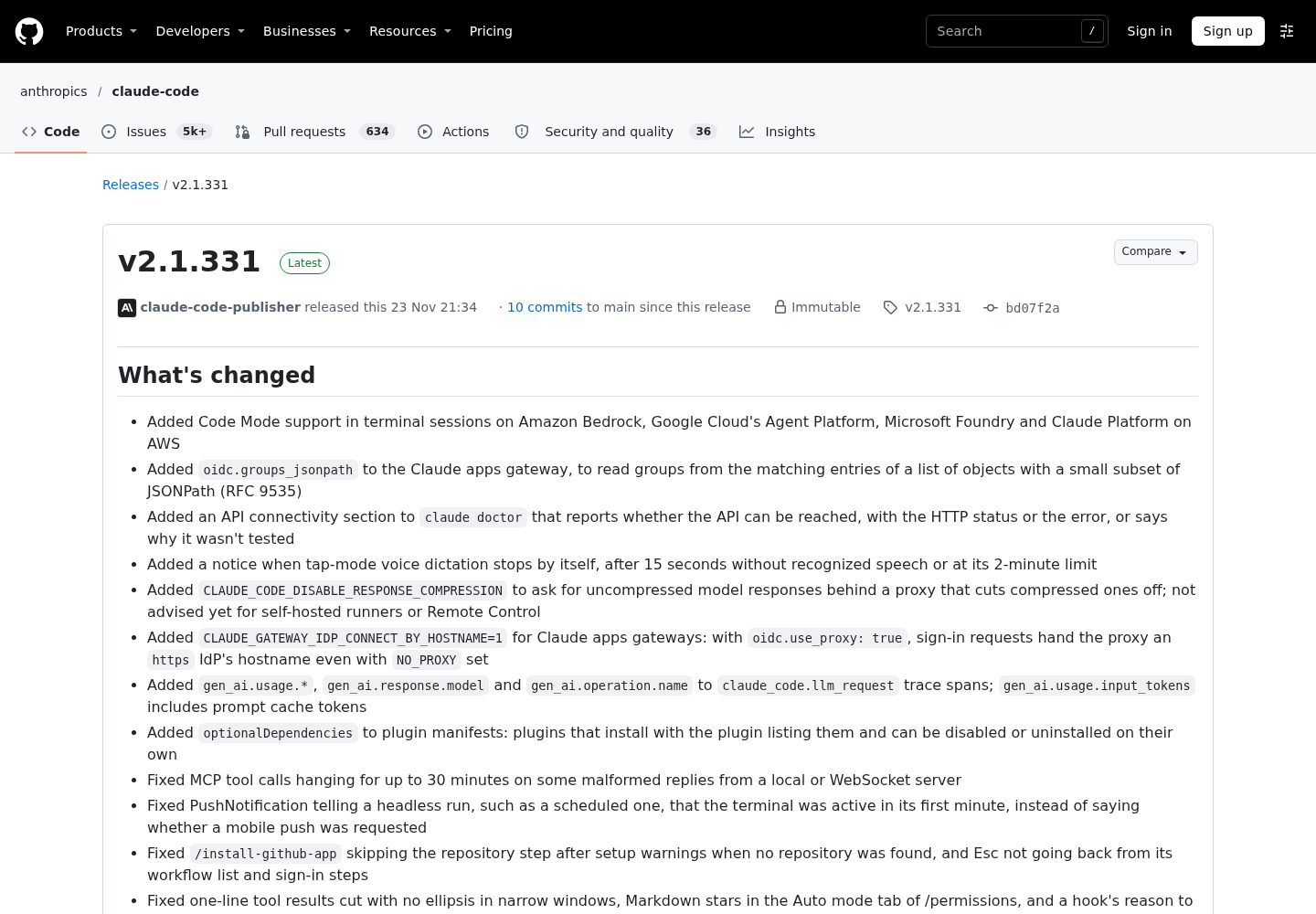
Anthropic says its experimental Code Mode can now run in Claude Code terminal sessions backed by Amazon Bedrock, Google Cloud’s Agent Platform, Microsoft Foundry and Claude Platform on AWS. The November 23 release notes for v2.1.331 name all four. The change matters for developers whose organizations already route Claude Code through one of those providers. It gives them a path to try a mode that can chain tool calls, run independent checks in parallel and filter their output before the model reads it. Anthropic’s v2.1.331 release notes
Anthropic’s two sources disagree on eligibility. The release notes explicitly add terminal support for those four providers, while the Code Mode guide still explicitly excludes all four. The tagged notes establish what Anthropic says it shipped. The guide documents the experimental opt-in and how the feature works, but leaves provider-specific eligibility unresolved. We did not verify a live session on any of the four. Anthropic’s Code Mode guide
What a script changes inside the session
In a regular session, Claude requests a tool call and reads the result before deciding what to do next. In Code Mode, Claude writes JavaScript and Claude Code runs it inside the session. That script can use the output of one tool to decide what another tool should read, or run several independent checks and return just the results Claude needs. The terminal conversation shows the tool activity. To see the generated script, open the transcript viewer with Ctrl+O and expand its Code row. Anthropic’s explanation of tool execution
Consider a shared test helper that several packages need to migrate. A first task could ask Claude to find the callers, group them by package and report which test suites cover them, with edits out of scope. A script can use the search results to decide which test configurations to read, then return a short list of package names, paths and gaps. That gives the developer something concrete to check against the repository before asking for the migration. A useful comparison with a regular session is whether both find the same callers and whether the Code Mode transcript makes any omissions easier to trace. Anthropic’s notes give no performance or token-savings figures for the provider expansion.
Which session to check
The release describes an interactive terminal session whose model is served by a cloud provider. Claude Code also offers a VS Code panel, a desktop app and hosted web sessions. Anthropic’s overview describes these as separate surfaces, and its Code Mode guide limits the experiment to the interactive terminal. If you work in VS Code, the integrated terminal and the Claude Code chat panel are separate entry points. Anthropic’s overview of Claude Code surfaces · Automater’s guide to the VS Code panel and terminal CLI
Keep track of the model the session actually uses. Anthropic’s Bedrock setup guide explains that model aliases can resolve differently depending on what an account can access and how a team pins model IDs. With the Code Mode guide and release notes in conflict, a result on one provider and model is evidence for that configuration. It leaves other regions, models and gateway configurations open. Anthropic’s Bedrock model configuration guide
Code Mode is experimental and off by default. Its guide documents the CLAUDE_CODE_EXPERIMENTAL_CODE_MODE opt-in and a startup banner that reads “Code Mode (experimental) is on.” For a team evaluating the release, record the provider and model, check for that banner, then give Claude a small task that requires related tool calls and look for the Code row. The two observations answer different questions. The banner shows that the session started in the mode, and the transcript shows whether Claude used a script for that task. Anthropic’s Code Mode setup and transcript instructions
Permission behavior is worth checking on its own. The guide says Auto mode’s classifier reviews the generated script as a whole, while individual tool calls still go through permission rules and applicable hooks. That makes the transcript relevant to both the result and the way it was obtained. For the test-helper example, the useful outcome is a correct caller inventory with a traceable set of reads you can review before approving any edits. Anthropic’s Code Mode permissions documentation