Claude Code Best Practices for Prompting: Write the First Prompt, Plan Before Code, Give Claude a Check to Run
Claude Code best practices for prompting: a four-part first prompt, six rewrites, a plan-mode review, checks that return evidence, and when to start fresh.

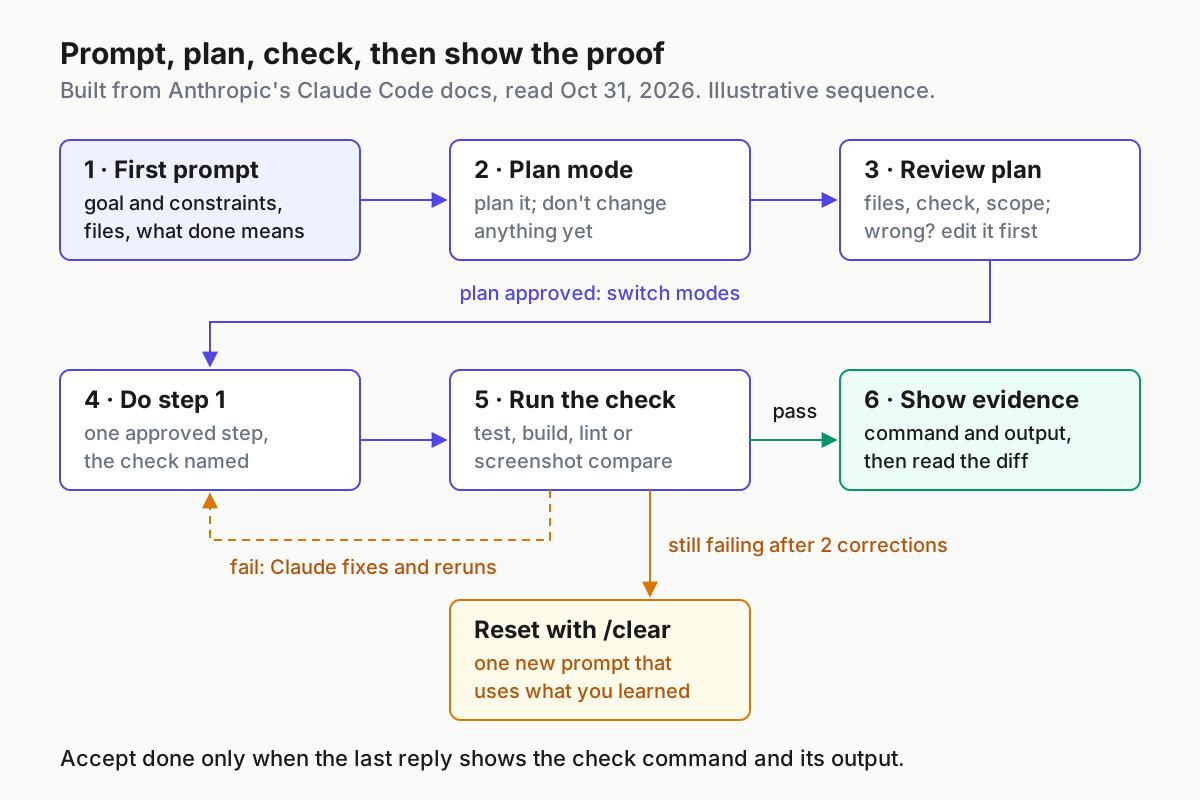
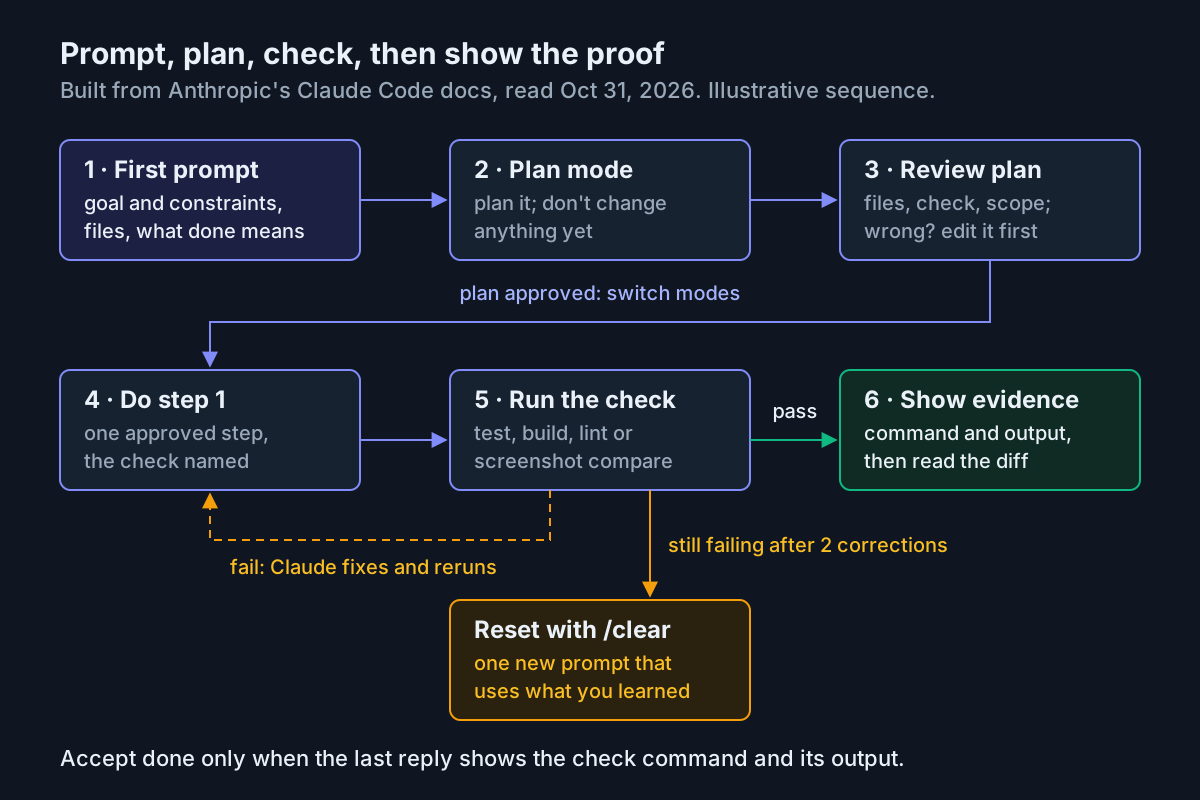
You typed “fix the login bug,” Claude Code edited four files, announced it was done, and the test suite went red the next time you ran it. Nothing in that session was unusual, and most of it was decided by the first message. The Claude Code best practices that matter day to day are about that message: what you hand over, what you ask Claude to do before it edits anything, and what you accept as proof that the work is finished.
This tutorial is for developers who already run Claude Code on a Claude subscription or a Console account and get uneven results: diffs that wander, “done” claims that don’t survive a test run, sessions that drift after an hour. You will leave with a four-part first-prompt template filled in for one concrete task, six before-and-after rewrites, a plan-review checklist, a verification request that returns evidence, one complete worked session you can copy message by message, a decision table for /clear, /compact and /rewind, a troubleshooting table and a short CLAUDE.md block of standing rules.
Every Claude Code keystroke, command and file location below comes from Anthropic’s documentation, listed under Sources; the few git commands are ordinary git. The prompts are ours and illustrative: we wrote them for this guide and did not run them, so each expected observation describes what the docs say should happen, not output we captured.
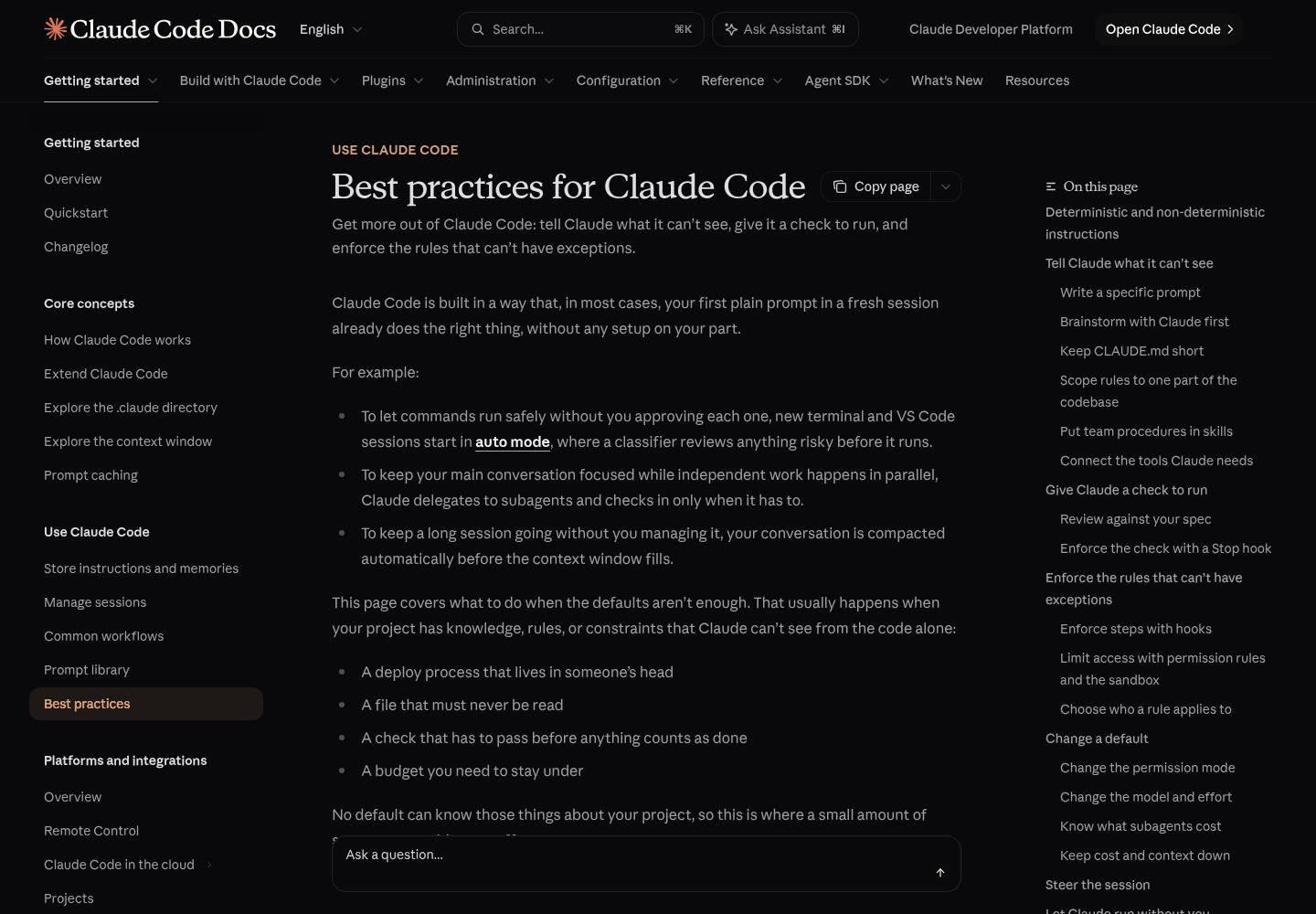
The reason to write it now is small. On Oct 28, 2026, Semih (@its_meseba) shared on X a community repository of Claude Code best practices, “from vibe coding to agentic engineering,” as part 93 of an “amazing repos” series. Lists like that circulate constantly. The authoritative advice lives on Anthropic’s Best practices for Claude Code page, which now organizes most of its guidance around two moves: tell Claude what it can’t see, and give it a check to run. The Claude Help Center’s power-user tips go further and call verification the single most impactful tip in the guide. The features around the prompt, from subagents to MCP, are covered in our Claude Code power guide. This guide is about the words you type.
What you need before the first prompt
Five things make every technique below work. Check them once per repository.
- [ ] A current Claude Code install, signed in. Run
/helpin a session to see which commands your version and plan actually offer. The Help Center suggests exactly that when a command from a guide comes back as unavailable. - [ ] A git repository with a clean working tree. Then
git diffshows only Claude’s edits, andgit restorecan undo them. - [ ] A check that comes back pass or fail. A test file, a build’s exit code, a typecheck, a linter. The worked example uses a TypeScript repository with
pnpm vitest runandpnpm tsc --noEmit, the commands in Anthropic’s own sample CLAUDE.md. Substitute yours. - [ ] One task. Small enough to review in a sitting, and unrelated to whatever the session did last.
- [ ] The facts that aren’t in the repo. The error text verbatim, a screenshot, a decision made in a meeting, the environment variable your integration tests need.
The last item is the one most people skip. Anthropic’s guide is direct about it: Claude reads your code well and finds your layout, conventions and test framework on its own, so the useful things to tell it are the ones that were never written down. Its test before writing anything for Claude is two questions. Could it find this by reading the code? Would it actually go and look? If both answers are yes, leave it out of the prompt.
The clean working tree matters more than it looks. When the only changes in git status are Claude’s, the success checks at the end of this guide take seconds. When your own half-finished edits are mixed in, you can no longer tell which files the plan touched and which you did.
Write the first prompt in four parts
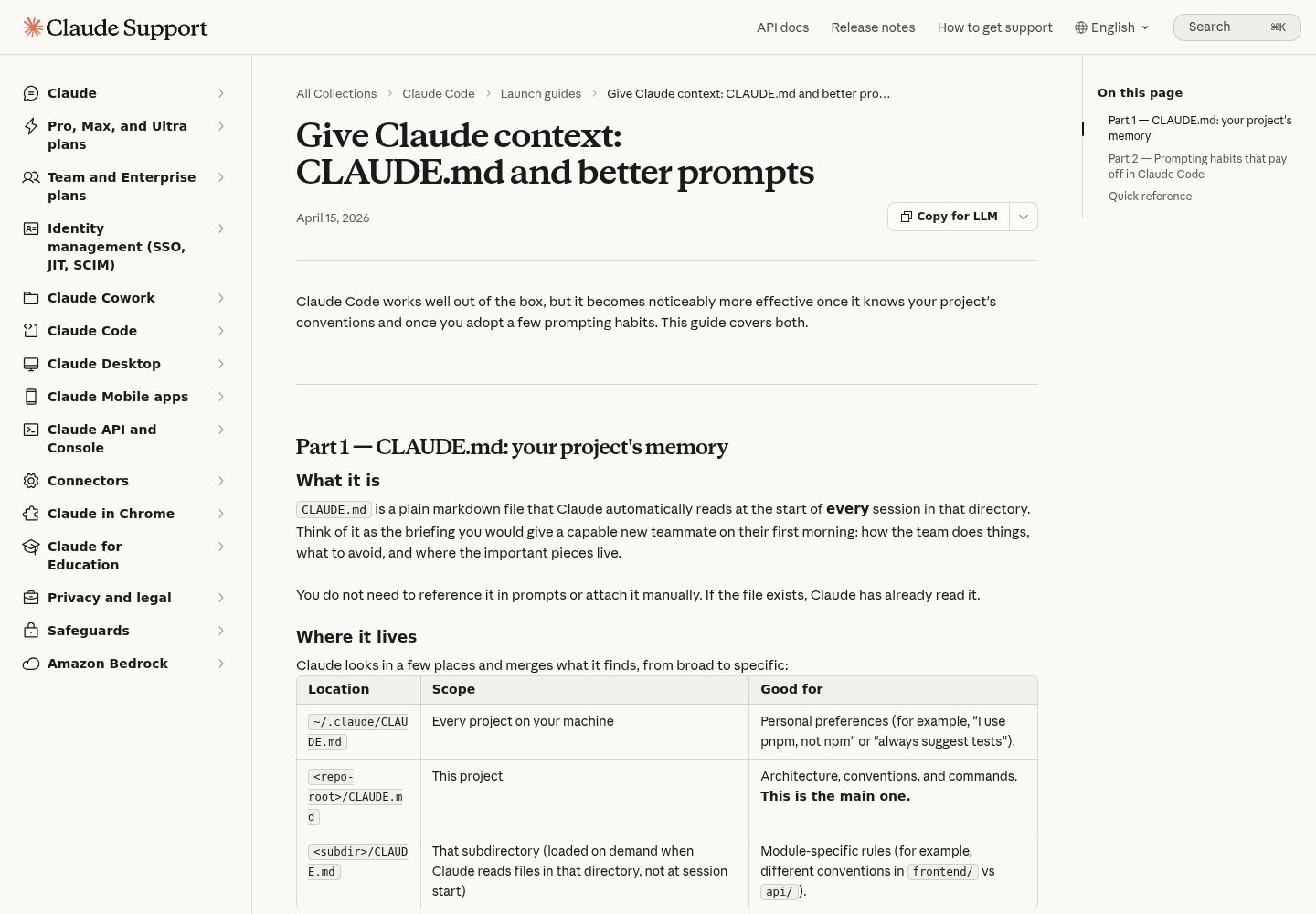
A specific prompt saves a round of corrections because it gives Claude information it doesn’t have. The best-practices page puts it in one line: name the file, describe the symptom, and say what “fixed” looks like up front. The Help Center’s Give Claude context article adds the complementary rule: state the outcome, not the steps, because Claude can explore the codebase itself.
Those two rules fit into four labelled parts. Keep this block in a snippet manager or a text file beside the terminal:
Goal: <what should be true when this is finished, and why it matters>

Files and context: <@path references, the error or symptom verbatim,
a pasted screenshot, a link, anything Claude can't find in the repo>

Constraints: <what must not change: signatures, folders, dependencies;
which of two reasonable approaches you prefer>

Done when: <the command that comes back pass or fail>. End your reply
with each command you ran and its output.
What each part is for:
- Goal carries intent. “Users with no email are crashing the validation step” lets Claude choose where to look. “Open userService.ts, find the validate function, add a null check on line 42,” the Help Center’s own bad example, locks it into your guess.
- Files and context hands over what you already have instead of describing it. Typing
@and a path includes the file’s contents in your message. Anthropic’s common workflows page lists the limits: the contents are included when they fit the Read tool’s limit, 25,000 tokens by default, and a text file larger than 256KB isn’t included. A directory reference shows a file listing, not contents. A screenshot can be pasted with Ctrl+V (Alt+V on Windows and WSL), dragged in, or given as a path. - Constraints are the preferences Claude can’t read from the code. If you care which of two reasonable approaches it picks, the docs say to say so up front. “No new libraries” and “keep the signature the same” belong here.
- Done when names the check and asks for evidence. This is the part that turns “looks done” into “is done,” and it gets its own section below.
The filled example: rate limiting with a test
Here is the template filled for one task. The repository, paths and numbers are illustrative; the shape is what transfers to your work.
Goal: Add rate limiting to the public search endpoint so one API key
can't exhaust it. Over the limit, respond 429 with a Retry-After header.

Files and context: The route is @src/api/routes/search.ts. Follow the
middleware pattern in @src/middleware/auth.ts. Limit per API key:
60 requests per minute. The limit applies to /api/search only.

Constraints: No new dependencies. Don't change the response shape for
requests under the limit. Don't touch src/gen/.

Done when: a new test, tests/api/search.ratelimit.test.ts, sends 61
requests with one key and gets 429 on the 61st; the existing search
tests still pass; pnpm tsc --noEmit is clean. Run
pnpm vitest run tests/api/search.ratelimit.test.ts tests/api/search.test.ts
and pnpm tsc --noEmit, then end your reply with each command and its output.
Why each choice is there:
- The two
@references put the route and the pattern to copy in Claude’s context before it starts, so it doesn’t spend turns searching for them. - “60 requests per minute, per API key” settles two of the questions Anthropic’s own brainstorming example raises for rate limiting: per-user versus per-key limits, and what happens to requests over the limit.
- “Don’t touch src/gen/” mirrors the generated-client example on the best-practices page. Stated in a prompt, it’s a request Claude will nearly always honor. If it must never break, it belongs in a hook, covered in the troubleshooting table.
- The 61st request is the boundary that proves the limiter works. A test that sends 10 requests passes whether or not the limiter exists.
- The final sentence asks for evidence, not a verdict.
Expected observation. The reply should end with the test command and the typecheck, each followed by its output. If it ends with “all tests pass” and no output, the prompt worked but the habit didn’t; reply with “Show me the command and its output.”
When you don’t yet know the answers to put in the template, don’t guess. The best-practices page suggests reversing the direction: “I want to add rate limiting to the public API but haven’t thought it through yet. Interview me until you could write the spec, then write it to SPEC.md.” Claude comes back with multiple-choice questions until the answers add up to a spec. Then start a fresh session to build from SPEC.md; the spec-driven development guide covers keeping that file useful as the work grows.
Scope works the same way. Claude tends to read a request conservatively and build the smallest thing that satisfies it, because it can’t see how much you were hoping for. When you want the fuller version, the docs recommend saying “be ambitious” and listing what that means, such as empty and error states, the save flow wired up and keyboard navigation.
Old prompting habits to drop
Some advice you’ll still see in community lists was right for older models and now works against you. Anthropic’s 2025 engineering post, which now carries a notice that it has moved to the docs, recommended “think” < “think hard” < “think harder” < “ultrathink” as escalating thinking budgets, and adding emphasis such as “IMPORTANT” or “YOU MUST” to improve adherence (Anthropic, Claude Code Best Practices). The current best-practices page reverses most of that in its list of things you can stop doing.
| Habit | What the current docs say | Do this instead |
|---|---|---|
| “think hard,” “be thorough,” “think step by step” | Ordinary prompt text that nudges Claude within its effort setting but doesn’t raise it | Use /effort high or /effort xhigh for tricky bugs; put ultrathink in a single message when only that turn needs deeper reasoning |
| IMPORTANT, YOU MUST, ALL CAPS | Current models follow a plainly worded line; piling on emphasis mostly makes Claude over-apply the rule | Write the line plainly; if it can’t bend, make it a hook or deny rule |
| “keep going,” “loop until done,” “don’t be lazy” | More likely to cause over-work than fix a stall | Give Claude a check to pass; if a run stops short, say “continue” |
| Describing your architecture and file layout | Claude reads the repo itself | Write down only what isn’t in the repo |
| Asking for the smallest change and hoping for more | Claude reads requests conservatively | Say “be ambitious” and list the scope you want |
One habit from the old post survives intact: explore and plan before coding. It described those first two steps as crucial, because without them Claude “tends to jump straight to coding a solution.” Plan mode, two sections down, is how you make that happen.
Six before-and-after prompt rewrites
The template is the full form. Most daily prompts are one or two sentences, and the same four parts still apply in compressed form. Each row below is a common first message, its rewrite, and what changes. Rows marked as ours are illustrative; the rest adapt examples from Anthropic’s docs.
| Situation | Before | After | Why it works | Expected observation |
|---|---|---|---|---|
| Vague bug report | fix the login bug | users report login fails after the session times out. look at token refresh in src/auth/, write a failing test that reproduces it, then fix it | Symptom, location and a check in one line (Anthropic’s example) | A new test that fails before the fix and passes after it |
| Broad refactor | clean up utils.js | refactor utils.js to use ES2024 features while maintaining the same behavior, one function at a time; run its existing tests after each and stop if a test needs changing | “Same behavior” makes the existing tests the check; the stop clause is ours | Small edits, each followed by a test run, and no test files in the diff |
| UI fix | the settings page looks off | [screenshot pasted] the save button overlaps the footer at narrow widths, as shown. fix it in the settings page only and compare your result against this image | The image replaces a paragraph of description; a screenshot next to the target is one of the docs’ listed checks (ours) | Claude refers to the pasted image, shown as [Image #1], and changes one component |
| Failing CI | CI is red, fix it | [full log pasted] reproduce this failure locally with the command the job ran, fix the cause, and rerun that command | The exact file, line and message let Claude find the location; reproducing first proves the fix | The failing command runs before any edit and passes after |
| “Make it faster” | make search faster | /api/search is slow on large result sets. find where the time goes in @src/api/routes/search.ts before changing anything, propose one change, and show a before-and-after timing from the same command | Ours: a timing command plays the part of the pass/fail check | A diagnosis first, then one change and two timings |
| Research question | how does auth work? | use a subagent to investigate how our auth system handles token refresh, and report back a short summary with file paths | File reads stay in the subagent’s context and only the findings come back (docs example) | A summary with paths, not pages of file contents |
For CI failures you’d rather triage from the shell, the best-practices page shows piping the output straight in:
cat error.log | claude -p "what's going on here"
That runs once and exits, which also makes it scriptable; our headless mode guide covers the flags. For interactive fixes, the Help Center’s advice is to paste the full stack trace rather than a summary, and the common workflows page adds three facts worth stating: the command that reproduces the error, the steps to trigger it, and whether it’s intermittent or consistent.
Some prompts don’t need rewriting at all. When you’re exploring rather than fixing something specific, the docs say a vague prompt like “what would you improve in this file?” is completely fine. You trade a few more corrections for a wider set of suggestions, and that’s a reasonable trade when you don’t know what you want yet.
Plan before Claude edits anything
Plan mode is where the first prompt gets checked against Claude’s understanding of the code, before anything changes on disk. Claude Academy’s first-prompt lesson describes it: plan mode takes your prompt, reads files and runs shell commands to analyze the codebase without editing your source files, asks clarifying questions along the way, and returns a detailed plan it can execute. The Help Center recommends it for anything touching more than a couple of files, because it “catches misunderstandings before they turn into a twelve-file diff.”
The loop, using the rate-limit example:
- Press Shift+Tab until the status bar shows
⏸ plan mode on, or launch withclaude --permission-mode plan. Shift+Tab cycles the permission modes; the Help Center describes two presses from the default mode, but the count depends on which mode your session started in. - Paste the four-part prompt and add one line:
Plan how you'd do this. Don't change anything yet. - Read the plan against the checklist below. Don’t approve a plan you haven’t read.
- Correct it in conversation. For the example: “Keep the counter in memory for now; a shared store is out of scope. Put the limiter in src/middleware/rateLimit.ts. Don’t change the admin routes.” The common workflows page also points to the plan mode docs for editing the plan in your text editor.
- Leave plan mode with Shift+Tab and type
do step 1. - When step 1’s check passes and you’ve read its diff, type
do step 2. - If something goes sideways mid-build, the Claude Code team’s own pattern is to switch back to plan mode and re-plan rather than course-correct mid-stream.
The plan-review checklist:
- [ ] Every file it will create or edit is named, and none is outside the area your prompt described.
- [ ] The check is named with the exact command and test file.
- [ ] Out-of-scope items are stated, so you can see what it won’t do.
- [ ] Open questions are listed, and you have answered each one.
- [ ] No new dependency appears unless you asked for one.
- [ ] Each step is small enough to have its own check.
Expected observation. While plan mode is on, no source files change and git status stays clean. One detail helps in long sessions: according to Anthropic’s context window documentation, the plan Claude wrote in plan mode is re-injected from disk after compaction, so the agreed plan survives even when the conversation is summarized.
The plan is also the reference you’ll compare the final diff against. If the plan named three files and the diff touches five, something happened that you didn’t agree to, and the plan is how you notice.
For a larger change, the Help Center tips describe one Claude writing the plan and a second reviewing it as a staff engineer. A second session, or /clear and a fresh read of the plan file, gives you a reviewer that didn’t produce the reasoning it’s checking.
Give Claude a check and ask for evidence
Claude stops when the work looks done. If it has nothing to run that says whether the work actually is done, the best-practices page notes, “looks done” is all it has to go on, and in practice you become the test suite. Give it something that comes back pass or fail and it can close the loop itself: make the change, run the check, read the failure, fix it, run the check again.
Name the check that fits the task:
| Task type | Check to name in the prompt | Evidence to ask for |
|---|---|---|
| Bug fix | A test that reproduces the bug and fails, then passes | The test command run before and after the fix, with both outputs |
| New endpoint or feature | A new test file plus the typecheck | Each command and its output |
| Refactor | The existing tests, unchanged | Test output, and confirmation that no test file changed |
| UI change | A browser screenshot next to the mockup | The screenshot |
| Migration or generated output | A script that diffs output against a fixture | The script’s output |
| Long or unattended run | A /goal condition or a Stop hook |
The command output in the transcript |
The evidence request is one sentence. Put it at the end of any prompt that changes code:
When you finish, end your reply with each check you ran: the exact command,
then its output. Don't summarize the output.
The docs explain why it matters: “All tests pass” on its own tells you very little, reading the output is faster than rerunning the check yourself, and for a session you weren’t watching it’s the only evidence you have. The Help Center’s power-user tips offer a shorter version for behavior changes, “Prove to me this works,” with Claude diffing behavior between main and your feature branch.
There are stricter options when a request in the prompt isn’t enough, ordered from Claude deciding to Claude Code enforcing:
- In the prompt: “run the auth tests after, and keep going until they pass.” Claude decides when it’s satisfied. No setup.
- As a goal:
/goal all tests in tests/auth pass and lint is cleansets a condition that a separate model checks against the conversation after every turn. It matters most for long background runs. - As a Stop hook: Claude Code runs your script whenever Claude tries to end its turn and sends it back to work if the script exits with code 2. Our guide to finish lines the transcript can prove covers writing those conditions and hooks, so they aren’t re-taught here.
- A reviewer who didn’t write it:
/code-reviewreviews the diff in a fresh subagent that never saw your conversation. To review against your plan instead, the docs give this prompt:use a subagent to review the rate limiter diff against SPEC.md, check every requirement is implemented and the listed edge cases have tests, report gaps that affect correctness and skip style. Keep “skip style”: a reviewer asked to find problems always finds something, and fixing every finding adds abstraction layers and tests for cases that can’t happen. A read-only reviewer can also be a custom subagent limited to Read, Grep and Glob. - After it says done:
/verifyhas Claude build and run the app and look at the result, which catches the kind of problem tests and typechecks miss.
Expected observation. The last message of a finished task contains each command you named and its passing output. Anything less is a claim, not evidence.
Worked example: the complete rate-limit session
The pieces above fit into one session. Below is every message for the rate-limit task, in the order you’d type it, from a clean tree to a reviewed diff. It is illustrative: the repository and paths are made up, we didn’t run it, and the expected observations in the table come from the documented behavior cited above, not captured output. Copy it, then swap in your route, limit and commands.
# Session script: rate limiting for /api/search (illustrative)
# Lines starting with # are notes for you; type everything else.

# 0. In your shell, before launching
#    git status                       (expect: working tree clean)
#    claude --permission-mode plan    (status bar: ⏸ plan mode on)

# Message 1: the four-part prompt plus the planning instruction
Goal: Add rate limiting to the public search endpoint so one API key
can't exhaust it. Over the limit, respond 429 with a Retry-After header.

Files and context: The route is @src/api/routes/search.ts. Follow the
middleware pattern in @src/middleware/auth.ts. Limit per API key:
60 requests per minute. The limit applies to /api/search only.

Constraints: No new dependencies. Don't change the response shape for
requests under the limit. Don't touch src/gen/.

Done when: a new test, tests/api/search.ratelimit.test.ts, sends 61
requests with one key and gets 429 on the 61st; the existing search
tests still pass; pnpm tsc --noEmit is clean. Run
pnpm vitest run tests/api/search.ratelimit.test.ts tests/api/search.test.ts
and pnpm tsc --noEmit, then end your reply with each command and its output.

Plan how you'd do this. Don't change anything yet. List every file you
will create or edit, the steps in order, and the check for each step.

# Message 2: still in plan mode, correct the plan before approving it
Keep the counter in memory for now; a shared store is out of scope.
Put the limiter in src/middleware/rateLimit.ts. Don't change the admin
routes. Make step 1 writing tests/api/search.ratelimit.test.ts and
running it before the limiter exists.

# Press Shift+Tab to leave plan mode, then:
# Message 3
do step 1

# Message 4: only if a reply ends with a summary instead of output
Show me the command and its output.

# Message 5: after reading step 1's diff
do step 2

# Message 6: once every step's check has passed
/code-review

# Message 7 (optional): build, run and look at the app
/verify
Then close it from the shell:
git status        # expect the three files from the approved plan, nothing else
git diff --stat   # compare against the plan's file list
git diff package.json pnpm-lock.yaml   # expect no output: no new dependencies
What each step should produce, and what to do when it doesn’t:
| Step | Input | Expected observation | If it doesn’t happen |
|---|---|---|---|
| 0 | git status, then claude --permission-mode plan |
Clean tree; status bar shows ⏸ plan mode on |
Commit or stash your own edits first; relaunch with the flag |
| 1 | Four-part prompt plus “Don’t change anything yet” | A plan naming files, ordered steps and check commands; possibly clarifying questions; git status still clean |
If files changed, you weren’t in plan mode: /rewind, then relaunch in plan mode |
| 2 | Plan correction | Revised plan listing src/middleware/rateLimit.ts, src/api/routes/search.ts and tests/api/search.ratelimit.test.ts, with the test step first | If unrequested files remain after this correction, correct once more; after two failures, /clear and put the constraint in the first prompt |
| 3 | do step 1 |
The new test written and run; its 61st-request assertion should fail, because no limiter exists yet, with the command and output shown | If it passes now, the test isn’t exercising the limit; ask Claude to explain why before going on |
| 4 | “Show me the command and its output.” | The exact commands and their unedited output | If output is still summarized, add the evidence sentence to CLAUDE.md |
| 5 | do step 2 |
Limiter added; both test files and pnpm tsc --noEmit rerun, passing, with output |
A failure Claude fixes and reruns is expected; repeated failures on the same point mean re-plan |
| 6 | /code-review |
Findings from a fresh subagent that never saw the conversation | Fix correctness gaps only; skip style findings |
| 7 | git diff --stat |
Exactly the three planned files | Restore stray files with git restore <path> |
The order is the lesson. The plan is agreed before any file changes, the test is written before the code it checks, and the session ends only when the last reply shows commands and passing output and the diff matches the plan.
Decide when to continue, clear, compact or rewind
The prompt you wrote at minute one competes with everything said since. Anthropic’s steering advice is short: watch the first minute, press Esc the moment Claude drifts, and after two failed corrections run /clear and write a better prompt instead of a third. A third correction mostly adds to a conversation that already holds two failed attempts for Claude to keep re-reading.
| Situation | Move | What you should see | Why |
|---|---|---|---|
| Same task, on track | Continue | Steps completing with check output | Nothing to fix |
| Claude heading somewhere you didn’t intend, mid-action | Esc, then redirect in one sentence | Claude stops and keeps the work done so far | The cheapest correction available |
| Last change was wrong, earlier work was good | /rewind, or Esc twice on an empty prompt |
A menu to roll back the code, the conversation or both to an earlier prompt | Removes the wrong turn from what Claude re-reads |
| You’ve corrected the same thing twice | /clear, then one new prompt that includes what you learned |
A fresh session starting from the improved prompt | Two failed attempts in context bias the third |
| Switching to unrelated work | /clear, or /clear oauth-migration to name the session you’re leaving |
An empty conversation with CLAUDE.md still loaded | The next task stops paying for the last one’s history |
| Same long task, noisy history | /compact keep the API changes and the test commands |
A summary that keeps what you named | A focus keeps what matters instead of what the automatic pass guesses |
| SPEC.md just written in a brainstorm | A new session that builds from SPEC.md | Clean context and a written definition of done | The build starts without the brainstorm’s back-and-forth |
| A separate piece of work in parallel | claude -w feature-auth for a session in its own worktree |
A second checkout where edits can’t collide | Parallel tasks need separate checkouts |
Context size matters less than it used to. The best-practices page notes that most current models have a 1M-token window and compact on their own, so running out is rare. The reason to /clear between tasks is focus and cost: every request sends the whole conversation, so a session holding three unrelated tasks re-reads all three on every turn of a fourth. Our context window explainer walks through reading /context, and our guide to running several coding agents at once covers keeping parallel sessions straight.
Two smaller controls keep the main conversation clean. /btw answers a quick question without adding anything to the history. For work that spans days, /rename oauth-migration names the session so claude --resume oauth-migration picks it back up later, checkpoints included.
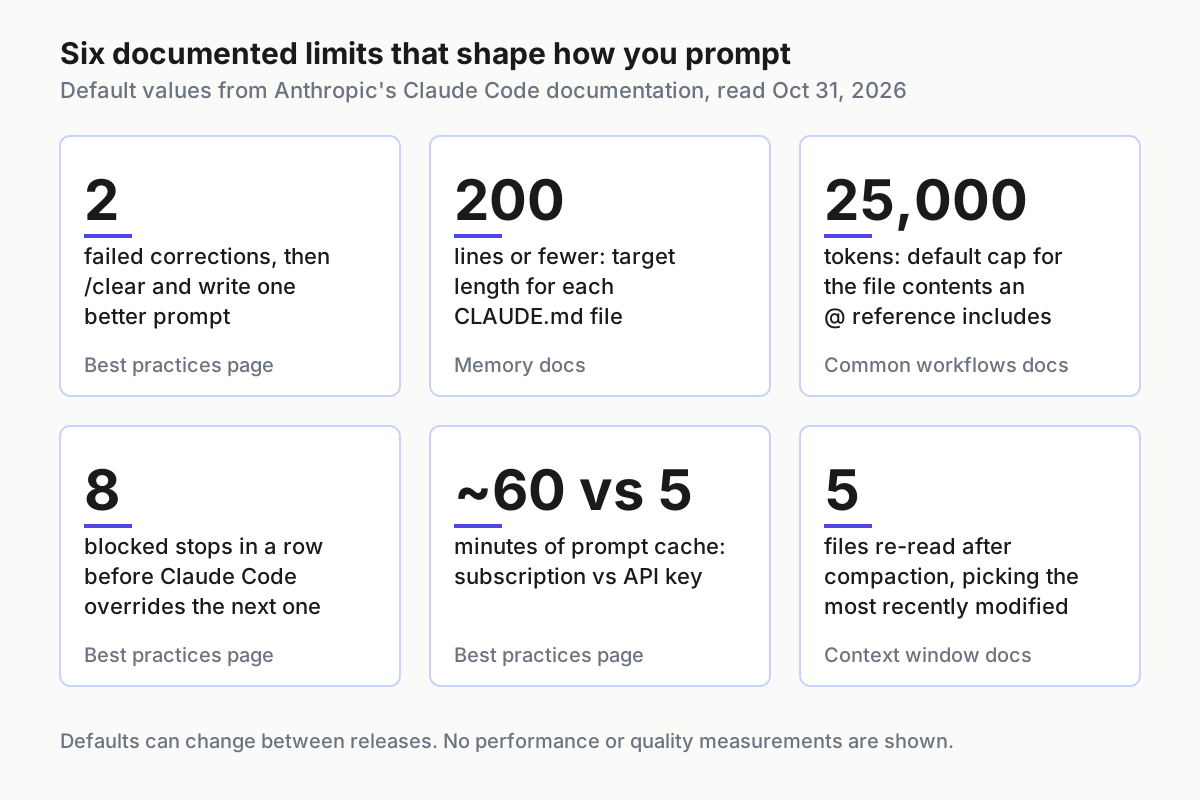
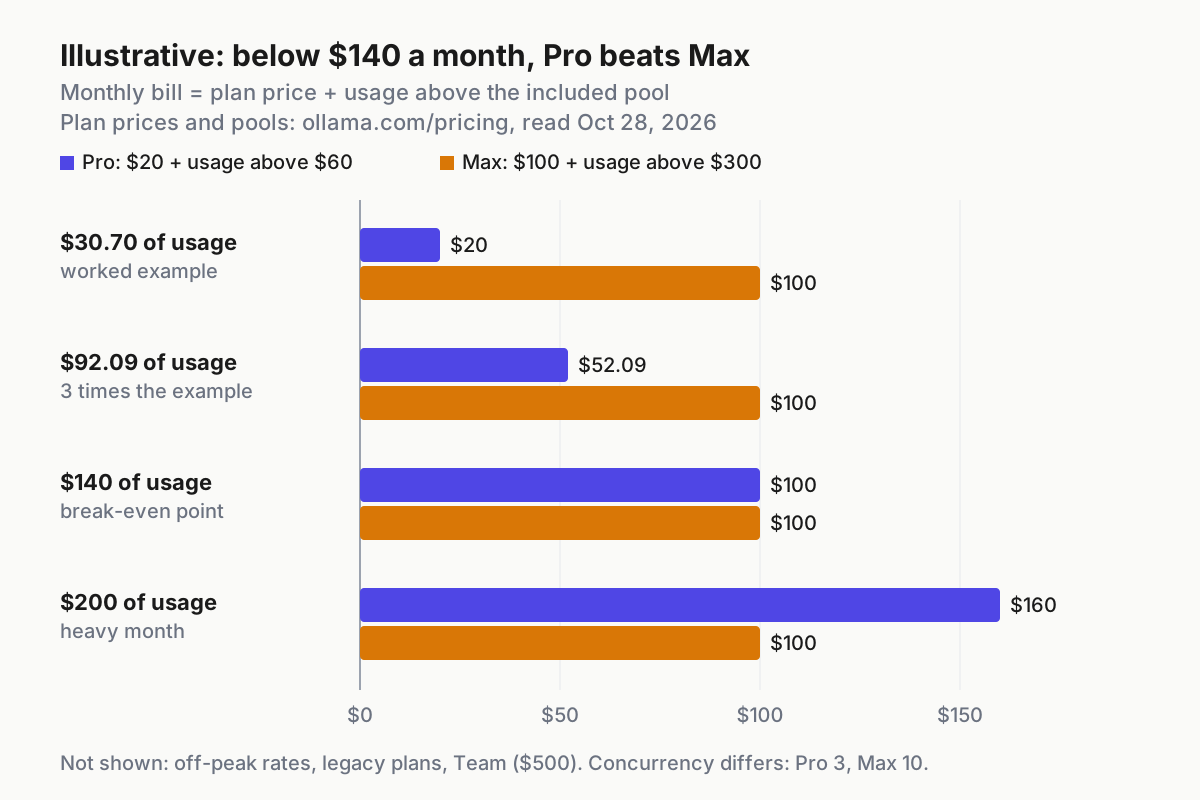
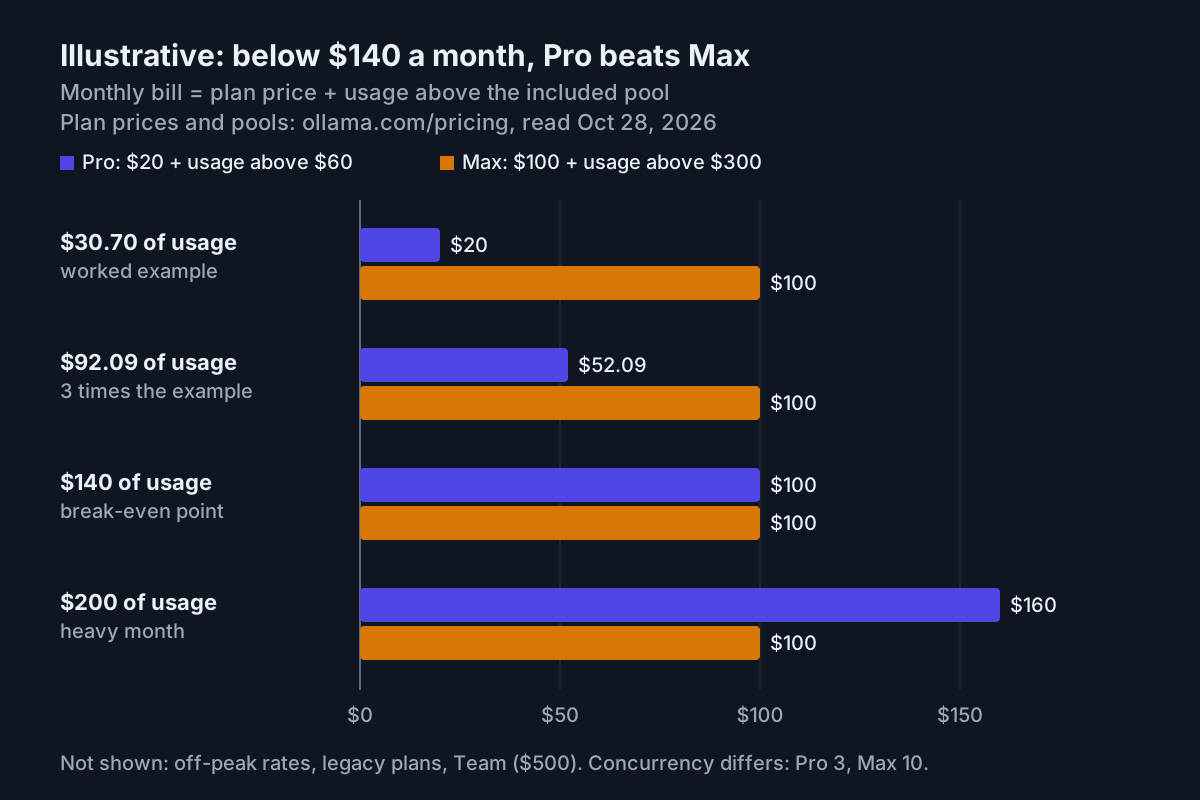
The chart collects the documented numbers that turn into prompting decisions. Two failed corrections is the trigger for /clear. The prompt cache lasting about an hour on a subscription but five minutes on an API key explains why resuming an idle session can cost more than you expect; the docs add that on the one-hour cache, a session past about 200K tokens that sits idle is compacted shortly before the cache expires, so you continue from a summary. And because compaction re-reads only up to five recently modified files, a constraint that matters should not live only in an early message.
Put standing prompt rules in CLAUDE.md, not in every prompt
If you type the same constraint into every prompt, it belongs in CLAUDE.md. Claude Code loads that file into every session, which is why Anthropic’s memory documentation recommends keeping each one under 200 lines and writing instructions concrete enough to verify: “Run npm test before committing” rather than “Test your changes.” CLAUDE.md is context, not enforced configuration; Claude reads it and tries to follow it.
Where a rule should live:
| Kind of instruction | Where it goes | Example |
|---|---|---|
| Specific to this task | The prompt | “Limit /api/search to 60 requests per minute per key” |
| True for every task in the repo, and not findable in the code | Project CLAUDE.md, committed | The single-file test command; the error helper the team chose |
| Only for one part of the codebase | .claude/rules/ with a paths: filter |
Validation rules for src/api/**/*.ts |
| Your personal preference | CLAUDE.local.md, added to .gitignore | Your sandbox URL |
| Must never be broken | A hook or deny rule | Never read .env; never edit the generated client |
Here is a short block of standing rules for the worked example, built on Anthropic’s sample file. The commands, conventions and gotcha come from that sample; the three lines under “How work is confirmed” are ours and illustrative:
# Commands
- Install: pnpm install
- Run one test file: pnpm vitest run path/to/file.test.ts
- Typecheck: pnpm tsc --noEmit

# How work is confirmed in this repo
- Name the test file you will run before editing code.
- End every task with each command you ran and its output, unedited.
- New behavior gets a test that fails without the change.

# Conventions
- Use the error helpers in src/lib/errors.ts, never throw raw strings
- src/legacy/ is still live but don't copy its patterns into new code

# Gotchas
- Integration tests need DATABASE_URL set, see .env.example
Set it up in this order:
- Run
/initto generate a starting CLAUDE.md, then delete what Claude could work out from the code. The best-practices page describes the remaining work as mostly removing lines. - Merge in the block above, replacing the commands with your repository’s.
- Run
/contextand confirm the file appears under Memory files. If it isn’t listed, Claude can’t see it. - After a correction you’ve had to give twice, add one plain line. The Help Center tips suggest ending a correction with “Update your CLAUDE.md so you don’t make that mistake again.”
- Every so often, run
/doctor prompt-auditto find instructions written for older models, references to files that no longer exist, and rules that contradict each other. The memory docs list it as requiring Claude Code v2.1.283 or later. - Keep personal preferences in CLAUDE.local.md and add that file to .gitignore so it stays out of the repo.
Expected observation. After /compact, the project-root CLAUDE.md is re-read from disk and re-injected, so its rules survive; instructions given only in conversation may not. A line like “Always typecheck before you finish” still works most of the time, not every time, which is why the docs point to a Stop hook when you need a guarantee. Broader discipline about what earns a place in the window is in the context engineering playbook.
When the prompt isn’t working: symptoms and fixes
| Symptom | Likely cause | Fix | What you should see after |
|---|---|---|---|
| Claude edits files it shouldn’t touch | The prompt didn’t draw the boundary, or a never-break rule lives only in text | Name allowed files under Constraints and reject plans that list extra files; for a zero-exception folder, add a PreToolUse hook that blocks edits there, as in the docs’ migrations example | The plan lists only the files you named; blocked edits are refused by Claude Code |
| Claims done but tests fail | No check named, or no evidence requested | Add a Done when line with the command and the evidence sentence; run /code-review; for long runs, use a Stop hook |
The final message ends with commands and passing output |
| Repeats a wrong approach after correction | The conversation holds the failed attempts and Claude keeps re-reading them | After two corrections, /rewind to before the wrong turn, or /clear and write one new prompt; after a mediocre first attempt, the Help Center’s “Knowing everything you know now, scrap this and implement the elegant solution” also works |
A different approach from the first step |
| Ignores a constraint stated early in a long session | The line lived only in conversation and was summarized at compaction, or it’s buried in a long CLAUDE.md | Restate it now; move it to the project-root CLAUDE.md; if it can’t bend, make it a hook or deny rule | /context lists CLAUDE.md under Memory files and the rule holds after /compact |
| Asks too many questions, or none | The design isn’t decided yet, or the prompt left a real ambiguity unstated | Undecided: ask Claude to interview you until it could write the spec. Decided: put the answers under Constraints. Unattended: state success explicitly, since a scheduled task can’t ask | Questions arrive once, in plan mode, then stop |
| Over-engineers a small fix | Scope wasn’t stated, a review asked for every finding, or the prompt said “keep going” | State the scope; keep “skip style” in review prompts; drop loop-until-done wording; use /effort low for quick back-and-forth |
A diff confined to the files and behavior you asked for |
Two warnings belong with that table. Auto mode, which new terminal and VS Code sessions start in, treats a sentence like “don’t push until I’ve reviewed” as a block signal, but the docs note the sentence can get lost when the conversation compacts; anything that matters belongs in a deny rule. And if you keep adding emphasis to a CLAUDE.md line that Claude still misses, Anthropic’s reading is that either the file has grown long enough that the line gets lost, or the line is a rule that belongs in a hook.
Check the result before you accept it
Three checks decide whether a session succeeded:
- [ ]
git diff --statlists only files the approved plan named. - [ ] The final message contains each check command and its passing output.
- [ ] The diff contains no unrequested changes: no reformatted files, renamed variables or new dependencies. When you said “no new dependencies,” the package manifest and lockfile should be untouched.
Two habits mark a failed process even when the code happens to work: accepting “done” without evidence, and one endless session that carries unrelated tasks.
The git side of the check uses ordinary commands, not Claude Code features:
git status                              # every changed and untracked file
git diff --stat                         # compare against the files the plan named
git diff package.json pnpm-lock.yaml    # prints nothing if no dependencies were added
If the result is wrong, recover in this order:
- Press Esc if Claude is still working. It stops mid-action and keeps everything up to that point.
- Run
/rewind, or press Esc twice on an empty prompt, and roll the code, the conversation or both back to the prompt before the mistake. - Restore anything a Bash command changed with git. Checkpoints cover files Claude edited with its own file tools in your main conversation; a file that only a Bash command touched isn’t restored.
git restore <path>discards one file’s uncommitted edits. Our checkpoints and rewind guide covers the edge cases. - Run
/clearand paste a corrected four-part prompt that folds in what the failed attempt taught you. - If you’ll want the abandoned session later, name it before you leave with
/rename, soclaude --resumecan find it by name.
The prompt is the cheapest place to fix a session. Write the four parts, read the plan, name the check and ask for its output. Everything after that is reading evidence instead of trusting a summary.
Sources
- Semih (@its_meseba), “Part 93 in amazing repos: Claude Code best practices,” X, Oct 28, 2026
- Anthropic, “Best practices for Claude Code,” Claude Code Docs
- Anthropic, “Claude Code power user tips,” Claude Help Center
- Anthropic, “Give Claude context: CLAUDE.md and better prompts,” Claude Help Center
- Anthropic, “Your first prompt,” Claude Code 101, Claude Academy
- Anthropic, “Common workflows,” Claude Code Docs
- Anthropic, “How Claude remembers your project,” Claude Code Docs
- Anthropic, “Explore the context window,” Claude Code Docs
- Anthropic, “Claude Code Best Practices” (archived engineering post, moved to docs Jan 26, 2026)