Context Engineering: The 2026 Playbook for Agents That Don't Forget
Context engineering keeps agents sharp past turn 30. See what actually fills the window, six techniques with real configs, and a one-week adoption plan.

Go deeper. Build your own.
Somewhere around turn 30, every long agent session starts lying to you. The model that confidently mapped your codebase an hour ago now re-reads files it already read, re-asks questions you answered, and quietly drops the constraint you stated in turn 4. The model didn’t get worse. Its window filled with the wrong things. Context engineering is the craft of controlling what fills it — and as of August 2026 it’s the single highest-leverage skill an agent operator can build.
The term got famous before it got useful. Everyone claims context engineering; almost nobody shows the configs. This playbook does: what actually occupies a context window by turn 30, six techniques with real examples, how the mechanics map onto Claude Code, Codex CLI, and OpenCode, the degradation signals worth tracking, and a one-week adoption plan.
What is context engineering?
Context engineering is the discipline of controlling everything a model sees during agent work — instructions, tool results, file contents, and conversation history — so that each turn runs against the most relevant possible window. Prompt engineering crafts one message; context engineering manages the whole token budget across an entire session.
It’s one of the six subsystems of harness engineering, and the one the discipline’s own literature — collected in the awesome-harness-engineering repo — treats as the core problem. The leverage comes from how the agent loop works: every turn, the harness replays the accumulated conversation — every instruction, every tool result, every file the agent ever opened — back into the model. The model has no memory between turns. It has a window, rebuilt each time, and the window’s contents are a decision someone makes. Either you make it, or defaults do.
Bigger windows didn’t dissolve the problem. Frontier and open models alike now advertise 1M-token contexts, but attention over long inputs is uneven — the “Lost in the Middle” result showed models retrieve information from the start and end of a long context far more reliably than from the middle (arXiv), and practitioners meet that finding every day as context rot. Cost scales with tokens even when attention doesn’t. A bigger landfill is still a landfill.
The context budget: what actually fills a window by turn 30
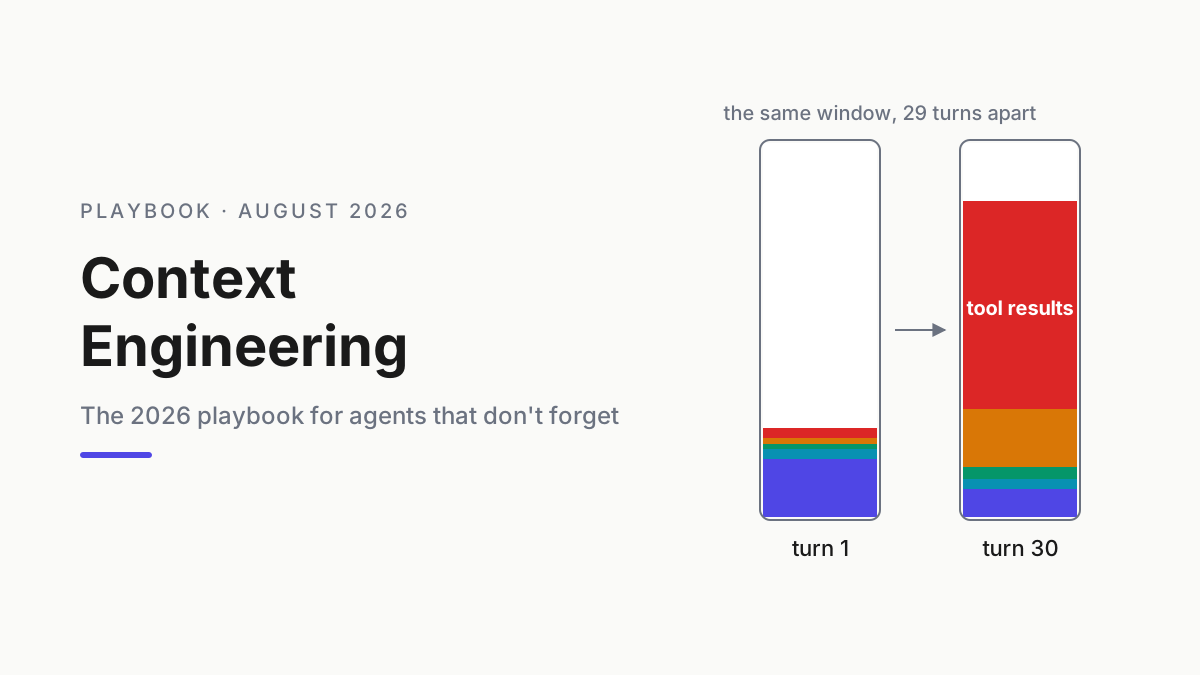
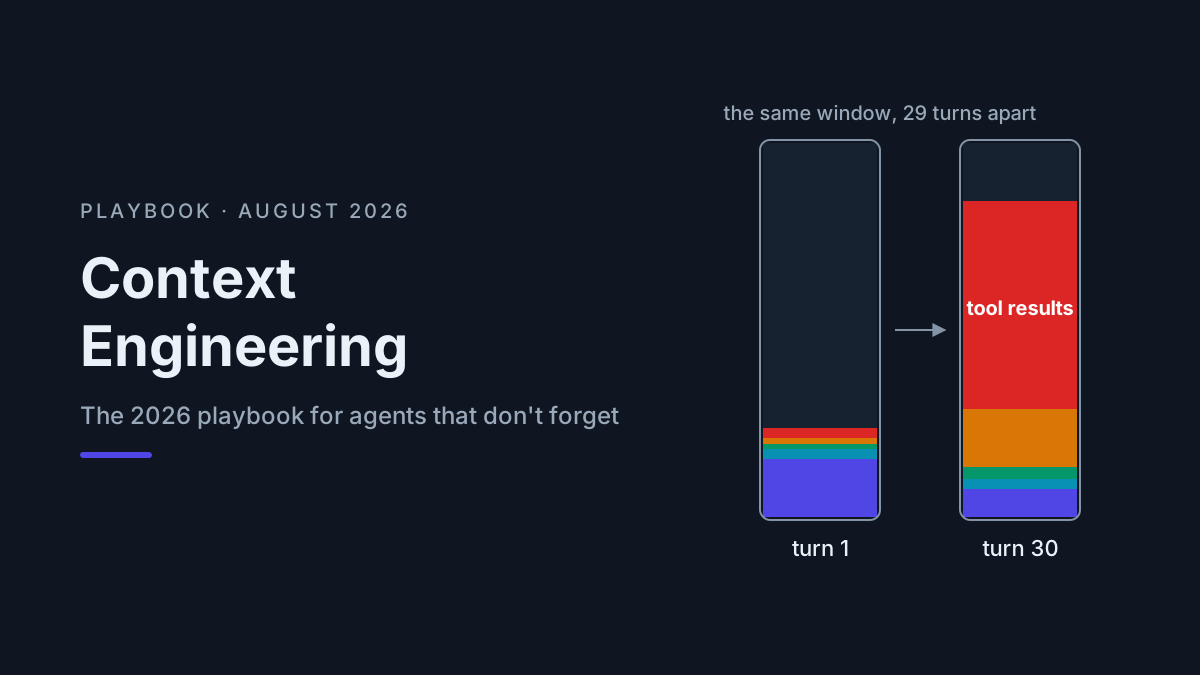
Treat the window as a budget with line items. Here’s the shape of a representative session — a mid-size refactor, 30 turns, no compaction — in a 200K window. Your ratios will differ; the ranking almost never does.
A sizing note first. As of August 2026, 200K tokens is the standard working window in frontier harnesses, and 1M-token contexts are common on paper — Kimi K3, GLM-5.2, and DeepSeek V4 all advertise them. Experienced operators still keep working sets far below the ceiling, for two reasons. Attention: the lost-in-the-middle effect doesn’t care what the spec sheet says. And cost: the loop replays the window every turn, so a 150K-token session doesn’t bill 150K once — it bills some multiple of it across turns, with prompt caching softening the multiplier but never erasing it. Context window management is capacity planning, not hoarding.
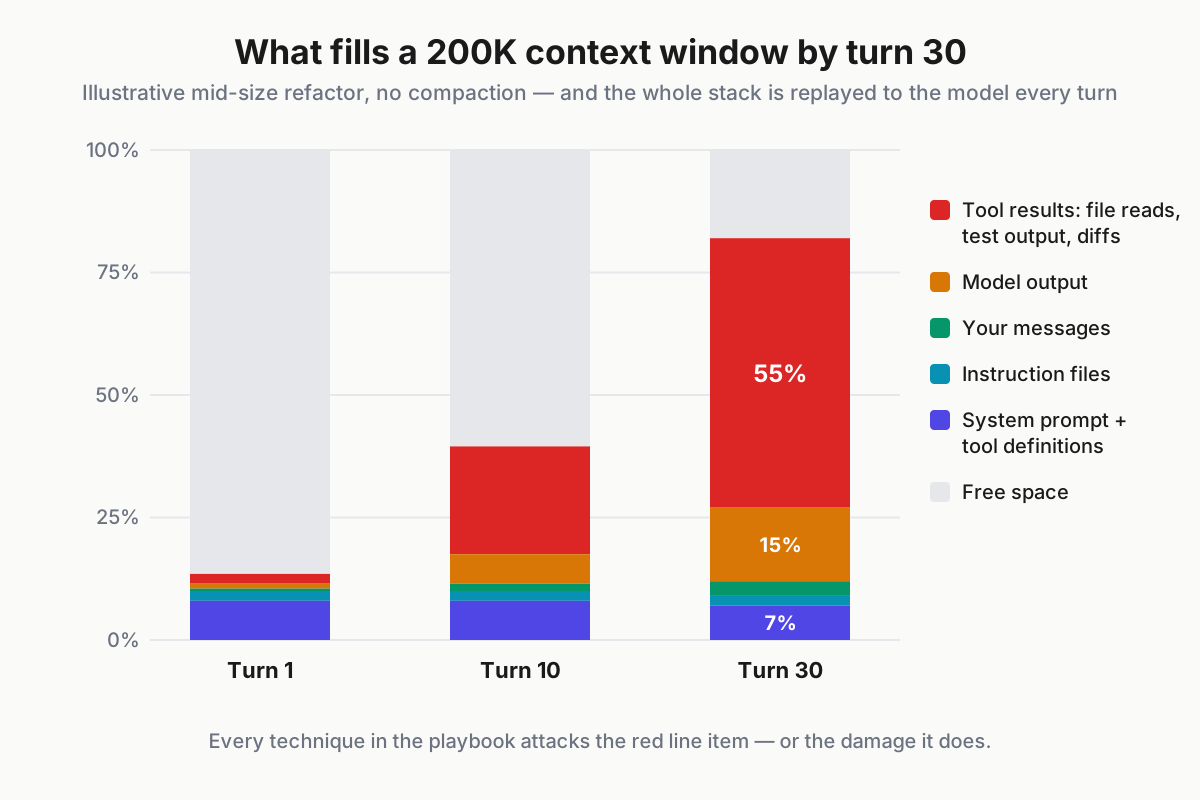
 Illustrative session. The fixed overhead barely moves; tool results eat everything.
| Line item | Turn 1 | Turn 30 | Who controls it |
|---|---|---|---|
| System prompt + tool definitions | ~8% | ~7% | The harness (you, via tool roster) |
| Instruction files (CLAUDE.md/AGENTS.md) | ~2% | ~2% | You, entirely |
| Your messages | <1% | ~3% | You |
| Model output and reasoning | ~1% | ~15% | Mostly the model |
| Tool results: file reads, test output, diffs, search hits | ~2% | ~55% | You, via technique |
| Free space | ~86% | ~18% | What’s left |
Two things jump out. First, the fixed overhead is real: system prompt plus tool definitions ride along on every single turn, which is why a bloated MCP roster taxes you constantly — the Model Context Protocol puts every tool description in front of the model each turn, and the 2026-07-28 MCP spec’s cacheable tool lists cut the wire cost of that, not the attention cost.
Second, tool results are the whale. Nobody plans to spend half their window on stale test output and files read once in turn 9; it happens by default. Every technique below attacks either that line item or the damage it does.
Six context engineering techniques that actually work
Each one is a config or a habit, not a philosophy. Adopt them in order; they compound.
1. Instruction files: the CLAUDE.md / AGENTS.md hierarchy
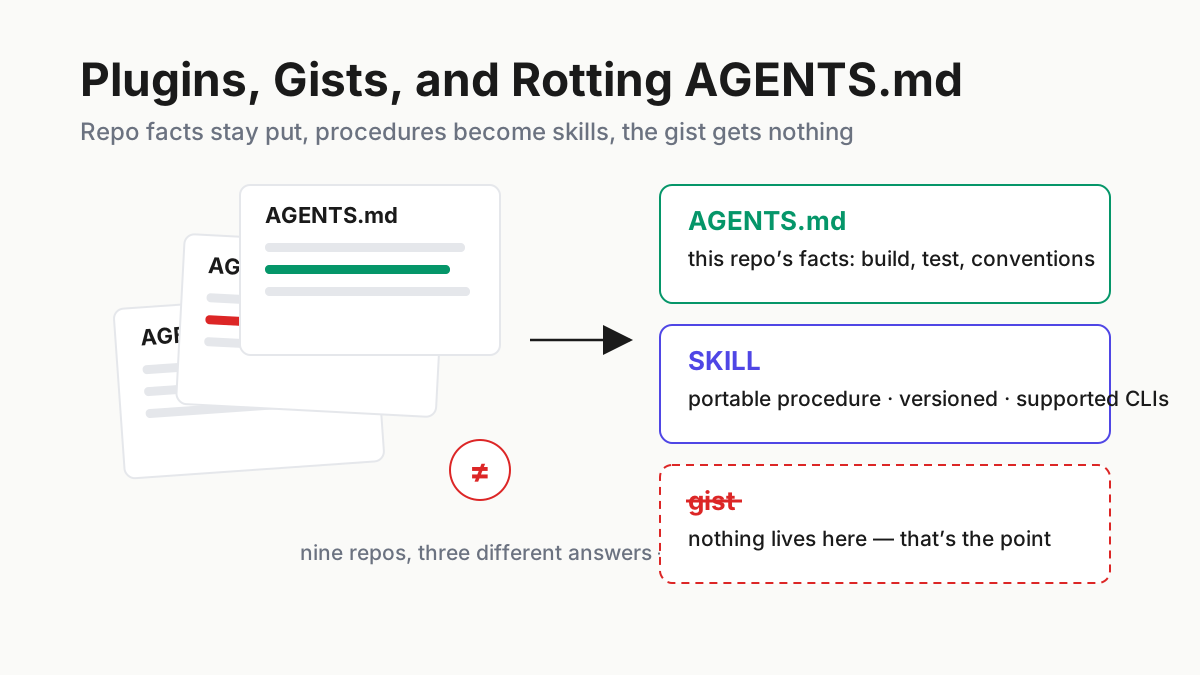
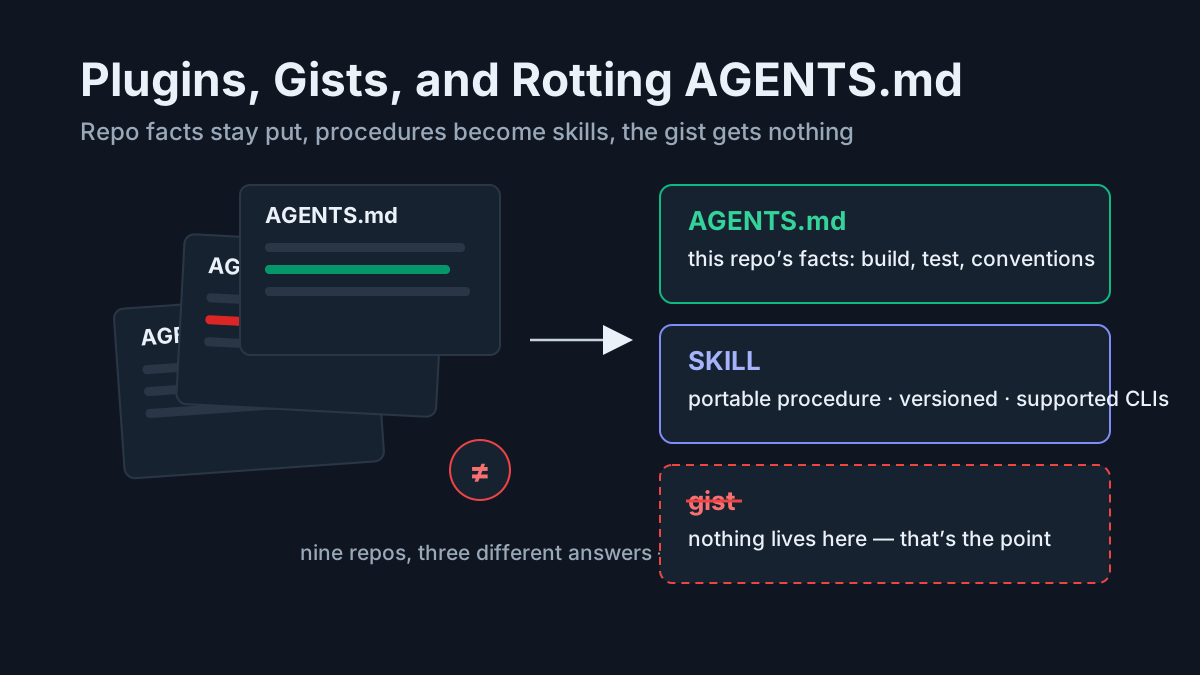
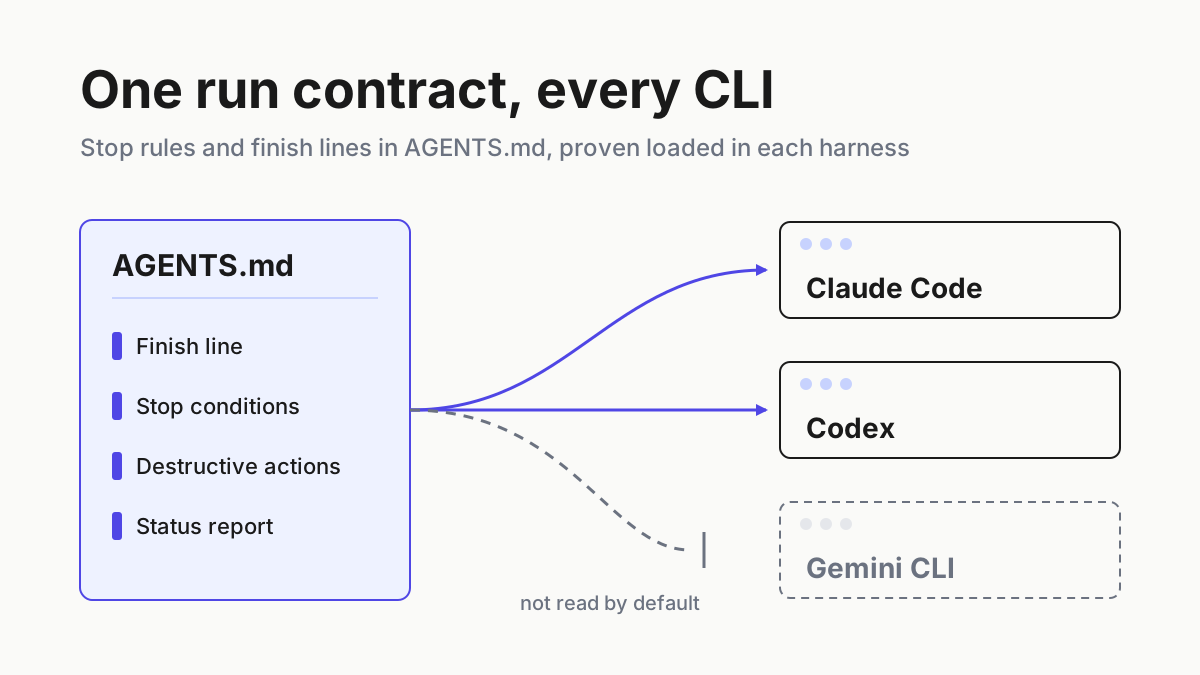
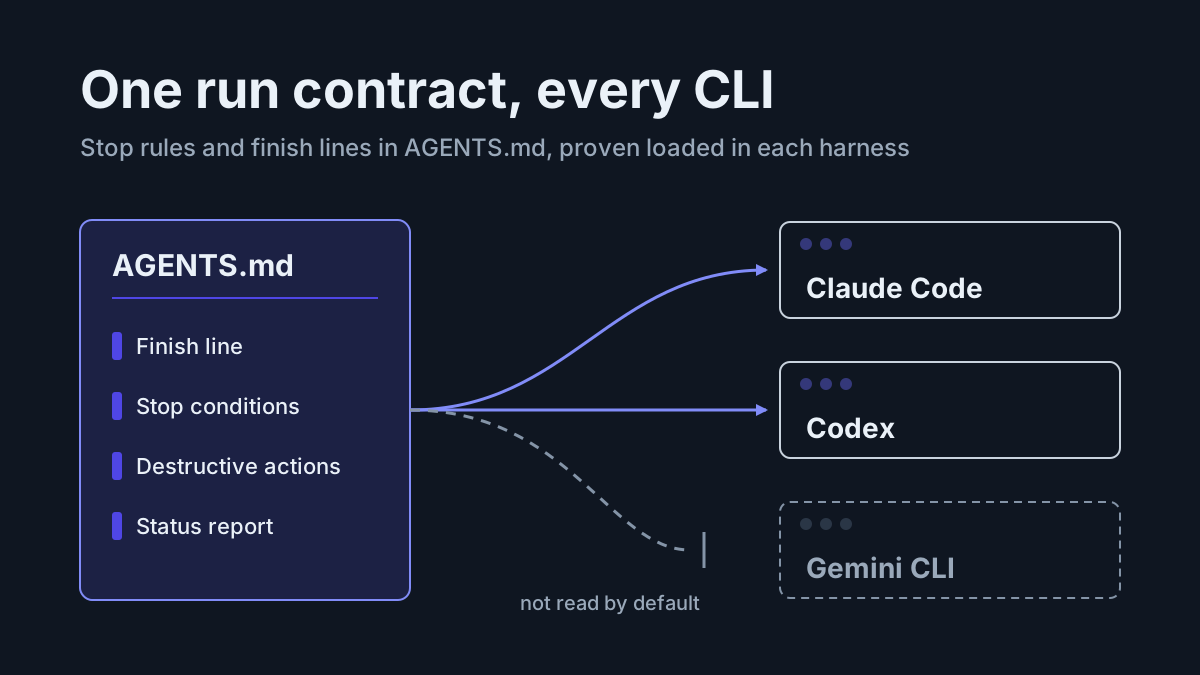
Instruction files are the highest-value tokens in the window — standing orders that survive compaction and follow every session. Harnesses load them hierarchically, most-general to most-specific. Claude Code merges your global file, the repo file, and per-directory files as the agent works (memory docs); Codex CLI reads AGENTS.md at global and repo level (OpenAI docs); OpenCode follows the same AGENTS.md convention (OpenCode docs).
~/.claude/CLAUDE.md                   # you, everywhere: style, safety rails
myrepo/CLAUDE.md                      # this repo: build commands, invariants
myrepo/services/billing/CLAUDE.md     # the hot zone: money-handling rules
The hierarchy is the technique: put a rule at the narrowest level where it’s true, and it costs tokens only where it earns them. Keep the repo file under about 30 lines of imperative, testable statements. Every line you write here is a line the model reads thousands of times — the best token-price ratio you will ever get.
2. Compaction on your schedule, not the buzzer
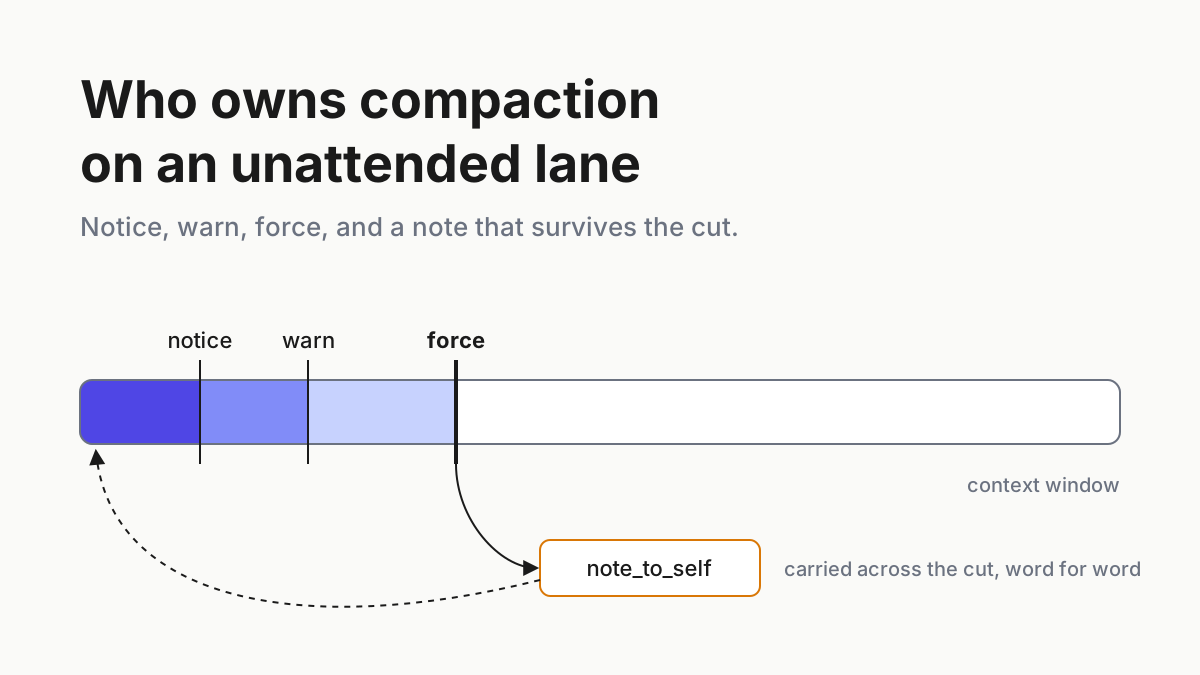
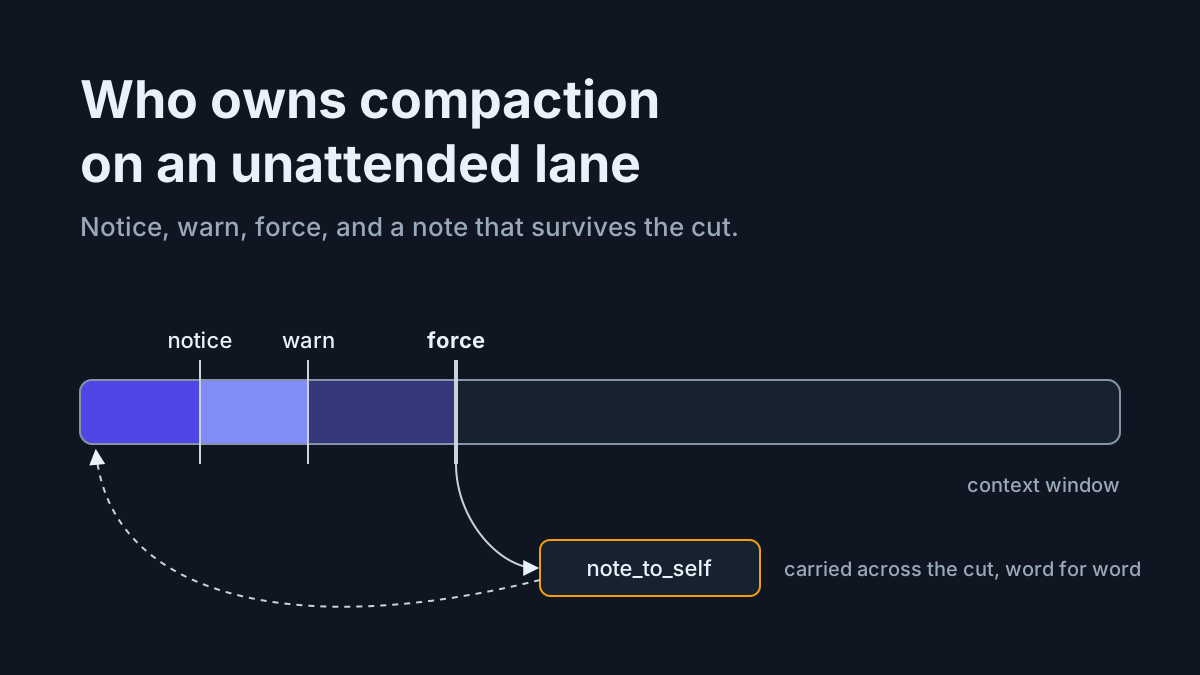
Compaction summarizes the session so far and restarts the window from the summary. Every mature harness does it automatically when the window nears its limit — which is precisely the wrong moment, mid-task, with an algorithm that doesn’t know which details you care about.
Compact deliberately at milestones instead: after the diagnosis, before the implementation; after a big exploration, before the write-up. Claude Code’s /compact takes instructions, so tell it what matters:
/compact Keep: the failing-test list, the decision to use the retry queue,
and all file paths we touched. Drop: raw test output and file contents.
Two habits make this stick. Watch the context meter — most harnesses display a percent-used indicator — and treat 60–70% as your milestone alarm instead of waiting for the auto-compact warning. And after compacting, spend thirty seconds reading the summary before barreling on; that’s what catches the dropped constraint that would otherwise resurface as a turn-40 mystery.
Know what compaction costs: the summary keeps conclusions and loses the reasoning behind them. If a decision might get relitigated, write it into a memory file (technique 5) before you compact — summaries are for state, files are for decisions.
3. Retrieval, not dumping
The oldest lesson in LLM systems — fetch what’s relevant instead of pasting what exists — predates agents by years (retrieval-augmented generation, arXiv), and it’s still the technique operators skip first. Dumping whole files “for context” feels helpful and costs you the window.
Aider’s repo map is the canonical implementation: a ranked map of signatures and identifiers, sized to a token budget, instead of full file contents (aider.chat). You can get most of the benefit in any harness with two instruction-file lines:
- Search (grep/glob) before reading. Read specific line ranges, not whole files.
- Never paste files into the conversation that a path reference can point to.
The same rule governs you: when briefing the agent, point at paths and let it pull what it needs. Curation beats generosity.
4. Subagent isolation
Exploration is the messiest spend in the budget — twenty greps and a dozen file reads to answer one question. Subagents fix the economics: the exploration runs in a fresh, disposable window, and only the answer returns to your main thread.
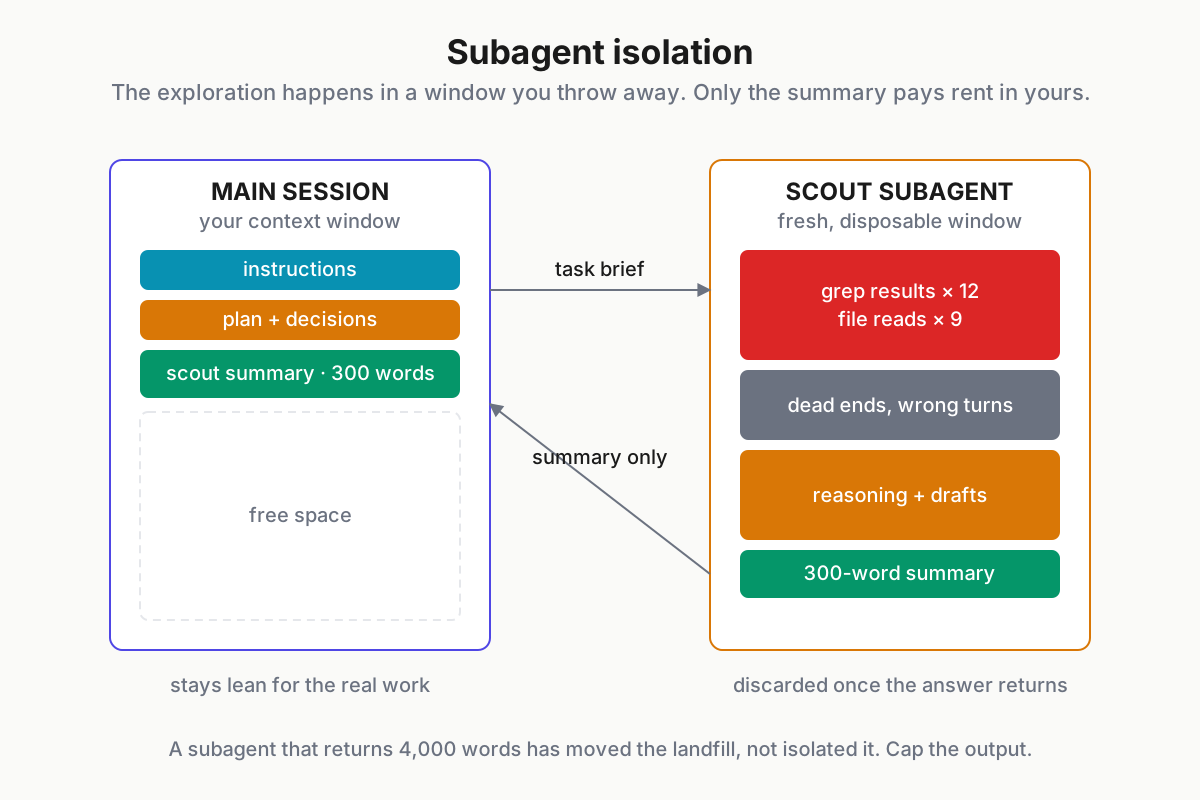
 The mess happens in a window you throw away. Only the summary pays rent in yours.
In Claude Code, a scout agent is a small markdown file:
# .claude/agents/scout.md

---

name: scout
description: Explores the codebase and reports. Use for "where is X handled?" questions.
tools: Read, Grep, Glob

---

Return at most 300 words: relevant files, line ranges, and a one-paragraph
mechanism summary. No file dumps.
The output cap is the load-bearing line — a subagent that returns 4,000 words has just moved the landfill, not isolated it. When you’re ready to run several of these in parallel, subagent orchestration patterns is the deep dive.
5. Memory files the agent writes
Windows are short-term memory; files are long-term memory. Have the agent maintain a working notes file, and end every significant session with an update ritual:
Before we stop: update NOTES.md with (1) what we learned, (2) what's
unfinished and why, (3) any decision we made and the reason. Terse bullets.
Next session opens with “read NOTES.md” and starts warm instead of re-deriving Tuesday. This is agent memory in its most reliable 2026 form — not a vector database, a markdown file in the repo.
The same logic extends beyond one repo: your archived transcripts are a corpus of solved problems, and searching them beats re-solving. How did we fix the flaky auth test in June? What flags did that migration need? The answer exists — in a session — if the session still exists.
Product note: Your best context is work you already did. Automater Lite archives sessions from 10+ CLIs — Claude Code, Codex, Qwen Code, OpenCode, Copilot, and friends — into one local, full-text-searchable corpus, with Vault redaction for anything you export. Last month’s debugging session becomes this month’s context. Free, on automater.ai.
6. Session boundaries
One task, one session. When the task ships, end the session — don’t let it become the immortal thread where every future task inherits every past task’s residue. The failure mode is familiar: a session that fixed the auth bug at 10am is refactoring CSS at 4pm, and every CSS decision is being weighed against 80K tokens of auth archaeology. Nothing about the morning helps the afternoon; all of it dilutes.
Starting clean costs one NOTES.md read; continuing dirty costs degraded attention on everything. Operators who run several assistants side by side learn this fastest, because managing multiple AI coding agents makes session sprawl visible: the fix is boundaries plus an archive, not longer sessions.
Per-harness mechanics: Claude Code, Codex CLI, OpenCode
Every harness on the 2026 field map ships these controls under different names. The big three for terminal work, as of August 2026:
| Mechanic | Claude Code | Codex CLI | OpenCode |
|---|---|---|---|
| Instruction files | CLAUDE.md hierarchy (global → repo → dir) | AGENTS.md (global → repo) | AGENTS.md rules |
| Manual compaction | /compact with instructions |
/compact |
/compact |
| Fresh start | /clear |
/new |
new session |
| Isolation | subagents (.claude/agents/) |
cloud tasks run isolated by design | child sessions / agents |
| Resume | --resume, --continue |
session picker | session list |
Differences worth knowing: Claude Code has the deepest isolation story (custom subagents with scoped tools — the Claude Code power guide covers the full surface); Codex leans on its cloud side, where delegated tasks get fresh context by construction; OpenCode’s AGENTS.md-first approach makes configs the most portable of the three. That portability matters more than it used to — AGENTS.md is emerging as the cross-harness convention, so write instruction content harness-agnostically and you keep it when you switch tools.
The cloud lanes deserve their own line. Delegating a task to Codex cloud or a background agent is context engineering by another name: each delegated task starts with a clean, purpose-built window instead of inheriting your terminal session’s history. If your main thread is precious, delegation is isolation — the same principle as technique 4, running on someone else’s machine.
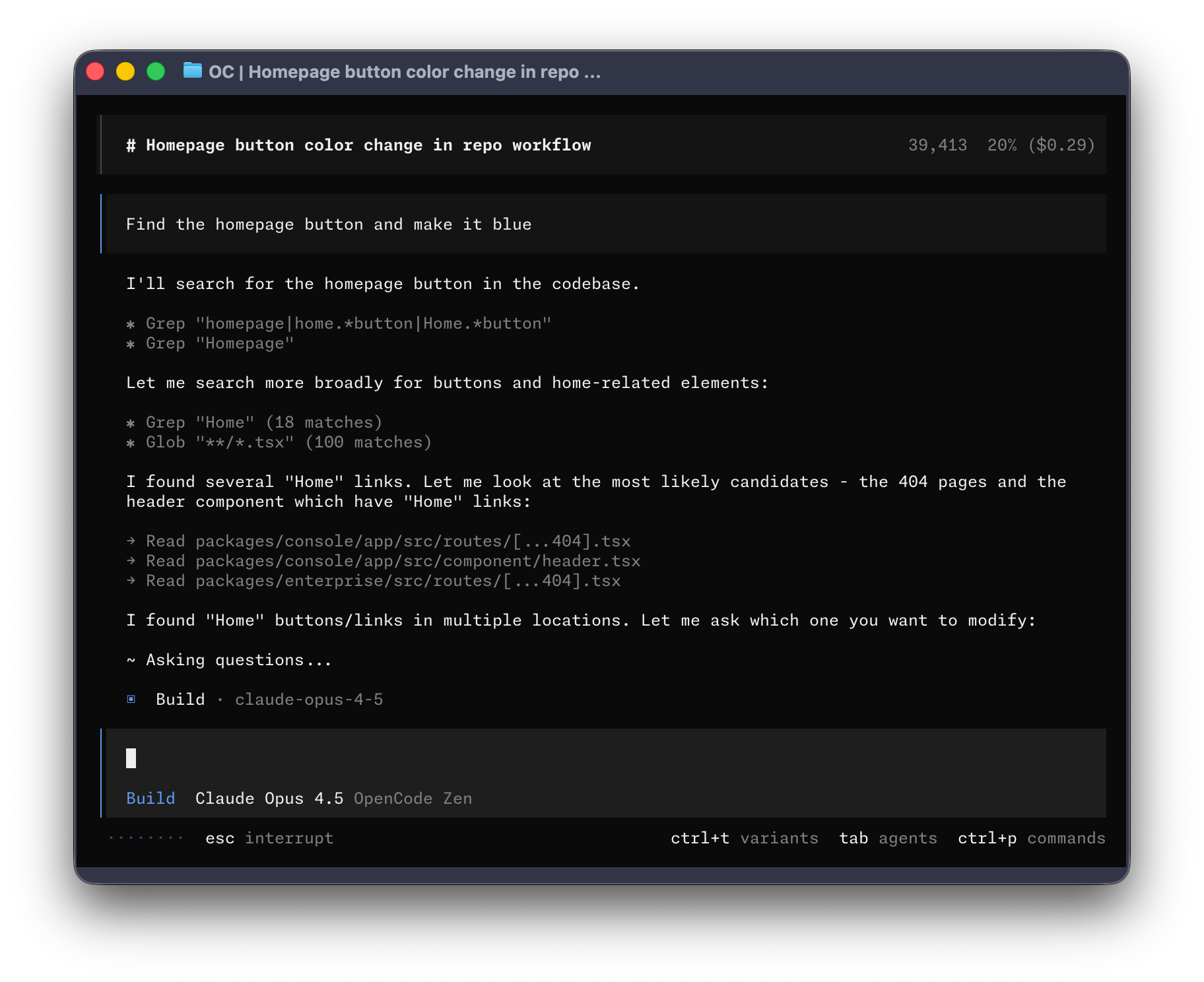
Measuring context health: the degradation signals
Context rot announces itself if you know the tells. Watch for these in live sessions:
- Re-asking. The agent asks something you answered earlier in the same session.
- Re-reading. It opens files it already read, with no edit in between.
- Contradiction. It proposes what you vetoed, or reverses its own earlier decision without noting why.
- Constraint amnesia. The turn-4 rule (“don’t touch migrations”) stops shaping behavior around turn 25.
- Cost creep. Per-turn latency and token spend climb while progress per turn falls — the replay is bloating.
Two signals in one session is the threshold: compact or cut, don’t push through. For a longitudinal view, track three numbers per task — total tokens, compaction count, and whether the session ended on purpose or by degradation. Local token metering across your harnesses makes the first number free to collect, and a month of it will show you exactly which projects and habits burn the budget.
You don’t need tooling to start — a column in whatever you already track tasks with is enough. Date, task, harness, total tokens, compactions, and a one-word ending: shipped, stalled, or rotted. Ten rows in, patterns appear: the repo whose sessions always rot (bloated instruction file), the tool whose output floods every window (fix its verbosity, not your prompts), the recurring exploration that should have been a scout subagent all along.
The one-week context engineering adoption plan
One change a day, each building on the last:
- Day 1 — Audit. Open your longest recent transcript and bucket its contents against the budget table above. This 20-minute exercise converts everyone.
- Day 2 — Instruction files. Write or prune your repo file to under 30 imperative lines; move narrow rules into per-directory files.
- Day 3 — Retrieval rules. Add the search-before-read lines; trim the MCP tool roster to what you can justify in one sentence each.
- Day 4 — Boundaries and compaction. End sessions at task edges; compact at milestones with keep/drop instructions.
- Day 5 — Subagent isolation. Create one scout agent with a hard output cap; route every “where does X happen?” question through it.
- Day 6 — Memory ritual. Add the NOTES.md end-of-session update; start the next session by reading it.
- Day 7 — Measure. Re-run a task you did last week under the new regime and compare tokens and turns. Keep whatever the numbers defend.
None of it requires new software, and all of it ports across every harness you’ll run this year. The window was always a budget. This week you start spending it on purpose.
FAQ: context engineering
What is context engineering?
Context engineering is the discipline of controlling everything a model sees during agent work — instructions, tool results, files, and history — so each turn runs against the most relevant possible window. It manages the whole token budget of a session, using instruction files, compaction, retrieval, isolation, and memory.
How is context engineering different from prompt engineering?
Prompt engineering optimizes a single message; context engineering manages everything the model sees across hundreds of turns — what enters the window, what gets summarized, what persists in files. In agent work the prompt is a fraction of the window, so the bigger lever moved from wording to curation.
How do I stop my AI agent from forgetting things between sessions?
Persist memory outside the window: instruction files for standing rules, an agent-maintained NOTES.md for working state and decisions, and searchable session archives for everything you’ve already solved. Nothing survives a session unless it’s written down — so make writing it down the end-of-session ritual.
What is context rot, and how do I detect it?
Context rot is the degradation of agent performance as a window fills with stale tool output and history. The tells: re-asking answered questions, re-reading files, contradicting earlier decisions, forgetting constraints, and rising cost per turn. Two signals in one session means compact or start clean.
How long should a CLAUDE.md or AGENTS.md file be?
Keep the repo-level file under roughly 30 imperative lines, and push narrower rules into per-directory files so they load only where they apply. Every line is read on every turn, thousands of times — each one should be short, testable, and traceable to a real observed failure.
Sources
- Lost in the Middle: How Language Models Use Long Contexts (arXiv)
- Retrieval-Augmented Generation for Knowledge-Intensive NLP (arXiv)
- Claude Code memory documentation (docs.claude.com)
- OpenAI platform documentation (platform.openai.com)
- OpenCode documentation (opencode.ai)
- Aider repository map (aider.chat)
- MCP specification update, 2026-07-28 (MCP blog)
- awesome-harness-engineering (GitHub)