Harness Engineering: The Discipline Your Agents Were Missing
Harness engineering is why one team ships clean agent PRs while another babysits loops. Learn the six subsystems, day-one practices, and a maturity ladder.

Go deeper. Build your own.
In 2024, the SWE-agent team took GPT-4, changed nothing about the model, and more than tripled its SWE-bench solve rate — from 3.8% with retrieval-style baselines to 12.5% — purely by redesigning the software the model acts through (SWE-agent, arXiv). Two years on, that result reads less like a benchmark footnote and more like a founding document. Harness engineering — the deliberate design of everything around the model — is now the highest-leverage work most agent operators still aren’t doing on purpose.
You already live with the effect. Two colleagues run the same model on the same plan; one merges clean PRs before lunch, the other spends the afternoon watching an agent grep in circles. The difference is rarely the model. It’s the instruction files, the tool roster, the permission rules, and whether anyone ever reads the transcripts.
This playbook names the discipline and takes it apart: the six subsystems every harness exposes, the practices worth adopting on day one, the anti-patterns that quietly tax you, and a maturity ladder to grade your own setup honestly.
What is harness engineering?
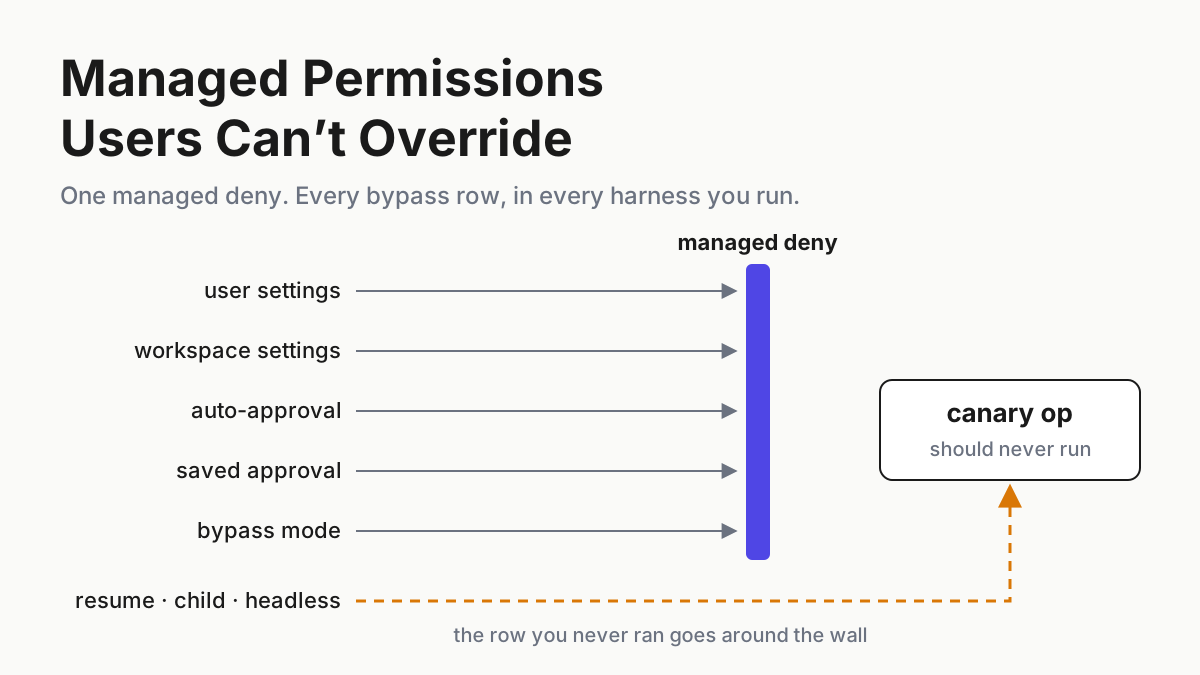
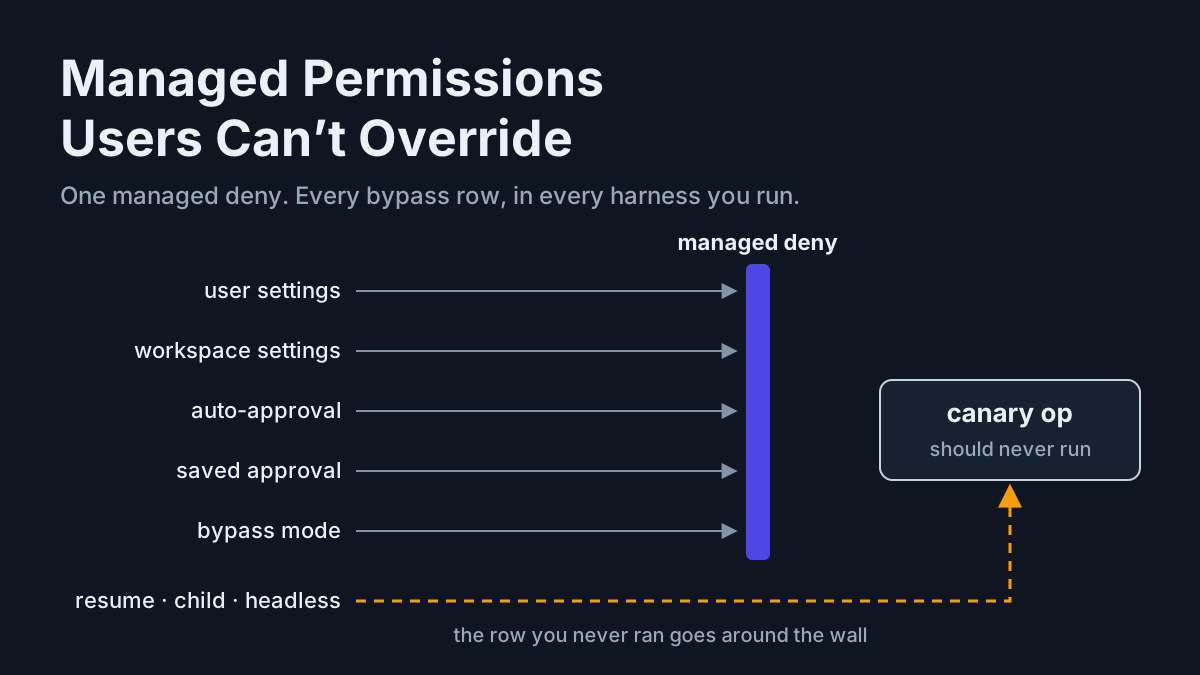
Harness engineering is the practice of designing and tuning the software around a language model — context assembly, tool design, permissions, memory, evals, and observability — so the model performs reliably as an agent. The model supplies capability; the harness decides how much of that capability survives contact with real work.
It is the successor craft to prompt engineering, not a rebrand of it. Prompt engineering optimizes one message. Harness engineering optimizes the system that will generate ten thousand messages: what enters the context window each turn, which tools exist and how they describe themselves, what the agent may do without asking, and what gets measured afterward. If you’ve ever moved a rule out of your chat prompts and into a CLAUDE.md, you’ve already done harness engineering — informally, once, without measuring whether it worked.
Three disambiguations, because the word is overloaded. An agent harness is the software that turns a model into a working agent — Claude Code, Codex CLI, OpenCode; the 2026 field map of agent harnesses covers the category in full. A test harness is code that exercises code, and QA for agentic software is its own reinvented discipline. And Harness the CI/CD company is an unrelated vendor that happens to be shipping agents too — its CLI 3.0 and “Agent DLC” landed in July 2026 — so read “harness” claims with the company/category distinction in mind.
One more boundary: you don’t need to build a harness to practice this. Anthropic builds Claude Code; OpenCode’s maintainers build OpenCode. You engineer the configuration surface they hand you — instruction files, tool rosters, permission rules, eval gates. That surface is where your results actually come from.
Same model, different harness, different score
The evidence for that claim is unusually clean, because benchmarks accidentally ran the experiment for us.
Start with SWE-bench itself: the leaderboard has always reported model plus “scaffold” as a pair, because the pair is the unit that produces a score. The SWE-agent paper made the mechanism explicit — it called the layer an agent-computer interface and showed through ablations that the file viewer, the edit tool’s guardrails, and search result formatting each moved the number independently. Aider’s maintainer has published the same finding from another angle for years: Aider’s leaderboards track which edit format each model uses, because the same model scores differently emitting whole files versus diffs.
As of August 2026, no serious benchmark claim ships without harness details. The mid-2026 open-model scorecard that put Kimi K3 near 93.4% SWE-bench Verified (per Vals AI) and GLM-5.2 at roughly 78.7% (per Epoch AI) is a table of model-plus-harness results, not model results. Labs tune models for their own harnesses, which means “model quality” already has harness fit baked in.
Three mechanisms do most of the work:
- Context assembly. The model only reasons over what the harness puts in the window. Two harnesses given the same repo show the model different worlds — one a curated map, the other a landfill of stale file dumps.
- Tool design. Edit formats that fail loudly versus silently, search that returns ten sharp hits versus two hundred vague ones, error messages a model can act on versus stack-trace soup. Tools are the agent’s senses and hands.
- Permission friction. An agent that must ask before every shell command behaves differently from one with a tested allowlist — not just slower, but more timid, because interruption shapes planning.
If the agent loop is the engine, the harness is the intake, transmission, and brakes. Nobody quotes lap times for a crate engine.
The six subsystems you engineer
Every harness — terminal CLI, IDE agent, cloud workspace — exposes the same six engineerable subsystems. Name them and your vague sense that “the agent’s been off lately” turns into a component-level diagnosis.
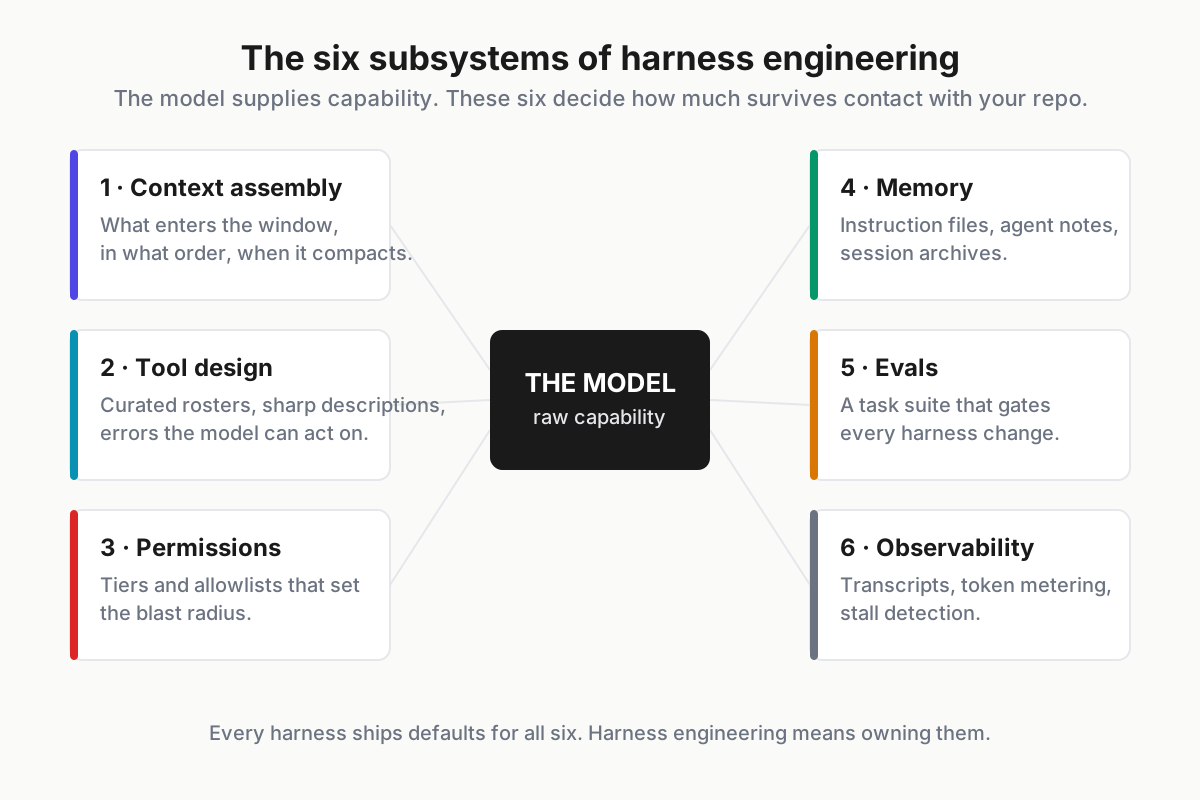
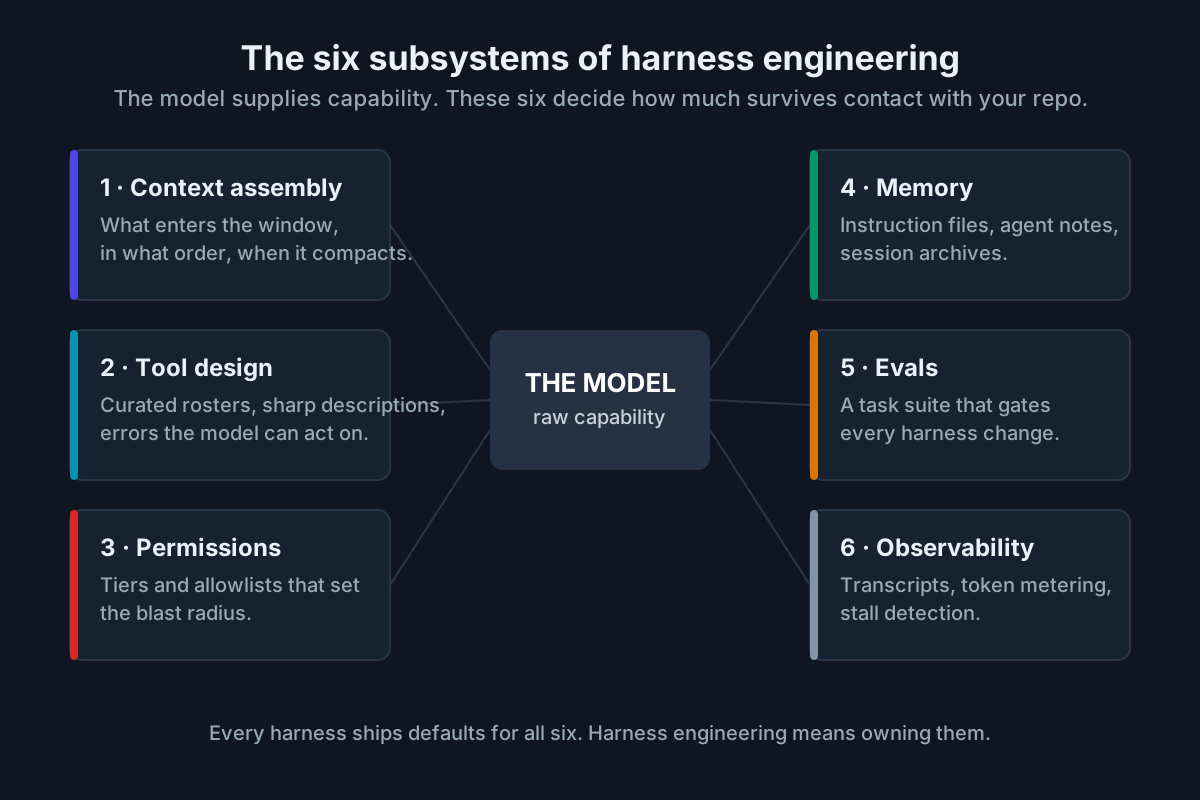 The six subsystems. Every harness ships defaults for all six; harness engineering means owning them.
1. Context assembly
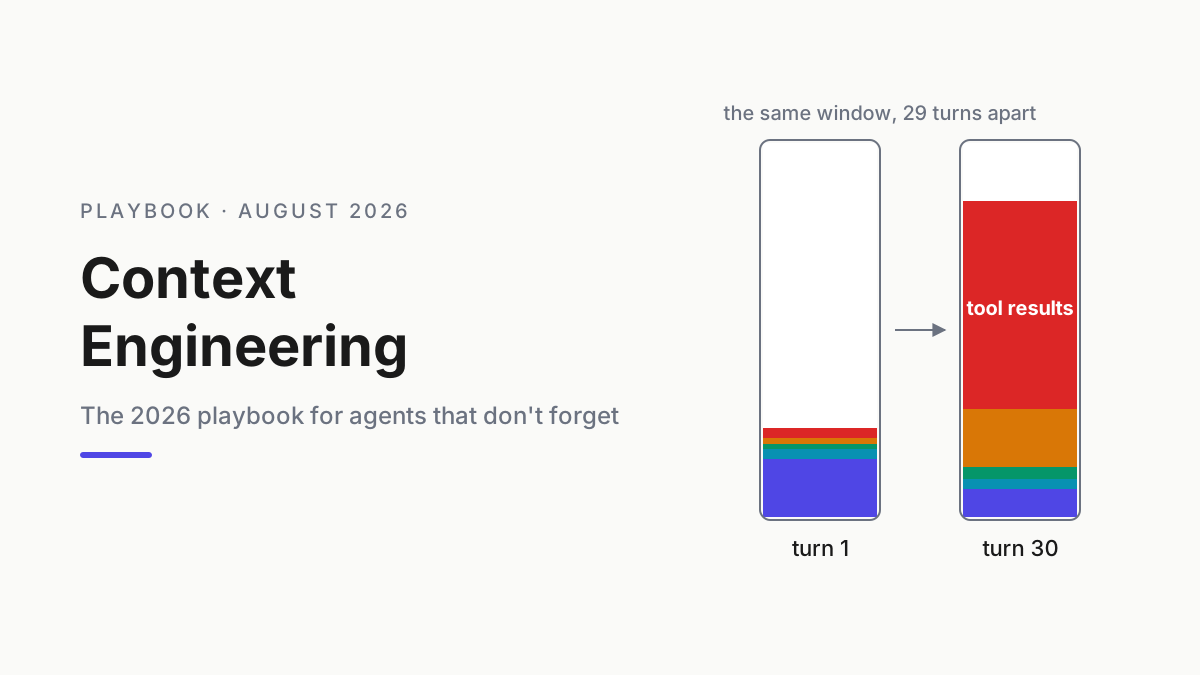
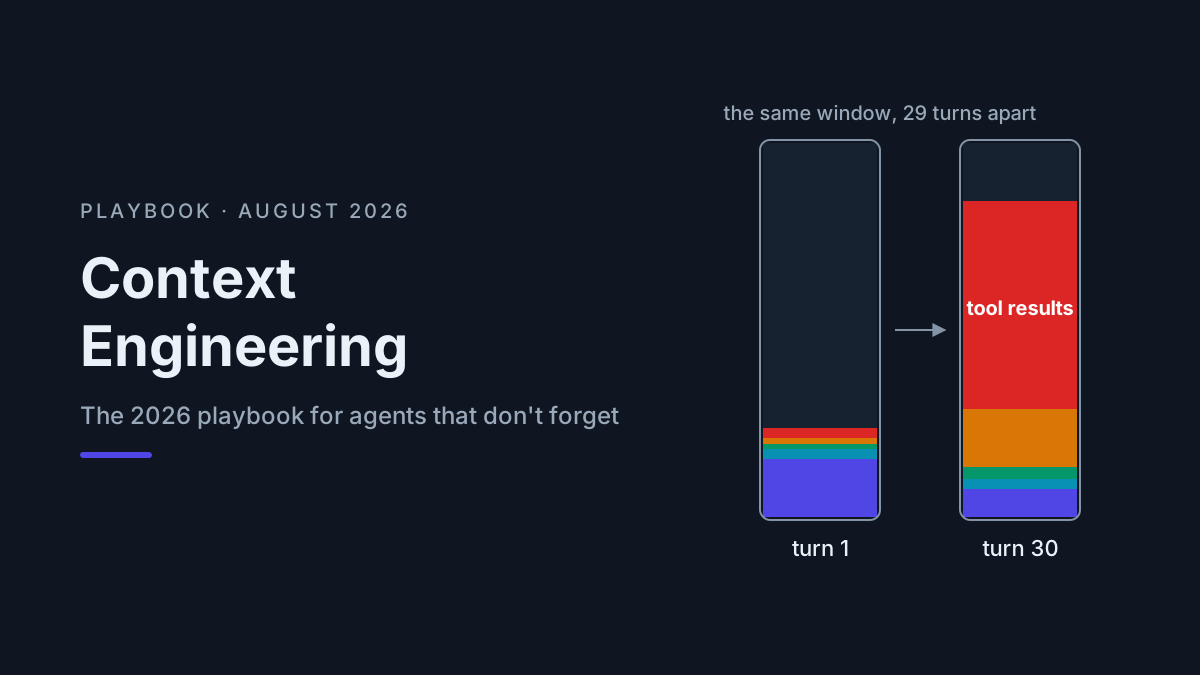
What enters the window, in what order, and when it gets summarized away. Instruction files, repo maps, tool outputs, compaction policy — this subsystem has the most moving parts and the most leverage, which is why it gets its own context engineering playbook. The day-one move: actually look at what a long session’s window contains. Most people have never audited it and are shocked by the ratio of stale tool output to useful signal.
2. Tool design
Tool descriptions are prompts. The model reads them every turn and plans with them, so a lazy description is a standing instruction to misuse the tool. Engineering here means curating the roster (every exposed tool costs window space and decision noise), writing descriptions with explicit when-to-use and when-not-to-use clauses, and making failures legible — an error message the model can act on is worth three retries. MCP is the extension bus for nearly every harness now, and the 2026-07-28 MCP spec made tool lists cacheable with TTLs — a standards-level hint that tool rosters should be stable, small, and deliberate.
3. Permissions
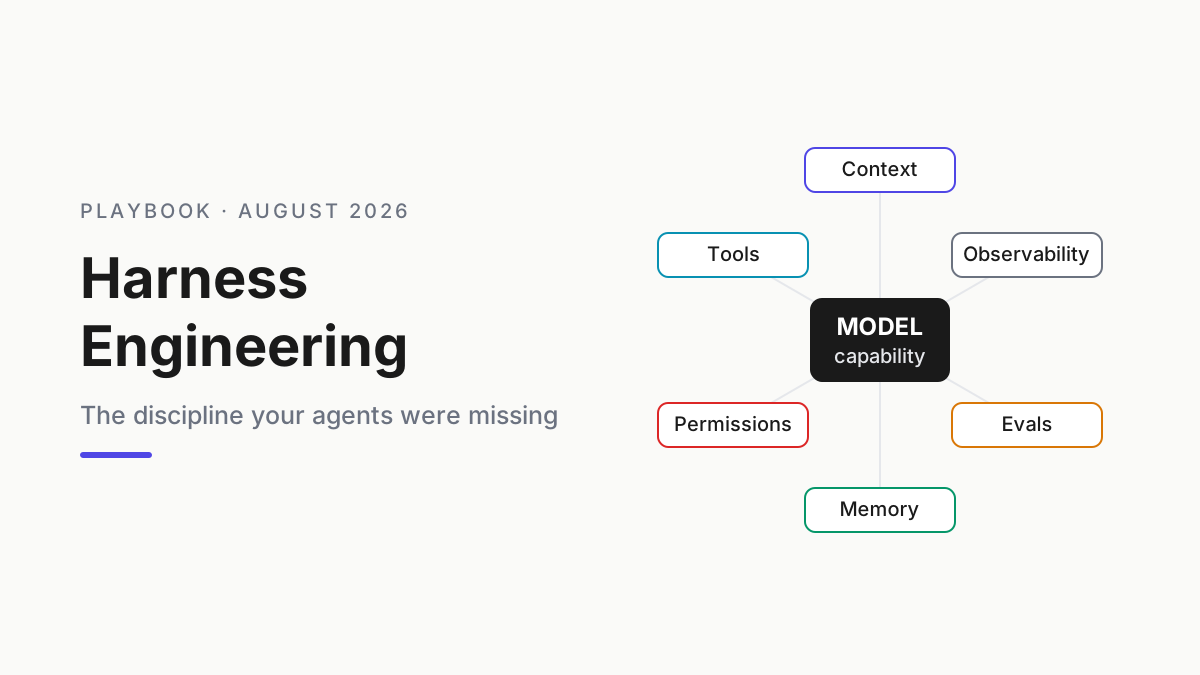
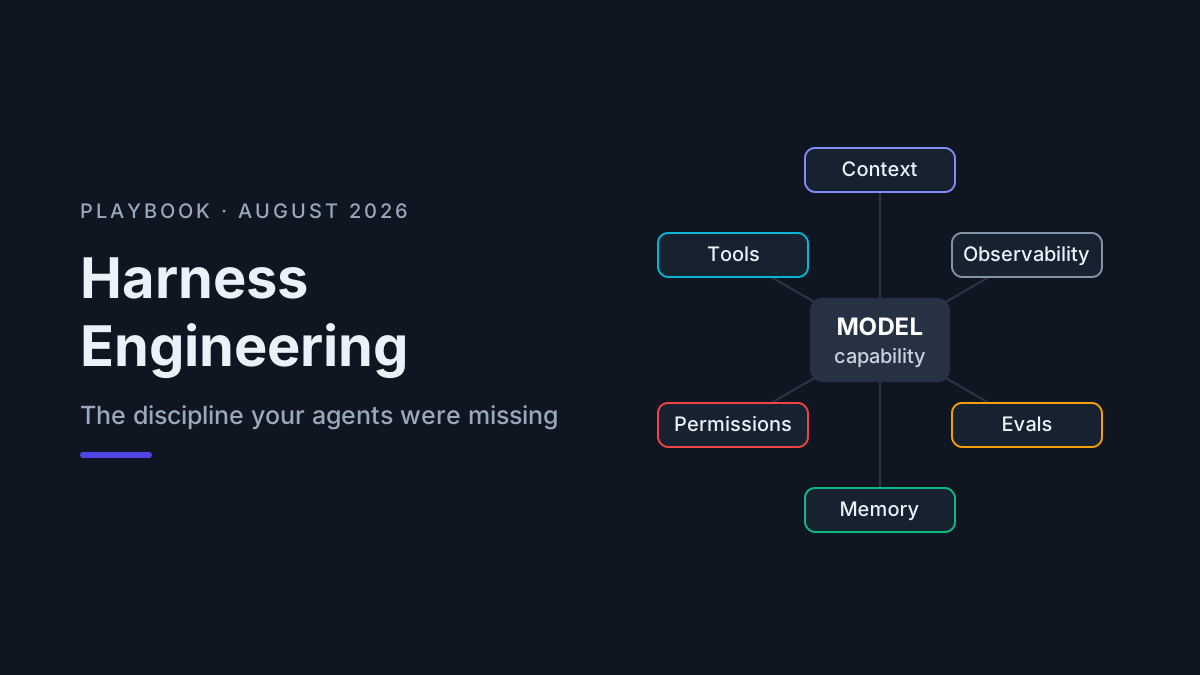
The subsystem that sets blast radius. Engineering it means tiers, not toggles: what runs automatically, what asks, what never happens without a human. The June 2026 US government security guidance on MCP says the quiet part formally — least privilege per server, scoped credentials, logged actions. It’s aimed at enterprises, but the principle scales down to your laptop, and securing AI agents covers the threat side in depth.
4. Memory
Nothing persists between sessions unless something writes it down. The memory subsystem is everything that does: instruction files you curate, notes the agent maintains, session archives you keep. Unengineered, memory decays into a stale CLAUDE.md and a folder of transcripts nobody can search. Engineered, yesterday’s discoveries cost nothing to recover. The day-one move: end significant sessions by having the agent update a notes file with what it learned.
5. Evals
The subsystem that turns opinions into measurements. A ten-task suite built from your own closed tickets, re-run whenever you change a model, a tool description, or an instruction file, is enough to catch most regressions. Without it, every config debate is vibes and every model swap is a leap of faith. Evals for AI agents covers how to build the suite; the harness-engineering point is that it gates changes.
6. Observability
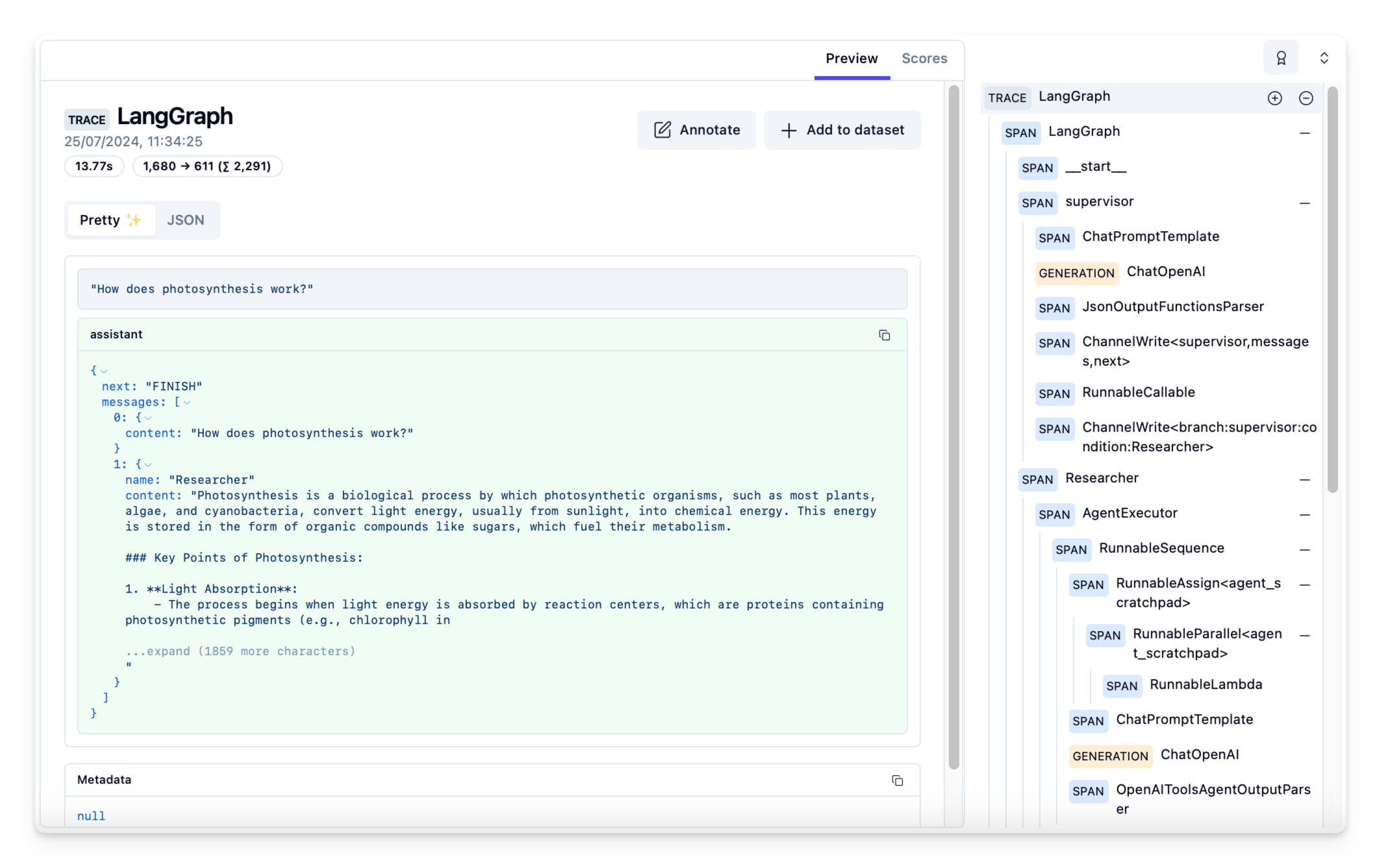
Transcripts, token metering, health signals. The transcript is the agent’s flight recorder — every turn, tool call, and result — and it’s the only place harness problems are actually visible. Token metering per provider tells you what each subsystem decision costs in money. Stall detection tells you when a session has quietly died. The day-one move is blunt: keep everything, and schedule time to read it.
The ecosystem formalized: this is a discipline now
For a while, harness engineering was folk knowledge traded in changelogs and threads. In 2026 it acquired the trappings of a real discipline: a name, curated literature, and a community. The awesome-harness-engineering repo collects the patterns, tools, and writeups under one roof — the reliable sign that a craft has stopped being tacit.
The other formalizing force is churn. The mid-2026 harness map reads like a casualty report — Gemini CLI shut down in June, iFlow and Roo Code gone, new entrants monthly. When tools die this fast, the durable asset is not the tool. It’s your harness engineering artifacts: instruction files, tool configs, permission policies, eval suites, and archives, all of which port across harnesses far more easily than habits do. Per the same reporting, effectively every serious CLI now accepts OpenAI-compatible or Anthropic-Messages endpoints — models became swappable, so the engineering layer is where your investment compounds.
Day-one practices
Four practices deliver most of the discipline’s value. None takes longer than an evening to start.
Instruction-file hygiene
Instruction files (CLAUDE.md, AGENTS.md, and kin) are standing orders the model reads constantly, so every line pays rent in context space. Keep them short, imperative, and current. One rule per line. Delete anything you can’t trace to an observed failure. Prefer small per-directory files over one mega-file the model skims.
# CLAUDE.md — payments service

- Run `make test-unit` before proposing any diff. Never call pytest directly (wrong env).
- Money is integer cents everywhere. A float in a money path is a bug, full stop.
- Never edit `migrations/` — flag the need instead.
- API errors follow docs/errors.md. New error codes need a docs entry in the same PR.
Eight lines like these outperform eight hundred words of aspirational prose about code quality.
Tool-description writing
Write descriptions the way you’d brief a sharp contractor: what it does, when to reach for it, when explicitly not to, and what the arguments mean with examples.
{
  "name": "run_tests",
  "description": "Run the unit suite for one package. Use after every edit to that package. NOT for integration tests (use ci_status). Slow (~90s) — don't call it to answer questions a file read answers.",
  "input_schema": {
    "type": "object",
    "properties": {
      "package": { "type": "string", "description": "Package dir, e.g. services/billing" }
    },
    "required": ["package"]
  }
}
The “NOT for” clause is the part almost everyone omits and the part that changes behavior most — models overuse tools whose boundaries are undefined.
Permission tiers
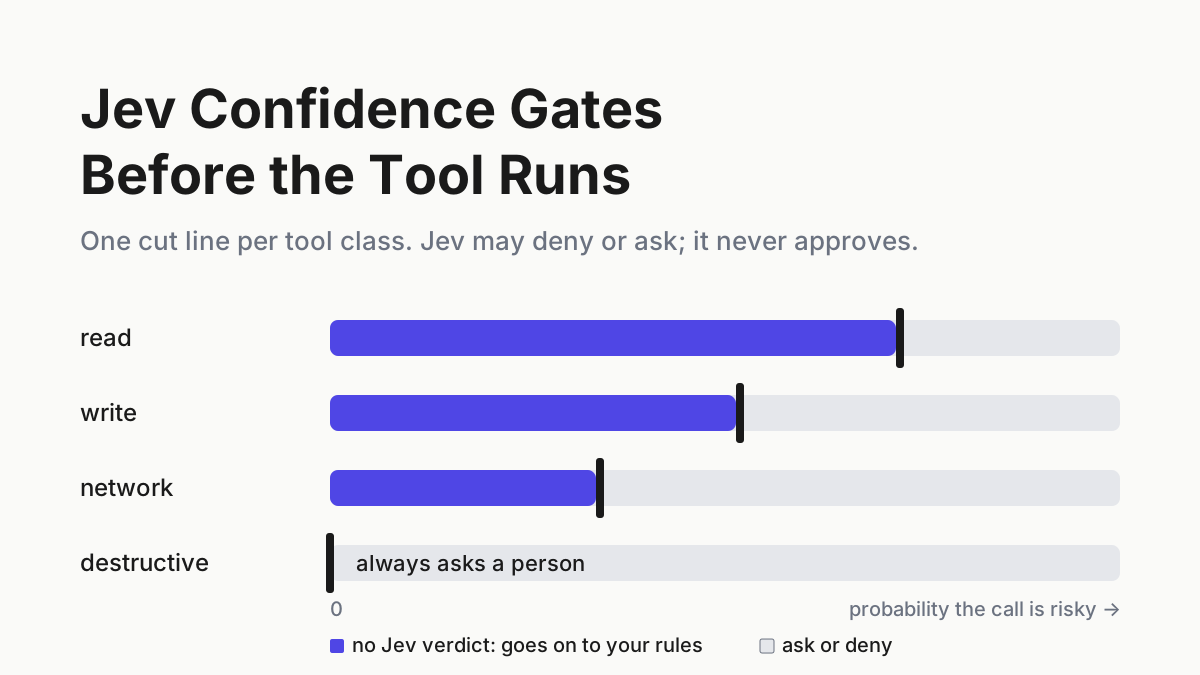
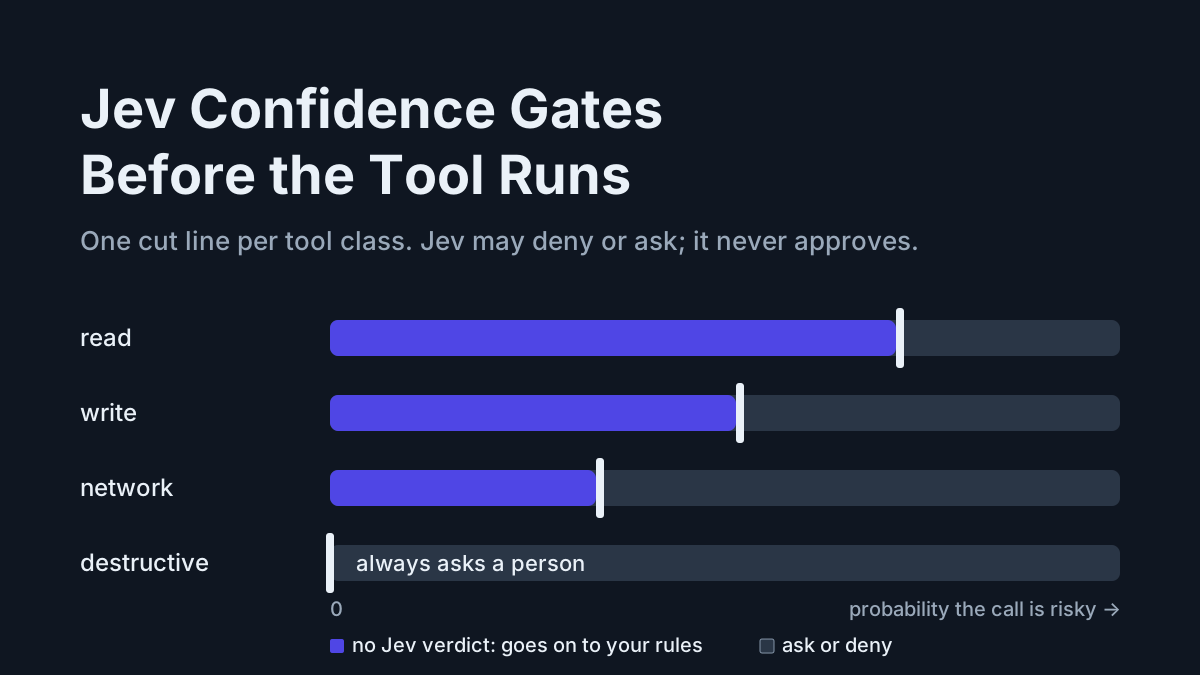
Replace the binary of ask-everything versus full-auto with three explicit tiers:
| Tier | Examples | Rule |
|---|---|---|
| Auto-allow | read, grep, run tests, lint, format | Reversible, workspace-scoped, boring |
| Ask first | installs, writes outside workspace, git push, network POSTs |
Reversible but reaches beyond the sandbox |
| Never without a human | deploys, force-push, branch deletion, anything touching prod credentials | Blast radius exceeds one session |
The point isn’t just safety — it’s that a short “ask” list keeps your attention meaningful. When everything asks, you rubber-stamp everything, and the prompts protect nothing.
Transcript review
The highest-return practice, and the least practiced: twenty minutes weekly reading three transcripts — one success, one failure, one that felt merely fine. You’re hunting for loops the agent ran, tool errors it silently routed around, instructions you typed by hand for the third week running (those belong in an instruction file), and permission prompts you approved without reading. Every finding maps cleanly onto one of the six subsystems, which means every finding is a fix you can actually make.
Product note: Transcript review only works if the transcripts outlive the terminal window. Automater Lite archives every session from 10+ CLIs — Claude Code, Codex, Qwen Code, OpenCode, Copilot, and friends — into one local, full-text-searchable library, with Vault redaction for scrubbing secrets before you share or export a session. Free, on automater.ai.
Anti-patterns
Six failure modes show up in almost every setup we’ve reviewed. Each has a cheap fix.
- Tweaking prompts to fix tools. The agent keeps botching edits, so you add “be careful with edits” to the instruction file. The transcript shows the edit tool returning an unparseable error. Fix the tool’s error surface; the prompt was never the problem.
- Tool sprawl. Forty MCP tools sound like capability; they behave like noise, because the model must weigh every definition on every planning turn. If you can’t say in one sentence why a tool is on the roster, the model can’t either. Cacheable tool lists in the 2026-07-28 MCP spec cut the token cost of sprawl, not the confusion cost.
- Permission extremes. Full-auto everywhere works until the day it very much doesn’t; ask-everything trains you to approve on autopilot, which is full-auto with extra steps. Tiers, per project.
- Cargo-cult configs. A 900-line CLAUDE.md copied from a stranger’s gist imports a stranger’s failure history into your context window. Start near-empty; add lines only from your own observed failures.
- Unmeasured changes. Swapping models or rewriting tool descriptions without an eval pass means you’re steering by anecdote, and anecdote always favors the most recent change. Gate changes on the ten-task suite.
- The immortal session. One session, alive for days, accumulating every tool result since Tuesday. Long-lived context degrades quietly; end sessions at task boundaries, and push exploration into subagents with fresh windows so the mess never lands in your main thread.
The harness engineering maturity ladder
Grade yourself against four levels. Most readers who run agents daily land at configured — which is fine, and one deliberate weekend from engineered.
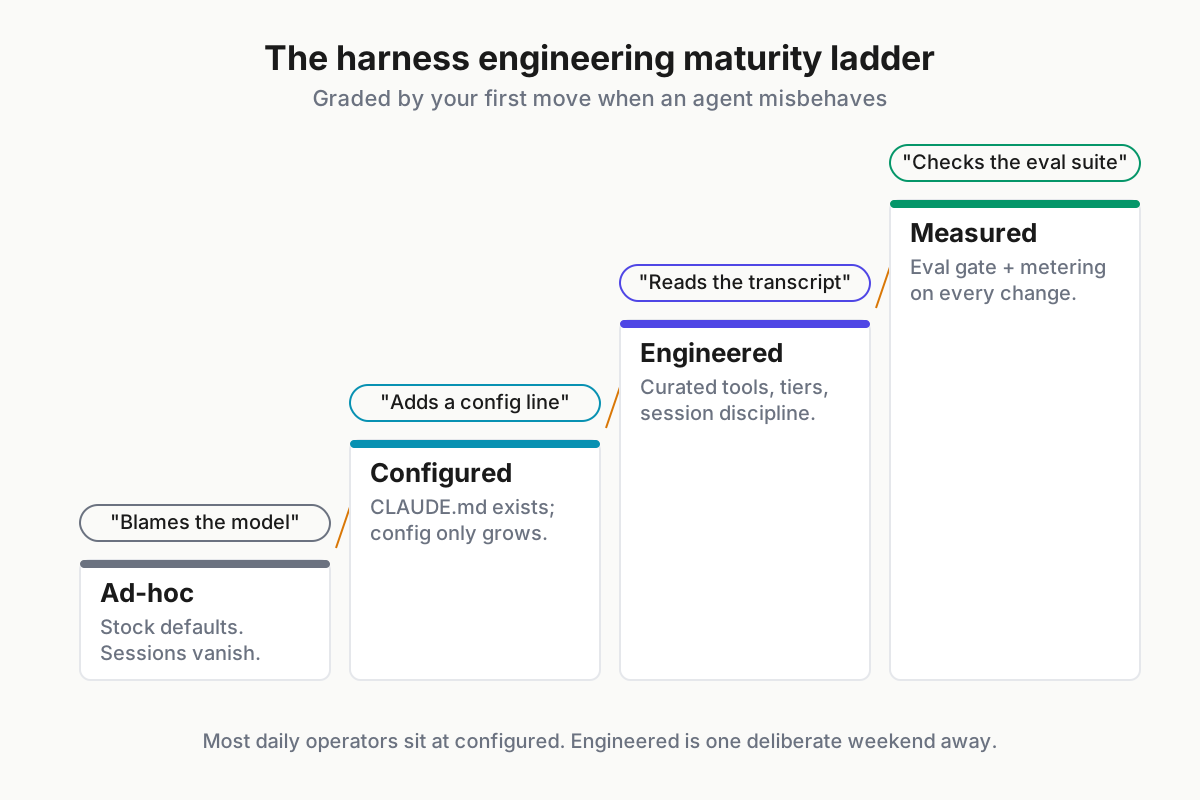
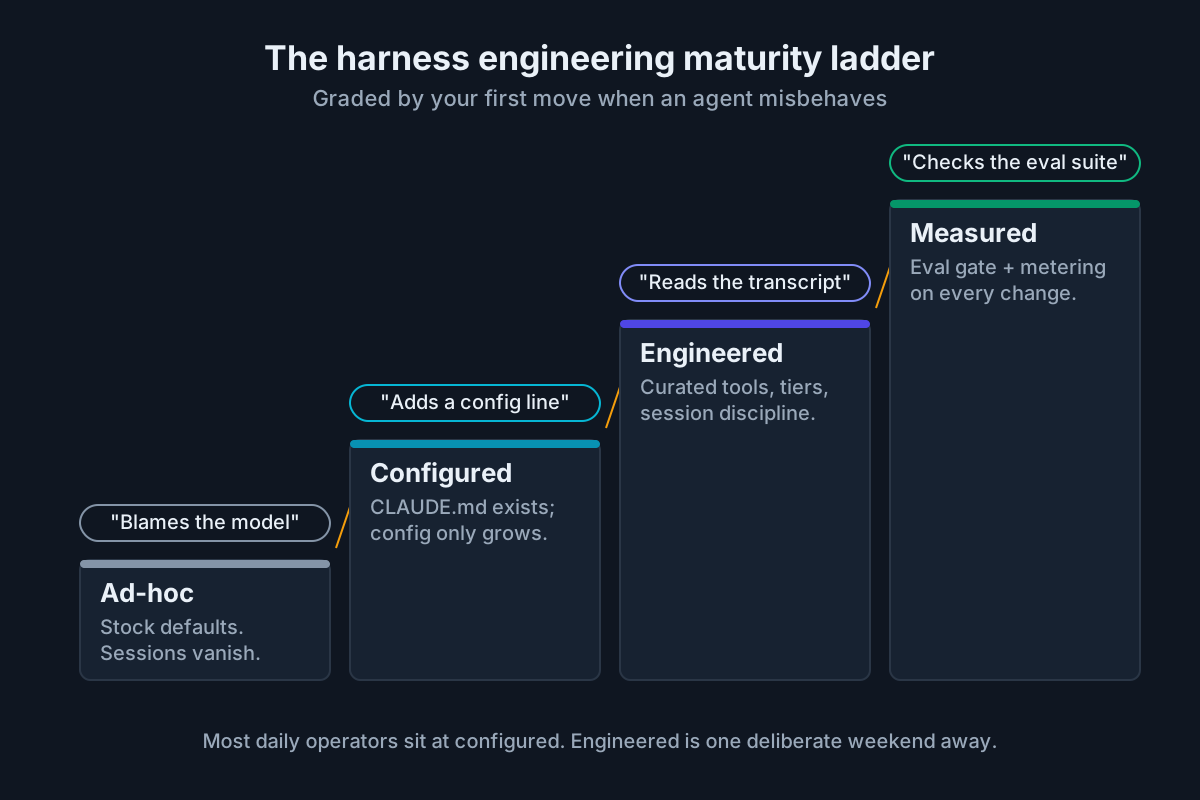 Four levels. The tell in each row is how you talk about your agents, not what software you installed.
| Level | What it looks like | The tell | Move up by |
|---|---|---|---|
| Ad-hoc | Stock defaults, no instruction files, permissions whatever the installer set, sessions vanish on close | “The model’s being dumb today” | Writing your first instruction file from a failed transcript |
| Configured | CLAUDE.md/AGENTS.md exists, some MCP servers, a few allowlist entries | Config only ever grows; nobody knows which lines still matter | Weekly transcript review; explicit permission tiers |
| Engineered | Curated tool roster, tiered permissions, a memory strategy, deliberate session boundaries | Changes are deliberate but still argued by anecdote | A ten-task eval suite from your own closed tickets |
| Measured | Eval gate on every harness change, per-provider token metering, quarterly config pruning | You cite numbers in tool debates and win them | Staying current — this level is a habit, not a summit |
The honest self-assessment question per level: when the agent misbehaves, what’s your first move? Blaming the model is ad-hoc. Adding a config line is configured. Reading the transcript is engineered. Checking whether the eval suite caught it is measured.
Start this Monday
Thirty minutes, in order: pull last week’s worst transcript and read it end to end; fix the single worst tool description or instruction line it exposes; write your three permission tiers down, even roughly; put a recurring twenty-minute transcript review on the calendar. That sequence moves you one full rung in under a month.
If you run more than one harness — and as of August 2026 most serious operators do — the discipline applies fleet-wide, which is its own problem of running multiple AI coding agents without the chaos. And since context assembly is the subsystem with the most leverage, the context engineering playbook is the natural next read.
The model will keep improving without your help. The harness won’t.
FAQ: harness engineering
What is harness engineering?
Harness engineering is the practice of designing and tuning the software around a language model — context assembly, tools, permissions, memory, evals, and observability — so it performs reliably as an agent. The model supplies raw capability; the harness determines how much of it reaches your actual work.
Is harness engineering just prompt engineering with a new name?
No. Prompt engineering optimizes a single message; harness engineering optimizes the system generating thousands of them — instruction files, tool rosters and descriptions, permission tiers, memory, and eval gates. A prompt is one input. A harness is standing infrastructure that shapes every input and action.
What is an AI harness?
An AI harness (agent harness) is the software wrapped around a language model that turns it into a working agent: it assembles context, exposes tools, enforces permissions, and manages sessions. Claude Code, Codex CLI, and OpenCode are harnesses; Claude and GPT are models that run inside them.
Do I need to build my own harness to practice harness engineering?
No. Vendors and open-source maintainers build harnesses; you engineer the configuration surface they expose — instruction files, tool rosters, permission rules, memory files, and eval gates. That surface, not the harness’s source code, is where most result differences between operators actually come from.
How do I know if a harness change actually helped?
Run an eval suite before and after — around ten repeatable tasks drawn from your own closed tickets is enough to catch regressions. Pair the scores with transcript review and per-session token costs. Without a baseline, every change feels like an improvement for about a week.
Sources
- SWE-agent: Agent-Computer Interfaces Enable Automated Software Engineering (arXiv)
- SWE-bench: Can Language Models Resolve Real-World GitHub Issues? (arXiv)
- Aider LLM leaderboards
- awesome-harness-engineering (GitHub)
- MCP specification update, 2026-07-28 (MCP blog)
- CSI: Model Context Protocol security guidance (media.defense.gov, June 2026)
- Harness: Shipped in July 2026 — CLI 3.0 and Agent DLC (harness.io)
- Coding CLIs in mid-2026: the engineer’s map (dev.to)
- Best open-source coding models, 2026 scorecard (morphllm.com)