Android's AppFunctions API Is Officially in Beta: Your App Becomes an On-Device MCP Server
Google announced the AppFunctions API beta at Android Dev Summit. How Android apps expose MCP-style tools to Gemini and other agents, the Jetpack and OS registry pipeline, the new agent skill, ADB testing, and the experimental caveats that still apply.
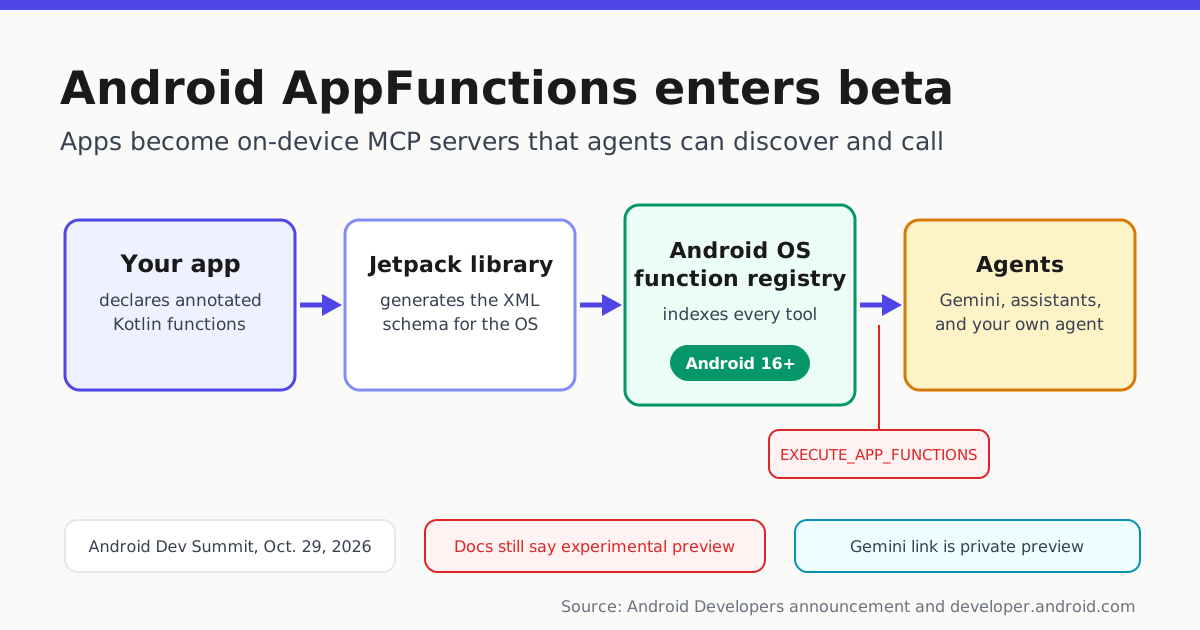
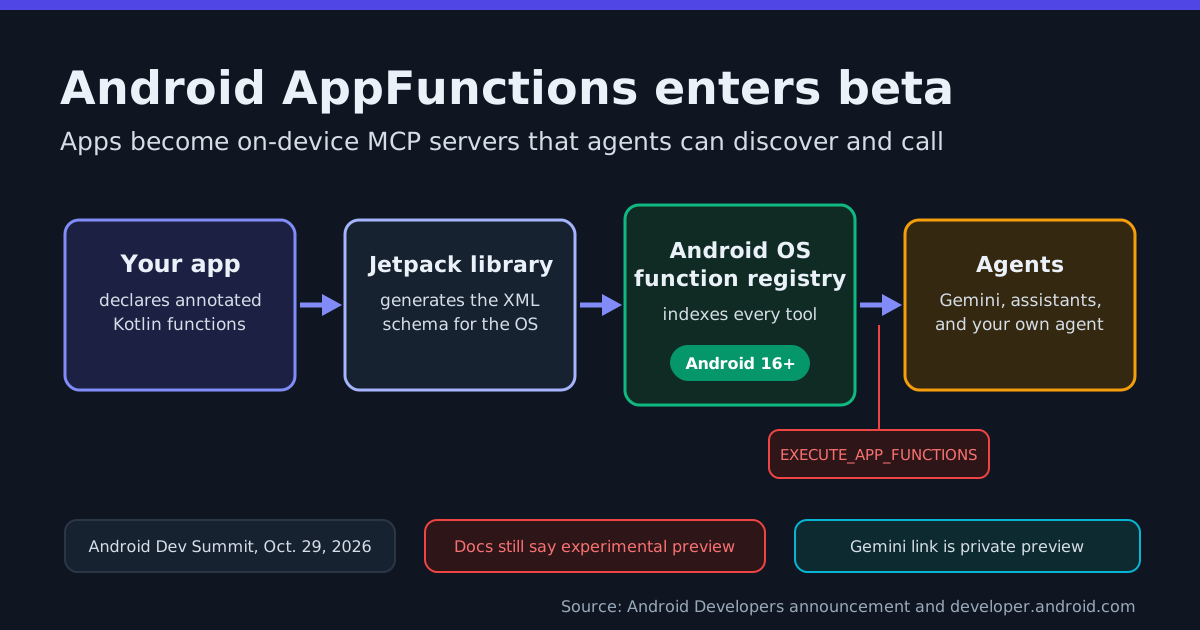
Android apps just became a tool surface for AI agents. On Oct. 29, 2026, during Android Dev Summit, the Android Developers team announced that the AppFunctions API is “officially in beta,” framing it as the way apps “seamlessly share your app’s capabilities with your own agent or system agents using Android MCP” (Android Developers on X).
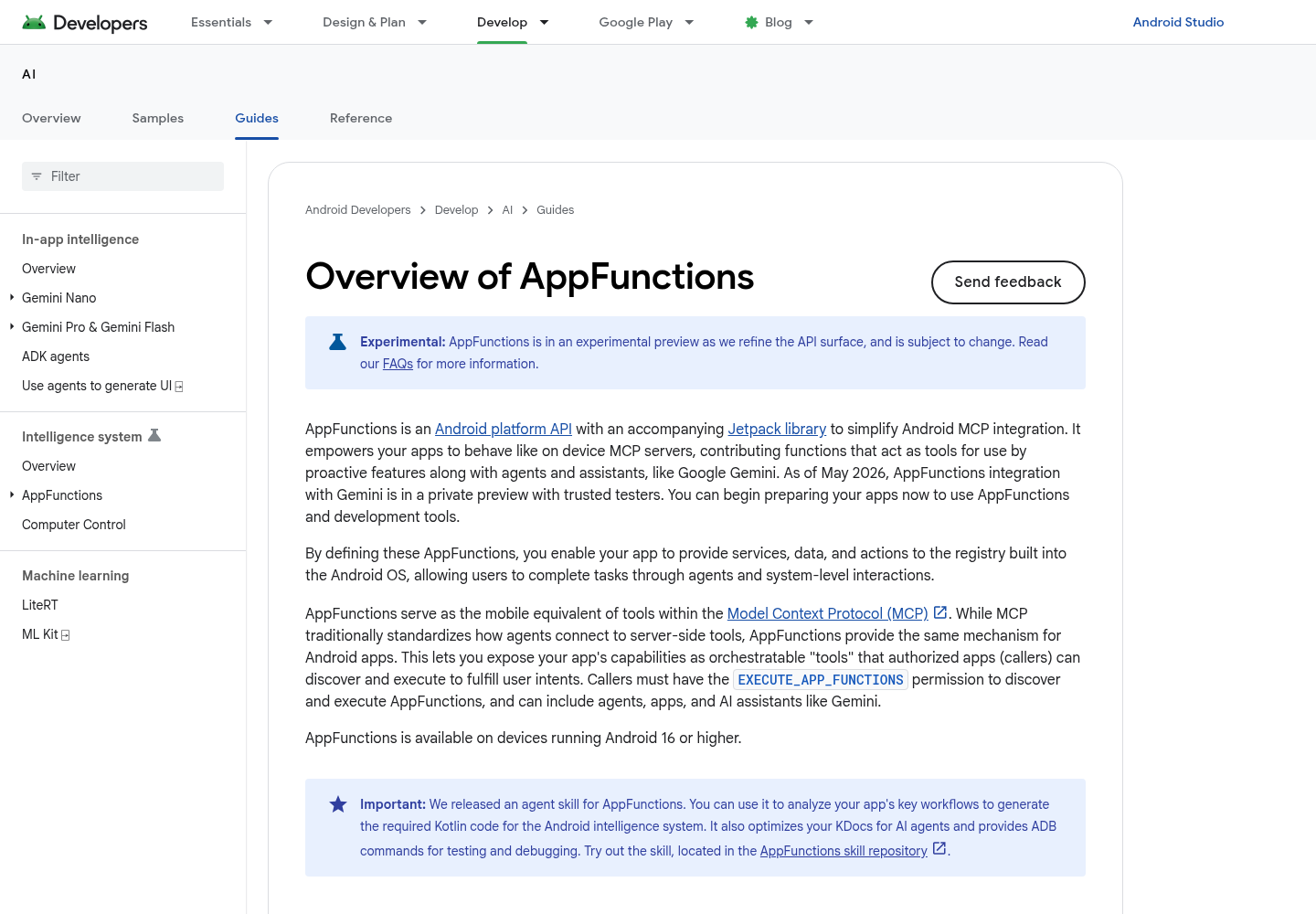
Google’s documentation describes the same shift from the developer’s side: AppFunctions is “an Android platform API with an accompanying Jetpack library to simplify Android MCP integration” that lets your app “behave like on device MCP servers,” contributing functions that act as tools for proactive features, agents and assistants such as Google Gemini (Overview of AppFunctions). In practical terms, the MCP pattern Automater has covered for desktop agents and for websites now reaches the phone’s operating system: an installed app’s features become discoverable, orchestratable tools.
What an AppFunction actually is
An AppFunction is an annotated Kotlin function in your app. The Jetpack annotation processor handles the plumbing, the Android OS keeps a registry of the functions your app exposes, and authorized callers — agents, other apps, AI assistants — discover and execute them through AppFunctionManager. Two constraints define the surface:
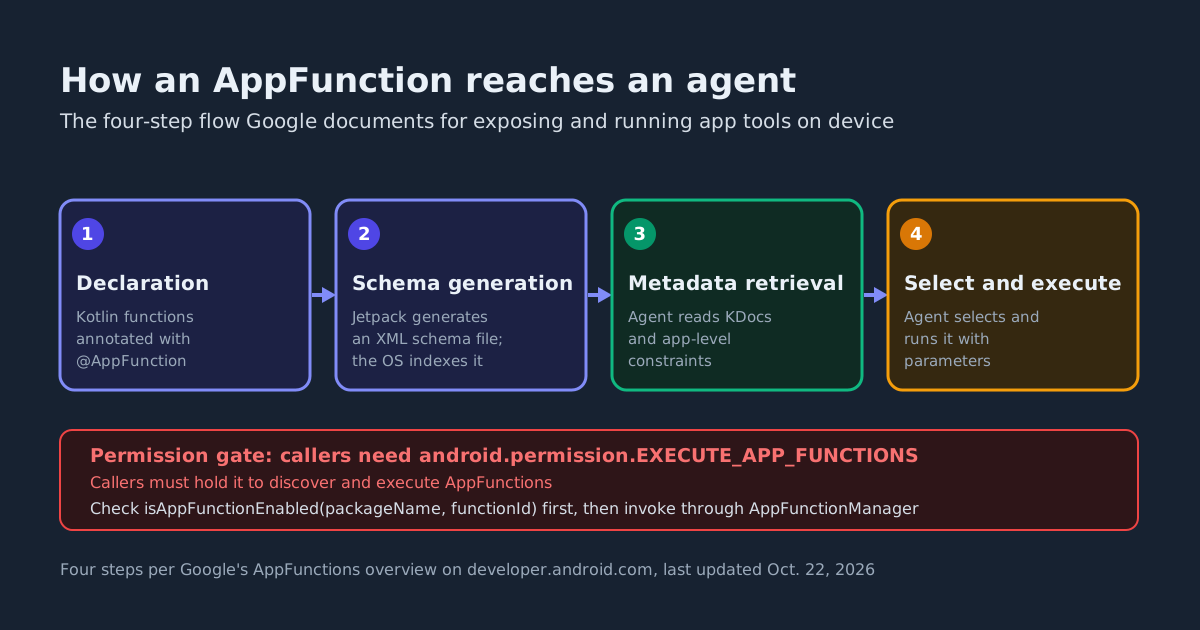
- Permission gate. Callers must hold
android.permission.EXECUTE_APP_FUNCTIONSto discover and execute AppFunctions. - OS floor. AppFunctions are available on devices running Android 16 or higher.
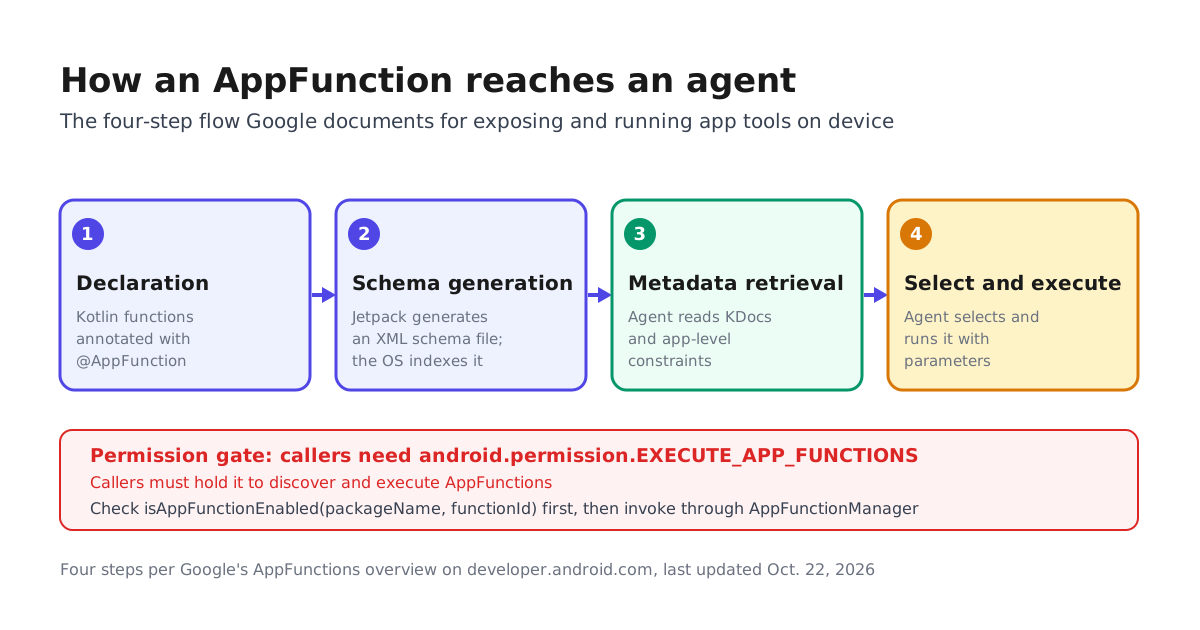
The documented pipeline has four steps: your app declares functions, the Jetpack library generates an XML schema file listing them, the OS indexes that file, and the agent retrieves metadata, selects a function and executes it with parameters. Developers can also publish app-level operational patterns and constraints in metadata to steer how an agent chains multiple tools.
What one looks like in code
/**
 * Create a new task or reminder with a title, due time, and location.
 */
@AppFunction(isDescribedByKDoc = true)
suspend fun createTask(
    title: String,
    dueDateTime: LocalDateTime? = null,
    location: String? = null,
): Task = TODO()
The KDoc is load-bearing: with isDescribedByKDoc = true, your documentation becomes part of what the agent reads when deciding which tool to call. Google’s fuller sample goes further — the note-taking service throws AppFunctionInvalidArgumentException when neither a title nor content is supplied and AppFunctionElementNotFoundException when a record does not exist, so the agent learns why a call failed instead of guessing.
How this differs from the MCP servers you already run
| AppFunctions | Remote MCP server | |
|---|---|---|
| Where it runs | On device, inside your app | Off device, over the network |
| Platform reach | Android 16 or higher only | Platform-agnostic |
| Discovery | OS registry via AppFunctionManager | MCP tool listing |
| Access control | EXECUTE_APP_FUNCTIONS permission | Server-side auth and scopes |
| State | Your app’s existing on-device state | A service you operate |
Google’s FAQ is blunt about the trade: “AppFunctions are built-in OS-level hooks exclusive to Android that execute locally. By contrast, a standard MCP server is a platform-agnostic solution that relies on cloud execution and network round-trips.” Building on AppFunctions means using “the existing app state directly on-device” with no service to maintain outside the app — and no reach beyond an Android 16 device that has your app installed.
What Google shipped around the beta
- An agent skill that analyzes your app’s workflows, generates the required Kotlin, optimizes KDocs for agents, and supplies ADB commands across a four-step lifecycle: discovery, implementation and configuration, KDoc refinement, and testing and debugging.
- ADB verification:
adb shell cmd app_function list-app-functionsconfirms registration, andadb shell cmd app_function ...inspects metadata and executes functions on a device. - A sample app to run the whole loop yourself.
- An Early Access Program for the end-to-end path to production; Google notes that registering “does NOT automatically obtain access.”
The fine print worth reading
A beta announcement is not general availability. The documentation — last updated Oct. 22, 2026, a week before the announcement — still opens with: “Experimental: AppFunctions is in an experimental preview as we refine the API surface, and is subject to change.” Gemini integration “is in a private preview with trusted testers” as of May 2026, and the FAQ says that during this phase “only a limited number of apps and system agents can access the entire pipeline.” Google’s AI on Android hub lists AppFunctions as a new feature and keeps a fallback lane open: apps without AppFunctions can still be driven by UI automation on supported devices.
What to do this week
If you ship an Android app, pick two or three workflows worth exposing. Google’s examples range from creating a reminder with a title, time and location, to the cross-app case of finding a recipe in an email and adding its ingredients to a shopping list. Implement them, verify registration with the ADB command, and write the KDocs as if an agent will read them — one will.
If you build agents instead, treat Android 16 devices as a new tool source alongside your remote MCP servers: Google’s docs state that agents are likely to consider “both server-side remote MCP tools and local AppFunctions together when handling user requests.” The same front-door scoping questions apply — decide which callers you accept, what each function may touch, and what a failed call reports back. For teams weighing surface bets across platforms, our WebMCP versus ARIA analysis covers the parallel fight on the web.
Sources
- Overview of AppFunctions | AI | Android Developers
- Android Developers on X: "Seamlessly share your app's capabilities with your own agent or system agents using Android MCP. Officially in beta, the AppFunctions API is opening up powerful new ways to integrate your functionality. https://t.co/zaEReK41Ol #AndroidDevSummit" / X
- AI on Android | Android Developers