Run the ChatGPT Desktop App on Amazon Bedrock in AWS GovCloud (US): Codex, IAM, Zero Data Retention and No Seat Licenses
AWS put the ChatGPT desktop app on Bedrock inside GovCloud (US): Codex and Work can now terminate inference at a Bedrock Mantle endpoint in us-gov-west-1 under IAM, with optional zero data retention and per-token billing. The config layers, the policy trade-offs and the caveats.
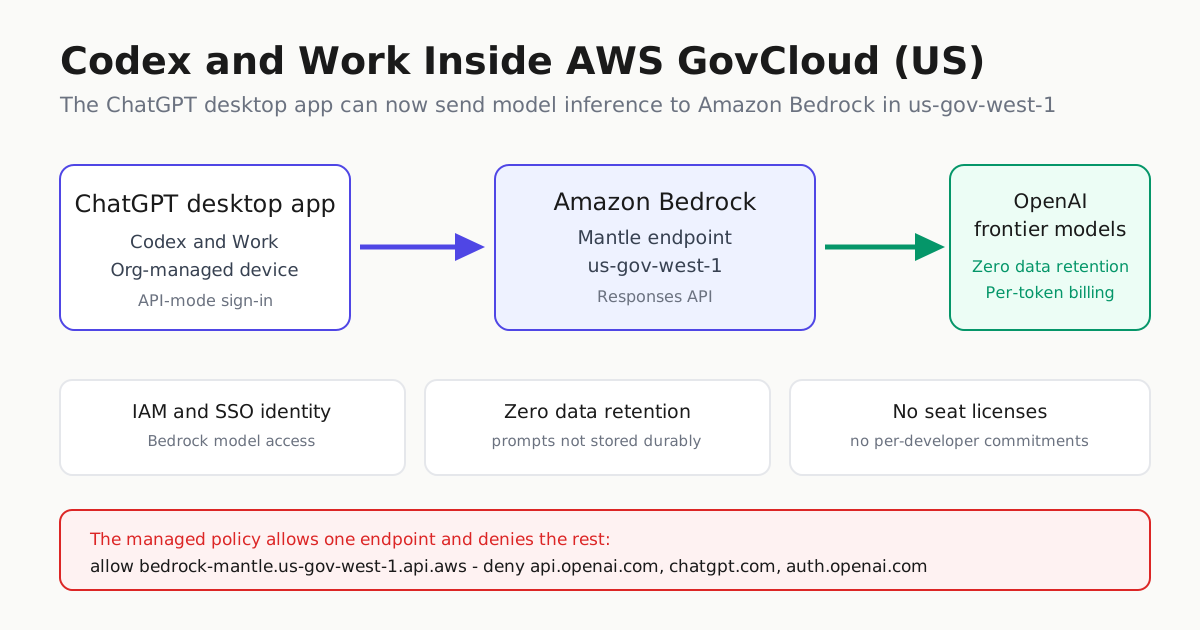
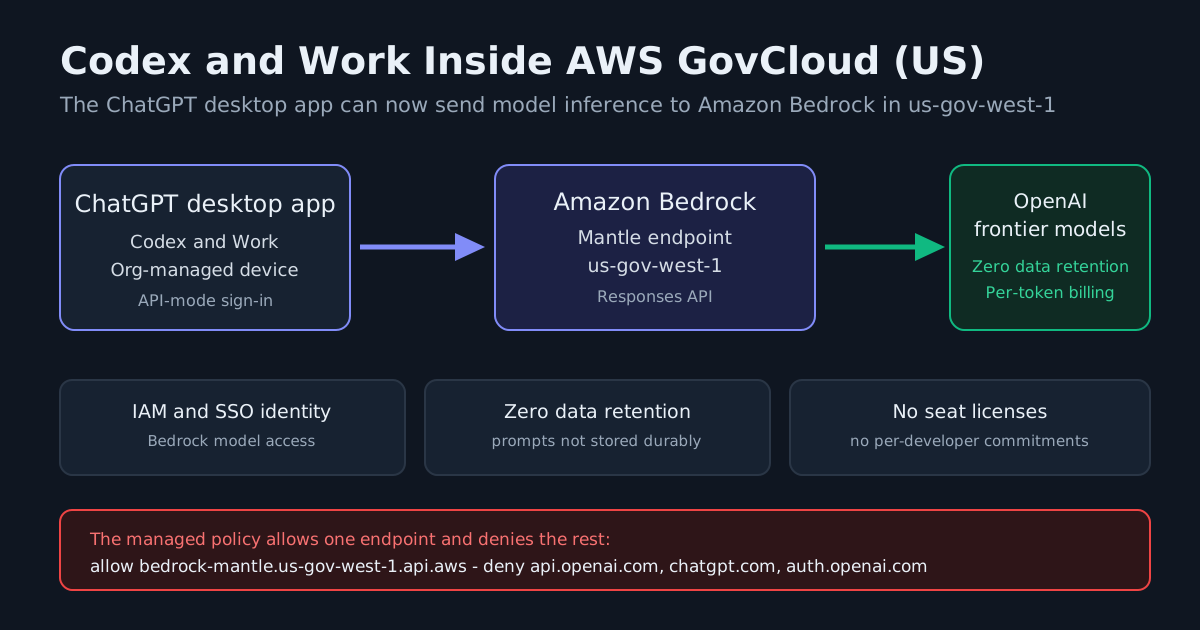
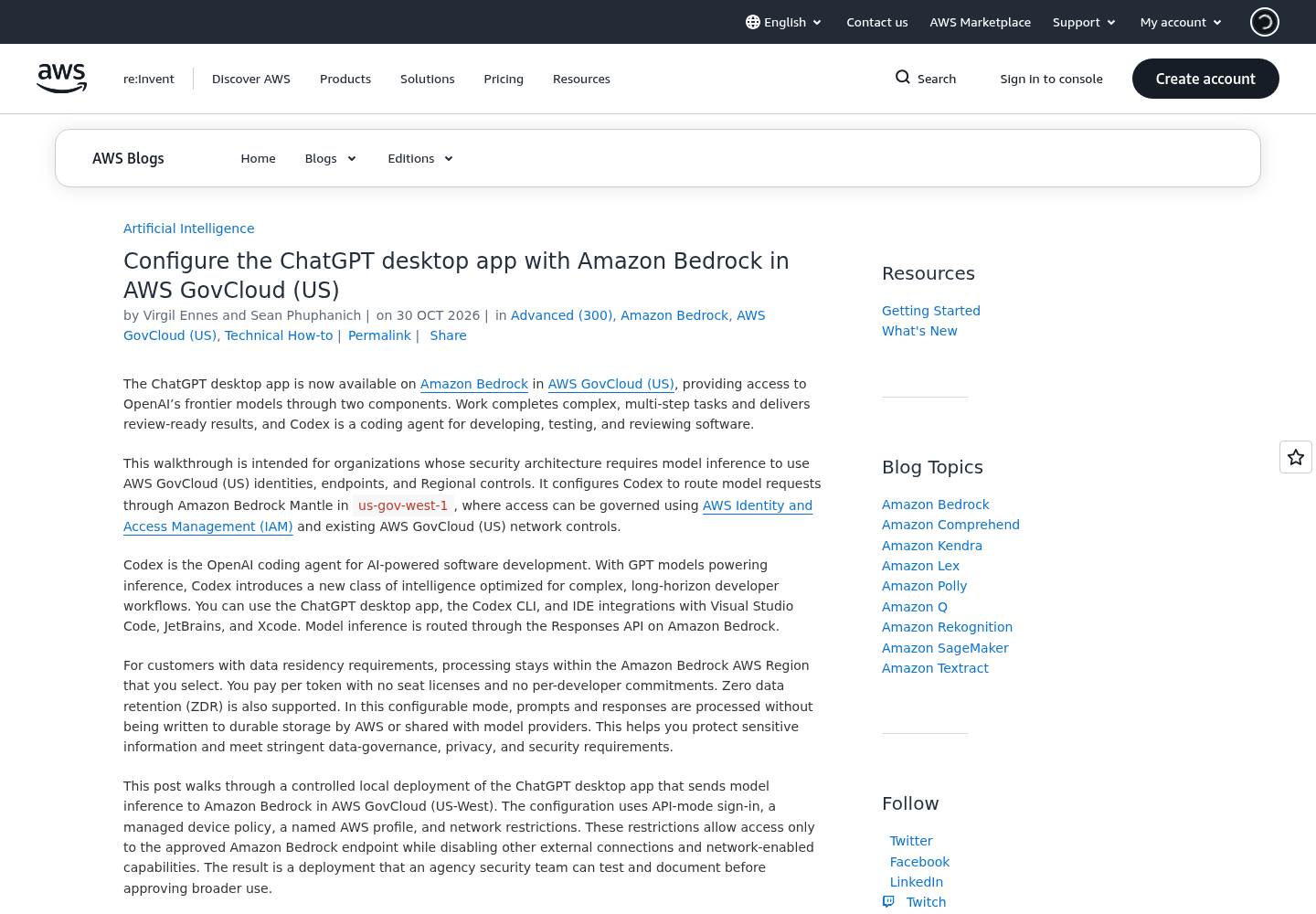
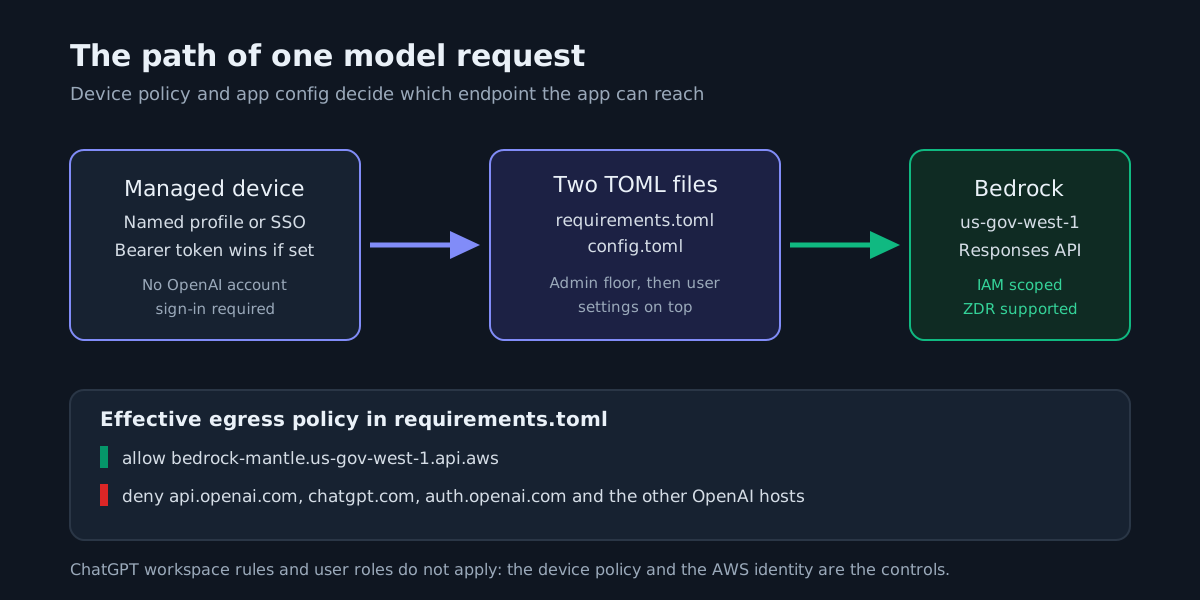
AWS published a walkthrough on October 30, 2026 for running the ChatGPT desktop app on Amazon Bedrock inside AWS GovCloud (US). The interesting part is not another model launch. It is that the app’s two agent surfaces — Work, which completes multi-step tasks, and Codex, the coding agent — can now terminate model requests at an Amazon Bedrock Mantle endpoint in us-gov-west-1, governed by AWS IAM identities and GovCloud network controls, instead of OpenAI’s own endpoints.
For US government and regulated engineering teams, that is a deployment-shape change, not a feature toggle. The same day AWS put native OpenAI APIs on the Bedrock runtime endpoint in GovCloud (US) with cross-region inference (AWS What’s New), opened OpenAI’s Daybreak Red cyber model in GovCloud (US-East) (AWS What’s New), and turned on web search for Kiro agents in the same region.
What actually changed
AWS says the ChatGPT desktop app is now available on Amazon Bedrock in GovCloud (US) with access to OpenAI’s frontier models through Work and Codex, with inference routed through the Responses API on Amazon Bedrock. Three commercial terms matter to operators:
- Processing stays inside the Amazon Bedrock region you select.
- You pay per token, with no seat licenses and no per-developer commitments.
- Zero data retention (ZDR) is supported in a configurable mode, where prompts and responses are processed without being written to durable storage by AWS or shared with model providers.
The same provider configuration also covers the Codex CLI and the IDE integrations for Visual Studio Code, JetBrains and Xcode.
Read the governance sentence twice. Because the setup talks to AWS directly, ChatGPT workspace rules and user roles do not control it. The main security controls become the computer’s own policies and the AWS identity and permissions behind the request — controls your security team already knows how to review.
Three layers decide what the app can do
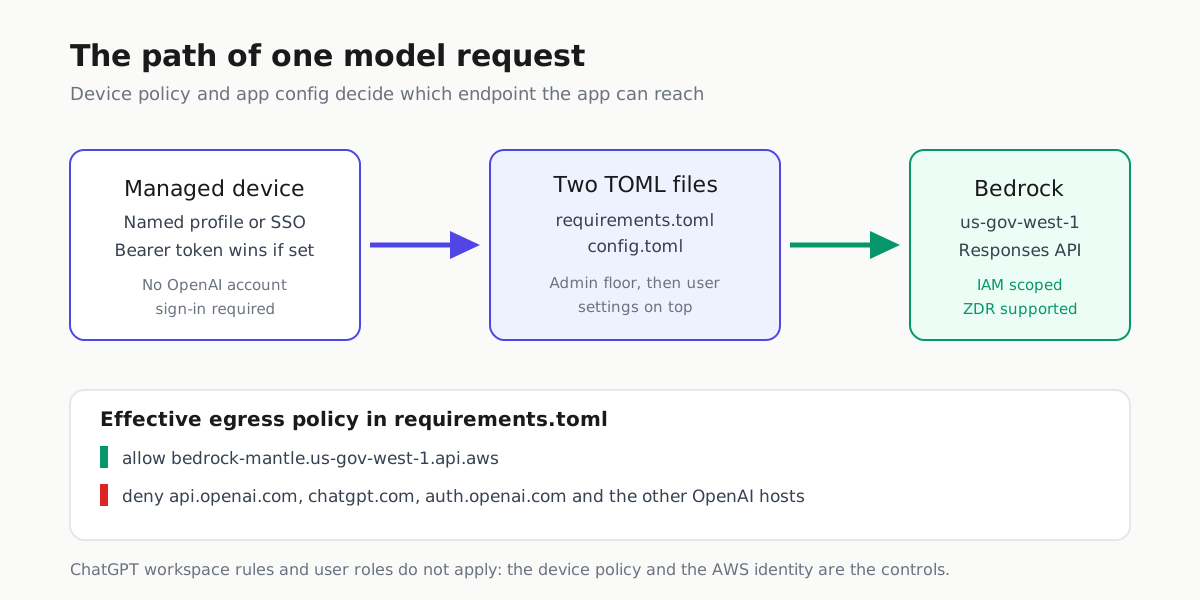
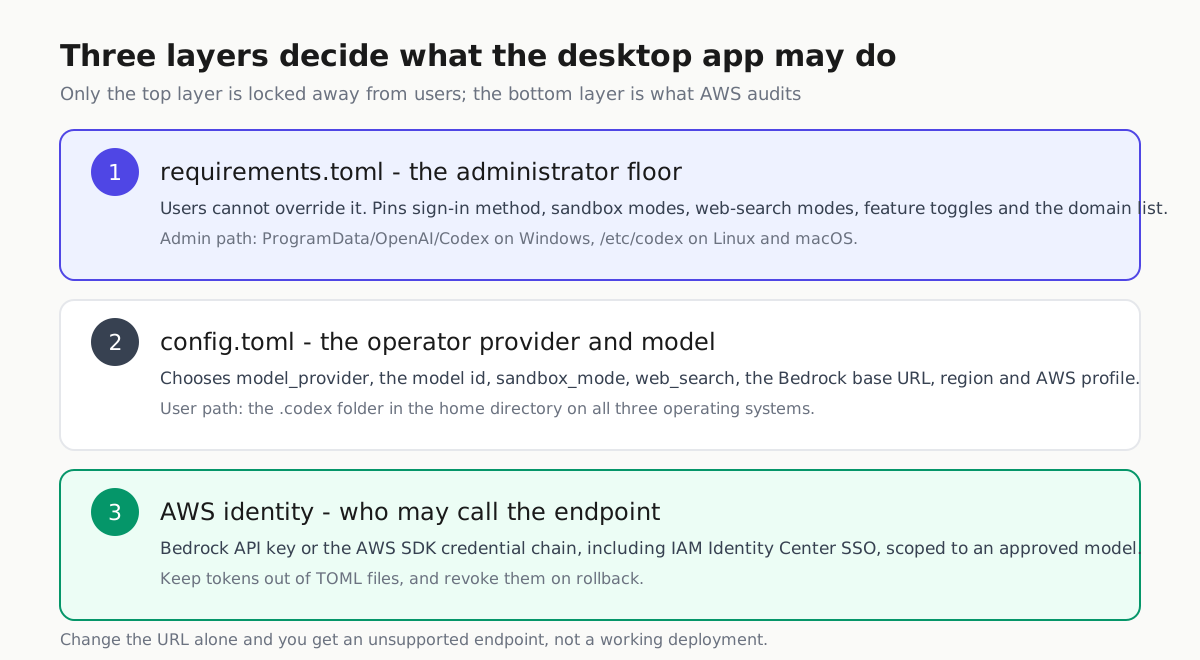
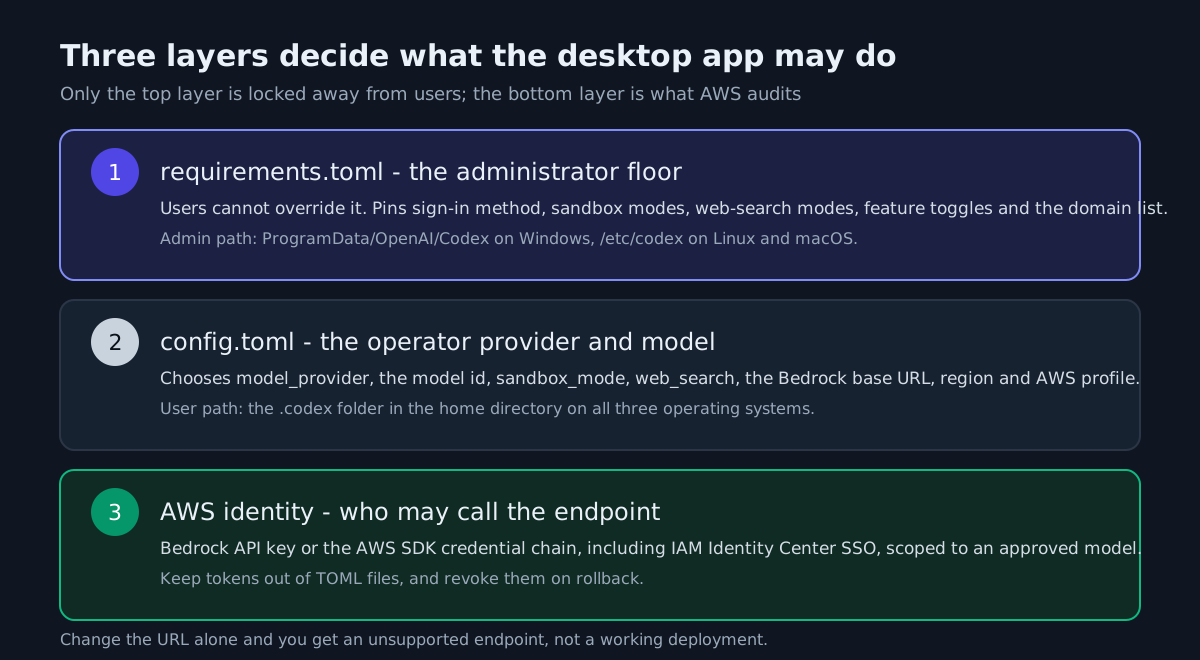
Each layer answers a different question, and that split is the operational story.
| Layer | Where it lives | Who controls it | What it decides |
|---|---|---|---|
| Administrator floor | requirements.toml |
Platform team; users cannot override it | Sign-in method, sandbox modes, web-search modes, feature toggles, domain allow and deny list |
| Operator settings | config.toml |
The person running the app | Model provider, model id, sandbox mode, web search, Bedrock endpoint, region, AWS profile |
| Cloud identity | Bedrock API key or AWS SDK credential chain, including IAM Identity Center SSO | Cloud platform team | Which model in which region the request may reach, and the audit trail |
Both files must exist before the first app launch, at fixed locations AWS documents per platform:
# config.toml
model_provider = "amazon-bedrock"
forced_login_method = "api"

[model_providers.amazon-bedrock]
base_url = "https://bedrock-mantle.us-gov-west-1.api.aws/openai/v1"
wire_api = "responses"
requires_openai_auth = false

[model_providers.amazon-bedrock.aws]
region = "us-gov-west-1"
profile = "codex-il5"
On Windows the user file sits in the .codex folder under the user profile and the admin file under ProgramData/OpenAI/Codex; on Linux and macOS the admin file is /etc/codex/requirements.toml. Keep tokens and session secrets out of both files. The app checks AWS_BEARER_TOKEN_BEDROCK first and otherwise falls back to the AWS SDK credential chain, which supports SSO profiles through IAM Identity Center.
What the baseline policy costs you
The baseline requirements.toml AWS publishes is a starting point, not a suggestion. It allows only read-only and workspace-write sandbox modes, forces API-mode sign-in, limits web search to disabled or cached, and sets allow_browser_and_computer_use = false. That last setting bounds Work: under this baseline the multi-step research path runs on cached search, so a rollout that depends on live web results needs a different configuration and a different approval argument.
The network layer is equally explicit. The managed domain list allows bedrock-mantle.us-gov-west-1.api.aws and denies the OpenAI endpoints, including api.openai.com, chatgpt.com and auth.openai.com. That one rule is what turns “the desktop app” into “the desktop app inside your approved region”.
AWS also explains how to verify the configuration: the Codex CLI /status view should show amazon-bedrock as the model provider, and the desktop app settings should show the same. It is candid about failure modes too. If the app still prompts for an OpenAI account, the TOML files were missing at launch. If the GovCloud endpoint is reported as unsupported, AWS says to confirm the exact desktop or app-server release, endpoint and model with OpenAI, because changing the URL alone does not establish support.
Two caveats AWS does not paper over
The post states no minimum desktop app build and gives no dollar figures or latency numbers. Per-token billing without seat licenses is a change in cost shape, not a promise of a number; price the rollout from the Bedrock model pages and your own token volume.
Using AWS GovCloud (US) does not by itself authorize a workload. Your organization stays responsible for reviewing the model, the services, the region, the endpoint, the workstation controls and the data flows against its own security plan.
What changed underneath
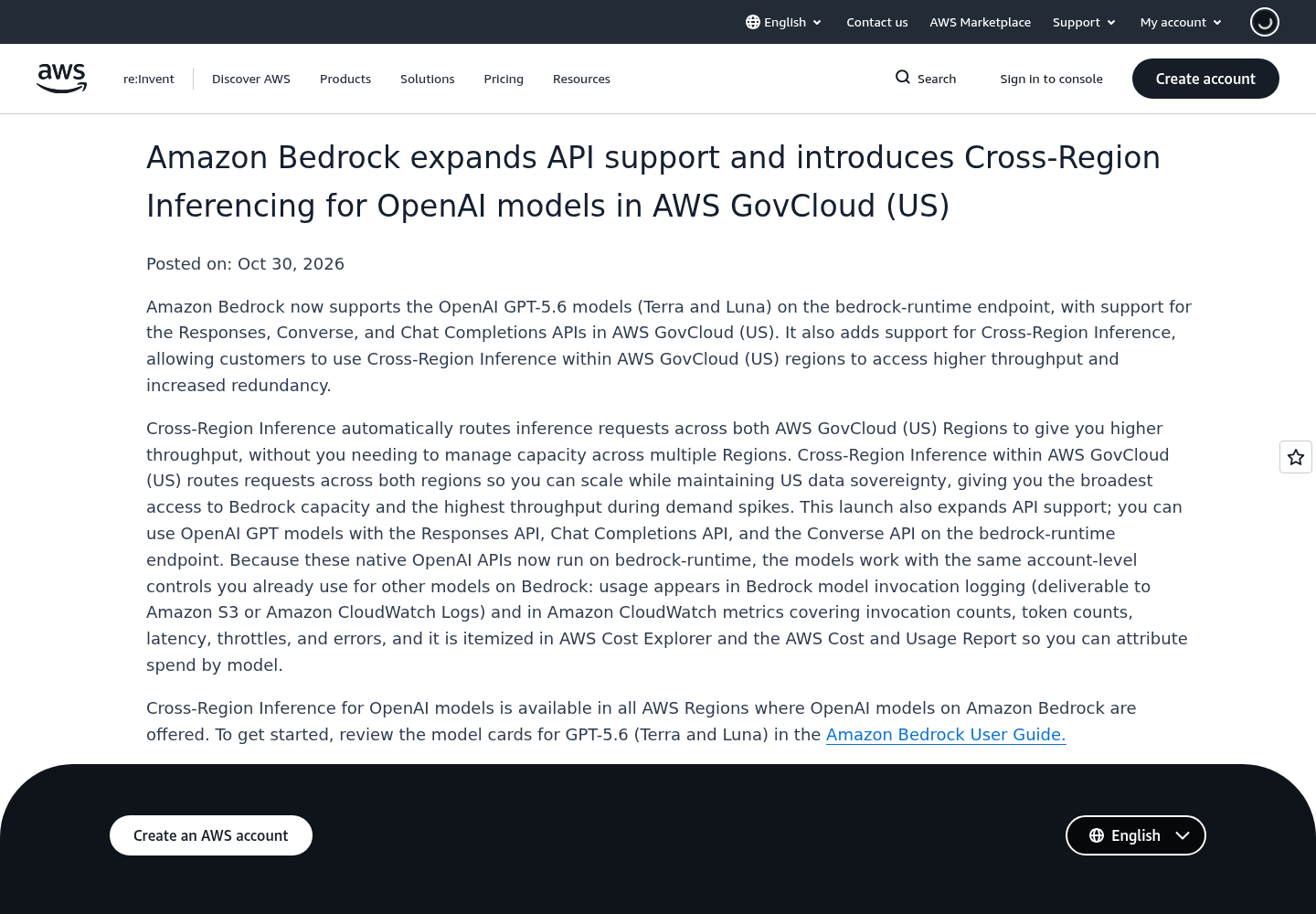
The same day’s Bedrock notice is the bigger operational lever. AWS says the OpenAI GPT-5.6 models Terra and Luna now run on the bedrock-runtime endpoint in GovCloud (US) with the Responses, Converse and Chat Completions APIs, plus Cross-Region Inference across both GovCloud regions for throughput while keeping US data sovereignty. Because those native OpenAI APIs now run on bedrock-runtime, usage lands in Bedrock model invocation logging (to S3 or CloudWatch Logs), in CloudWatch metrics, and itemized in Cost Explorer and the Cost and Usage Report, so spend can be attributed by model.
Daybreak Red, OpenAI’s cyber model, is also on Bedrock in GovCloud (US-East) and US East (Ohio) for eligible customers, with zero-operator access enforced at the chip and no training on your inference data. Access still requires enrollment through OpenAI and your AWS account team. Kiro’s web search now works in GovCloud too, and administrators can turn web search and web fetch off from the console or block web tools per agent.
A Monday-morning checklist
- Confirm with OpenAI which desktop app or app-server release supports the GovCloud endpoint, and pin it.
- Write the administrator
requirements.tomlfirst: sign-in method, sandbox modes, web-search modes, feature toggles, domain list. - Set
config.tomlto theamazon-bedrockprovider with the approved model id, region and named profile. - Confirm the AWS identity can call the approved model, and that ZDR is on for the configuration you actually deployed.
- Launch, check
/status, run one controlled task, then roll forward a device at a time.
If you already run coding agents on Bedrock, the Claude Code Bedrock and Vertex AI setup guide covers the same provider-and-verify pattern, and Zero Data Retention AI Agents is worth reading next to this one. For the app itself, OpenAI’s desktop fix for ChatGPT Work thread failures is the recent context.
Sources
- Configure the ChatGPT desktop app with Amazon Bedrock in AWS GovCloud (US) | Artificial Intelligence
- Amazon Bedrock expands API support and introduces Cross-Region Inferencing for OpenAI models in AWS GovCloud (US) - AWS
- Daybreak Red from OpenAI now available to eligible customers on Amazon Bedrock in AWS GovCloud (US-East) - AWS
- Web Search now available on Kiro in AWS GovCloud (US) - AWS