AgentCore CLI Hits 1.0: A Supported Terminal Path for Building and Operating AWS Agents
AWS AgentCore CLI 1.0 is GA: a terminal path to build, deploy and operate agents against AgentCore runtimes, memory, identity, gateways and payments.
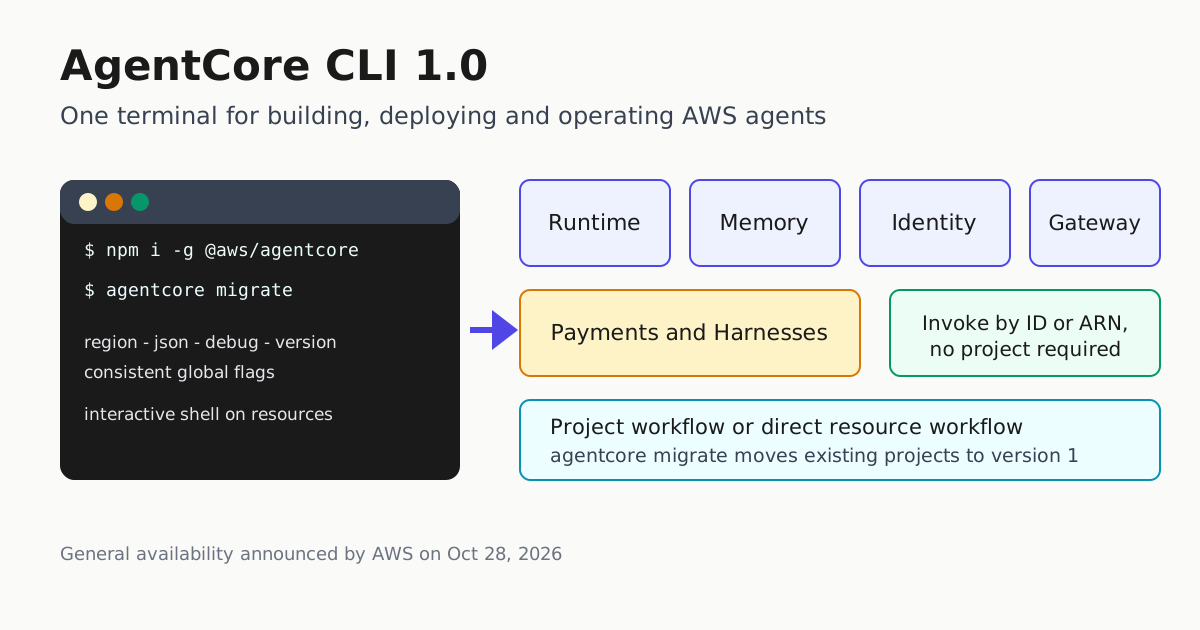
AWS has taken the Amazon Bedrock AgentCore CLI to version 1.0, promoting a terminal-first path for building, deploying and operating production AI agents from a supported, versioned tool instead of hand-assembled scripts. The announcement, posted Oct 28 on the AWS What’s New feed, describes general availability of @aws/agentcore 1.0.0 — rebuilt with faster startup, a consistent command structure, and coverage for more AgentCore resources.
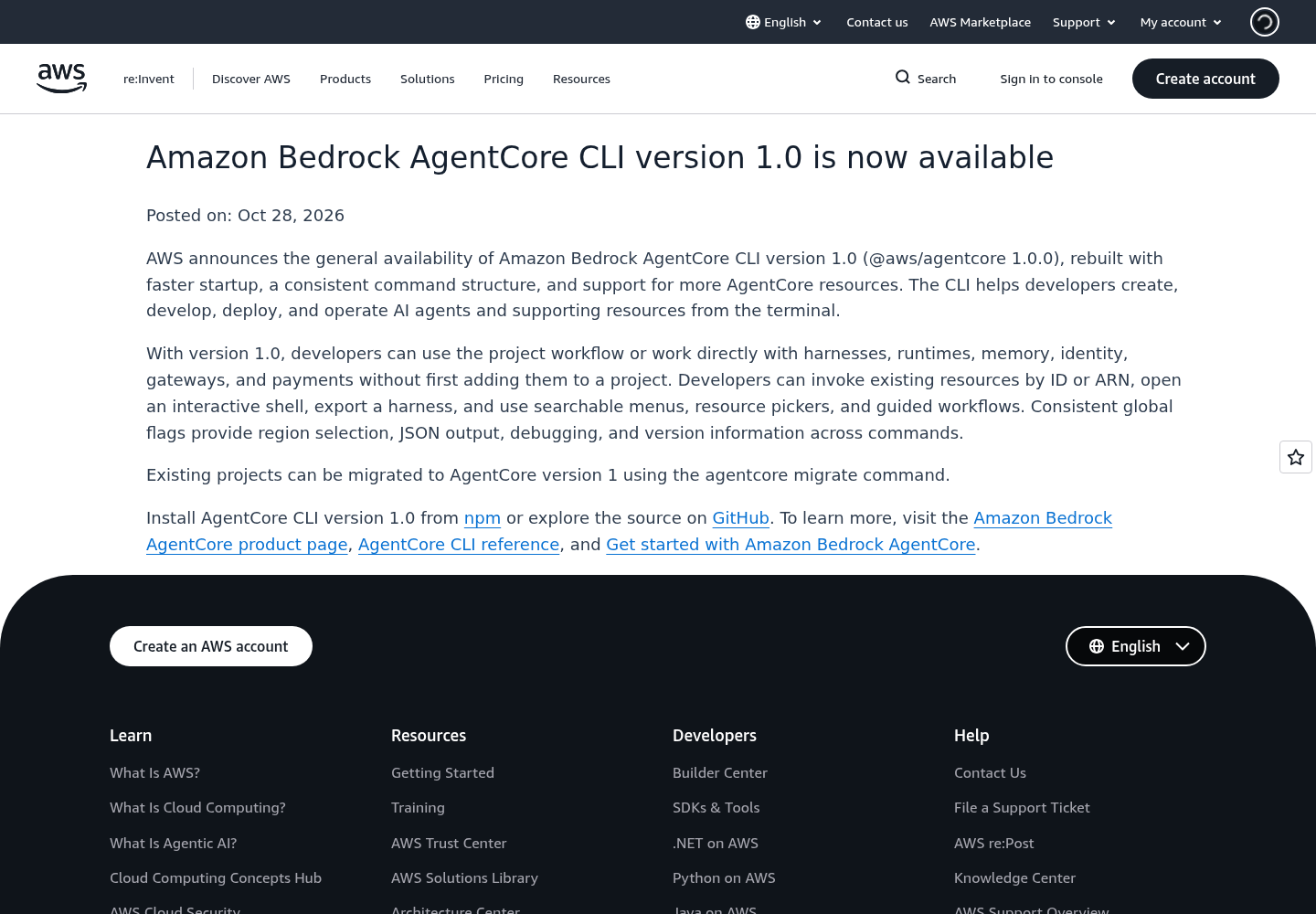
What 1.0 actually changes
The headline is not a new capability in one service but a reshape of the tool’s surface. Two workflows now coexist:
- Project workflow — scaffold and manage an agent as a project.
- Direct resource workflow — work straight with harnesses, runtimes, memory, identity, gateways and payments without first adding them to a project. That “without first adding them to a project” phrasing is the announcement’s own, and it is the clearest statement of what changed. You can invoke existing resources by ID or ARN, open an interactive shell against them, and export a harness.
The direct lane is the practical shift for operators: ad-hoc inspection and debugging of live AgentCore resources no longer requires project scaffolding around them. Consistent global flags — region selection, JSON output, debugging and version info — now apply across commands, which matters for anyone scripting the CLI from CI or a gateway control plane. Interactive affordances (searchable menus, resource pickers, guided workflows) cover the human-facing side.
Existing projects move to the version 1 line with agentcore migrate. The CLI installs from npm, and AWS also publishes the source on GitHub. The AgentCore product page now leads with “Get started with the AgentCore CLI,” signaling it is the intended front door rather than a side utility.
Where 1.0 sits in the platform picture
A 1.0 version number alone would be ledger material. For context, a same-day AWS Machine Learning blog post, Building an Agentic AI Platform on Amazon Bedrock AgentCore, describes what enterprises actually wrestle with when they run agents in production. It is worth being precise: the post never mentions the AgentCore CLI. Its pain points are multi-account governance, ownership, cost attribution and evaluation gates, and its blueprint addresses them with infrastructure as code, pipelines and service control policies.
If you’ve tried to get an agent into production, the model and tool use are not the blocker. The main bottleneck is everything around them: how many teams can build within a secure environment, which team owns each model and tool, how AgentOps and error handling stay inside a pre-defined boundary, and how platform, Workstream, and finance teams see cost and health across accounts.
The post’s enterprise blueprint organizes AgentCore’s modular services — runtime, gateway, identity, memory, policy, registry, evaluations — into a federated platform: a central Platform control plane publishing versioned templates and shared inference gateways, and repeatable per-team “Workstream cells” each running AgentCore Runtime, actor-scoped Memory, and an AgentCore Gateway with AWS_IAM authorization. Promotion to production runs through an evaluation gate that invokes the real runtime and pairs every authorized call with an adversarial twin — an unapproved model, an out-of-subscription tool, a cross-account identity — confirming the expected denial actually happens. That denial-first mindset matches how operators should already treat agent tool traffic in production: prove the blocked path is blocked, not just that the happy path works.
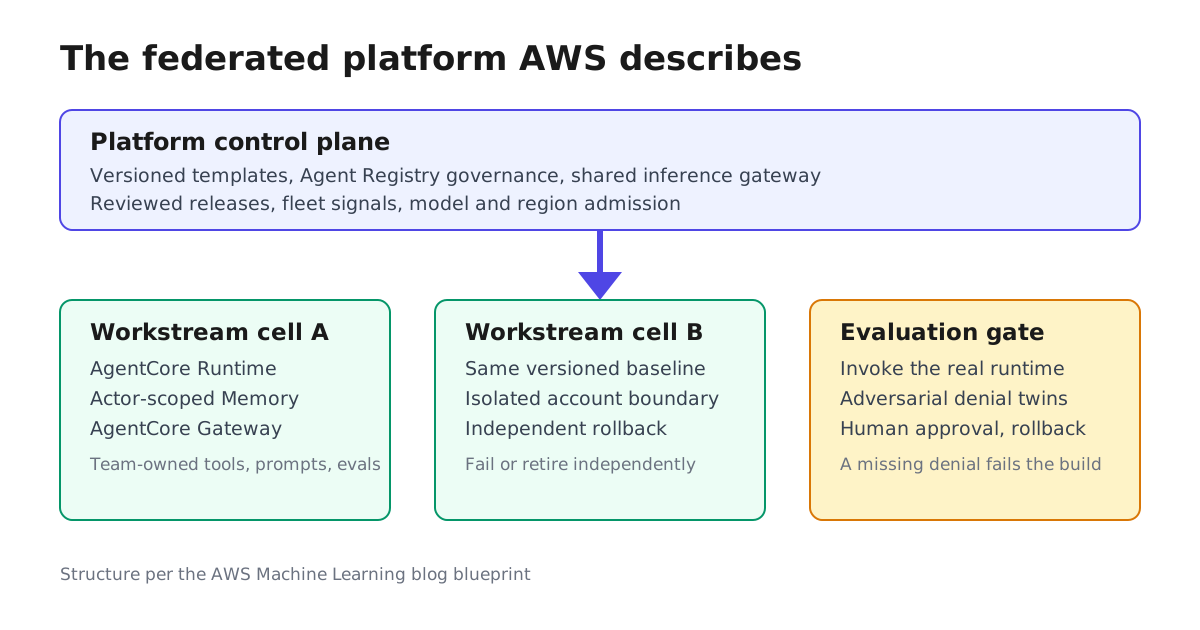
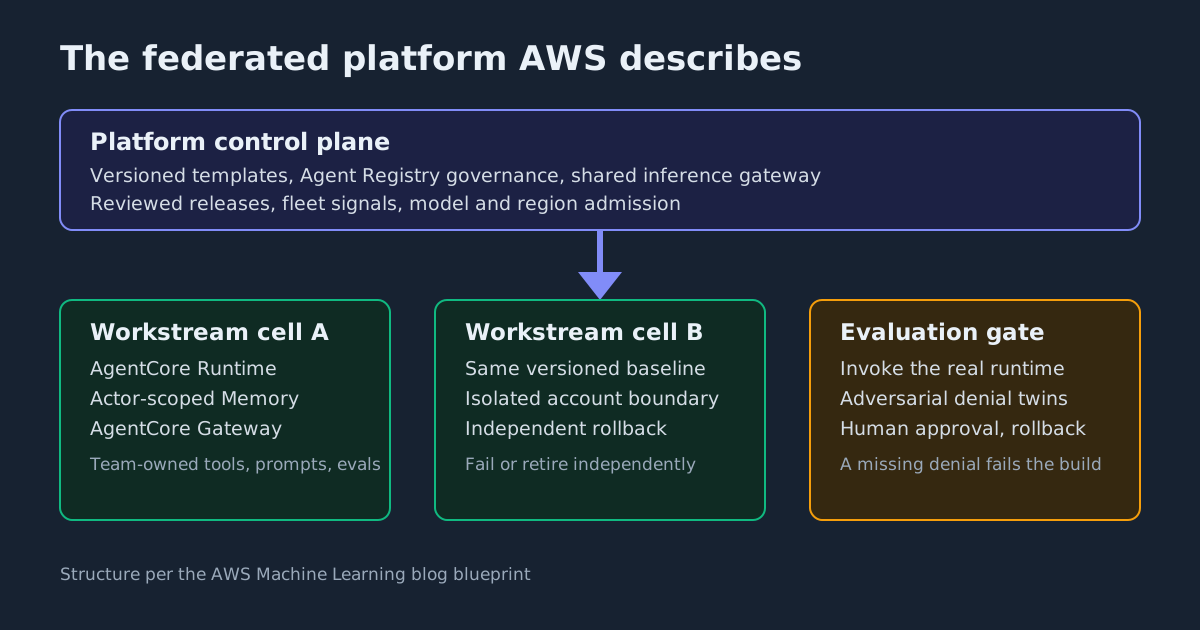
This article’s own reading, not AWS’s, is that the two announcements fit together at the developer-terminal end: the CLI gives agent builders a supported, scripted way to reach the same resources the blueprint governs, while the governance layer the post describes still comes from the blueprint, not from a terminal tool. The blog defines its developer-experience plane as a catalog of versioned agent templates, not a command line, and nothing in either document claims the CLI replaces that plane.
What you can do with it
| Task | What CLI 1.0 gives you |
|---|---|
| Debug a live agent resource | Interactive shell on a resource invoked by ID or ARN |
| Work with memory, identity, gateway, payments | Direct resource workflow — no need to add them to a project first |
| Script deployments in CI | Global region, JSON, debug and version flags across commands |
| Move existing projects to version 1 | agentcore migrate |
For teams already running agents on AWS, the practical steps are: install or upgrade @aws/agentcore from npm, and run agentcore migrate against a non-critical project first. As a precaution, review any CI scripts that rely on older command shapes before upgrading — AWS rebuilt the CLI with a consistent command structure, but the announcement does not list breaking changes. For teams evaluating AgentCore, the CLI is now the documented starting point, alongside the Payments capability AWS shipped in early October for agents that buy services mid-task.
Boundaries of the claim
AWS’s announcement covers the CLI’s surface and availability; it does not publish benchmarks, region lists, or pricing changes, and this article does not claim any. The platform-framing argument is AWS’s own, from a blog post whose reference blueprint is validated in the eu-west-1 Region only — AWS states that another Region or substituted component needs its own availability, security and rollback evidence. The CLI’s significance is what the announcement itself states: a supported, versioned command line for building, deploying and operating AgentCore agents and their resources from the terminal. It is not, on this evidence, a governance solution — and AWS does not claim it is.