Claude Code Notification Setup (and Codex): Get a Sound, Desktop Alert or Phone Push When the Agent Finishes or Needs You
Claude Code notification and Codex alert setup: terminal defaults, Notification and Stop hooks, notify and [tui] keys, a phone push, a test drill and rollback.

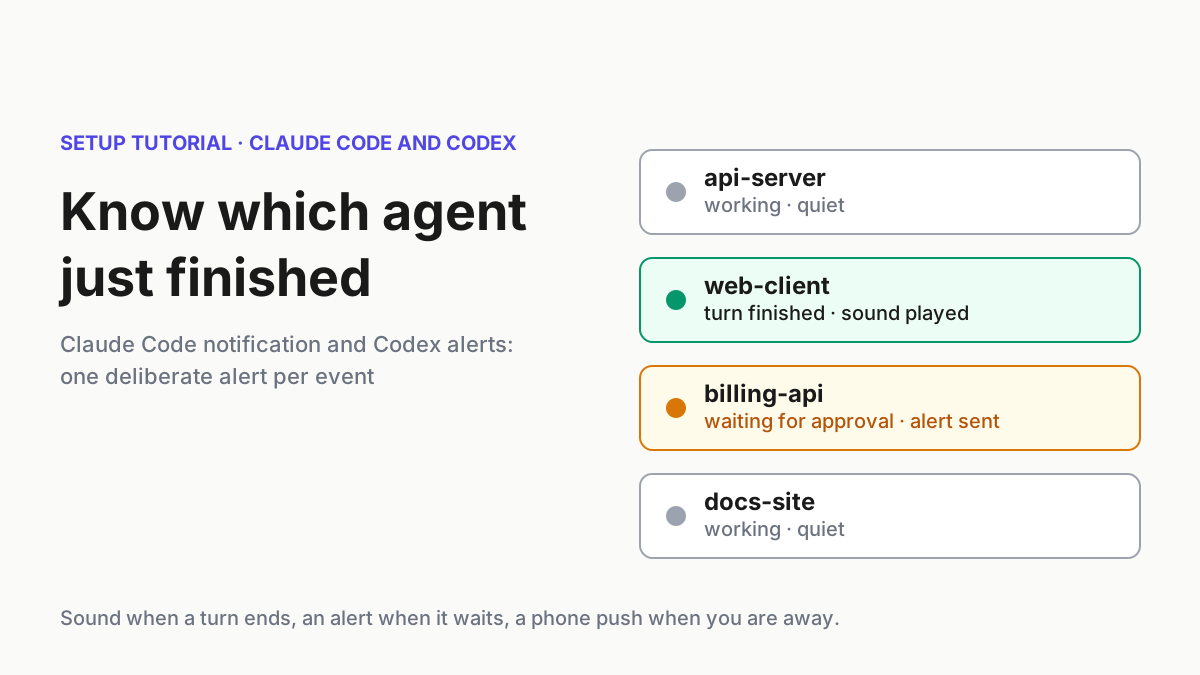
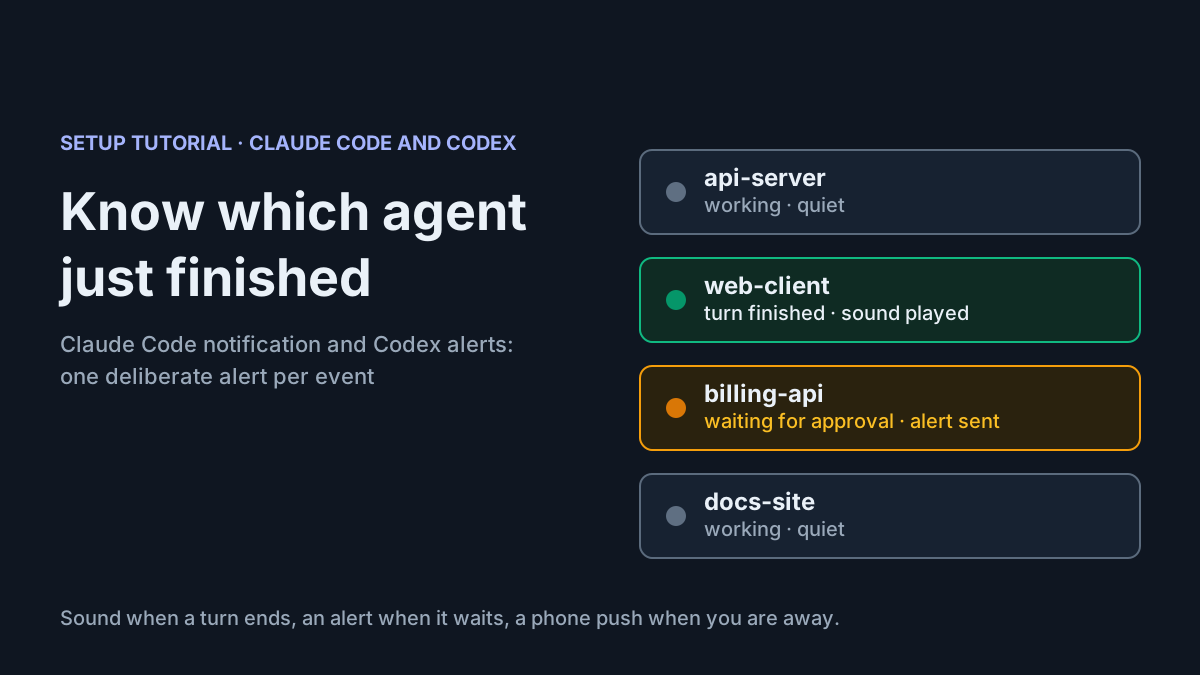
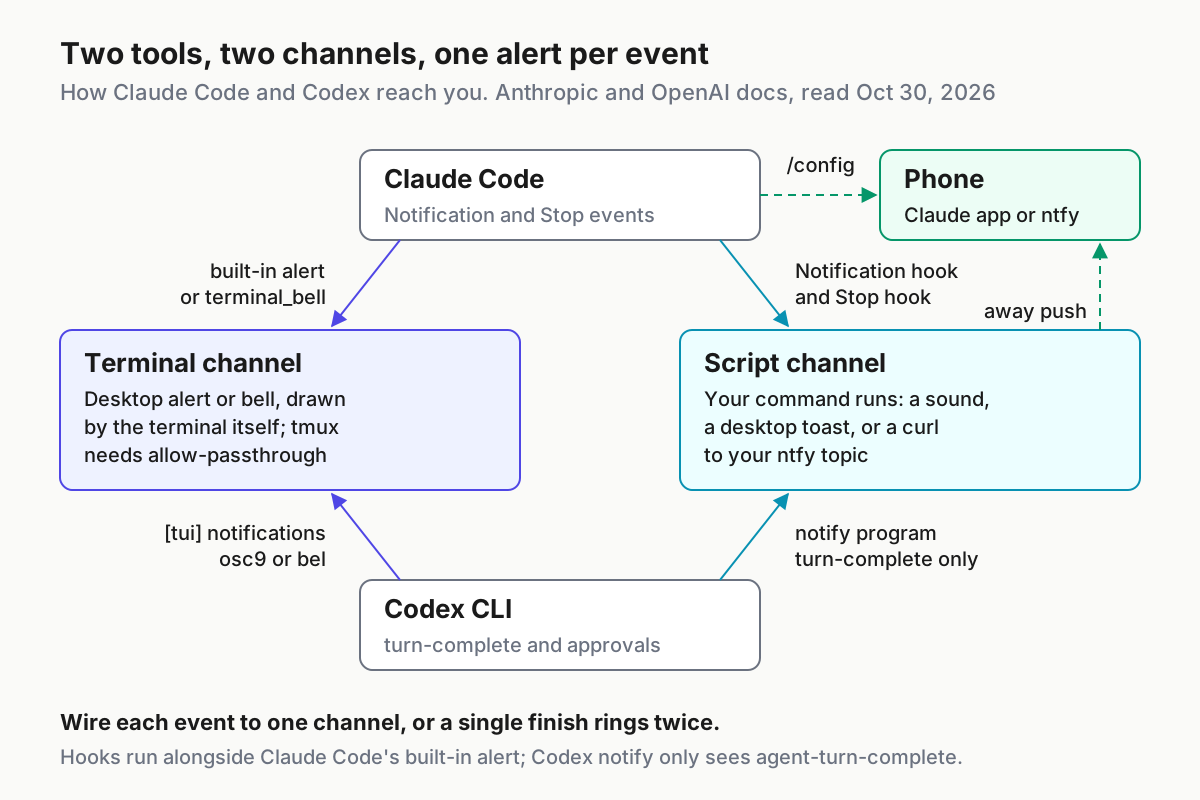
On October 28, 2026, a developer posting as Dante (@dantegaleazzi on X) asked Anthropic for “a little notification icon to Claude Code that shows which chats just finished,” adding: “I’m tired of scrolling to find the one that’s done.” If you keep several agent tabs open, you’ve done that scrolling. With the right Claude Code notification setup you mostly won’t have to, and Codex CLI has its own settings for the same job. The catch is that both tools have several overlapping alert mechanisms. Turn them all on and one finished turn alerts you twice, and you soon learn to ignore both alerts.
This guide is for developers who run Claude Code, Codex CLI or both in one or more terminals and switch to other work during long turns. It fixes the problem of missing the moment an agent finishes or stops on a permission prompt. By the end you will have:
- an event plan that gives each event exactly one signal;
- a Claude Code hook script and
~/.claude/settings.jsonblock for approval waits, finished turns and idle sessions; - a
~/.codex/config.tomlwithnotifyin the right place and a[tui]section for approval prompts; - an optional phone push that fires only while you have marked yourself away;
- a test drill with expected results, a troubleshooting table and a rollback.
You don’t need much. You need a current Claude Code and/or Codex CLI install (the Codex CLI install and update guide covers updating), a terminal you can configure and permission to edit both config files. You also need jq for the Claude Code script, Python 3.9 or later for the Codex script, and, for phone alerts, either the Claude app or a push service such as ntfy. We didn’t run any of this for the article. Settings keys and hook syntax follow the vendor pages linked in each section. Both scripts are marked as illustrative because their sound and pop-up commands come from macOS, Linux and Windows rather than from Anthropic or OpenAI. The expected results describe what the docs say should happen, not output we captured.
One release this week affects this setup. Claude Code v2.1.314, published on GitHub on October 30, fixed “the tip and idle reminder about push notifications appearing when the push settings in /config are hidden or your organization has turned off Remote Control.” On older builds that tip could suggest a phone push you had no way to turn on.
Decide what each alert should mean
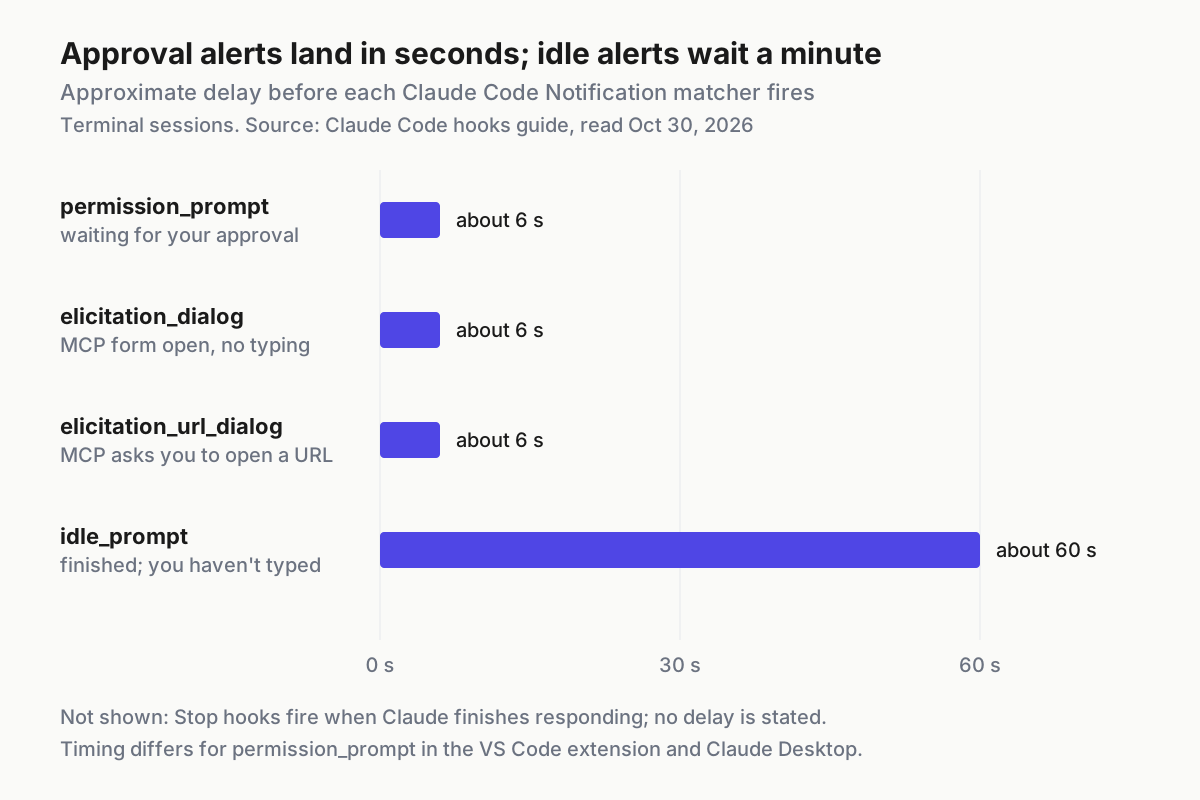
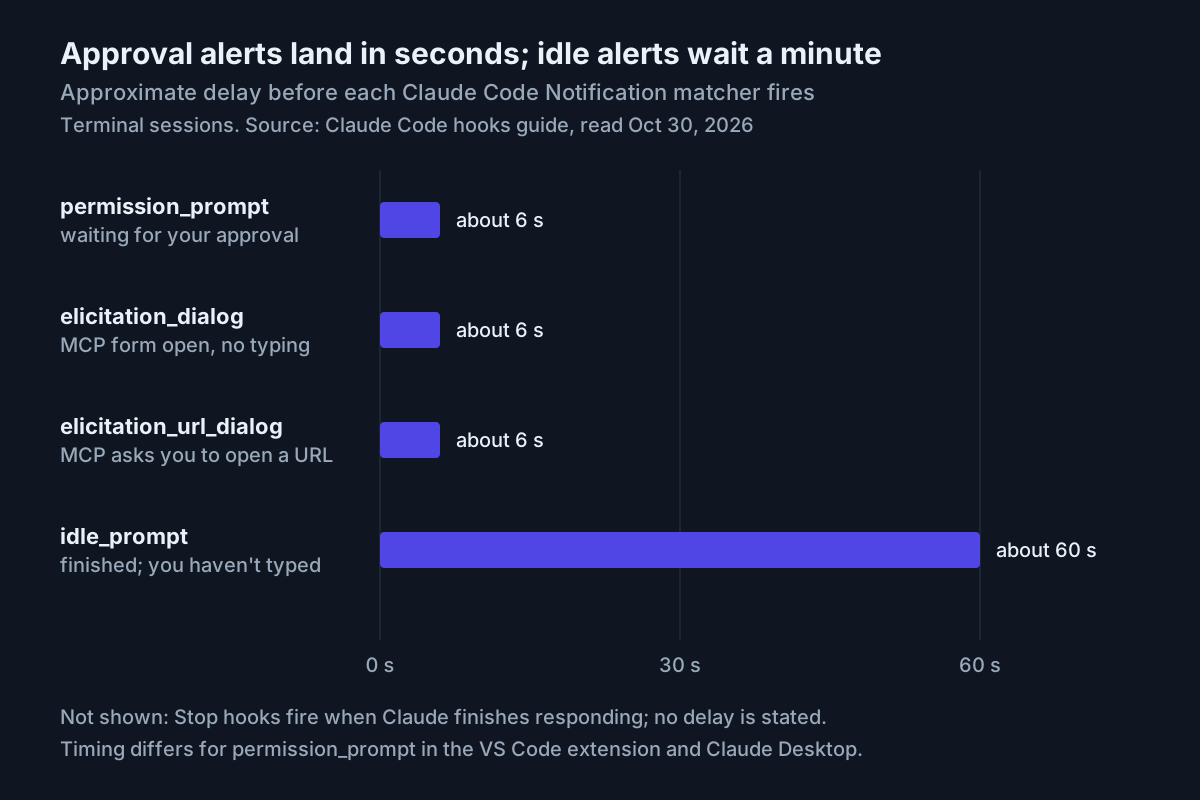
An alert that fires for everything stops meaning anything. Before you edit a config file, list the events you care about and give each one a single mechanism. The table below covers the three questions most people ask, plus one MCP case, and shows what each tool documents for them.
| What you want to know | Claude Code mechanism | When it fires | Codex mechanism | When it fires |
|---|---|---|---|---|
| The agent is waiting for your approval | Notification hook, matcher permission_prompt; the built-in alert also covers it in some terminals |
Once the prompt has waited about six seconds | [tui] notifications filtered to approval-requested |
By default only while the terminal is unfocused |
| The turn just finished | Stop hook |
Whenever Claude finishes responding; not on interrupts; API errors fire StopFailure instead |
notify program, event agent-turn-complete |
After each completed turn |
| The session has sat idle | Notification hook, matcher idle_prompt |
About 60 seconds after Claude finished, if you haven’t typed | No documented equivalent | Not documented |
| An MCP server is asking for input | Matchers elicitation_dialog and elicitation_url_dialog |
After about six seconds without typing | Not covered in this guide | Not covered |
The Claude Code timings come from the matcher table in Anthropic’s hooks guide, which also says Stop hooks fire “whenever Claude finishes responding, not only at task completion.” The Codex events come from OpenAI’s Advanced Configuration page. It says notify currently supports only agent-turn-complete and that tui.notifications can filter by event type.
The worked example in this guide makes four decisions. They suit most setups with one developer at one desk. If you want different behaviour, swap a mechanism rather than adding another alert.
- Approval waits get a desktop alert. A permission prompt blocks progress until you answer, so it deserves the most visible signal on your machine.
- Finished turns get a short sound and nothing on screen.
Stopfires after every response, including one-line answers you watch arrive. A pop-up there quickly becomes noise. A sound is easy to ignore when you’re already looking. - A session still idle after a minute gets a desktop alert, plus a phone push if you marked yourself away.
idle_promptis the follow-up for the turn you actually missed, and it stays quiet if you start typing. - In Codex, approval prompts stay inside the TUI and finished turns go through
notify. Splitting them means no Codex event can trigger both paths.
Alerts report events, and an agent that hangs produces none. If you run many sessions at once, combine this setup with the stall detection in the stall flags and keepalive guide. For running many sessions as one operation rather than a pile of tabs, see the multi-agent command center thesis.
Check what your terminal already does
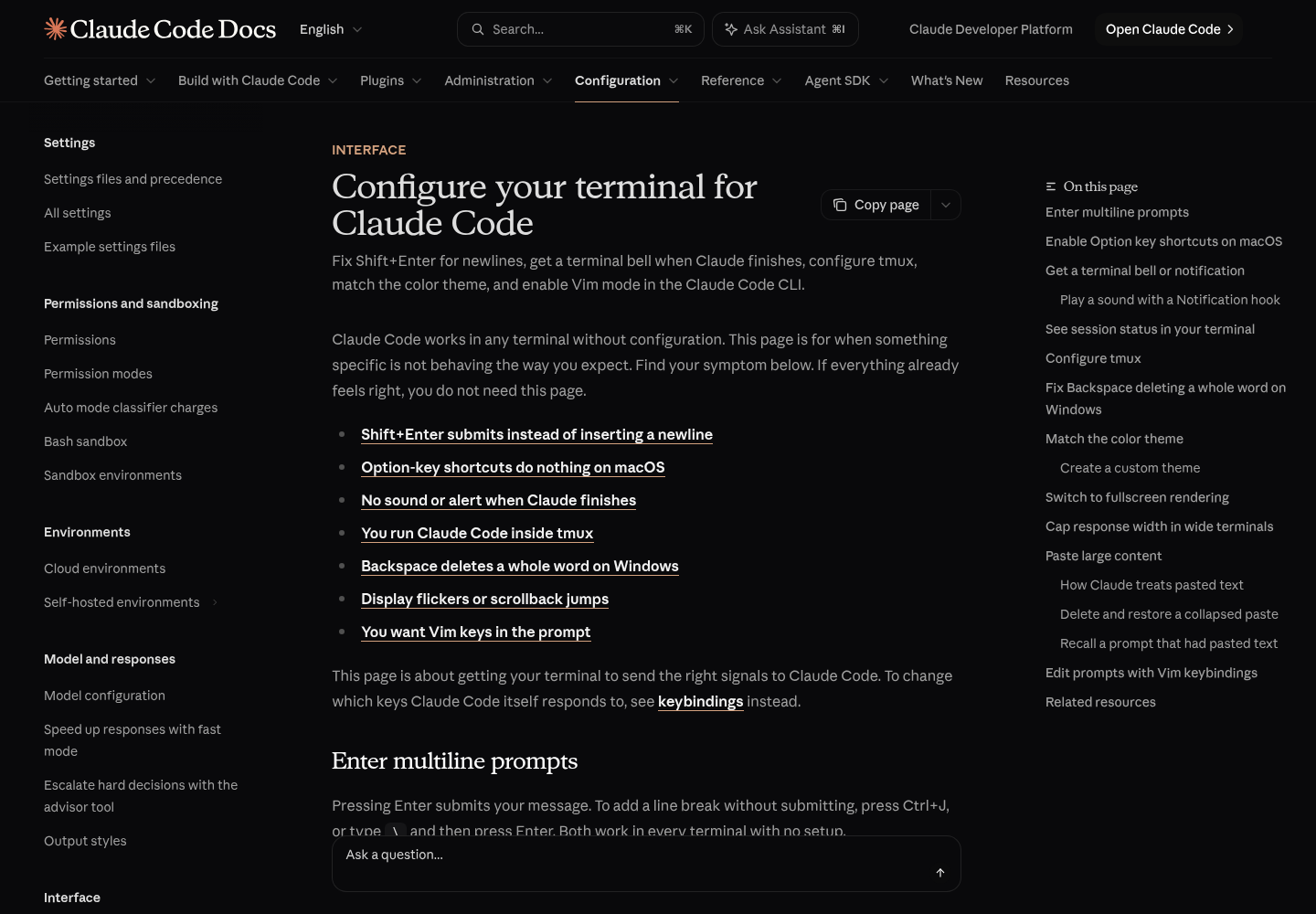
Claude Code sends an alert of its own before you configure anything. According to Anthropic’s Configure your terminal page, “When Claude finishes a task or pauses for a permission prompt, and you appear to be away from the terminal, it fires a notification event.” What reaches you depends on the terminal.
| Terminal | Default behaviour, per Anthropic | What to change |
|---|---|---|
| Ghostty, Kitty | Desktop notification, forwarded to the OS notification center even over SSH | Nothing |
| iTerm2 | Desktop notification, shown only after you turn on its alert settings | Steps below |
| Apple Terminal | No sound. It sends a silent bell character when Audible bell is off in the front window’s profile, otherwise nothing. That bell shows as a window flash or Dock bounce if Visual bell or Dock bounce is on | Set preferredNotifChannel to "terminal_bell" and turn on Audible bell under Settings > Profiles > Advanced |
| Warp, VS Code integrated terminal | No desktop notification | terminal_bell, or the hook script in the next section |
| Other terminals | Nothing | terminal_bell, or the hook script |
For iTerm2, turn on alert forwarding once:
- Open iTerm2 Settings, then Profiles, then Terminal.
- Check “Notification Center Alerts”.
- Click “Filter Alerts” and enable “Send escape sequence-generated alerts”.
- Make sure iTerm2 has notification permission in your operating system’s settings. Anthropic lists this as the next check if alerts still don’t appear.
If a bell is all you want, this is the only setting you need. It makes Claude Code send the bell character in any terminal or profile:
{
  "preferredNotifChannel": "terminal_bell"
}
If you already have a ~/.claude/settings.json, add the key alongside the existing ones rather than replacing the file.
Two transport details catch people out. First, the desktop notification travels inside the terminal’s own output, so it reaches your local machine over SSH. Ghostty and Kitty forward it with no further setup, and iTerm2 forwards it once you’ve done the steps above. Second, tmux swallows it unless passthrough is on. These are Anthropic’s lines for ~/.tmux.conf:
set -g allow-passthrough on
set -g focus-events on
set -s extended-keys on
set -as terminal-features 'xterm*:extkeys'
Apply them to the running server with tmux source-file ~/.tmux.conf. The allow-passthrough line lets notifications reach the outer terminal, and the extended-keys lines fix Shift+Enter.
What Dante actually asked for, a marker showing which sessions are done, has a separate answer. Terminals that implement the OSC 7501 Program Status Protocol can show whether each interactive Claude Code session is working, waiting or done. Claude Code supports it from v2.1.295 with nothing to turn on. The OSC 7501 guide covers how to read it, and the statusline setup guide covers what to show inside each session. Status markers and alerts do different jobs. The marker tells you which tab is done when you look, and the alert tells you when to look.
Before moving on, decide which of two groups your terminal is in, because the hook settings differ by one word:
- [ ] Group A, built-in desktop alerts: Ghostty, Kitty, or iTerm2 with the steps above done. Claude Code already shows a desktop alert for approval waits and idle sessions, so the hook adds a sound and the optional phone push but no second alert.
- [ ] Group B, everything else: Apple Terminal, Warp, the VS Code integrated terminal, Windows Terminal and others. Here the hook shows the desktop alert itself.
Claude Code: one hook script for three events
Hooks are shell commands Claude Code runs at fixed points in its lifecycle, set in a hooks block of a settings file. Anthropic’s hooks guide documents a Notification event, filtered by matchers such as permission_prompt and idle_prompt. It also documents a Stop event, which doesn’t support matchers. Crucially, the terminal page says hooks “run alongside the built-in notification rather than replacing it”. That’s why Group A terminals need a quieter configuration than Group B.
The script below handles all three events in one file. The settings pass it two words: what to do (toast for a desktop pop-up, push or sound) and which event it is (waiting, idle or done). Passing the event as an argument means the script only needs the cwd field. The hooks guide says every event includes that field, so the script never depends on fields specific to one event.
- Install
jqif you don’t have it. Anthropic suggestsbrew install jqon macOS andapt-get install jqon Debian and Ubuntu. - Save the script below as
~/.claude/hooks/agent-alert.sh. - Make it executable with
chmod +x ~/.claude/hooks/agent-alert.sh. Anthropic notes that hook scripts must be executable on macOS and Linux. - Test it by hand, using the commands after the script, before Claude Code ever runs it.
- Add the settings block for your group.
- Run
/hooksin Claude Code and check that the entries appear under Notification and Stop.
#!/usr/bin/env bash
# ~/.claude/hooks/agent-alert.sh  (illustrative; adapt and test on your machine)
# Usage from settings.json: agent-alert.sh <toast|push|sound> <waiting|idle|done>
#   toast = desktop alert, plus a phone push while you are marked away
#   push  = phone push only, and only while you are marked away
#   sound = short sound only
# It never writes to stdout and always exits 0, so it cannot block or steer Claude.
set -u
action="${1:-sound}"
kind="${2:-done}"
conf="$HOME/.config/agent-alerts"
mkdir -p "$conf"

input="$(cat)"   # Claude Code passes the event as JSON on stdin
cwd="$(printf '%s' "$input" | jq -r '.cwd // empty' 2>/dev/null)"
project="$(basename "${cwd:-unknown}" | tr -cd '[:alnum:]._-')"

case "$kind" in
  waiting) msg="Needs your approval: $project" ;;
  idle)    msg="Idle, waiting for you: $project" ;;
  *)       msg="Finished: $project" ;;
esac

os="$(uname -s)"
wsl=0
grep -qi microsoft /proc/version 2>/dev/null && wsl=1

win_dialog() {  # Anthropic's PowerShell dialog, started in the background so the hook returns
  ( powershell.exe -NoProfile -Command "[System.Reflection.Assembly]::LoadWithPartialName('System.Windows.Forms') | Out-Null; [System.Windows.Forms.MessageBox]::Show('$msg', 'Claude Code')" >/dev/null 2>&1 & )
}

toast() {
  case "$os" in
    Darwin) osascript -e "display notification \"$msg\" with title \"Claude Code\"" ;;
    Linux)  if [ "$wsl" = 1 ]; then win_dialog; else notify-send 'Claude Code' "$msg"; fi ;;
    MINGW*|MSYS*|CYGWIN*) win_dialog ;;
  esac
}

sound() {
  case "$os" in
    Darwin) afplay /System/Library/Sounds/Glass.aiff ;;
    Linux)
      if [ "$wsl" = 1 ]; then powershell.exe -NoProfile -Command "[console]::beep(880,250)"
      else f=/usr/share/sounds/freedesktop/stereo/complete.oga; [ -f "$f" ] && paplay "$f"; fi ;;
    MINGW*|MSYS*|CYGWIN*) powershell.exe -NoProfile -Command "[console]::beep(880,250)" ;;
  esac
}

push() {  # phone only while ~/.config/agent-alerts/away exists; sends the folder name, never content
  [ -f "$conf/away" ] && [ -s "$conf/ntfy-topic" ] || return 0
  topic="$(tr -d '[:space:]' < "$conf/ntfy-topic")"
  curl -fsS --max-time 5 -d "$msg" "https://ntfy.sh/$topic"
}

printf '%s claude %s %s %s\n' "$(date '+%F %T')" "$action" "$kind" "$project" >> "$conf/alerts.log"
case "$action" in
  toast) toast; push ;;
  push)  push ;;
  sound) sound ;;
esac >/dev/null 2>&1
exit 0
Why each choice in the script matters:
- It never prints to stdout and always exits 0. For hooks, exit 0 means “no decision”, while exit 2 blocks the action. A
Stophook that returns a block decision makes Claude keep working. An alert script should never do either, so every command’s output goes to/dev/null. - It strips the project name down to letters, digits, dots, dashes and underscores. That keeps quotes out of the AppleScript and PowerShell strings, and it limits what a phone push can reveal to a folder name.
- The Windows dialog starts in the background. Anthropic’s PowerShell example opens a message box rather than a corner notification, and the box can open behind your terminal. Starting it in the background stops the hook waiting for you to click OK.
- It adds one line per call to
~/.config/agent-alerts/alerts.log. The test drill uses that log to count alerts per event, which is the only reliable way to catch duplicates. - The phone push only fires while
~/.config/agent-alerts/awayexists. You mark yourself away withtouchand back withrm, and the push never sends message content.
Test it by hand the way Anthropic’s troubleshooting section suggests: pipe sample JSON into the script and check the exit code.
echo '{"cwd":"/Users/you/src/billing-api","hook_event_name":"Stop"}' | ~/.claude/hooks/agent-alert.sh sound done; echo $?
echo '{"cwd":"/Users/you/src/billing-api","hook_event_name":"Notification"}' | ~/.claude/hooks/agent-alert.sh toast waiting; echo $?
tail -n 2 ~/.config/agent-alerts/alerts.log
You should hear a short sound from the first line and see a desktop alert reading “Needs your approval: billing-api” from the second. Each prints 0, and the log gains two lines ending sound done billing-api and toast waiting billing-api.
Now the settings. This is the Group A version for Ghostty, Kitty and iTerm2:
{
  "hooks": {
    "Notification": [
      {
        "matcher": "permission_prompt",
        "hooks": [
          { "type": "command", "command": "\"$HOME\"/.claude/hooks/agent-alert.sh push waiting", "timeout": 10 }
        ]
      },
      {
        "matcher": "idle_prompt",
        "hooks": [
          { "type": "command", "command": "\"$HOME\"/.claude/hooks/agent-alert.sh push idle", "timeout": 10 }
        ]
      }
    ],
    "Stop": [
      {
        "hooks": [
          { "type": "command", "command": "\"$HOME\"/.claude/hooks/agent-alert.sh sound done", "timeout": 10 }
        ]
      }
    ]
  }
}
For Group B, change the word push to toast in both Notification entries and leave the Stop entry alone. Each entry’s timeout is in seconds. Command hooks default to ten minutes, and a ten-second limit means a stuck curl or dialog can never hold up a session.
If your settings file already has a hooks key, add Notification and Stop next to the existing event keys rather than replacing the whole block, as the hooks guide shows. Settings files don’t allow comments or trailing commas. Claude Code normally picks up hook edits in a running session. If /hooks doesn’t list them after a few seconds, restart the session.
Platform notes from Anthropic’s guide:
- macOS:
osascriptsends notifications through Script Editor. If Script Editor doesn’t have notification permission, the command fails silently. Runosascript -e 'display notification "test"'once, then turn on notifications for Script Editor under System Settings > Notifications. - Linux:
notify-sendneeds a desktop notification service, which headless servers, SSH sessions and most containers don’t have. On Debian and Ubuntu it comes fromlibnotify-bin. On a remote box, rely on the built-in alert reaching a Group A terminal over SSH, or use the phone push. - Windows: hooks run under Git Bash, so the script’s
MINGWbranch applies. Under WSL,powershell.exemust be on your PATH through Windows interop.
The Linux and Windows sound commands are our own illustrative choices: paplay with the freedesktop sound file, and PowerShell’s console beep. Swap in whatever your system uses, and test with the commands above.
Codex: notify at the top level, approvals in [tui]
Codex splits the same job between two settings. OpenAI’s Advanced Configuration page explains the difference: “notify runs an external program (good for webhooks, desktop notifiers, CI hooks)”. By contrast, “tui.notifications is built in to the TUI and can optionally filter by event type (for example, agent-turn-complete and approval-requested).” The Configuration Reference gives the types and defaults:
| Key | Type | Default | What it controls |
|---|---|---|---|
notify |
Array of strings | Unset | A program Codex runs with one JSON argument; currently only on agent-turn-complete |
tui.notifications |
Boolean or array of strings | Not stated | Turns TUI notifications on, optionally only for the listed event types |
tui.notification_method |
auto, osc9 or bel |
auto |
How the TUI signals the terminal; auto uses OSC 9 when the terminal appears to support it and falls back to BEL |
tui.notification_condition |
unfocused or always |
unfocused |
Whether TUI notifications fire only when the terminal is unfocused |
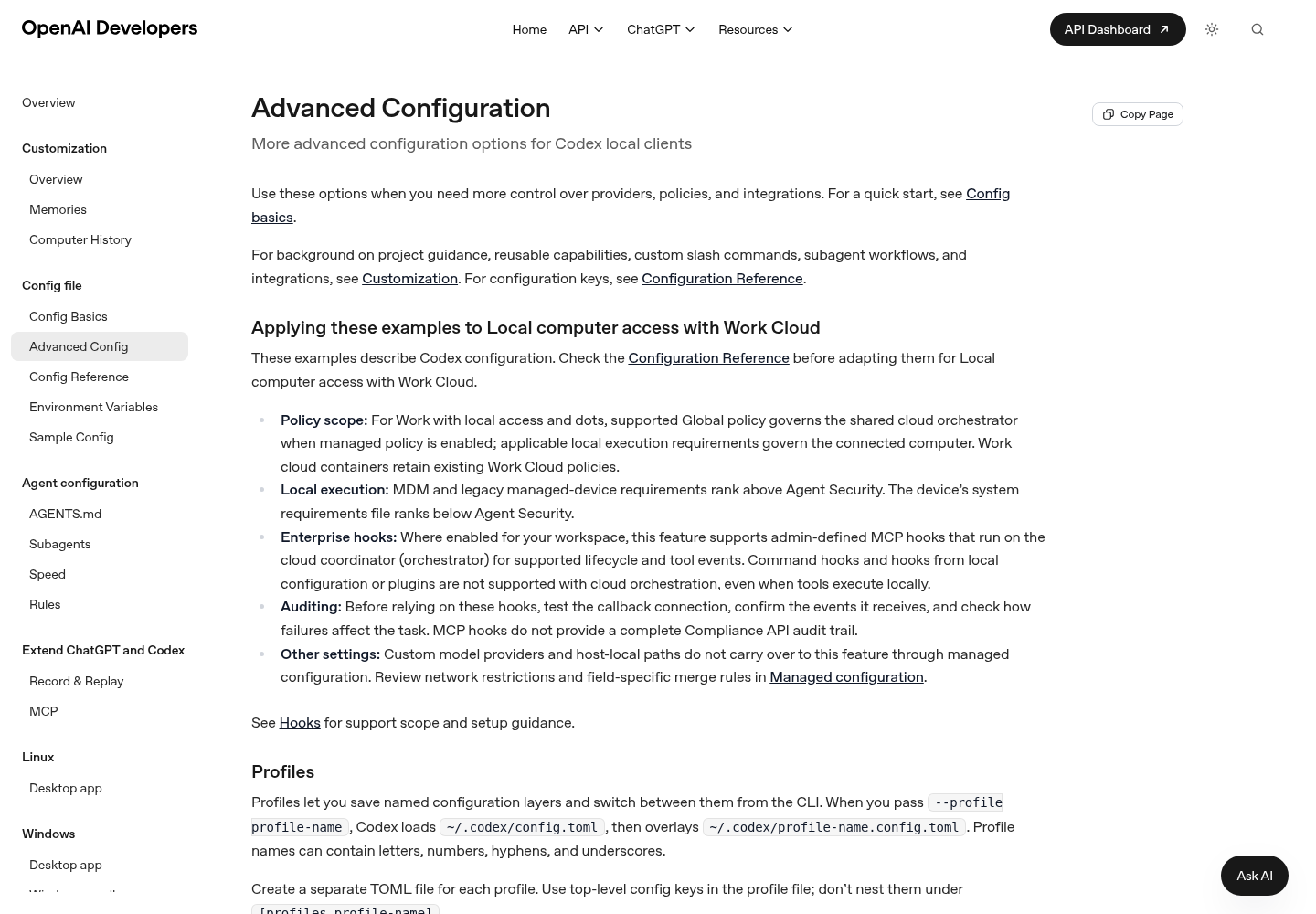
Two placement rules decide whether notify works at all. First, it must be in your user-level ~/.codex/config.toml. Codex ignores notify in a project .codex/config.toml and prints a warning at startup when it finds it there. Second, it must come before the first table header. In TOML, every key after a [table] line belongs to that table. So a notify line typed under [tui] becomes tui.notify, which isn’t the documented top-level key.
Here is the complete user-level file for the worked example. If you already have other top-level keys, keep them above [tui] along with notify:
# ~/.codex/config.toml (user level). Codex ignores notify in a project .codex/config.toml.

# Top-level keys first: notify must come before the first [table] header.
approval_policy = "on-request"
notify = ["python3", "/Users/you/.codex/hooks/codex-alert.py"]

[tui]
notifications = ["approval-requested"]   # finished turns go through notify instead
notification_method = "auto"             # OSC 9 if the terminal appears to support it, else BEL
notification_condition = "unfocused"     # the default; use "always" while testing
And here is the mistake to avoid:
[tui]
notifications = ["approval-requested"]
notify = ["python3", "/Users/you/.codex/hooks/codex-alert.py"]   # wrong: TOML reads this as tui.notify
The notify array is a program name and its arguments, not a shell command, so ~ isn’t expanded. Write the full path. On Windows, use whatever your Python command is called, such as python or py.
The notify script receives a single JSON argument. OpenAI lists its common fields as type, thread-id, turn-id, cwd, input-messages and last-assistant-message. This version reads type and ignores anything other than agent-turn-complete. It builds a title from the folder name in cwd. It puts the start of last-assistant-message in the desktop alert on your machine and nowhere else. While you’re marked away, it sends only the folder name to your phone:
#!/usr/bin/env python3
"""~/.codex/hooks/codex-alert.py  (illustrative; adapt and test on your machine)

Codex runs this with one JSON argument after each turn. It shows a local desktop
alert with the start of the last assistant message, and sends a phone push with the
project name only, and only while ~/.config/agent-alerts/away exists.
"""
import json, os, platform, re, shutil, subprocess, sys, urllib.request
from datetime import datetime
from pathlib import Path

CONF = Path.home() / ".config" / "agent-alerts"


def clean(text: str, limit: int) -> str:
    text = re.sub(r"[^A-Za-z0-9 .,:;()_-]", "", text)  # keeps quotes out of AppleScript/PowerShell
    return " ".join(text.split())[:limit]


def run(cmd: list, background: bool = False) -> None:
    try:
        if background:
            subprocess.Popen(cmd, stdout=subprocess.DEVNULL, stderr=subprocess.DEVNULL)
        else:
            subprocess.run(cmd, timeout=5, stdout=subprocess.DEVNULL, stderr=subprocess.DEVNULL)
    except (OSError, subprocess.SubprocessError):
        pass


def main() -> int:
    try:
        event = json.loads(sys.argv[1])
    except (IndexError, json.JSONDecodeError):
        return 0
    if event.get("type") != "agent-turn-complete":
        return 0

    project = re.sub(r"[^A-Za-z0-9._-]", "", os.path.basename(event.get("cwd") or "")) or "unknown"
    summary = clean(event.get("last-assistant-message") or "Turn complete", 80) or "Turn complete"
    title = f"Codex finished: {project}"

    CONF.mkdir(parents=True, exist_ok=True)
    with open(CONF / "alerts.log", "a", encoding="utf-8") as log:
        log.write(f"{datetime.now():%Y-%m-%d %H:%M:%S} codex toast done {project}\n")

    system = platform.system()
    wsl = system == "Linux" and "microsoft" in platform.release().lower()
    if system == "Darwin":
        run(["osascript", "-e", f'display notification "{summary}" with title "{title}"'])
    elif system == "Linux" and not wsl:
        if shutil.which("notify-send"):
            run(["notify-send", title, summary])
    else:  # native Windows or WSL: the same dialog the Claude Code docs use
        ps = ("[System.Reflection.Assembly]::LoadWithPartialName('System.Windows.Forms') | Out-Null; "
              f"[System.Windows.Forms.MessageBox]::Show('{summary}', '{title}')")
        run(["powershell.exe", "-NoProfile", "-Command", ps], background=True)

    topic_file = CONF / "ntfy-topic"
    if (CONF / "away").exists() and topic_file.exists():
        topic = topic_file.read_text(encoding="utf-8").strip()
        if topic:
            try:
                req = urllib.request.Request(f"https://ntfy.sh/{topic}", data=title.encode(), method="POST")
                urllib.request.urlopen(req, timeout=5).close()
            except OSError:
                pass
    return 0


if __name__ == "__main__":
    sys.exit(main())
Install and test it:
- Create the folder with
mkdir -p ~/.codex/hooksand save the script as~/.codex/hooks/codex-alert.py. - Run it by hand with a sample payload that uses OpenAI’s field names, then read the log:
python3 ~/.codex/hooks/codex-alert.py '{"type":"agent-turn-complete","thread-id":"test-thread","turn-id":"test-turn","cwd":"/Users/you/src/demo","input-messages":["run the tests"],"last-assistant-message":"All tests pass."}'
tail -n 1 ~/.config/agent-alerts/alerts.log
- On macOS or a Linux desktop you should see an alert titled “Codex finished: demo” showing “All tests pass.” On Windows or WSL you should see a dialog instead. The log line should end
codex toast done demo, and nothing should reach your phone unless the away file exists. - Start
codexin a repository and check that there’s no startup warning aboutnotify.
Codex also has lifecycle hooks, including a Stop hook described on its Hooks page, set up in hooks.json or inline [hooks] tables. For alerts, notify is simpler. Before a Stop hook runs, you have to review and trust it in /hooks. It also has no matcher, and if it prints anything, the output must be JSON. Use the hook only if you already manage Codex hooks and want the alert in the same place.
Finally, codex exec runs without the TUI, so [tui] settings do nothing there. If you want alerts from scripted runs, rely on notify, and do one test run to see whether it fires for exec on your version. OpenAI’s pages don’t say either way.
Add a phone push for away-from-desk runs
Desktop alerts don’t help when you’re in another room. There are two ways to reach your phone, each with different trade-offs.
| Question | Claude Code Remote Control push | ntfy push from the scripts above |
|---|---|---|
| Which tools | Claude Code only | Claude Code and Codex |
| Account requirements | claude.ai Pro, Max, Ultra, Team or Enterprise; API keys not supported; on Team and Enterprise an Owner must enable Remote Control | None beyond the push service |
| Who decides when to push | Claude, typically when a long task finishes or it needs a decision; two on/off toggles | Your matchers and the away file |
| What leaves the machine | The session transcript is stored on Anthropic servers while Remote Control is connected | Only the text your script sends: here, the folder name and event |
| Quiet while you’re at the desk | Yes: skipped while you type in or focus on the connected terminal; extendable with CLAUDE_CLIENT_PRESENCE_FILE |
Only while the away file is absent |
Remote Control push setup, from Anthropic’s Remote Control page:
- Install the Claude app for iOS or Android and sign in with the same account and organization you use for Claude Code.
- Accept the operating system’s notification permission prompt.
- Start a Remote Control session, for example with
claude --remote-control, or with/remote-controlinside a running session. - Run
/configand turn on “Push when Claude decides”, “Push when actions required”, or both. - To get a push at a specific moment, ask for it in the prompt, for example “notify me when the tests finish”.
If /config shows “No mobile registered”, open the Claude app so it can refresh its push token. On iOS, Focus modes and notification summaries can suppress or delay pushes. On Android, battery optimization can delay them. Setting CLAUDE_CLIENT_PRESENCE_FILE to a marker file path makes Claude Code skip pushes while the file exists. That lets you count yourself at the desk even when another window has focus. For the full setup and its errors, see the Remote Control setup and troubleshooting guide. For what the relay stores, see Runs Locally Is Not Stays Local.
The ntfy route, illustrative:
- Install the ntfy app on your phone and subscribe to a long, random topic name. Treat that name like a password.
- Save the name where both scripts look for it:
mkdir -p ~/.config/agent-alerts && printf '%s\n' 'your-long-random-topic' > ~/.config/agent-alerts/ntfy-topic. - Before you leave your desk, run
touch ~/.config/agent-alerts/away. When you come back, runrm ~/.config/agent-alerts/away. - With the away file in place, rerun the hand tests from the two sections above. A push should arrive containing only the folder name and the event.
ntfy’s documentation isn’t among this guide’s sources, so check its current publishing syntax and server options before relying on the curl and urllib lines. Whichever route you pick, a push can tempt you to approve actions from your lock screen. That’s a policy question as much as a convenience. The remote-approval policy guide covers which actions should wait until you’re back at your desk.
Test drill: one event, one alert
Run each row once after setup and again after any change. The log endings show the format the scripts write; your folder names will differ. For the Claude Code rows, start the session in a scratch repository.
| Path | How to trigger it | What you should see | Log line ends with |
|---|---|---|---|
| Claude Code approval | Press Shift+Tab until the status bar shows “⏸ manual mode on”, ask Claude to create a file, switch to another window and wait at least ten seconds | Group A: one built-in desktop alert. Group B: one alert from the script | push waiting <project> (A) or toast waiting <project> (B) |
| Claude Code finished | Approve, then let the turn finish while you watch | One short sound, no desktop alert | sound done <project> |
| Claude Code idle | Once the turn finishes, don’t type for over a minute | Group A: one built-in desktop alert. Group B: one alert from the script | push idle <project> or toast idle <project> |
| Codex approval | With approval_policy = "on-request", ask for an action your sandbox gates, such as a command needing network access, then switch windows |
One TUI notification: a desktop alert via OSC 9, or a bell | None; the TUI path doesn’t use the script |
| Codex finished | Ask “Reply with the word ok.” and switch windows | One desktop alert titled Codex finished: <project> |
codex toast done <project> |
| Away push | Run touch ~/.config/agent-alerts/away, then repeat the Claude Code approval row |
The usual desktop alert plus one phone push showing the folder name | Same as the approval row |
| Focus check | Start codex --config tui.notification_condition='"always"' and repeat the Codex approval row without switching windows |
The TUI notification fires while the window has focus | None |
The pass rule is simple. Every row produces exactly one alert of the expected kind. alerts.log gains exactly one line for each event the scripts handle. And no push contains prompt text or assistant output. Two log lines for one event, or a desktop alert where you expected only a sound, means two mechanisms are wired to the same event. The first rows of the troubleshooting table explain which.
Anthropic’s own test for Notification hooks uses the same trick: switch to manual mode, ask for something that needs permission, and switch away. If Claude doesn’t ask for permission, your permission mode or allow rules already cover that action, so pick a different one. Codex works the same way. If it runs the network command without asking, your sandbox already allows network access, so choose another action your policy gates.
Troubleshooting by symptom
| Symptom | Likely cause | Fix | What you should see after |
|---|---|---|---|
| Two alerts for one approval in iTerm2, Ghostty or Kitty | Group B settings (toast) on a Group A terminal; hooks run alongside the built-in alert |
Change toast to push in the Notification entries |
One built-in alert and one push log line |
| Two alerts for one Codex finish | agent-turn-complete listed in tui.notifications while notify is also set |
Keep only approval-requested in the list |
One alert from the script |
| Nothing at all in iTerm2 | iTerm2 alert forwarding is off | Profiles > Terminal: Notification Center Alerts, Filter Alerts, Send escape sequence-generated alerts | A built-in alert on the next approval wait |
| Nothing in Warp or the VS Code integrated terminal | Those terminals don’t receive Claude Code’s desktop notification | Use the Group B settings or terminal_bell |
A script alert or a bell |
Apple Terminal stays silent with terminal_bell |
Audible bell is off in the profile | Settings > Profiles > Advanced > Audible bell | A bell on the next event |
| Approval alert arrives several seconds late, or not at all when you answer quickly | By design, permission_prompt waits about six seconds |
Nothing to fix; if you answer within six seconds, no alert fires | Alerts only for prompts you left waiting |
| Approval alert timing differs in the VS Code extension or Claude Desktop | Anthropic times permission_prompt differently in hosts that answer permission requests through the Agent SDK |
Test in that host; see the VS Code extension guide | Behaviour that matches that host’s timing |
| macOS script alert never appears | Script Editor lacks notification permission, so osascript fails silently |
Run the test osascript command and turn on notifications for Script Editor in System Settings > Notifications |
The test alert appears |
| Linux script alert missing over SSH or in a container | No notification service for notify-send |
Use a Group A terminal locally, or the phone push | A built-in alert on your local machine |
| Nothing inside tmux | tmux swallows the escape sequence | Add set -g allow-passthrough on and run tmux source-file ~/.tmux.conf |
The built-in alert reaches the outer terminal |
/hooks lists nothing |
Invalid JSON, the wrong file, or a hooks key replaced instead of extended |
Remove trailing commas and comments, check ~/.claude/settings.json, restart the session |
Entries under Notification and Stop |
| Hook error mentioning “command not found” or “jq: command not found” | A relative path, or jq is missing |
Use the "$HOME" path form shown above; install jq |
No hook error notice |
| A turn seems to hang until a hook times out | A hook waiting on a dialog or a slow network call | Keep timeout at 10 and start dialogs in the background as the script does |
The turn ends promptly |
Codex notify never runs |
It’s set in a project .codex/config.toml, or typed under [tui] |
Move it to the top of ~/.codex/config.toml |
No startup warning, and a log line after each turn |
| Codex TUI silent while you watch | tui.notification_condition defaults to unfocused |
Set it to always for testing |
A notification while the window has focus |
No [tui] alerts from codex exec |
exec has no TUI |
Rely on notify and test it |
A log line after an exec run |
No push settings in /config, or no push tip |
Remote Control isn’t available to the session, for example because your organization turned it off. Since v2.1.314 the tip no longer appears in that case | Check the Remote Control requirements, or use ntfy | Push toggles appear, or ntfy pushes arrive |
| Pushes arrive late or not at all on iOS | A Focus mode or notification summary | Settings > Notifications > Claude | Prompt delivery |
| No desktop alerts of any kind | The terminal app lacks notification permission, or Do Not Disturb or Focus is on | Check the operating system’s notification settings for your terminal | An alert on the next event |
Roll back to silence
Undoing the setup should leave you exactly where you started. Work through the list, then run the drill again to check that nothing fires.
- [ ] In
~/.claude/settings.json, delete theNotificationandStopentries you added and leave any other hooks in place. For a quick test you can set"disableAllHooks": trueinstead, but that turns off every hook, and a project’s settings can override yours. - [ ] Remove
"preferredNotifChannel": "terminal_bell"if you added it. - [ ] Run
/hooksand check that your entries are gone. - [ ] In
~/.codex/config.toml, delete thenotifyline, setnotifications = falseunder[tui], then restart Codex. - [ ] Run
rm -f ~/.config/agent-alerts/away ~/.config/agent-alerts/ntfy-topic, and turn off both push toggles in Claude Code’s/config. - [ ] If you like, delete
~/.claude/hooks/agent-alert.sh,~/.codex/hooks/codex-alert.pyand the log file. - [ ] Repeat the first, second and fifth drill rows. You should get no sound, no script alert and no new log lines.
The built-in alerts in Ghostty, Kitty and iTerm2 keep working until you turn off the terminal’s own alert settings, because Claude Code sends them without any hook. The tmux passthrough lines can stay; they also fix Shift+Enter.
FAQ
Can I get a Claude Code notification without writing a script?
Yes. In Ghostty, Kitty and iTerm2 (once its alert settings are on), Claude Code sends a desktop notification by default. Everywhere else, set preferredNotifChannel to terminal_bell in your user settings file and make sure your terminal’s bell is audible. You only need scripts if you want sounds, phone pushes or different handling for each event.
Why does Codex stay silent while I’m watching the terminal?
Because tui.notification_condition defaults to unfocused, the TUI only sends notifications when the terminal window doesn’t have focus. Set it to always in the [tui] table, or override it for a single session while testing. The notify program is a separate top-level setting, and OpenAI documents no focus condition of its own for it.
Sources
- Dante (@dantegaleazzi) on X: request for a Claude Code notification icon showing which chats just finished, October 28, 2026
- Configure your terminal for Claude Code, Anthropic Claude Code Docs
- Advanced Configuration, OpenAI Codex documentation on ChatGPT Learn
- Automate actions with hooks, Anthropic Claude Code Docs
- Continue local sessions from any device with Remote Control, Anthropic Claude Code Docs
- Configuration Reference, OpenAI Codex documentation on ChatGPT Learn
- Hooks, OpenAI Codex documentation on ChatGPT Learn
- Release v2.1.314, anthropics/claude-code on GitHub, October 30, 2026