Red Hat's MCP Server for RHEL Goes GA: Historical Performance Metrics, Centralized Policy, and a Read-Only Default
Red Hat's MCP server for Red Hat Enterprise Linux is now generally available: read-only tools by default, Performance Co-Pilot history for past metrics, an RPM in the extensions repo, and a shared server mode with OAuth2 and YAML policy.
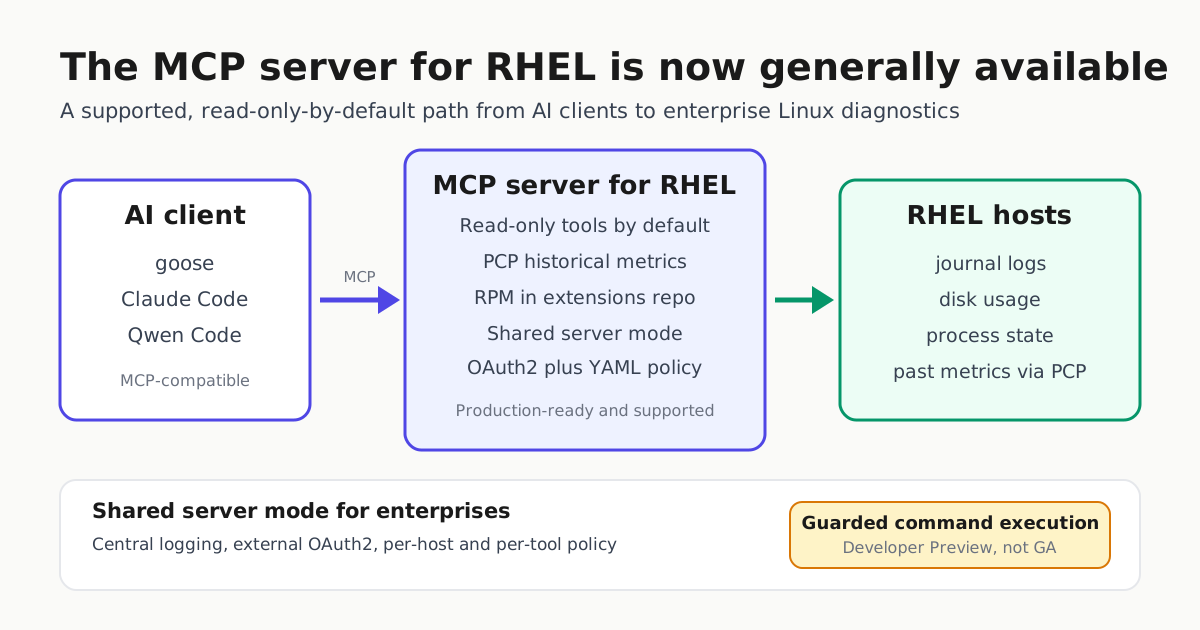
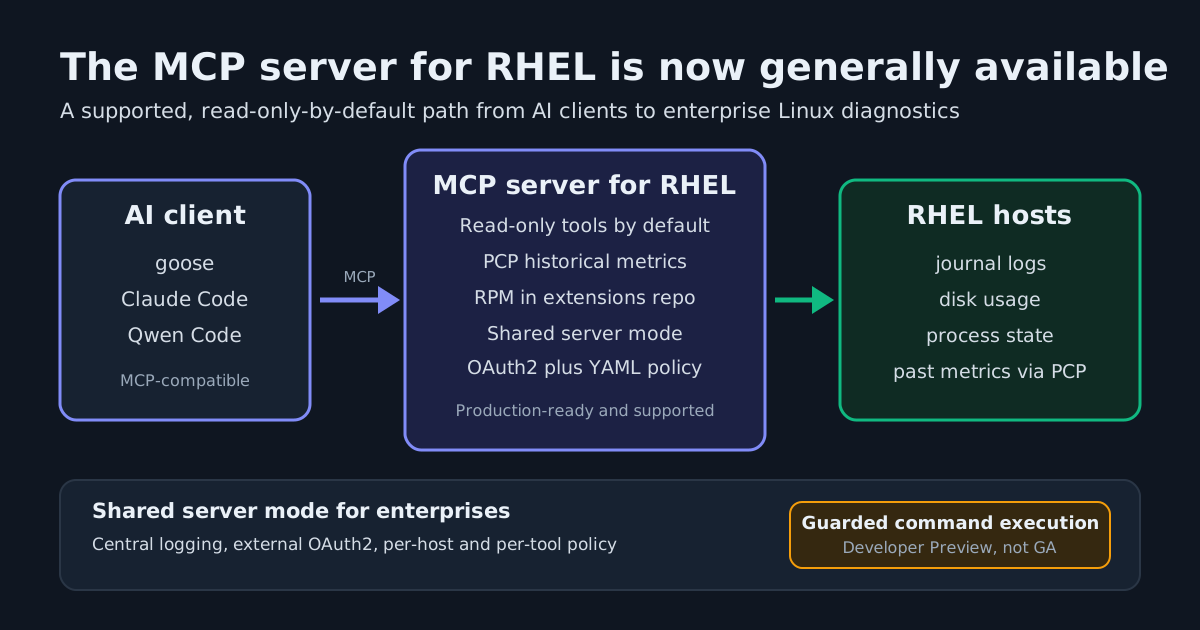
Red Hat’s Model Context Protocol (MCP) server for Red Hat Enterprise Linux is now generally available, and the November 11, 2026 announcement is more than a status flip. The service graduates from the Developer Preview Red Hat shipped earlier in 2026 into a supported, production-ready surface, and it lands with a capability the preview did not have: historical performance data, not just a snapshot of the machine as it looks right now.
What actually changed at GA
Three concrete things ship with general availability.
- Read-only by default, and packaged. The GA toolset exposes read-only tools by default, and the server now ships as an RPM package in the RHEL extensions repository. For operators, “install it from a repo” is the difference between a lab experiment and something that can live in a standard host build with a support path behind it.
- Performance Co-Pilot tools. The server can now query past performance metrics through Performance Co-Pilot (PCP), which is available in RHEL. Before this release the MCP server only exposed current, real-time performance information.
- Shared server mode. The server can run centrally so multiple users share one instance, with central logging, interactive authentication through an external OAuth2 authorization server, and a YAML-based authorization policy that maps OAuth2 attributes such as group membership onto which hosts a user can access and which tools they may call.
That last item changes how an enterprise would pilot this. Red Hat calls running the server locally alongside the LLM client the simplest configuration, and says enterprise environments often need a more scalable approach: the server run centrally so multiple users can share it. A shared server with per-host and per-tool policy is what turns an agent surface into something a platform team can hand to a wider group of people.
The workflow it unlocks
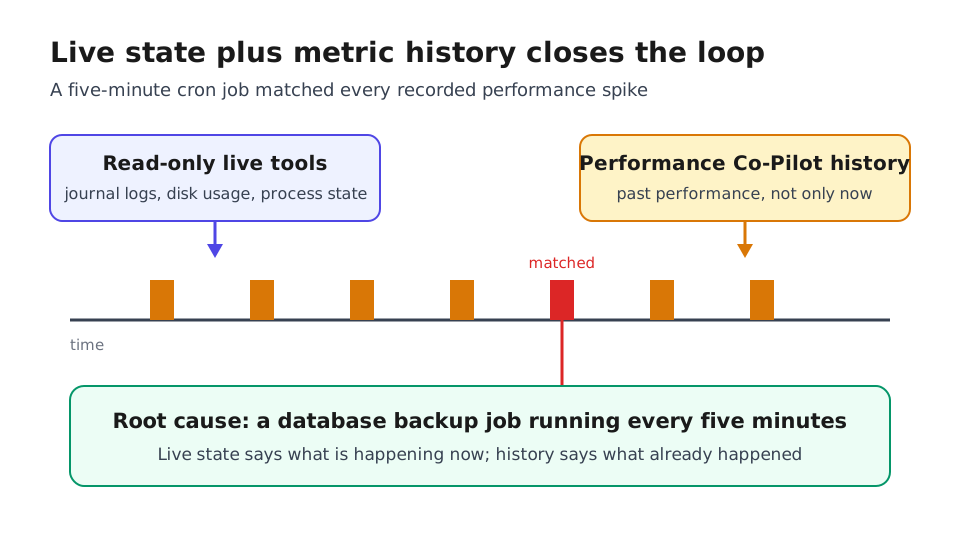
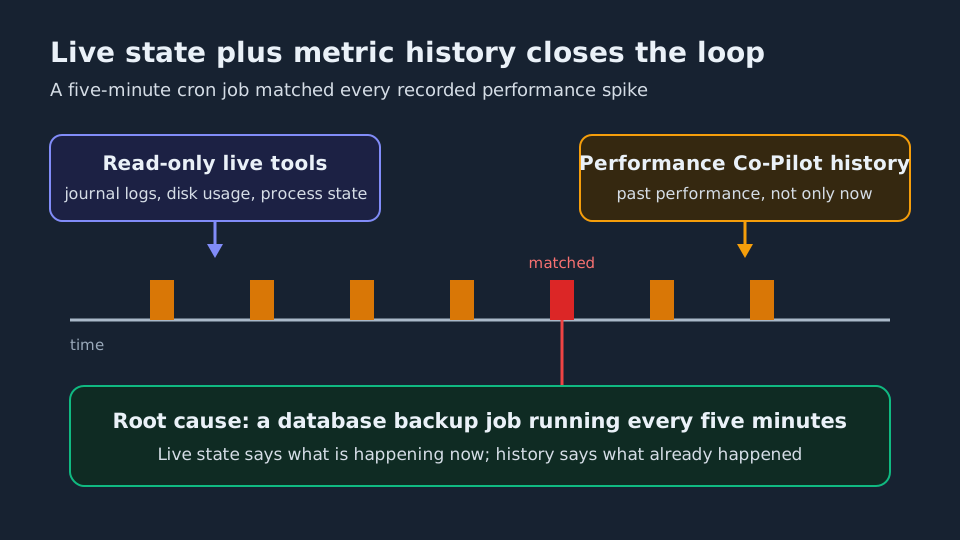
Red Hat’s own demonstration of the GA release starts with a RHEL 10 host that slows down every few minutes. The agent used read-only tools including get_journal_logs together with the new PCP tools, correlated live state with the recorded history, and found a cron job running a database backup every five minutes that matched the performance spikes PCP had stored. That is the specific capability this release adds: joining what is happening now to what already happened.
The earlier developer preview write-up shows the limit of that reach. There, an agent investigated a report that a filesystem was out of space. The read-only disk usage tool showed 9.7G free, so the agent needed a deeper command, df -i /app1, to check inodes, which turned out to be exhausted: 12,583,104 of 12,583,104 in use. Read-only tools answer the questions they were built for. When the question goes beyond them, the workflow needs a different class of tool.
Where the write boundary still sits
Guarded command execution, the capability that lets an agent generate and run commands or scripts, remains in Developer Preview and carries Developer Preview scope of support. It can still be enabled to test it out. Red Hat describes the feature as a set of guardrails intended to reduce the risks of letting an agent run commands on a system: a gatekeeper AI model that evaluates a proposed script against its description and returns a structured status from an approved OK to flagged POLICY or DANGEROUS states, optional human-in-the-loop approval before a modifying command runs when the client supports MCP Apps, and systemd-run sandboxing to limit the blast radius.
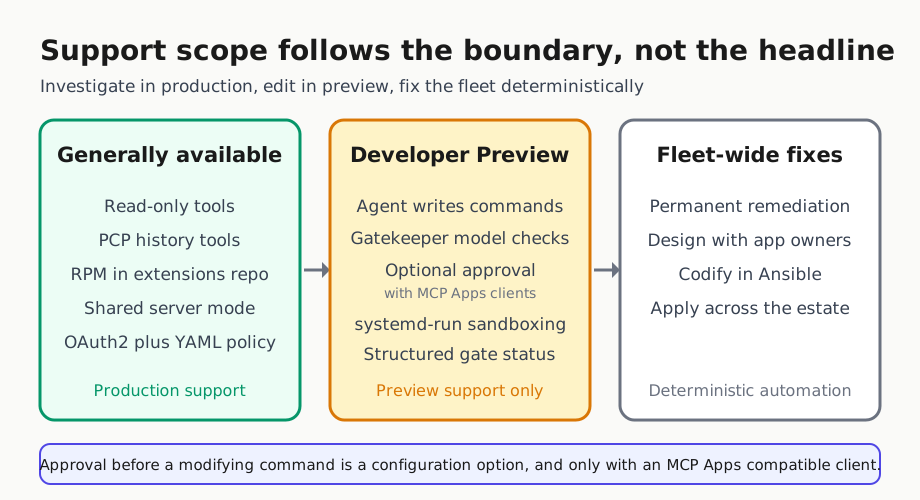
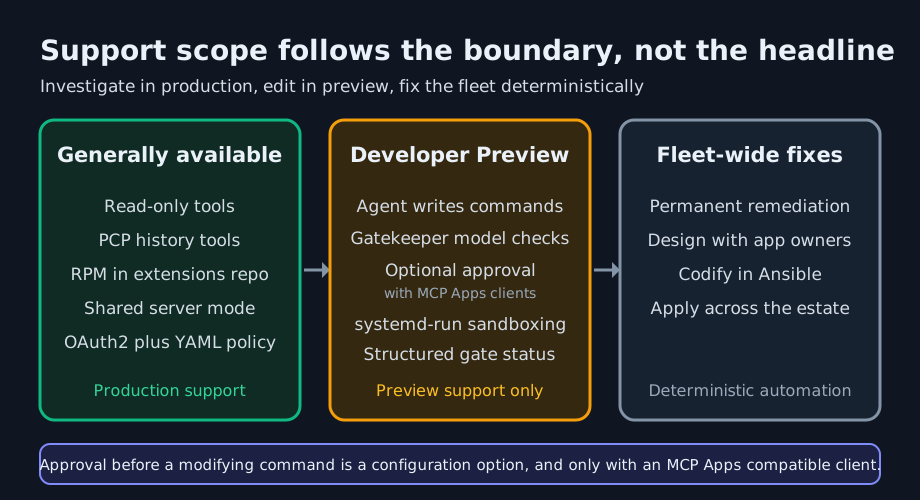
So the honest shape of the GA claim is narrower than the headline suggests. The supported surface is the investigative one. Diagnosis is production-ready. The change-making path is still a preview with its own guardrails and its own support caveat, and a team that assumes otherwise will build an incident runbook on top of it by mistake.
Connecting it to the tools you already run
The MCP server is a protocol surface, so it plugs into harnesses that speak MCP. Claude Code documents MCP as the open standard for connecting AI tools to external data and tools, and the same MCP servers work across its terminal, IDE, desktop and web surfaces; the protocol mechanics are worth a separate read if you are new to it, and we have covered them here. Red Hat’s own posts name goose and Claude Desktop as clients that can query RHEL systems through the server, and goose is itself available in the RHEL extensions repository, so a local model with a local server is a supported starting point. Qwen Code documents the same capability from its terminal agent, including pulling from external sources such as Google Drive, Figma and Slack.
Client-side wiring is the other half of the job. Our Claude Code MCP setup guide covers scopes and connection failures for the moment the server is installed but the client will not talk to it.
What to do on Monday
- Install from the RHEL extensions repository as an RPM rather than building from source, then pin the version you test.
- Start read-only. Point the GA toolset at one host during a live incident and confirm the journal, disk usage and process tools answer the questions you actually ask.
- Test the history path if your incidents are recurring. Correlating live state with stored metrics is the new capability; real-time-only diagnosis is the old one.
- Stand up OAuth2 before the shared server mode. The YAML policy is only as good as the group attributes behind it, and attribute mapping is where access control actually happens.
- Keep the preview in a lab. Evaluate guarded command execution under Developer Preview support scope, and do not build unattended incident automation on it yet.
Two caveats for readers who already track Red Hat’s agent tooling. This is a different product from the MCP Gateway Red Hat took to GA for governing agent traffic on OpenShift, which we covered separately; the gateway governs tool traffic, this surface answers questions about RHEL hosts. And Red Hat’s own framing is that the MCP server for RHEL is built for local incident investigation rather than fleet-wide remediation: once an agent proves a local fix, the permanent change still belongs in deterministic automation such as Red Hat Ansible Automation Platform.