OpenAI Opens the Codex Sandbox: Permission Profiles, Network Off by Default and the MCP Gap
OpenAI's Nov. 18 engineering post documents how Codex runs commands on your machine under OS isolation: permission profiles that keep .git and .codex read-only, network off by default, the codex sandbox test command, and the MCP server gap.
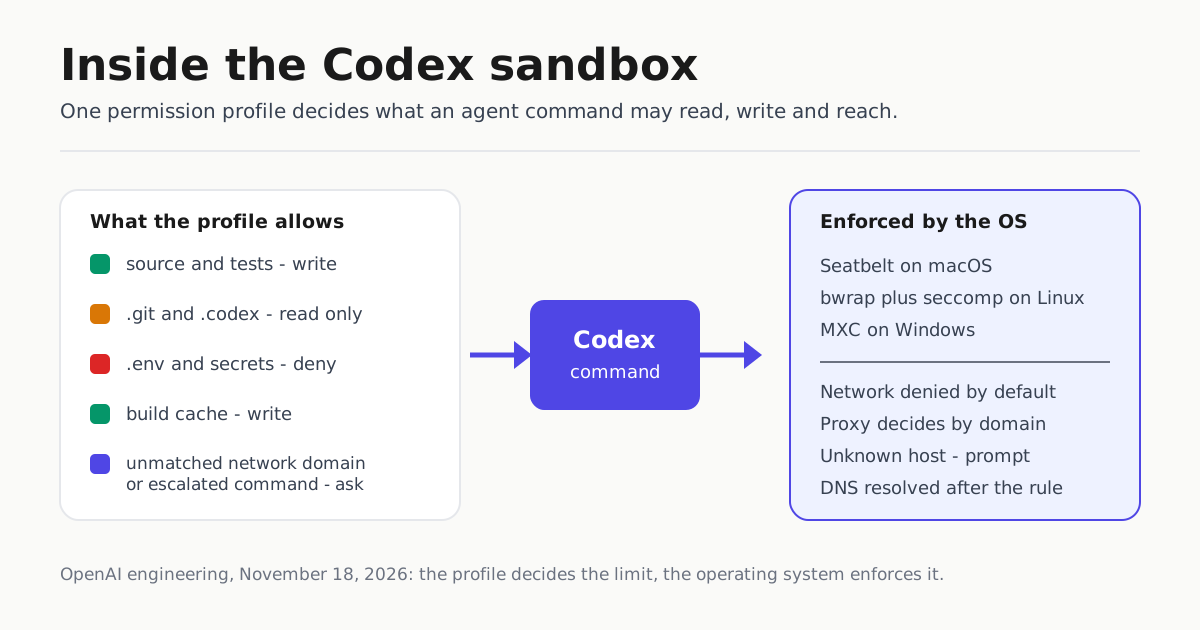
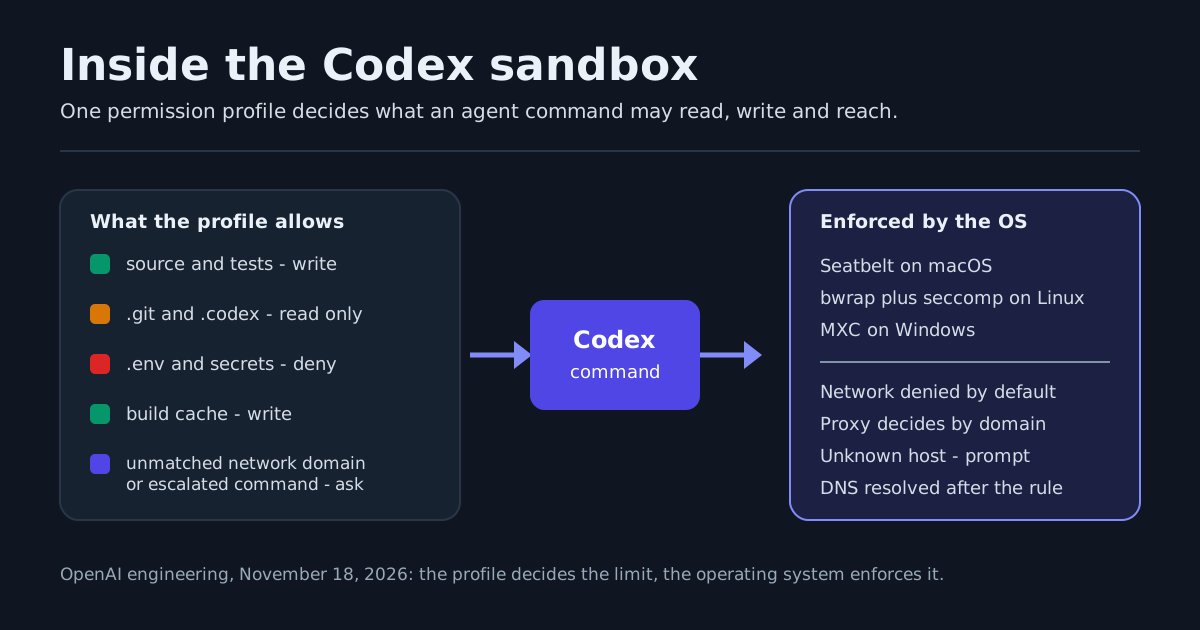
OpenAI spent November 18 explaining something it usually leaves undocumented: what Codex is allowed to touch when it runs a command on your own machine. The engineering post “Inside the Codex sandbox”, by Michael Bolin, a member of technical staff, is a deep dive into the boundary between an agent and your laptop, and it hands you the configuration language to change that boundary.
For an operator, the important part is that the limits are enforced by your operating system, not by a sentence in the model’s context window.
The default profile is deliberately asymmetric
The built-in :workspace profile allows writes within the workspace while keeping directories such as .git and .codex read-only, so Codex can edit source without asking for every change but cannot rewrite Git hooks or .codex/config.toml. It allows broad filesystem reads, subject to your existing OS permissions, because compilers and build tools need SDKs outside the repository. It disables network access, which blocks uploads and exfiltration along with legitimate dependency downloads.
| Boundary | :workspace default |
Practical consequence |
|---|---|---|
| Writes | Allowed inside the workspace | Source edits happen without a prompt |
.git, .codex |
Read only | Hooks and agent config stay protected |
| Reads | Broad, capped only by your OS rights | API keys in config files elsewhere on the machine stay readable |
| Network | Disabled | No uploads, no dependency installs |
The tradeoff is stated in the post: because reads are broad, sensitive files elsewhere on the machine may remain readable, such as config files containing API keys.
Profiles are names, not flags
Restrictions live in named profiles under [permissions] in config.toml, and profiles compose. The built-in :workspace provides the base and your own profile extends it. Filesystem entries are read, write or deny:
default_permissions = "dev"

[permissions.dev]
description = "Development with extra read-only protections."
extends = ":workspace"

[permissions.dev.filesystem]
"~/build-cache" = "write"

[permissions.dev.filesystem.":workspace_roots"]
".devcontainer" = "read"
".vscode" = "read"
"**/*.env" = "deny"
"secrets" = "deny"
Network is a separate axis with three options: disabled (the :workspace default), full direct access (the :danger-full-access default), or restricted to a proxy that decides by domain. Explicit deny rules beat allow rules, and a request that matches neither is not silently dropped: the proxy can suspend it and hand the decision to the harness, which may prompt you or route it to auto-review.
[permissions.dev.network]
enabled = true

[permissions.dev.network.domains]
"*.openai.com" = "allow"
"localhost" = "allow"
"127.0.0.1" = "allow"
"::1" = "allow"
"evil.example" = "deny"

[features]
network_proxy = true
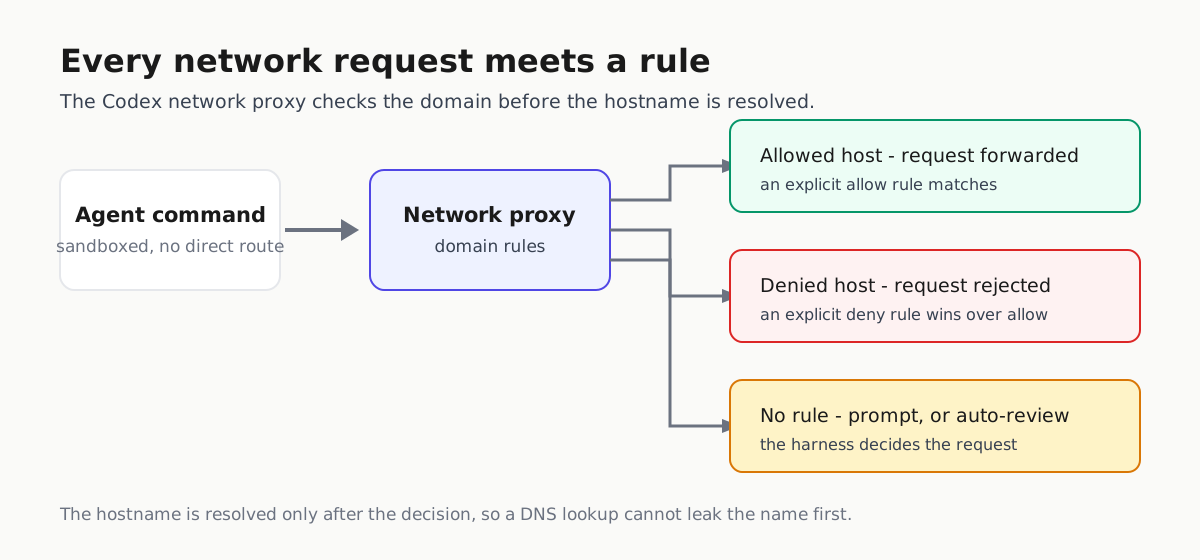
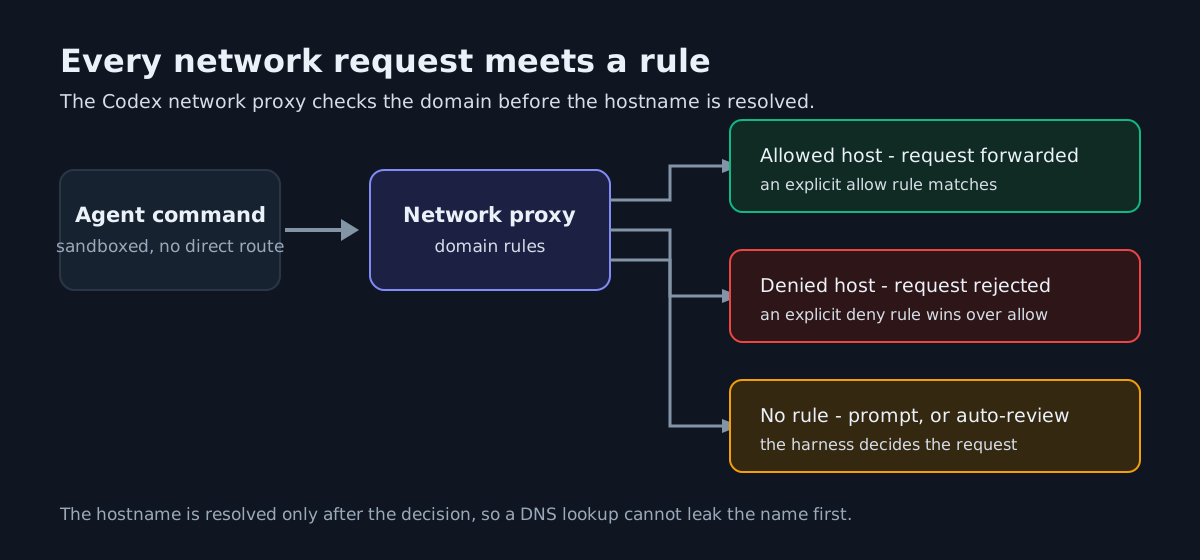
The same harness decides the other kind of escalation. A shell tool call can ask for use_default, with_additional_permissions or require_escalated, and the harness evaluates that request against your preferences before the command runs. So an unmatched network domain and an escalated command both end at a prompt or at auto-review, not at the profile alone.
Administrators can cap the whole thing with managed requirements, pinning default_permissions and using allowed_permission_profiles so a profile like :danger-full-access is unavailable.
Test a profile before you trust it
codex sandbox runs an arbitrary command under a profile, with no agent session involved. OpenAI’s own example tries to point VS Code at a malicious auto-formatter:
codex sandbox --permission-profile dev -- \
  bash -c 'cat > .vscode/settings.json' <<'JSON'
{ "prettier.prettierPath": "./node_modules/evil-prettier" }
JSON
On macOS that fails with bash: .vscode/settings.json: Operation not permitted. A profile you have never executed is a guess.
The gap worth closing: your MCP servers
The post states that the Codex harness does not attempt to sandbox the command that starts a stdio MCP server, because it cannot reliably infer which files or network services that server needs. An npx MCP server therefore starts with your full permissions. The fix is the sandbox command itself, wrapping the server in a profile:
[permissions.memory-mcp.filesystem]
":root" = "read"
"~/.npm" = "write"
"~/mcp-data" = "write"

[permissions.memory-mcp.network]
enabled = false

[mcp_servers.memory]
command = "codex"
args = ["sandbox", "--permission-profile", "memory-mcp", "--", "npx", "--offline", "@modelcontextprotocol/server-memory@1.0.0"]
Three operating systems, one API
The same harness API takes a command and a permission profile; the platform layer does the enforcing.
| Platform | Mechanism | Detail that bites |
|---|---|---|
| macOS | Seatbelt, via /usr/bin/sandbox-exec |
Apple marks sandbox-exec deprecated, but still ships Seatbelt profiles |
| Linux | bubblewrap plus seccomp-bpf | --unshare-net when networking is off or proxied; no_new_privs is set |
| Windows | MXC, Microsoft’s eXecution Container | Codex is replacing its own Windows sandbox, which needed admin rights to set up |
Docker’s November 18 AI Governance post is the enterprise-side counterpart: sandbox policies that decide which host paths mount and which domains resolve, MCP tool governance enforced at Docker’s MCP Gateway with Cedar policies, and audit records of every policy decision. Its boundary maps onto the gap above: gateway-handled MCP activity is governed by policy, while a direct connection from inside a sandbox falls back to the sandbox’s own network policy.
The same week, the other vendor hardened the same surface
Claude Code v2.1.327, released November 17, moved in the same direction: path checks now refuse some symbolic links, the definition of “inside a working directory” changed so more paths ask for permission, and permissions.blockReadsOutsideWorkingDirectories now asks about more Bash commands in bypass and auto modes and denies some. The release notes also add a /status line listing an unavailable sandbox and ignored permission settings, the kind of signal that tells you a boundary is not doing what you think.
What to do about it
- Write down the profile you actually run, not the flag you type.
- Test it:
codex sandbox --permission-profile <name> -- <command>needs no model. - Close the MCP gap explicitly. Any server you start with
npxtoday runs with your permissions. - Deny what you care about:
**/*.envandsecretsare two lines in a profile you can test. - Check the install channel, not only the version. Anthropic’s Claude Code overview notes native installs update in the background while the Homebrew cask tracks the stable channel, so a fix can sit on latest for days.
Keep one question open. OpenAI names the limit itself: the sandbox does not stop the agent from injecting code into an installed package such as node_modules/prettier. That change may not appear in git status, and it can run when your editor saves a file. The sandbox limits access; training and alignment decide intent. If your threat model needs both, one is not enough.
For the older Codex approval vocabulary, see Codex Approval Modes and Sandbox Explained. For running risky code outside the machine entirely, see External Sandboxes Let Coding Agents Run Risky Code Outside the Machine.