Google Brings Computer Use to Gemini Mac App in Desktop Agent Push
Google has launched computer use for the Gemini desktop app on macOS Sequoia, enabling the AI agent to automate multi-step workflows across local apps and web services in an isolated background window with user permission controls.
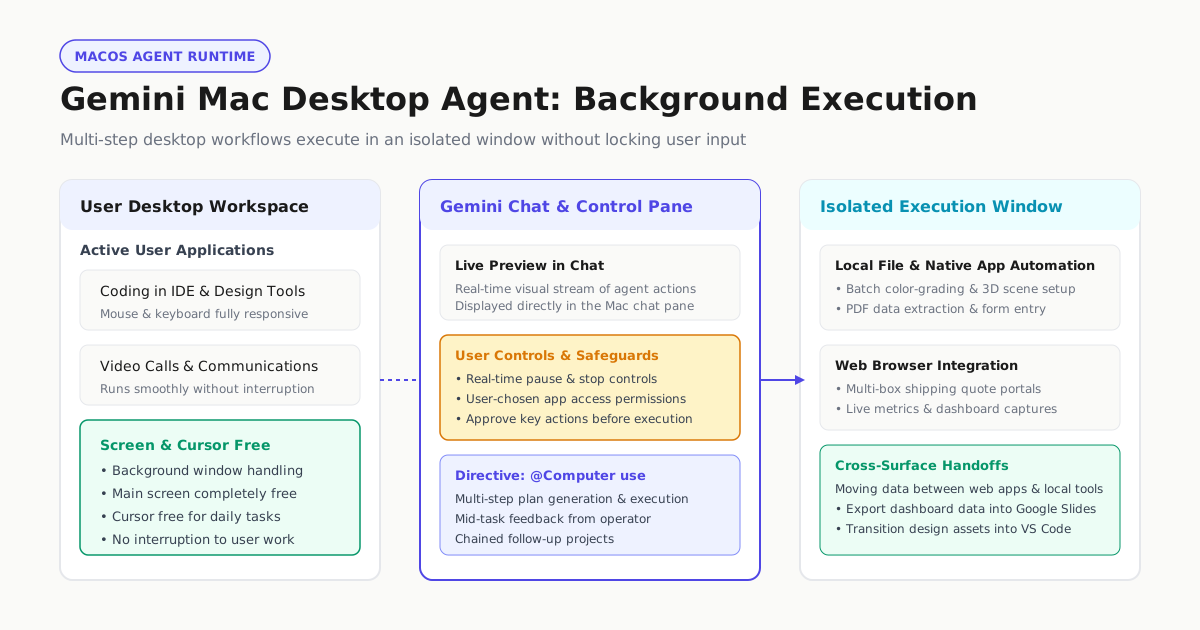
Google has introduced a native computer use capability for the Gemini desktop application on macOS, enabling its artificial intelligence agent to automate multi-step tasks across local files, installed software, and web browsers. Announced on November 19, 2026, by Michael Friedman, Group Product Manager for the Gemini App, on Google’s official blog, the release marks a significant step in Google’s agentic roadmap by bringing direct graphical user interface (GUI) control to Apple Silicon hardware running macOS Sequoia 15.0 or later.
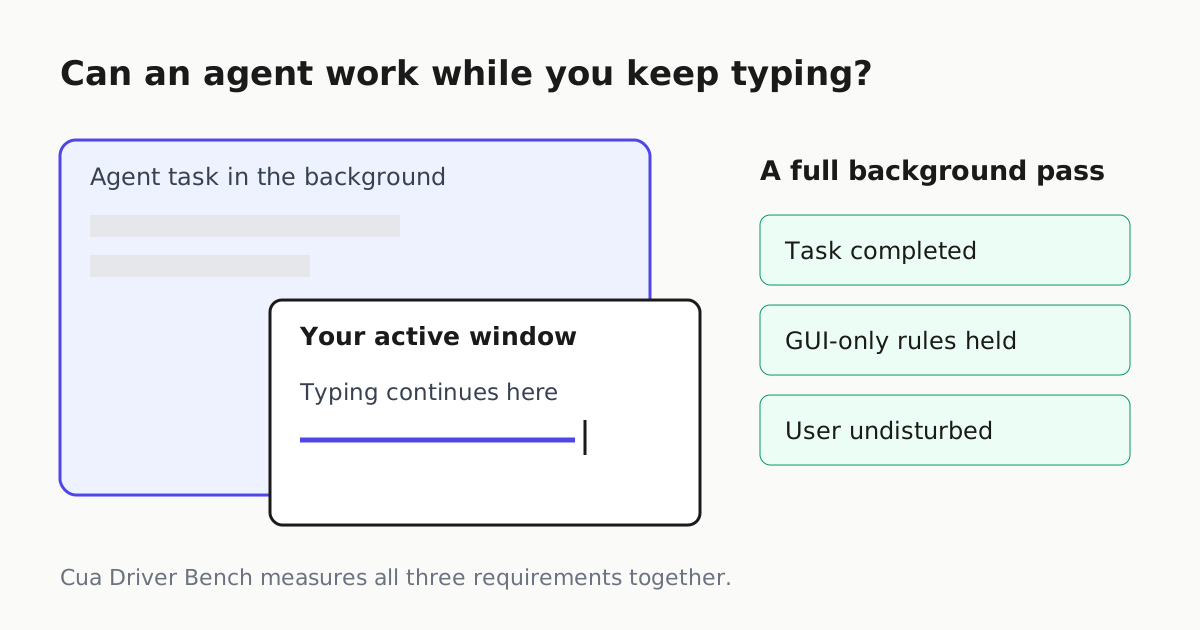
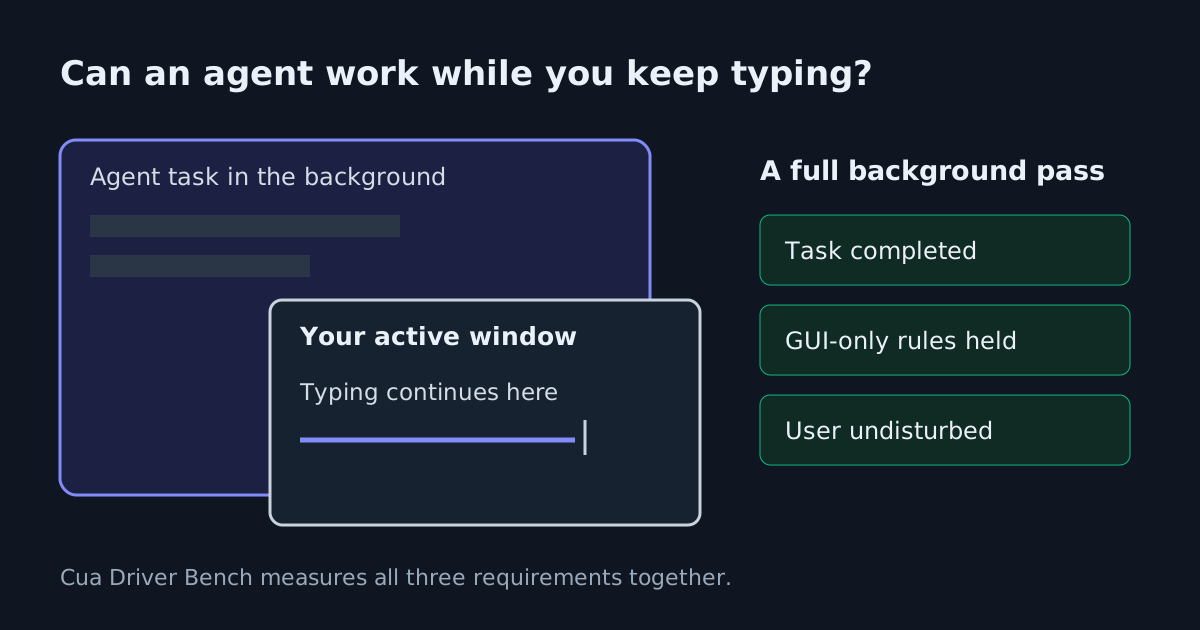
Rather than requiring users to surrender their screen and mouse pointer while the model executes actions, Gemini operates inside an isolated background window. A live preview streams directly into the Gemini chat pane, allowing users to observe clicks, keystrokes, and menu navigation in real time. The architecture leaves the operator’s primary desktop display, cursor, and keyboard free to continue writing, coding, or taking video calls without interruption.
Background Execution and Safety Controls
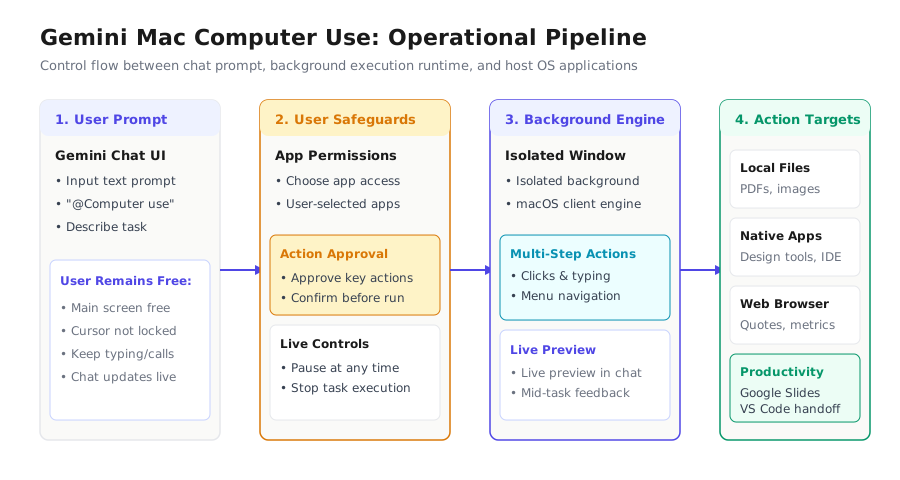
The primary operational distinction between Gemini’s implementation and traditional screen-control scripts lies in its isolated background-window execution and application permission boundaries. According to SiliconANGLE’s coverage, users initiate desktop actions by including @Computer use within their chat prompts. From there, Gemini creates a step-by-step project execution plan, identifies the necessary local programs, and performs actions sequentially.
Safety and control mechanisms are integrated directly into the workflow. Users explicitly choose which local applications Gemini is permitted to access. In addition to real-time pause and stop controls that allow users to intervene at any moment, the system requires operators to approve key actions before they happen. Furthermore, SiliconANGLE noted that users can provide feedback to the assistant mid-task to guide execution.
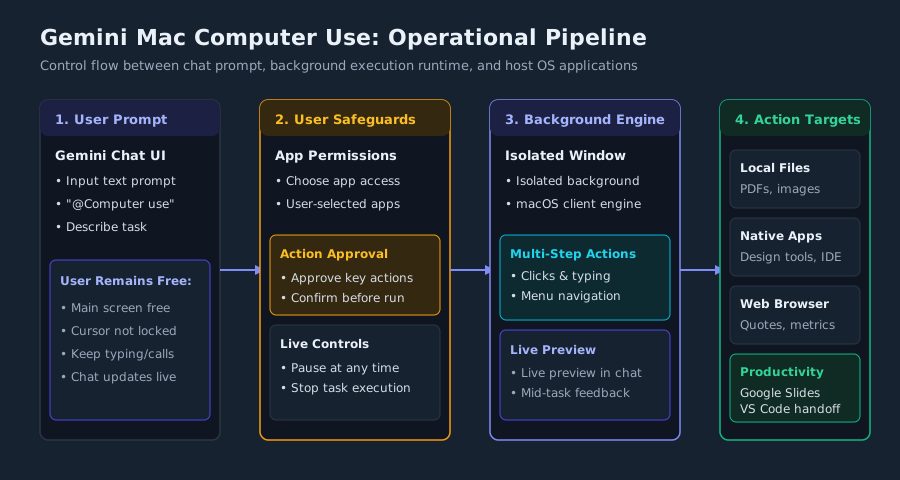
Target Workflows Across Native and Web Surfaces
Google highlighted several multi-application workflows designed to eliminate repetitive administrative friction:
- Creative Pipelines: Batch color-grading photos in favorite design software or configuring complex 3D scenes from concept sketches.
- Document Parsing and Logistics: Extracting item weights, dimensions, and addresses from local PDFs to fill out multi-box shipping quotes on the web.
- Reporting: Gathering live performance metrics and screenshots from dashboards across multiple regions and assembling presentation decks in Google Slides.
- Inventory Staging: Analyzing clothing photos from a local folder, researching pricing online, logging item details, and staging listings on resale platforms.
SiliconANGLE reported that workflows can also bridge local developer environments. An operator can instruct Gemini to produce visual assets in a design tool and then transition those assets into Visual Studio Code to scaffold a mini-application. This cross-boundary capability allows the agent to ingest unstructured desktop files, process them through browser portals, and write finalized results back to local storage.
# Illustrative Computer Use Prompt Flow
@Computer use:
1. Scan ~/Documents/Invoices for supplier PDF receipts.
2. Extract vendor names, invoice dates, and line totals.
3. Open the logistics quoting portal in the background browser.
4. Populate shipping estimates and attach original receipts.
5. Pause for human approval before booking.
Desktop Agents and the Desk-Job Hierarchy
While GUI automation offers a versatile safety net for software lacking APIs, it remains an intensive and fragile integration tier. In analyzing desktop agent execution, Automater Intel’s desk-job inventory for computer use agent workflows establishes that pointer-driven screen control represents the last rung of the automation ladder. Drawing on documentation principles that describe computer use as ‘the broadest and slowest’ automation path, the analysis recommends prioritizing the most precise tool available—such as dedicated Model Context Protocol (MCP) servers, command-line interfaces, or direct APIs—before defaulting to screen interaction.
Simulated clicks and keystrokes introduce failure modes that do not exist in structured API pipelines, such as unexpected dialogs, UI shifts, and rendering delays. However, for proprietary desktop software, legacy accounting suites, or complex browser portals without developer hooks, Gemini’s isolated background window provides a practical bridge. By confining execution to a separate window and streaming visual feedback into chat, the system mitigates the productivity penalty traditionally imposed by screen-stealing automation agents.
Competitive Positioning Across the Frontier
Google’s release intensifies competition among leading AI providers vying for desktop operating system presence. As TechCrunch reported, Google is entering a market where rivals including OpenAI, Anthropic, and Meta have already been offering agentic features in their desktop applications for some time. According to SiliconANGLE’s reporting, competing assistants such as Meta’s recently launched Muse on macOS and OpenAI’s Dots offer cloud-based virtual machines that enable agents to execute workflows even when the user’s computer is offline. OpenAI’s Dots also includes capabilities tailored to business automation, such as procurement.
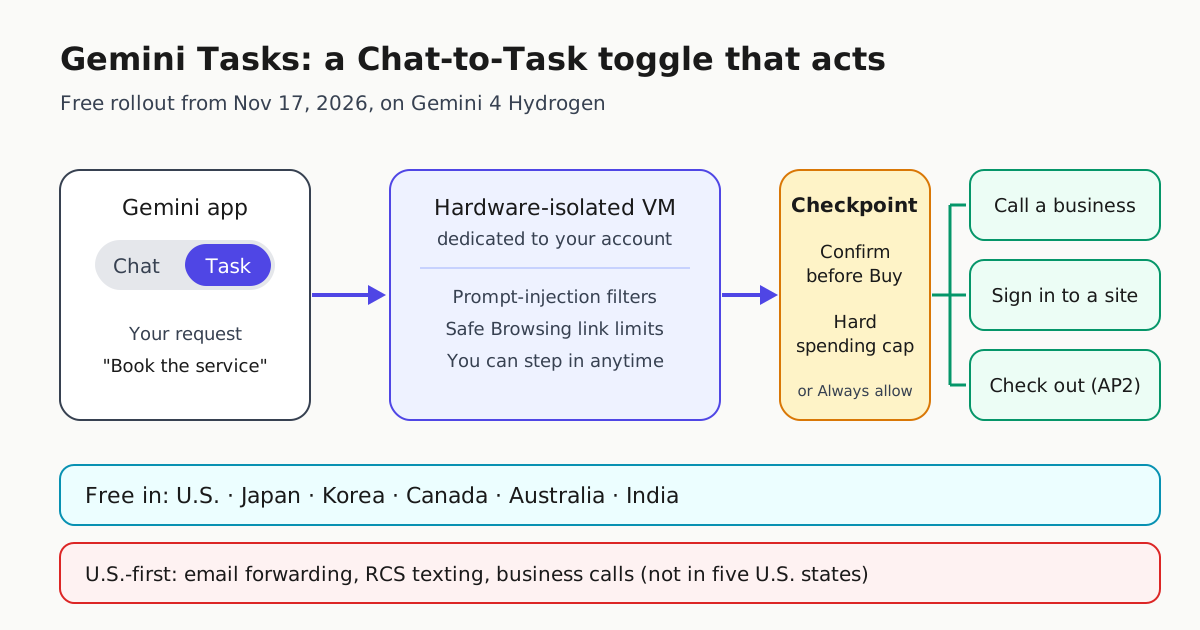
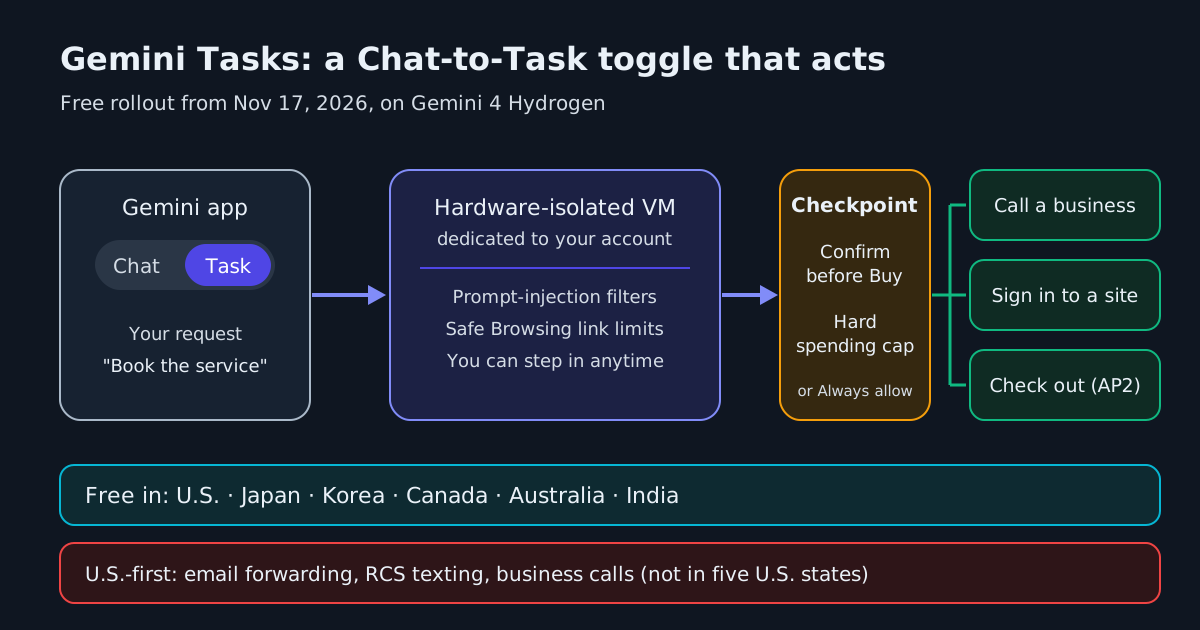
The Mac launch also complements Google’s broader autonomous agent initiatives across consumer surfaces. TechCrunch noted that earlier in the week, Google expanded access to Gemini Tasks—an in-app feature that allows the AI to act as an agent helping users sign into websites, make purchases, or book appointments—while Google only recently began admitting early testers to its ‘CC’ family coordination agent. The computer use update extends those agentic ambitions to native desktop applications and local workflows.
| System / Agent | Host Environment | Documented Workflow Scope | Documented Controls & Safeguards | Availability / Access Tiers |
|---|---|---|---|---|
| Google Gemini Mac App | Isolated background window on macOS | Multi-step navigation across local files, desktop apps, and web services | App access choice, live preview in chat, pause/stop, approve key actions, mid-task feedback | Google AI Plus, Pro, and Ultra subscribers on Apple Silicon (macOS Sequoia 15.0+) |
| Meta Muse | Mac application and cloud-based virtual machine | Interacts with local apps and data; executes workflows while computer is offline | Not documented in cited sources | macOS client |
| OpenAI Dots | Desktop application and cloud-based virtual machine | Automates business workflows (e.g., procurement); executes while computer is offline | Not documented in cited sources | Competing desktop agent offering |
Requirements, Limitations, and Commercial Tiers
Access to Gemini’s computer use feature carries specific hardware, operating system, and subscription prerequisites. The feature is restricted to Apple Silicon Macs running macOS Sequoia 15.0 or newer. Users must be at least 18 years old, signed in with a personal Google account, and hold an active subscription to Google AI Plus, Google AI Pro, or Google AI Ultra.
The feature is rolling out in English in the U.S. within the Gemini app for Mac. TechCrunch reported that Google has not announced when the capability will expand to other markets or operating system platforms, and Google has not detailed enterprise Workspace availability. Furthermore, unlike Meta’s Muse or OpenAI’s Dots, which use cloud-hosted virtual machines capable of executing tasks while a machine is offline, Gemini executes locally within the Mac client; tasks run on the local machine while it remains awake and connected, with Google not documenting cloud-hosted background persistence.
As surveyed in our comprehensive evaluation of agentic AI tools, the shift toward desktop autonomy demands disciplined operator oversight. While Google’s isolated background window solves the ergonomic problem of screen contention, organizations must balance the convenience of visual automation against the rigorous governance of local data access and permission boundaries.