Cua Driver Bench Tests Whether Desktop Agents Can Work While You Keep Typing
Cua's benchmark separates task completion from undisturbed background work. Its reported macOS results show why desktop-agent builders need to measure both.
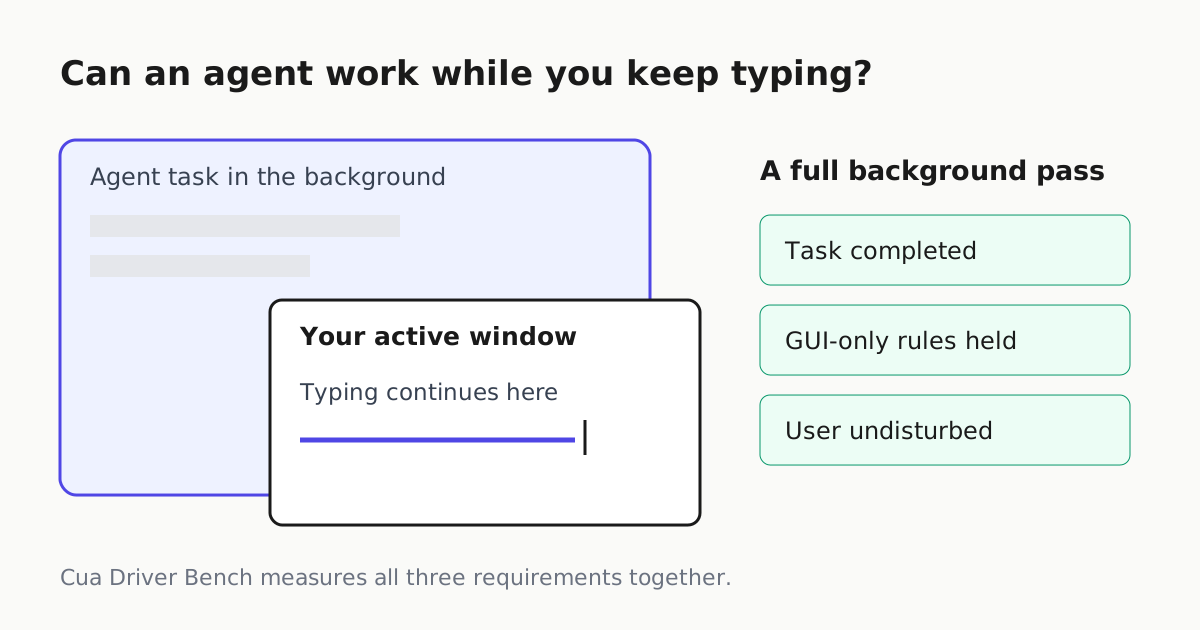
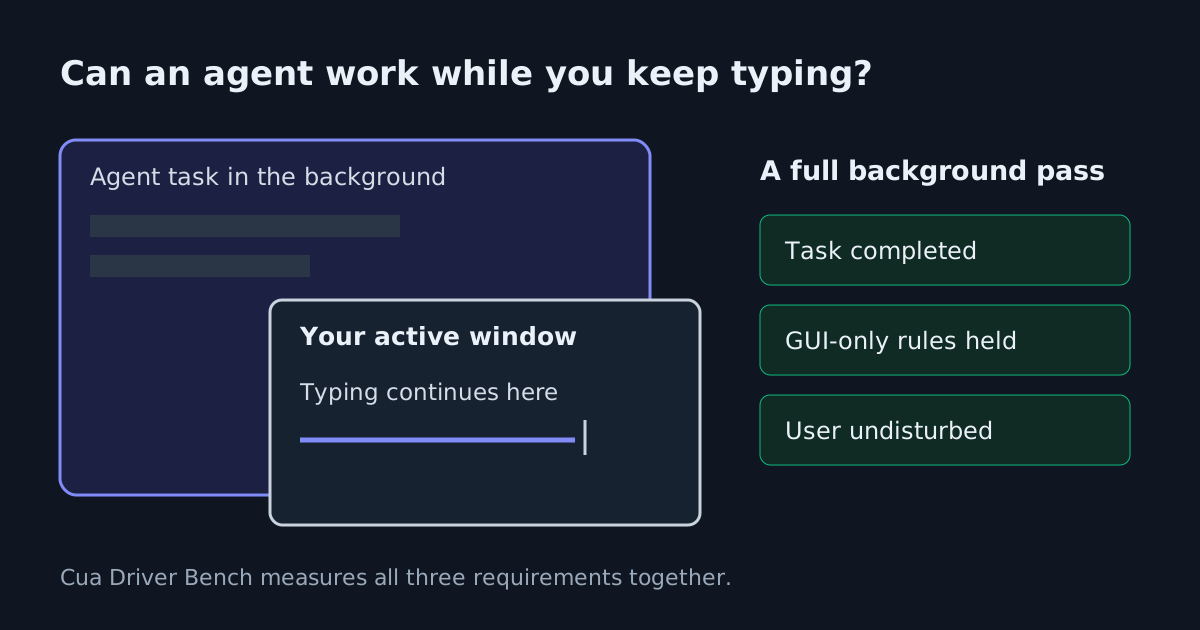
A desktop agent can finish its assignment and still make your computer difficult to use. Cua’s newly dated Driver Bench report measures that distinction: whether an agent completes a GUI task while leaving a simulated user’s focus, typing, pointer and clipboard alone. For developers building agents that share a person’s desktop, the practical contribution is a testable definition of background work.
The publisher’s repository write-up, dated November 6, reports that Scale AI’s macOS runs produced 23 full background passes out of 40 trials for cua-driver, eight for agent-desktop and one for browser-use. Those results describe specific drivers, tasks and harnesses. They do not establish that desktop agents can reliably share an everyday workstation.
The Cua blog page carries the same November 6 publication statement, although its header also displays October 16, 2025. The repository statement supports the report’s current publication date; the inconsistent site header deserves that qualification.
Completion is only one requirement
A full background pass requires three things: a deterministic checker confirms the task was completed, the agent stayed within GUI-only rules, and all eight user-disturbance criteria remained clear. An unmeasured criterion counts as a disturbance. The test puts a partly covered target app behind a foreground “User activity” window that types one character per second.
That setup catches a failure ordinary completion scores can hide. According to the report, browser-use completed 32 of its 40 macOS background tasks within the GUI-only rule, but disturbed the user in 31 of those completions. Cua-driver completed 25 and disturbed the user in two. An agent that finishes more work can therefore be a worse companion on a shared desktop.
The GUI-only requirement also changes what success means. A task fails if the agent reaches a terminal through the interface or uses a driver tool to execute code outside the GUI. These scores measure a constrained interaction route, rather than the fastest available way to produce the final files.
Platform and task matter
The reported full background results illustrate how little a single overall score says about deployment:
| Platform | cua-driver full background passes | Runner |
|---|---|---|
| macOS | 23/40 | Scale AI on AgentEnv |
| Windows | 11/40 | Cua |
| Ubuntu 24.04 with XFCE | 5/40 | Scale AI on AgentEnv |
These are different environments, not a controlled ranking of operating systems. Cua reports no full background passes for any driver’s Windows multi-app tasks. On Linux with XFCE, new modal dialogs took keyboard focus in the tested interruption tasks. On macOS, cua-driver failed all five background drag trials.
The public benchmark directory documents ten tasks spanning multi-app workflows, precision interactions and interruptions. Only eight enter the background headline: the hover toolbar and tooltip tasks remain foreground-only. Consequently, foreground and background percentages use different task sets and should not be treated as a perfectly matched before-and-after experiment.
Read the vendor comparison cautiously
Cua builds one of the compared drivers and authored the tasks, test app and harness. Its report says the public tasks helped it discover fixes; held-out evaluation is not included in this release. Scale ran some configurations, while Cua supplied the remaining results using a different runner. Public artifacts make scrutiny possible, but do not remove those limitations.
The report’s Codex Computer Use row also needs careful interpretation: Claude selected the actions through OpenAI’s tool layer. It is not a measurement of OpenAI’s complete agent. Cua reports 13/40 macOS background passes for that configuration, with a confidence interval overlapping cua-driver’s at the edge. That cross-runner comparison does not establish a decisive advantage.
Artifact availability is incomplete in the supplied evidence. The fetched replay Space displayed only “Refreshing,” and the dataset fetch exceeded the size limit. The benchmark README also says results are not yet published there. The numerical findings above are therefore attributed to Cua’s report, rather than presented as independently reproduced trial analysis.
What builders can do with it
Use the task definitions to separate three questions in your own evaluation: did the job finish, did it use the intended interaction route, and could someone keep working throughout? Record disturbances individually so a clipboard overwrite does not disappear inside a completion percentage.
Start with the interactions your workflow actually needs: background dialogs, drag operations and multi-app navigation have different failure patterns. Preserve the driver version, desktop environment and harness alongside each result. Our guide to evaluating agents provides the broader framework for choosing checks around the intended job.
Cua Driver Bench offers a useful evaluation target for shared-desktop agents. Its present results support a narrower deployment lesson: successful GUI automation still needs separate evidence that it leaves the human user’s work intact.