Trace Claude Code With Langfuse AI Gateway and Find Missing Generations
Configure Langfuse AI Gateway for Claude Code request, inspect its generation, distinguish capture modes, fix credential conflicts and avoid duplicate traces.

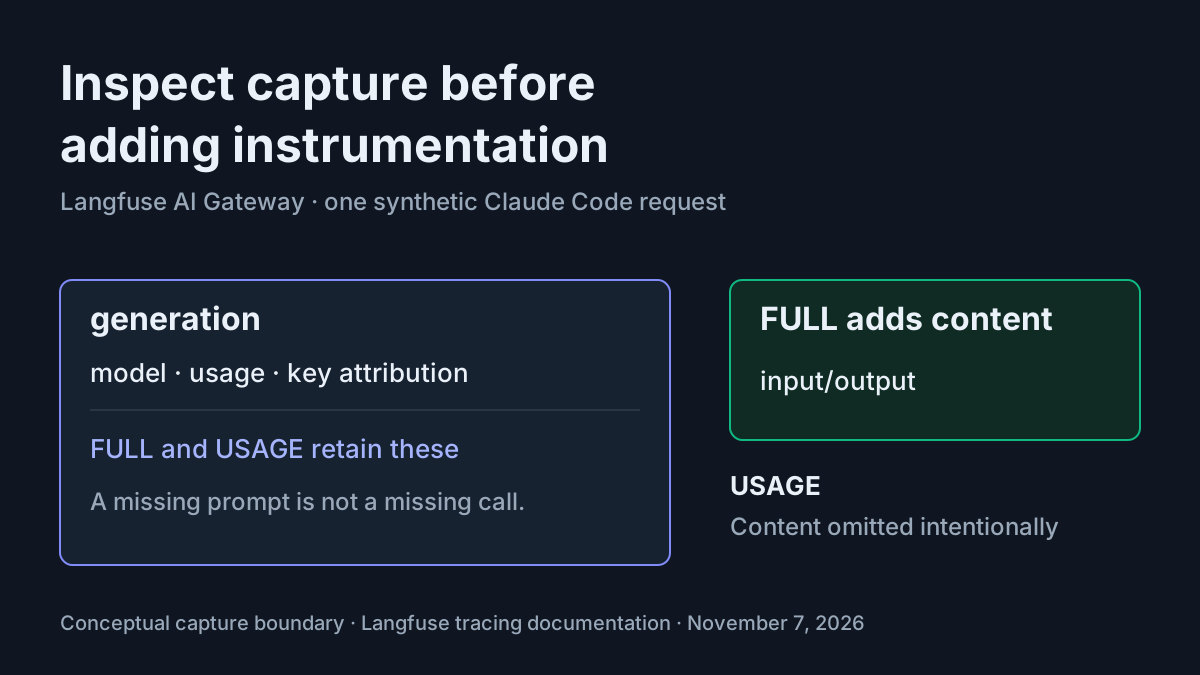
Your Claude Code prompt returned a reply, but the trace you expected is missing. Before changing instrumentation, establish three separate facts: which gateway accepted the request, which project receives its generations, and whether that project is supposed to store prompt content. Langfuse AI Gateway exposes those boundaries, but they are easy to confuse.
This tutorial is for a developer administering a disposable Langfuse Cloud project with authorized Anthropic API access, permission to configure the organization’s gateway, and Claude Code 2.1 or later. Work in an environment containing no sensitive prompts or repository content. The result is a synthetic hello-gateway request that you can identify in Tracing and attribute to a disposable gateway key. All observations below are illustrative expectations; these commands were not executed for this article.
Langfuse’s November 4, 2026 announcement supplies the background: the public beta forwards native Anthropic requests and records model calls as generations. It does not translate them into another provider’s protocol. The lesson here is configuring and diagnosing that specific path, which makes this a Tools & Reviews tutorial.
Prepare a disposable capture destination
- Open Organization settings → AI Gateway → Setup and record the currently selected ingestion project and mode.
- Select your disposable ingestion project and choose FULL for this synthetic content inspection.
- Add an authorized ANTHROPIC provider credential if the disposable organization does not already have one.
- Confirm that your user can open the ingestion project, with Viewer access or above.
The admin setup documentation distinguishes gateway provider credentials from project LLM connections. A connection that powers the Playground or an evaluator does not establish this gateway path. If the Models page reports no active providers, solve that prerequisite before adjusting Claude Code.
Use a disposable organization where possible. Ingestion mode is an organization setting, so changing it in a shared organization affects more than this demonstration. If your permission covers only calling models, ask the gateway manager to provide the destination and capture mode. Do not change shared settings merely to reproduce the example.
FULL captures more than the short sentence you type: it can include system prompts, tool definitions, messages, tool calls and results. An apparently harmless test run inside a sensitive repository is therefore a poor fixture. Start with an environment whose surrounding context is also disposable. The procedure does not require editing source files, installing packages or asking Claude to use tools.
The first-request guide also separates organization access from project access. Someone with the AI Gateway role can create a key and call models while lacking access to any project. A working reply and an inaccessible Tracing page can coexist without an ingestion failure. Resolve visibility before using an empty screen as evidence.
For broader shell configuration diagnosis, keep the existing Claude Code environment variables guide nearby. This tutorial deliberately uses temporary shell exports rather than introducing another persistent configuration file.
Create the key and choose the region
- Go to Organization settings → AI Gateway → Gateway keys → Create key.
- Create a user key named
gateway-hello-01; optionally attachteam: platformandexercise: gateway-hello-01as key metadata. - Set an appropriate expiry for the exercise and copy the secret when shown.
- Select the gateway host matching your Langfuse organization’s region.
A user key fits this local exercise. According to the authentication reference, it belongs to its creator and stops working when revoked, expired or when that person loses gateway access. Service account keys are intended for CI and shared services; membership changes do not stop those keys. There is no need to introduce that longer-lived identity here.
The key name and metadata are illustrative values, not special gateway syntax. Their job is to make the request recognizable. Key metadata attaches to generations under langfuse.gateway.api_key.metadata.<key> and can be set only at key creation. If you enter the wrong metadata, create a replacement key and revoke the old one. Request headers cannot rewrite the key’s metadata.
Use https://gateway.cloud.langfuse.com for EU, https://gateway.us.cloud.langfuse.com for US, https://gateway.jp.cloud.langfuse.com for Japan, or https://gateway.hipaa.cloud.langfuse.com for HIPAA. These are distinct documented hosts, not interchangeable labels. This worked block uses EU; substitute your actual region before running it.
Keep a private record of any pre-existing environment settings and persistent Claude configuration before changing authentication. Record whether each variable was absent as well as any value that must later be restored. Avoid copying secrets into a shared troubleshooting document. Logging out also changes stored subscription authentication, so plan to restore that through your established sign-in procedure afterward.
Send task:gateway-hello-01
- In the disposable environment, remove the existing Claude subscription login with the documented logout command.
- Export the region, gateway key and Anthropic route shown below.
- Run the documented model-list request and select an available Anthropic model.
- Run the official hello-gateway prompt once.
The Claude Code gateway integration requires Claude Code 2.1 or later and states that its instructions were verified with 2.1.282. Replace the gateway-key placeholder locally. It is the only secret placeholder in this block; the remaining example labels are complete illustrative inputs.
claude /logout

export LANGFUSE_GATEWAY_KEY="<your-gateway-key>"
export LANGFUSE_GATEWAY_HOST="https://gateway.cloud.langfuse.com"
export ANTHROPIC_BASE_URL="$LANGFUSE_GATEWAY_HOST/anthropic"
export ANTHROPIC_AUTH_TOKEN="$LANGFUSE_GATEWAY_KEY"
unset ANTHROPIC_API_KEY
export CLAUDE_CODE_ENABLE_GATEWAY_MODEL_DISCOVERY=1
export CLAUDE_CODE_DISABLE_NONESSENTIAL_TRAFFIC=1
export ANTHROPIC_CUSTOM_HEADERS=$'langfuse-tags: claude-code,gateway-hello-01\nlangfuse-environment: local\nlangfuse-metadata: task:gateway-hello-01,repo:gateway-demo'

# Illustrative expected observation: available model data; this listing creates no generation.
curl -s "$LANGFUSE_GATEWAY_HOST/anthropic/v1/models?limit=1000" \
  -H "x-api-key: $LANGFUSE_GATEWAY_KEY" \
  -H "anthropic-version: 2023-06-01" | head -c 300

# Illustrative expected observation: hello gateway, followed by a generation in the ingestion project.
claude -p "Reply with: hello gateway"
The gateway route ends in /anthropic, without /v1, because Claude Code appends /v1/messages. The separate curl model-list URL explicitly includes /v1/models because that command addresses the endpoint itself. Copying the longer curl route into ANTHROPIC_BASE_URL would confuse two different configuration surfaces.
The model-list response should contain available model data if the key works; the documented head -c 300 truncates the display. Use Organization settings → AI Gateway → Models for the complete available selection. In an interactive claude session, /model lists gateway models when discovery is enabled. Choose a returned ID rather than inventing one from a remembered model name.
Langfuse documents both bare claude-… IDs and credential-prefixed IDs as accepted forms for Claude Code. Use /model to choose an actual available ID if the default selection fails, then repeat the hello prompt. The guide also supports --model, but this example does not hard-code a model because the organization controls its allowed models. A model enabled elsewhere is not proof that this gateway credential permits it.
| Input | Action | Expected result |
|---|---|---|
Illustrative task:gateway-hello-01; EU host; user key gateway-hello-01; FULL capture; prompt Reply with: hello gateway; metadata task:gateway-hello-01,repo:gateway-demo |
Apply the complete shell block, confirm a callable model in the documented Models page, and run claude -p "Reply with: hello gateway" once. |
Illustrative: Claude replies with hello gateway; the intended ingestion project contains the routed model generation with input/output and task metadata, while gateway analytics can attribute its recorded usage to gateway-hello-01. |
A successful model listing verifies authentication and discovery, not generation storage. Langfuse says model listings do not produce generations. The prompt is the consequential request in this fixture. Keep its approximate run time and key name so you can distinguish it from someone else’s traffic without manufacturing request IDs.
Inspect content before changing instrumentation
- Open the organization’s selected ingestion project and go to Tracing.
- Locate the recent Claude Code request using its key, time and exercise metadata.
- Open the generation and inspect model, usage, status and captured content.
- Compare the fields against the configured ingestion mode before diagnosing missing data.
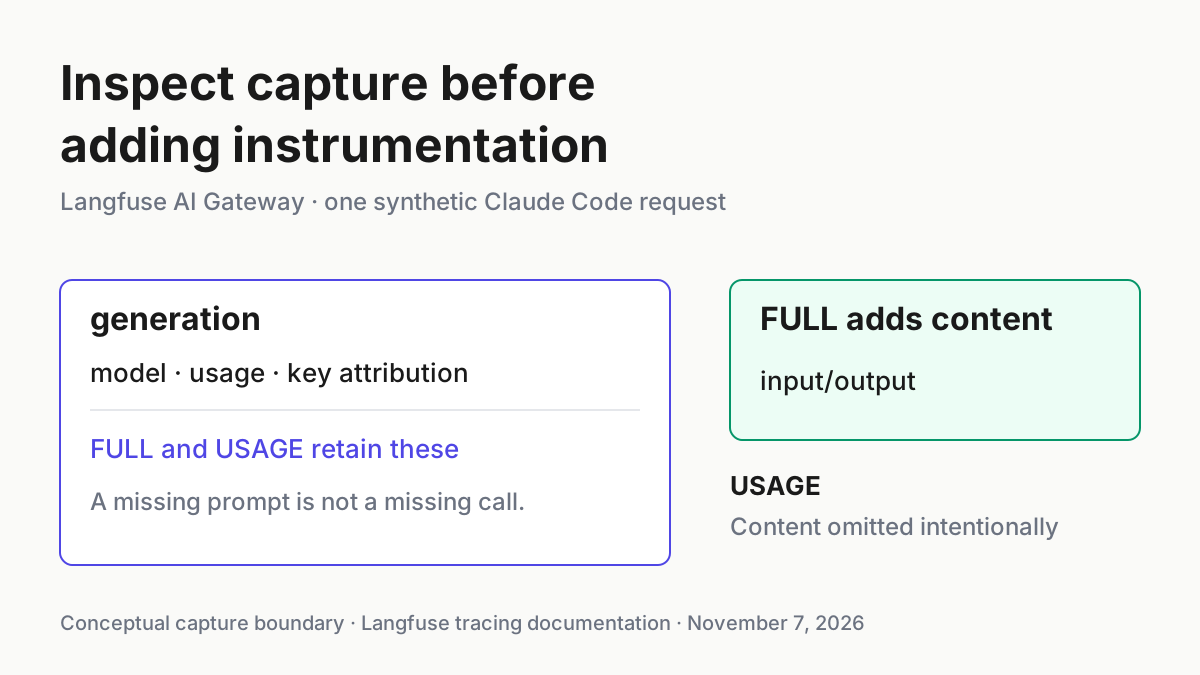
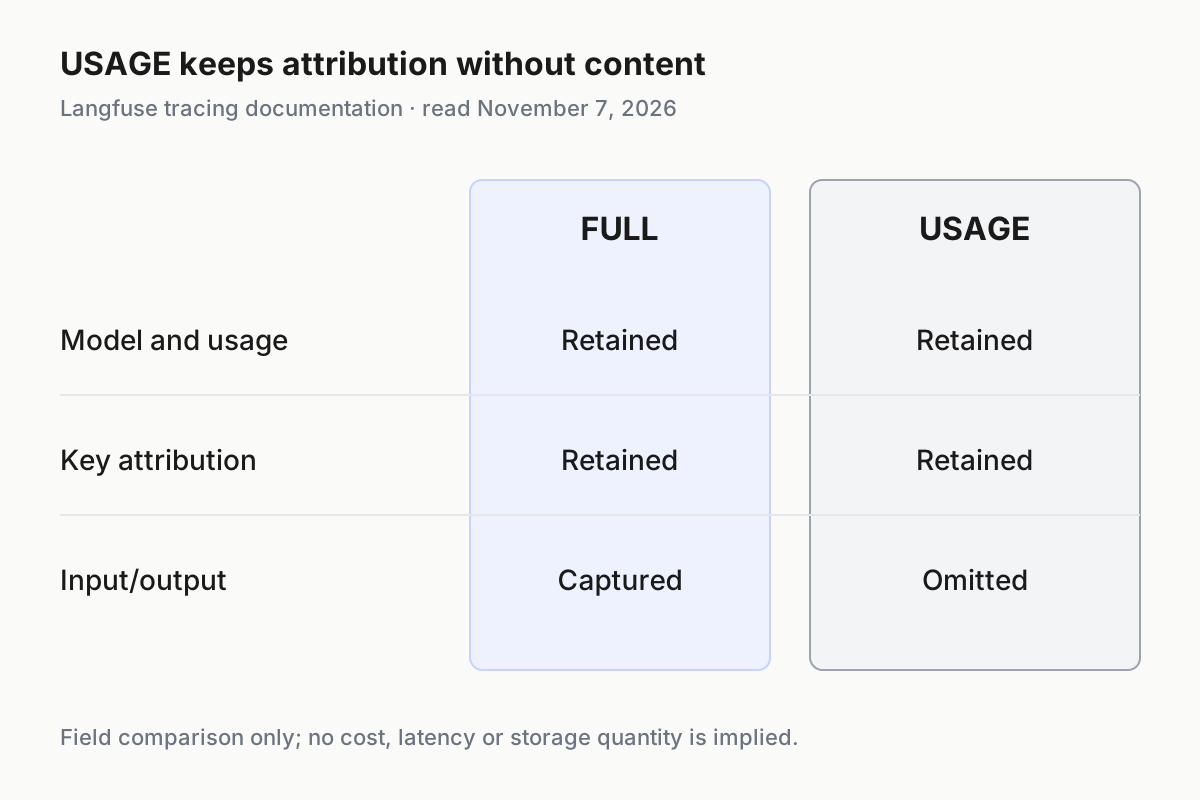
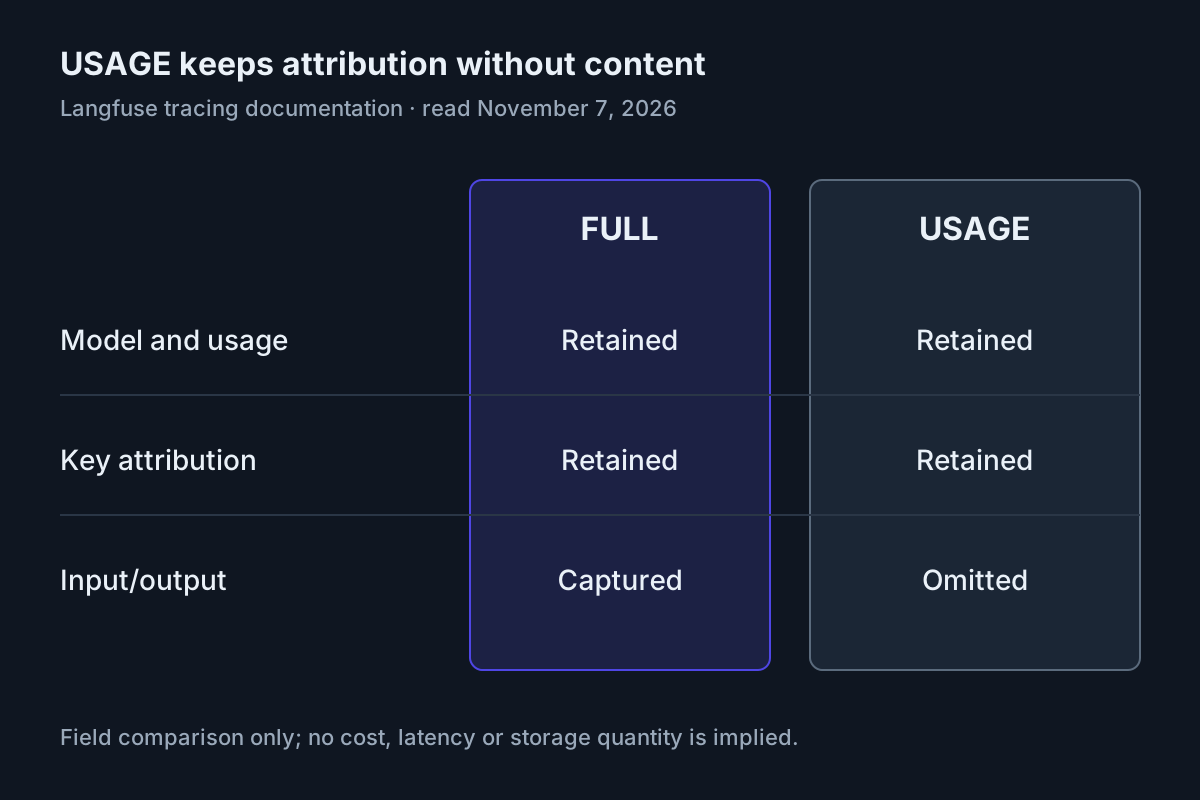
The tracing reference says FULL adds input and output to the fields recorded in USAGE. USAGE is the default and deliberately omits prompts and responses. Both modes retain model information, token usage, cost, latency and other attribution fields. Missing text in USAGE is an expected privacy choice, not a reason to install a second exporter.
The metadata header in the worked block creates top-level task and repo metadata. The gateway accepts newline-separated headers through ANTHROPIC_CUSTOM_HEADERS; inside langfuse-metadata, comma-separated key:value pairs split at the first colon. This makes task:gateway-hello-01 a useful exact label without replacing the agent’s session identity.
The environment value local follows the documented format. Invalid environment values fall back to default while the request still succeeds. Invalid context values can be dropped without failing the model call. Consequently, a reply alone cannot prove that every optional label was accepted. Inspect the recorded fields themselves.
Keep context headers short. Langfuse caps each value at 1 KiB and ignores context headers collectively when they exceed 8 KiB, including trace context. This small fixture stays deliberately compact. Do not paste an entire diagnostic report into metadata and then assume the gateway preserved it.
For the populated case, compare the task metadata with the key metadata rather than treating them as interchangeable. The task label comes from the client header, while the exercise label attached at key creation comes from the key. Seeing both in their documented locations gives you two distinct attribution checks. If the task label is absent but the key identity is correct, inspect the optional header configuration before replacing a working gateway credential.
If your approved destination uses USAGE, complete the same inspection without expecting text. Confirm the model, usage and key attribution, then record that content inspection was intentionally unavailable. Changing the mode for a later synthetic request can demonstrate content capture, but it does not establish that an earlier request contained stored input. Keep the conclusion tied to the particular generation you opened.
Separate a generation, a turn and a session
- Treat a generation as a routed model call.
- Treat the automatically inferred Claude Code session as a grouping across calls.
- Leave optional turn grouping disabled for the initial fixture.
- Investigate additional generations through their status and metadata before calling them duplicates.
By default, each Claude Code model call has its own trace. Langfuse groups coding-agent sessions using the agent’s session ID; the recorded session is prefixed with the agent name. A user prompt, a model request and a session therefore describe different units. The agent-loop explainer provides useful background on why a single user task can involve repeated model calls.
The fixture asks for a small response, but it does not establish a universal one-prompt/one-generation guarantee. The integration documents a particularly relevant exception: after a failed model call, Claude Code retries once without streaming. A failed prompt can therefore show two ERROR generations representing two actual attempts. That is different from recording one attempt twice.
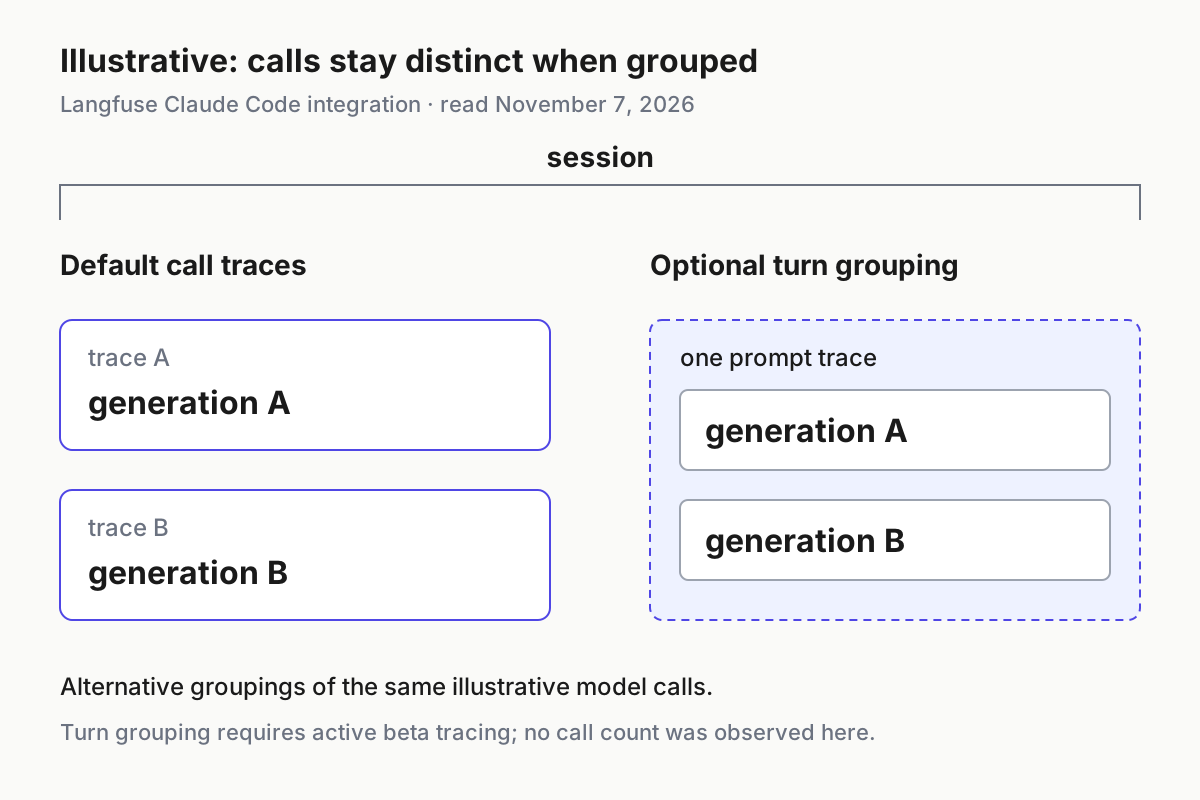
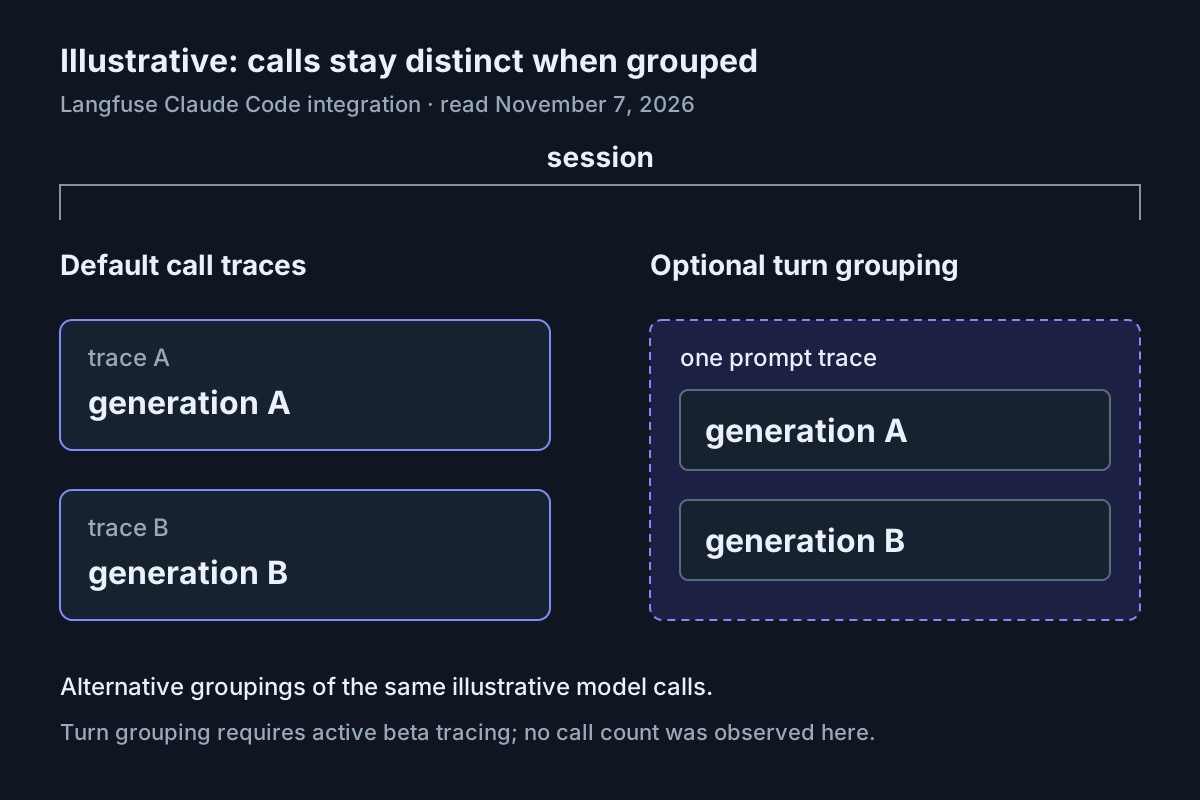
Turn grouping is an optional beta extension, not a prerequisite for proving gateway capture. Claude Code can propagate a W3C traceparent derived from its interaction span. The gateway then uses the trace ID so calls for that prompt, including retries and subagents, share a trace. Tracing must actually be active; setting propagation alone does not produce that header.
The integration requires telemetry enablement, enhanced telemetry beta, traceparent propagation and an active trace exporter. It explicitly warns against pointing the OTLP export at Langfuse: Claude Code’s model spans would become a second generation alongside each gateway generation. If you later adopt turn grouping, follow the integration’s own-collector arrangement. This tutorial leaves collector deployment outside its worked path.
Do not set a static langfuse-session-id in persistent configuration to make the display tidier. Langfuse warns that this merges sessions. Likewise, a static trace name renames every trace. Preserve the automatic session identity here and use the exercise metadata for identification.
Diagnose the observed symptom
| Observation | Interpretation | Next supported action |
|---|---|---|
| 401 mentioning conflicting Authorization and x-api-key credentials | Existing login or a different ANTHROPIC_API_KEY can supply competing authentication. | Run claude /logout, unset ANTHROPIC_API_KEY in the exercise shell and reapply the gateway token. |
| Reply succeeds, but input/output are absent | USAGE deliberately excludes content. | Inspect the organization’s ingestion mode; use FULL only within your authorized disposable scope. |
| Two ERROR generations follow a failed prompt | Claude Code can retry once without streaming. | Compare the two attempts and their provider errors before alleging duplicate instrumentation. |
| Startup HEAD /anthropic/api/hello returns 404 | The integration identifies a harmless connectivity probe that is not recorded. | Continue to the actual prompt and inspect its outcome. |
| You cannot open the ingestion project | Gateway access does not grant project visibility. | Obtain Viewer access or above to the intended project. |
Start with the exact error text. Repeating a 401 without changing the competing credentials only reproduces the same boundary failure. Langfuse says requests rejected before reaching the provider, such as authentication failures, omit trace and observation IDs. Looking for a successful generation for that rejected request is therefore the wrong next step.
For missing content in a long session, the Claude Code integration identifies a 5 MiB input capture limit as another possible cause. The small synthetic prompt helps distinguish this from an environment-wide capture problem. Also, empty thinking text does not establish missing output: Claude Code often omits thinking text, and the integration says thinking tokens are counted within output tokens.
A returned trace ID is useful evidence but not an absolute storage guarantee. The tracing reference describes recording as best-effort and acknowledges rare cases where a returned ID has no stored trace. If routing, project selection, access and capture mode all check out, preserve the actual identifiers available rather than asserting that ingestion must have succeeded.
For escalation, use the gateway troubleshooting index and include the real langfuse-request-id when available. Langfuse documents that header on every response, including authentication errors. This CLI fixture does not promise that Claude displays raw headers, so do not invent an identifier or mistake the exercise label for one.
Separate gateway and provider identifiers in any report you prepare. The gateway request identifier locates the gateway call, while the provider’s request identifier is retained separately in generation metadata. If you can open the generation, preserve the identifiers actually present there together with its status. If you cannot, state that limitation and supply the visible error, selected region and approximate request time without exposing the gateway secret.
The headless Claude Code guide covers broader scripted usage. Keep this diagnosis narrower: configuration, one synthetic prompt and its recorded calls. The operating lesson in AgentOps also applies: distinguish the model request record from the surrounding session history when investigating what happened.
Attribute the request and restore the environment
- Open Organization settings → AI Gateway → Analytics and filter by the disposable API key.
- Compare its recorded requests, tokens and models with the generations you just inspected.
- Restore the saved ingestion project and capture mode if you changed them.
- Restore the shell and persistent configuration to their saved values, including variables that were originally absent.
- Revoke
gateway-hello-01and restore your prior Claude authentication through your normal sign-in procedure.
The analytics documentation says these charts read gateway generations in the ingestion project. USAGE is sufficient; full prompt storage is unnecessary for attribution. Owners and admins see organization usage, while the AI Gateway role sees requests made with its own keys. Use the key filter rather than an organization total that includes unrelated traffic.
Do not use analytics as an invoice reconciliation result. The documentation flags known cost bugs, and the announcement says the provider bills model usage separately while each generation is a Langfuse billable unit. For that later task, the existing gateway reconciliation guide addresses the different meters.
The successful deliverable is concrete: a reply, an identifiable generation in the intended project, fields matching FULL or USAGE, and attribution to the disposable key. If one is missing, retain the corresponding diagnosis instead of marking the whole exercise successful. No observed counts or costs are supplied here.
Revocation takes effect immediately according to the announcement, and key creation and revocation enter the audit log. Revoking the disposable key ends its future access; it does not restore shell variables or reverse the earlier logout. Complete those restoration tasks separately. Avoid leaving the example exports in a startup file that will silently route tomorrow’s work through the exercise.
This focused setup differs from the broader coding CLI bridge register: you have inspected one native Anthropic request path and learned how capture, authentication and grouping explain its evidence. You can now repeat the same synthetic diagnosis after a configuration change without turning a missing text field into duplicate instrumentation.