DeepSeek Opens Its App Toolkit as an API: Search, Files, Voice and Standalone OCR/ASR/TTS, Plus a Front End You Can Fork
DeepSeek put the capabilities behind its consumer chat app on the public API: web search, deep thinking search, file parsing, link reading, safety checks, voice, plus standalone OCR/ASR/TTS and an MIT-licensed front end. Here is what shipped, the parameter trap in the docs, and what to do this week.
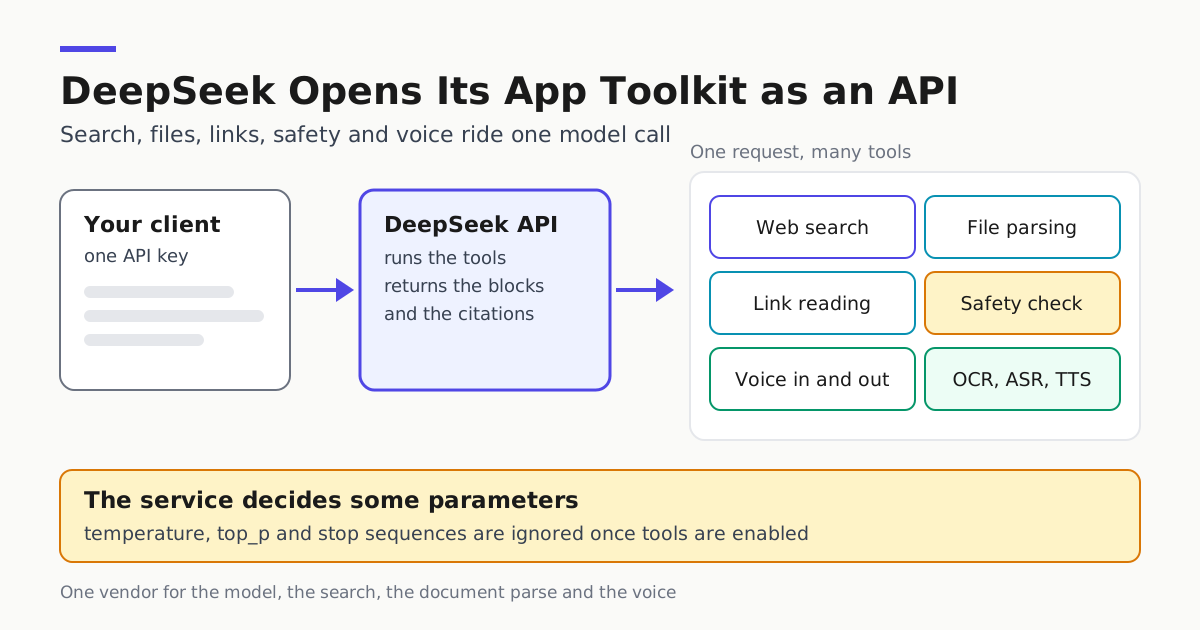
On Nov 13, 2026, DeepSeek announced that the machinery behind its own chat app is now callable through its API. The official post promises “search, files, links, safety, and voice,” plus standalone OCR, ASR and TTS endpoints, and points builders at an open-source chat front end that can import conversation history from DeepSeek Chat.
That is more than another model or a price cut. A team running agents on DeepSeek models previously had to bolt on a separate search provider, a separate document parser and a separate speech vendor, then paste results back into a prompt. Now the model vendor runs the search and the link reads itself, returns typed content blocks, and hands citations back inline.
What actually shipped
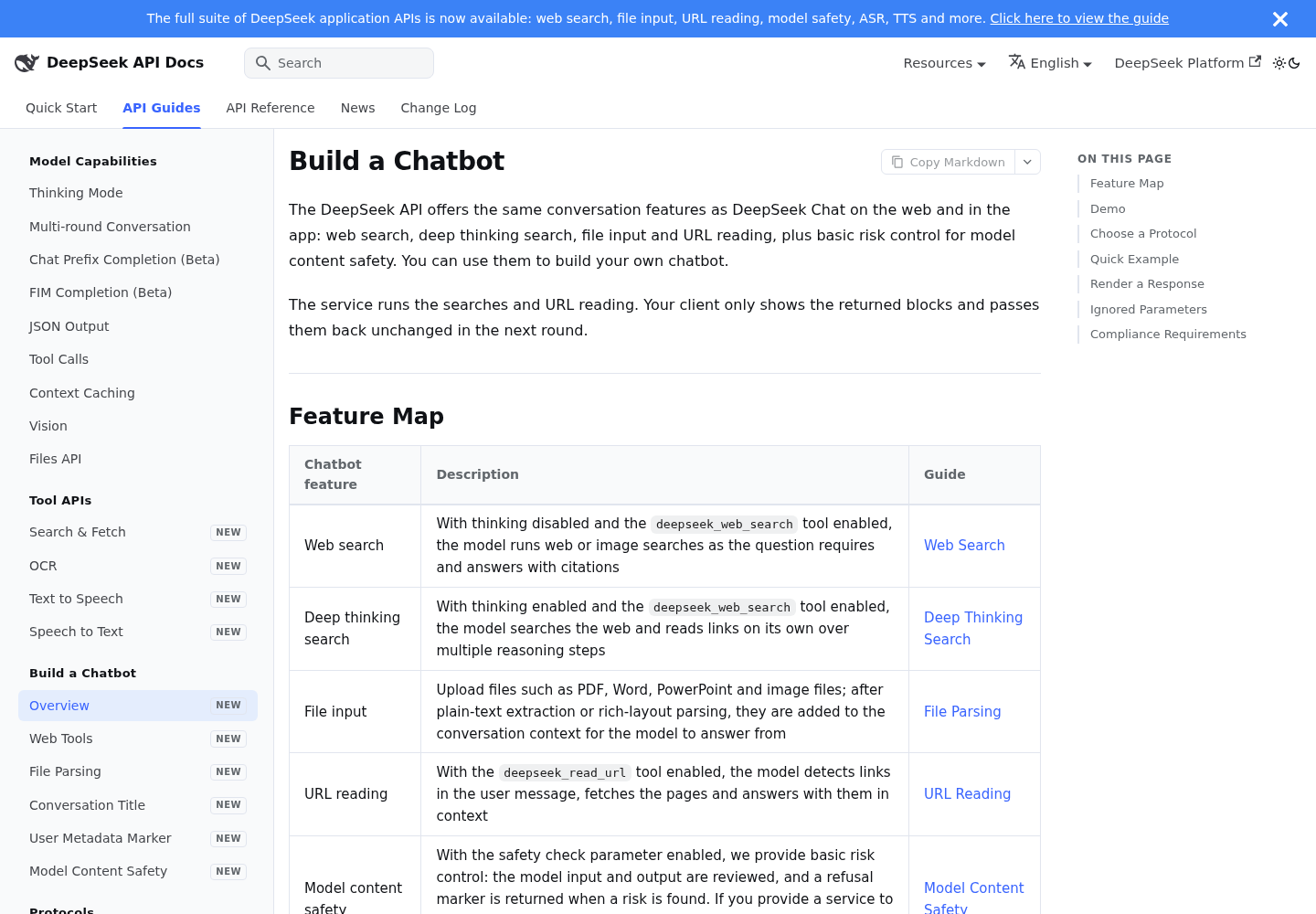
DeepSeek’s own Build a Chatbot guide is the operational spec, and its feature map mirrors the consumer app.
| Chat feature | What the service does |
|---|---|
| Web search | With thinking off and deepseek_web_search on, the model runs web or image searches and answers with citations |
| Deep thinking search | With thinking on, it searches and reads links across multiple reasoning steps |
| File input | PDF, Word, PowerPoint and image files are text-extracted or rich-layout parsed into context |
| URL reading | With deepseek_read_url on, the model spots links in the message, fetches the pages and answers from them |
| Model content safety | With the safety check on, input and output are reviewed and a refusal marker is returned |
| Conversation title | A short title is generated when the answer ends |
| Read aloud, voice input | Answers are spoken; speech is transcribed into a text message |
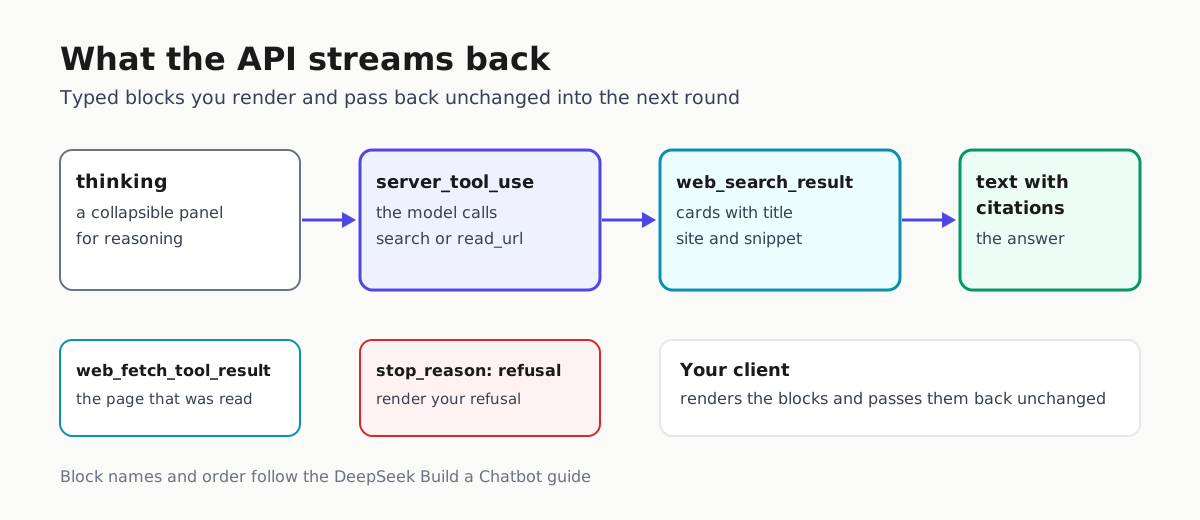
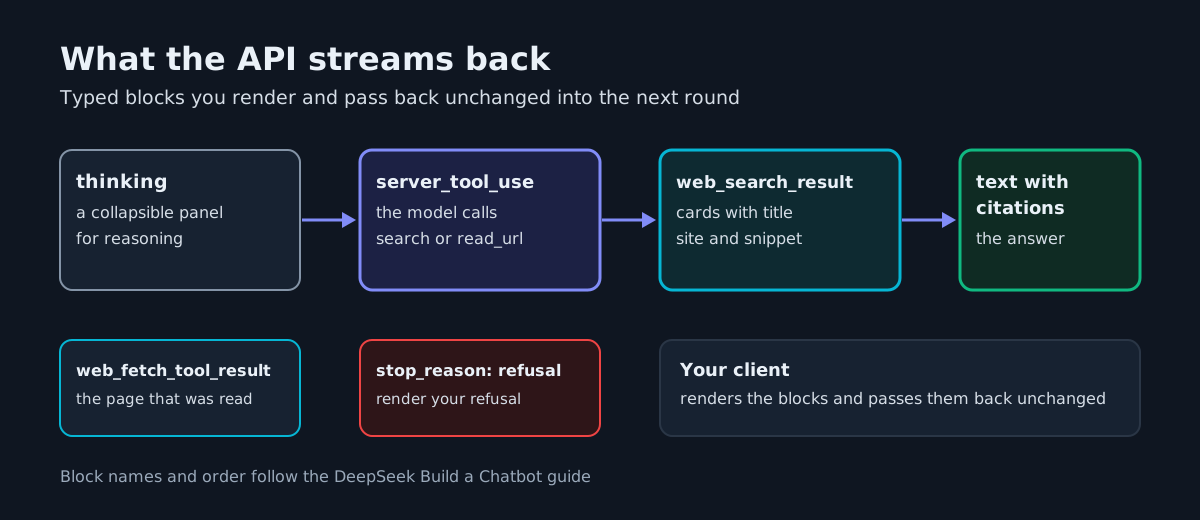
The architectural point matters more than the list: the service runs the searches and the URL reading, while your client only renders the returned blocks and passes them back unchanged into the next round.
One tool dialect, three endpoints
The same features work over three endpoints: the Anthropic-compatible Messages API (POST https://api.deepseek.com/anthropic/v1/messages), Responses (POST https://api.deepseek.com/responses) and Chat Completions (POST https://api.deepseek.com/chat/completions). The guide’s examples use deepseek-flash.
curl https://api.deepseek.com/chat/completions \
  -H "Content-Type: application/json" \
  -H "Authorization: Bearer ${DEEPSEEK_API_KEY}" \
  -d '{
    "model": "deepseek-flash",
    "thinking": {"type": "enabled"},
    "tools": [
      {"type": "deepseek_web_search"},
      {"type": "deepseek_read_url"}
    ],
    "safety_check": {"level": "high"},
    "title": {"enabled": true},
    "messages": [{"role": "user", "content": "What is new in DeepSeek V4.1?"}],
    "stream": true
  }'
This is the guide’s own Chat Completions example; the Messages API variant of the same tools adds a name field.
The reply is a stream of typed blocks, not prose: a collapsible thinking panel, server_tool_use steps, web_search_tool_result cards, web_fetch_tool_result for pages that were opened, text with inline citation markers, and a refusal stop reason when the safety check trips. A chat surface now renders a search step with result cards instead of a wall of text.
The parameter trap
Here is where the announcement meets the documentation. When a request declares deepseek_web_search or deepseek_read_url, sets safety_check to high, or enables title, DeepSeek decides some parameters for you and ignores what you sent.
| Protocol | Parameters the service ignores |
|---|---|
| Messages | temperature, top_p, top_k, stop_sequences, thinking.budget_tokens, preserve_thinking, tool_choice.disable_parallel_tool_use, metadata (except user_id) |
| Responses | temperature, top_p, reasoning.summary, text.verbosity, include, max_tool_calls, truncation, metadata, parallel_tool_calls, store |
| Chat Completions | temperature, top_p, frequency_penalty, presence_penalty, stop, seed, n, preserve_thinking, parallel_tool_calls |
For a fleet, that is a config-review item: temperature, top_p and stop sequences silently stop applying the moment search is switched on. A related trap: max_tokens limits the output of each inference step in a round, not the round’s total, so a multi-step tool round can burn more tokens than your ceiling suggests.
A front end you can fork
The deepseek-ai/chat-demo repository is MIT-licensed and needs no application backend: the browser connects straight to the configured API service. It runs on Node.js 22.12+ with pnpm, and pnpm build writes a static dist/ you can host anywhere.
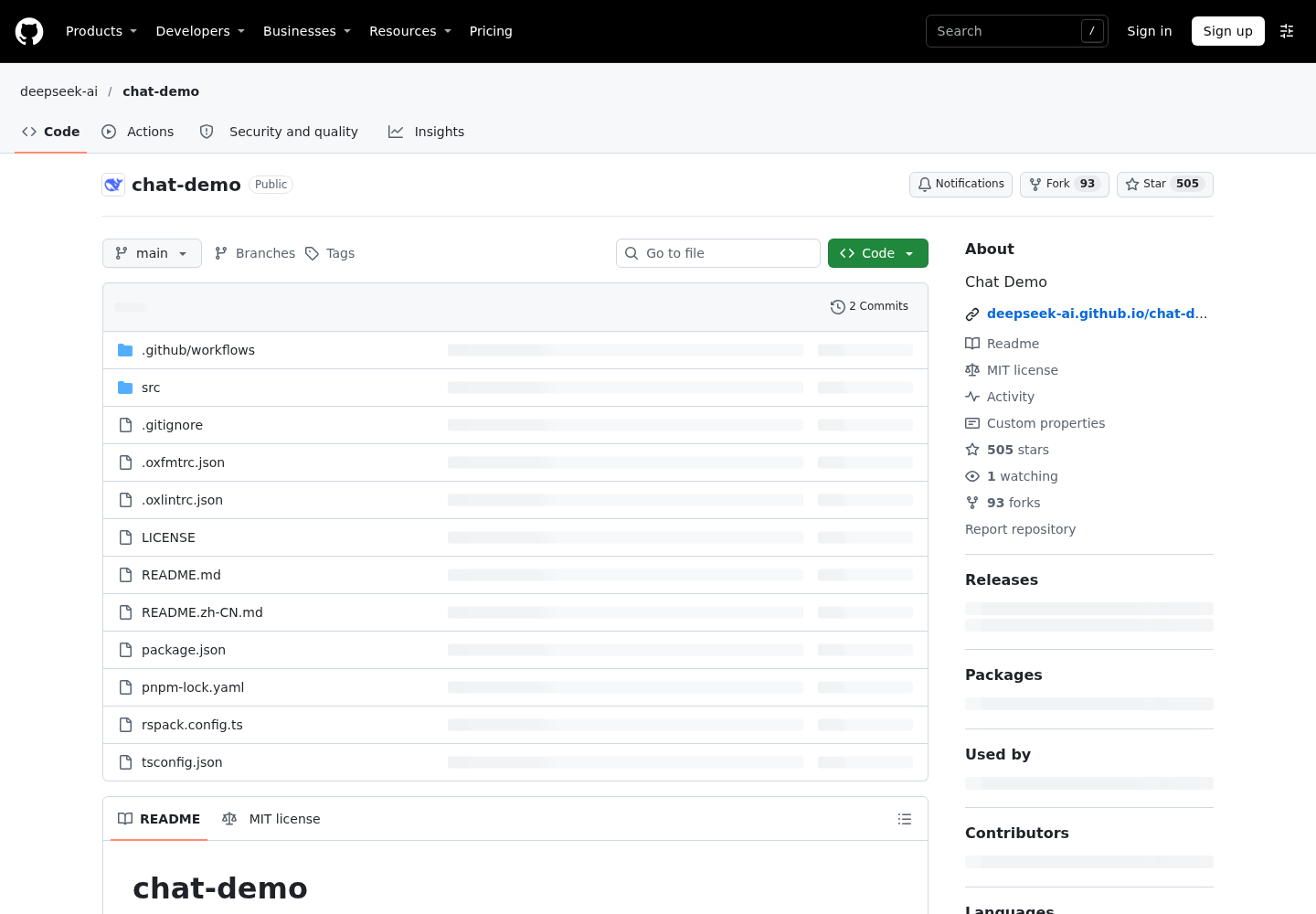
It demonstrates streaming replies with deep thinking, smart search, link reading and source citations, attachment upload and drag and drop, voice input and read aloud, Markdown, KaTeX and Mermaid diagrams, and chat history import and export as ZIP archives.
Three operator notes. The API key and settings live in the browser’s localStorage, and conversations plus original attachments live in IndexedDB: fine for a demo, a warning for a fork you expose to users. Opening dist/index.html from disk needs browser support for storage on file:// pages and an API service that permits cross-origin requests. And the history import is the strategically interesting piece: export from DeepSeek Chat, import into this client, keep going in a surface you control. Treat it as a migration rather than a copy, because an import replaces existing local conversations and exports leave out API keys, settings and original non-image attachments.
The README doubles as a compatibility note: chat uses deepseek-flash by default through the Anthropic-compatible Messages and Files APIs, speech features use the ASR and TTS endpoints, and requests carry extensions for search, link reading, titles and latest_reminder, so the service you point it at must implement them.
What to do this week
- Move search and link reading into the model call. If you chained a separate search endpoint into a DeepSeek prompt, that plumbing is now optional. See our earlier coverage of the search and fetch APIs and the wiring guide for coding agents.
- Re-audit sampling parameters on every request that enables tools, and record the ignored set in config review.
- Keep the API key out of the browser if you fork the demo for real users.
- Check the compliance line. DeepSeek says that if you provide a service to the public, enable the safety check parameter and meet your own obligations as a provider, such as content safety review, large model registration and AI labeling.
- Price the new paths before you scale. Neither documentation page fetched here lists a per-call price for search, OCR, ASR or TTS, so measure cost per completed task rather than assuming the old search price applies. And test the import path with the session import fidelity checks before you migrate conversations.
Where this leaves the platform
This follows the search and fetch APIs DeepSeek opened in October, where search and fetch sat behind pay-per-call endpoints you called yourself. Now search is a model capability that returns citations inside the answer, and files, safety and voice ride along in the same request. For agent builders the practical change is fewer vendors between a prompt and a cited answer, which is what shows up in a latency budget and a vendor-risk review.
The standalone OCR, ASR and TTS endpoints are announced in the same post, and the demo calls the ASR and TTS endpoints directly, but DeepSeek keeps dedicated guides for OCR, ASR and TTS outside the chatbot guide. Read those before building a transcription pipeline on them: the announcement is authority that the endpoints exist, not a description of their request shapes.
Sources
- DeepSeek on X: "🚀 The full DeepSeek App experience, now via API Search, files, links, safety, and voice. The capabilities behind the DeepSeek App are now available through the DeepSeek API. Enable built-in features with a few parameters, or call standalone APIs such as OCR, ASR, and TTS. Build ri…
- Build a Chatbot | DeepSeek API Docs
- GitHub - deepseek-ai/chat-demo: Chat Demo · GitHub