GitHub CLI's Expiring OAuth Tokens Preview: Opt In With --expiring and a Leaked gh Credential Dies in Hours
GitHub CLI v2.103.0 previews opt-in expiring OAuth tokens that gh refreshes automatically, so a leaked credential dies in hours. How to enable it, the git 2.46 caveat, and what breaks.
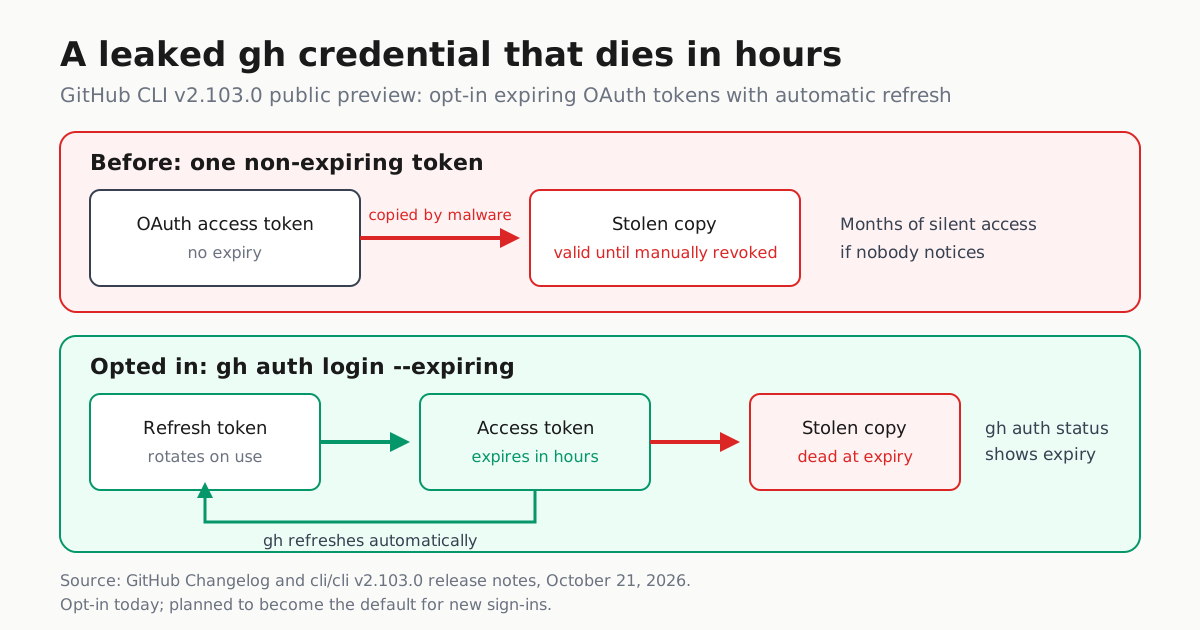
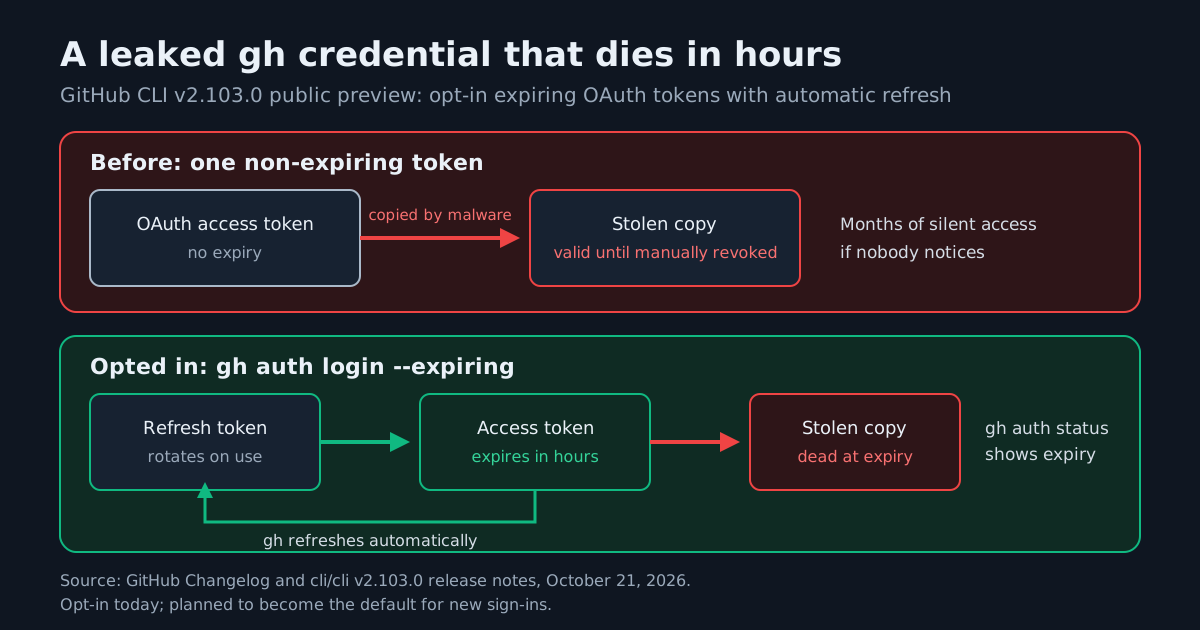
GitHub CLI v2.103.0, released October 21, 2026, ships a credential change operators should plan around: a public-preview, opt-in OAuth login that stores a short-lived access token alongside a rotating refresh token and refreshes itself in the background. GitHub’s changelog announcement puts the payoff plainly: when you opt in, a leaked access token “becomes unusable within hours instead of lasting indefinitely.”
For anyone whose coding agents, CI runners or fleet laptops shell out to gh, that shrinks the exposure window on a credential that today has no expiry at all — and, per the gh auth login manual, may even be sitting in a plain-text file when no system credential store is available. The day-to-day workflow does not change: nothing happens unless you opt in, existing sign-ins and manually supplied tokens keep working exactly as before, and GitHub says expiring credentials are planned to become the default for new sign-ins in a future release. Piloting now is how you avoid being surprised later.
How to opt in
# One sign-in with expiring credentials (v2.103.0+)
gh auth login --expiring

# Prefer expiring credentials for every future sign-in
gh config set expiring_credentials enabled

# Check whether the credential is refreshable and when it expires
gh auth status
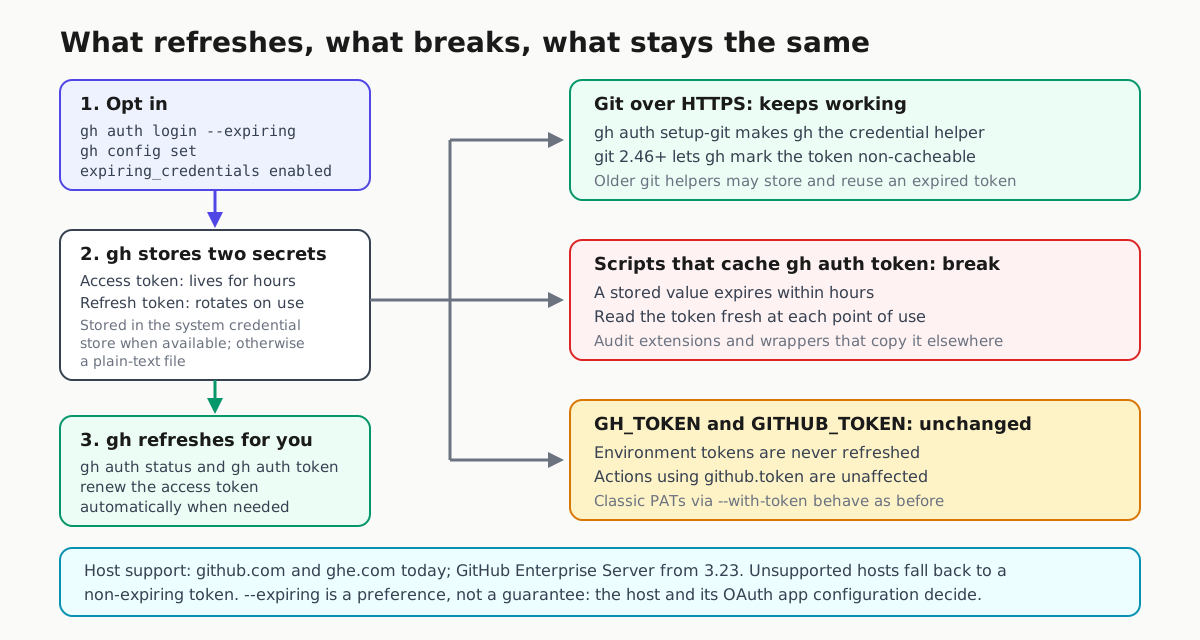
Per the v2.103.0 release notes, both gh auth status and gh auth token automatically refresh the access token when needed, so there is nothing new to run day to day. The gh auth login manual adds one nuance worth knowing before you script around it: --expiring is a preference, not a guarantee. Whether expiring tokens are issued depends on the host and its OAuth app configuration — a host without support issues a normal non-expiring token, and a host configured for them may issue expiring tokens even without the flag. Pass --expiring=false to explicitly request a non-expiring token when the configuration setting is enabled.
The leak math
Today’s gh OAuth token has no expiry. The manual notes that when no system credential store is found, gh falls back to writing the token to a plain text file — exactly the material infostealers and sloppy dotfile backups harvest. Once copied, that token works until someone notices and revokes it by hand.
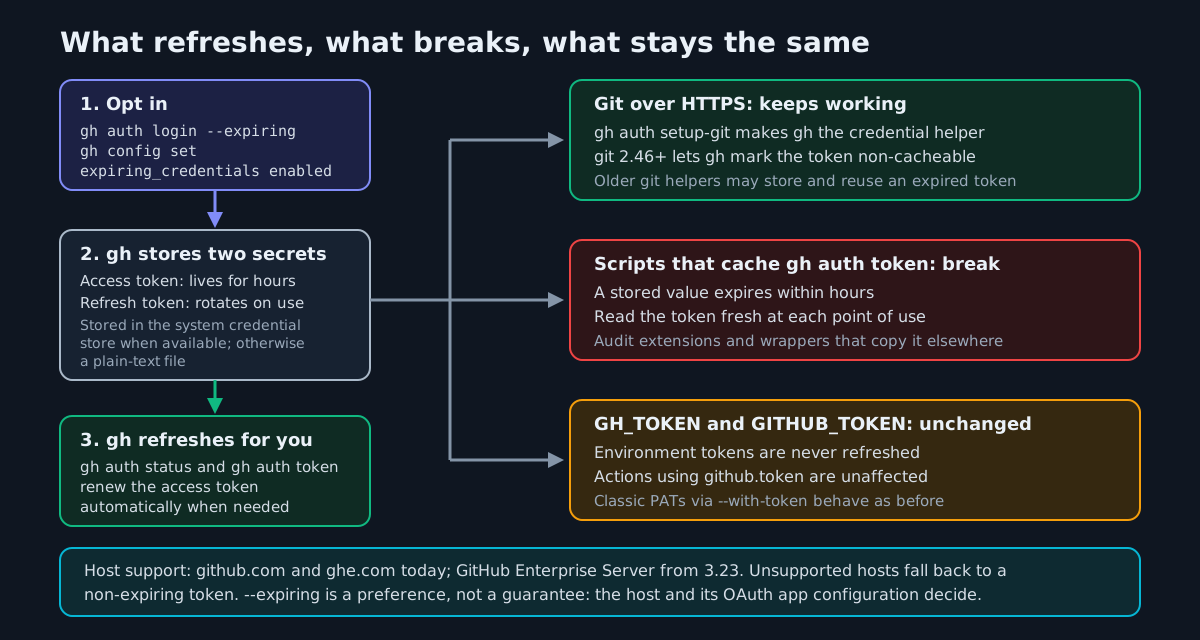
With expiring credentials, gh keeps two secrets instead of one: an access token that lives for hours, and a refresh token that rotates. A stolen access token dies on its own at expiry. That is the same logic behind the key-migration drill we published for OpenAI’s legacy API key cutoff and the response to the OpenCode breach that exposed stored provider API keys — except here the rotation is automatic and built into the tool.
Git over HTTPS: two commands, one version floor
If git authenticates over HTTPS, GitHub strongly recommends two things:
gh auth setup-git   # make gh the git credential helper
git --version       # 2.46 or newer recommended
With gh as the credential helper, it serves and refreshes the credential for git, so pushes and clones keep working. Git 2.46 matters because it lets gh mark expiring credentials so they are not cached past their lifetime; on older git, gh still works but prints a one-time upgrade recommendation, and the manual warns that an older credential caching helper may store and reuse an expired token. If your agents clone over HTTPS, pair this with our git HTTPS authentication playbook for agent CI so every clone path is covered.
What breaks: anything that hoards gh auth token
The changelog’s “things to watch out for” section is the real migration guide:
| Pattern | Under expiring tokens |
|---|---|
Running gh commands directly |
Works; refresh is automatic |
Git over HTTPS with gh auth setup-git |
Works; gh serves a fresh credential |
Scripts or extensions that store the output of gh auth token |
Break at expiry; call gh auth token fresh each time |
Tokens supplied through GH_TOKEN / GITHUB_TOKEN |
Unchanged; the release notes say these are never refreshed, so Actions using github.token are unaffected |
gh auth login --with-token with a classic PAT |
Unchanged; manually supplied tokens work exactly as before |
Grep your automation and your installed gh extensions for anything that captures gh auth token once and reuses the value — wrappers, upload scripts, chat-ops bots. The fix is mechanical: read the token at the point of use. If a workflow genuinely depends on a long-lived token, GitHub’s advice is to hold off on opting in for that workflow.
Host support
Expiring tokens are available on github.com and ghe.com today. GitHub Enterprise Server issues them starting with GHES 3.23; on earlier versions, opting in falls back cleanly to today’s non-expiring behavior.
A week-one checklist
- Upgrade to gh v2.103.0 and confirm with
gh --version. - Pilot on one machine:
gh auth login --expiring, then verifygh auth statusreports a refreshable credential and shows when the current access token expires (this release also adds a relative time-to-expiry display). - Run
gh auth setup-giton every HTTPS host and move git to 2.46 or newer. - Audit scripts and extensions for cached
gh auth tokenvalues; switch to per-run reads. - Leave CI environment-variable auth alone — those tokens are never refreshed and are therefore unaffected.
- Pick a date to flip
expiring_credentials enabledfleet-wide, before the default flips for you.
Longer term, this is the same direction as our argument for treating every agent as a service principal: credentials with lifetimes beat credentials with good intentions. The preview is opt-in, the fallback is clean, and the biggest risk this week is a script you forgot caches a token — worth finding now rather than after the default changes.