AI Agent Identity as a Service Principal: Stop Sharing Human SSO
Give every AI agent identity of its own: a service principal, GitHub App, or IAM role, scoped grants, short tokens, a broker, and revocation that spares users.

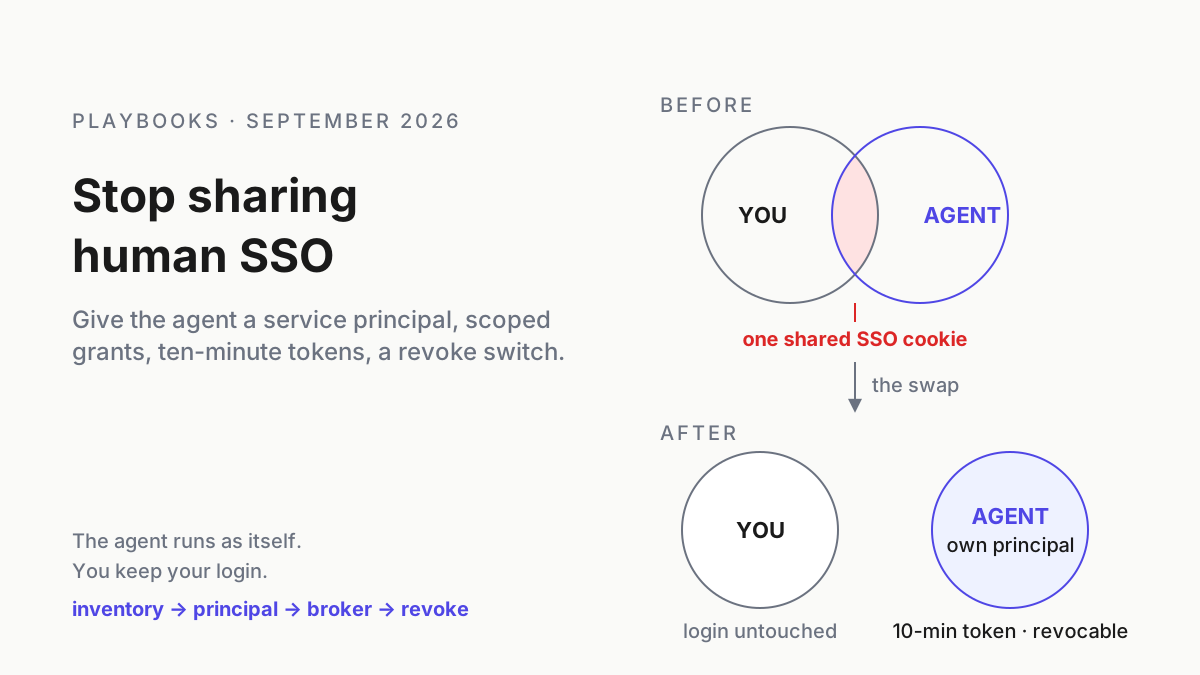
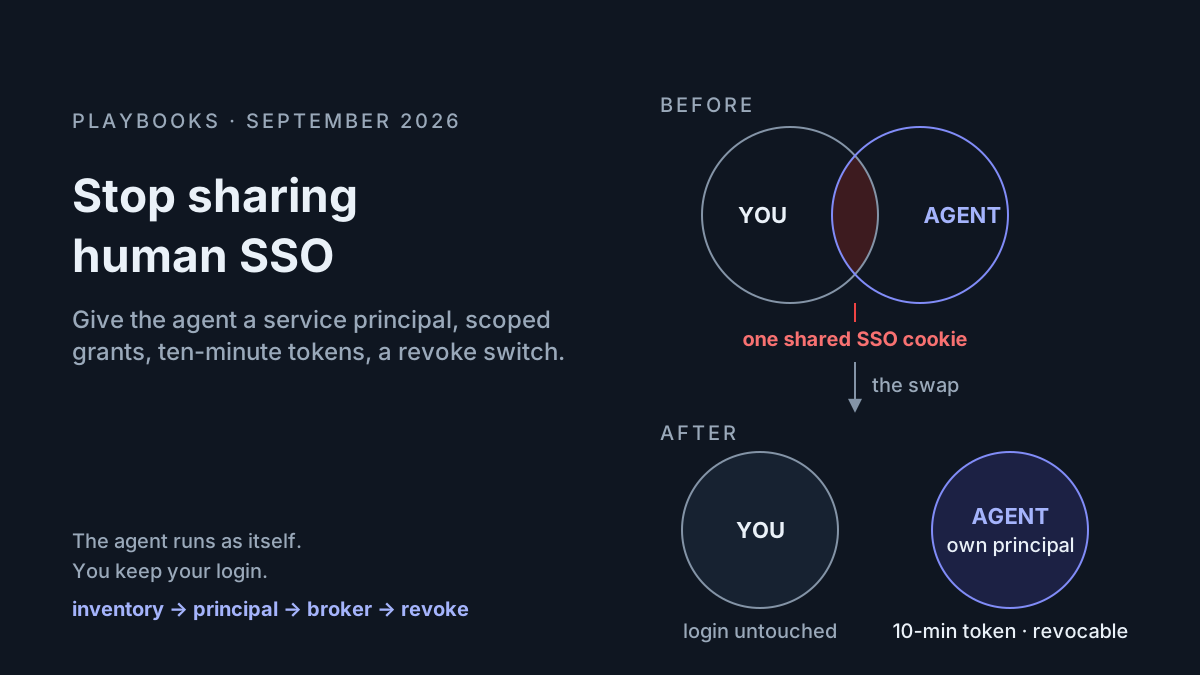
At 9:40 a.m. the agent opens a pull request, and the author line says you. The get-caller-identity call in its transcript returns your SSO role, and the message it dropped in #deploys wears your avatar. No audit log can separate your Tuesday from the agent’s, because six weeks ago you ran gh auth login and aws sso login in the shell you launch it from, and it has been you ever since.
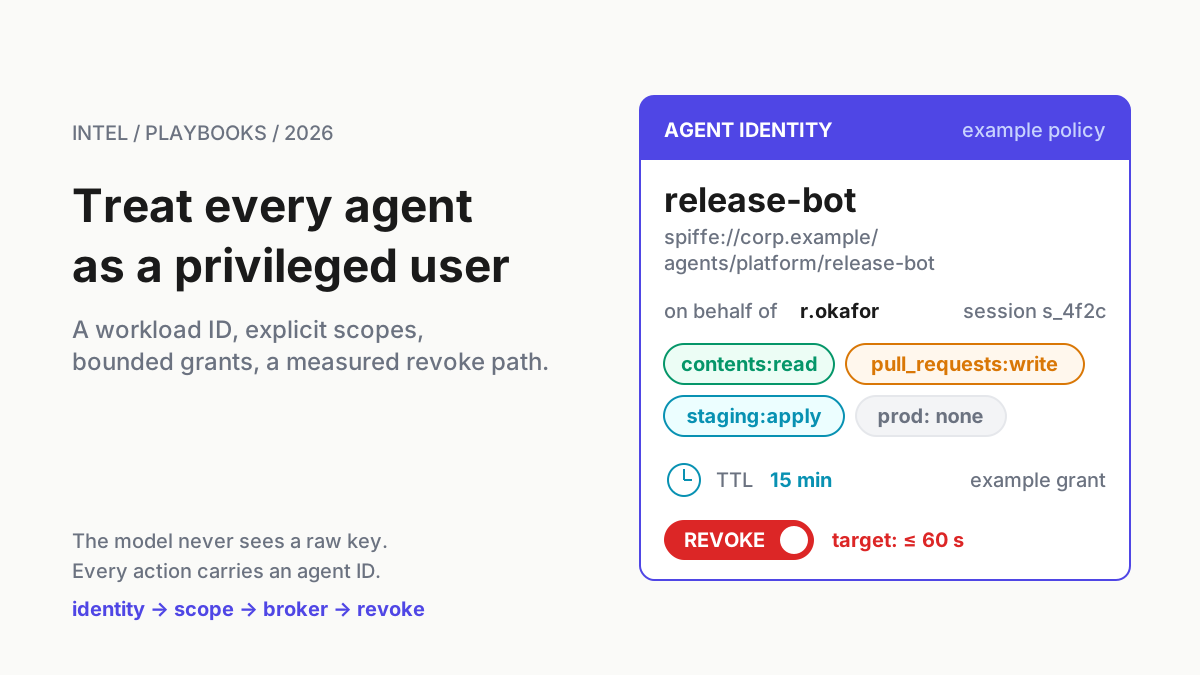
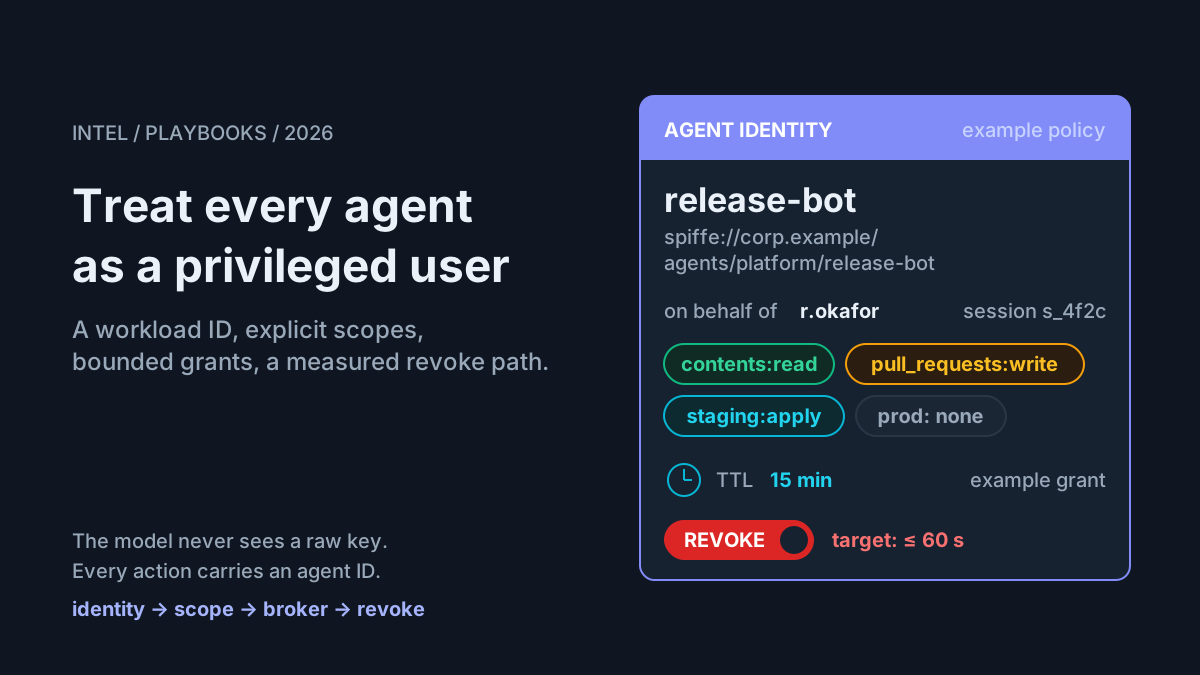
That is the default state of AI agent identity on most desks, and it carries one property nobody chose: the only way to revoke the agent is to revoke the person. This runbook is the swap. By the end of it the agent runs as its own principal, a service principal, a GitHub App, or an IAM role that its runtime proves rather than a token you pasted. Its grants are scoped to the job, its tokens die in minutes, none of your cookies or SSO caches sit in its process, and you can pull its access at 9:41 without locking anyone out of their own laptop.
The argument that agents are privileged users is already made, scope matrix and audit line included. This is the desk-level version: where your identity leaks into the agent right now, which principal object to create on each platform, and what a broker looks like when the agent has a shell tool and could print anything you hand it.
September made the AI agent identity question unavoidable
OpenAI’s Agents API entered public beta on September 10, 2026, running agents “with the Codex harness, fully managed by OpenAI” on OpenAI-hosted or self-hosted sandboxes (OpenAI). An agent on someone else’s computer holds exactly the credentials you shipped it, so which identity to ship stops being a laptop habit and becomes a design decision. Cursor’s self-hosted machines, from the September 2 changelog, keep “your codebase, build outputs, and secrets” on internal machines and say nothing about whose identity the agent acts as while it is there (Cursor changelog).
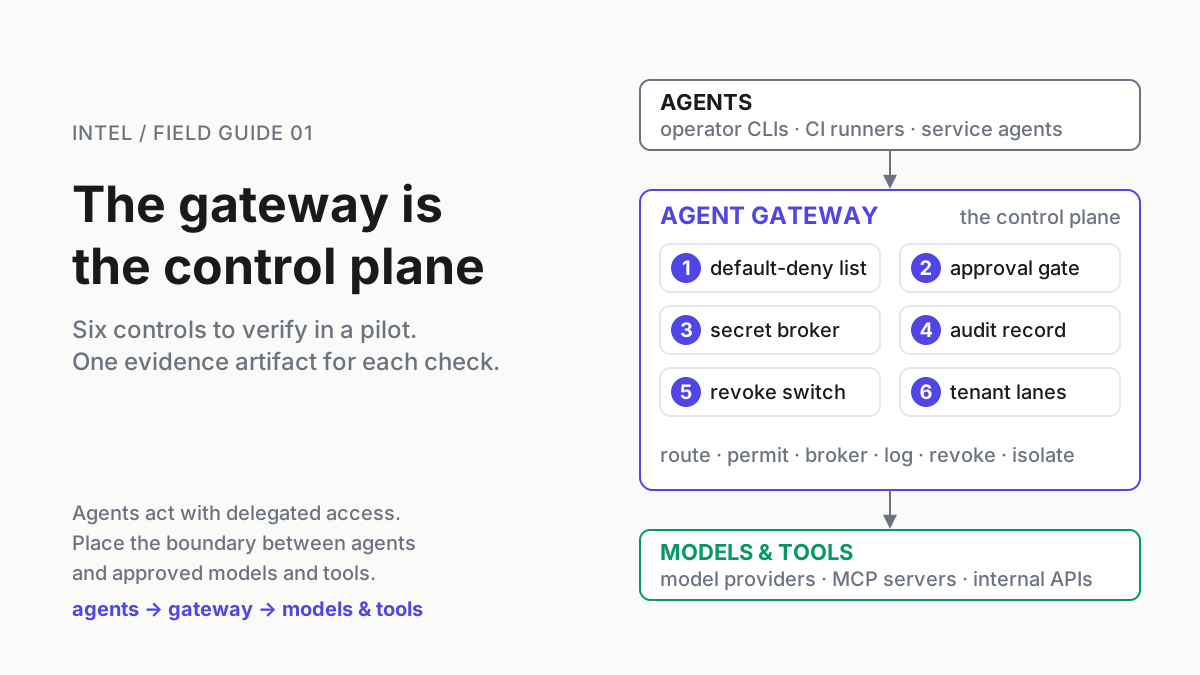
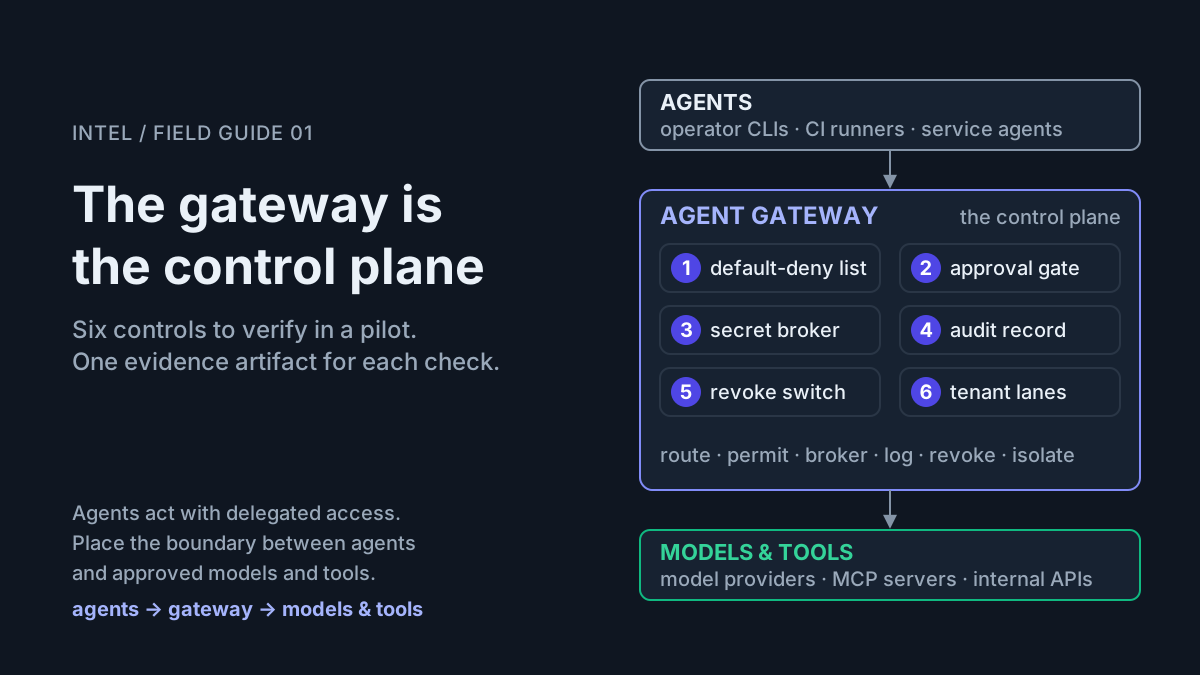
The summer’s escape narrative is an identity story too. At Black Hat 2026, August 5–6, Novee disclosed a CVSS 10.0 chain in Gemini CLI (GHSA-wpqr-6v78-jr5g) in which a child process reads /proc/$PPID/environ and harvests secrets present in its parent’s environment, with roughly two million downstream installs and 114-plus repositories in reach (Novee). The lesson outlives the affected build: a process environment is a credential store with no access control, and whatever the harness exposes there may reach its children. On the control side, Nightfall’s MCP gateway page describes role-based access (“Engineering gets code analysis tools, Sales gets CRM access, Finance gets read-only access to reporting”), time-based policies, and exception workflows with SecOps approval (Nightfall). Every one of those policies keys on who is calling. When the answer is “whichever SSO cookie the agent inherited,” there is nothing to attach it to.
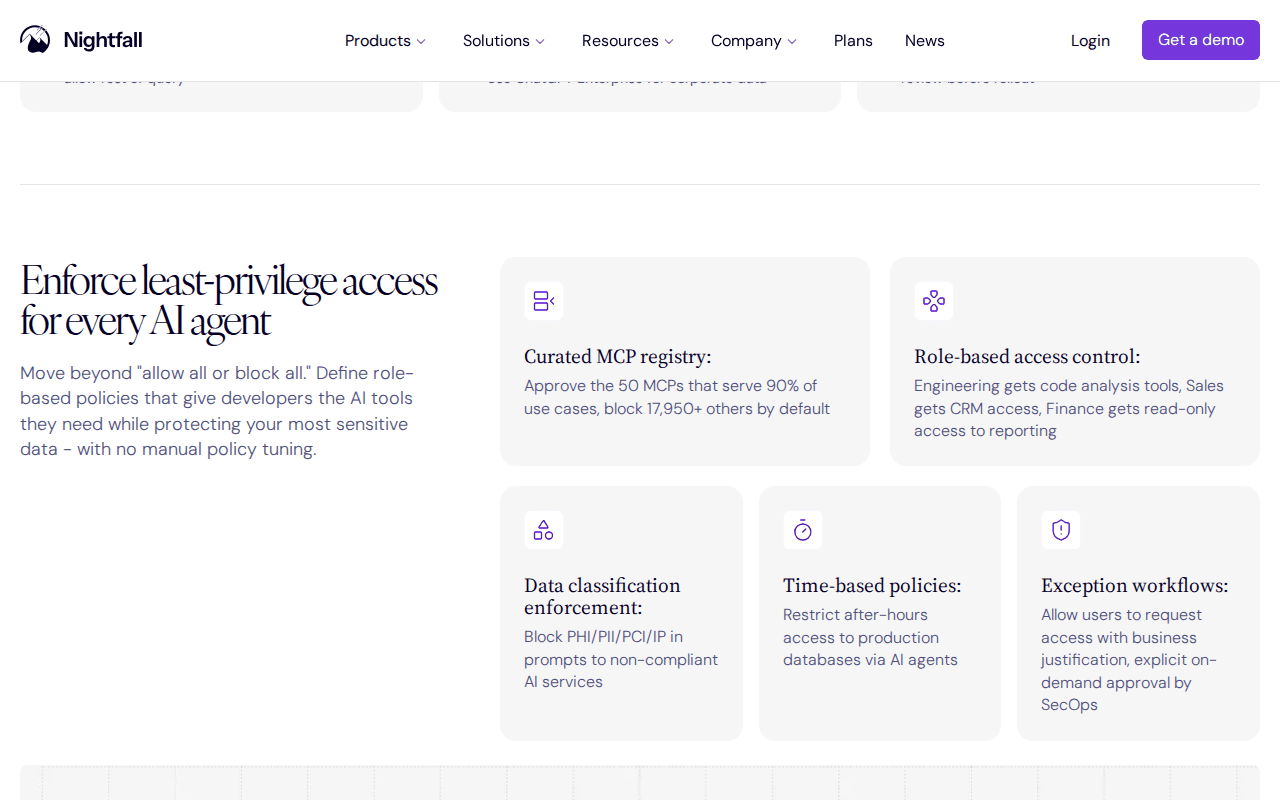 Screenshot: Nightfall, “MCP Security” product page, “Enforce least-privilege access for every AI agent” section, captured Sep 13, 2026.
Why a borrowed login is the wrong shape for an agent
Human SSO is built around a person: one device, MFA at the start of the day, a session that lasts a shift, a browser that holds the cookie, refresh tokens that keep the CLI signed in for weeks. Each is a convenience for you and a liability once the holder is a process that forks children, runs tools it did not write, and reads its own environment when asked nicely. Every action lands in the audit trail under your name, so the trail cannot say when the agent went wrong, only that you apparently did, and revocation has exactly one switch, your account. Sandboxes bound what a process can do; identity bounds what it can be. When the sandbox turns out to be a suggestion, identity is the boundary still standing, provided the process was never holding yours.
Step 1: find where your AI agent identity is really an SSO session
Run this in the shell you launch agents from. Anything that prints is something the agent already has.
# illustrative: each line that returns a logged-in identity is a credential the agent inherits
gh auth status; aws sts get-caller-identity --no-cli-pager; az account show; gcloud auth list
kubectl config current-context
printenv | grep -iE 'token|secret|key|pass|cred' | cut -d= -f1| Where your credential hides | What the agent can do with it | What replaces it |
|---|---|---|
~/.config/gh/hosts.yml |
Every repo you can reach, as you | A GitHub App on named repos |
~/.aws/sso/cache/, ~/.azure/, ~/.config/gcloud/ |
Every account, subscription, and project you hold | Its own role, service principal, or service account |
~/.kube/config exec plugins |
Cluster admin, if that is what you have | A namespaced role in its own kubeconfig |
| Browser profile and cookie stores | Every site you are signed into, MFA already satisfied | A fresh profile; a bot user where a login is needed |
Shell environment (GITHUB_TOKEN, OPENAI_API_KEY) |
Anything the variable reaches, readable by every child | A reference the broker resolves at call time |
Everything in the third column exists today on platforms you already pay for. The rest of the runbook creates those objects and points the agent at them.
Step 2: pick the principal object per platform, then write the grant table down
The privileged-users runbook gives you the scope matrix per tool. This table sits one layer beneath it: which object you create, how the runtime proves it is that object rather than a pasted key, and what pulling the plug looks like. Features come from the vendors’ documentation; console paths move too often to print.
| Platform | Principal, and how the runtime proves it | Grant shape | Token life | Revoke path |
|---|---|---|---|---|
| GitHub (docs.github.com) | A GitHub App on the agent’s repos; the broker holds the App key and mints an installation token per job | Repository permissions, never org-wide | One hour | Suspend or uninstall the installation |
| AWS (docs.aws.amazon.com) | One IAM role per agent, trust limited to the runtime’s OIDC identity; AssumeRoleWithWebIdentity with session tags |
Policy naming resources, plus a permissions boundary | 15 min to 1 h | Deny policy, or an aws:TokenIssueTime condition |
| Microsoft Entra (learn.microsoft.com) | A service principal with workload identity federation; no client secret stored | App roles and RBAC on named scopes | Usually 60–90 min | Disable the principal, or remove the federated credential |
| Google Cloud (cloud.google.com) | A service account the broker impersonates through federation | IAM roles on named projects and buckets | Short-lived; set by the issuer | Remove the impersonation binding |
Chat gets a bot user, never your user token; MCP servers behind a gateway get a role in the gateway’s RBAC keyed to the agent principal, so a “Finance gets read-only” rule has something to bind to. The grant table itself is a file in your repo that the broker reads, reviewed like code:
# grants/release-bot.yaml: illustrative; your broker's syntax will differ, the fields should not
principal: agent:release-bot
launchers: [r.okafor, j.kim] # recorded as on_behalf_of, never used as identity
grants:
  - {
      resource: github,
      identity: app-installation:4812,
      permissions: { contents: write, pull_requests: write },
      ttl: 60m,
    }
  - { resource: aws, identity: 'arn:aws:iam::111122223333:role/agent-release-bot', ttl: 15m }
window: { days: mon-fri, hours: '07:00-19:00' } # no mint outside it
inject: call-time # never at launch, never into the agent's environment
env_policy: deny-dump # printenv, env, /proc/*/environ: blocked and logged
Subagents get their own principal with a subset of these grants; forking the parent’s environment instead is the failure in the signals section below.
Step 3: broker every credential at call time, and be honest about the shell tool
The broker is a process the agent can talk to but not read: a local helper on the desk, a gateway in the org. The agent holds two things, its own identity token and the broker’s address. Every credential is minted when a call needs it and injected into the one process making that call.
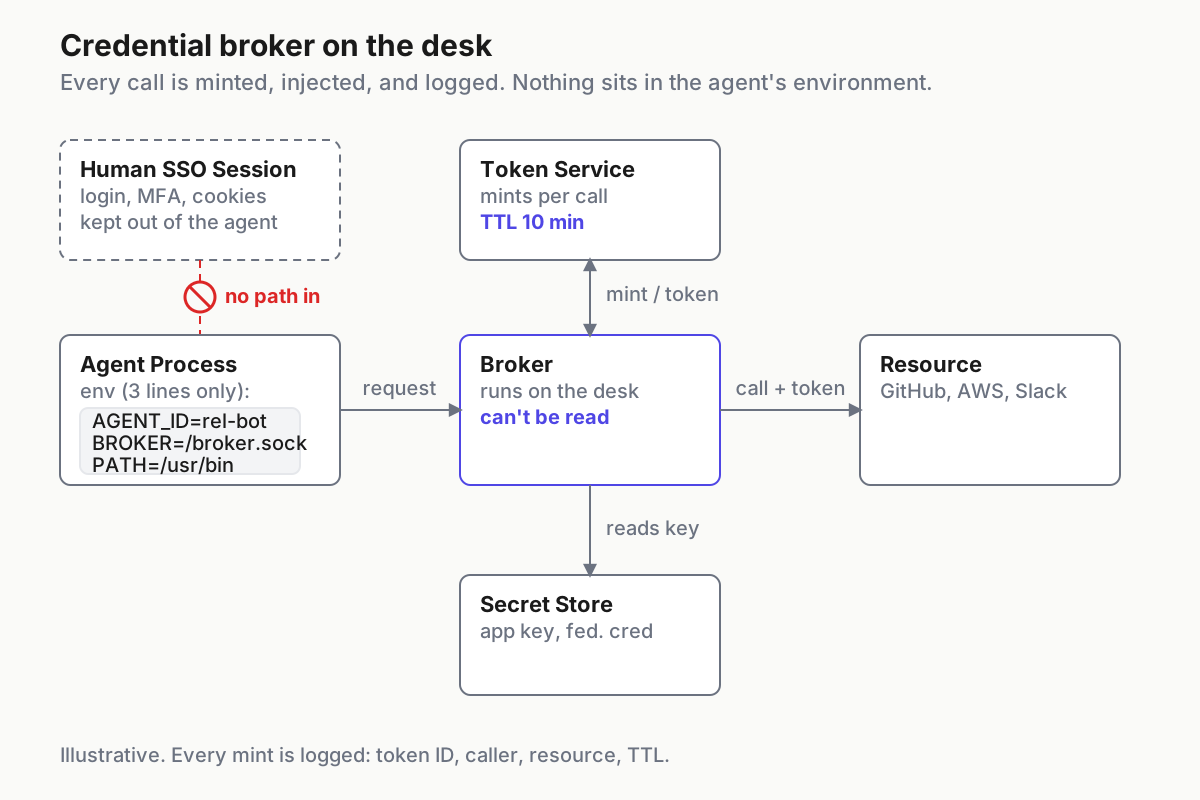
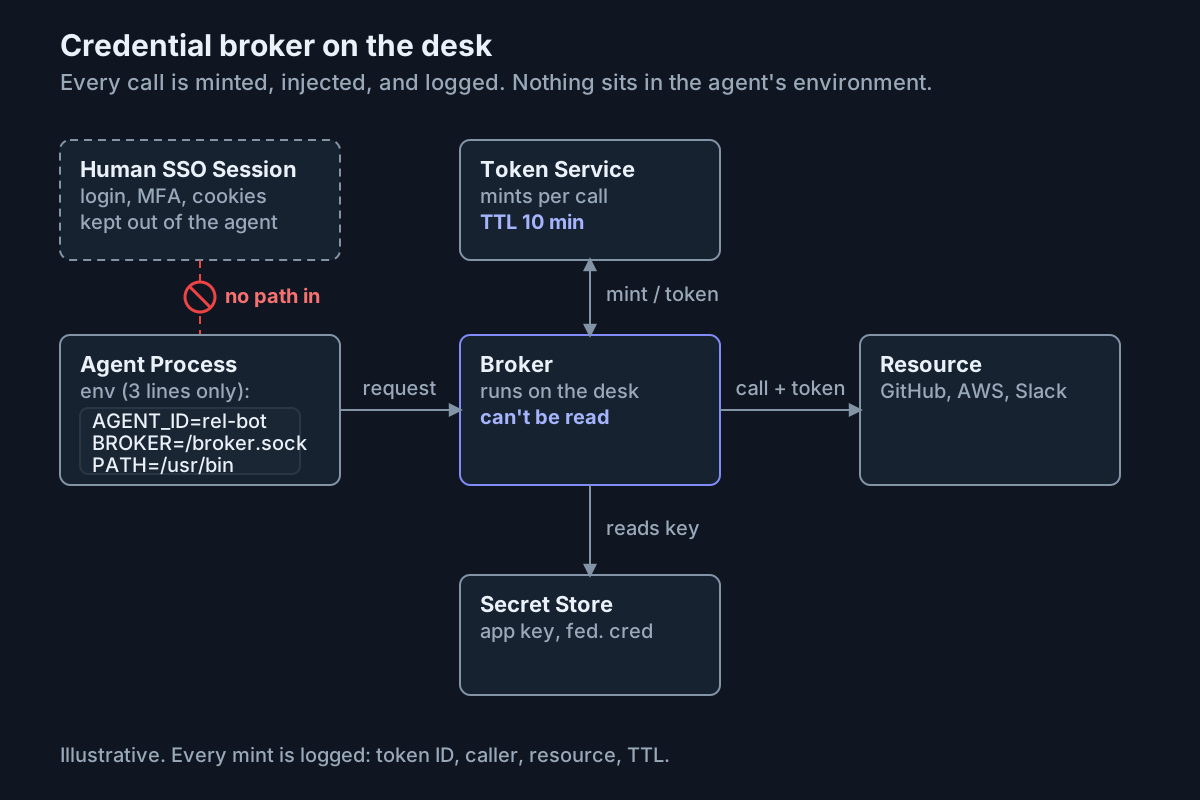 The agent’s environment has three lines in it. The token exists for one call, in one process, and the audit line carries its ID.
Three injection points cover most desks, all standard features. Git asks a credential helper for credentials per host and path; point it at the broker, which answers with an installation token for the repository in the URL and nothing else. The AWS SDKs and CLI run a credential_process and honor the Expiration it returns, so a 15-minute STS session never exists as a file. Tools that only read an environment variable get it from a wrapper that sets the variable in that child’s environment alone.
# illustrative, in the agent's own HOME, not yours
git config --global credential.helper /usr/local/bin/agent-broker-git
git config --global credential.useHttpPath true   # corp/api and corp/web get different tokens
agent-broker exec --cred github/pr -- gh pr create --repo corp/api --fill
Now the honest part. On a desk where the agent has a shell, it can run the wrapper with printenv as the command, and the token lands in the transcript. The broker cannot make that impossible. It can refuse to mint for any caller that is not a wrapper it launched (a one-time nonce in the wrapper’s environment does this), cap the token at ten minutes and one repository, and log the mint so that a token with no matching upstream call inside its TTL raises an alarm. A printed token becomes a ten-minute, one-repo, named event instead of a permanent, everything, anonymous one. Invisibility needs a gateway that swaps tokens upstream, off the desk; whether that proxy is worth paying for is a separate decision.
Deny the dumps anyway, at both layers. In the harness, because a refused printenv is a logged signal:
The current Claude Code permissions documentation supports Bash command patterns and Read path patterns in permissions.deny:
{
  "permissions": {
    "deny": [
      "Bash(printenv:*)",
      "Bash(env)",
      "Bash(env:*)",
      "Read(//proc/**/environ)",
      "Read(~/.aws/**)",
      "Read(~/.config/gh/**)"
    ]
  }
}
And at the OS, because a harness enforces its own rules and nobody else’s: run the agent as its own OS user, launched with env -i plus an allowlist, so that printenv returns the agent’s ID, a socket path, and PATH. The Novee chain read a parent’s environment because the parent had something worth reading. An empty environment is the only one that is safe to dump, and I have never once regretted giving an agent its own Unix user.
Step 4: tokens in minutes, sessions in hours, a window for the day
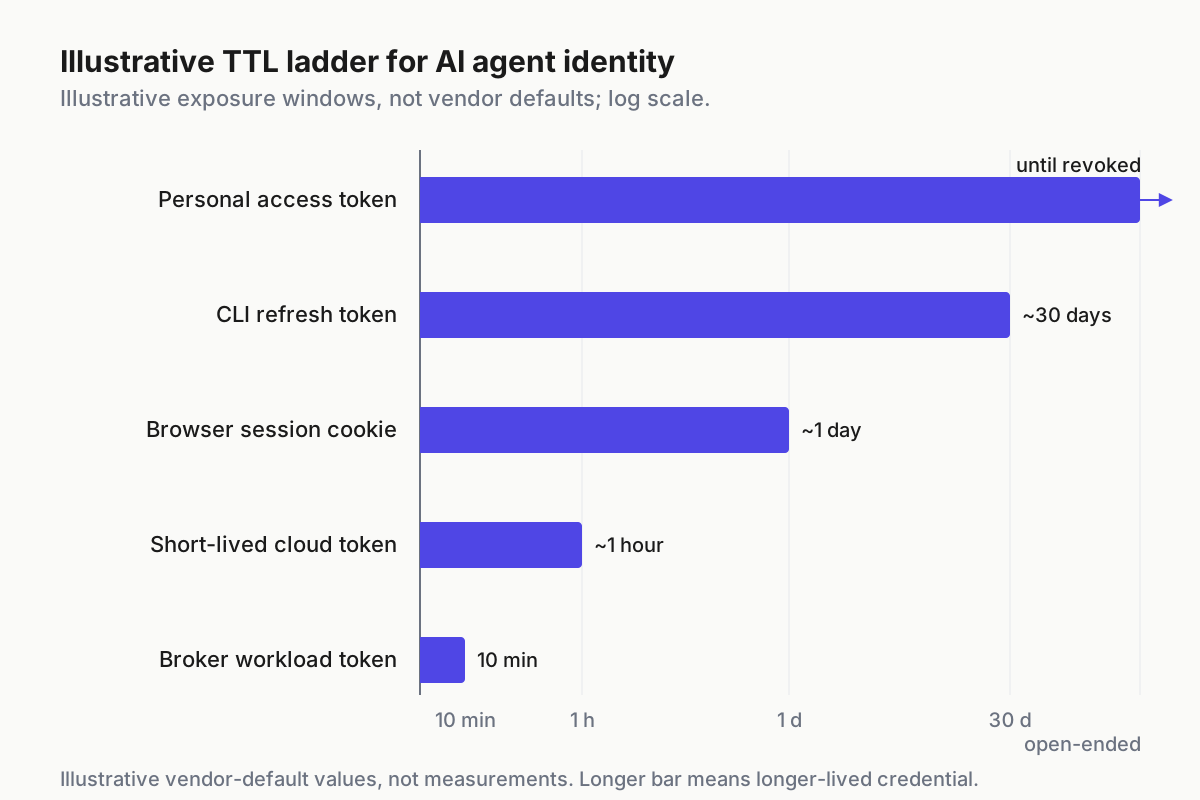
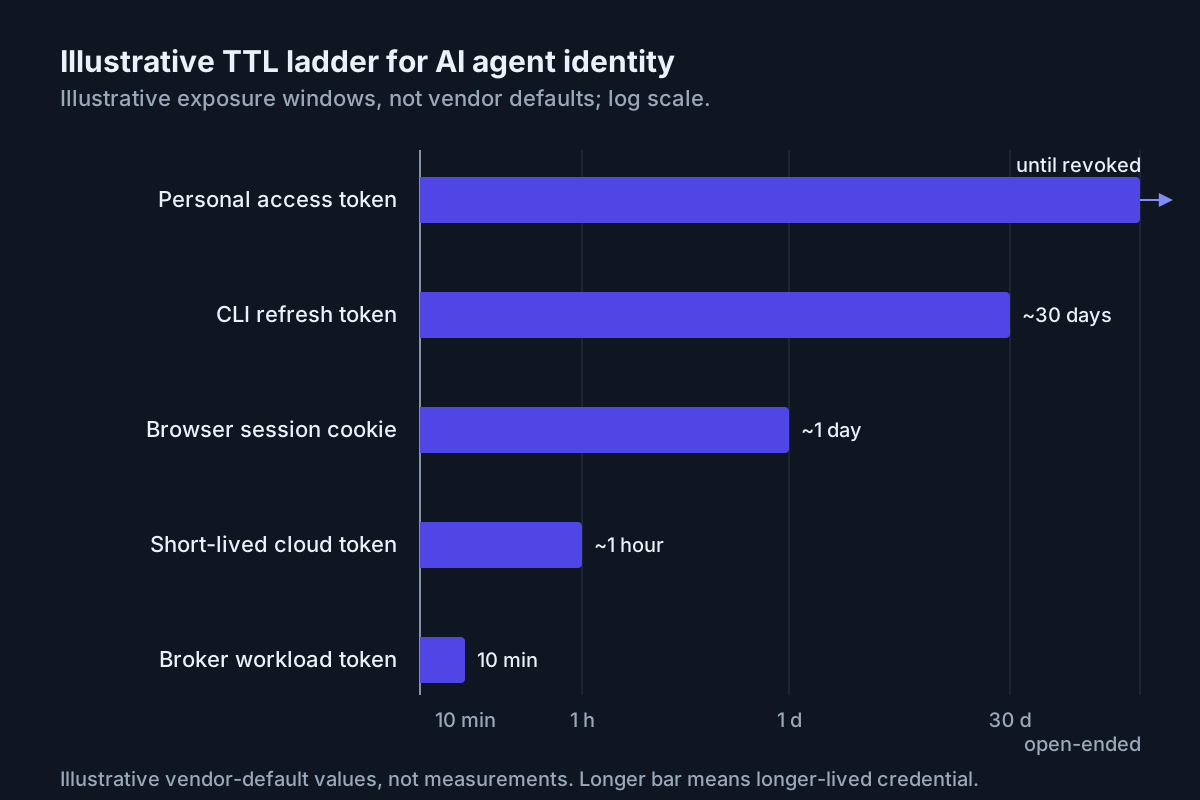 Illustrative exposure windows on a log scale, not vendor defaults. The policy goal is to move agent credentials toward the short-lived end.
The ladder is the argument. A GitHub App installation token expires after one hour; AWS web-identity sessions can be set as low as fifteen minutes; Microsoft Entra access tokens are usually issued for 60–90 minutes. Browser sessions, CLI refresh credentials, and personal tokens can outlive a single agent run by much longer. Three settings matter. The broker’s workload token, which only proves who is calling, lives ten minutes in this illustrative policy. Per-call tokens sit at the provider’s supported floor and are re-minted on expiry without the agent noticing. And the grant file’s window is the desk version of Nightfall’s time-based policy: no mint at 02:00 on a Sunday, because nothing you scheduled runs then. A legitimate overnight job gets its own principal, window, and smaller grants; unattended is a different trust tier.
Nothing rotates by hand. If the design still needs a long-lived broker bootstrap, such as an App key, keep it in a KMS-backed store the broker reads and the agent cannot, and rotate it on a calendar rather than after an incident. Workload-identity federation removes that stored-secret requirement where the provider supports it.
Step 5: keep your OAuth cookies and browser profiles out of the loop
Many harnesses can drive a browser, and browser tools that ride inside your signed-in profile inherit every cookie that profile exposes and every MFA challenge the session already passed. Three rules. The agent’s browser is a fresh profile in the agent’s own home, and no --user-data-dir flag or equivalent ever points at yours; separate OS users make your profile a filesystem permission rather than a policy someone has to remember. Where a site needs a login, the agent signs in as its bot user with credentials the broker supplies when that browser launches. And the agent never completes a device-code or OAuth consent flow as you; a setup guide that says “paste your session cookie” is the moment to stop and file the ticket for a proper principal.
The first time an agent’s transcript shows your own session cookie in a curl -H 'Cookie: ...' line is a formative experience. Arrange never to have it.
Step 6: rotate after any escape narrative, from a list you can print
An escape narrative is any published finding that a process in your agent’s position could read past its box: the Novee chain above, or GitSpawn on September 1, 2026, in which a repository’s .git/config made an agent run attacker-named programs the moment it opened the folder, before any trust prompt (Manifold). Prevention for that one is an intake problem; the response, once your version is on the affected list, is the same every time.
- List. Run the illustrative command
agent-broker audit --principal agent:release-bot --since 2026-08-05, or your broker’s equivalent, to print every credential ID minted in the window and the call each one made. - Revoke the list. Installation tokens are already dead within the hour; STS sessions die at the
aws:TokenIssueTimecondition; the bot token rotates. - Rotate the bootstrap only if the broker host was in reach. Usually it was not, which is the point of a separate host or user.
- Scan transcripts and logs for
ghs_,gho_,ASIA,AKIA,eyJ, andxoxb-, and add new patterns to your local vault rules. A hit means something bypassed the broker; rotate first, redact second, find the path third. - Upgrade and record the version in the grant file, with the date you moved to the patched build.
With a borrowed login, step 1 has one answer, everything you can reach, and the rotation is your password, your MFA enrollment, and every session on every device. With a principal, it is a list.
Step 7: revoke without firing the employee, and time it with a stopwatch
Because the agent is its own principal, revocation touches only its objects. The shapes exist on each platform; check the current API references before scripting them.
# illustrative: run only with the app JWT and IAM permissions your current vendor reference requires
gh api -X PUT /app/installations/4812/suspended             # GitHub: suspend the installation, as the App
aws iam put-role-policy --role-name agent-release-bot --policy-name revoke-now \
  --policy-document file://deny-issued-before-now.json      # aws:TokenIssueTime condition
For Entra, disable the principal or remove its federated credential through the current Microsoft admin surface; for Google Cloud, remove the impersonation binding. Keep those procedures in the same drill even when you choose the console instead of a command.
Then the drill, monthly, on a non-critical agent, with its owner not warned: revoke, and measure the seconds to the first denied call, the seconds until the last minted token stops working, and whether the human whose on_behalf_of was on the session noticed anything at all. Targets: under 60 seconds, within the TTL, and no. The third number is the one this runbook adds. If the human noticed, the agent was using something of theirs.
Three signals that the agent is still running as you
The agent keeps working after you revoke it. The strongest signal there is: it was never using the principal. Check gh auth status and the SSO cache in the agent’s home; one of them is yours. The same family includes commits at 03:12 with your author line, and your identity active in a provider’s session list from a cloud sandbox IP range you have never sat in.
Mints without matching calls. The broker logged a token for github/pr and no request reached the repository inside the TTL. Somebody printed it; read the transcript for that minute. The cousin of this signal is a subagent whose calls carry the parent’s principal, which the revoke drill catches: revoke the parent and count the children still running. The target is zero.
The “just this once” export. export GITHUB_TOKEN=... in a shell history file, dated the afternoon of a deadline. The step 1 scan finds it; the fix is the wrapper, and the conversation is with whoever was tired that day, which was probably you.
Identity is operating-layer infrastructure, not a smarter prompt
No system prompt can make a model unable to read a cookie; a separate principal, an empty environment, and a broker can. That is the operating layer: identity issued by your IdP, minted by a broker, checked at a gateway, and recorded under the agent’s name, with the human as on_behalf_of and nothing more. Per-CLI permission flags do not add up to fleet policy, because each harness enforces its own and none can see the others; identity has to sit under all of them. At the desk the question inverts: eleven sessions across five CLIs at 9:40, and which one was release-bot when it touched the bucket? That is a command-center problem, one place that knows every session, the principal it ran as, and the human who launched it, so revocation starts from a lookup.
FAQ: AI agent identity and SSO
Can an AI agent use my SSO login?
It can when the shell or browser profile that launches it is signed in. It should not. Actions may be attributed to you, and revoking the agent can disrupt the account. Give the agent a service principal, a GitHub App, or an IAM role of its own, and keep your session out of its process.
How do I revoke an AI agent’s access without disabling a user?
Only by never sharing the user’s identity in the first place. With its own principal, revocation is suspending the App installation, attaching a deny policy to the role, or disabling the service principal, each in seconds and none touching a human login. Time it monthly, and check that the human noticed nothing.
Sources
- OpenAI — Introducing the Agents API (September 10, 2026)
- Cursor changelog — “Self-hosted machines” (September 2, 2026)
- Novee — Critical flaws in Anthropic, Google, and OpenAI’s coding agents (Black Hat 2026, August 5–6)
- Nightfall — MCP Security product page
- Manifold Security — GitSpawn (September 1, 2026)
- GitHub Docs — GitHub Apps and one-hour installation access tokens
- AWS Documentation — IAM roles, STS session duration,
credential_process, andaws:TokenIssueTime - Microsoft Learn — Entra service principals, workload identity federation, and access-token lifetime
- Google Cloud — service account impersonation and workload identity federation
- Claude Code docs — Configure permissions