Docker Sandboxes Claude Code Setup: Run sbx With a Chosen Workspace, a Tight Network Policy and a Clean Teardown
Docker Sandboxes Claude Code setup with sbx: pick a network preset, choose a bind, read-only or clone workspace, allow needed hosts, verify, then tear down.

Go deeper. Build your own.
You want Claude Code to fix a failing test in a real repository. You don’t want it browsing your home directory, reading a stray credentials file or connecting to any host it likes while it works. This Docker Sandboxes Claude Code setup guide takes one developer from a fresh sbx install to a finished task. You will choose a network preset on purpose, create a sandbox against a workspace you picked, narrow outbound traffic to the hosts the job needs, check the boundary yourself and tear everything down at the end. Every command also works for Codex: swap claude for codex.
Docker Sandboxes runs each agent in an isolated microVM with its own Docker daemon, filesystem and network. The get-started walkthrough calls the shared workspace “the one part of your machine the agent can see.” That only holds if you choose the workspace and the network rules yourself instead of accepting whatever the first prompt suggests. The rest of this guide covers those two choices.
The timing: on October 21, 2026, Docker’s blog announced the official BAND AI kit for Docker Sandboxes. The post describes kits as packages that let “a single sbx create command” produce a ready-to-use agent environment. Kits bring their own network rules and credential requests. That’s convenient, and it’s also why you should understand the controls underneath before you run one.
The worked example. A Node service at /home/dev/src/invoice-api has one failing test. A style guide the agent should read but never edit lives at /home/dev/src/api-style-guide. The sandbox is named invoice-claude. The commands below use documented syntax from Docker’s reference pages. Where this guide describes output, it’s what the documentation says you should see, not a transcript we captured. Paths and repository names are illustrative. The steps explain each choice; the section after Step 5 collects the entire example into three copyable scripts.
What you need before the first sandbox
The list is short, but two items change later decisions, so check them before you type sbx create.
- [ ] The
sbxCLI is installed and signed in. Follow Docker’s get-started page, then runsbx login. The usage guide covers headless sign-in for CI runners. - [ ] The agent can authenticate. With a Claude Max, Team or Enterprise subscription, you don’t need to set anything up first. Run
/logininside the sandbox and the OAuth session token stays on the host. For an API key, store it withsbx secret set. The host-side proxy then injects it, so it never shows up as an environment variable the agent can read. Codex needs its own OpenAI credential. - [ ] The repository is committed and clean. A clean
git statusmeans every later diff is the agent’s work and nothing else. - [ ] You know which hosts the task needs. For this example that’s the npm registry, the model provider’s API and GitHub. Write them down now; Step 4 turns the list into rules.
- [ ] You know whether your organization governs sandbox policy. Run
sbx policy ls. If the summary includesGovernance: Managed by <org>, your local allow rules will be inactive and Step 4 works differently. That case is covered there. - [ ] A second terminal is open. You’ll inspect the sandbox from outside while the agent works inside it.
Step 1: Choose a network preset with sbx policy init
According to the local policy documentation, Docker Sandboxes sends outbound TCP through a proxy on your host, and that proxy enforces access rules on every connection. The preset is the proxy’s global starting point. The CLI prompts for one before your first sandbox runs. sbx policy init sets it without the prompt, which is what you want in scripts and on headless machines.
| Preset (prompt name) | sbx policy init value |
What’s reachable before you add rules | Choose it when | Watch for |
|---|---|---|---|---|
| Open | allow-all |
All outbound TCP, the same as an allow rule for "**" |
A throwaway experiment where the network isn’t the risk you care about | Nothing is blocked, so a deny rule is your only control |
| Balanced | balanced |
A baseline allowlist: AI provider APIs, package managers, code hosts, container registries, common cloud services | Everyday work where you want default deny without approving every registry | Run sbx policy ls to see what the baseline actually includes before you trust it |
| Locked Down | deny-all |
Nothing from the preset; only rules you or a kit add | Untrusted repositories, or any task where you want to name every host | Even the model API is blocked unless a rule (yours or the agent kit’s) allows it |
Initialization happens once. sbx policy reset clears it so you can start over. Under Balanced and Locked Down, a request that matches no rule is blocked and turned into an approval request. It doesn’t just fail silently, so a strict preset is less painful than it sounds.
For the worked example, pick Locked Down. The task needs three kinds of destination, and you want each one to be a rule you can point to.
sbx policy init deny-all
sbx policy ls
- Run
sbx policy init deny-allonce, before anysbx create. - Run
sbx policy lsand read the summary. On a machine your organization doesn’t manage, you should see no baseline allow rules from the preset and no governance line. - If you picked the wrong preset, run
sbx policy reset. It deletes the local policy store, restarts the daemon (which stops running sandboxes) and prompts you again.
Step 2: Create the sandbox, then attach to it
There are two ways in. sbx run creates the sandbox and attaches in one step, and it mounts the current directory when you give no path. sbx create builds the sandbox without attaching, and it handles the path differently: since sbx 0.42.0, leaving out the path on sbx create gives you a mountless sandbox with no host workspace at all. The sbx create claude reference says that without a path, “the agent then works in the container’s own filesystem instead of on your files.”
Use create so you can inspect the rules before the agent starts, and always pass the path explicitly.
cd /home/dev/src/invoice-api
sbx create --name invoice-claude claude . /home/dev/src/api-style-guide:ro
sbx ls
sbx run --name invoice-claude
cdinto the repository. The.that follows is the primary workspace. The agent starts there, andsbx execuses it as the default working directory.- Create with an explicit name. Without
--name, the default is<agent>-<workdir>. A name you chose is easier to scope rules to and to reattach from any directory. Names need at least two characters and must start with a letter or number.defaultis reserved. - Add the style guide with
:ro. An extra path with the:rosuffix is mounted read-only, at the same absolute path it has on the host. - Check
sbx ls. The WORKSPACE column should show the repository path. If it’s empty, you created a mountless sandbox; see Troubleshooting. - Attach with
sbx run --name invoice-claude. You can leave out the agent name when reattaching. Aftercreate, the sandbox stops on its own when no session is keeping it running, andrun --namestarts it again. - Sign in. With a Claude subscription, run
/loginin the agent session.
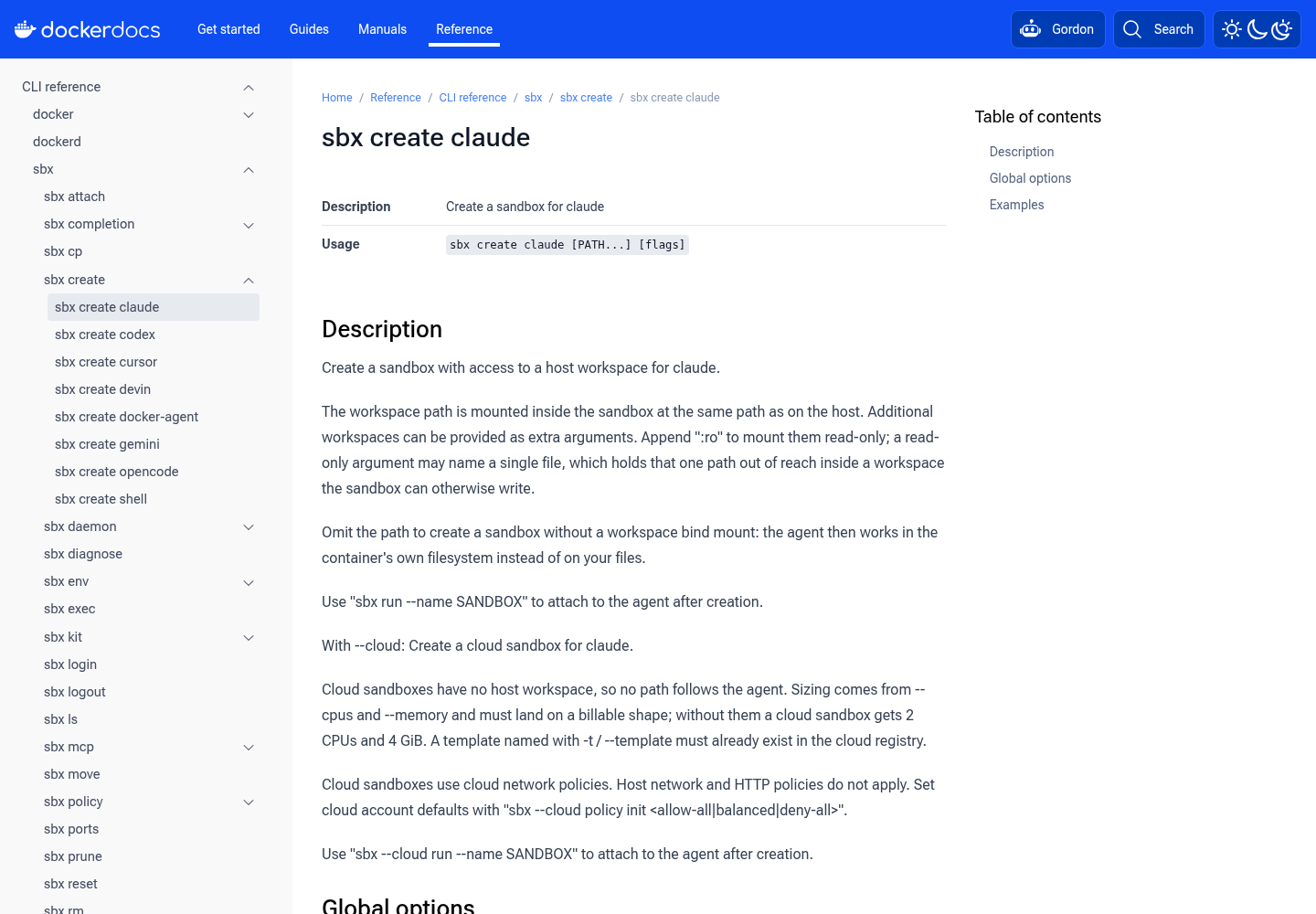
Inside the sandbox, the workspace shows up at /home/dev/src/invoice-api, the same path as on the host. That helps your tooling: absolute paths in error messages, test reports and editor links mean the same thing on both sides.
Step 3: Decide what the agent is allowed to change
The path arguments are your filesystem policy. The sbx create reference and the usage guide define four shapes, and each one changes how you review the agent’s work.
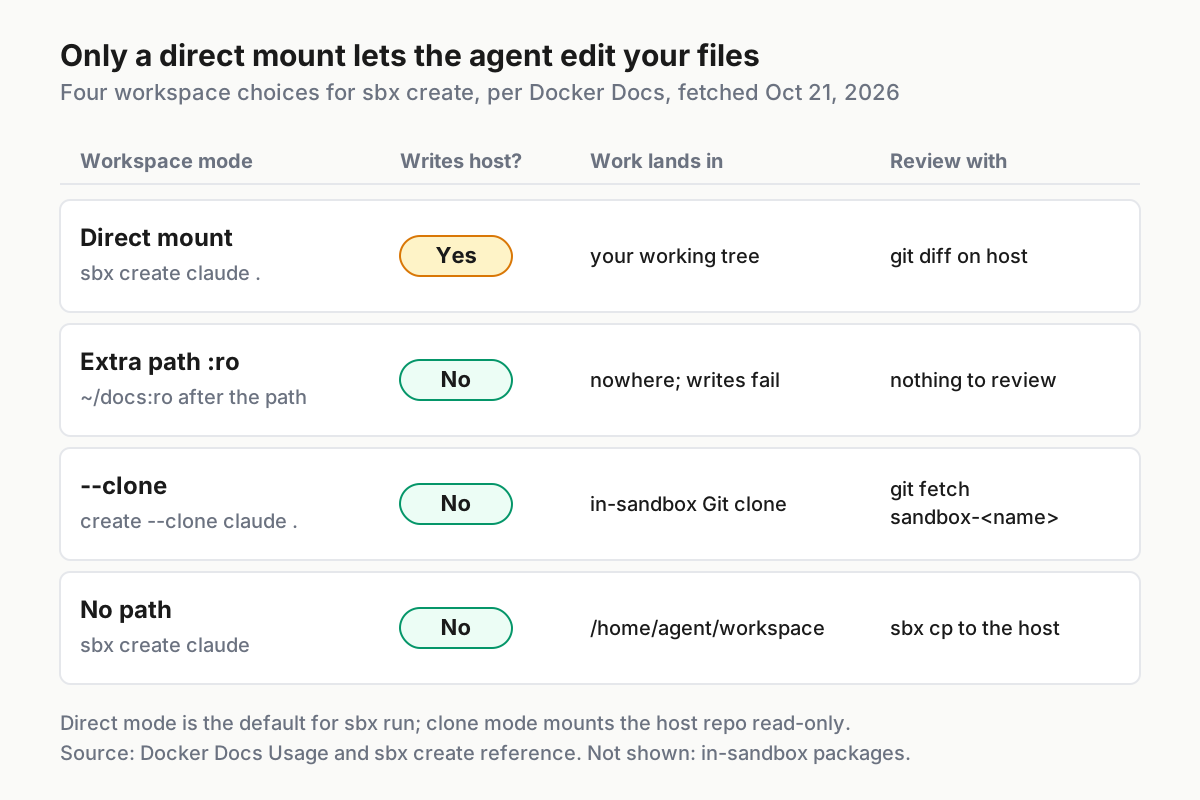
| Mode | How you create it | What the agent can change | Where its work lands | How you review it |
|---|---|---|---|---|
| Direct (bind mount) | sbx create claude . |
Your working tree, read-write | Your files, right away | git diff and git status on the host |
| Extra read-only path | Add /path:ro after the primary path |
Nothing in that path | Nowhere; writes to it fail | Nothing to review; confirm the mount refused a write |
| Clone mode | sbx create --clone claude . |
A private Git clone inside the sandbox; the host repo is read-only at /run/sandbox/source |
The in-sandbox clone, until you fetch it | git fetch the sandbox-<name> remote on the host |
| No workspace | sbx create claude (no path) |
Only the container’s own filesystem, starting in /home/agent/workspace |
Inside the sandbox; deleted when you remove it | Copy results out with sbx cp |
Direct mode is what the example uses, because you want the fix in your tree. You review it with an ordinary Git diff, which is why the prerequisites asked for a clean status.
Read-only extras are for reference material: docs, a shared library, a sibling service the agent should read but not touch. The sbx create claude reference adds a useful detail. A read-only argument “may name a single file, which holds that one path out of reach inside a workspace the sandbox can otherwise write.” For example, sbx create claude . /home/dev/src/invoice-api/config/prod.json:ro keeps one file out of reach in an otherwise writable tree. Treat it as a narrow tool; keeping agents away from secret files in general is a bigger topic than this guide covers.
Clone mode works well for several agents on one repository, or whenever you’d rather review commits than live edits. A few rules apply at create time. Clone mode can’t be changed after the sandbox exists. The primary workspace must be a Git repository. It’s rejected from any Git worktree other than the main one. And the clone follows whatever ref your host has checked out; it doesn’t create a branch.
sbx create --clone --name invoice-clone claude .
sbx run --name invoice-clone
# afterwards, on the host
git remote -v
git fetch sandbox-invoice-clone
git log --oneline sandbox-invoice-clone/main
The remote name sandbox-invoice-clone follows the documented sandbox-<name> pattern. The last line assumes the host had main checked out when you created the sandbox and that the agent committed there. Substitute whatever ref the agent actually used.
No workspace is for scratch work, like trying out a library or reproducing a bug from a description. Files there survive stops and disappear on sbx rm. Copy out anything worth keeping with sbx cp invoice-scratch:/home/agent/workspace/output.log ./. The sandbox path must be absolute.
To pick a mode, ask one question per row: should this agent’s keystrokes land in my tree right now? If yes, use direct. If you want a review step first, use clone. If the material is reference only, use :ro. If the task doesn’t touch anything of yours, pass no path.
Step 4: Narrow the network to the hosts this task needs
With Locked Down in place, start by reading what the agent’s kit has already added. Docker notes that built-in agent kits and other kits can add per-sandbox allow rules, even under Locked Down. The preset isn’t an explicit deny that overrides them.
sbx policy ls invoice-claude --source kit --type network --wide
Then add only what the task needs, and scope each rule to this sandbox with --sandbox so it doesn’t apply to every future sandbox on the machine. The sbx policy allow network reference accepts a comma-separated list of hostnames, wildcard domains, IP addresses or CIDR prefixes, each with an optional port.
# package registry and model API, this sandbox only
sbx policy allow network --sandbox invoice-claude "registry.npmjs.org,api.anthropic.com"

# read-only GitHub API access to one repository's paths
sbx policy allow network --sandbox invoice-claude api.github.com --method GET --path '/repos/acme/invoice-api/**'

# git over SSH is non-HTTP TCP, so it needs a host:port rule
sbx policy allow network --sandbox invoice-claude "github.com:22"

# test before handing the agent a task
sbx policy check network --sandbox invoice-claude registry.npmjs.org
sbx policy check network --sandbox invoice-claude example.org
- List kit rules first. If the model API is already there, you don’t need to add it. If it isn’t, the agent can’t reach its model under Locked Down.
- Allow exact hosts before wildcards.
"*.npmjs.org"is valid, butregistry.npmjs.orgis the hostnpm installactually contacts. Start narrow, and widen only aftersbx policy logshows a blocked request you really need. - Use method and path rules for APIs where reads are enough. Quote the path so your shell doesn’t expand the wildcard. A path without a method is rejected. Each rule takes one path, and
--method ANYmatches every method. - Add a
host:portrule for SSH and other non-HTTP TCP. HTTP rules take hostnames. For an IP address or a CIDR range, add a plain network rule. - Run
sbx policy check network. It reports Allowed or Denied, and it exits non-zero on Denied. It only evaluates the host, not the method or path, so a host can show Allowed while an HTTP rule still refuses a specific POST.
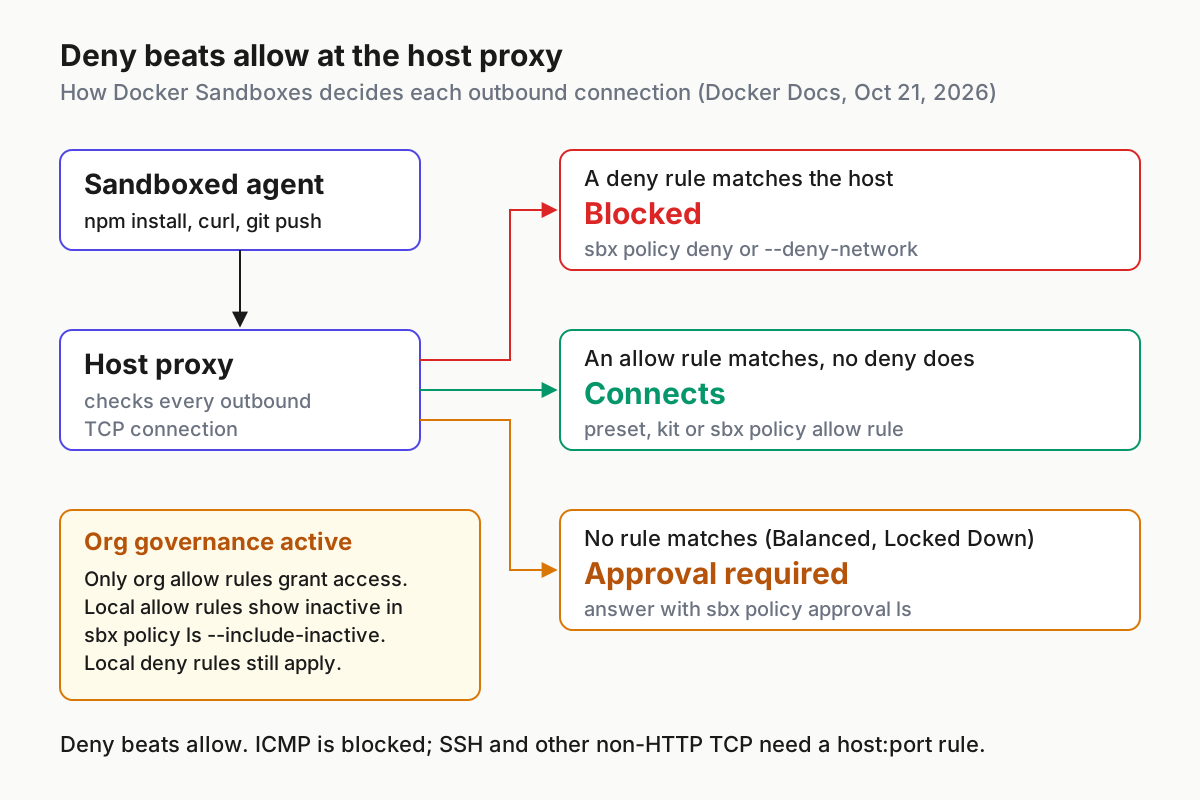
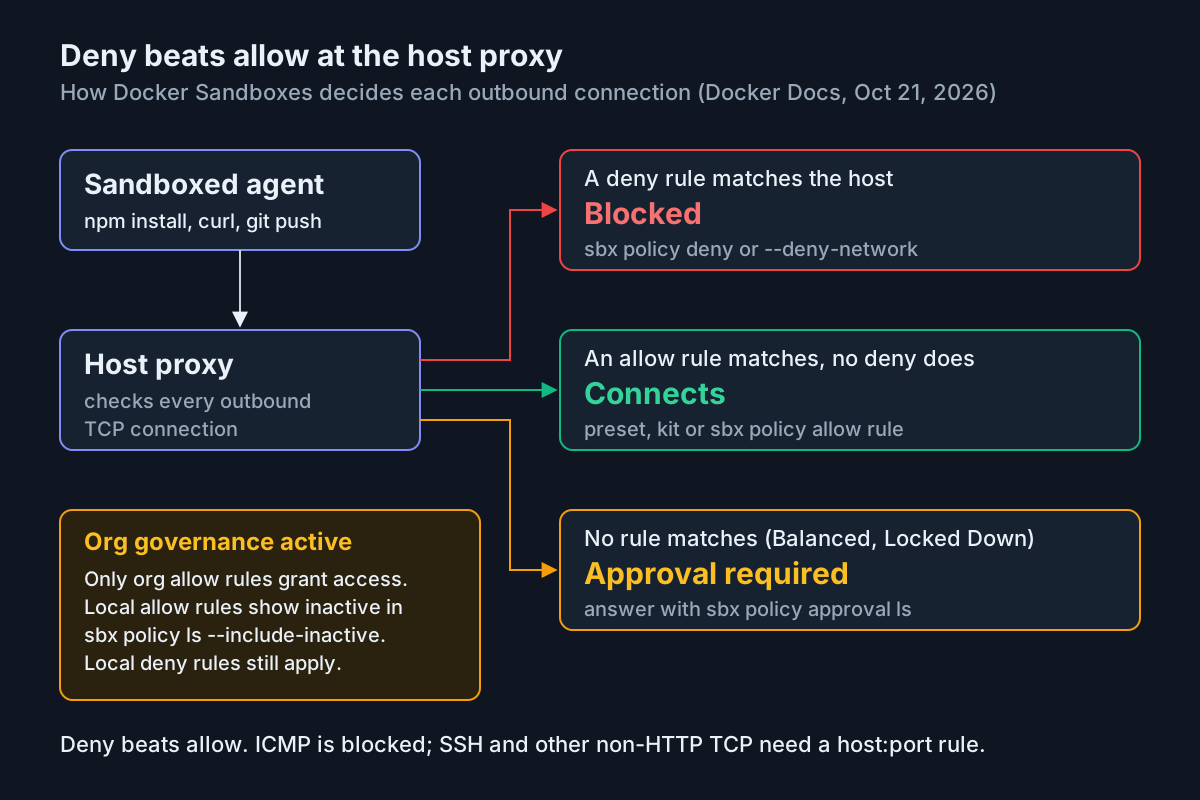
Deny beats allow. Deny rules take precedence over allow rules. That’s how you remove a destination a kit allowed: sbx policy deny network --sandbox invoice-claude openrouter.ai. You can also set deny rules when you create the sandbox with --deny-network. The create reference calls this safe under centralized governance “because a local deny can only narrow, never widen, egress.”
If you want a sandbox with no outbound traffic at all, sbx policy deny network --sandbox <name> "**" should work, based on two documented facts: deny rules take the same host patterns as allow rules, and deny wins. Docker’s pages don’t show that exact command, though. Before relying on it, run sbx policy check network against a host the kit allows and confirm it comes back Denied.
What’s always blocked. ICMP is blocked, so a failing ping inside a sandbox is expected, not a misconfiguration. UDP is experimental and off by default. UDP to local-network destinations such as multicast is blocked before any policy is checked.
Requests no rule matches become approvals. Without organization governance, a request that matches no rule is denied once and queued for your approval, as the network access policies page explains. The sandbox gets a message like Approval required for api.example.com. Run sbx policy approval ls, then sbx policy approval respond <id> --option allow or --option dismiss. An approval covers that exact destination and port for that sandbox only. It applies to later requests, so run the blocked operation again afterwards. Approved destinations stay allowed until you remove them; list them with sbx policy ls --wide --created-via approval.
When your organization governs policy. Only organization allow rules grant access. Your local allow rules become inactive, and sbx policy ls hides them unless you add --include-inactive, which lists them with an inactive status. Local deny rules still apply, so you can still narrow access. If a task needs a host the organization doesn’t allow, an admin has to change the organization policy. Another local rule won’t help.
Step 5: Run a kit instead of a built-in agent
The kits documentation explains that claude and codex are already kits: the built-in agent names are shortcuts for kit references. Kits are an Early Access feature, and the create reference marks the --kit flag for mixins as experimental. Any kit can declare network rules, credential bindings and startup commands, so review it like code you’re about to run.
# a published v3 workload, pinned to a version tag
sbx run docker.io/docker/sbx-kit-codex:0.155.1 --name codex-v3-kit

# the BAND kit from Docker's Oct 21 post, pinned
sbx create --name band-repo-doctor docker.io/bandhq/band-python-kit:6.0.0 "$PWD"
sbx policy ls band-repo-doctor --source kit --type network --wide

# a local mixin added to the built-in claude agent
sbx create --name invoice-tools claude . --kit ./my-mixin/

# a kit from a Git repository; quote it because of the &
sbx run "git+https://github.com/<ORG>/<REPOSITORY>.git#ref=<COMMIT>&dir=my-agent"
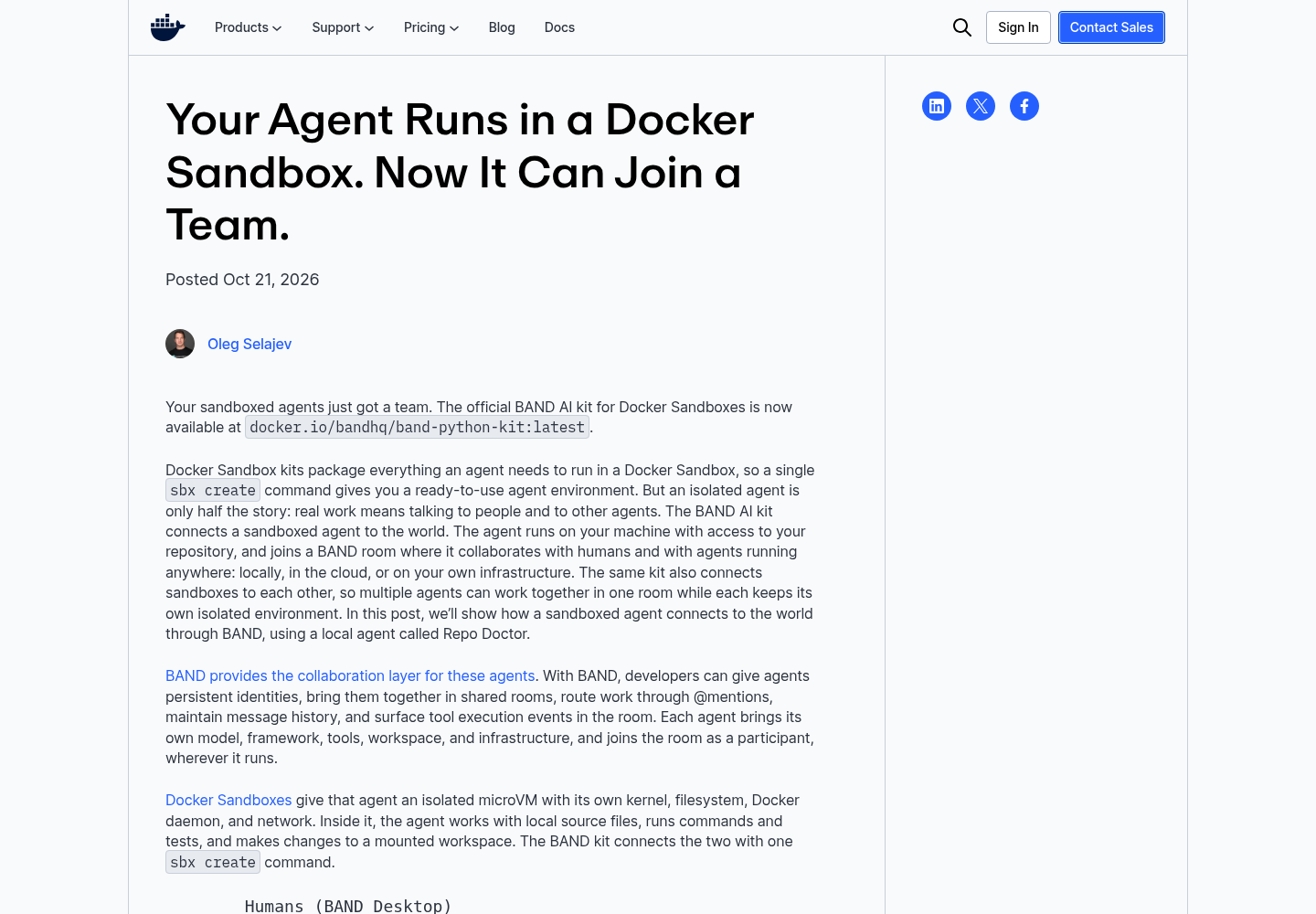
The BAND post announces the kit at docker.io/bandhq/band-python-kit:latest, but its own walkthrough pins 6.0.0. Use the pinned tag or a digest. The kits page warns that a latest tag can move to a kit that needs a newer sbx release. The post also says the kit “already permits access to BAND and the Python package hosts.” Its example adds api.anthropic.com with a sandbox-scoped allow rule, then uses sbx policy log to confirm the requests match the intended policy. It stores secrets with sbx secret set-custom, which keeps the real keys on the host and gives the agent only placeholder values.
Before you run any kit that isn’t a built-in agent, go through this checklist.
- [ ] The reference is pinned to a version tag or a digest, not
latest. - [ ] You’ve read the publisher’s documentation for the hosts the kit contacts, the credentials it asks for and the commands it runs at startup.
- [ ] After
sbx create,sbx policy ls <name> --source kit --type network --wideshows only hosts you expected. Any surprise gets asbx policy deny network --sandbox <name> <host>. - [ ] You approve credential bindings one at a time. Storing a secret doesn’t give a third-party kit permission to use it.
- [ ] Where signatures matter,
sbx kit verifypasses against the publisher’s signing identity, andkit.requireSignatureis turned on. - [ ] Remote sources stay within
kit.allowedSources, which defaults to Docker Hub.
Write the decision down where your team can see it. For the worked example the record is short:
| Sandbox | Kit reference | Why this kit | Kit network rules reviewed | Extra rules added | Credentials |
|---|---|---|---|---|---|
invoice-claude |
built-in claude |
The task needs only Claude Code and the repo’s toolchain | Yes, via the --source kit listing |
registry.npmjs.org, api.anthropic.com, GitHub GET on one repo, github.com:22 |
/login OAuth; token stays on the host |
band-repo-doctor |
docker.io/bandhq/band-python-kit:6.0.0 |
The agent must join a BAND room | Yes; BAND and Python package hosts | api.anthropic.com |
sbx secret set-custom, scoped to the sandbox |
A sandbox keeps the kit configuration it was created with. To try a different kit or set of mixins, create a new sandbox under a new name.
The whole worked example in three copyable scripts
Here is the complete invoice-claude example as files you can save and adapt. Each command uses the syntax documented on the Docker pages cited above. We haven’t run these scripts against a live sandbox, so the comments describe what the documentation says should happen, not captured output. Change the three variables at the top of each script for your own repository.
The example splits into three scripts because of how sandboxes behave. After sbx create, the sandbox stops when no session keeps it running, and sbx exec works on a running sandbox. So you set up first, attach the agent in one terminal, run the in-sandbox checks from a second terminal while the agent session is open, and tear down at the end.
Script 1, 01-setup.sh: run before the agent starts.
#!/usr/bin/env bash
# 01-setup.sh: illustrative; documented sbx syntax, not a captured run
set -euo pipefail

REPO=/home/dev/src/invoice-api
DOCS=/home/dev/src/api-style-guide
NAME=invoice-claude

# 0. Refuse to start from a dirty tree, so every later diff is the agent's
if [ -n "$(git -C "$REPO" status --porcelain)" ]; then
  echo "Commit or stash changes in $REPO first" >&2
  exit 1
fi

# 1. Global preset. One-time setup: run this line on a fresh machine only.
#    Use 'sbx policy reset' if you need to choose again.
# sbx policy init deny-all
sbx policy ls

# 2. Create without attaching: explicit primary workspace, read-only docs
cd "$REPO"
sbx create --name "$NAME" claude . "$DOCS:ro"
sbx ls   # WORKSPACE column should show $REPO

# 3. See what the agent kit already allows, then add only this task's hosts
sbx policy ls "$NAME" --source kit --type network --wide
sbx policy allow network --sandbox "$NAME" "registry.npmjs.org,api.anthropic.com"
sbx policy allow network --sandbox "$NAME" api.github.com \
  --method GET --path '/repos/acme/invoice-api/**'
sbx policy allow network --sandbox "$NAME" "github.com:22"

# 4. Prove the policy before any agent session exists
sbx policy check network --sandbox "$NAME" registry.npmjs.org   # expect Allowed
if sbx policy check network --sandbox "$NAME" example.org; then
  echo "example.org is reachable: the policy is broader than intended" >&2
  exit 1
fi
echo "Setup done. Attach with: sbx run --name $NAME"
Then, in terminal one, attach with sbx run --name invoice-claude, run /login, and give the agent this task: “Run npm test, find the one failing test, fix the code (not the test), and run npm test again. Read the style guide at /home/dev/src/api-style-guide but do not change it.”
Script 2, 02-verify.sh: run from terminal two while the agent session is open.
#!/usr/bin/env bash
# 02-verify.sh: illustrative; run while 'sbx run --name invoice-claude' is attached
set -uo pipefail

REPO=/home/dev/src/invoice-api
DOCS=/home/dev/src/api-style-guide
NAME=invoice-claude
fail=0

# Check 1: the agent's default working directory is the host path
sbx exec "$NAME" -- pwd            # expect /home/dev/src/invoice-api

# Check 2: the :ro mount refuses writes
if sbx exec "$NAME" -- touch "$DOCS/probe"; then
  echo "FAIL: $DOCS is writable inside the sandbox" >&2
  fail=1
fi
[ -e "$DOCS/probe" ] && { echo "FAIL: probe file reached the host" >&2; fail=1; }

# Check 3: the allowed registry is reachable from inside
sbx exec "$NAME" -- npm view left-pad version || { echo "FAIL: npm registry blocked" >&2; fail=1; }

# Check 4: a host that isn't on the list is refused
if sbx policy check network --sandbox "$NAME" example.org; then
  echo "FAIL: example.org is allowed" >&2
  fail=1
fi

# Check 5: every outbound request so far matched a rule you wrote or a kit rule you reviewed
sbx policy log

exit "$fail"
Script 3, 03-teardown.sh: run after you’ve reviewed the result.
#!/usr/bin/env bash
# 03-teardown.sh: illustrative; documented sbx syntax
set -euo pipefail

REPO=/home/dev/src/invoice-api
NAME=invoice-claude

# 1. Review what the agent changed in the bind-mounted tree
git -C "$REPO" status --short
git -C "$REPO" diff --stat

# 2. Remove this sandbox's rules while its name still identifies them
sbx policy rm network --sandbox "$NAME" --resource registry.npmjs.org
sbx policy rm network --sandbox "$NAME" --resource api.anthropic.com
sbx policy rm network --sandbox "$NAME" --resource api.github.com \
  --method GET --path '/repos/acme/invoice-api/**'
sbx policy rm network --sandbox "$NAME" --resource "github.com:22"

# 3. Stop, then remove the sandbox (sbx rm asks for confirmation)
sbx stop "$NAME"
sbx rm "$NAME"

# 4. Preview any other stopped sandboxes you may want to prune
sbx prune --dry-run
How to read the results of the three scripts:
| Script | Line | What the docs say you should see | What a different result means | What to do |
|---|---|---|---|---|
01-setup.sh |
sbx ls |
invoice-claude with /home/dev/src/invoice-api under WORKSPACE |
An empty WORKSPACE means a mountless sandbox | Check the . argument, sbx rm, rerun |
01-setup.sh |
kit listing | A short list of agent-kit hosts, possibly including the model API | Hosts you can’t explain | sbx policy deny network --sandbox invoice-claude <host> |
01-setup.sh |
check ... example.org |
Denied, with a non-zero exit, so the script continues |
Allowed: an Open preset or a broad wildcard is in effect |
Inspect sbx policy ls --wide; consider sbx policy reset |
02-verify.sh |
touch "$DOCS/probe" |
A read-only filesystem error and a non-zero exit | The write succeeded, so :ro was missing |
Remove and recreate with "$DOCS:ro" |
02-verify.sh |
npm view |
A version number printed | Approval required for registry.npmjs.org |
The allow rule is missing or inactive under org governance; check --include-inactive |
02-verify.sh |
sbx policy log |
Entries only for hosts you allowed or reviewed | An unexpected host | Deny it and find out why the agent wanted it |
03-teardown.sh |
git diff --stat |
Changes only under the source files the fix needed | Edited tests, lockfiles or config | git restore those paths, then rerun with a narrower task or a :ro file mount |
The example uses npm view left-pad version as a harmless registry probe: it reads package metadata and changes nothing in the repository. Any read-only request to an allowed registry works as well. If set -e in Script 3 stops on a policy rm line, that rule was probably already removed; delete the line and run again.
Verify the boundary before you hand over a task
Run these checks from your second terminal once the sandbox exists, before you give the agent real work. Script 2 automates most of them. The expected results come from Docker’s documentation. If you see something different, stop and fix the configuration first.
| # | Check | Command | Expected result | If you see something else |
|---|---|---|---|---|
| 1 | The agent sees the workspace at the host path | sbx exec -it invoice-claude bash, then pwd |
The shell starts in /home/dev/src/invoice-api, and sbx ls lists that path under WORKSPACE |
No path means a mountless sandbox; recreate it with . |
| 2 | The :ro mount refuses writes |
sbx exec invoice-claude -- touch /home/dev/src/api-style-guide/probe |
The command fails with a read-only error and a non-zero exit, and no probe file appears on the host |
The :ro suffix was missing; recreate the sandbox |
| 3 | An allowed registry is reachable | sbx policy check network --sandbox invoice-claude registry.npmjs.org, then npm install inside |
The check reports Allowed and the install completes | Read sbx policy log for the blocked host and add it |
| 4 | A host that isn’t on the list is refused | sbx policy check network --sandbox invoice-claude example.org |
Denied, with the reason no matching allow rule (default deny), and a non-zero exit | A broad wildcard or the Open preset is in effect; inspect sbx policy ls --wide |
| 5 | Clone-mode commits reach the host | git fetch sandbox-invoice-clone, then git log on the fetched ref |
The agent’s commits appear on the remote-tracking branch | Have the agent commit inside the sandbox first, or check which ref the clone followed |
| 6 | Only the intended hosts were contacted | sbx policy log after the task |
Every entry is a host you allowed, matched to the rule you expected | Deny the stray host and find out why the agent wanted it |
Check 4 is the one people skip. A Denied result with a non-zero exit is the clearest single sign that the policy does what you wrote, which is why Script 1 fails the setup if that check comes back Allowed.
Troubleshooting: symptom, cause, fix, and what you should see after
| Symptom | Likely cause | Fix | What you should see after the fix |
|---|---|---|---|
The agent says the project is empty after sbx create |
No path was passed, so the sandbox is mountless | sbx rm invoice-claude, then sbx create --name invoice-claude claude . |
sbx ls shows the repository under WORKSPACE |
npm install fails, or the agent reports Approval required for registry.npmjs.org |
Locked Down with no matching allow rule | sbx policy allow network --sandbox invoice-claude registry.npmjs.org, or respond to the entry in sbx policy approval ls |
sbx policy check network reports Allowed and the retried install goes through |
git push over SSH hangs or is refused |
Non-HTTP TCP needs a host:port rule |
sbx policy allow network --sandbox invoice-claude "github.com:22", or switch the remote to HTTPS with sbx secret set github --command 'gh auth token' |
The push connects, and sbx policy log shows the :22 rule matched |
| A local allow rule changes nothing | Organization governance is active | Run sbx policy ls and look for Governance: Managed by <org>; confirm with --include-inactive; ask your admin |
The rule shows as inactive; access opens only after the org policy changes |
| Old experiments still allow hosts you’d forgotten | Local rules and approvals have piled up | sbx policy reset (add --force to skip the prompt); running sandboxes will stop |
The preset prompt comes back and sbx policy ls shows only the new baseline |
| A GET works but a POST to the same API is refused | An HTTP method or path rule | Run sbx policy ls --type http to find it |
You can see which method and path rule applies |
| You need clone mode on an existing sandbox | Clone mode is fixed at create time | Remove the sandbox and recreate it with sbx create --clone |
git remote -v on the host lists sandbox-<name> |
Tear down, recover and start over
Sandboxes persist after the agent exits. Installed packages, images and configuration survive restarts. When the task is done, or when it went wrong, clean up in this order. Script 3 covers steps 2, 4, 5 and 6 for the direct-mode example.
- Save clone-mode work first. Removing a clone-mode sandbox deletes the clone inside it. Run
git fetch sandbox-invoice-clone, then merge or cherry-pick what you want to keep. - Review direct-mode changes on the host.
git diffand the test suite decide whether the fix stays. The agent’s changes are already in your tree, sogit restoreorgit stashis your undo. - Copy out anything you need from a mountless sandbox with
sbx cp. - Remove sandbox-scoped rules you won’t reuse with
sbx policy rm network --sandbox invoice-claude --resource registry.npmjs.org, once per resource. Do this before you remove the sandbox, while its name still identifies the rules. - Stop, then remove. Run
sbx stop invoice-claude, thensbx rm invoice-claude.sbx rmasks for confirmation.--forceskips the prompt and also removes a sandbox that has an active session. - Clear stopped leftovers.
sbx prune --dry-runshows what would go, andsbx pruneremoves all stopped local sandboxes. Running sandboxes are never pruned. - Tidy the Git remote. If
git remote -vstill listssandbox-invoice-clone, remove it withgit remote remove sandbox-invoice-clone. - Reset the policy only if you want a clean slate.
sbx policy resetremoves all local rules and approvals and asks you to pick a preset again.
When a run fails, don’t loosen the rules inside the failed sandbox and carry on. Remove it and rerun with a narrower setup: a :ro mount instead of read-write, clone mode instead of direct, or one fewer allowed host. For repeated throwaway work, sbx run --rm claude removes the sandbox when the agent exits.
You’ve succeeded when you can show three things. The task finished inside the sandbox. git diff (or the fetched clone ref) touches only the paths you intended. And sbx policy log lists only the hosts you allowed.
Where this sits among your other agent controls
A microVM boundary is a strong default, but it’s only one layer. The sandbox escapes covered in The Sandbox Is a Suggestion show why the boundary has to cover credentials and instruction files, not just tool calls. Docker Sandboxes keeps secrets on the host proxy, which handles part of that list. A sandbox won’t fix a broken toolchain either. Golden images and lockfiles belong in the environment readiness gate, and a saved sbx template can carry them into the sandbox.
If the threat model is new to you, start with Securing AI Agents. For unattended runs, the headless trust tier explains why the flags you launch with matter more there than at your desk. Inside Claude Code itself, the power user’s field guide covers hooks and permission modes that work alongside a sandbox. Treating permission modes as fleet policy shows how to keep every machine configured the same way. sbx policy log tells you what the network did; fleet replay covers keeping the session records that tell you what the agent did.
Sources
- Docker blog, Your Agent Runs in a Docker Sandbox. Now It Can Join a Team. (October 21, 2026)
- Docker Docs, sbx create claude reference
- Docker Docs, Get started with local Docker Sandboxes
- Docker Docs, Usage
- Docker Docs, sbx create reference
- Docker Docs, Local policy
- Docker Docs, Network access policies
- Docker Docs, sbx policy init reference
- Docker Docs, sbx policy allow network reference
- Docker Docs, Use kits