Neo4j MCP Setup With Relate for Claude Code and Codex: Run an Embedded Graph, Check the Agent's Cypher, Then Go Read-Only on a Server
Neo4j MCP setup for Claude Code and Codex: serve a Relate graph read-only, check the agent's Cypher against a known answer, then move to read-only Neo4j.

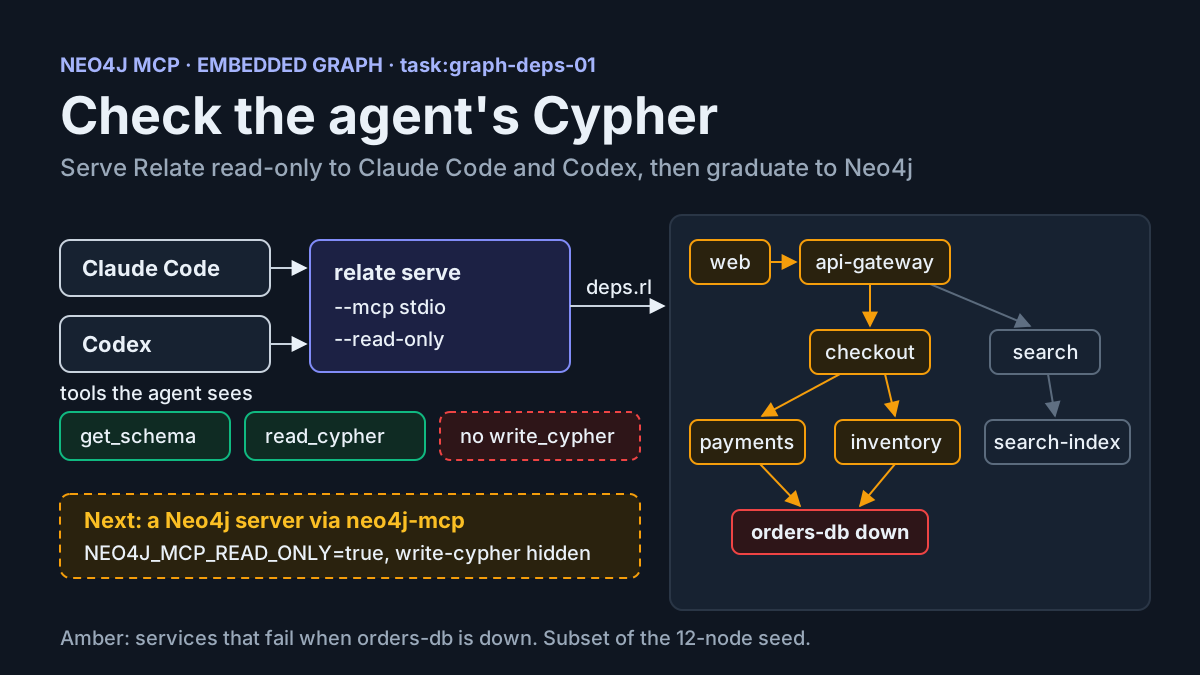
If you have asked a coding agent to remember how your services depend on each other, you have probably seen it write that knowledge to a JSON file and lose the connections the next time it reads the file. A Neo4j MCP setup fixes the storage half of that problem. The agent gets a graph it can query in Cypher, through MCP tools it already knows how to call. The harder half is trust. An agent that writes Cypher can return a confident answer from a query that walked one hop when the question needed four.
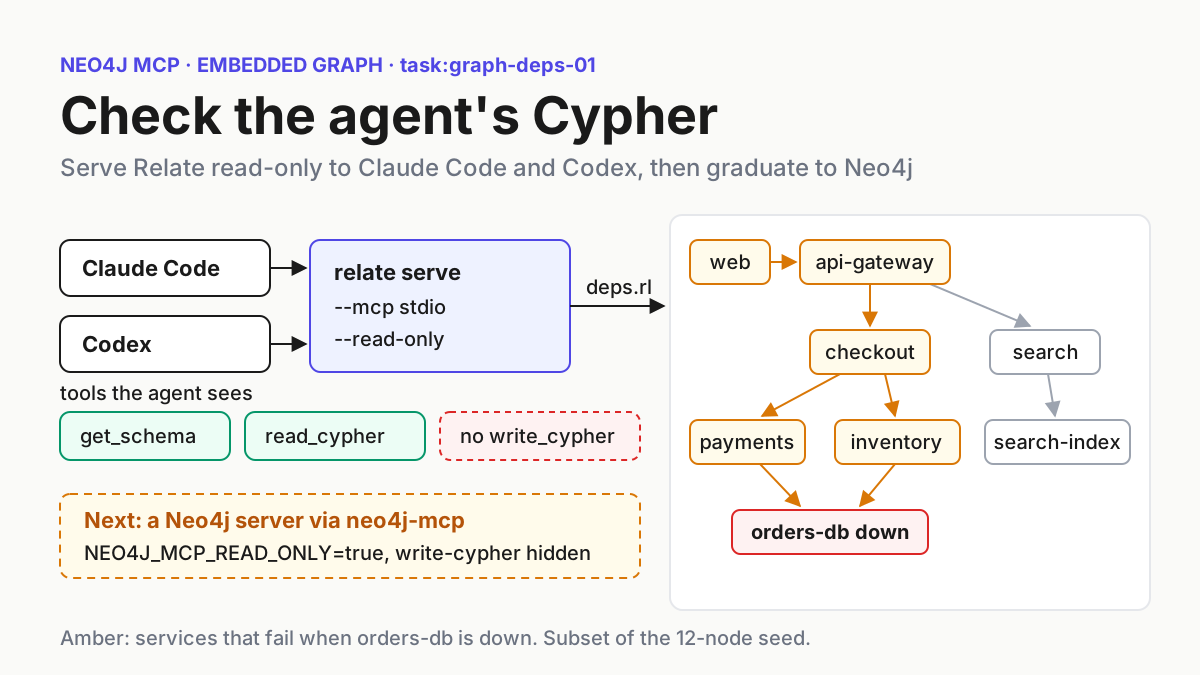
This tutorial builds the whole loop on one machine, with no database server. You’ll install Relate, Neo4j’s embedded graph database, and seed a twelve-node service dependency graph we call task:graph-deps-01. You’ll serve it read-only over MCP and register it in both Claude Code and Codex. Then you’ll answer one question by hand, ask the agent the same question and compare the rows. Once the comparison passes, you’ll point the same agent at a Neo4j server behind Neo4j’s official MCP server, with the write tools switched off.
Everything here follows the vendors’ published documentation as of November 2026. Commands and outputs marked illustrative were not run for this article. They show what the documentation and the seed data predict. Where the documentation stops, the guide says so.
What Relate adds, and why the server comes later
Neo4j announced Relate on November 11, 2026. It is an open-source (Apache 2.0), in-memory, in-process embedded database written in Rust, and it ships with an MCP server, a CLI, and Bolt and HTTP Query API v2 endpoints. The launch blog post names the gap it targets: developers fall back to Python dicts or JSON files that keep facts but lose how they connect, and relate serve turns a database into tools for reading the schema and running queries. Neo4j’s launch post on X describes it as having no server installation step and no account setup.
Neo4j’s November 11, 2026 press release announcing Relate. Source: neo4j.com.
What matters for this guide is the architecture. The Relate README says one engine powers the CLI, the language libraries, and an optional single-process server that speaks Bolt, HTTP and MCP. A graph can be a single .rl file, a directory or pure memory. The same binary seeds the graph and serves it to the agent, so you don’t provision anything between having the data and letting the agent query it.
The README is just as direct about limits. By design, the working set fits in memory, each store holds one graph, and each process serves a single user or agent. Relate is not a multi-tenant server. Its serve mode speaks plaintext and binds to loopback by default. That is why this guide ends on a Neo4j server. Relate is the prototype and the scratch space. A graph that several people and agents share belongs on a server with real accounts.
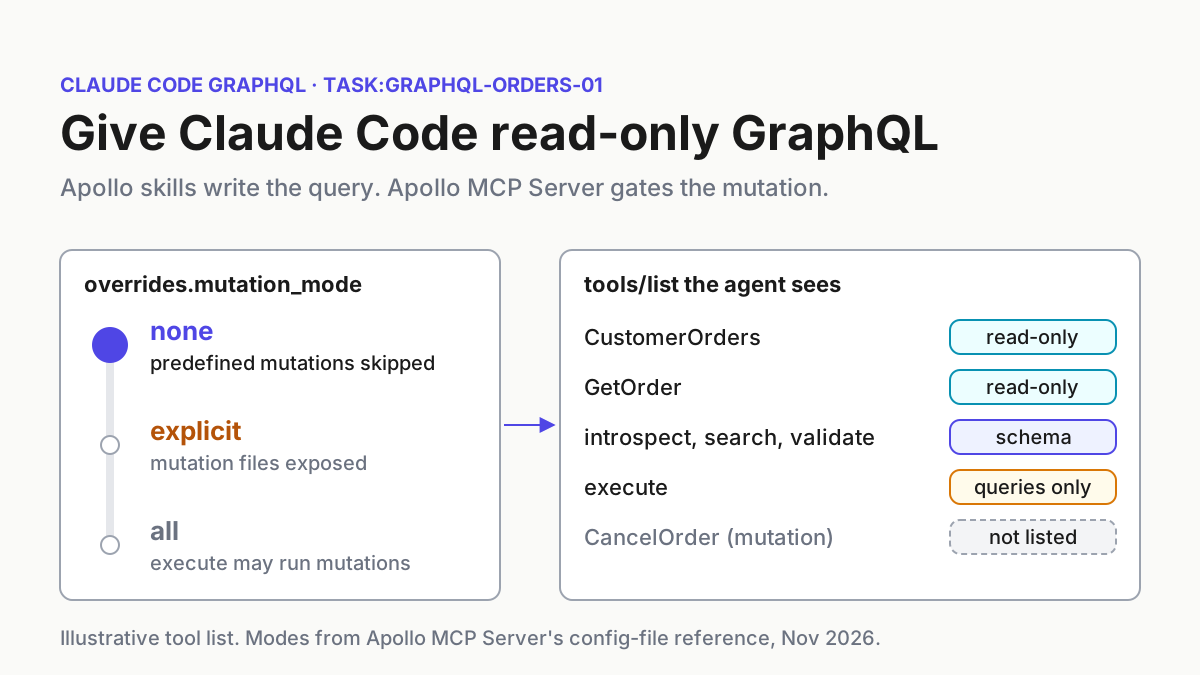
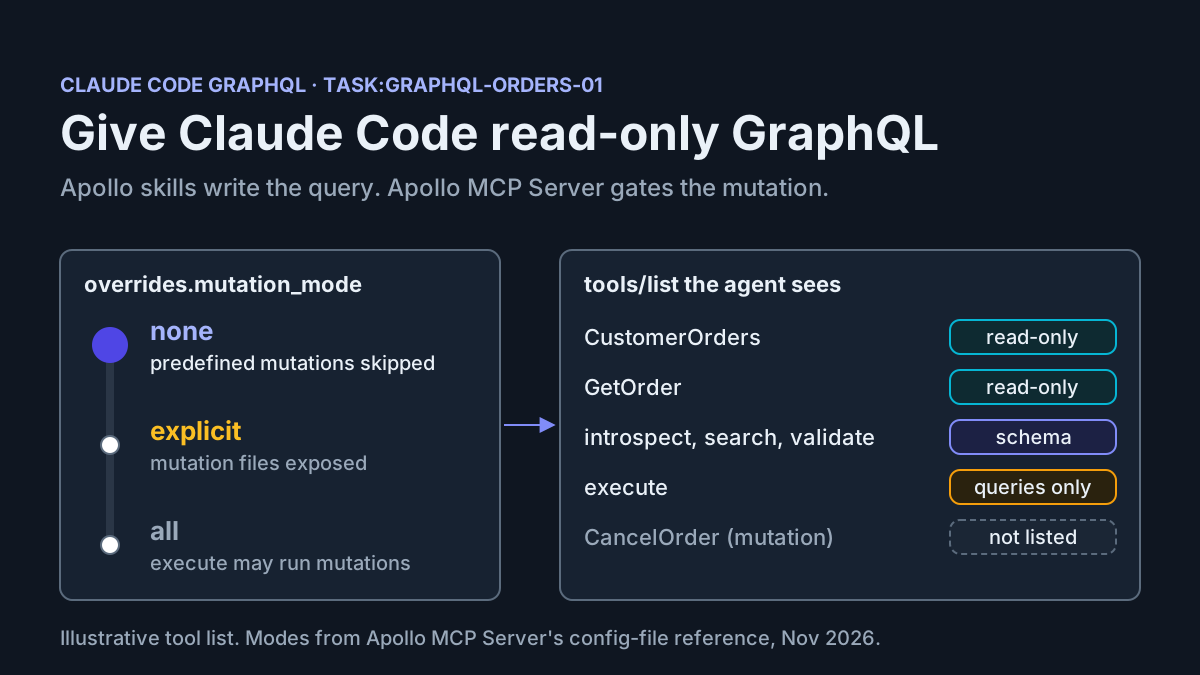
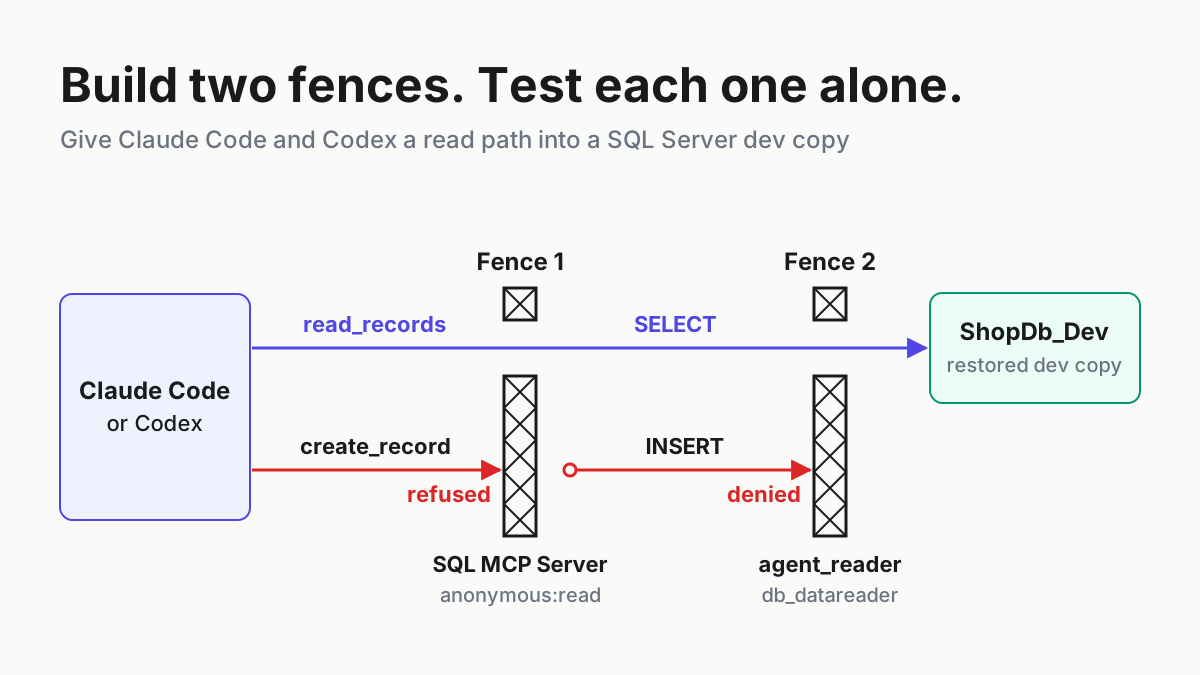
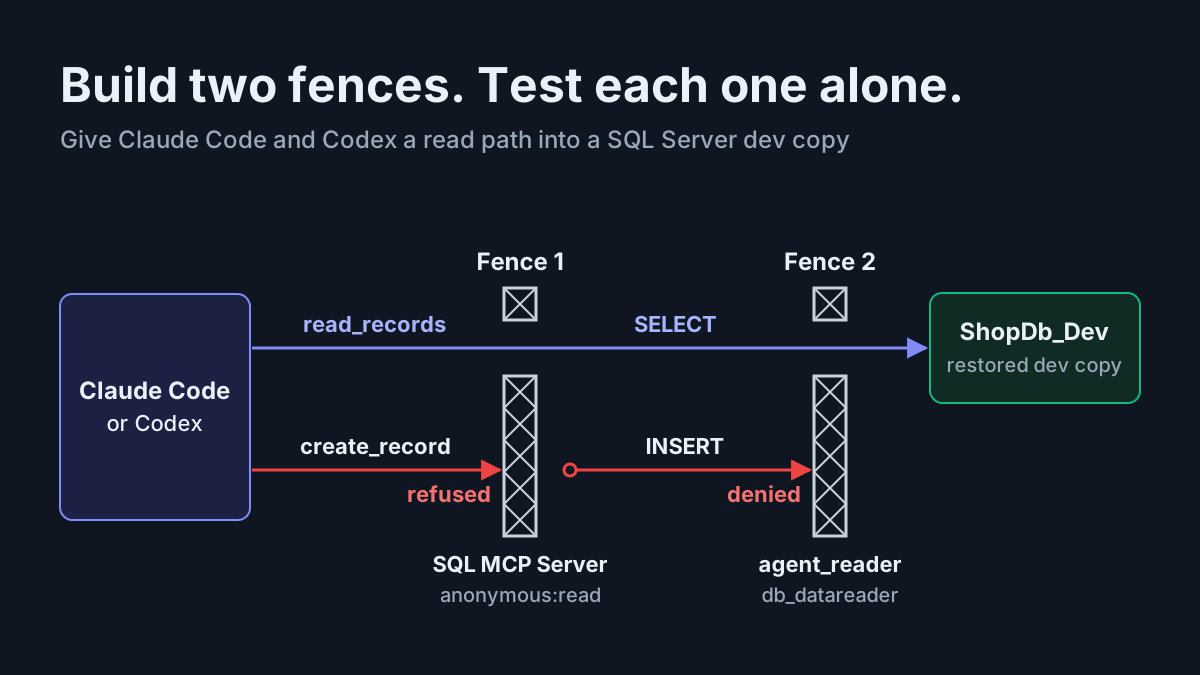
If you have already given an agent a database, the pattern will look familiar from our guides to a Postgres MCP server behind a read-only role, SQL Server MCP on a dev copy, the MongoDB MCP server in read-only mode and Apollo’s GraphQL MCP server with gated mutations: open a read-only path, prove it works, then widen access on purpose. The query language is what changes. Cypher’s variable-length patterns are where an agent’s answer most easily looks right and is wrong, so Step 4 exists to catch that.
Before you start: what you need and what you’ll build
You need one terminal and about half an hour. The graduation step needs more, and it’s optional.
- [ ] A coding agent. Claude Code, the Codex CLI, or both, installed and signed in. If you haven’t registered an MCP server in Claude Code before, our guide to claude mcp add and scopes explains where each scope stores its entry.
- [ ] A POSIX shell on macOS or Linux. The README also documents a PowerShell installer for Windows (
irm https://relatedb.ai/install.ps1 | iex). The commands below assume bash or zsh. - [ ] An absolute path for throwaway graphs. This guide uses
/home/dev/graphs/; replace it with your own path everywhere. Hosts start servers from directories you don’t control, and a relative path like./deps.rlis the most common reason a first connection fails. - [ ] A telemetry decision. The README says the standalone
relateCLI reports anonymous usage metrics by default: command shapes, feature flags and an install ID, but never query text, paths or data.relate telemetry off,DO_NOT_TRACK=1orRELATE_TELEMETRY=0turns it off. - [ ] Optional, for the graduation step: a Neo4j server reachable at
bolt://localhost:7687, plus an account that can create a user and grant it read access.
By the end you’ll have these files and config entries. The rollback section removes each of them:
| Artifact | Where it lives | Created in |
|---|---|---|
deps.cypher, the seed script |
/home/dev/graphs/ |
Step 1 |
deps.rl, the single-file store |
/home/dev/graphs/ |
Step 1 |
expected.json, your hand-written answer |
/home/dev/graphs/ |
Step 4 |
relate server entry |
~/.claude.json, Claude Code local scope |
Step 2 |
[mcp_servers.relate] table |
~/.codex/config.toml |
Step 3 |
neo4j-mcp and neo4j entries (optional) |
Claude Code and Codex configs | Graduation |
Step 1: Install Relate and seed task:graph-deps-01
The seed is a small but realistic dependency graph: eight services, three datastores and one event bus, connected by DEPENDS_ON relationships. Each relationship has a mode property set to sync or async. That one property is the trap that makes the check in Step 4 worth doing.
- Install the binary, and read the script first. The README’s quick install is
curl -sSfL https://relatedb.ai/install.sh | bash. It also points out that piping a script into a shell runs it before you have read it, and documents a download, inspect, run alternative. Use that one:
curl -sSfLo install.sh https://relatedb.ai/install.sh && less install.sh && bash install.sh
- Confirm the installer did what the README says. According to the README, it checks a signed
SHA256SUMSmanifest with the stockssh-keygen, refuses to install if the signature is missing or invalid, and puts the binary in$HOME/.local/bin. Runrelate --version. Relate’s documentation pages were recorded with relate 1.0.1, and the README’s example session shows v1.1.1. If any output below doesn’t match what you see, check your version first. - Write the seed script. The heredoc is single-quoted so the shell leaves the Cypher alone:
mkdir -p /home/dev/graphs
cat > /home/dev/graphs/deps.cypher <<'EOF'
CREATE (web:Service {name: 'web', tier: 'edge', team: 'frontend'}),
       (gw:Service {name: 'api-gateway', tier: 'edge', team: 'platform'}),
       (auth:Service {name: 'auth', tier: 'core', team: 'identity'}),
       (checkout:Service {name: 'checkout', tier: 'core', team: 'commerce'}),
       (payments:Service {name: 'payments', tier: 'core', team: 'commerce'}),
       (inventory:Service {name: 'inventory', tier: 'core', team: 'commerce'}),
       (srch:Service {name: 'search', tier: 'core', team: 'discovery'}),
       (notify:Service {name: 'notifications', tier: 'support', team: 'platform'}),
       (ordersdb:Datastore {name: 'orders-db', engine: 'postgres'}),
       (usersdb:Datastore {name: 'users-db', engine: 'postgres'}),
       (idx:Datastore {name: 'search-index', engine: 'opensearch'}),
       (bus:Queue {name: 'events-bus'}),
       (web)-[:DEPENDS_ON {mode: 'sync'}]->(gw),
       (gw)-[:DEPENDS_ON {mode: 'sync'}]->(auth),
       (gw)-[:DEPENDS_ON {mode: 'sync'}]->(checkout),
       (gw)-[:DEPENDS_ON {mode: 'sync'}]->(srch),
       (auth)-[:DEPENDS_ON {mode: 'sync'}]->(usersdb),
       (checkout)-[:DEPENDS_ON {mode: 'sync'}]->(payments),
       (checkout)-[:DEPENDS_ON {mode: 'sync'}]->(inventory),
       (checkout)-[:DEPENDS_ON {mode: 'sync'}]->(ordersdb),
       (checkout)-[:DEPENDS_ON {mode: 'async'}]->(bus),
       (payments)-[:DEPENDS_ON {mode: 'sync'}]->(ordersdb),
       (inventory)-[:DEPENDS_ON {mode: 'sync'}]->(ordersdb),
       (srch)-[:DEPENDS_ON {mode: 'sync'}]->(idx),
       (notify)-[:DEPENDS_ON {mode: 'async'}]->(bus),
       (notify)-[:DEPENDS_ON {mode: 'async'}]->(checkout);
CREATE INDEX relate_Datastore__name FOR (n:Datastore) ON (n.name);
EOF
- Seed the store. Relate’s guide to driving it from an agent seeds a new single-file store by piping a script into
relate query --database <file>.rl. Relate creates the.rlfile if it doesn’t exist:
relate query --database /home/dev/graphs/deps.rl --mode envelope < /home/dev/graphs/deps.cypher
echo "exit=$?"
Expected observation (illustrative): one envelope line per statement, each with "rows":[] because neither statement has a RETURN, then exit=0. A nonzero exit means the script did not finish. Read the stderr message before you retry. Exit code 6 means a statement was rejected (a syntax, semantic or type error), and for a syntax error the error object includes column and source, which point at the failing token. If your version rejects the index statement inside a mixed script, run that line as its own command.
5. Check the counts with a read-only open. These two queries prove the graph is what you think it is, before any agent touches it:
relate --database /home/dev/graphs/deps.rl --read-only --mode envelope \
  'MATCH (n) RETURN labels(n)[0] AS label, count(*) AS nodes ORDER BY label'
relate --database /home/dev/graphs/deps.rl --read-only --mode envelope \
  'MATCH ()-[r:DEPENDS_ON]->() RETURN r.mode AS mode, count(*) AS edges ORDER BY mode'
Expected observation (illustrative): the first query returns three rows: Datastore 3, Queue 1 and Service 8. The second returns async 3 and sync 11. Both exit 0.
Why these choices? A single .rl file makes cleanup one rm, and it gives every host one absolute path to point at. The --read-only flag on the checks matters too. Per the drive-from-an-agent guide, a read-only open never writes, checkpoints or migrates the store, and any write attempted through it fails with exit code 6. Close every writer before Step 2, because a .rl file can only be opened while no writer holds it.
The last line of the seed adds an index on Datastore.name. When Relate’s MCP server answers a query that filters on an unindexed property, the documented reply includes a MissingIndex performance notification with a CREATE INDEX remedy. On a read-only store the agent can’t apply that remedy. Adding the index in the seed removes a notification that would otherwise tempt the agent to try to change a store it shouldn’t write to. The README’s relate skill install is optional and separate: it teaches agents the CLI, and you don’t need it for MCP.
Step 2: Serve the store read-only and register it in Claude Code
relate serve --mcp takes either the keyword stdio or a port number. Both serve the same tools. Relate’s Connect over MCP guide compares them, and the table below follows it:
| Transport | Who starts it | Authentication | Use it when |
|---|---|---|---|
--mcp stdio |
The host, as a child process, until it closes stdin | None; passing --auth with stdio is a usage error |
One agent host on your machine (this guide’s default) |
--mcp <port> |
You, as a long-running process, until SIGINT or SIGTERM | Basic auth from --auth or RELATE_AUTH, or a token it generates |
A host that only connects to URLs, or several clients sharing one server |
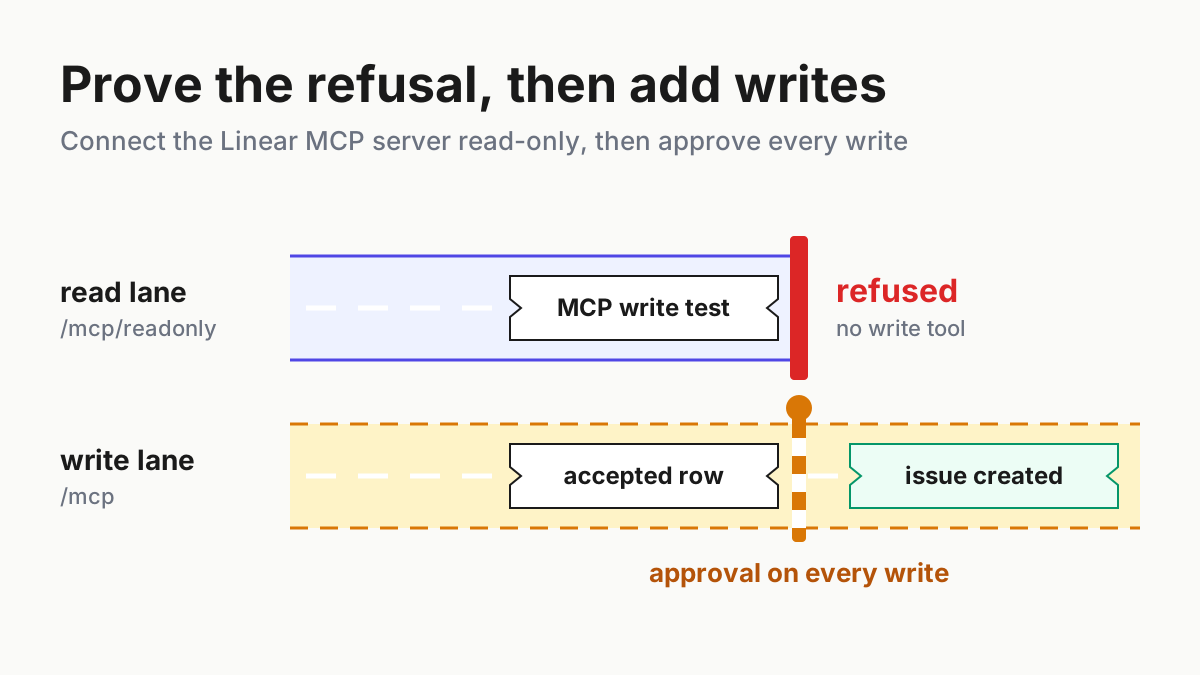
With --read-only, the server lists exactly two tools, read_cypher and get_schema. write_cypher appears only when the store is writable. Work through these steps in order:
- Test the server from the shell before any host is involved. This sends three JSON-RPC messages the way a host would:
initialize, thentools/list, then a write sent toread_cypher.
printf '%s\n' \
  '{"jsonrpc":"2.0","id":1,"method":"initialize","params":{"protocolVersion":"2024-11-05","capabilities":{},"clientInfo":{"name":"shell","version":"0"}}}' \
  '{"jsonrpc":"2.0","id":2,"method":"tools/list","params":{}}' \
  '{"jsonrpc":"2.0","id":3,"method":"tools/call","params":{"name":"read_cypher","arguments":{"statement":"CREATE (:Service {name: $n})","parameters":{"n":"rogue"}}}}' \
  | relate serve --mcp stdio --database /home/dev/graphs/deps.rl --read-only 2>/dev/null
Expected observation: three lines. The tools/list reply names read_cypher and get_schema, both annotated readOnlyHint: true, and doesn’t include write_cypher. The third reply should match what Relate’s guide records for a write sent to the read tool: "text":"Only MATCH queries are allowed for read-query" with "isError":true. The store is unchanged.
2. Register the server in Claude Code. Relate’s guide gives the command; only the path is different here:
claude mcp add relate -- relate serve --mcp stdio --database /home/dev/graphs/deps.rl --read-only
The -- separates Claude Code’s own options from the server’s command. The Claude Code MCP documentation explains that without it, Claude Code would try to parse the server’s flags as its own. The entry goes into local scope, stored in ~/.claude.json under the current project. Add --scope project only if you want the entry written to a committed .mcp.json. Claude Code then asks each person to approve the server before it’s used.
3. Check its health. Run claude mcp list. Claude Code documents three statuses here: ✔ Connected, ! Needs authentication and ✘ Failed to connect. If it fails, claude mcp get relate prints an Issue: line with the detail.
4. Check the tools inside a session. Start claude in the project and run /mcp. The relate server should show two tools. A tool’s full name follows Claude Code’s mcp__<server>__<tool> pattern, so when the agent calls one you’ll see mcp__relate__read_cypher in the transcript. Use that name in permission rules or hooks.
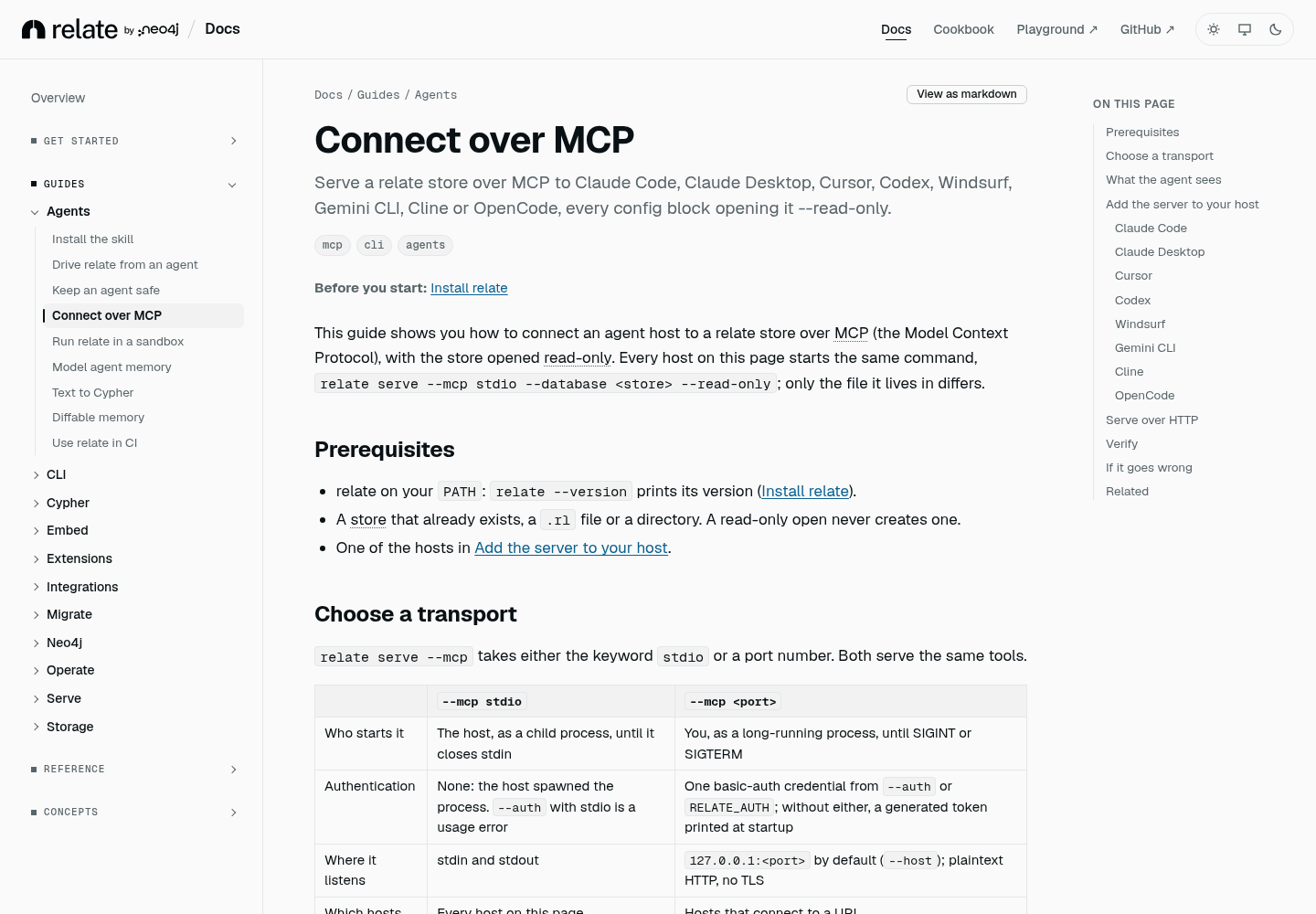
Relate’s Connect over MCP guide on relatedb.ai. The host configurations in this tutorial follow it. Source: relatedb.ai, captured November 2026.
The HTTP variant, if you need a URL. Start the server yourself with a credential, then register the URL:
RELATE_AUTH=relate:choose-a-long-secret relate serve --mcp 8000 --database /home/dev/graphs/deps.rl --read-only
# in a second terminal
CRED=$(printf '%s' 'relate:choose-a-long-secret' | base64)
claude mcp add --transport http relate-http http://127.0.0.1:8000 --header "Authorization: Basic $CRED"
Relate’s guide says the port listener binds to 127.0.0.1 by default and speaks plaintext HTTP with no TLS. Without --auth or RELATE_AUTH, it generates a token for the user relate and saves it next to the store in an .auth-token file. Keep it on loopback. The README says that for encrypted connections you should put a TLS-terminating proxy in front of it.
Step 3: Register the same server in Codex
The Codex MCP documentation stores servers in ~/.codex/config.toml, or in .codex/config.toml inside a trusted project. The Codex CLI, the IDE extension and the ChatGPT desktop app all share this file. Each server is a [mcp_servers.<name>] table.
- Add the table. The
commandandargslines are Relate’s documented Codex block. The last three keys come from Codex’s own list of options:
[mcp_servers.relate]
command = "relate"
args = ["serve", "--mcp", "stdio", "--database", "/home/dev/graphs/deps.rl", "--read-only"]
startup_timeout_sec = 20
tool_timeout_sec = 60
default_tools_approval_mode = "writes"
- Know why each extra key is there.
startup_timeout_secdefaults to 10 in Codex, and 20 gives a cold machine more room.tool_timeout_secis shown at its documented default of 60 so you can find it later.default_tools_approval_mode = "writes"prompts only for tools that aren’t marked read-only. Relate marks both of its read-only tools withreadOnlyHint: true, soget_schemaandread_cypherrun without a prompt. If someone later removes--read-onlyfromargs, the newly listedwrite_cypherwill ask for approval. Our Codex approval modes guide covers how this setting interacts with the sandbox. - Or add the entry from the CLI:
codex mcp add relate -- relate serve --mcp stdio --database /home/dev/graphs/deps.rl --read-only. The CLI form doesn’t set the timeout or approval keys, so add them to the table afterwards. - Check it.
codex mcp listshows configured servers, and/mcpinside thecodexTUI shows active servers. You should seerelatewithget_schemaandread_cypher. - The HTTP variant. Relate’s guide shows the URL form only for Claude Code. For a Streamable HTTP server, Codex documents the keys
url,bearer_token_env_var,http_headersandenv_http_headers, so the Basic credential can come from an environment variable instead of the file:
[mcp_servers.relate_http]
url = "http://127.0.0.1:8000"
env_http_headers = { "Authorization" = "RELATE_BASIC" }
default_tools_approval_mode = "writes"
Before starting Codex, export the credential in the same shell with export RELATE_BASIC="Basic $(printf '%s' 'relate:choose-a-long-secret' | base64)". Codex’s docs say that if no credential source resolves, Codex can connect without authentication. Relate then answers 401, which is the failure you want to see.
Step 4: Check the agent’s Cypher against your own answer
This is the step the rest of the guide sets up. The question for task:graph-deps-01 is concrete: which services stop working if orders-db goes down, following only synchronous dependencies? You’ll answer it twice, once by hand and once through the agent, and you’ll trust the agent’s statement only when the rows match.
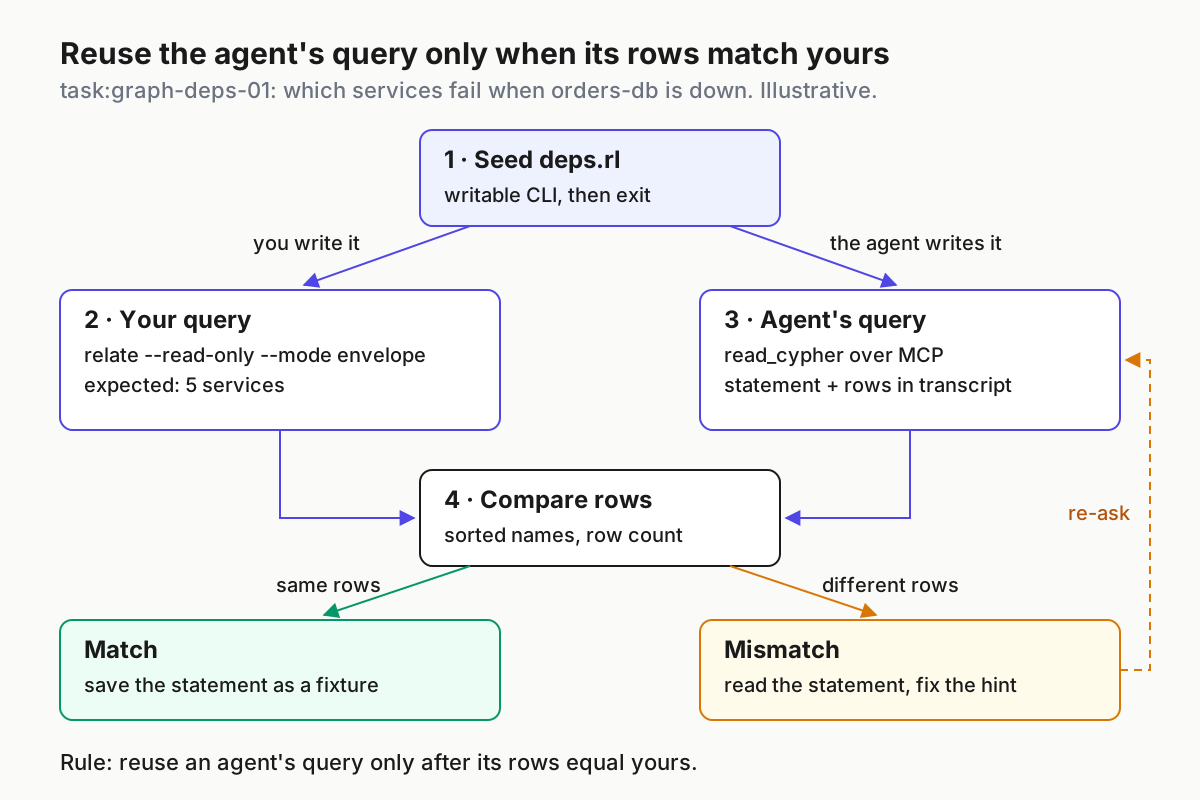
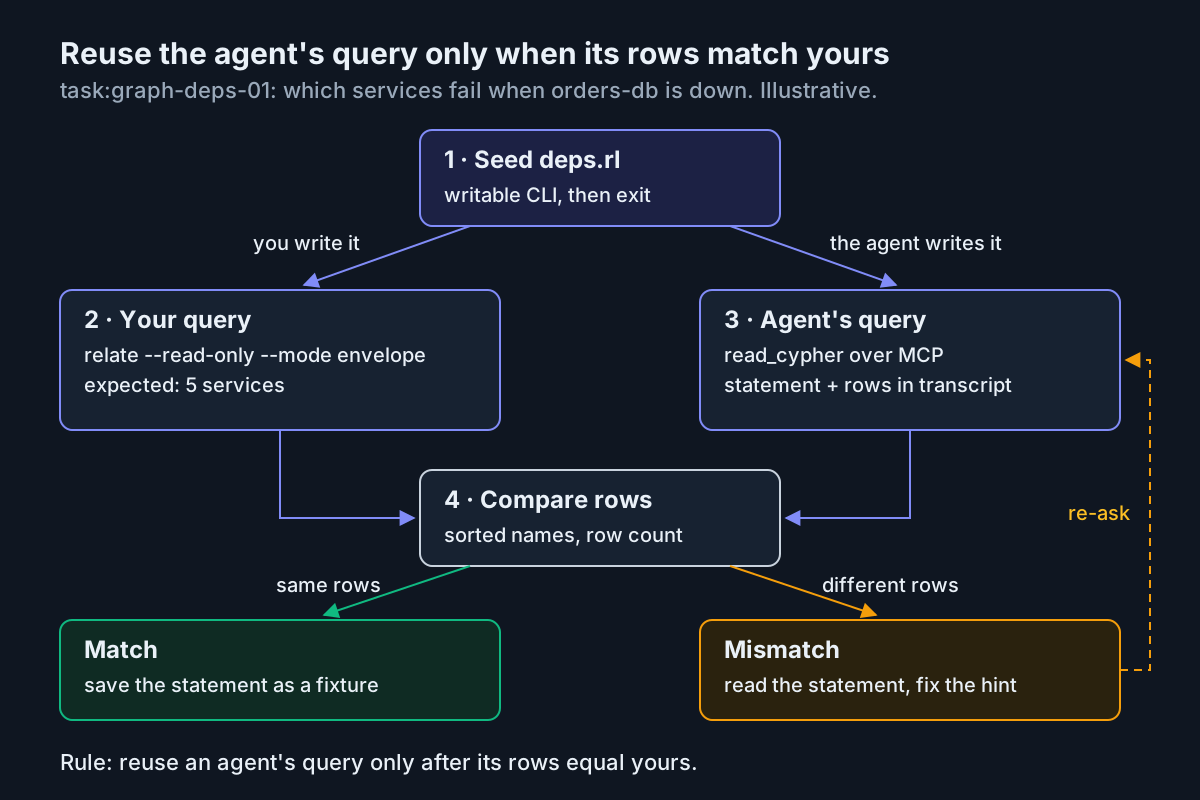
The agent’s query is reusable only after its rows equal yours. Illustrative loop for task:graph-deps-01, based on Relate’s CLI and MCP documentation.
- Write the expected answer yourself. Run it with the CLI, read-only, and save the envelope:
cd /home/dev/graphs
relate --database /home/dev/graphs/deps.rl --read-only --mode envelope \
  --param 'store="orders-db"' \
  'MATCH p = (s:Service)-[:DEPENDS_ON*1..6]->(:Datastore {name: $store})
   WHERE all(r IN relationships(p) WHERE r.mode = "sync")
   RETURN DISTINCT s.name AS service ORDER BY service' > expected.json
echo "exit=$?"
The pattern follows DEPENDS_ON for one to six hops. The longest chain in the seed is four hops: web, api-gateway, checkout, payments, orders-db. The query keeps only paths where every relationship is sync and returns each service once. The parameter value is quoted as JSON because, per the drive-from-an-agent guide, --param parses its value as JSON. The single quotes around the statement stop the shell from expanding $store.
Expected observation (illustrative, worked out by hand from the seed): exit=0 and five rows: api-gateway, checkout, inventory, payments and web. notifications isn’t in the list because its only route to orders-db is the async edge into checkout. auth and search never reach orders-db at all.
2. Ask the agent. In Claude Code or Codex, paste:
Use only the relate MCP tools. Call get_schema first. Then answer: which Service
nodes stop working if the Datastore named orders-db is down? Follow DEPENDS_ON
in any number of hops, but only through relationships whose mode is 'sync'.
Return the names sorted alphabetically, and show the exact statement and
parameters you sent to read_cypher.
- Compare the rows, then read the statement. Line up the agent’s sorted names against the
rowsarray inexpected.json. Then open the tool call in the transcript. Per Relate’s guide, aread_cyphercall carriesstatementandparameters, and the reply carriescolumns,rows, aplanand anynotifications. - Decide. If the agent returned the same five names, save its statement next to the store as a fixture and reuse it. If it returned anything else, its statement shows which mistake the model made. The table and paragraph below cover the common ones.
Here is the worked example end to end. Every expected result is illustrative, derived from the documentation and the seed; none of these were run for this article.
| Input | Action | Expected result |
|---|---|---|
task:graph-deps-01 seed: deps.cypher with 12 nodes and 14 DEPENDS_ON edges, written to /home/dev/graphs/deps.rl |
relate query --database /home/dev/graphs/deps.rl --mode envelope < deps.cypher, then both count queries with --read-only |
exit=0; labels Datastore 3, Queue 1, Service 8; modes async 3, sync 11 |
task:graph-deps-01 Claude Code entry named relate |
claude mcp add relate -- relate serve --mcp stdio --database /home/dev/graphs/deps.rl --read-only, then claude mcp list |
relate line shows ✔ Connected; /mcp lists two tools, get_schema and read_cypher |
task:graph-deps-01 Codex table [mcp_servers.relate] with default_tools_approval_mode = "writes" |
codex mcp list, then /mcp in the Codex TUI |
relate listed with get_schema and read_cypher, no write_cypher, no approval prompt for either read tool |
| task:graph-deps-01 prompt line: Call get_schema first | Agent calls get_schema on deps.rl |
Reply lists Service (count 8; name, team, tier), Datastore (count 3), Queue (count 1) and DEPENDS_ON with a mode property |
| task:graph-deps-01 question: services down when orders-db fails, sync edges only | Agent calls read_cypher with a statement and parameters |
Five rows: api-gateway, checkout, inventory, payments, web; identical to expected.json |
| task:graph-deps-01 write probe: Create a Service named rogue | Agent finds no write_cypher; if it sends CREATE to read_cypher anyway |
Tool error Only MATCH queries are allowed for read-query; a later Service count still returns 8 |
task:graph-deps-01 on a Neo4j server via neo4j-mcp with NEO4J_MCP_READ_ONLY=true |
Agent calls read-cypher with the same question |
Same five rows; the tool list shows only get-schema and read-cypher |
How to read a mismatch. Three rows (checkout, inventory, payments) mean the agent matched a single hop, (s)-[:DEPENDS_ON]->(d), and missed the chain through api-gateway and web. Six rows that include notifications mean it followed any number of hops but dropped the mode = 'sync' filter. A result with no rows usually means it skipped get_schema and guessed a label, such as :Database. In that case Relate returns an empty result with its columns intact, and the agent may report that nothing depends on orders-db. Each case has a one-sentence fix in the prompt: name the hop count, name the property filter, or insist on get_schema first.
Two habits make the check cheap to repeat. First, keep expected.json next to deps.cypher, so any change to the seed forces you to regenerate the answer. Second, if the agent runs the CLI from its shell instead of using MCP, remember the row cap in the drive-from-an-agent guide. Under a detected agent harness, the CLI prints at most 100 rows per statement and reports the cut in-band with "truncated": true and a rowCap object, while the exit code stays 0. Compare row counts before you compare names.
When it breaks: symptoms, causes and fixes
Most failures show up as a status in claude mcp list or Codex’s /mcp, or as a line in the host’s server log. The CLI uses fixed exit codes: 1 for a runtime failure, 2 for a usage error, 5 for a conflict or a locked store, 6 for a rejected statement and 7 for a timeout. Match your symptom here:
| Symptom | Likely cause | Fix |
|---|---|---|
Host log shows Error: Failed to open Relate: storage error: database not found: <path> |
A read-only open never creates a store, and a relative path resolved against an unexpected directory | Use the absolute path in the entry, and seed the store first (Step 1) |
The host cannot start relate at all |
The host’s PATH doesn’t include ~/.local/bin, which is common for desktop apps |
Put the binary’s absolute path in command |
Failed to open Relate: storage locked: <path>, exit code 5 |
Another process holds the .rl store, often your seeding shell |
Exit the writer. A .rl file can’t be opened read-only while a writer holds it; a directory store can |
relate serve exits 2 with an error beginning Error: serve --mcp stdio skips auth |
--auth passed to a stdio server |
Remove --auth; it only applies to port listeners |
HTTP 401 Unauthorized with WWW-Authenticate: Basic realm="relate" |
The credential is missing or wrong | Recompute the base64 of user:password, and check RELATE_AUTH on the server side |
HTTP 415 Unsupported Media Type |
A POST with no Content-Type, or a browser-simple one |
Send Content-Type: application/json in hand-written curl tests |
✘ Failed to connect on a slow first start |
Startup took longer than the host’s timeout | Claude Code: MCP_TIMEOUT=10000 claude. Codex: raise startup_timeout_sec (default 10) |
| The port listener won’t start | The port is probably already in use; Relate’s docs don’t quote the message | Pick another port, for example --mcp 8001, and update the registered URL |
Claude Code reports MCP server "relate-http" has a "url" but no "type" |
A JSON entry was copied without a type | Add "type": "http" to the entry |
The agent reports Only MATCH queries are allowed for read-query or unknown tool 'write_cypher' |
Read-only working as configured | Not a bug. For writes, open a separate writable session deliberately |
The agent’s CLI run exits 6 with ParameterMissing |
The statement uses $name and nothing binds it, or double quotes let the shell eat $name |
Pass --param name=value and single-quote the statement |
| Neo4j MCP ignores read-only or rejects credentials | Variable names copied from an older configuration | Use the NEO4J_MCP_-prefixed names on Neo4j’s current client-configuration page |
Graduate to a read-only Neo4j server with the official Neo4j MCP server
Relate let you prove the agent can query your graph correctly. When the graph needs to be shared, or outgrows memory, move the agent to a Neo4j server behind Neo4j’s own MCP server. The Neo4j MCP tools page lists four tools: get-schema, read-cypher, write-cypher and list-gds-procedures. Setting NEO4J_MCP_READ_ONLY=true stops the server from exposing write tools. read-cypher rejects writes, schema and admin operations, and PROFILE queries, and it makes an extra round-trip to the database to classify each query. NEO4J_MCP_TOOLS narrows the list further, and the docs say read-only takes precedence: a write tool named in NEO4J_MCP_TOOLS stays disabled.
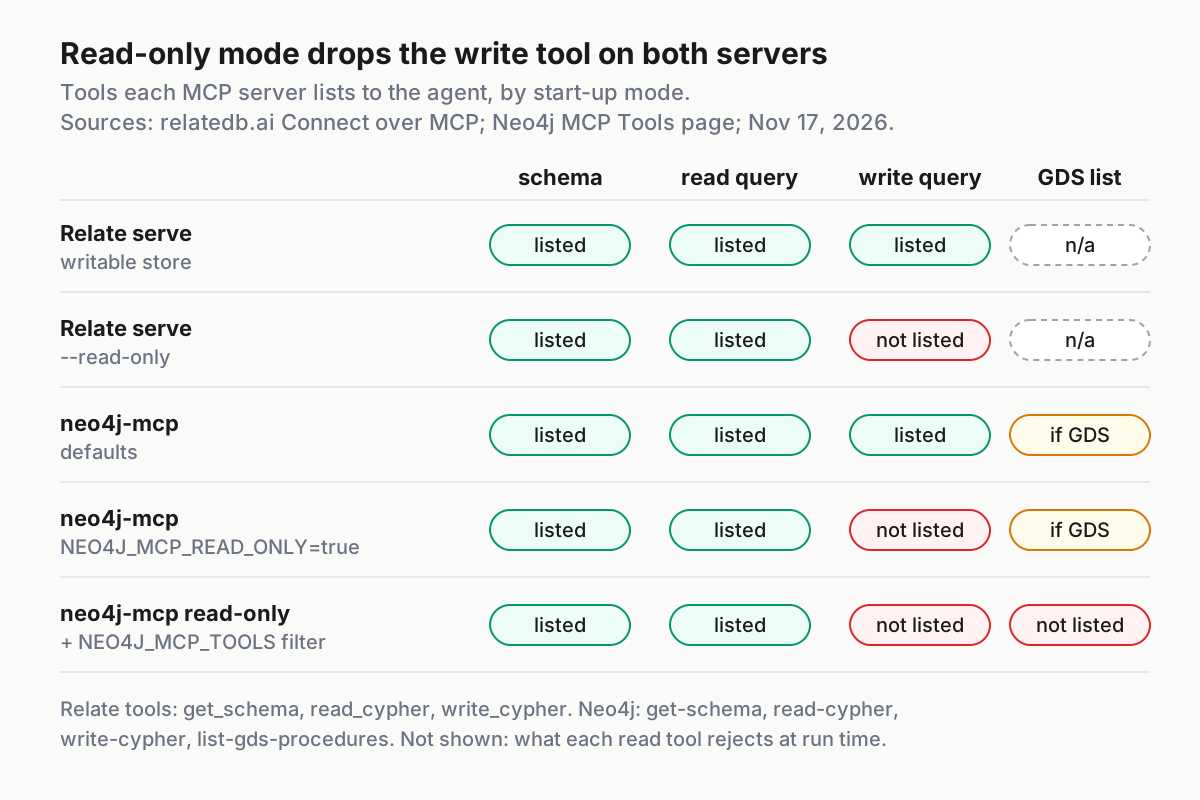
Both servers hide their write tool once read-only mode is on; the NEO4J_MCP_TOOLS filter also drops list-gds-procedures. Sources: relatedb.ai Connect over MCP and Neo4j MCP Tools documentation, fetched November 17, 2026.
- Load the same data. The seed is plain Cypher, so you can run
deps.cypheragainst the server with whatever admin client you already use. Relate also hasrelate pullandrelate push, which mirror a subgraph between Relate and a Neo4j or Aura instance over Query API v2. Their flags are in Relate’s push reference, which this guide did not review. - Create a dedicated, low-privilege database user, called
agent_readerbelow, that can read this database and nothing else. The commands vary by Neo4j edition and are documented in the Neo4j Operations Manual, which is outside this guide’s evidence. Follow that manual. Don’t reuse the admin account that appears in the examples on Neo4j’s configuration page. - Install the server. Neo4j’s client configuration page lists two routes: the
neo4j-mcpexecutable, installed with Homebrew or manually, oruvx, which downloads the server from PyPI without a separate install step. - Register it in Claude Code with read-only on and the tool filter set. The command adds one variable to the documented example:
claude mcp add neo4j-mcp \
  --env NEO4J_MCP_URI=bolt://localhost:7687 \
  --env NEO4J_MCP_USERNAME=agent_reader \
  --env NEO4J_MCP_PASSWORD="$AGENT_READER_PASSWORD" \
  --env NEO4J_MCP_DATABASE=neo4j \
  --env NEO4J_MCP_READ_ONLY=true \
  --env NEO4J_MCP_TOOLS=get-schema,read-cypher \
  -- neo4j-mcp
Keep this entry in local scope. The shell expands the password when you add the server, so it ends up in ~/.claude.json. A project-scoped .mcp.json would put it in version control.
5. Register it in Codex. Codex’s env_vars key forwards a variable from your shell, so the password never goes into the file:
[mcp_servers.neo4j]
command = "neo4j-mcp"
env_vars = ["NEO4J_MCP_PASSWORD"]
startup_timeout_sec = 20

[mcp_servers.neo4j.env]
NEO4J_MCP_URI = "bolt://localhost:7687"
NEO4J_MCP_USERNAME = "agent_reader"
NEO4J_MCP_DATABASE = "neo4j"
NEO4J_MCP_READ_ONLY = "true"
NEO4J_MCP_TOOLS = "get-schema,read-cypher"
NEO4J_MCP_TELEMETRY = "false"
- Verify. In
/mcpin either host, the server should list onlyget-schemaandread-cypher. Rerun the Step 4 prompt, swapping in the Neo4j tool names, and compare the result against the same five names. Then ask the agent to create aServicenamedrogue. It has no write tool to call, and if it sends the write throughread-cypher, the server rejects it. The Neo4j pages don’t quote the exact refusal text, so judge by the outcome: a follow-up count ofServicenodes still returns 8.
The low-privilege user is the backstop. Read-only mode is enforced by the MCP server’s configuration, and that configuration can be edited. A database account that can’t write stays read-only even if someone later removes NEO4J_MCP_READ_ONLY from a config file.
Relate, Neo4j server or Aura: a decision table
Use the graph’s audience and size to decide where it should live, not which tool is newest. Read across each row:
| Question | Relate, embedded | Neo4j server with neo4j-mcp | Aura with Neo4j’s hosted MCP |
|---|---|---|---|
| Where does the graph live? | A .rl file, a directory or memory on your machine |
Your own Neo4j server | Neo4j’s managed cloud service |
| How many users at once? | One user or agent per process, per the README | Many, each with their own database account | Many, through Aura’s own account management |
| How does the agent connect? | The host starts relate serve --mcp stdio |
The host starts neo4j-mcp with a Bolt URI and credentials |
claude mcp add --transport http neo4j-mcp https://<instance-id>.mcp-instances.neo4j.io |
| What is the read-only switch? | --read-only on serve; write_cypher is not listed |
NEO4J_MCP_READ_ONLY=true or --read-only true, plus NEO4J_MCP_TOOLS |
Not covered by the pages this guide used; check Neo4j’s MCP for Aura page |
| What limits size? | The working set must fit in memory | Your server’s capacity | Your Aura plan |
| Pick it when | Prototyping, per-task scratch graphs, or memory for one project’s agent | A team graph that several agents read, with accounts you control | You want hosted Neo4j and don’t want to run servers |
You can also mix them. The launch blog describes pulling a slice of a larger Aura or Neo4j graph into a local Relate sandbox. The README shows the shape: relate pull --from neo4j.env --query "MATCH (o:Organization)-[r]-() RETURN o, r LIMIT 500" --database ./mirror. The agent then experiments on the mirror, and the shared graph stays behind its read-only MCP server.
Roll back cleanly
Everything this guide created is a config entry or a file. Remove them in this order, so no host is left pointing at a store that no longer exists:
- Remove the Claude Code entries:
claude mcp remove relate, plusclaude mcp remove relate-httpandclaude mcp remove neo4j-mcpif you added them. If you used project scope, add--scope project. - Remove or disable the Codex tables. Delete
[mcp_servers.relate],[mcp_servers.relate_http]and[mcp_servers.neo4j], or setenabled = falsein a table to keep it without connecting. Confirm withcodex mcp list. - Stop any port listener with Ctrl-C. Relate’s serve process runs until SIGINT or SIGTERM.
- Delete the throwaway store and its artifacts:
deps.rl, plus any.auth-tokenfile Relate saved next to it, anddeps.cypherandexpected.jsonif you no longer need the fixture. - Remove the optional pieces. If you installed the agent skill, run
relate skill remove, which is safe to run more than once. To remove Relate entirely, delete the binary from$HOME/.local/bin. The README doesn’t document an uninstall command. - On Neo4j, after removing the MCP entries, disable or drop
agent_readeras described in the Operations Manual.
What the documentation does not settle
A few gaps are worth knowing before you rely on this setup. Relate’s guides don’t quote the error printed when an MCP port is already in use. They describe the 100-row agent cap for the CLI, but don’t say whether MCP replies are capped the same way, so check row counts in read_cypher replies on large graphs. Neo4j’s tools page explains which queries read-cypher rejects but doesn’t quote the rejection message. Creating the read-only database user and setting read-only behavior for Aura’s hosted MCP endpoint are both documented on pages this guide didn’t use. Neo4j’s docs also list a page on migrating neo4j-mcp from v1 to v2. If your existing configuration predates the NEO4J_MCP_ variable names, read that page before you graduate.
If this graph becomes one of several data sources your agents use, treat each MCP server as a component you operate, with an owner, a read-only default and a rollback. Our AgentOps guide covers running agents and their tools as a fleet.
Sources
- Neo4j, New In-Memory Database Purpose-Built for AI Agents (Relate press release), November 11, 2026.
- Neo4j, Meet Relate by Neo4j: An Embedded Database for AI Agents, November 11, 2026.
- relatedb, relate repository README, fetched November 17, 2026.
- Relate documentation, Connect over MCP, fetched November 17, 2026.
- Relate documentation, Drive relate from an agent, fetched November 17, 2026.
- Neo4j MCP documentation, Client configuration, fetched November 17, 2026.
- Neo4j MCP documentation, Tools, fetched November 17, 2026.
- Anthropic, Connect Claude Code to tools via MCP, fetched November 17, 2026.
- OpenAI, Codex: Model Context Protocol, fetched November 17, 2026.
- Neo4j on X, launch post for Relate, November 11, 2026.