Git LFS Checkout: Recover and Verify a Missing Test Fixture
Fix a Git LFS checkout that leaves a pointer in place of a test fixture. Fetch one path, verify its size and SHA-256, and preserve local edits before testing.

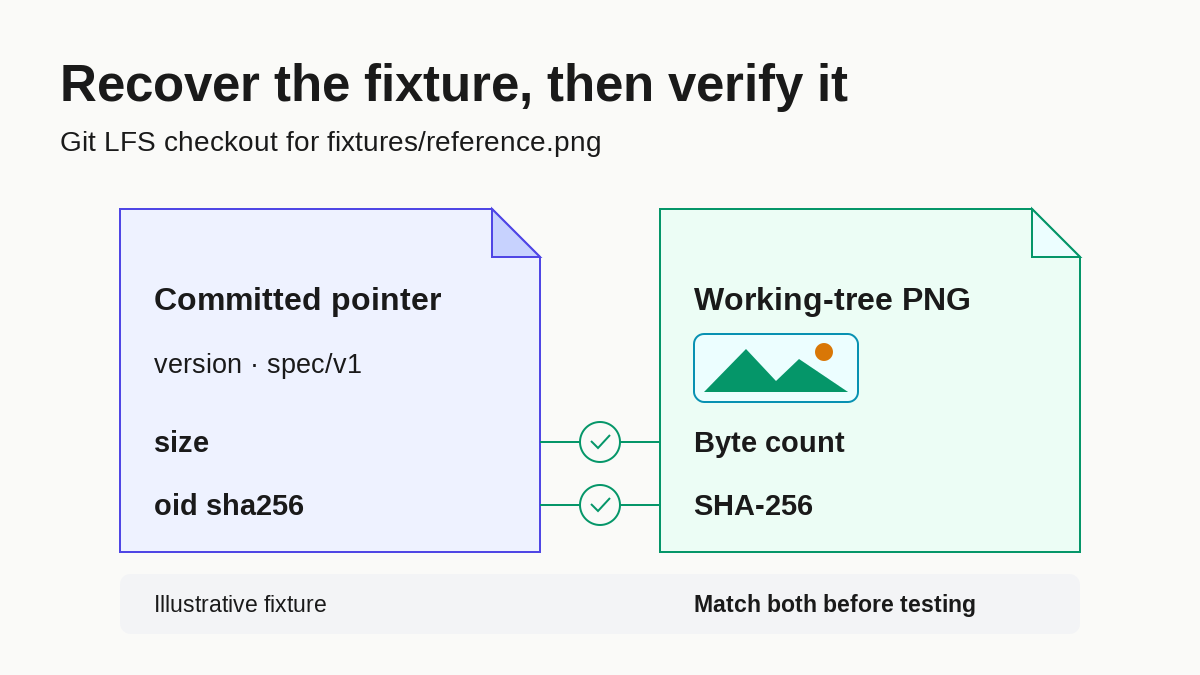
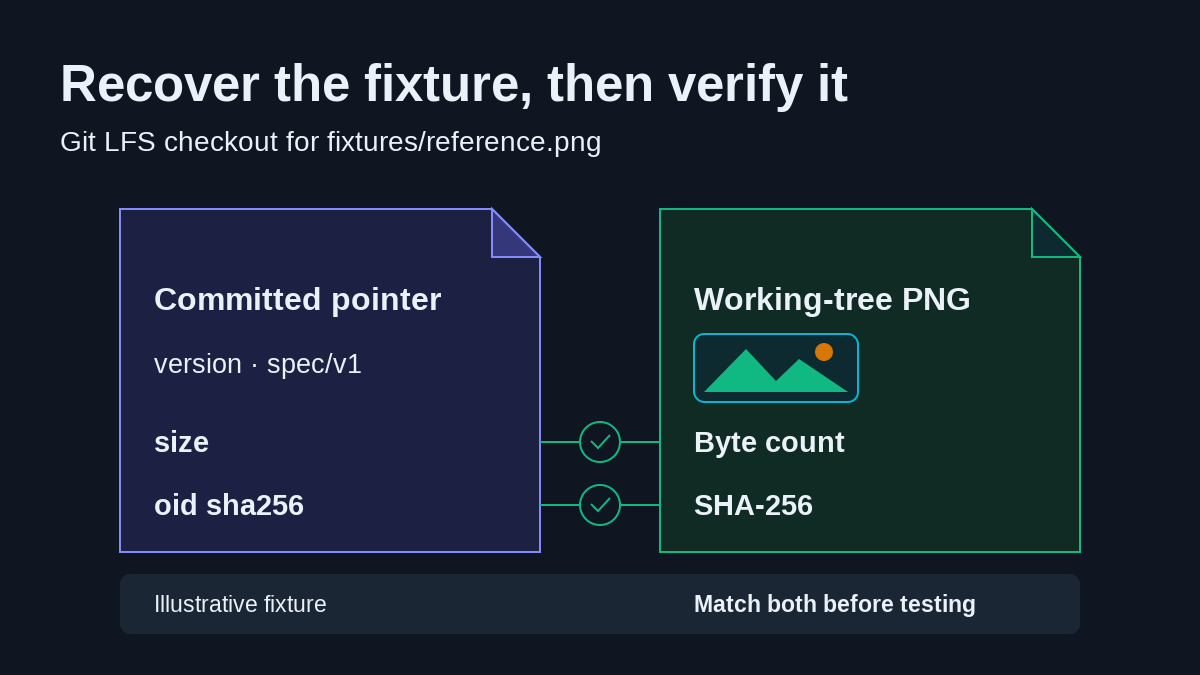
Your test opens fixtures/reference.png and reports that it cannot decode the image. The file exists, and the Git commit matches the one recorded by CI. A Git LFS checkout can still leave a text pointer at the path the test opens. Read the pointer from the intended commit, recover the object it names, and verify the bytes at the test path before rerunning the test.
Start with a trusted, full, non-sparse checkout containing a known LFS-tracked regular file. You need Git and Git LFS configured for the repository, Python 3, Bash for the copyable blocks, authorized read access to LFS objects through origin, and disk space for the cached object and its working copy. Run from the checkout root. Pause processes that could regenerate the fixture, alter the index, or switch revisions. If CI runs the test in a different directory or container, identify the checkout from which it actually reads the image. That is where the verification needs to happen.
Read the pointer for the failing commit
- Take the full expected commit ID from the failing job or the revision you intended to reproduce. Run
git rev-parse --verify 'HEAD^{commit}'and compare the output with that ID. Resolve any discrepancy before repairing the fixture. The suffix requires the argument to resolve to a commit. Git rev-parse reference - Run
git cat-file -p HEAD:fixtures/reference.png. Read theoid sha256:andsizelines from the committed blob. TheHEAD:pathexpression selects the blob in the commit. The plain object read prints the contents without applying working-tree filters. Git cat-file reference - Run
git status --porcelain=v1 --untracked-files=all -- fixtures/reference.png. An empty result clears the status check for the path. Output such asM fixtures/reference.pngshows a working-tree edit, whileM fixtures/reference.pngshows an index change. For any reported change at that path, use the disposable checkout below. Also consider whether locally edited.gitattributesrules govern the path. Git status reference
The illustrative case task:lfs-reference-01 assumes HEAD is the intended commit e445b45c1c9c6282614f201b62778e4c0688b5c8, the remote is origin, and the working-tree file contains the commit’s exact three-line pointer. The commit and pathname are illustrative inputs. The values below come from GitHub’s pointer example and stand in for this case’s expected values. For your own repository, use the expected commit ID from the failing job. The verifier derives the size and digest from the committed blob it reads. GitHub Docs on Git LFS pointers
version https://git-lfs.github.com/spec/v1
oid sha256:4cac19622fc3ada9c0fdeadb33f88f367b541f38b89102a3f1261ac81fd5bcb5
size 84977953
The first line identifies the pointer format. The second carries the digest to compare against the binary contents. The third gives the expected size in bytes. The Git commit ID selects the tree containing the pointer. The digest in the pointer identifies the separately stored payload. Keep these values distinct in a job log, especially when a pipeline tests multiple commits that contain the same fixture path. A listing can show that the path exists, and the three visible lines can tell you why the decoder rejected it. To determine which PNG the test should receive, use the size and digest recorded inside the pointer.
An empty porcelain result is compatible with an exact pointer in the working tree. Git status compares its view of the path against the index and commit. A test opens the file directly. That distinction matters when a runner intentionally skips automatic LFS downloads or when filtering leaves a particular path as text. Git LFS calls the conversion from the pointer to file contents smudging. Its documentation describes the skip setting and how include and exclude rules can leave a pointer unchanged. Git LFS smudge reference
If the committed blob differs from the example format, check the revision and path before drawing conclusions about the download. The fixture might have moved or been stored directly as a Git blob at that revision. The verifier expects the three fields in the displayed order, with an LF after each line, and requires the working-tree placeholder to match the committed bytes before it attempts replacement. If you see extra metadata or different formatting, preserve the original file and check the repository’s LFS workflow before adapting the verifier. A failed format check happens before it requests a download.
The expected commit should come from outside the checkout you are diagnosing. If a job was triggered for one revision and its workspace has since been reused, copying the current HEAD into the verifier would let the workspace choose its own expected input. Two commits can both contain fixtures/reference.png with different pointers. Use the job’s exact commit to settle which image belongs to the failing run before attempting a transfer.
Fetch one path and verify the bytes
- Copy the complete block into Bash at the checkout root. Replace the example commit argument on the first line with the full ID you expect. The literal
fixtures/reference.pngis used for the committed blob, fetch pattern, checkout pattern, and working-tree read. If adapting the block to another file, use a simple repository-relative path. The LFS selectors interpret patterns, so filenames with wildcard or list syntax need separate handling. - For the illustrative placeholder, look for
Exact working-tree pointer, then the fetch and checkout messages. The block stops on a failed Git command or a disagreement between the pointer and working-tree bytes. If the file already matches both values and the fixture path clears the status check, the block printsVERIFIEDwithout a transfer. - Rerun the same test in the same checkout after
VERIFIEDand a zero exit status. Use the original test selection and file path so the rerun shows whether supplying the expected fixture resolves the original error. For CI, make the test command conditional on this step succeeding.
The verifier opens the fixture in binary mode and uses hashlib.sha256(), update(), and hexdigest() to compute the digest. The byte count comes from the same chunks fed to the digest. Reading in chunks also keeps memory use bounded for a large reference image. If the file is the exact pointer, the first read and one-byte lookahead establish that before the block attempts recovery. A file that only starts with the pointer text is read as ordinary content and must still pass both comparisons. Python hashlib reference
python3 - e445b45c1c9c6282614f201b62778e4c0688b5c8 <<'PY'
import hashlib
from pathlib import Path
import re
import subprocess
import sys

expected_commit = sys.argv[1]
fixture = Path('fixtures/reference.png')
path = fixture.as_posix()


def git(*args):
    return subprocess.check_output(['git', *args])


def require_commit():
    current = git('rev-parse', '--verify', 'HEAD^{commit}').decode().strip()
    if current != expected_commit:
        raise SystemExit(f'STOP: expected commit {expected_commit}, found {current}')


def require_clean_path():
    status = git('status', '--porcelain=v1', '--untracked-files=all', '--', path)
    if status:
        print(status.decode(errors='replace'), end='', file=sys.stderr)
        raise SystemExit('STOP: fixture path has changes. Use a disposable checkout.')


def inspect_file(pointer):
    if fixture.is_symlink() or not fixture.is_file():
        raise SystemExit('STOP: expected a regular fixture file. Inspect the path.')
    digest = hashlib.sha256()
    count = 0
    with fixture.open('rb') as stream:
        prefix = stream.read(len(pointer))
        extra = stream.read(1)
        if prefix == pointer and not extra:
            return None
        for block in (prefix, extra):
            digest.update(block)
            count += len(block)
        for block in iter(lambda: stream.read(1024 * 1024), b''):
            digest.update(block)
            count += len(block)
    return count, digest.hexdigest()


try:
    root = git('rev-parse', '--show-toplevel').decode().rstrip('\n')
    if Path(root).resolve() != Path.cwd():
        raise SystemExit('STOP: run from the repository root.')
    require_commit()
    require_clean_path()
    pointer = git('cat-file', '-p', f'{expected_commit}:{path}')
    match = re.fullmatch(
        rb'version https://git-lfs\.github\.com/spec/v1\n'
        rb'oid sha256:([0-9a-f]{64})\nsize ([0-9]+)\n', pointer
    )
    if not match:
        raise SystemExit('STOP: committed blob is outside the three-line pointer example.')
    want_digest = match.group(1).decode('ascii')
    want_size = int(match.group(2))
    result = inspect_file(pointer)

    if result is None:
        print('Exact working-tree pointer. Fetching the selected path.', flush=True)
        subprocess.run(
            ['git', '-c', 'lfs.fetchrecentalways=false', 'lfs', 'fetch',
             f'--include={path}', '--exclude=', 'origin', expected_commit],
            check=True,
        )
        print('Fetch exited successfully. Checking out the cached object.', flush=True)
        require_commit()
        require_clean_path()
        if inspect_file(pointer) is not None:
            raise SystemExit('STOP: fixture changed during fetch. Inspect the checkout.')
        subprocess.run(['git', 'lfs', 'checkout', path], check=True)
        result = inspect_file(pointer)
        if result is None:
            raise SystemExit('STOP: working-tree file still contains the pointer.')

    require_commit()
    size, digest = result
    print(f'Bytes   actual={size} expected={want_size}', flush=True)
    print(f'SHA-256 actual={digest} expected={want_digest}', flush=True)
    if (size, digest) != (want_size, want_digest):
        raise SystemExit('STOP: fixture bytes differ from the committed pointer.')
    print(f'VERIFIED {path} at {expected_commit}', flush=True)
except subprocess.CalledProcessError as exc:
    command = ' '.join(exc.cmd)
    raise SystemExit(f'STOP: {command} exited with status {exc.returncode}. See its error above.')
except OSError as exc:
    raise SystemExit(f'STOP: {exc}')
PY
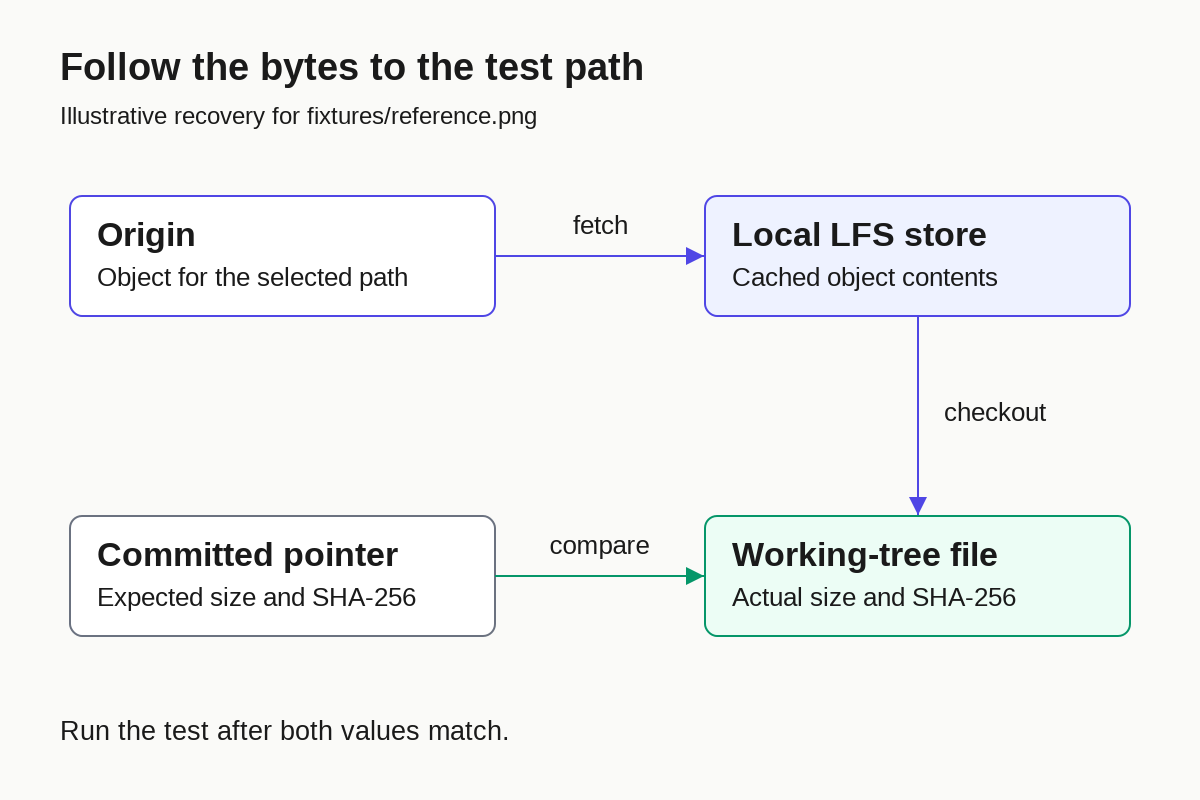
The include pattern scopes the fetch to the fixture. The empty exclude clears a saved lfs.fetchexclude value for this invocation. If the exclusion reflects an intentional repository rule, confirm that this fixture is meant to be fetched under your existing access before proceeding. The command-scoped lfs.fetchrecentalways=false turns off the documented expansion to recently changed refs. Together with the explicit commit argument, these choices scope the fetch to the selected path at the revision under test. Fetch populates the local LFS store and leaves the working copy alone. A successful fetch can use an object that is already cached, so transfer progress is optional evidence. Git LFS fetch reference
git lfs checkout fixtures/reference.png looks for the current ref’s object in the local store. With the object available, it can replace a matching placeholder at that path. The block checks HEAD again because checkout uses the current ref. It checks status and the exact placeholder again to catch changes made during the fetch before checkout starts. Those checks assume an isolated or otherwise controlled working tree. Git LFS documents that checkout preserves modified files. The block requires a regular file and directs cases such as a locally deleted fixture to the disposable checkout. Git LFS checkout reference
| Input | Action | Expected result |
|---|---|---|
Illustrative task:lfs-reference-01, commit e445b45c1c9c6282614f201b62778e4c0688b5c8, with the exact pointer at fixtures/reference.png |
Run the complete block. It calls git -c lfs.fetchrecentalways=false lfs fetch --include=fixtures/reference.png --exclude= origin e445b45c1c9c6282614f201b62778e4c0688b5c8 followed by git lfs checkout fixtures/reference.png. |
Fetch alone leaves the pointer in place. After checkout, the verifier expects 84,977,953 bytes and SHA-256 4cac19622fc3ada9c0fdeadb33f88f367b541f38b89102a3f1261ac81fd5bcb5 at that path. A match on both yields VERIFIED. |
Illustrative alternative for task:lfs-reference-01, same commit, with an unstaged edit to fixtures/reference.png |
Run GIT_LFS_SKIP_SMUDGE=1 git worktree add --detach ../lfs-reference-recovery e445b45c1c9c6282614f201b62778e4c0688b5c8, then run the complete block from the new root. |
The edit remains in the original directory. The new checkout gives the verifier its own fixture path at the same commit. |
In the successful illustrative case, the test receives the bytes identified by the committed pointer. If the decoder still fails, check the test’s actual working directory, any workspace mount, and any copy step that stages fixtures under a build output directory. A verified file in your shell and a stale copy in a test container can coexist. If the consumer reads the verified bytes and still fails, carry the size and digest into the investigation of the fixture or decoder. The byte comparison establishes which input was available at the verified path, and the test result describes what the application does with its input.
The comparison gives you two diagnostics for a suspect working file. A smaller actual byte count immediately tells you that some expected data is absent or that the file is a different input. Equal sizes leave room for a same-length edit or a different version of the fixture. The printed digest resolves that case by comparing the whole file with the value recorded in Git. Retain the full digest in the diagnostic record so the next operator can compare it directly.
Identify where recovery stopped
| Observation | Meaning | Next decision |
|---|---|---|
| Fetch exits unsuccessfully | The requested fetch did not complete. | Read the transfer error. Retry transient errors after service or network recovery. Confirm access before repeating an authorization failure. |
| Fetch succeeds and the pointer still exists before checkout | Fetch leaves working-tree contents alone. | Perform the scoped checkout at the pinned revision, then reread the path. |
| Status reports a fixture edit or a staged change | The original checkout contains local work at that path. | Preserve the file or index change and use the detached checkout for the committed version. |
| The pointer remains after checkout | Materialization did not occur. | Confirm the revision, index, and attributes, then try a full disposable checkout. Keep the test blocked. |
| Actual size or SHA-256 differs | The bytes at the path disagree with the committed pointer. | Save the comparison and investigate in a separate checkout before testing. |
For a failed fetch, save the transfer error with the commit, path, and expected LFS OID. If the error points to access, confirm that the identity used by the failing runner can read that object through the configured remote. A successful Git clone establishes access to the Git repository under that identity. When a transfer is required, the LFS command provides evidence about access to the separately stored object. If the initial clone itself cannot sign in over HTTPS, diagnose that step before interpreting LFS behavior. Git HTTPS Authentication GitHub Playbook
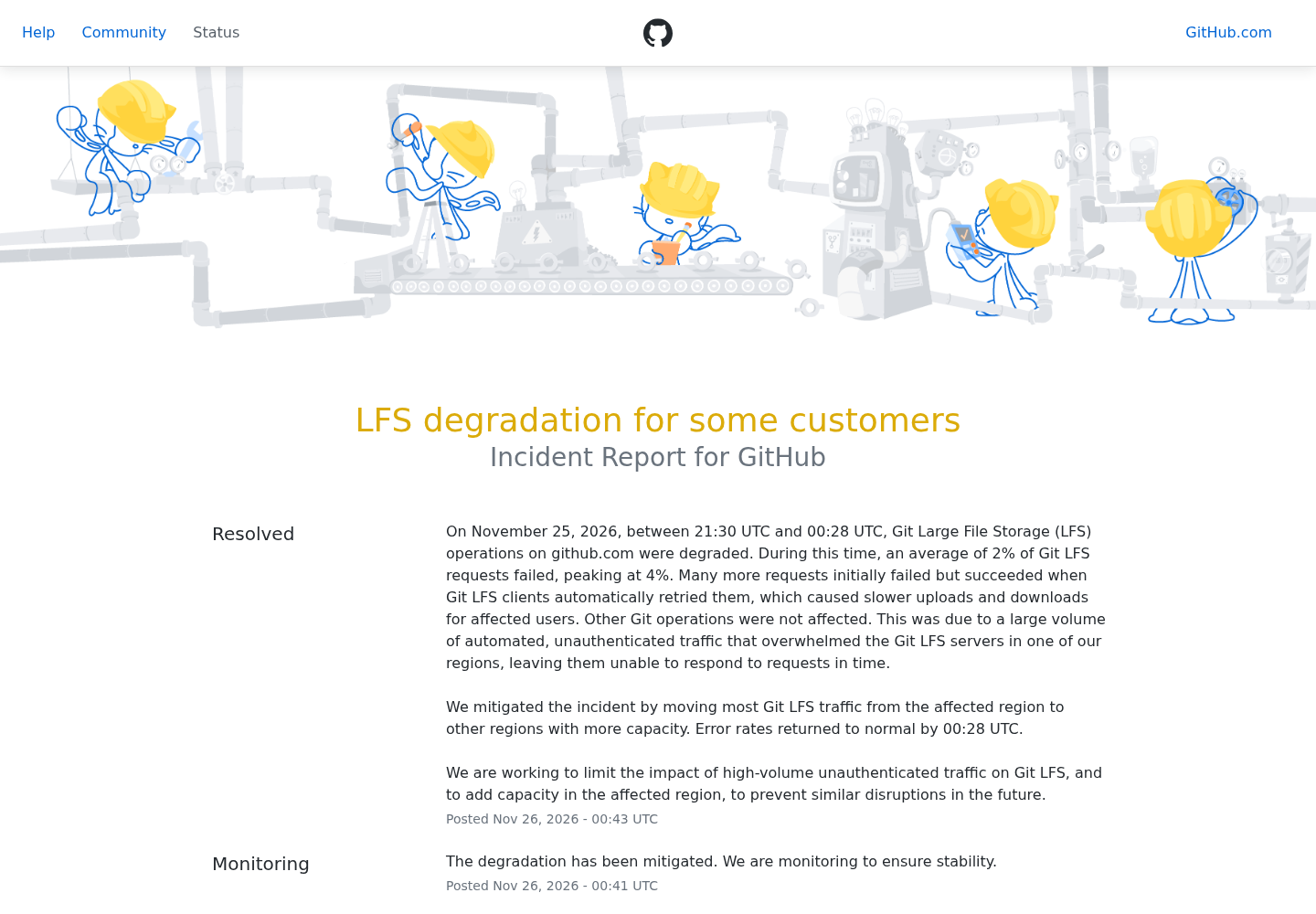
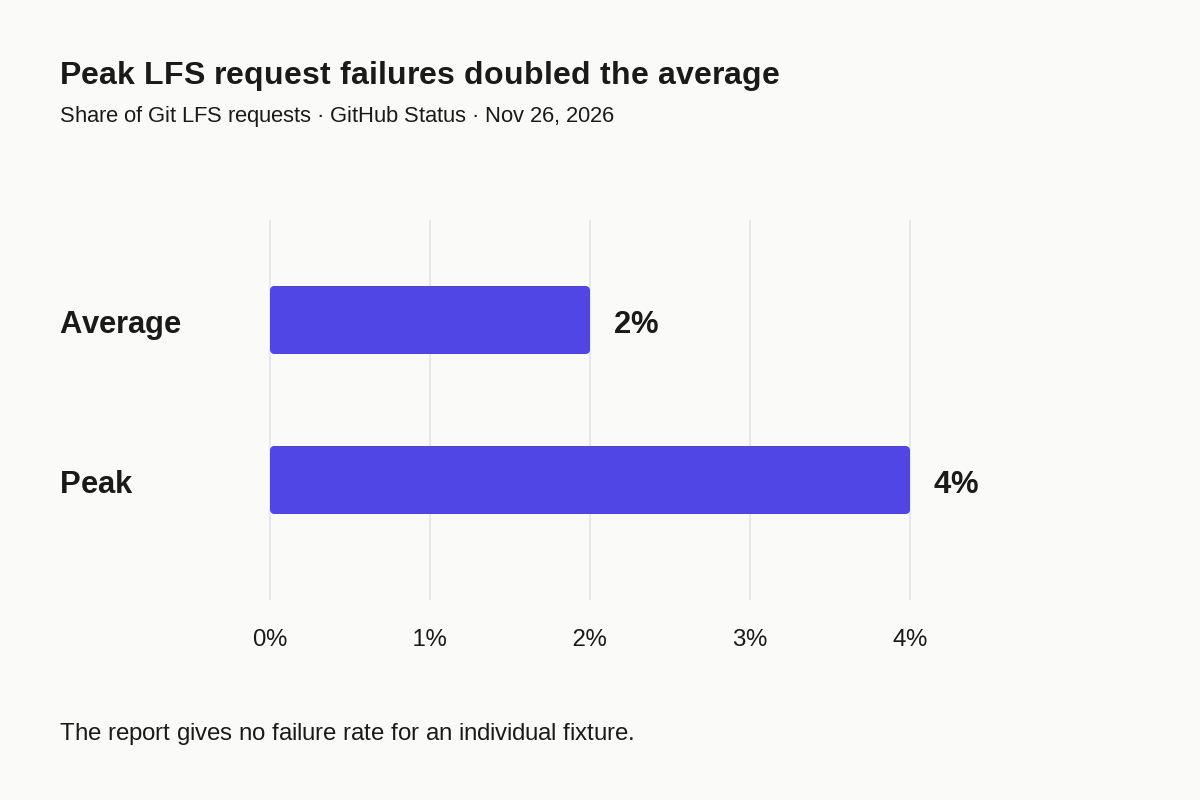
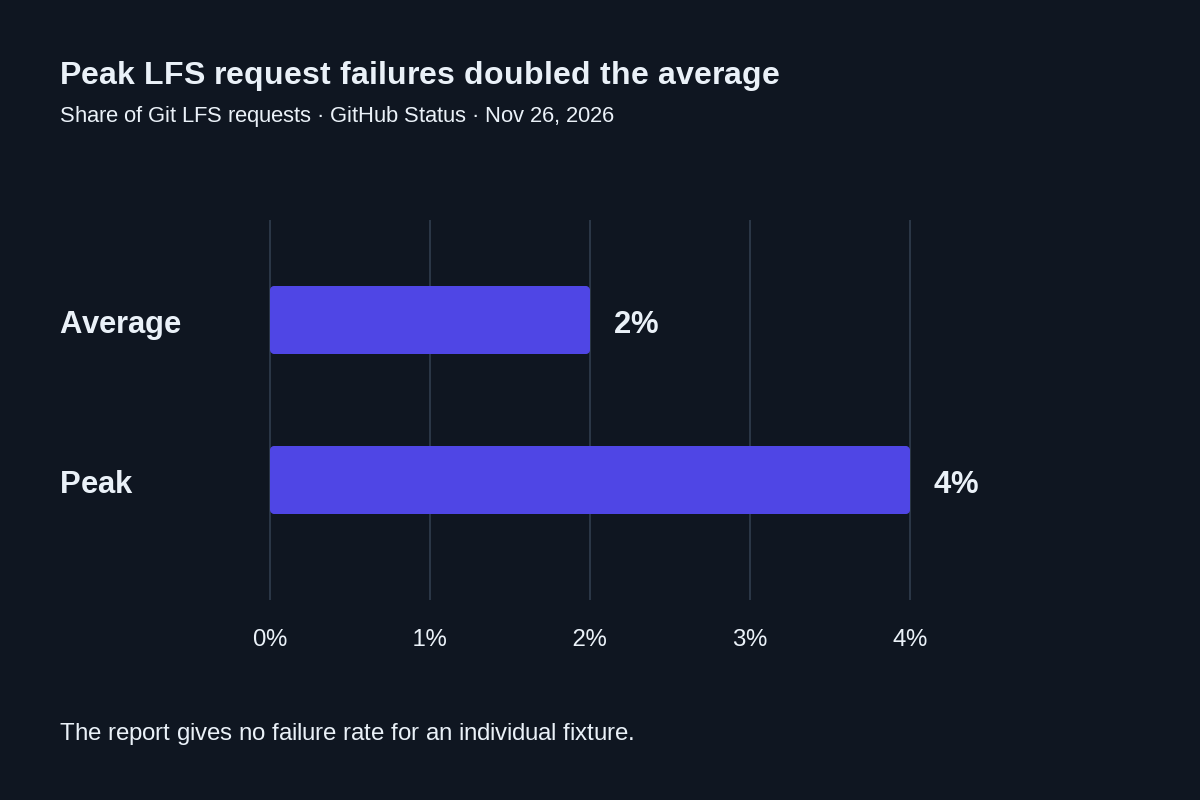
GitHub Status posted the incident resolution at 00:43 UTC on November 26, 2026. It reported degraded LFS operations from 21:30 UTC on November 25 to 00:28 UTC on November 26, with an average request failure rate of 2% and a peak of 4%. Automatic retries recovered many initially failed requests, and other Git operations were unaffected. Compare the time of your transfer error with the incident window and use the recovered file’s bytes to decide whether your checkout is ready. The percentages describe requests across the incident. GitHub Status incident resolution
If the fetch finishes and the pointer persists after checkout, the remaining possibilities include an unavailable cached object or a path checkout skipped. The current Git LFS manual says that on Git 2.42.0 or later, checkout by default needs the file in the index and an applicable LFS filter attribute. A sparse checkout can omit attribute files that affect this decision. The worked procedure assumes a full checkout with the committed attributes available. If your runner uses sparse checkout or a locally edited .gitattributes, reproduce in a full checkout with the committed rules before attributing a persistent pointer to the network. Git LFS checkout reference
For an illustrative same-length failure, suppose the block reports Bytes actual=84977953 expected=84977953 and prints two different SHA-256 values. The next line is STOP: fixture bytes differ from the committed pointer. Preserve the printed values and keep the test blocked. If status detects the local edit first, it reports that change before hashing. When verification fails after materialization in an isolated directory, keep the error and ask the repository maintainer to check the particular OID and the checkout’s storage or attributes. Editing the committed pointer would change which fixture the test expects.
Recover beside a checkout with local edits
- From the original checkout root, choose an unused sibling directory. Use the expected commit even if the original checkout has since switched branches. Create a detached linked worktree with automatic smudging disabled for that creation command. Git worktree reference · Git LFS smudge reference
- Open a shell at the new worktree root and run the complete verifier with the same expected commit. After
VERIFIED, run the affected test there using the repository’s normal dependencies and test setup. This reproduces the committed version. Record any uncommitted application changes needed to reproduce the original failure before interpreting the comparison. - Save any test output you need, return to the original checkout, and run
git worktree remove ../lfs-reference-recoverywhen the worktree is clean. If Git refuses, inspect the directory and retain any needed files before cleanup. Git worktree reference
GIT_LFS_SKIP_SMUDGE=1 git worktree add --detach ../lfs-reference-recovery \
  e445b45c1c9c6282614f201b62778e4c0688b5c8
The sibling has its own HEAD, index, and working files. It still belongs to the same repository. Use it to isolate working files, and use a separate full checkout provisioned through your normal trusted setup if you are investigating possibly corrupt shared storage or repository-level configuration. A test whose result depends on external configuration may need its own setup check in the sibling directory. The Neon example follows that issue for a test that depends on a database branch. Verify Each Git Worktree’s Database Branch with Neon CLI Checkout
Skipping automatic smudging means other LFS assets can also start as pointers in the disposable checkout. For a test that consumes several assets, identify the actual inputs and verify the other required paths at the same revision before interpreting a run. In the worked case, the test depends on fixtures/reference.png, so the single-path fetch and comparison are enough to prepare that fixture. If the original image is a deliberate local edit, preserve it and use the detached checkout’s test to establish the committed baseline.
If you stop after fetch, the cache can hold the object until you return to the same revision and run checkout. If verification succeeds in the original checkout, the working file holds the committed asset bytes and can be used by the test there. Use the sibling checkout from the start when you want a removable working directory for the reproduction. Save artifacts before removing it, especially if you need to compare the decoder’s output across runs.
Make a failed fixture check stop the test
- Put the recovery and verification block between checkout and the first consumer of
fixtures/reference.png. Tie the expected commit to the test job’s recorded input. If the test sees a copied or mounted workspace, verify at the file it will actually open. - Retain the fixture path, commit, and actual and expected values in the job log. Treat a nonzero exit as a fixture preparation failure. The earliest failing phase tells an operator whether to investigate revision selection, transfer, materialization, or the working file.
- After a verified rerun, record the fixture check and the test result separately. If decoding still fails, include the successful byte comparison when handing off the application error. If the test passes, the recorded comparison identifies the asset verified for that run.
For an agent investigating CI, tell it which phase reached the test. STOP: working-tree file still contains the pointer sends the investigation to local checkout eligibility and object availability. A matching byte count paired with a different digest gives the maintainer a specific file to compare. The exact values also let a later run check whether two runners were testing the same bytes before anyone changes application code. CI Failure to Fix
Place the verification after any step that replaces the test workspace. Suppose checkout runs on a host but a test reads the fixture from a mounted directory created earlier in the job. A pass on the host confirms the host file. If the mount uses a separate copy, move the check into the test environment or verify that copy after the staging step. The same approach applies to a pipeline that uploads a coverage report. Verify the file consumed by the upload and check the result where the reader sees it. Fix GitHub Code Coverage Uploads and Verify the Pull Request Report
When several jobs fail, compare their actual observations. Repeated remote transfer errors in one time window merit a different response from failures confined to a runner whose checkout leaves pointers after a successful fetch. Record the commit and fixture path alongside each phase result so operators can reproduce one case before restarting a group of jobs. A compact record for this case has the checkout root used by the consumer, the pinned commit, the two comparisons, and the first phase that stopped. That gives the next operator enough detail to identify the failing input even if the runner has already been recycled. AgentOps