Verify Each Git Worktree’s Database Branch with Neon CLI Checkout
Use Neon CLI checkout to pin staging and preview worktrees, confirm the target with a read-only Postgres query, and catch stale DATABASE_URL before migrations.

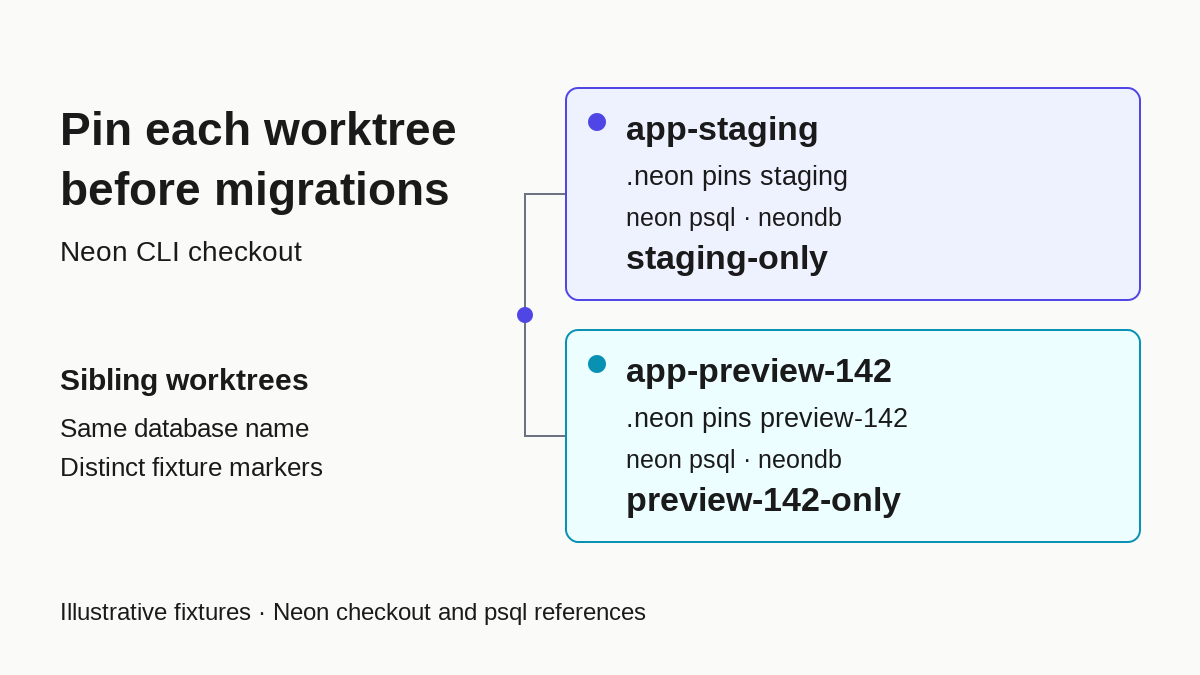
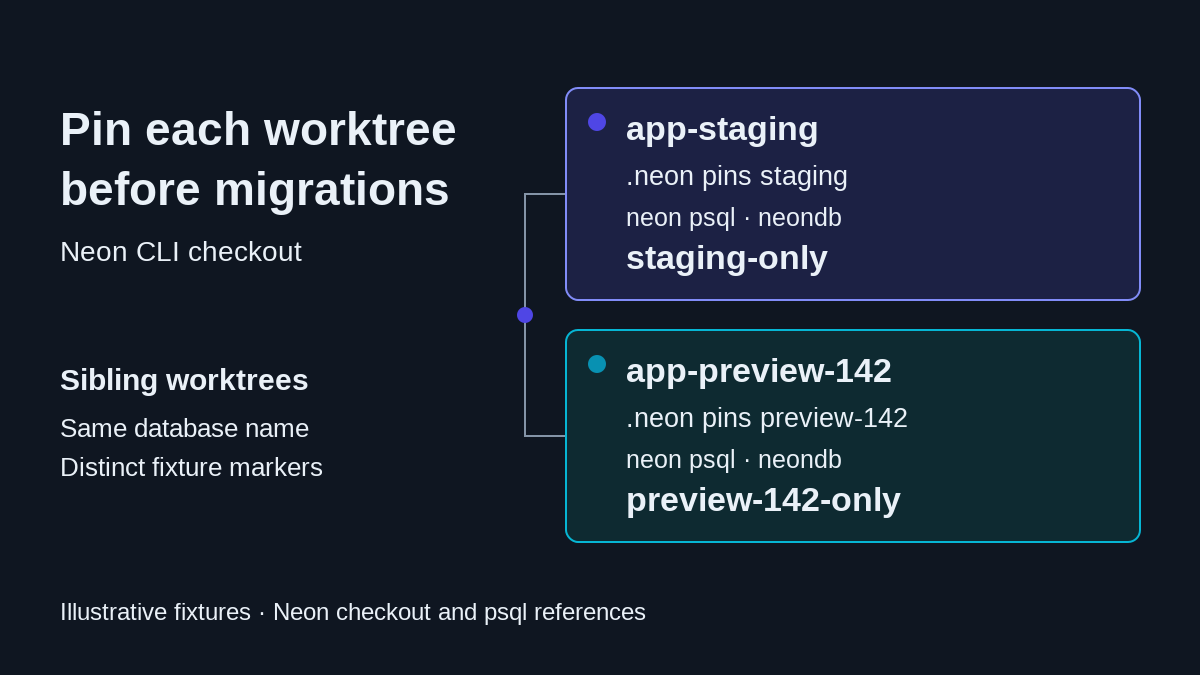
Two coding agents are working in sibling Git worktrees. One is testing against a disposable staging database branch and the other is preparing a migration for preview-142. Both branches contain a database called neondb. A successful connection in the preview terminal could look entirely normal even if it reaches staging. Use Neon CLI checkout to pin the intended branch, then read a value that differs between the databases. If the migration tool gets its connection from DATABASE_URL, verify that connection separately before it writes.
The example gives both agents the same query. The staging worktree should get staging-only, and the preview worktree should get preview-142-only. Those strings come from a table on the server. The terminal path and the contents of .neon explain what the CLI ought to do. The returned row gives you a way to check what it did. All example identifiers and expected observations below are illustrative.
Set up a fixture that distinguishes the two branches
- Open a terminal at the root of each existing worktree. This example uses
/worktrees/app-stagingand/worktrees/app-preview-142. Substitute your actual root paths. Keep one terminal per worktree during verification so you can compare the two outputs without relying on your memory of which directory the last command ran in. - Use an authenticated Neon CLI that supports the documented
link,checkout, andpsqlcommands. Have the existing project ID ready. Both branches must be disposable, have a usable compute, and contain the same database. In this case that database isneondb, and the existing roleneondb_ownercan connect and read the fixture on each branch. Substitute the role you are authorized to use. If the migration runner uses another role, make sure it can read the marker too before relying on this procedure for its connection check. - Confirm the following preloaded fixture with the person or setup that prepared the disposable branches. The example assumes an ordinary table
public.worktree_targetwith columnsprobe_keyandmarker. Each branch has exactly one visible row for the same probe key, with the marker shown below. Prepare the fixture independently of the connection you are about to verify.
| Neon branch | Database | Table | probe_key |
marker |
|---|---|---|---|---|
staging |
neondb |
public.worktree_target |
migration-target |
staging-only |
preview-142 |
neondb |
public.worktree_target |
migration-target |
preview-142-only |
Keep the key identical on both branches. With different keys, a read in preview might return a row while the same read in staging returns nothing. An empty result also has several other explanations. Two known values give you a more specific clue. If preview returns the staging value, compare it with the known staging baseline. Keep the fixture outside the tables the proposed migration will change so the meaning of the probe survives changes to the application schema.
Treat the markers as disposable test data. A branch copy or reset that gives both branches the same marker removes the distinction this check depends on. If the branches were just refreshed, independently confirm the marker mapping again. Stop if the fixture is missing. Adding the expected marker through the connection you are trying to verify could make a wrong destination look correct. The query reads a known row. PostgreSQL requires SELECT privilege on each column used by the statement. PostgreSQL SELECT reference
Before changing either pin, record the previous state of each worktree. Look for the root .neon. If it is absent, look up the directory chain for the context currently in use. Record its path and its project and branch fields, or record the absence of a context file. Save the original contents of any root file you plan to replace. Distinguish a root file from an inherited file in your notes. If both worktrees inherit the same file, each may show the same prior branch even when the folders have different names.
Record whether .env and .env.local exist in each root. To verify preservation without exposing their contents, use your local file comparison tool or record private file digests before and after. Include files that start out absent in the comparison, since the unexpected appearance of a new file can matter as much as an edit. Keep any environment file backups in the same private location you use for credentials. For this comparison you need only the file path and whether it changed.
List the branches and pin each root
-
List branches using the explicit project ID. Replace the illustrative IDs with the two distinct IDs from your own listing. Confirm that both names belong to the intended project. If a row is missing or its ID is uncertain, resolve that before changing either worktree.
neon branches list --project-id polished-snowflake-12345678In this example,
stagingmaps tobr-quiet-pine-123456andpreview-142maps tobr-clear-river-654321. Read the Name and ID columns together. In table output,[default]marks the project default and[current]marks the local pin. After configuration, look for[current]beside the intended branch. The project default can be a different row. Neon branches reference -
Link the staging root directly to its own
.neon. The worktrees share a parent directory, andlinkcan reuse an ancestor’s.neonif you leave the context location implicit. The example supplies the project and branch for a non-interactive link. Neon only offers to createneon.tsafter interactive linking. The block includes--no-configas an explicit opt-out for interactive use. The default checks verify the project and branch before the CLI writes context. Neon link referencecd /worktrees/app-staging && neon link --project-id polished-snowflake-12345678 \ --branch br-quiet-pine-123456 \ --context-file ./.neon --no-env-pull --no-config && cat ./.neon # Expected: the local file names the project and resolves to staging. -
In the preview terminal, use
checkoutto set the branch in the root context. If this root has no.neon, run the link block first to create it at the intended path. Then run the checkout block. If the root is already linked, go directly to checkout. Supplying both the project and branch ID lets you set the intended destination even when the prior context is incomplete.cd /worktrees/app-preview-142 && neon link --project-id polished-snowflake-12345678 \ --branch br-clear-river-654321 \ --context-file ./.neon --no-env-pull --no-configcd /worktrees/app-preview-142 && neon checkout br-clear-river-654321 \ --project-id polished-snowflake-12345678 \ --context-file ./.neon --no-env-pull && cat ./.neon # Expected: the local file names the project and resolves to preview-142.
Neon’s checkout reference, updated November 24, 2026, documents rewriting projectId, branch, and orgId when the project has an organization. It also documents the default environment pull and how to skip it. The documentation repository records the update timestamp. Neon checkout reference · Neon documentation source
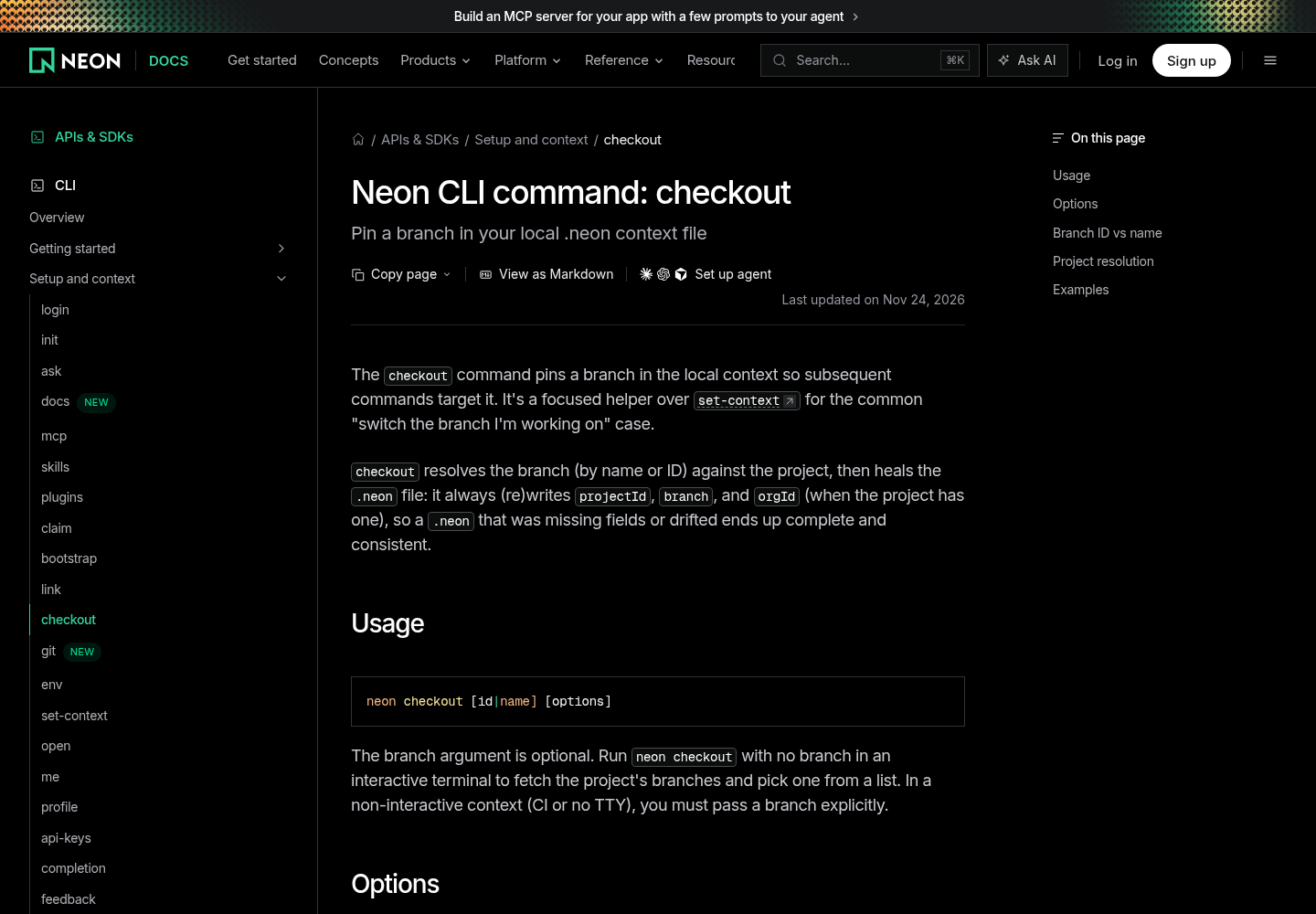
The explicit .neon path selects the file, and the explicit project ID tells checkout where to resolve the branch. Keep both in the write commands. An explicit project ID alone leaves the question of which file gets updated. A relative context path is specific to whichever directory you run the command from, which is why each block starts by entering the worktree root. The named-context reference documents selecting the file with --context-file. Neon context file reference
Use the br- ID from the listing, including its prefix. Neon documents strict lookup for IDs, with an error for an unknown ID. A missing branch name can lead to an offer to create it in an interactive session. The example uses existing branches and omits --create. If checkout reports an unknown ID, rerun the listing for the explicit project and verify the mapping before retrying. Check whether the preview branch expired or its ID came from a different project. Neon checkout reference
Read the named file in each root. Both should show projectId equal to polished-snowflake-12345678. Their branch fields should resolve to staging and preview-142 respectively. Match the name or ID to the listing. Checkout’s documented example prints the ID in the status message and shows the name in the JSON, so those two forms can represent the same branch. When an organization applies, check that orgId matches the intended project. A newly created .neon can also add an entry to .gitignore. Review that change if the agent is about to submit a patch. Neon link reference · Neon checkout reference
Compare the presence and contents of .env and .env.local with your baseline. The illustrative expectation is that the files remain intact because both pin commands skip Neon’s env pull. If a file changed, check the invocation as well as any process that was editing it during the exercise. Preserve unrelated edits before restoring a backup. If two tools can create or manage the same checkout, agree on which owns it before assigning roots and pins. One Checkout, One Owner
Read the same row through both pins
- From each root, run
neon branches listwithout a project override as shown below. Look for[current]on the intended branch. This uses ordinary context discovery, so it tests whether a later command in that directory can find the pin without being told where the file lives. - In the same root, run the SQL probe. Omit the branch argument on purpose.
neon psqlbuilds its connection using the branch in context when one is pinned, with the project default as a fallback. Pass the database and role explicitly to remove two other choices from the connection. Compare each output to the fixture before approving a write. Neon psql reference
cd /worktrees/app-staging &&
neon branches list &&
neon psql --database-name neondb --role-name neondb_owner -- \
  -c "SELECT marker FROM public.worktree_target WHERE probe_key = 'migration-target'"
# Expected: current branch staging and one row containing staging-only.
cd /worktrees/app-preview-142 &&
neon branches list &&
neon psql --database-name neondb --role-name neondb_owner -- \
  -c "SELECT marker FROM public.worktree_target WHERE probe_key = 'migration-target'"
# Expected: current branch preview-142 and one row containing preview-142-only.
The arguments after -- go to the PostgreSQL client. The -c switch runs the supplied SQL and exits. The query names the schema and asks for the stored marker associated with one fixed key. It leaves the other branch’s value visible if that value comes back. In particular, adding a predicate for the expected marker would turn a recognizable wrong value into an empty result. Native psql can read startup files. If you use the native client and need to exclude those settings during diagnosis, add -X after --, before -c. PostgreSQL psql reference
| Input | Action | Expected result |
|---|---|---|
task:staging-01, /worktrees/app-staging, br-quiet-pine-123456, database neondb |
From that root run neon psql --database-name neondb --role-name neondb_owner -- -c "SELECT marker FROM public.worktree_target WHERE probe_key = 'migration-target'" |
Illustrative expected observation. Exactly one row contains staging-only. The preceding branch list marks staging as [current]. |
task:preview-142, /worktrees/app-preview-142, br-clear-river-654321, database neondb |
From that root run neon psql --database-name neondb --role-name neondb_owner -- -c "SELECT marker FROM public.worktree_target WHERE probe_key = 'migration-target'" |
Illustrative expected observation. Exactly one row contains preview-142-only. The preceding branch list marks preview-142 as [current]. |
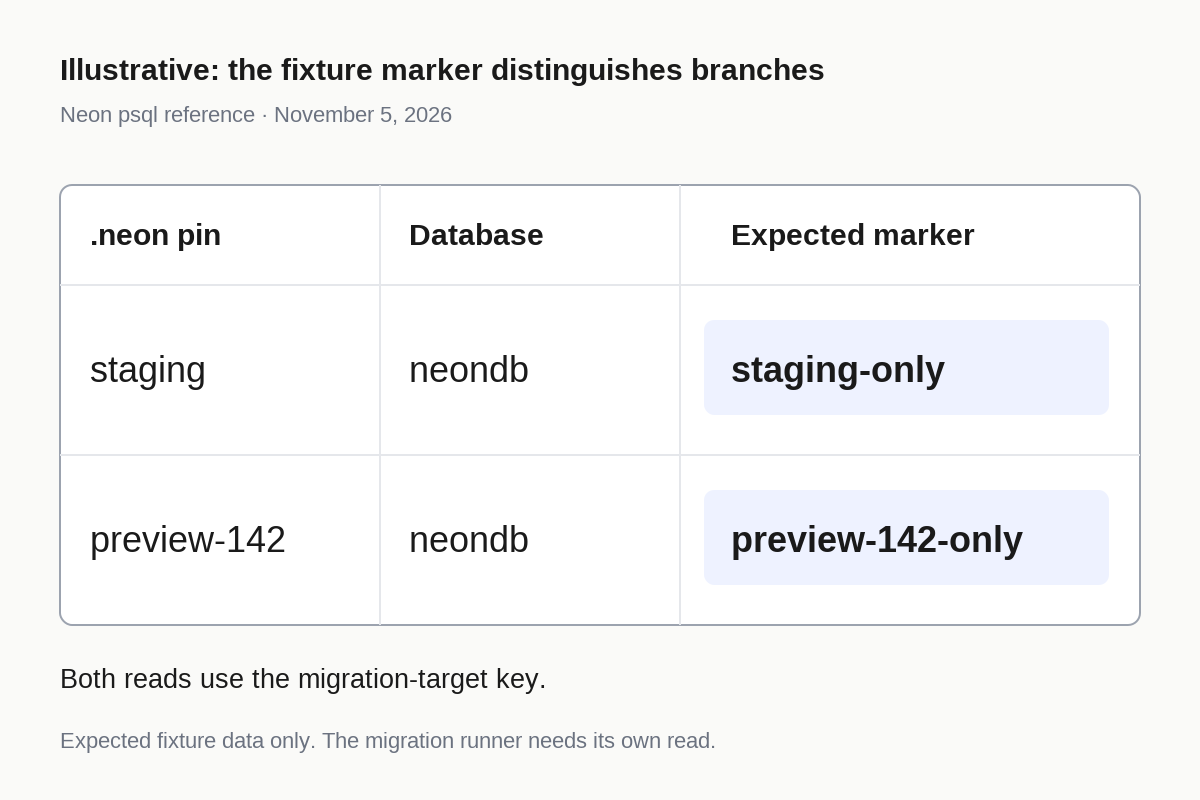
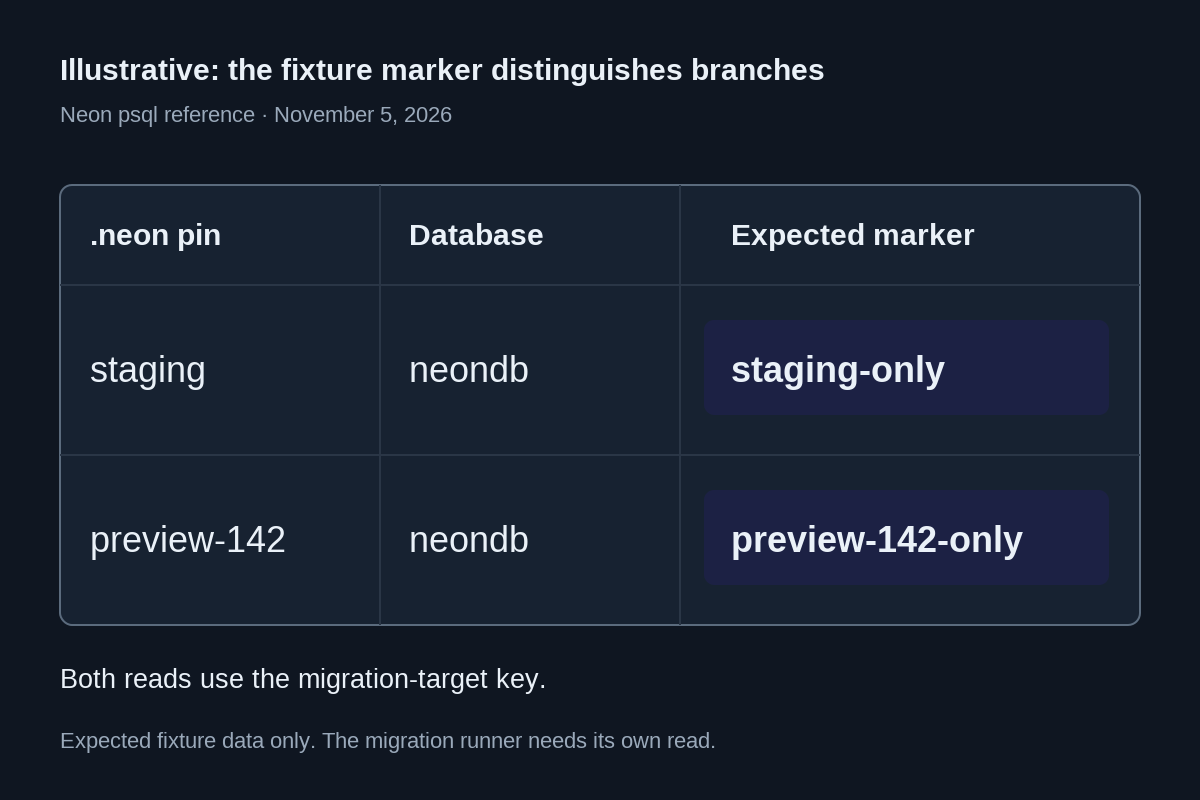
A query exit status and the returned value answer different questions. An empty result can still be a successful statement. It means no visible row satisfied the predicate. Two rows can also come back from a successful statement. Treat either result as inconclusive and ask the fixture owner to verify the exact key and the role’s view of the table. A missing-relation error calls for confirming the database, schema and fixture. A permission error calls for checking access with the fixture owner. The result you need is one row whose value matches the expected marker. PostgreSQL SELECT reference
Read the two terminal results together before moving on. If both return the staging value, there is no confirmed preview connection yet. If both return the preview value, there is no confirmed staging connection yet. If the values are swapped, review the directory-to-branch mapping on both sides before issuing another checkout. Swapped pins can still produce two successful connections and two legitimate values, so each result has to match its own case in the table. Keep the original observations while diagnosing the mismatch. Once you correct the pins, repeat the ordinary read from both roots to see whether the fix changed only the intended context.
Isolate a wrong pin from a stale connection URL
-
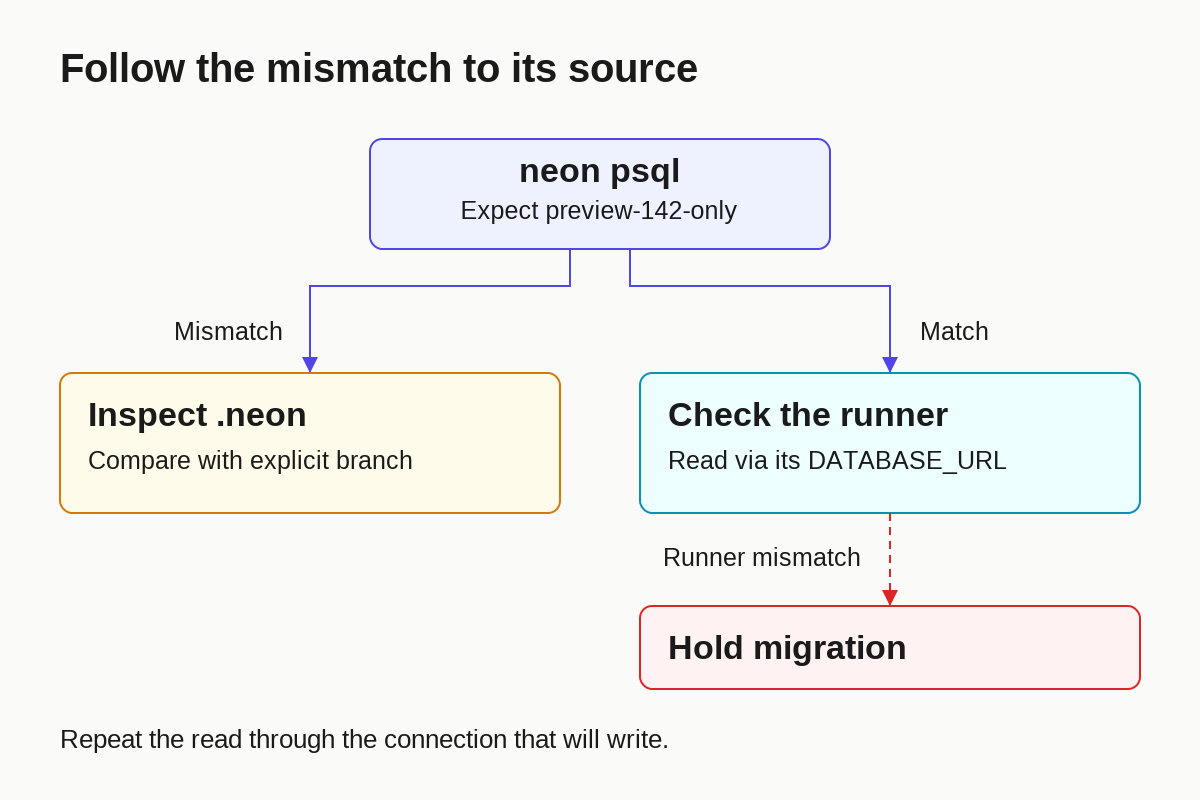
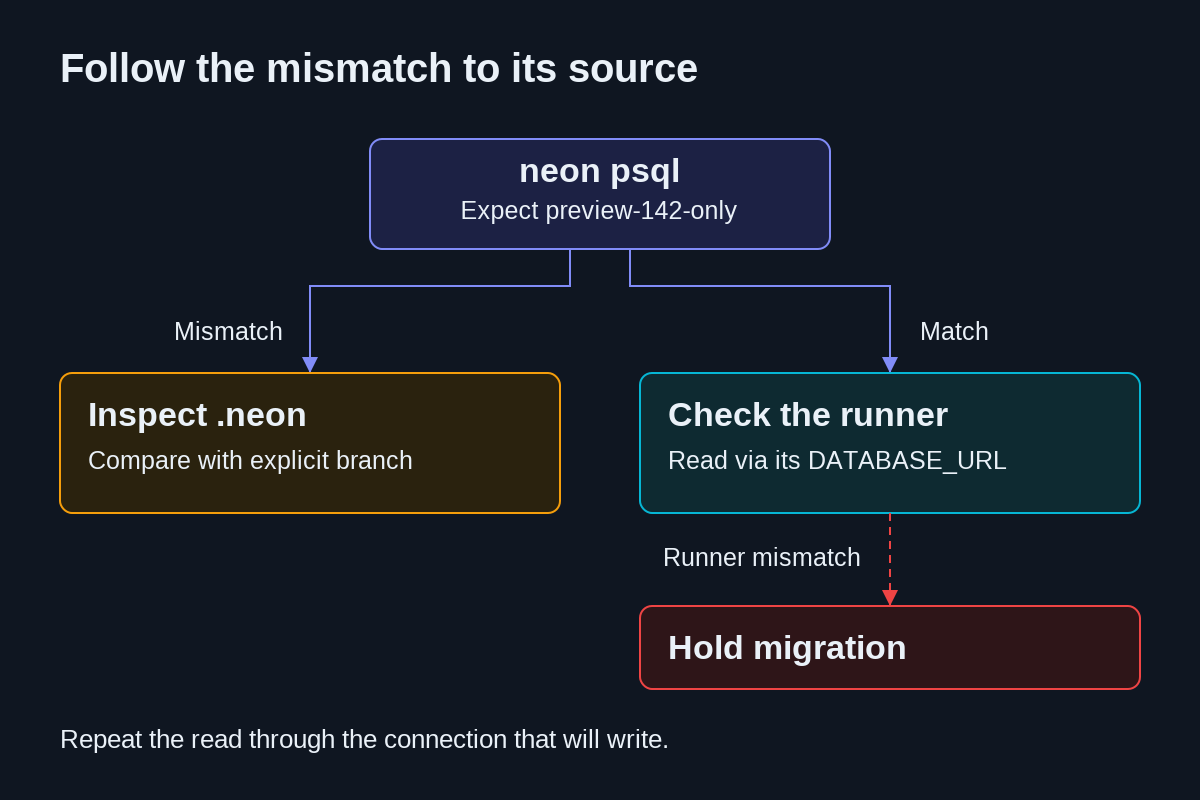
If the local branch label or marker surprises you, return to the worktree root and repeat the read with the root context file named. Compare it with the read that omits the path. If the surprising result appeared in a nested folder, repeat the ordinary check from there. An intervening
.neoncan be closer to that folder than the root file, and an ancestor can supply context when the root file is absent. Neon context file referencecd /worktrees/app-preview-142 && neon psql --context-file ./.neon \ --database-name neondb --role-name neondb_owner -- \ -c "SELECT marker FROM public.worktree_target WHERE probe_key = 'migration-target'" -
If the named-file read is also surprising, supply the verified preview branch ID and project ID directly. If that returns
preview-142-onlywhile the implicit read returnsstaging-only, investigate the context path and pin. If both reads give the same wrong marker, inspect the fixture on the explicitly selected branch and confirm its database and row visibility before trusting either result.neon psql br-clear-river-654321 --project-id polished-snowflake-12345678 \ --database-name neondb --role-name neondb_owner -- \ -c "SELECT marker FROM public.worktree_target WHERE probe_key = 'migration-target'" -
If the CLI reads the expected marker but the migration process consumes
DATABASE_URL, inspect the configuration that the migration process actually resolves. A URL set by a launcher can differ from the one in a worktree file. A process started before the pin changed can still have its old environment. Use the runner’s read-only connection or SQL mechanism, with its usual working directory, configuration loader and credential source, to execute the same query. For preview, require exactly onepreview-142-onlyfrom that path too. Hold the migration if your runner gives you no way to establish its effective target.
For a URL-based runner, you can also privately compare the host and database it resolves against the connection details for the explicit project, branch, database and role. Compare like with like. Neon documents that --pooled adds a -pooler suffix to the host. Its connection-string command returns a URI containing a password. Keep that output out of shared terminals and agent logs. Record the target and marker with credentials left in their normal store. Neon connection-string reference
Suppose the preview root resolves to preview-142 and the CLI query returns preview-142-only, but the migration configuration returns staging-only. Find the source of the effective staging URL in that runner. For example, a fresh terminal may resolve the preview worktree’s environment file while a task launched from the editor continues using the value supplied when the editor was started. Reproduce the bad result with the same launcher that would start the migration. Select the existing preview connection through the project’s usual configuration mechanism, start a fresh invocation from that launcher, and confirm the marker there. If the app and migrations use separate connection settings, read the marker through the migration configuration even when the application smoke test agrees with the CLI.
The query itself reads the fixture. The role still determines what else the session can do. If an agent only needs to inspect data, a separate role can enforce that boundary independently of the worktree pin. Postgres MCP Server Setup
Restore the prior pin or hand off the verified target
-
If the checkout was a mistake, restore the saved root
.neonin the affected worktree. If you created a root file where none existed, move that file aside so the earlier lookup behavior can resume. Check whether the parent now supplies a pin before running any query. If a shared ancestor file was changed accidentally, coordinate its restoration with everyone using it before rechecking both roots. If no prior pin existed, check the restored state before issuing a command that could fall back to the project default. -
If the prior pin was an existing branch in the same project, you can also restore that branch selection with checkout. In this example the preview root previously pointed to disposable staging. Reinspect the file and verify the old destination with the same read. After this illustrative rollback the preview root is expected to return
staging-only, so the preview migration stays on hold.cd /worktrees/app-preview-142 && neon checkout br-quiet-pine-123456 \ --project-id polished-snowflake-12345678 \ --context-file ./.neon --no-env-pull && cat ./.neon -
If the checks succeed, record the worktree path, project, branch ID, database and observed marker. Include the connection path that produced the observation. The illustrative preview handoff records
/worktrees/app-preview-142,polished-snowflake-12345678,br-clear-river-654321,neondbandpreview-142-only, with a separate result for the migration runner when it reads a URL. Repeat the probe if the worktree, effective environment, branch pin or launcher changes before execution.
Restoring a local context file changes where the next connection through that context can go. If a write already executed, identify which database received the statement and preserve the original migration output. Use the project’s migration recovery procedure before retrying. During this exercise the verification finishes before the first migration command, so recovery consists of restoring or correcting the relevant local configuration and repeating the read.
Use the recorded path and marker when one agent hands the task to another. A message that says ‘database verified’ leaves the receiving agent guessing whether the observation came from the CLI or the migration runner. Include enough detail to repeat the exact read from the same launch environment. The receiving agent can then tell whether an inherited setting has changed since the first check. Write a Finish Line the Transcript Can Prove · Prove Headless Runs Ignore State You Didn’t Declare · AgentOps