Kilo Desktop Puts 500+ Models Behind One Picker. The End of Lab Lock-In? Fill In a Mode-to-Model Table First
Kilo Desktop puts 500+ models, by Kilo's count, behind four agents. Before rollout, pin models per mode, log key owners and run a four-question buy test.

Go deeper. Build your own.
Kilo Desktop’s model picker sits next to its agent picker, and the list behind it is longer than most teams’ vendor contracts: more than 500 models, by Kilo’s own count. That is a lot of choice to hand a Plan agent that is supposed to read code and touch nothing.
The headline question about a multi-model AI coding desktop app is whether it ends lab lock-in. It is a fair question, and it stays a question here. What the launch makes certain is narrower and more useful: someone on your team now decides which dozen of those models each agent mode may call, through which provider, on whose key, with what rights. If nobody decides, the router does.
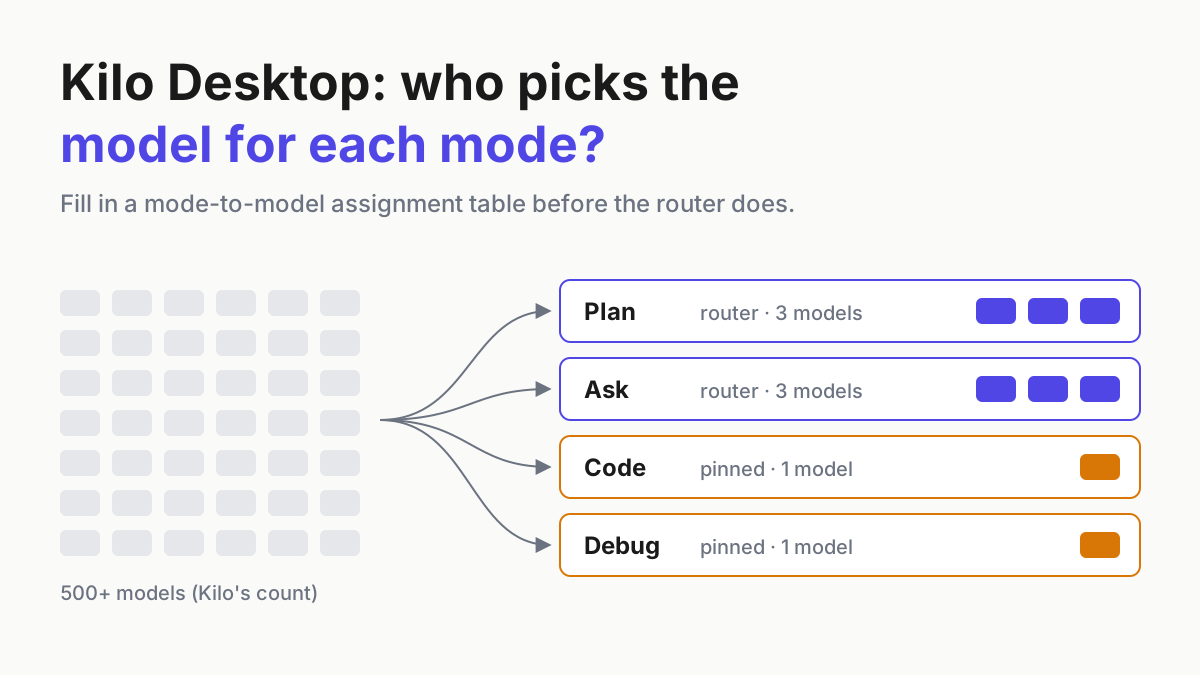
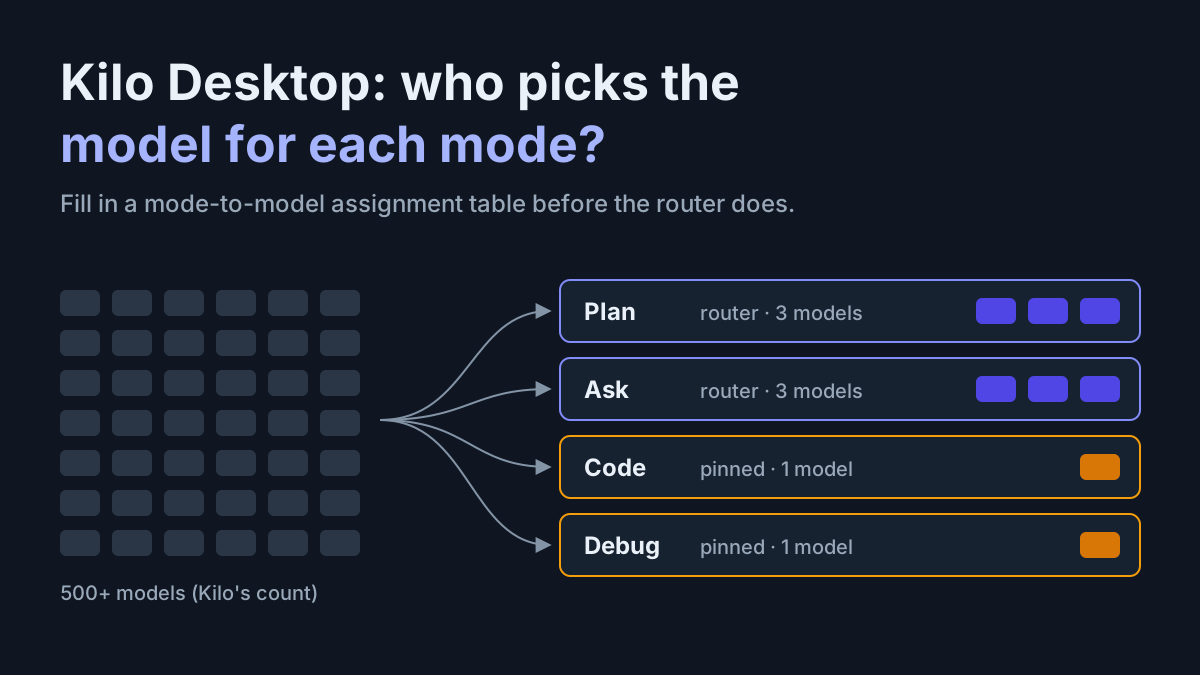
So before you roll Kilo Desktop, or any harness like it, to a team, fill in a mode-to-model assignment table: one row per agent mode, with allowed models, providers and inference geography, file-write and shell rights, a per-task spend cap, and whether the router may choose or the model is pinned. Then run a four-question buy test on the harness itself.
What Kilo shipped on Oct 6, and what Anaconda’s release adds
On Oct 6, 2026, Kilo published Introducing Kilo Desktop, by Brian Turcotte, a free beta for macOS (Apple silicon), Windows (x64 and ARM64) and Linux (x64 and ARM64, as a .deb), per the install page (read Oct 8, 2026).
It ships with four agents. Code writes and edits files. Plan “reads your project and returns a step-by-step implementation plan without touching a line.” Ask answers questions about your code without changing anything. Debug finds what broke and fixes it. You can also build custom agents and share them with your team.
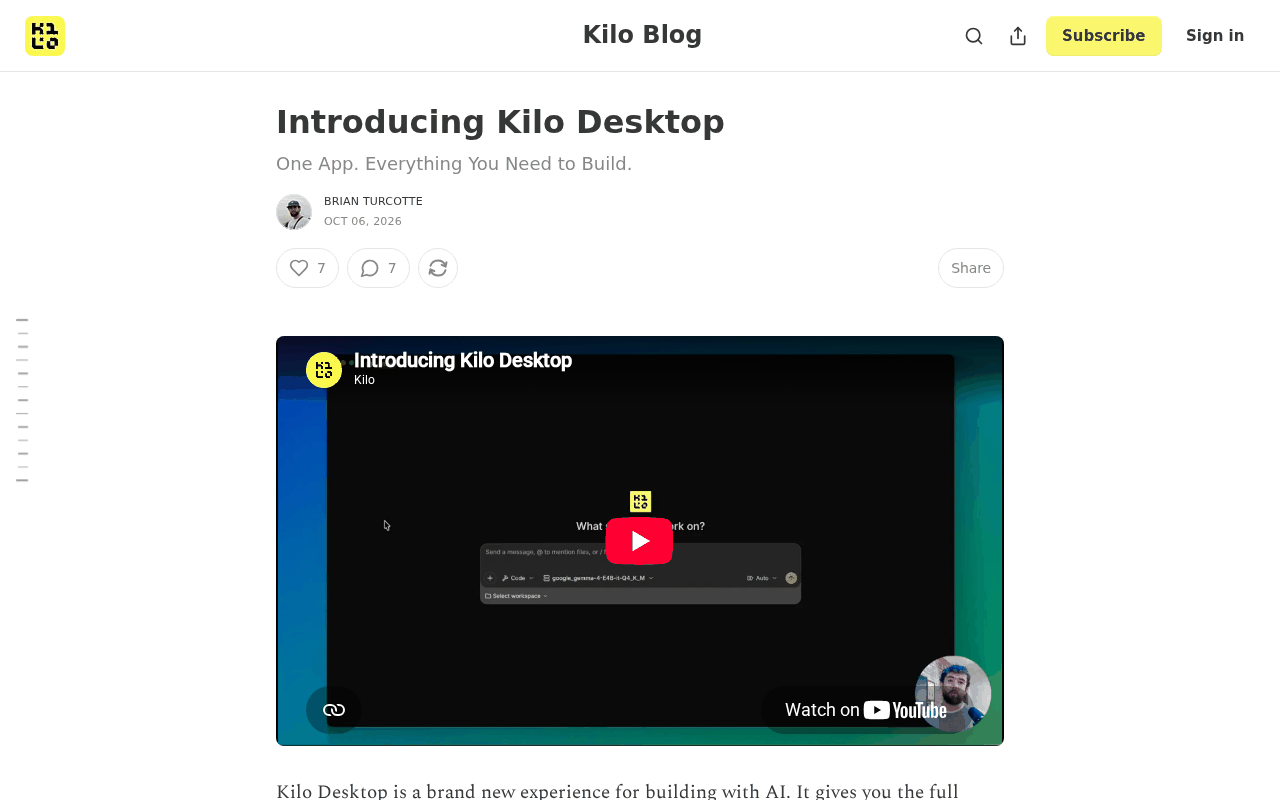 Screenshot: Kilo Blog, “Introducing Kilo Desktop” (Oct 6, 2026), captured Oct 7, 2026.
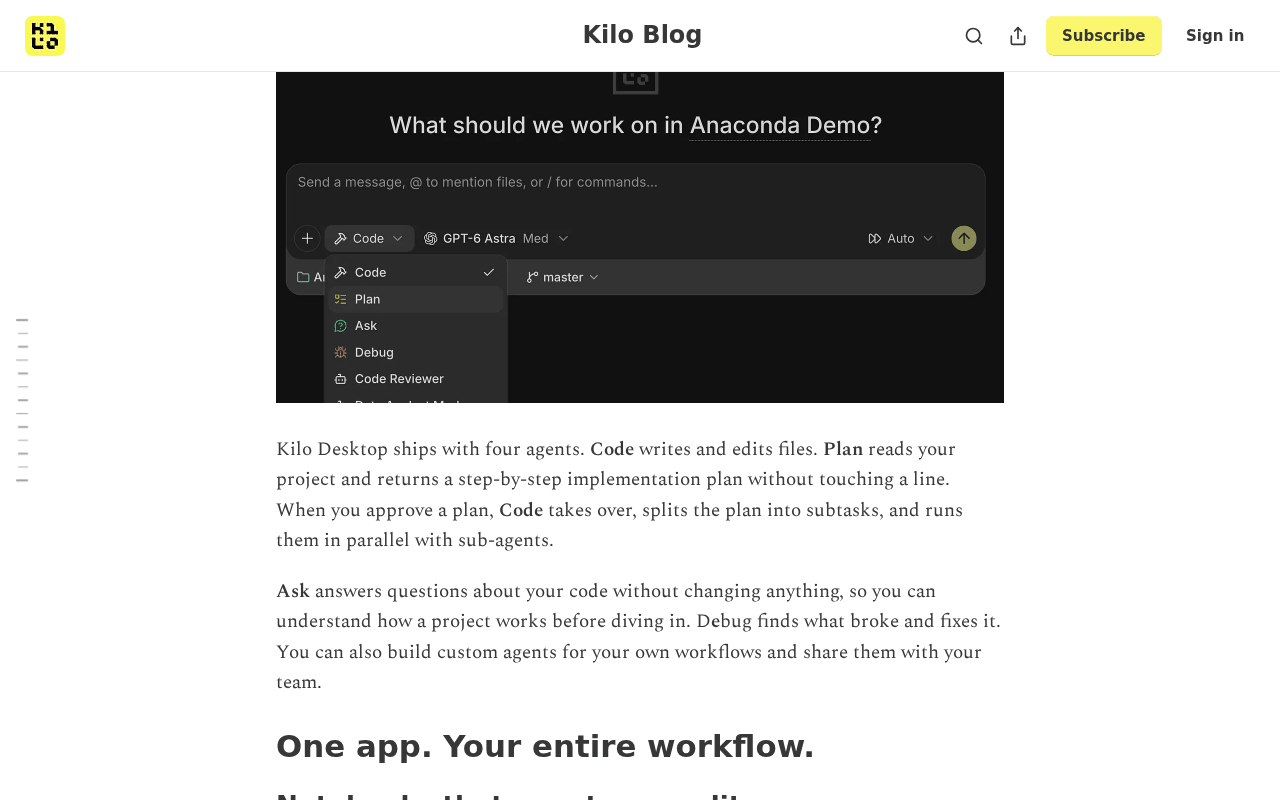 Screenshot: Kilo Blog, “Introducing Kilo Desktop” (Oct 6, 2026), captured Oct 7, 2026. The agent menu and model picker sit side by side in one prompt box.
The model side is where the table starts. Kilo describes an “Auto Efficient” router that sends each request to “the cheapest model that has proven capable of that kind of task,” judged by Kilo Bench, Kilo’s own benchmark.
The launch also lists bring-your-own-key, custom endpoints, a local model server, and admin control over models, providers, geographies, agent permissions and skill installs. Hosted model calls stay billable at provider rates, as AlphaSignal notes, and the install page says “Zero markup.” The open-source Kilo Code repository (MIT) describes the same four agents and “500+ models, switch between them mid-task.”
Three corrections, because the launch traveled under a bigger name. **Kilo built Kilo Desktop.**Anaconda has owned Kilo since Jul 15, 2026, and announced the app the same day as one line item of its AI Dev Factory release, next to Kilo Agent Swarms, Enkrypt red-team agents and runtime guardrails, an Agent Incident Registry and “Sign in with ChatGPT.” So the accurate phrasing is Kilo, now part of Anaconda. The acquisition is background, not Oct 6 news.
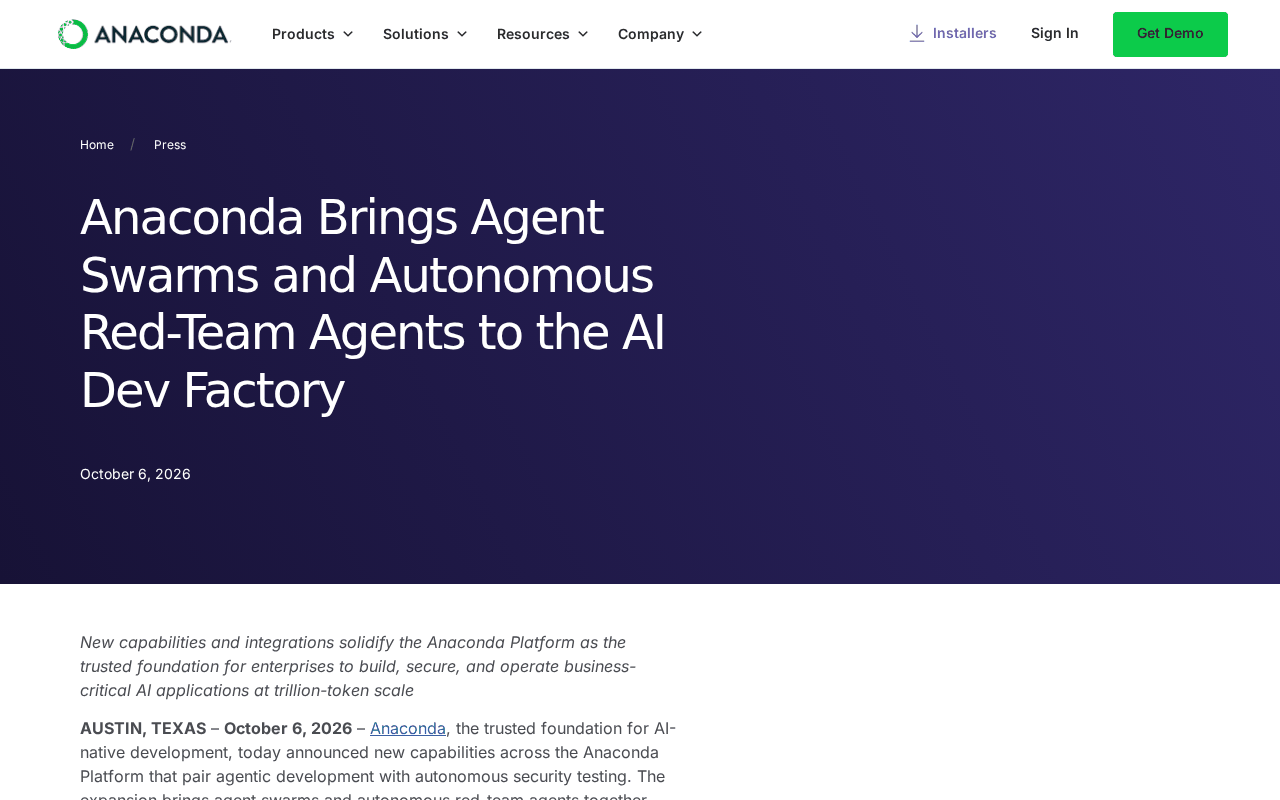 Screenshot: Anaconda, “Anaconda Brings Agent Swarms and Autonomous Red-Team Agents to the AI Dev Factory” (Oct 6, 2026), captured Oct 7, 2026.
The 500+ figure is Kilo’s gateway count. Kilo describes its gateway as 500+ AI models behind one endpoint, with bring-your-own-key and no markup on BYOK (Kilo Gateway, read Oct 8, 2026). Anaconda’s release repeats “500+ AI models” for Kilo Desktop, and lists a separate Model Catalog of “77 vetted open source models.” Those are two different lists, as SiliconANGLE’s same-day report on the release also shows, and neither has been independently counted.
And it is a beta: nothing here assesses quality, speed or how accurate the router is. Developer counts conflict too: Anaconda’s Kilo Desktop post gives one figure in October, the July acquisition release gave another, so this article uses neither.
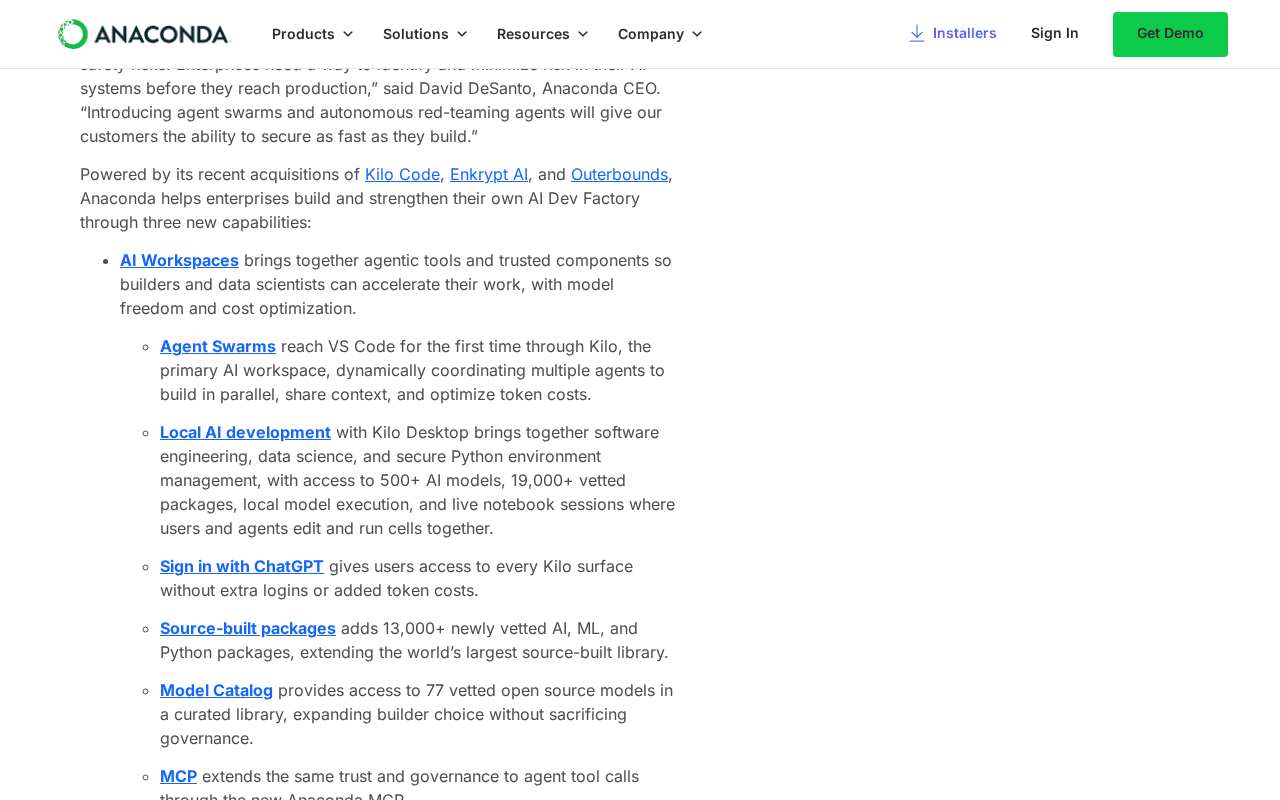 Screenshot: Anaconda, “Anaconda Brings Agent Swarms and Autonomous Red-Team Agents to the AI Dev Factory” (Oct 6, 2026), captured Oct 7, 2026. The 500+ line and the 77-model catalog are separate items.
Lock-in moves to whoever owns the admin panel
The case that multi-model harnesses end lab lock-in rests on the picker: swap a model and the lab loses you. The case against it is in the same release. “Sign in with ChatGPT” lets a lab subscription plug straight into the harness, and the admin panel decides which providers, geographies and models anyone may use. Lock-in does not disappear; it moves to the harness, the gateway and the admin layer.
The longer argument, with a portability register, lives in own the loop, rent the model, and this piece does not repeat it.
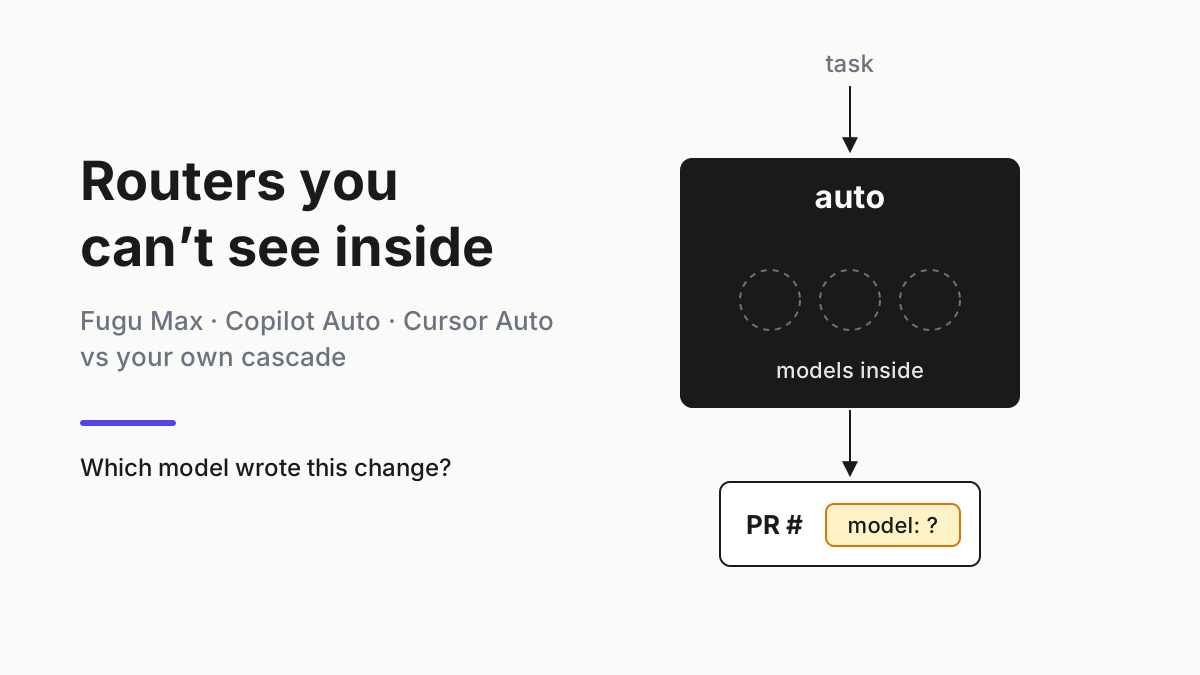
The router is the other half. “Cheapest model that has proven capable” is a reasonable policy and an opaque one, judged on a benchmark you did not run. The acceptance tests in routers you can’t see inside apply to Auto Efficient as written: can it name the model behind each change, and can you pin or exclude? The table below is how you hold any router to your list.
The mode-to-model assignment table, filled in for one team
Here is an illustrative table for a 12-person product team trialing a multi-model desktop harness. Model names are examples of what a team might allow; check them against what your gateway actually lists. Spend caps are illustrative.
| Mode | Allowed models | Allowed providers and inference geography | File-write or shell rights | Per-task spend cap | Router-chosen or pinned |
|---|---|---|---|---|---|
| Plan | Claude Sonnet 5.5, gpt-6.1-sol, one local model |
Anthropic, OpenAI (US); local server | Read only; no shell | $0.75 | Router may choose within the list |
| Ask | Claude Haiku 5.5, DeepSeek V4 Flash, one local model | Anthropic (US), DeepSeek via gateway (no EU customer code), local | Read only; no shell | $0.25 | Router may choose within the list |
| Code | Claude Sonnet 5.5 | Anthropic (US) on the team’s BYOK key | Write files in the worktree; shell with allowlisted commands | $4.00 | Pinned |
| Debug | gpt-6.1-sol |
OpenAI (US) on the team’s BYOK key | Write files; shell including test runner | $3.00 | Pinned |
| Custom: release-notes writer | Claude Haiku 5.5 | Anthropic (US) | Write to docs/ only; no shell |
$0.30 | Pinned |
Two columns deserve a sentence each. Inference geography sits next to the provider because the same model can be served from more than one region or reseller, and “Anthropic” is not an answer to a residency question. The spend cap is per task, not per month, because a monthly budget only tells you about a runaway loop after it has finished; a per-task cap stops the loop while it is still one task.
Read the table by its asymmetries. The read-only modes get the wide lists and the router, because a wrong pick there costs a worse answer, not a bad commit. The writing modes get one pinned model each, on a key the team owns, so a change in the router’s opinion cannot change who edits your files. Debug gets the test runner because that is how it proves a fix; Code gets an allowlist because it is the mode most likely to run something new.
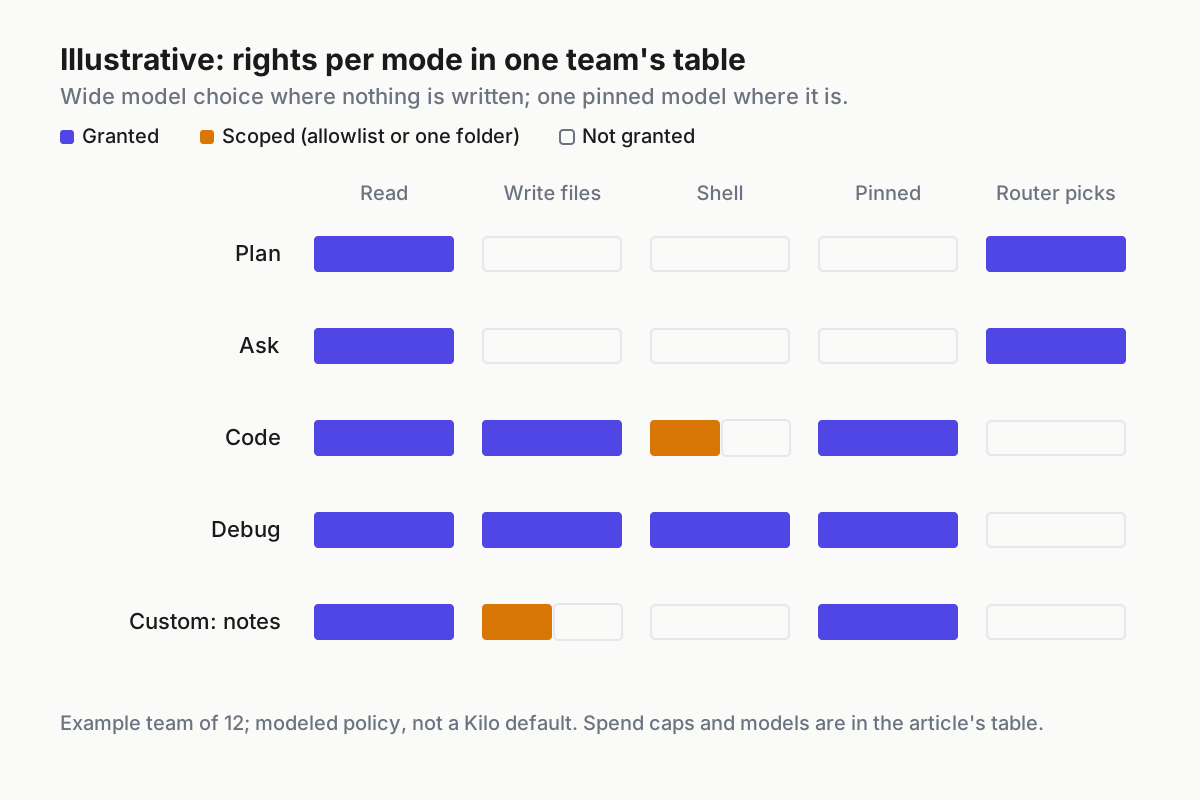
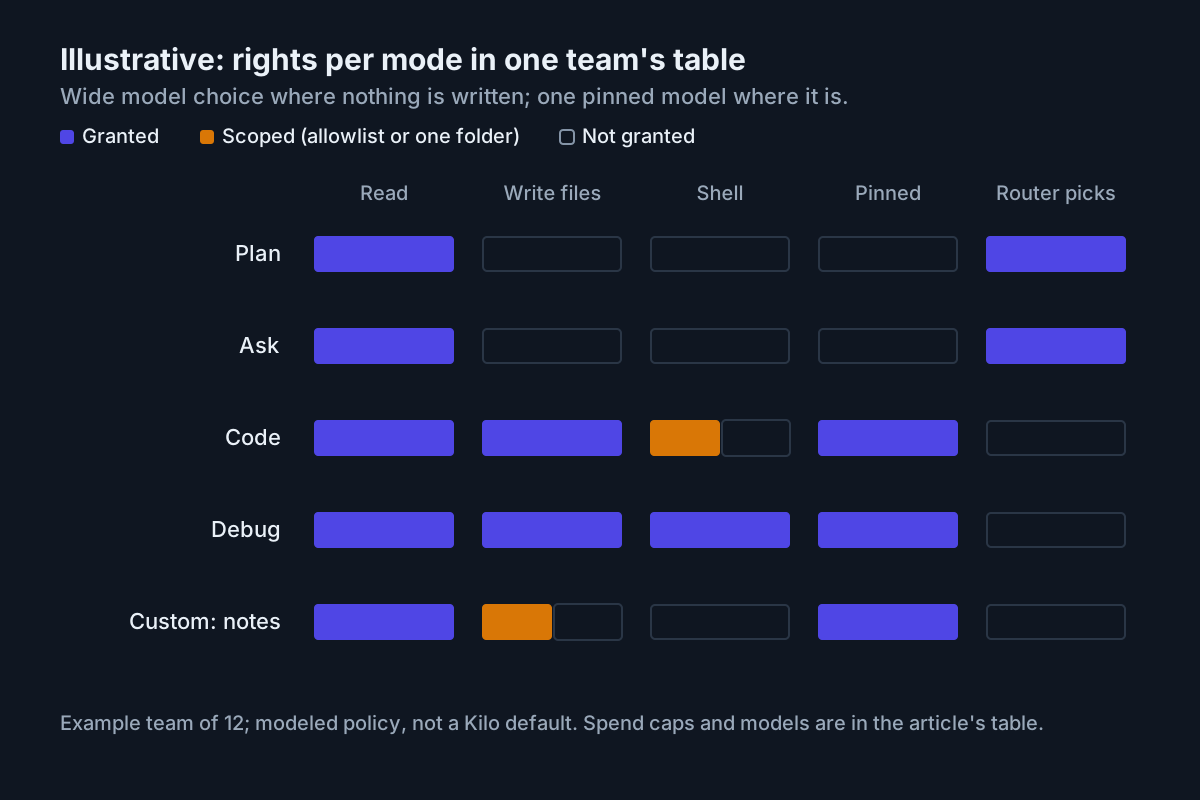 Illustrative rights per mode: wide model choice where nothing is written, one pinned model where something is.
Run the table: inventory, log, diff, kill, trial
1. Inventory what the harness actually exposes
Fill the table from the machine, not from the launch post. On a trial install, list four things: the models the picker offers per mode, the credentials behind them (a gateway account, BYOK keys, a lab sign-in such as ChatGPT, a local model server), the custom endpoints anyone has added, and which admin controls exist in the build you are running. Beta builds change, so write the build version at the top of the table. A control the launch post mentions but your build does not show is a control you do not have yet.
Then decide who owns each credential. A key owned by a person leaves with the person; a key owned by the team can be rotated, capped and revoked without asking anyone’s permission. Writing modes should only ever run on the second kind.
2. Log four fields on every run
Lock-in lives in whichever layer you cannot see, so record all of them per run: harness, gateway, model, key owner. Mode and cost come along for free. The shape below is illustrative, not a Kilo log format.
{
  "run_id": "r_2026-10-08_0412",
  "harness": "kilo-desktop-beta",
  "mode": "ask",
  "gateway": "kilo-gateway",
  "model": "claude-haiku-5.5",
  "router": "auto-efficient",
  "key_owner": "team-platform-byok",
  "provider_region": "us",
  "cost_usd": 0.04
}
If the harness does not expose the model the router picked, you cannot run step 3, and that is your answer about the router.
3. Diff the router’s picks against the table every week
Once a week, take the run log, group by mode and model, and compare it with the table. Any model outside a mode’s allowed list is a finding; any pinned mode that ran a different model is a bigger one. The check fits in a short script; this one is a sketch against the log shape above.
import json, collections
allowed = {
    "plan":  {"claude-sonnet-5.5", "gpt-6.1-sol", "local"},
    "ask":   {"claude-haiku-5.5", "deepseek-v4-flash", "local"},
    "code":  {"claude-sonnet-5.5"},
    "debug": {"gpt-6.1-sol"},
}
seen = collections.Counter()
for line in open("runs-week-41.jsonl"):
    r = json.loads(line)
    seen[(r["mode"], r["model"])] += 1
for (mode, model), n in sorted(seen.items()):
    flag = "" if model in allowed.get(mode, set()) else "  <- OUTSIDE TABLE"
    print(f"{mode:6} {model:22} {n:4}{flag}")
4. Wire one kill switch per provider
A provider incident, a contract change or a data-residency question should not mean editing five rows by hand. Keep one toggle per provider that removes it from every mode at once, and make the table’s pinned modes fail closed (stop and ask) rather than fall back to whatever the router likes next. The policy shape, again illustrative and not any vendor’s schema:
providers:
  anthropic: { enabled: true,  regions: [us] }
  openai:    { enabled: true,  regions: [us] }
  deepseek:  { enabled: false, reason: "residency review, 2026-10-08" }
  local:     { enabled: true }
on_provider_disabled:
  router_modes: drop_from_list
  pinned_modes: stop_and_ask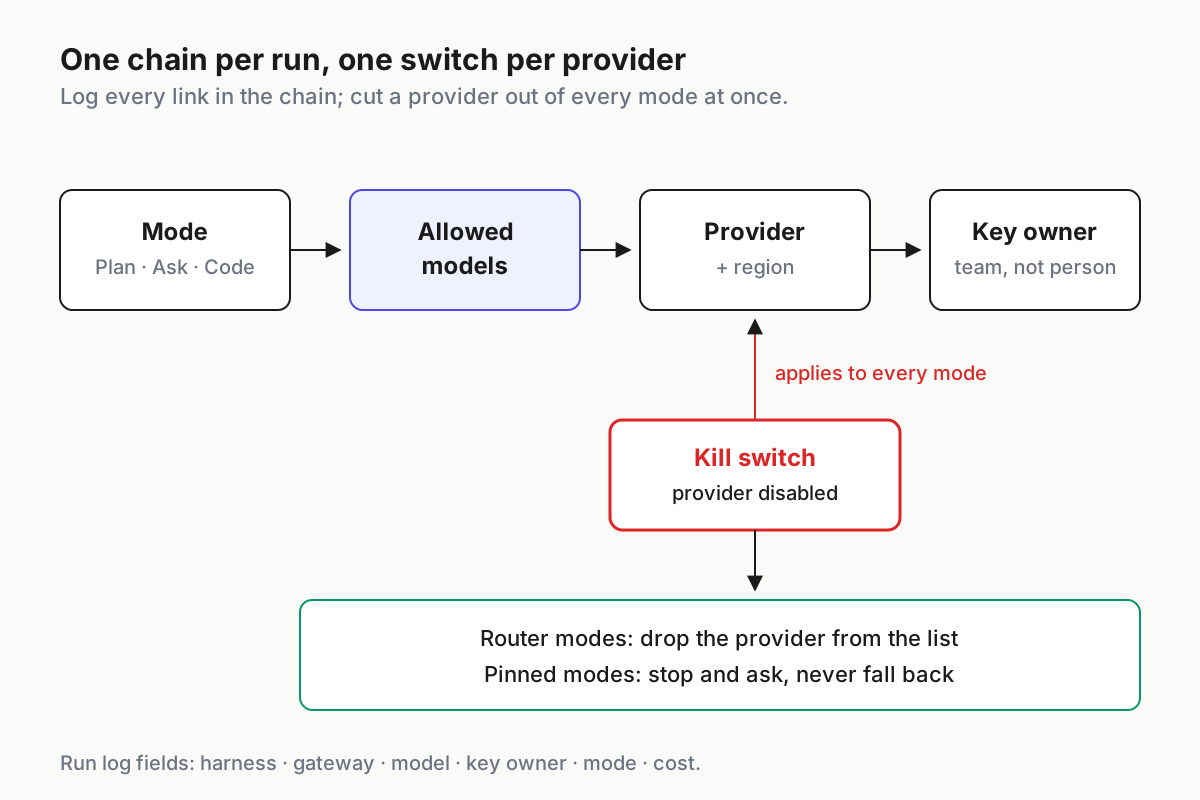
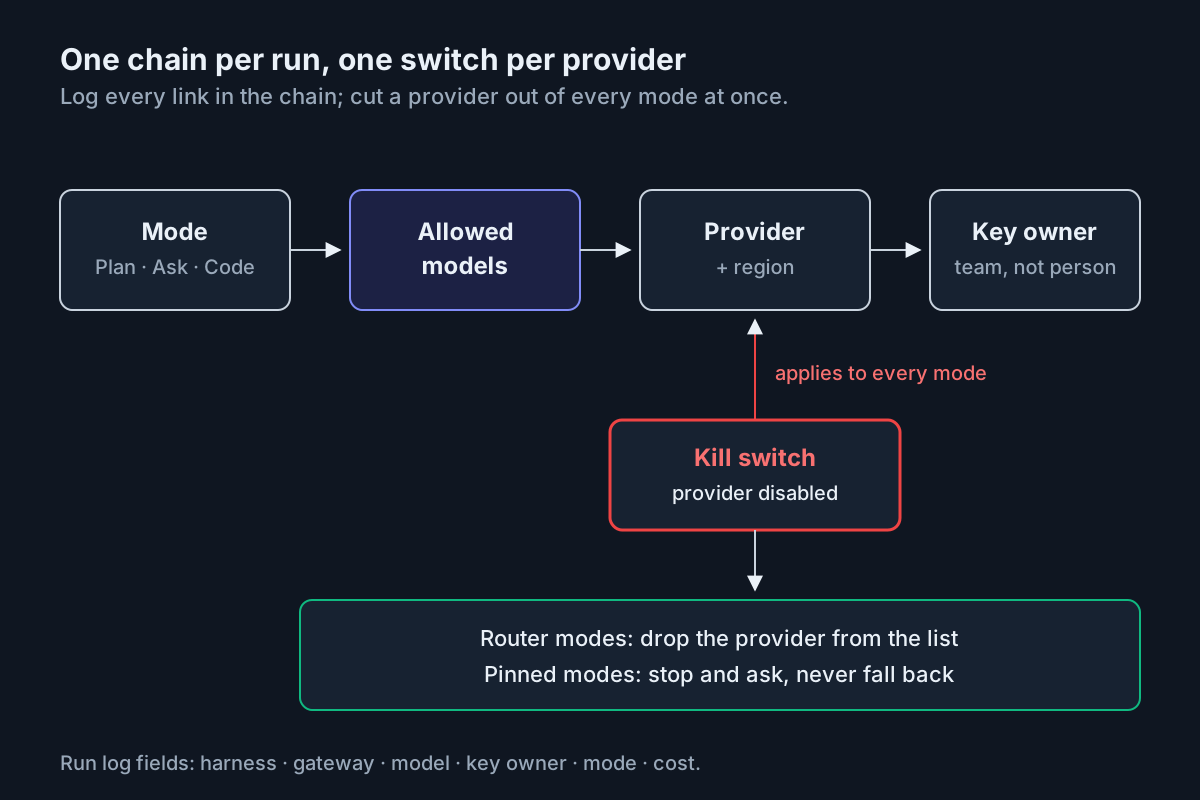 One switch per provider, applied across every mode; pinned modes stop instead of falling back.
5. Trial new models in Plan and Ask first
When a new model lands, and one lands most weeks, add it to the read-only modes first. A week of Plan and Ask runs tells you how it reads your code at no risk to the tree. Promote it to a writing mode only with a dated note in the table, the run evidence, and a named approver.
6. Re-sign the table on a calendar
Owners change, keys rotate, providers add regions. Put a monthly review on the calendar, and re-run the whole table whenever the harness ships a release that touches routing, admin controls or sign-in.
A worked week: 410 runs, 9 outside the table
An illustrative week for the 12-person team above, with all numbers modeled: 410 runs across five modes. The weekly diff flags nine runs outside the table. Seven are Ask runs where the router picked a model the team had not listed, because the gateway added it mid-week and Ask’s list was written as “router may choose” without the list being enforced in the admin panel. Two are Code runs on a teammate’s personal ChatGPT sign-in rather than the team key, visible only because the log carries a key owner.
The spend caps did their job twice. One Debug task looped on a flaky test and stopped at its illustrative $3.00 cap after 41 minutes; one Code task hit its $4.00 cap halfway through a migration and paused for a human, who split it in two. Total modeled spend for the week came to $212, with the read-only modes at under a fifth of it despite carrying more than half the runs. That ratio is what the asymmetric table buys: cheap, wide exploration where nothing is written, and narrow, pinned, capped work where something is.
The fixes are dull, which is the point. The team enforces Ask’s list in the admin settings instead of trusting a convention, and adds a rule that writing modes run only on team-owned keys. The following week’s diff comes back clean, and the new model the router liked goes into a dated Plan and Ask trial instead of quietly into rotation.
Where a mode-to-model table drifts
| What breaks | The signal you would see | First action |
|---|---|---|
| Router picks a model outside the mode’s list | Weekly diff shows OUTSIDE TABLE rows for a router mode |
Enforce the list in the admin panel; add the model to a Plan/Ask trial if wanted |
| Pinned mode silently falls back | A pinned mode’s runs show a second model after a provider error | Set pinned modes to stop and ask on provider failure |
| Writing mode runs on a personal subscription | Key-owner field shows an individual sign-in for Code or Debug | Require team-owned keys for writing modes; revoke the session |
| Kill switch only half works | Provider disabled, yet runs still reach it through a custom endpoint | Inventory custom endpoints per provider; include them in the switch |
| Model list grows with the gateway | Model count per mode rises week over week with no table change | Freeze lists to named models; review additions monthly |
| Spend cap never fires | Tasks above cap in the log with no stop event | Test the cap with a deliberate overrun in a scratch repo |
| Inference geography drifts | Provider region in the log differs from the table | Pin regions per provider; treat a mismatch as a stop |
The desktop-harness buy test: four questions for any vendor
Model choice is half the decision. The other half is whether the harness lets a person see what its sessions are doing. Ask these four questions of any desktop harness, Kilo Desktop included, before it becomes the team standard.
| Question | What a pass looks like | How to check in a one-week trial |
|---|---|---|
| Does it show per-session state? | Each session reads as working, waiting, done or failed at a glance, with its mode and model | Run three sessions in parallel and read their state without opening them |
| Is there a waiting or stall flag? | A session blocked on a question or permission prompt is flagged the moment it stops | Trigger a permission prompt and time how long until someone notices |
| Does it show quota headroom across models? | Remaining allowance per provider or plan, with unknown shown as unknown, not zero | Spend down one key in a scratch repo and watch the display |
| Is there a local transcript library? | Past sessions searchable on the machine, with tool calls and the model used | Search last Tuesday’s session for a file name and a command |
Score each question pass, partial or fail, and write down the evidence, not the vendor’s answer. A harness that fails two of the four is a good place to try models and a poor place to standardize a team, because the failures it hides are the ones you will hear about from someone else: the session that sat waiting on a permission prompt for an hour, the key that ran dry mid-task, the change nobody can trace back to a transcript. Quota headroom deserves the strictest reading. A display that shows zero when it means “could not check” will send someone to the wrong provider at the worst moment.
These are the same properties a fleet needs from any surface that runs agents. The thesis piece on running multiple coding agents with one boss makes the case for one view across them, and the desktop session explorer piece shows what a desktop shell looks like when topology is visible. Within this batch, steer-or-handoff routing decides how a person works with fast and slow lanes once the table assigns them, the clone-test moat register takes the builder’s side of the lock-in question, and the answer-surface UI register does for chat answers what this table does for coding modes.
Automater Lite is a free download for Windows, macOS and Linux at automater.ai/downloads.
FAQ
What is Kilo Desktop?
Kilo Desktop is a free beta coding app from Kilo, now part of Anaconda, released Oct 6, 2026 for macOS on Apple silicon, Windows and Linux. It ships Plan, Code, Ask and Debug agents plus custom agents, bring-your-own-key, custom endpoints and an Auto Efficient router across 500+ models by Kilo’s own count.
Does a multi-model coding desktop end AI vendor lock-in?
Not by itself. Switching models gets easier, but lock-in moves to the harness, the gateway and whoever controls the admin panel and keys. Kilo’s same-day release also added Sign in with ChatGPT. Log harness, gateway, model and key owner per run so you can see where you are actually committed.
How should I assign models to coding agent modes?
Give read-only modes such as Plan and Ask a short allowed list and let a router choose within it. Pin one model each for modes that write files or run shell commands, on team-owned keys, with a spend cap. Diff the router’s actual picks weekly and trial new models in read-only modes first.
Sources
- Introducing Kilo Desktop, Brian Turcotte, Kilo Blog, Oct 6, 2026
- Kilo Desktop install page, Kilo, fetched Oct 7, 2026
- Kilo Code repository, Kilo-Org on GitHub, fetched Oct 7, 2026
- Anaconda Brings Agent Swarms and Autonomous Red-Team Agents to the AI Dev Factory, Anaconda, Oct 6, 2026
- Kilo Desktop (Anaconda blog copy), Anaconda, updated Oct 7, 2026
- SiliconANGLE on Anaconda’s agent swarms and AI security testing, Paul Gillin, Oct 6, 2026
- AlphaSignal on Kilo Desktop’s free beta, Oct 2026
- Kilo (gateway model and provider counts; deep link to verify)