Diagnose a Failed Claude Code Prompt With Claude Doctor
Use Claude Doctor and a fresh Claude Code prompt to distinguish certificate errors, access failures, and session issues while preserving the original session.

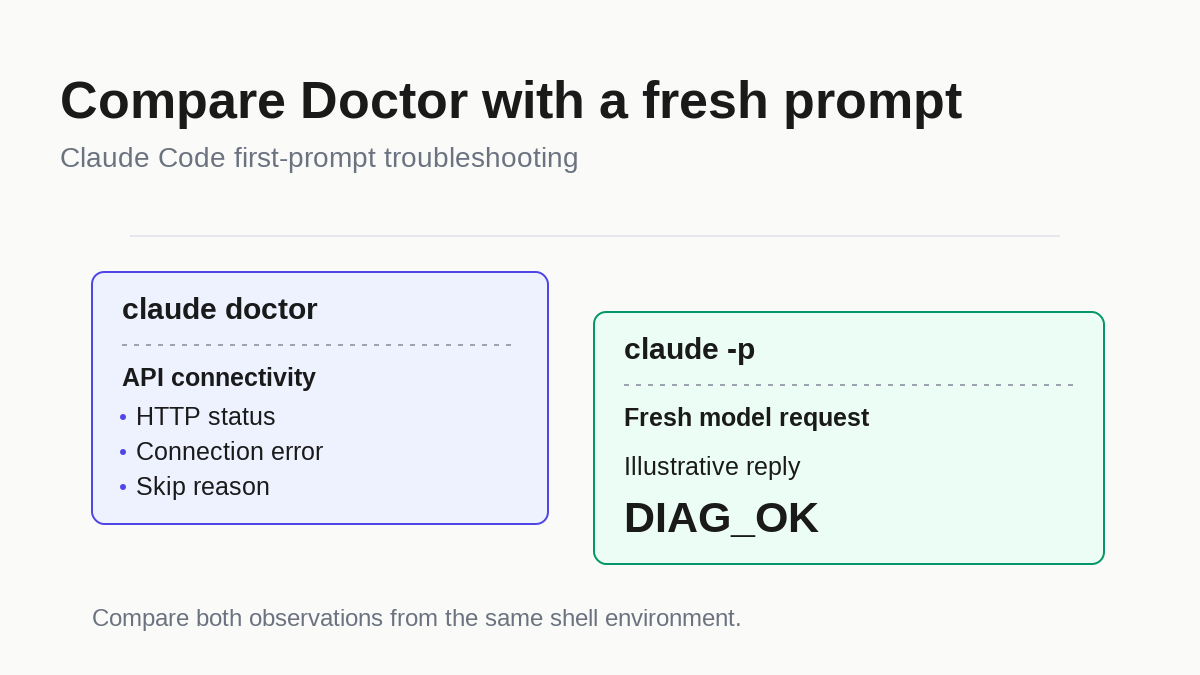
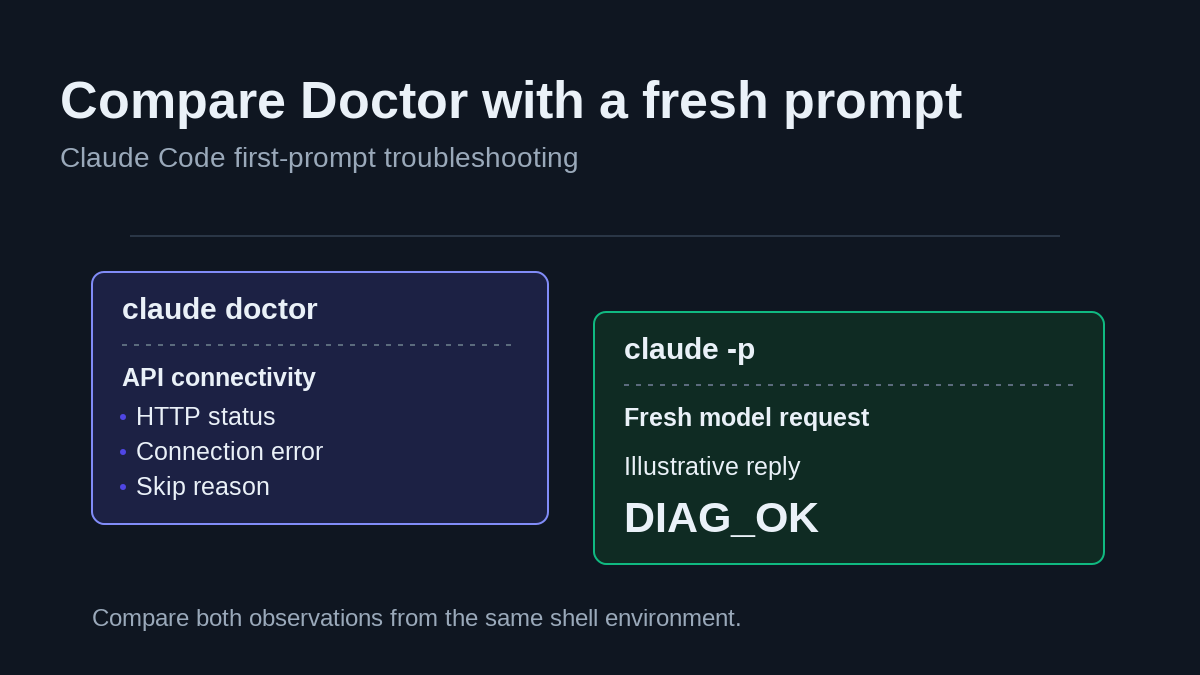
Your first Claude Code prompt hangs or returns an error, but the terminal already opened the session. Before changing your proxy or signing in again, use Claude Doctor and a fresh model request to find out what still works. Doctor reports what happened to its connectivity check. The fresh request tells you whether Claude Code can complete a small turn under the conditions you just tested.
This guide is for a developer with the standalone Claude Code CLI installed and an existing, authorized direct Anthropic connection, with or without an organization-approved HTTPS proxy. The worked example uses Bash on Linux. You will test from the affected shell environment, keep the original conversation available, and leave with a specific next action or a redacted report for the person who can investigate. All sample errors and results are illustrative expected observations.
Set up a baseline outside the repository
- Keep the failed conversation open if it still responds to input. Note whether Claude Code showed an error, sat without printing a model reply, or displayed a prompt that needed your input. Retain the symptom and the approximate time locally.
- Use the shell that launched the failing CLI if it is available. If the interactive client still occupies it, use a second shell on the same host or in the same runtime with the same approved launch configuration. Compare the launch method before interpreting differences.
- In that shell, move to an empty directory outside the failing repository and any other repository. The worked case calls it
claude-connectivity-01. Leave the connection and sign-in settings as they are for the baseline. - Confirm that print mode is authorized to use the account already configured in this environment. If you cannot establish which account print mode would use, collect the version and Doctor result and resolve that question before submitting a prompt.
An empty directory gives you a prompt that needs no source files, project instructions, attachments, or conversation history. Keeping it outside the checkout also avoids carrying the checkout’s project or project-local settings into this particular comparison. That choice changes one part of the launch context, so a success there leaves the repository and its settings open as possible causes. User and managed settings can still apply in the empty directory. Anthropic explains where those scopes apply and how to identify them. Settings files and precedence
The shell matters even when two tabs look identical. A local terminal and a shell on a remote Linux host can execute different binaries, see different certificate files, and take different network paths. Starting a new tab on the laptop when the failure occurred inside a container gives you a comparison across runtimes. Keep that distinction in your notes if you have to use a different shell. The environment variables guide covers how launch settings reach the process. Claude Code environment variables
Print mode has a consequential authentication rule. Anthropic documents that ANTHROPIC_API_KEY, when present, is always used in non-interactive -p mode. If your interactive session uses subscription sign-in and the shell contains a key, the two runs can use different credentials even though you never changed shells. Check the intended authentication method locally without printing the key or dumping the environment. This worked case assumes an approved subscription sign-in with no ANTHROPIC_API_KEY in the launch environment. An approved API-key setup can also be compared when both launches use the same authorized key. Troubleshoot installation and login
Run the version, Doctor, and one fresh prompt
- Run the three commands in order from the empty directory. Enter them individually so you can read each result. Pause before the last line if the CLI cannot launch, Doctor identifies an unexpected configuration, or the account used by print mode is unresolved.
- Record the version and the API connectivity result separately. If Doctor reports a skip, retain its reason. If it reports an HTTP status, write down the status as a Doctor observation.
- Submit the fixed prompt once for this baseline. Record whether a completed model reply appears or an error interrupts the request. Keep this observation separate from the Doctor result.
claude --version
# Expected: the installed CLI version. The illustrative case uses 2.1.331.
claude doctor
# Expected on 2.1.331: check the API connectivity section for the probe result.
claude -p 'Reply with only DIAG_OK. Do not use tools.'
# Expected if the model answers as requested: DIAG_OK.
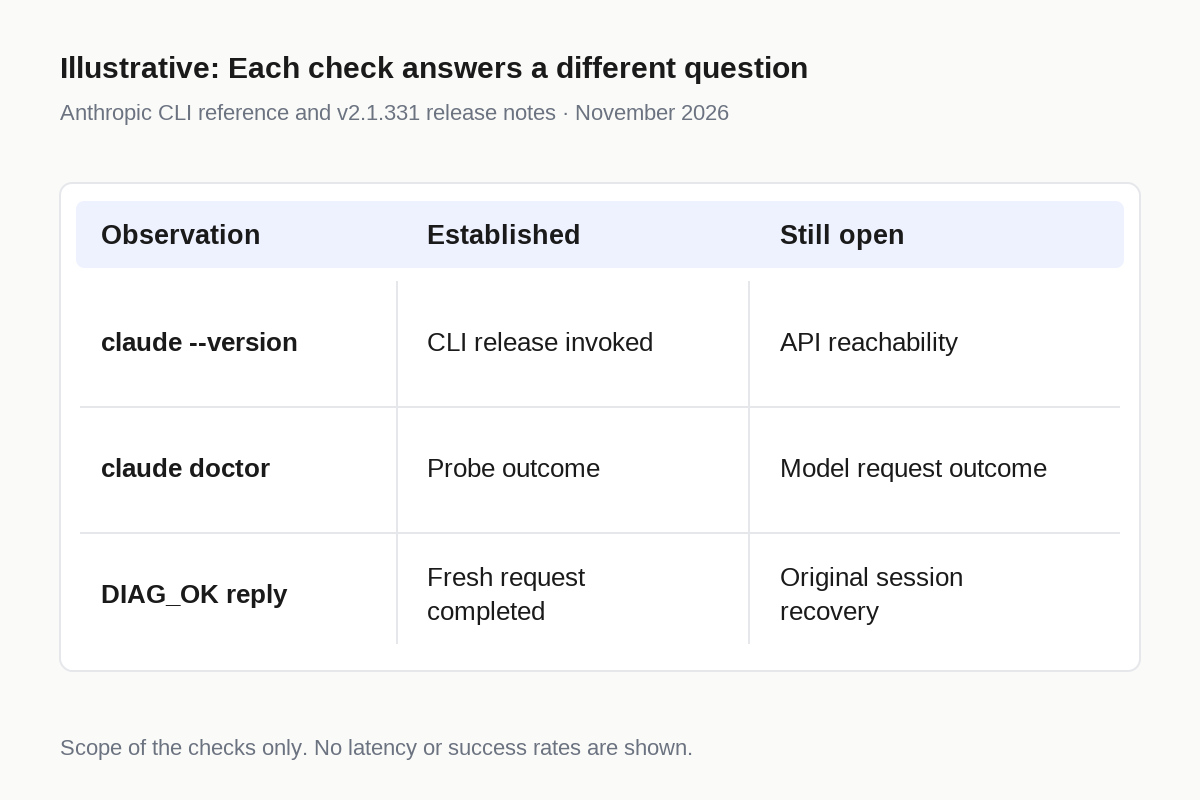
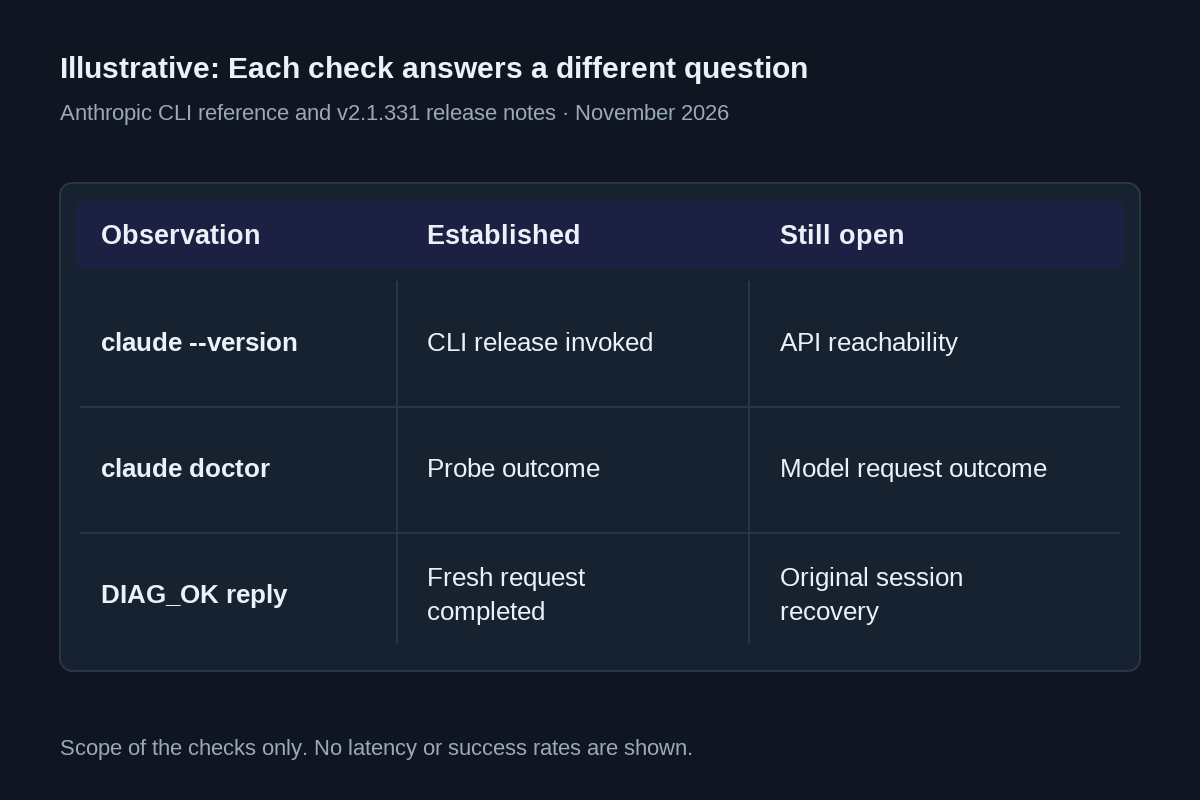
claude --version tells you which release the shell actually invokes. If the shell reports command not found, begin with the installation and PATH guidance. If you expected a different installed version, compare the affected terminal with the launch environment you used to install or update the CLI. Record the version that actually ran before drawing conclusions about the diagnostic report. CLI reference · Troubleshoot installation and login
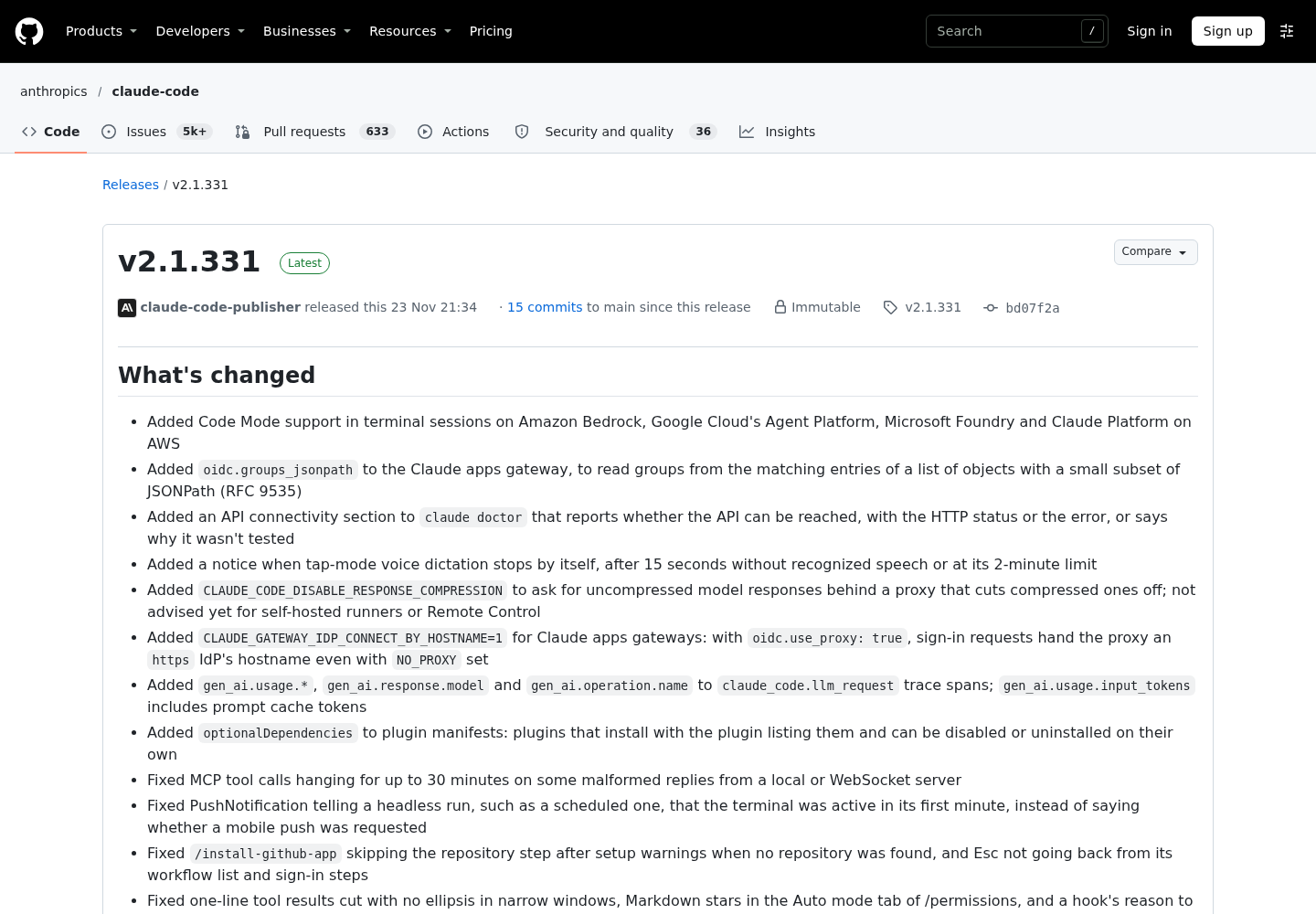
claude doctor runs read-only installation and settings diagnostics from the shell without starting a conversation. The API connectivity section was added in Anthropic’s November 23, 2026 release of Claude Code v2.1.331. The release notes document a report of reachability with an HTTP status or an error, or an explanation of why the check was skipped. Use that documented scope. The release notes give no request contract for treating a particular probe response as proof of model access. An older version that lacks the section gives you a compatibility explanation for its absence. Claude Code v2.1.331 release
claude -p submits a query and prints the response without entering interactive mode. With no resume or continue option, this uses a fresh conversation. The example prompt asks for a recognizable reply without repository data or tool work. The request still uses the CLI’s applicable configuration. An empty directory and a short user message leave user-level customizations and organization policy in scope. The instruction about tools is part of the prompt, so treat it as a request to the model, with normal CLI permissions still in force. CLI reference
Look for DIAG_OK as the completed reply. If a recognizable model reply includes extra wording, record that the turn replied and separately note that it missed the requested format. If the marker appears beside an error, check whether it is part of echoed input or whether the CLI actually returned it as the model’s reply. Use the completed response as your success observation. If the command stalls and you cancel it, record that it produced no completed reply before cancellation and note how long you waited. Claude Code troubleshooting
Work through the certificate error and verify the reply
- For
task:claude-connectivity-01, start with the installed native CLI in Bash on Linux, the existing approved route through the corporate proxy, and the emptyclaude-connectivity-01directory. The first interactive prompt in the original repository failed before displaying any model text. - Run the baseline above. In the illustrative case, Doctor reports an issuer certificate error and the fresh request fails with a certificate error too. Record the two errors with their labels. An issuer error gives the network team a concrete trust-chain problem to investigate.
- Ask the network team to confirm the approved trust configuration for this runtime. In this case they provide an approved, readable PEM bundle at
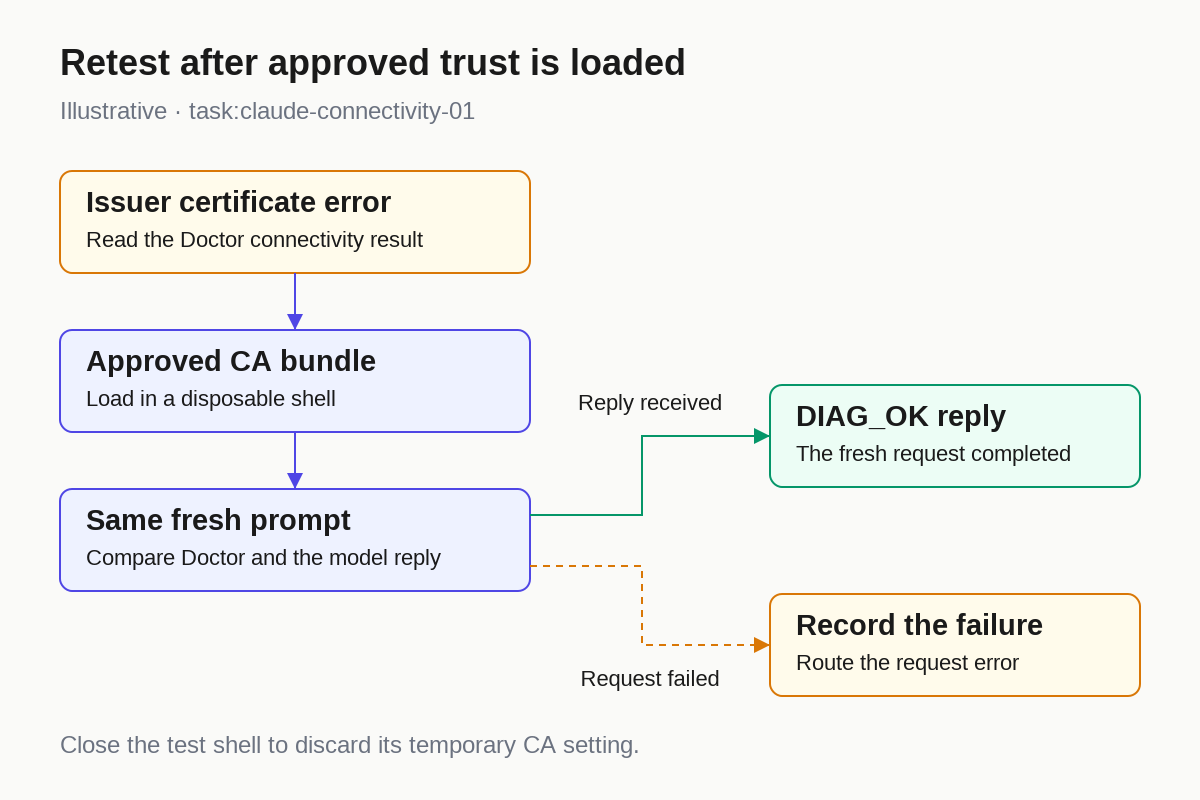
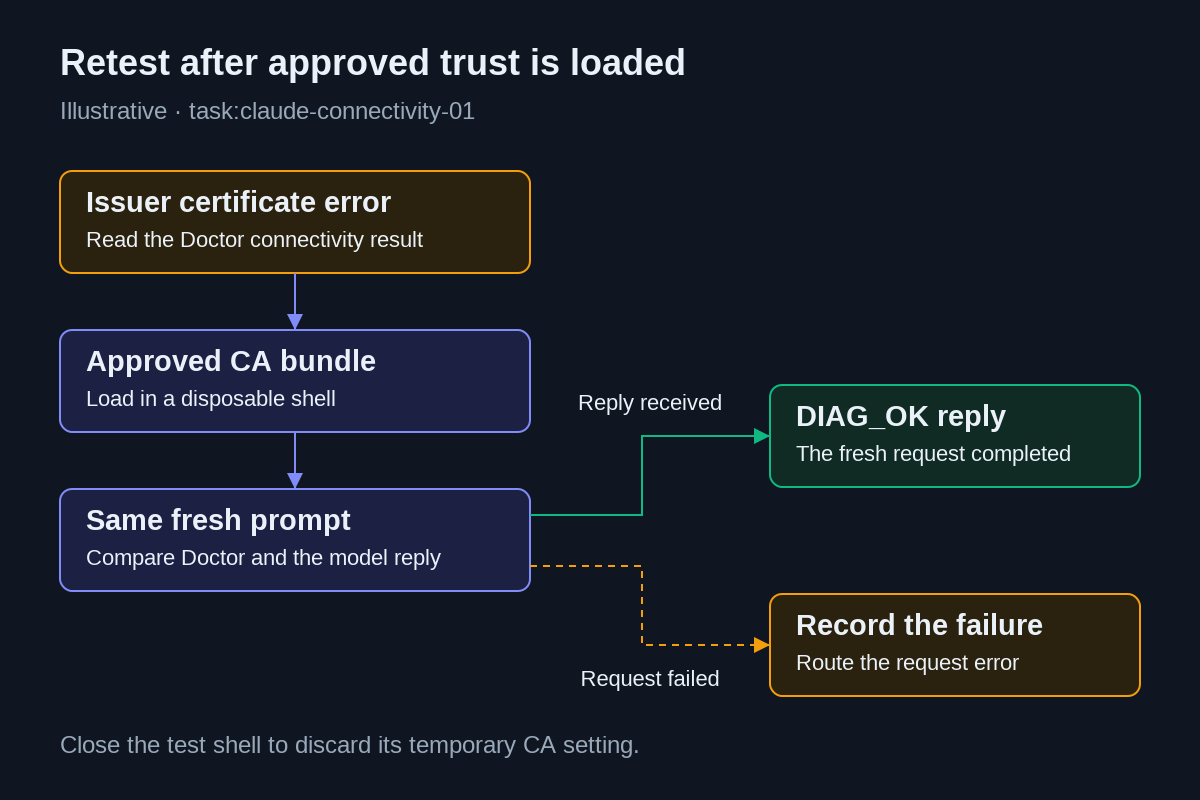
/etc/ssl/certs/corp-ca.pemand authorize a temporary launch-environment test. Use the path only if that is the file the team supplied for your environment. - In a disposable Bash child shell launched from the baseline shell, set only the approved CA path. Run Doctor again, then make one fresh print-mode request as the post-change verification. Read the model reply separately from the new Doctor status.
| Input | Action | Expected result |
|---|---|---|
task:claude-connectivity-01 baseline. Native Claude Code 2.1.331, Bash on Linux, existing corporate proxy, and an empty directory outside the original checkout. |
Run claude --version, claude doctor, then claude -p 'Reply with only DIAG_OK. Do not use tools.' using the authorized baseline environment. |
Illustrative expected observation: Doctor reports unable to get local issuer certificate and the print request ends with a certificate error before a completed reply. Ask the network team for the approved trust configuration. |
task:claude-connectivity-01 retest. The network team confirms /etc/ssl/certs/corp-ca.pem as the approved PEM bundle for this Linux runtime. |
In a disposable Bash child shell, export NODE_EXTRA_CA_CERTS=/etc/ssl/certs/corp-ca.pem, rerun claude doctor, and repeat the identical claude -p 'Reply with only DIAG_OK. Do not use tools.' request once. |
Illustrative expected observation: Doctor reports an HTTP response and Claude Code returns DIAG_OK as the completed reply. The fresh model request completed with the approved trust setting in effect. Return to the original session separately to check its symptom. |
Run this retest only after the trust file and its use have been confirmed. Start the child shell from the empty directory so the working directory, user, and route stay comparable. A normal child shell inherits exported environment variables. If Bash startup changes an applicable launch setting, use the approved equivalent launch in your environment and document the difference before comparing results. Enter bash first, then enter the remaining lines in the child shell.
bash
# Enter the following lines in the child shell.
export NODE_EXTRA_CA_CERTS=/etc/ssl/certs/corp-ca.pem
claude doctor
claude -p 'Reply with only DIAG_OK. Do not use tools.'
# Illustrative expected reply after the approved trust change: DIAG_OK.
exit
Anthropic documents NODE_EXTRA_CA_CERTS for an extra CA bundle and says shell-exported network variables are read at startup. In the example the path is to the organization’s trust bundle for the proxy the CLI already uses. The native installation also uses the operating system’s certificate store by default alongside the bundled roots, so your administrator may already have an approved system-store solution. Leave TLS verification enabled and obtain the bundle through the organization. If you already have an extra bundle configured, ask whether the supplied file is the correct replacement for the test, since the export changes the path the child uses. Enterprise network configuration
A warning that Claude Code ignored all of the file or could only read some certificates calls for a file check with the network team. Confirm the path exists inside the actual runtime, the CLI user can read it, and the supplied file contains the intended certificates in PEM format. A path shared by a colleague may refer to a host filesystem from which your container can read nothing. Anthropic also documents that the interactive /status CA path identifies the configured location without proving the file loaded. Enterprise network configuration
If the certificate error clears and the prompt still fails, keep both new observations. For example, an explicit access refusal after an issuer error means the new request reached a stage at which it could report a different problem. Use the actual error to choose the next owner. If the same certificate error persists, send the network team the before and after results and the fact that the test ran in this runtime. The corporate proxy guide covers how to configure and verify the approved network setup once the symptoms point there. Corporate proxy and CA certificates
Interpret a skip, an HTTP response, or a working fresh prompt
| What you see | What to do next |
|---|---|
| Doctor says the check was skipped. | Retain the printed reason. If a fresh request is authorized under the original connection, use its outcome to direct the investigation. |
| Doctor shows an HTTP response and the prompt fails. | Start with the prompt’s own error text and status, if any. Record the two results under separate labels. |
The empty-directory prompt returns DIAG_OK and the original session still fails. |
Keep the original open and compare it with a fresh interactive session in the original directory if you can do so under the same approved configuration. |
Doctor skipped the connectivity check
A skipped check means Doctor reports that it did not run the probe. Preserve the reason verbatim after redacting anything sensitive. Anthropic’s release note describes the report format without enumerating every skip condition. If the reason identifies a setup you do not recognize, confirm the active configuration with its owner. The direct Anthropic procedure here applies to the approved connection you already use. Claude Code v2.1.331 release
Once you confirm the existing connection is authorized for print mode, the fixed prompt can still give you a result. A completed reply is evidence of that fresh request. An explicit error gives you an error to route independently of the skip. If the section was absent altogether, record it as absent along with the version. Only use the word skipped for a report that actually says the check did not run.
Doctor got HTTP, but the model request failed
An HTTP status is evidence that the probe got an HTTP response along its path. Intermediaries can also return errors. Check what the model request itself says before attributing the failure to a particular service or assuming the active credential was accepted. A proxy-generated response and an API access denial can both appear as HTTP errors, so preserve any text that identifies who issued the refusal. Troubleshoot installation and login
For a model request that prints API Error: 403 Request not allowed, preserve the wording and ask the owner of the existing account to check access. Anthropic’s troubleshooting page points subscription users to subscription state and Console users to the Claude Code or Developer role. It also mentions proxy interference for this symptom. If the error itself identifies an expired login, route it as an authentication issue with the current account. If it shows a rate limit, overload, or model-access error, use the corresponding error class in your report. Keep the account, endpoint and spending settings steady while you collect that evidence. Troubleshoot installation and login · Claude Code troubleshooting
A short model turn can also receive headers or partial output before a connection drops. Distinguish silence before any model text from a reply that begins and then stops with an error. Anthropic documents separate timers for an unanswered request and for a stalled stream. Record where the reply stopped and whether the CLI itself reported a timeout or you canceled it. Enterprise network configuration
The fresh prompt worked, but the original session still fails
A fresh DIAG_OK gives you a working reference at that time. The baseline changed the working directory, the conversation, and the invocation mode. To narrow those differences, start a fresh interactive claude session in the original trusted directory from the comparable shell, keeping the old conversation open, and enter the same fixed prompt. Use the original account and relevant launch options if they are known and authorized. If the new interactive session also fails there, compare the project’s settings and launch options with the empty-directory case. If the new interactive session responds while the old one still fails, investigate what is particular to the old session, such as its selected model or where the turn is waiting. Keep the attempt times so support can also assess an intermittent failure. CLI reference · Settings files and precedence
If the original session accepts slash commands, /status can show the settings sources. Record whether it names user, project-local, or managed settings and compare with the fresh session where practical. A listed source tells you a file was loaded. To see rejected settings, consult the shell Doctor report from the affected launch context. Leave managed settings to their owner. For more detail on print mode and preserving the sequence of events for handoff, see these guides. Claude Code headless mode · Session replay
Close the test shell and hand off the redacted result
- Exit the disposable child shell to discard its temporary export. If you used a dedicated test terminal instead, close that terminal. Return to the preserved original session for comparison.
- If the diagnosis points to approved trust configuration, ask the owner to apply it to the actual launch environment. Check a newly launched process once the approved setting is in place. A process that was already running keeps the network environment it read at launch.
- If a hang eventually forces you to close the original terminal, use
claude --resumefrom the original working directory and pick the saved conversation. Keep the diagnostic request separate from the conversation you intend to recover. - Record the original symptom, version, runtime, Doctor result, fresh prompt outcome and any temporary setting by name. Share the smallest redacted excerpt that still identifies the error.
The completed handoff below gives the network team the comparison and tells the developer what still needs to be verified. Replace the timestamps with your own observations.
Illustrative handoff — task:claude-connectivity-01
CLI: Claude Code 2.1.331, native install, Bash on Linux
09:12 local: Original repository session failed on its first prompt before model text.
09:14 local: Empty-directory baseline. Doctor API connectivity: unable to get local issuer certificate.
Baseline print request: certificate error before a completed reply.
09:22 local: Same runtime and empty directory, disposable child shell.
Temporary setting: NODE_EXTRA_CA_CERTS using the IT-approved bundle. Internal path omitted.
Retest: Doctor reported an HTTP response. Fresh model reply completed with DIAG_OK.
Cleanup: Child shell closed. Original session retained.
Next check: Network team to confirm trust in the original launch environment. Retest the original symptom separately.
Before forwarding the report, remove account identifiers, credential values, authenticated proxy URLs, internal hostnames and paths your support process does not need. Keep the version and the error phrase intact. If you used two different runtimes, say which ran each command. If the failed session becomes usable before you can compare it, record when it recovered and the conditions you observed. Anthropic’s troubleshooting page documents resuming from the original working directory and directs account issues to Anthropic support. Claude Code troubleshooting
If DIAG_OK appears only in the child shell, the immediate result is a successful request under that shell’s approved trust configuration. The original workflow is recovered when a fresh launch through its normal, approved configuration can answer and you can continue the original work. If the short request succeeds in both contexts and the original symptom persists, the report gives support two distinct outcomes to investigate without asking you to repeat credential or certificate changes. For installations where the version itself differed across shells, identify the installation method before making any version change. Claude Code update and rollback