Claude Code Disable Settings: Turn Off Auto-Update, Auto-Compact, Prompt Suggestions, Recap and Memory, Then Undo Each
Claude Code disable guide: one settings.json that turns off auto-update, auto-compact, prompt suggestions, session recap and auto memory, with checks and undo.

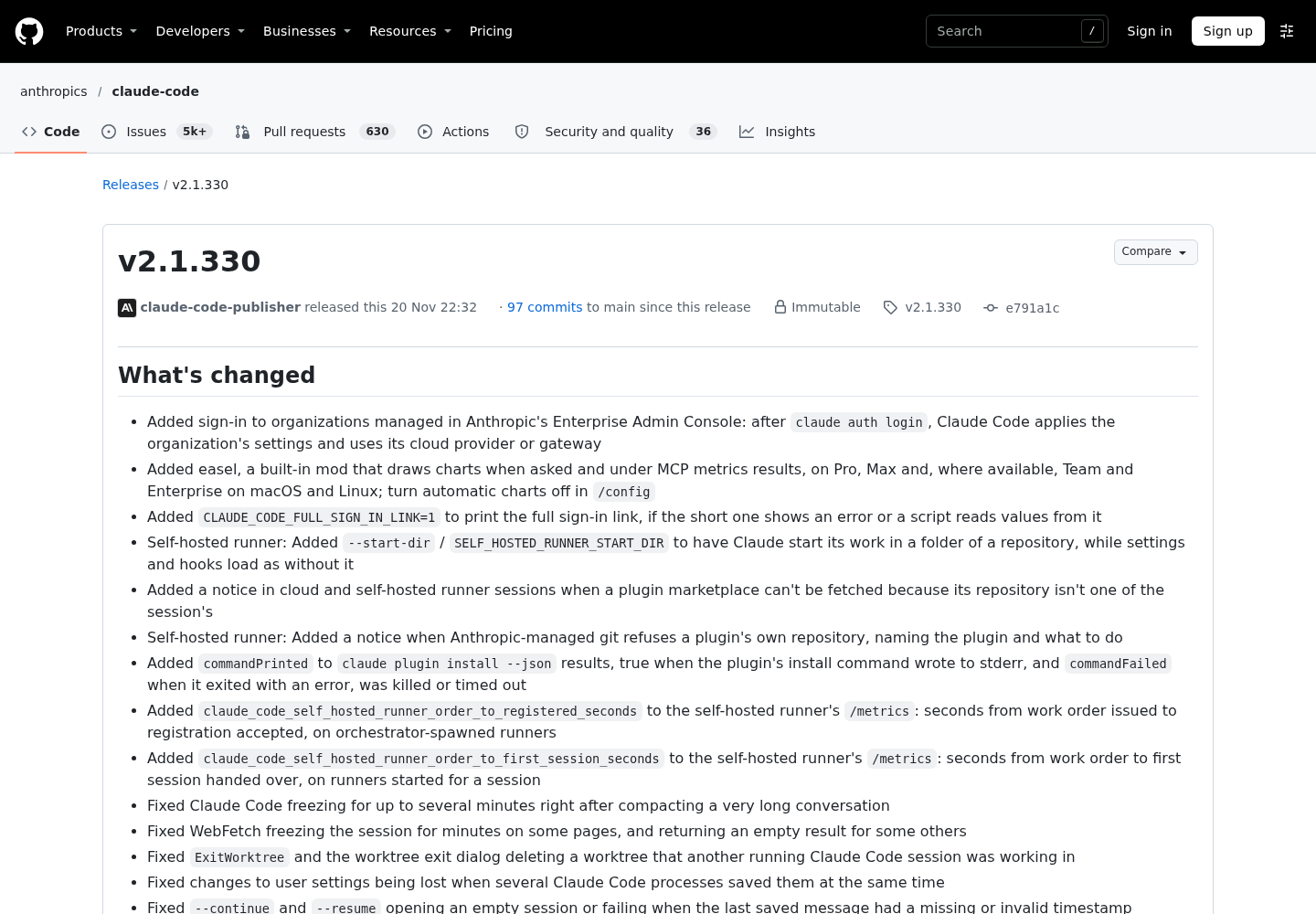
If you searched for a Claude Code disable switch, something probably showed up that you never asked for. Gray text guessing your next prompt. A one-line recap when you came back from a meeting. “Saved 2 memories” in the transcript. A new version that installed itself over the weekend. On Nov 27, 2026, a post on X put the question plainly: how do you disable “the question box in claude code that appears after each turn?” A week earlier, Anthropic’s v2.1.330 release notes added easel, a built-in mod that draws charts on its own, with its off switch in /config.
Each of these behaviors has a documented off switch. The catch is that the switches live in four places: an environment variable, a settings key, an in-session toggle and organization policy. They do not all resolve in the same order, so a setting you saved can lose to a variable you forgot you exported.
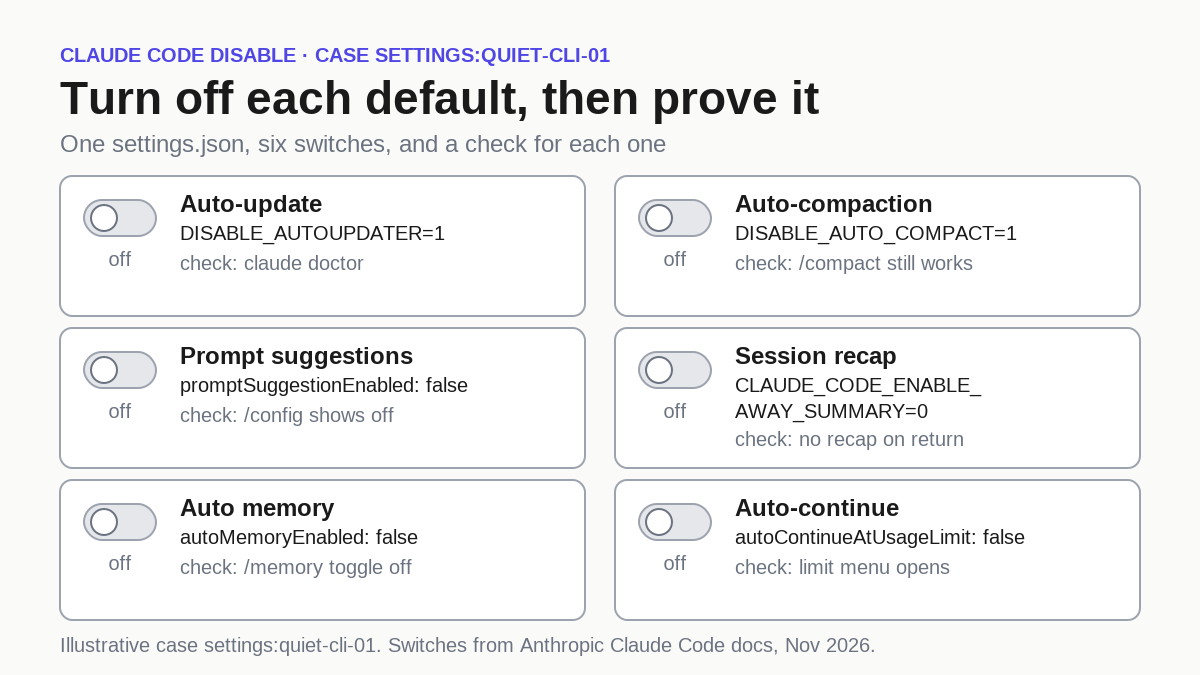
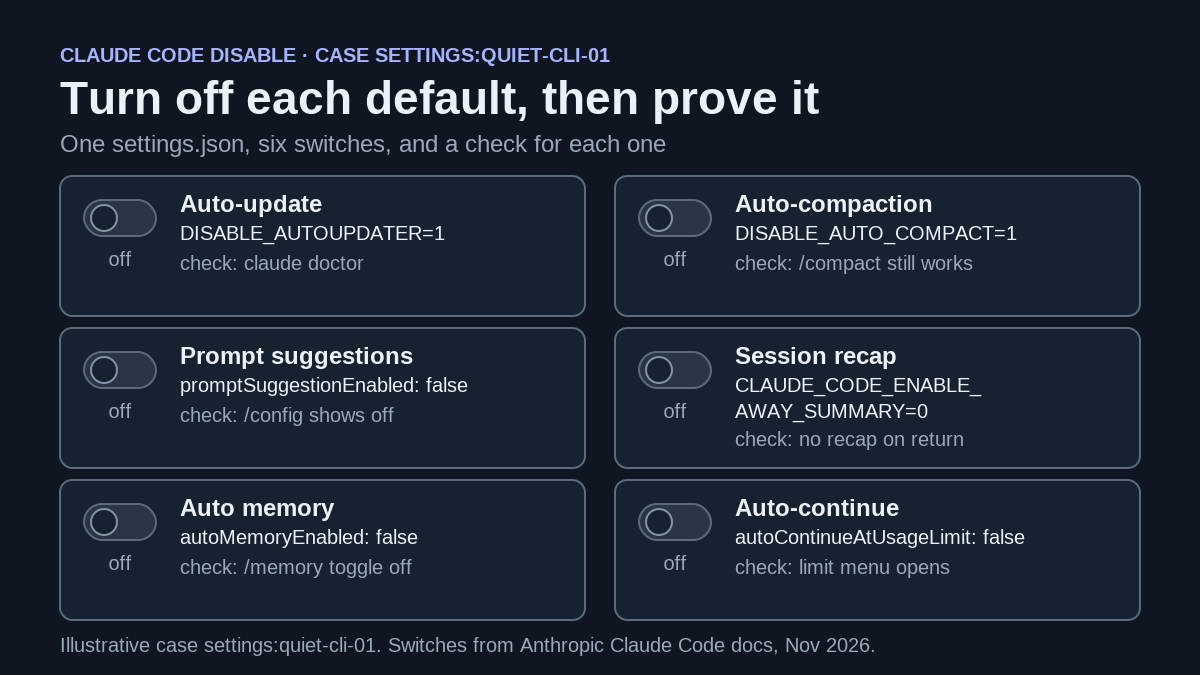
This guide builds one ~/.claude/settings.json that turns off auto-update, automatic and idle compaction, prompt suggestions, session recap, auto memory and automatic continuation after a usage limit. It then shows how to prove each change took effect, why a feature can outlive its setting, how a team lead enforces the same choices, and how to reverse every line.
It is written for a developer running the Claude Code CLI on macOS, Linux or Windows, and for the lead who wants that setup on every laptop. Keys, variables and commands come from Anthropic’s documentation. The observations in the worked example are illustrative expectations drawn from that documentation, not output recorded from a test run.
Before you start: what you need and what this changes
The list is short, but each item decides something later.
- [ ] A working install.
claude --versionprints a version number. Some switches have a floor: the prompt-suggestion variable needs v2.1.238 or later and theidleCompactionsetting needs v2.1.290 or later, according to the environment variables reference. - [ ] Your install method. Native, npm, Homebrew, WinGet, or a Linux package manager. Only some of these update themselves.
- [ ] Write access to
~/.claude/settings.json. Create the file if it does not exist, and back it up before editing:cp ~/.claude/settings.json ~/.claude/settings.json.bak. - [ ] A look at project files. Note whether your repositories carry
.claude/settings.jsonor.claude/settings.local.json. - [ ] Your organization’s policy. If an admin deploys managed settings, some choices are already made and you cannot override them.
- [ ] A scratch repository where a few turns of conversation cost nothing important.
The file you edit decides who a change reaches. The env-vars reference summarizes scope this way:
| File | Applies to |
|---|---|
~/.claude/settings.json |
You, in every project |
.claude/settings.json |
Everyone working in the project, checked into source control |
.claude/settings.local.json |
You, in this project only |
| Managed settings | Everyone in your organization, deployed by an admin |
Two details about the env block matter for everything below. Claude Code copies values in as written, with no shell processing, so write "1" as a string and never rely on ~ or $HOME expanding. And for variables that switch something on or off, 1, true, yes and on mean on, while 0, false, no and off mean off, in any casing. A few telemetry variables break that rule; they get their own section. The Claude Code environment variables guide covers where variables live in more depth. This guide stays on the off switches.
Which box is it? Name the feature before you turn it off
The post on X does not say which box it means, and several features put something near the prompt after a turn. Match what you see to a feature first, because each one has a different switch. Rows come from the interactive mode reference unless noted.
| What you see | Feature | Documented off switch |
|---|---|---|
| Gray text in the prompt input after Claude replies, accepted with Tab or Right arrow | Prompt suggestions | promptSuggestionEnabled: false, or the Prompt suggestions toggle in /config |
| A note beginning “✦ Heads up” above the prompt, with 1, 2 and 0 choices | The You should know mod, off by default | /plugin disable cc-plugin-you-should-know@builtin |
| A “How is Claude doing?” rating | Session quality survey | CLAUDE_CODE_DISABLE_FEEDBACK_SURVEY=1, per the env-vars reference |
| A one-line summary when you return to the terminal | Session recap | The Session recap toggle in /config, or CLAUDE_CODE_ENABLE_AWAY_SUMMARY=0 |
| “Saved 2 memories” or “Recalled 2 memories” | Auto memory | autoMemoryEnabled: false, or the toggle in /memory |
| A chart drawn under an MCP metrics result | easel automatic charts | The automatic charts toggle in /config, per the v2.1.330 notes |
| “Continuing automatically at 3:45pm” after a usage limit | Automatic continue | autoContinueAtUsageLimit: false |
“Appears after each turn” fits prompt suggestions best. After Claude responds, Claude Code can suggest your next prompt as grayed-out text in the input. If the box you see has numbered choices, it is the You should know mod, which is off by default, so someone on that machine turned it on. The worked configuration below handles the behaviors that ship on by default; the mod and the survey each have a one-line fix in the table.
The worked configuration: settings:quiet-cli-01
Case settings:quiet-cli-01 is illustrative: a native install on macOS, claude --version reporting 2.1.330, one repository at ~/code/shop, and no managed settings. The goal is a session that does not update itself, compact on its own, suggest prompts, recap, write memories, or resume work unattended after a usage limit. Everything else stays at its default.
Save this as ~/.claude/settings.json, merging it with any keys you already have:
{
  "env": {
    "DISABLE_AUTOUPDATER": "1",
    "DISABLE_AUTO_COMPACT": "1",
    "CLAUDE_CODE_ENABLE_AWAY_SUMMARY": "0"
  },
  "promptSuggestionEnabled": false,
  "autoMemoryEnabled": false,
  "autoContinueAtUsageLimit": false
}
Each line uses the form the documentation states most directly:
DISABLE_AUTOUPDATER: "1"is the exact block the advanced setup page shows for turning off auto-updates. The sources behind this guide document no settings-key twin, so the variable is the switch.DISABLE_AUTO_COMPACT: "1"turns off automatic compaction near the context limit and idle compaction together, and it overrides theautoCompactEnabledsetting. The docs used here name that setting without showing its value format, so the variable is the safer choice.CLAUDE_CODE_ENABLE_AWAY_SUMMARY: "0"forces recaps off regardless of the/configtoggle, and it takes precedence over theawaySummaryEnabledsetting.promptSuggestionEnabled: falseis the key the Prompt suggestions toggle in/configwrites, so the file and the interface agree.autoMemoryEnabled: falseis the key the/memorytoggle saves to your user settings.autoContinueAtUsageLimit: falsestops Claude Code from waiting out a usage limit and resuming the task on its own.
Why mix variables and keys? Where a toggle exists and writes a known key, the key keeps the interface honest: open /config and you see the feature off. Where no key format is documented, the variable is the only exact syntax available. The troubleshooting section shows when to add the variable form of a keyed feature too.
A running session applies new and changed env values when you save the file, except for features that read their variables once at startup. Removing a variable from the file does not unset it in a running session. Quit and relaunch before you verify anything.
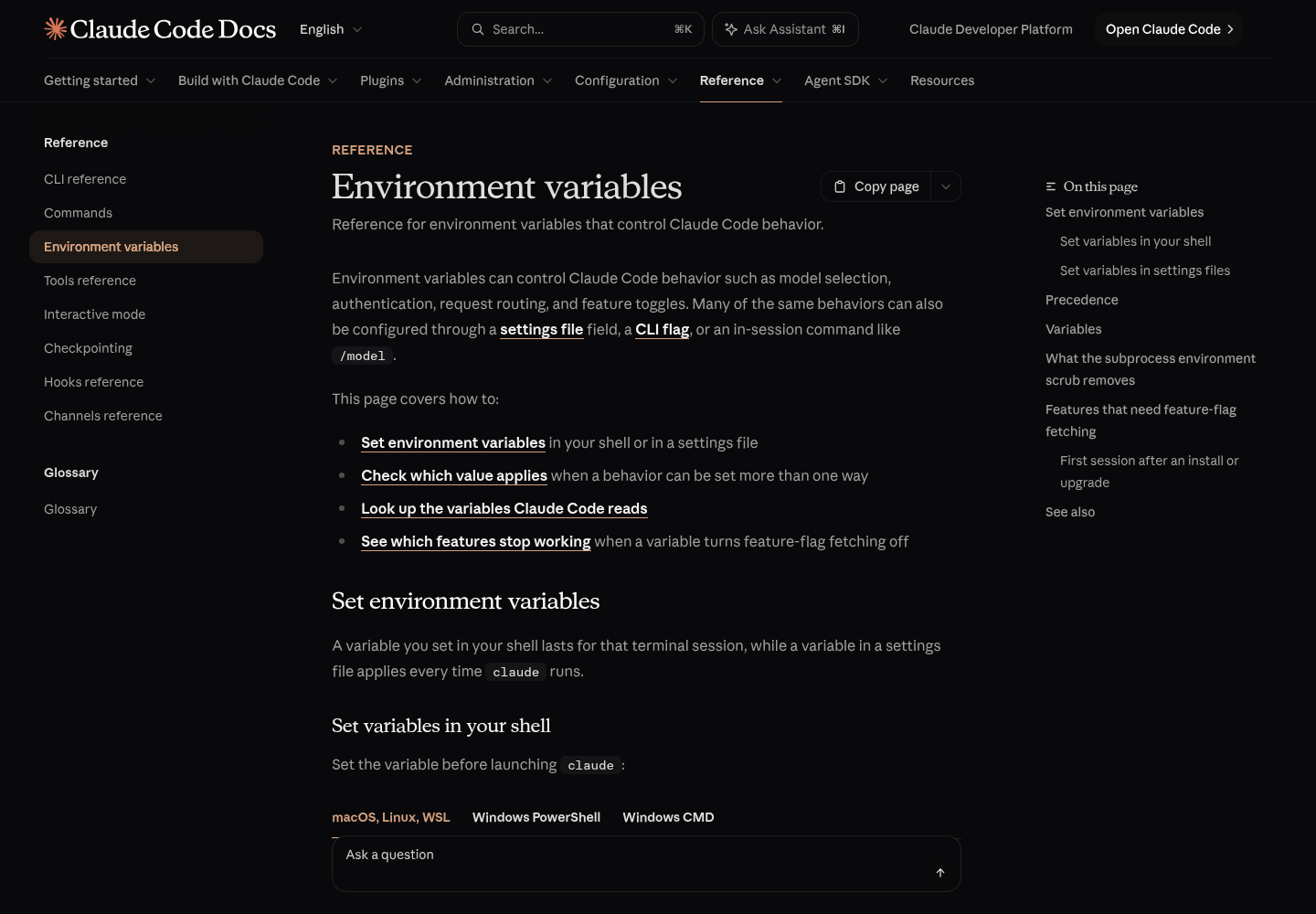
Turn off auto-update without losing manual updates
Native installations update in the background. Claude Code checks for updates on startup and periodically while running, installs them quietly, and uses the new version the next time you start it, according to the advanced setup page. DISABLE_AUTOUPDATER stops only that background check: claude update and claude install keep working. DISABLE_UPDATES is the stricter switch that blocks manual updates too. Anthropic suggests it when you distribute Claude Code through your own channels, or when installs sit on network storage that several machines share.
- Confirm your install method, then use the table below to see whether there is anything to disable.
- Keep
"DISABLE_AUTOUPDATER": "1"in theenvblock. - Run
claude doctorin your shell. It prints read-only installation and settings diagnostics without starting a session. - On a native or npm install, find the Auto-updates line. It should show
disabled (set by env: DISABLE_AUTOUPDATER)instead ofenabled. - Decide about plugins. The env-vars reference lists
FORCE_AUTOUPDATE_PLUGINS, which forces plugin auto-updates “even when the main auto-updater is disabled via DISABLE_AUTOUPDATER.” Read that as a side effect: with the main updater off, plugin auto-updates stop too, unless you set this variable to1. - Put a manual update on your calendar.
claude updateprints a line endingto version <new version>when it installs one, orClaude Code is up to date (<version>)when you are current.
| Install method | Updates itself by default? | What to do |
|---|---|---|
| Native | Yes, in the background | Set DISABLE_AUTOUPDATER; confirm in claude doctor |
| npm global | Yes, when the npm global directory is writable | Same variable; claude doctor shows the same line |
| Homebrew | No | Nothing to disable unless you set CLAUDE_CODE_PACKAGE_MANAGER_AUTO_UPDATE=1; the cask name picks the channel |
| WinGet | No | Same opt-in variable; an upgrade can fail while Claude Code is running |
| apt, dnf, apk | No | Updates arrive through your normal system upgrade workflow |
The Homebrew caveat trips people up. The autoUpdatesChannel setting does not apply there: claude-code tracks the stable channel and claude-code@latest tracks latest, chosen by which cask you installed. Homebrew, WinGet and apk installs also report a shorter up-to-date message from claude update than native installs do.
If you want fewer surprises rather than no updates, there is a middle path. The stable channel serves a version that is typically about a week old and skips releases with major regressions. Switching to it can move a native install to an older version, so pin a minimum at the same time:
{
  "autoUpdatesChannel": "stable",
  "minimumVersion": "2.1.330"
}
The Claude Code update and rollback guide covers pinning and rollback by install method in more depth.
Turn off automatic compaction and keep /compact
Auto-compaction summarizes older history when a conversation approaches the session’s auto-compact window. Idle compaction can compact a large conversation while you are away. Anthropic’s cost management page notes that idle compaction and session recap can both use tokens while you are idle, and that /compact reads the whole conversation it summarizes, so compacting a large context is itself a large request.
DISABLE_AUTO_COMPACT=1 turns off both automatic paths. The manual /compact command stays available. That is the trade: compaction happens when you decide, not when the window fills.
- Keep
"DISABLE_AUTO_COMPACT": "1"in theenvblock and relaunch. - Watch context yourself with
/contextduring long sessions. The context window guide explains how to read it. - When you want a summary, run
/compactwith instructions, such as/compact Focus on code samples and API usage, the example on Anthropic’s cost page. - When you want a fresh start instead of continuity, run
/clear, which the cost page notes costs nothing.
Do not reach for DISABLE_COMPACT by mistake. That variable disables all compaction, including /compact and the summarize options in the rewind menu.
Two narrower options exist if you only dislike part of the behavior:
- Keep auto-compaction, stop idle compaction: set
"idleCompaction": falseinstead ofDISABLE_AUTO_COMPACT. It needs v2.1.290 or later. - Make idle compaction rarer:
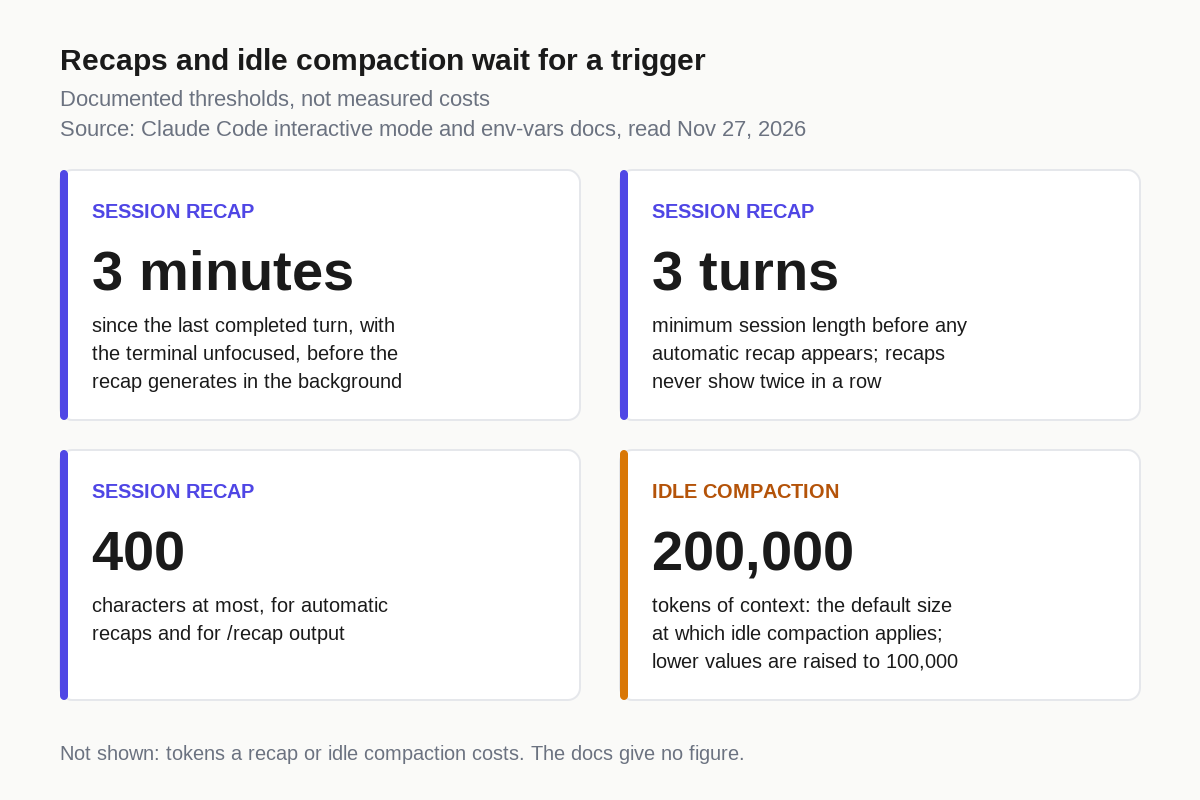
CLAUDE_CODE_IDLE_COMPACT_MIN_TOKENSsets the context size at which it applies. The default is 200,000 tokens, and values below 100,000 are raised to 100,000.
CLAUDE_AUTOCOMPACT_PCT_OVERRIDE only makes compaction happen earlier; it cannot raise the threshold. If your real worry is losing task state at compaction rather than compaction itself, the PreCompact hook guide shows how to save that state and restore it.
Turn off prompt suggestions and session recap
Prompt suggestions start with a grayed-out example command when you open a session, picked from your project’s git history. After each response, Claude Code can suggest your next prompt. Tab or Right arrow places it in the input, and typing dismisses it. Each suggestion is a short background request to the same model your session uses, which counts toward plan limits or API costs. The interactive mode reference says it mostly reuses the conversation’s prompt cache, so the added cost is small; the prompt caching guide explains why cache reads are cheap.
- Keep
"promptSuggestionEnabled": false, or turn off Prompt suggestions in/config, which writes the same key. - If something keeps turning them back on, add
"CLAUDE_CODE_ENABLE_PROMPT_SUGGESTION": "false"to theenvblock. The variable takes precedence over the key. - Judge the result over several turns, not one. Claude Code skips individual suggestions anyway when the prompt cache is cold, after an error, in plan mode, near a usage limit, and after the first turn in some sessions.
A missing suggestion on one turn proves nothing. The toggle state in /config is the reliable signal. In a session that does not fetch feature flags, such as one on a third-party provider, suggestions are already off by default and the toggle is hidden.
Session recap is on by default for every plan and provider. Once a session has at least three turns, and at least three minutes have passed since the last completed turn while the terminal is unfocused, Claude Code generates a one-line recap in the background so it is ready when you switch back. Recaps never appear twice in a row and are capped at 400 characters.
- Keep
"CLAUDE_CODE_ENABLE_AWAY_SUMMARY": "0"in theenvblock. It forces recaps off regardless of the/configtoggle. - Or, if you prefer the interface, turn off Session recap in
/config. - Keep
/recapin mind. It still produces a summary on demand, because it runs only when you ask for it.
Turn off auto memory for you or for one project
Auto memory lets Claude save notes for itself across sessions: your preferences, corrections you gave, project decisions it cannot derive from the code. It is on by default in local sessions. The memory documentation puts each project’s notes in ~/.claude/projects/<project>/memory/, with a MEMORY.md index whose first 200 lines or 25KB load at session start.
- For you, everywhere: keep
"autoMemoryEnabled": falsein~/.claude/settings.json, or use the toggle in/memory, which saves that key to the same file. - For one project, only you: put
"autoMemoryEnabled": falsein that project’s.claude/settings.local.json. - For one project, everyone: put it in the checked-in
.claude/settings.json. Tell your team first, because it changes their sessions too. - To force it either way:
CLAUDE_CODE_DISABLE_AUTO_MEMORY=1disables auto memory, and0forces it on even whenautoMemoryEnabledis false.
With auto memory off, Claude neither creates nor loads auto memory files. Existing files stay on disk until you delete them; /memory has an option to open the folder. Your CLAUDE.md files still load, because they are a separate mechanism. Do not confuse this switch with CLAUDE_CODE_DISABLE_CLAUDE_MDS, which stops every CLAUDE.md file from loading, including your own instructions.
One limit is worth knowing before you need it. The /memory toggle can turn auto memory off in a background session, or in a session that another Claude Code session started, but it cannot turn it back on there. Run claude directly in your terminal to re-enable it.
Attribution, telemetry and automatic charts: what the docs settle
Commit attribution, telemetry and the new chart mod come up in the same searches. The sources behind this guide settle some of that and not all of it, so here is exactly what you can rely on.
| Feature | Documented switch | What these sources leave open |
|---|---|---|
| Commit and PR attribution | The attribution setting sets the attribution text; includeGitInstructions or CLAUDE_CODE_DISABLE_GIT_INSTRUCTIONS=1 removes the built-in commit and PR instructions |
The value format of attribution and its version history |
| Telemetry | DISABLE_TELEMETRY set to any non-empty value, or DO_NOT_TRACK=1 |
Nothing, but 0 still opts out for DISABLE_TELEMETRY |
| Error reporting | DISABLE_ERROR_REPORTING set to any non-empty value |
Nothing |
| All nonessential traffic | CLAUDE_CODE_DISABLE_NONESSENTIAL_TRAFFIC set to any non-empty value |
Nothing, but it has wide side effects |
| easel automatic charts | A toggle in /config, added in v2.1.330 |
The release notes name no settings key |
Attribution. The memory documentation says that if your CLAUDE.md sets commit or pull request rules, you should turn off the built-in ones with includeGitInstructions and set the attribution text with attribution. The pages this guide relies on do not show that key’s value format, so check Anthropic’s settings reference for your version rather than copying a value from a forum. To verify any change, make a commit in your scratch repo and read the message with git log -1 --format=%B. If you run your own git workflow skills, CLAUDE_CODE_DISABLE_GIT_INSTRUCTIONS=1 removes the built-in commit and PR workflow instructions and the git status snapshot from Claude’s context, and it takes precedence over includeGitInstructions.
Telemetry. DISABLE_TELEMETRY, DISABLE_ERROR_REPORTING and CLAUDE_CODE_DISABLE_NONESSENTIAL_TRAFFIC are the exceptions to the normal on/off rule: any non-empty value, including 0, turns the opt-out on. DO_NOT_TRACK reads as a standard boolean, so 0 leaves telemetry on. DISABLE_TELEMETRY, DO_NOT_TRACK and the nonessential switch also turn off feature-flag fetching, which has visible consequences. Prompt suggestions default to off and their toggle disappears, and features such as claude import, /restart on Pro, Max and Ultra plans, and syncing skills from your claude.ai account stop working. Remote Control is unavailable with the nonessential switch set. That switch also stops auto-updates, release notes, /feedback and the PR status badge. Exporting your own OpenTelemetry data is a separate, opt-in system; the telemetry prompt-export guide covers removing it.
Charts. The v2.1.330 release added easel on Pro and Max and, where available, Team and Enterprise, on macOS and Linux. Turn automatic charts off in /config. The same release improved /config search so settings whose names start with what you type rank first, which helps when you do not know a toggle’s exact label.
Verify case settings:quiet-cli-01
Verification is where most “it didn’t work” reports start, because several of these features appear only under conditions you have to create. Relaunch Claude Code first, then work through the table. The expected results are illustrative: they are what Anthropic’s documentation says you should see, not output captured for this article.
| Input | Action | Expected result |
|---|---|---|
settings:quiet-cli-01: native install 2.1.330, DISABLE_AUTOUPDATER set to “1” in the env block |
Run claude doctor in the shell |
The Auto-updates line shows disabled (set by env: DISABLE_AUTOUPDATER) instead of enabled |
settings:quiet-cli-01: same file, background updater off |
Run claude update |
Manual updates still work: a line ending to version <new version>, or Claude Code is up to date (2.1.330) |
settings:quiet-cli-01: DISABLE_AUTO_COMPACT set to “1”, a long scratch conversation |
Watch /context grow, then run /compact |
Nothing compacts on its own; /compact still summarizes when you run it |
settings:quiet-cli-01: promptSuggestionEnabled false, scratch repo |
Send three prompts, then open /config |
No gray predicted prompt after any reply; the Prompt suggestions toggle shows off |
settings:quiet-cli-01: CLAUDE_CODE_ENABLE_AWAY_SUMMARY set to “0”, session of three or more turns |
Unfocus the terminal for more than three minutes, return, then run /recap |
No automatic one-line recap on return; /recap prints a summary of at most 400 characters |
settings:quiet-cli-01: autoMemoryEnabled false, repo ~/code/shop |
Ask Claude to remember that the API tests require a local Redis instance, then run /memory |
No “Saved” memory line in the transcript; the auto memory toggle in /memory reads off |
settings:quiet-cli-01: autoContinueAtUsageLimit false, claude.ai subscription |
Hit a usage limit at your own terminal | The usage-limit options menu opens instead of “Continuing automatically at” a reset time |
Failure case settings:quiet-cli-01-f1: shell profile exports CLAUDE_CODE_ENABLE_PROMPT_SUGGESTION=true |
Relaunch and send three prompts | Suggestions return, because the variable outranks the key; the next section fixes it |
A row passes only when the expected observation appears under fair conditions. Suggestions skip turns on their own. Recaps need three turns and three unfocused minutes, so coming back after one minute tells you nothing. The stat tiles above list the documented triggers so you can set up a fair test.
If a row fails, change one source of configuration, relaunch, and rerun only that row. Changing three things at once leaves you guessing which one mattered.
Why a feature is still on: precedence and the usual culprits
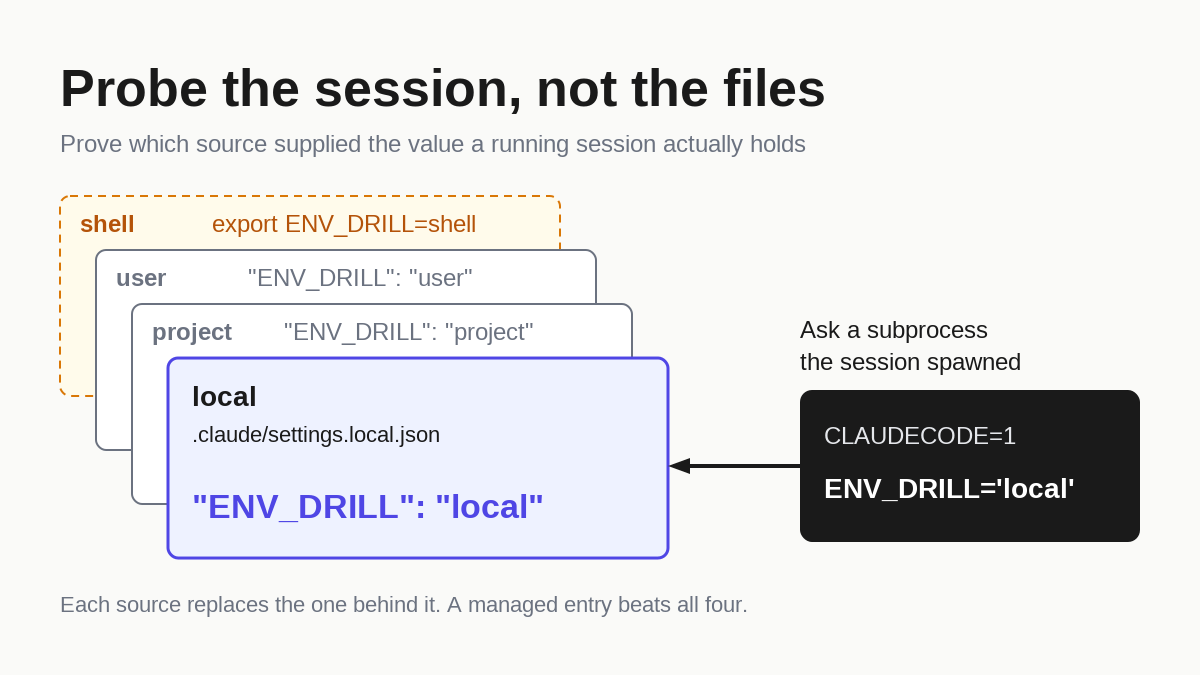
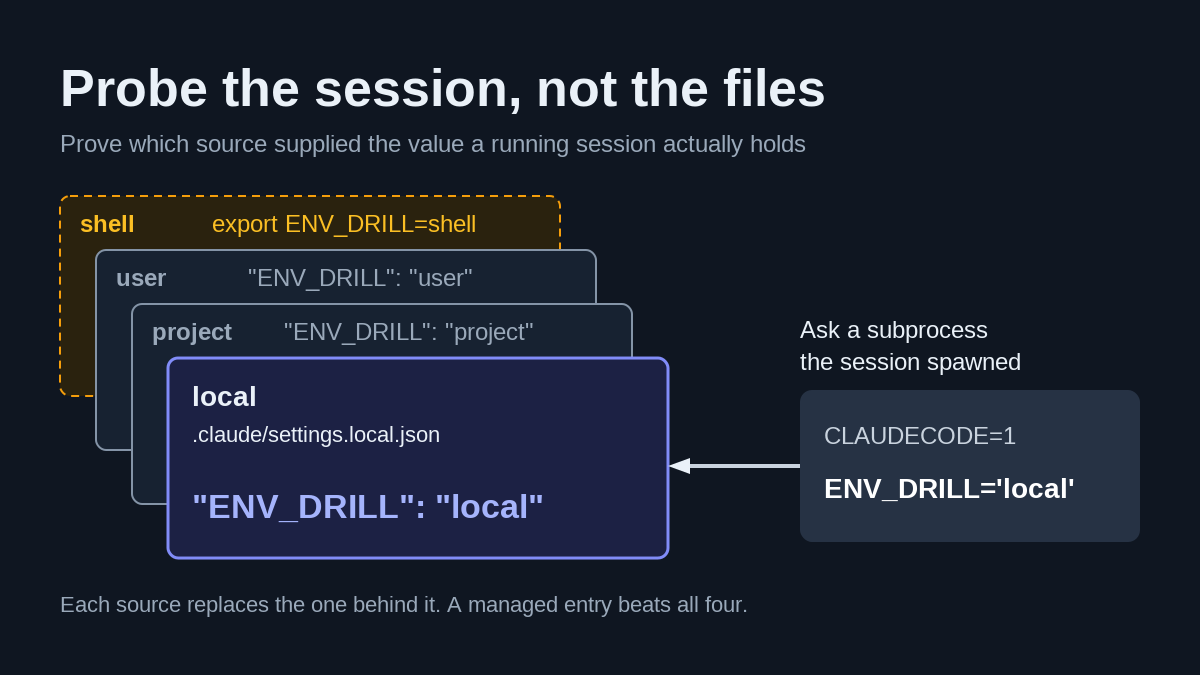
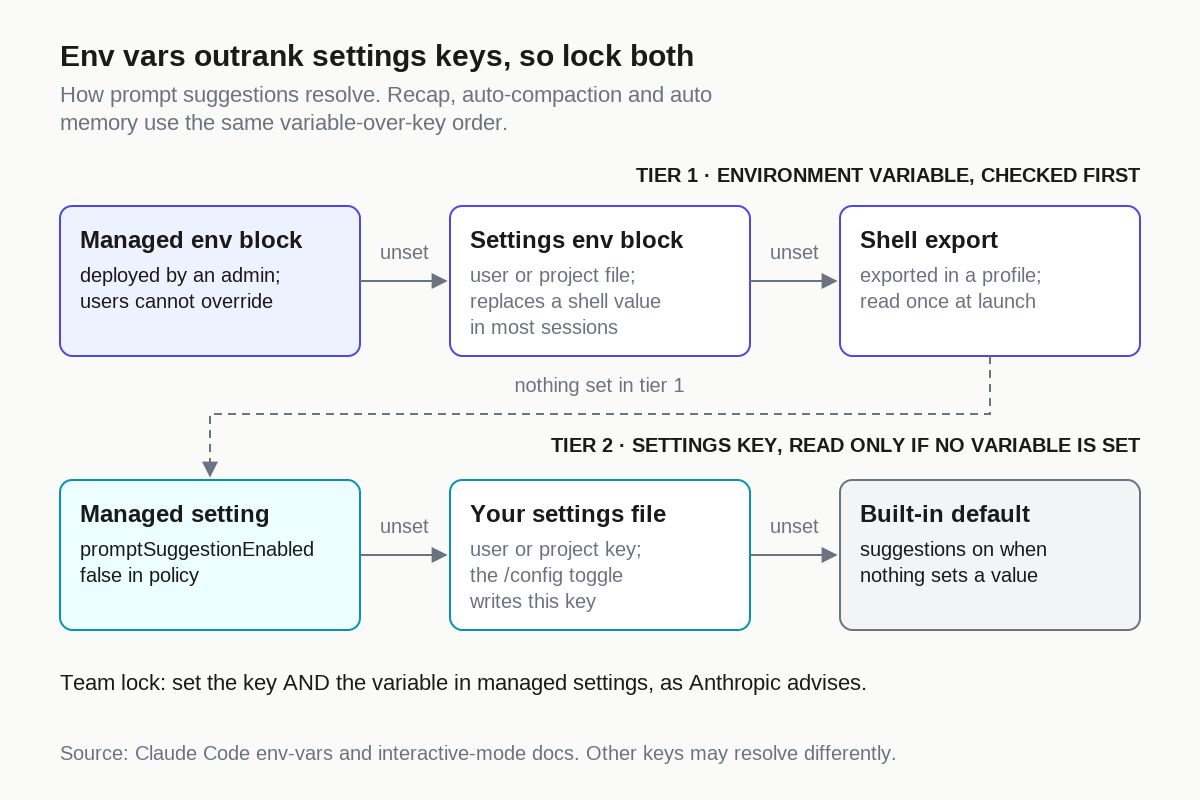
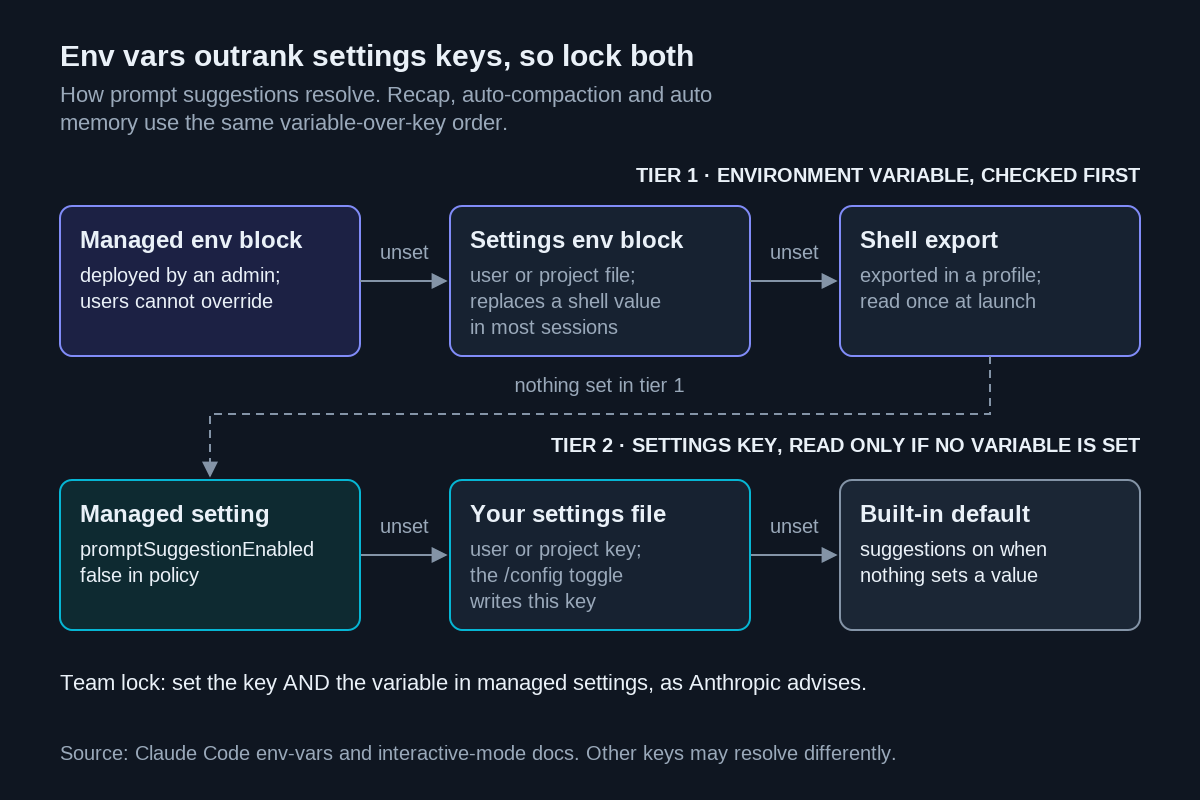
For the four features in this guide that have both a variable and a key (prompt suggestions, session recap, auto-compaction and auto memory), the documentation says the variable takes precedence. The env-vars reference also warns that which one Claude Code reads first differs per key, so do not assume this order for every setting. Within the variable tier, managed settings override user and project files, and a variable in a settings file’s env block replaces the value inherited from your shell in most sessions.
Work through the usual culprits in this order:
- A shell export. Run
echo $CLAUDE_CODE_ENABLE_PROMPT_SUGGESTION, orecho $env:CLAUDE_CODE_ENABLE_PROMPT_SUGGESTIONin PowerShell. If it printstrue, remove the export from your profile, or add"false"to the settingsenvblock, which replaces the shell value in most sessions. - A session that never restarted. Shell variables are read at startup, and removing a variable from a settings file takes effect only at the next launch. Quit fully and start again.
- Managed settings. If your organization sets a value, you cannot override it from your own files.
claude doctorreports settings diagnostics; ask your admin about anything you cannot change. - The wrong file. Check all four locations in the scope table. A checked-in
.claude/settings.jsoncan carry a setting you never wrote. - Invalid JSON.
claude doctorlists settings-file validation errors with suggested fixes. Run it after every edit. - A version older than the switch.
idleCompactionneeds v2.1.290 or later andCLAUDE_CODE_ENABLE_PROMPT_SUGGESTIONneeds v2.1.238 or later. Compare withclaude --version. - Lost writes from parallel sessions. v2.1.330 fixed user settings changes being lost when several Claude Code processes saved them at the same time. On older versions, toggle
/configwith one session open, then check the file. - The opposite trap.
DISABLE_TELEMETRY="0"still opts out. To turn telemetry back on, remove the variable.
If claude doctor surfaces install or connectivity problems along the way, the claude doctor troubleshooting guide covers diagnosing a failed prompt with it.
Enforce the same choices for a team with managed settings
A personal settings file is a preference. A team lead who wants the same quiet setup everywhere needs managed settings, which apply to every user who receives them and override user and project files. Anthropic’s cost page lists four delivery paths: server-managed settings, an MDM policy, a managed-settings.json file, or a policy helper. This guide’s sources do not list the managed-settings.json location for each operating system; check Anthropic’s managed settings documentation for yours.
The key move comes from the interactive mode reference. To turn prompt suggestions off across an organization, set promptSuggestionEnabled to false in managed settings and also set CLAUDE_CODE_ENABLE_PROMPT_SUGGESTION to false under the managed env key, so that users cannot re-enable suggestions with their own environment variable. The same reasoning applies to every feature whose variable outranks its key:
{
  "env": {
    "DISABLE_AUTOUPDATER": "1",
    "DISABLE_AUTO_COMPACT": "1",
    "CLAUDE_CODE_ENABLE_PROMPT_SUGGESTION": "false",
    "CLAUDE_CODE_ENABLE_AWAY_SUMMARY": "0",
    "CLAUDE_CODE_DISABLE_AUTO_MEMORY": "1"
  },
  "promptSuggestionEnabled": false,
  "autoMemoryEnabled": false,
  "autoContinueAtUsageLimit": false
}
- Save the block as
quiet-team.jsonand try it in one session withclaude --settings quiet-team.json, which applies a settings file to that session only. Use a machine that does not already carry the quiet user file, so the test proves the team file itself. - Run the verification table against that session.
- Decide on updates. If you ship Claude Code through your own tooling, replace
DISABLE_AUTOUPDATERwithDISABLE_UPDATESso users cannot runclaude updateeither. If you want controlled updates instead, managed settings can enforceautoUpdatesChannelacross the organization and aminimumVersionthat user and project settings cannot override. - Deploy through your managed path, then run
claude doctoron one target machine and confirm the Auto-updates line names the variable. - Tell people what changed and how to ask for an exception. Policy that arrives silently gets reported as a bug.
Keep enforcement in settings and guidance in CLAUDE.md. The memory documentation is direct about the difference: the client enforces settings regardless of what Claude decides, while CLAUDE.md instructions shape behavior but are not a hard enforcement layer. It is the same principle behind treating permission modes as fleet policy.
Undo each change
Every change in this guide reverses cleanly. Edit the file or restore your .bak copy, quit and relaunch, then rerun the matching verification row.
| Change | Undo | Check |
|---|---|---|
DISABLE_AUTOUPDATER |
Delete the line from env; removal applies at the next launch |
claude doctor shows Auto-updates enabled |
DISABLE_AUTO_COMPACT |
Delete the line | Long sessions compact on their own again |
CLAUDE_CODE_ENABLE_AWAY_SUMMARY set to “0” |
Delete the line, or set “1” to force recaps on even when awaySummaryEnabled is false |
A recap appears after three unfocused minutes |
promptSuggestionEnabled false |
Set it to true, or turn Prompt suggestions on in /config |
Gray suggestions return over a few turns |
autoMemoryEnabled false |
Set it to true, or use the /memory toggle in a session you started directly |
“Saved” and “Recalled” memory lines return |
autoContinueAtUsageLimit false |
Turn it on in /config or edit the file; the /config autoContinueAtUsageLimit= key=value form cannot turn it back on |
The wait-and-continue lines return at the next limit |
autoUpdatesChannel stable |
Switch back to latest in /config, which also clears the minimum version |
Updates arrive as releases ship |
DISABLE_TELEMETRY, if you added it |
Remove the variable; setting 0 keeps the opt-out |
Flag-gated features return once a session fetches flags |
One caution on the last row: in your first session after you remove a telemetry opt-out, flag-gated features can still be missing. The env-vars reference says Claude Code saves the flags it fetches during a session, so they are there the next time you start.
Sources
- saadee on X: “how do i disable the question box in claude code that appears after each turn?”, Nov 27, 2026
- Environment variables, Claude Code Docs
- Advanced setup, Claude Code Docs
- Interactive mode, Claude Code Docs
- How Claude remembers your project, Claude Code Docs
- Manage costs effectively, Claude Code Docs
- Release v2.1.330, anthropics/claude-code on GitHub, Nov 20, 2026