One Login, Many Lanes: Keep Parallel Sessions Inside the Claude Code Usage Limit
Parallel Claude Code sessions share one usage window. Pin model and effort per lane, cap subagents, kill idle wakers and sum /usage across every machine.

Go deeper. Build your own.
On September 22, Claude Code 2.1.280 changed the default model on Pro and Team Standard plans from Sonnet to Opus, so every session you open on those logins now starts on Opus 5.5 unless somebody picks otherwise. Max, Team Premium and Enterprise were already there. If you run three or four sessions side by side on one account, that single default decides how fast all of them burn through the Claude Code usage limit.
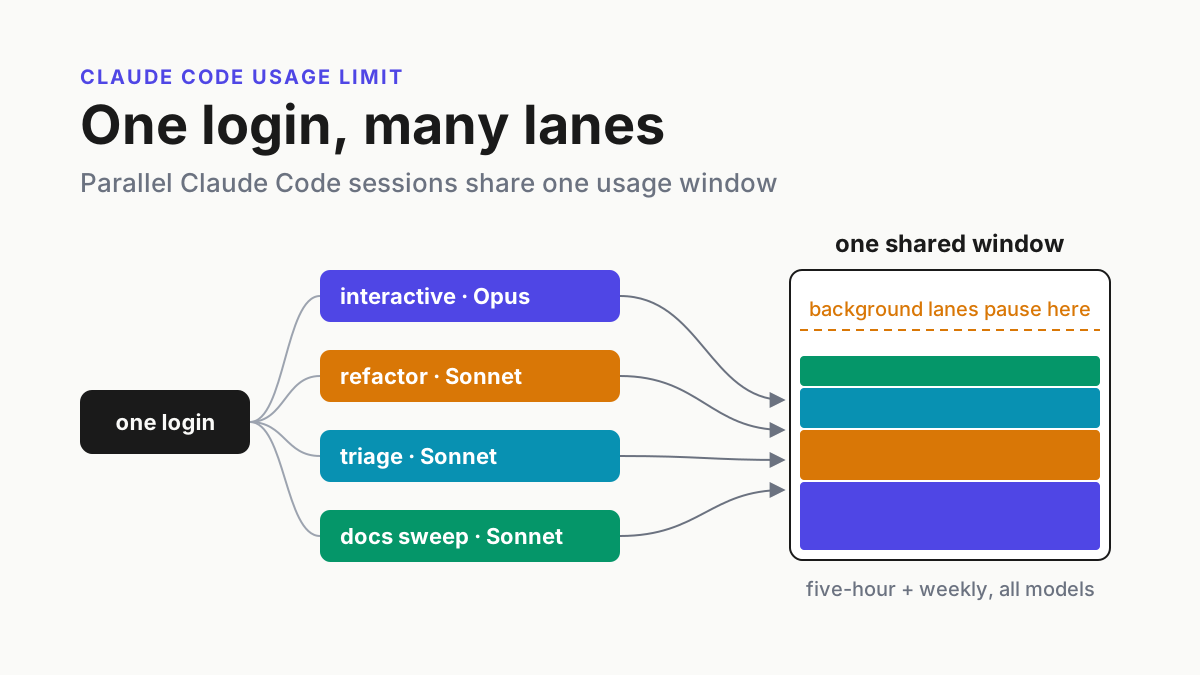
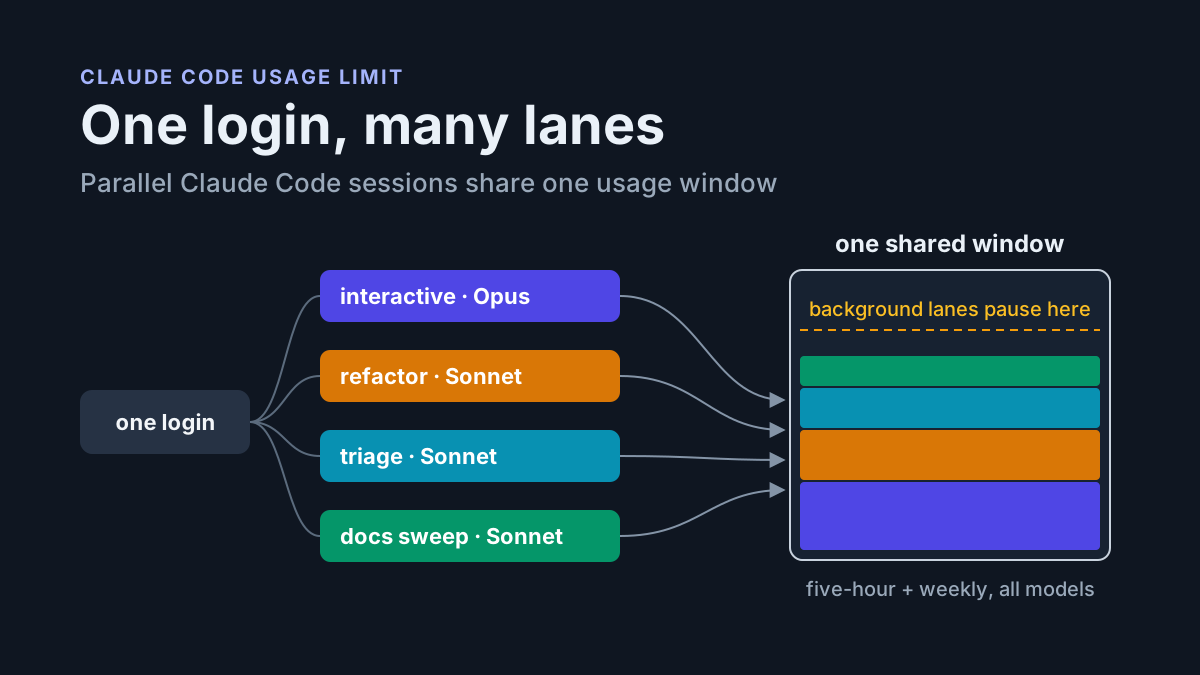
The limit itself is not per session. A subscription has a rolling five-hour window and a weekly window, both shared across every model and every surface on the login, and Anthropic publishes no token figure for either. Your interactive terminal, the background refactor, the test-triage lane on a second machine and the chat tab you forgot about all pull from one pool that has no idea which of them you care about.
So the fix is a habit card, not a bigger plan: one row per concurrent session, model and effort chosen on purpose, fan-out capped, idle wakers off and a stop rule that says which lane yields first. This is what you set before you open the second terminal.
The Claude Code token limit that doesn’t exist, and the window that does
On September 22 Anthropic launched Claude Opus 5.5 at $4 and $20 per million input and output tokens, called it “the first model we’d default to at medium effort”, and said it was “increasing five-hour usage limits on Pro, Max, Team, and seat-based Enterprise plans” without giving a size. Subscribers also got a rate-limit reset they can save and spend later.
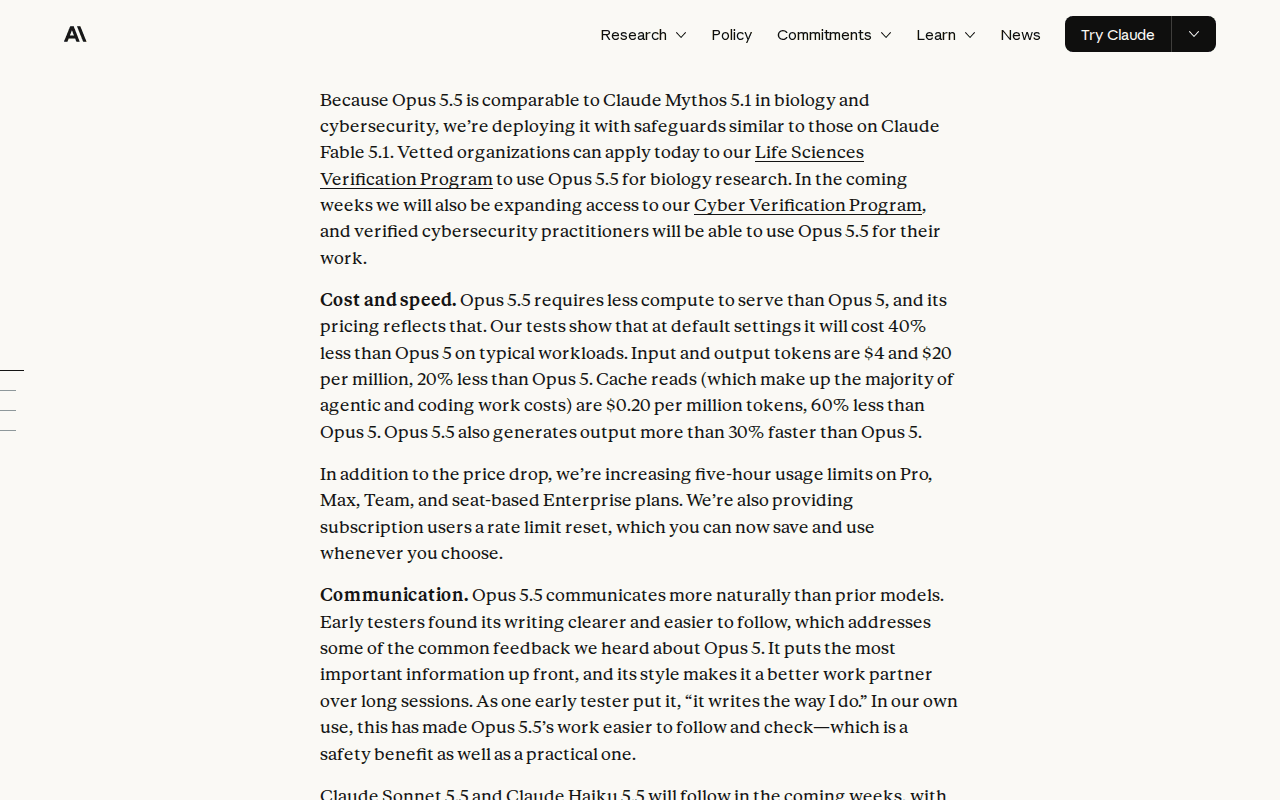 Screenshot: Anthropic, “Introducing Claude Opus 5.5” (Sep 22, 2026), captured Oct 5, 2026.
The number came from @ClaudeDevs, Anthropic’s developer account, the same day: five-hour session limits in Claude Code went up 20%. The model page gives no figure, so that post is the only source for it.
The same day, the Claude Code changelog entry for 2.1.280 read: “Changed the default model on Pro and Team Standard plans from Sonnet to Opus, matching Max, Team Premium, and Enterprise.” On September 28 Claude Sonnet 5.5 arrived at $2 and $10 per million tokens and also defaults to medium effort in Claude Code. The weekly promotion had ended September 13; the help-center notice says weekly limits from September 14 are “25% higher than they were before the promotion”, and the arithmetic lives in Claude Code after September 14.
None of it adds a token number. Anthropic’s cost docs describe the ceiling as “a seat-based usage window on a subscription plan, shared across all models, so the developer can’t restore access by switching models with /model”, with model-specific messages such as “You’ve hit your Opus limit” as the exception. An older help-center article still lists per-plan prompt estimates from the Opus 4 era; treat them as history.
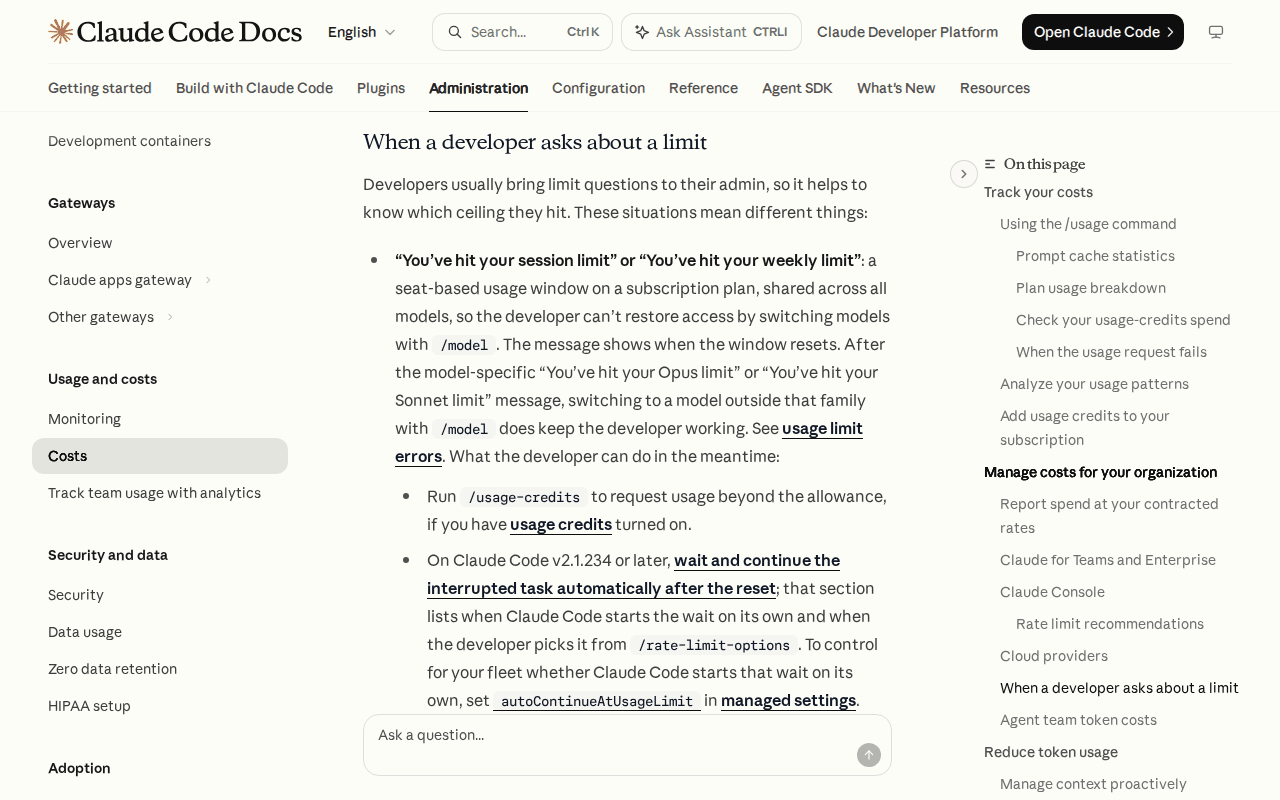 Screenshot: Claude Code Docs, “Manage costs effectively” (current docs, undated), captured Oct 5, 2026.
The same page says the /usage breakdown is “computed from local session history on this machine, so usage from other devices or claude.ai is not included.”
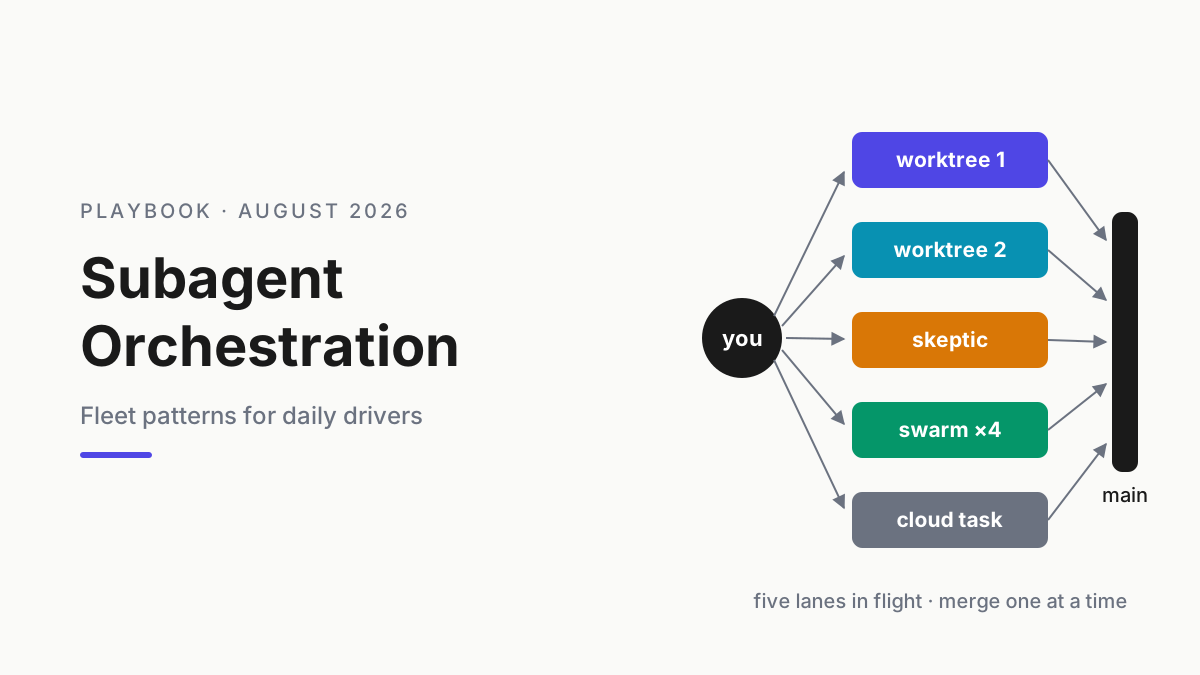
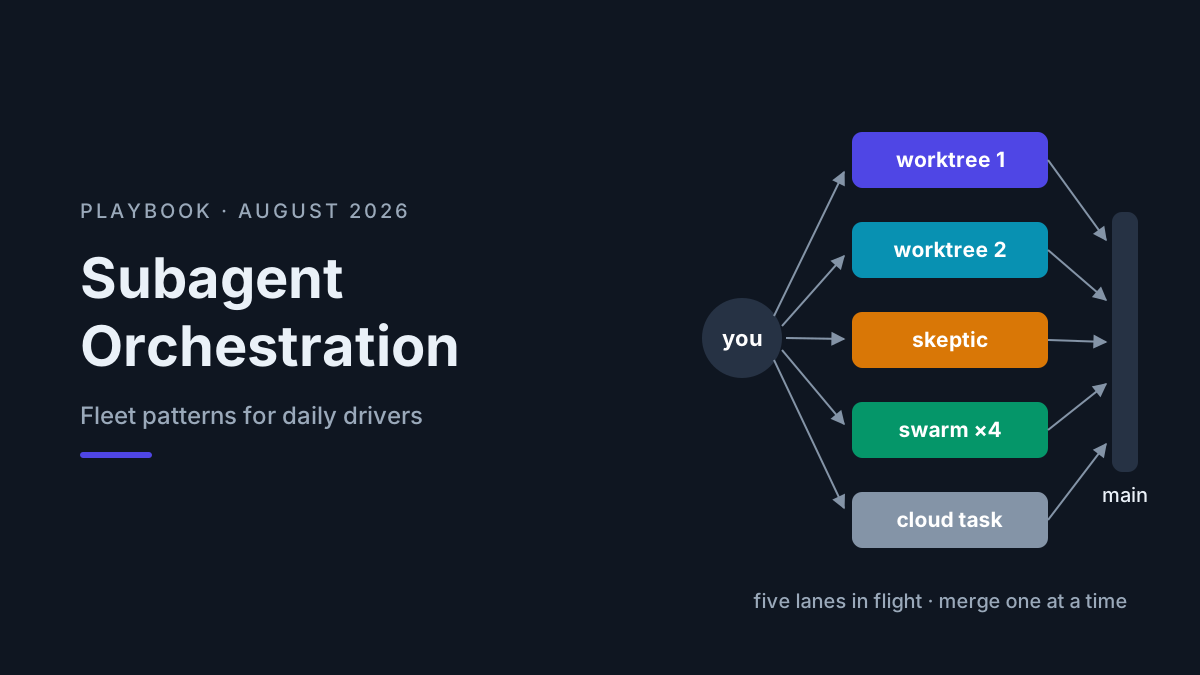
That line is why parallel lanes turned trivia into a requirement. A single login now runs an interactive session that spawns subagents, a background workflow, an overnight goal and a second laptop doing test triage. Each looks reasonable in its own terminal. Together they empty a window none of them can see whole.
The shared-window runbook: eight habits for every lane on one login
Run these in order the first time. After that, steps 2 and 7 are the weekly ritual.
1. Re-baseline the defaults that moved under your lanes
Before you write any lane down, find the assumptions you set before September 14. Six release dates between then and October 3 touched most columns of the lane card.
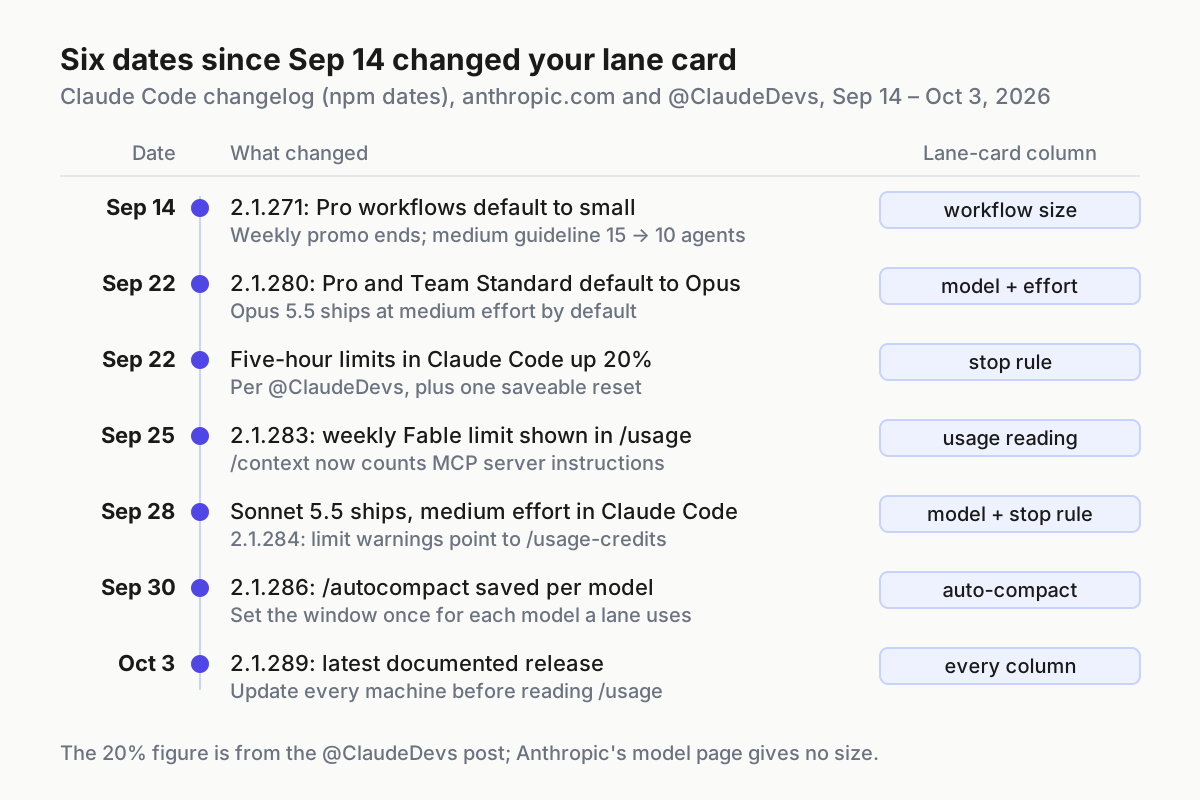
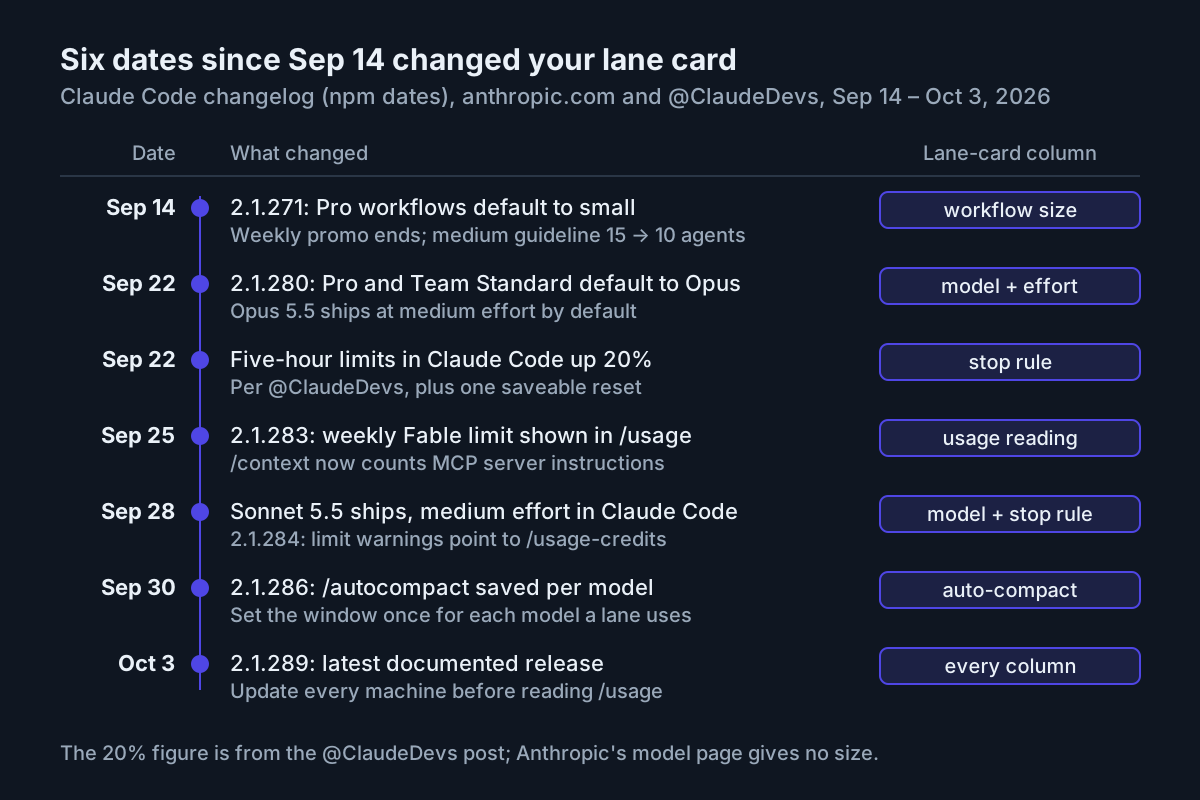 Six dates, seven changes: what to re-check on every login before trusting last month’s Claude Code usage limit habits.
The practical reading, column by column:
- Model: a lane that never set one is now on Opus 5.5, which the model configuration docs list as the default on Pro, Max, Team, Enterprise and the API.
- Effort: Opus 5.5 and Sonnet 5.5 both default to
medium, so a lane that relied on a higher default now runs lower. - Workflow size: 2.1.271 (September 14) “Changed the default dynamic workflow size to small on Pro plans and lowered the medium size guideline from 15 to 10 agents.” Max logins did not get the small default.
- Stop rule: 2.1.284 (September 28) added
/rate-limit-optionsto/helpfor claude.ai subscribers and pointed usage-limit warnings at/usage-credits. Thresholds written as percentages of the five-hour bar survived the September 22 increase; thresholds written as “about two hours of work” didn’t. - Auto-compact: 2.1.286 (September 30) saves the
/autocompactwindow per model, so a lane that switches models carries two windows. - Usage reading: 2.1.283 (September 25) fixed the weekly Fable limit not appearing in
/usageand/contextnot counting MCP server instructions.
The latest documented release is 2.1.289 (October 3); 2.1.290 reached npm on October 5 with no notes yet. Update every machine on the login before you trust its readings.
2. Write the lane card before the second session opens
One row per concurrent session on the login, across every machine. Every column is a knob Claude Code exposes.
| Lane | Model | Effort | Subagent model · cap | Workflow size | Auto-compact | Idle wakers | Stop rule |
|---|---|---|---|---|---|---|---|
| Interactive (laptop A) | opus |
medium | sonnet · 6 |
small | 500K | inbound held, no loops | last to pause |
| Background refactor (laptop A) | sonnet |
medium | sonnet, forced · 4 |
small | 300K | inbound held | pauses at 60% of the five-hour bar |
| Test-log triage (laptop B) | sonnet |
low | haiku, forced · 3 |
none | 200K | goal check-ins off | pauses at 50% |
| Docs sweep (home desktop) | sonnet |
low | none | none | 200K | no scheduled tasks | starts only after a reset |
Illustrative lane card for four sessions on one Max login: the values are examples, the columns are the habit.
Three rules keep the card honest. “Default” is never a valid model or effort entry. A lane that is not on the card does not run on the login. And the card lives where every machine’s owner can read it, because the window is shared even when the laptops are not.
3. Pin the model and effort on every lane
Set /model and /effort in each session at start and record them on the card. Because session and weekly windows are “shared across all models”, switching models at the wall buys nothing. The model is a spend-rate decision you make up front, not an escape hatch you reach for at the limit.
Put Opus on the lane that needs judgment, usually the one you type into; mechanical lanes go to Sonnet 5.5. Which work a cheaper worker may own is the subject of the fast-worker lane contract.
Then pin the workers. CLAUDE_CODE_SUBAGENT_MODEL sets the default model for subagents, teammates and workflow agents. On shared machines add CLAUDE_CODE_SUBAGENT_MODEL_FORCE=1 (v2.1.257 and later), which the subagents docs say forces one model for all subagents, so a plugin’s subagent definition can’t quietly ask for Opus. An illustrative launcher for the background-refactor lane, followed by /model sonnet and /effort medium inside the session:
export CLAUDE_CODE_SUBAGENT_MODEL=sonnet
export CLAUDE_CODE_SUBAGENT_MODEL_FORCE=1
export CLAUDE_CODE_MAX_CONCURRENT_SUBAGENTS=4
export CLAUDE_CODE_WORKFLOW_MAX_CONCURRENT_AGENTS=4
export CLAUDE_CODE_AUTO_COMPACT_WINDOW=300000
claude
Fable needs its own line. On Max and Premium seats, Anthropic’s Fable plan article says “you can use up to 50% of your weekly usage limits on Fable 5 at no extra cost”; on Pro and Standard it “runs on pay-as-you-go usage credits from the start”. A Fable lane on a shared Max login can take half the week alone. Card it with an owner and an end date.
4. Cap fan-out below the shipped defaults
The defaults were sized for one person in one session. Per the docs, a session runs up to 20 subagents concurrently (CLAUDE_CODE_MAX_CONCURRENT_SUBAGENTS; ultracode sessions are exempt), and dynamic workflows run up to 16 agents at once by default (CLAUDE_CODE_WORKFLOW_MAX_CONCURRENT_AGENTS, settable from 1 to 256 since v2.1.269), with a ceiling of 1,000 agents per run.
- Set the subagent cap per lane, well under 20. Four to six is a sane start for a background lane.
- Set workflow concurrency per lane, and
workflowSizeGuidelinetosmallon every login, Max included. - Treat the “Large workflow” warning (more than 25 agents or more than 1.5M projected tokens) as a stop, even though the docs call it advisory.
- Workflow agents keep their prompt cache for five minutes by default, “including on a Claude subscription”. If a workflow’s agents idle longer than that between turns, try
subagentPromptCacheTtl: 1hon one lane and compare/usagebefore rolling it out. - No ultracode on a shared login. The workflows docs say it “reaches a session or weekly limit sooner”, and it ignores the subagent cap.
- Give agent teams their own row: the cost docs put them at “approximately 7x more tokens than standard sessions when teammates run in plan mode.”
The spawn ledger for coordinators is in metering subagent fan-out; here you only need the caps on the card.
5. Clear between tasks, and compact on a window you chose
The cost docs draw the line: “/compact reads the conversation it summarizes”, while “when you want a fresh start instead of continuity, /clear costs nothing.” When the next task is unrelated, /clear, never /compact.
For long lanes that need continuity, pick the compaction point yourself. Models with a 1M context auto-compact at roughly 967K tokens by default, and you can set anything from 100K to 1M with /autocompact, the autoCompactWindow setting or CLAUDE_CODE_AUTO_COMPACT_WINDOW. Since 2.1.286 the window is saved per model, so set it once for each model a lane uses. Who fires compaction on an unattended lane, and what must survive the cut, belongs to an agent-owned compaction policy.
The other quiet cost per turn is memory. The docs say “Aim to keep CLAUDE.md under 200 lines”; the measurement and the archive-first fix are in memory that burns quota. Put the line count on the card next to each lane that loads the file.
6. Switch off the wakers that spend while you’re away
A session you are not looking at can still spend. The cost docs list the culprits: scheduled tasks, cross-session messages, goal check-ins (up to three idle check-ins per goal), subagents and workflows still running, and teammates. Cross-session messages are the expensive surprise, because each one reaches the receiving session “sending your full context each time”.
- Set
crossSessionInboundtoholdon every lane that isn’t a coordinator. - Stop any
/loopwhose output nobody reads, and delete scheduled tasks that ran once for a reason that has passed. - On lanes that run goals overnight, set
CLAUDE_CODE_GOAL_CHECKIN_MINUTESon purpose. The cost docs say setting it to0turns check-ins off, which is right for a lane whose goal you will check yourself in the morning. - Before you close the lid, run
/usageand look for any of these at or above 10%, the share at which the breakdown flags a behavior.
7. Sum /usage across every machine on the login
This is the blind spot. The session and weekly windows are account-wide; the attribution breakdown in /usage is local to the machine you run it on.
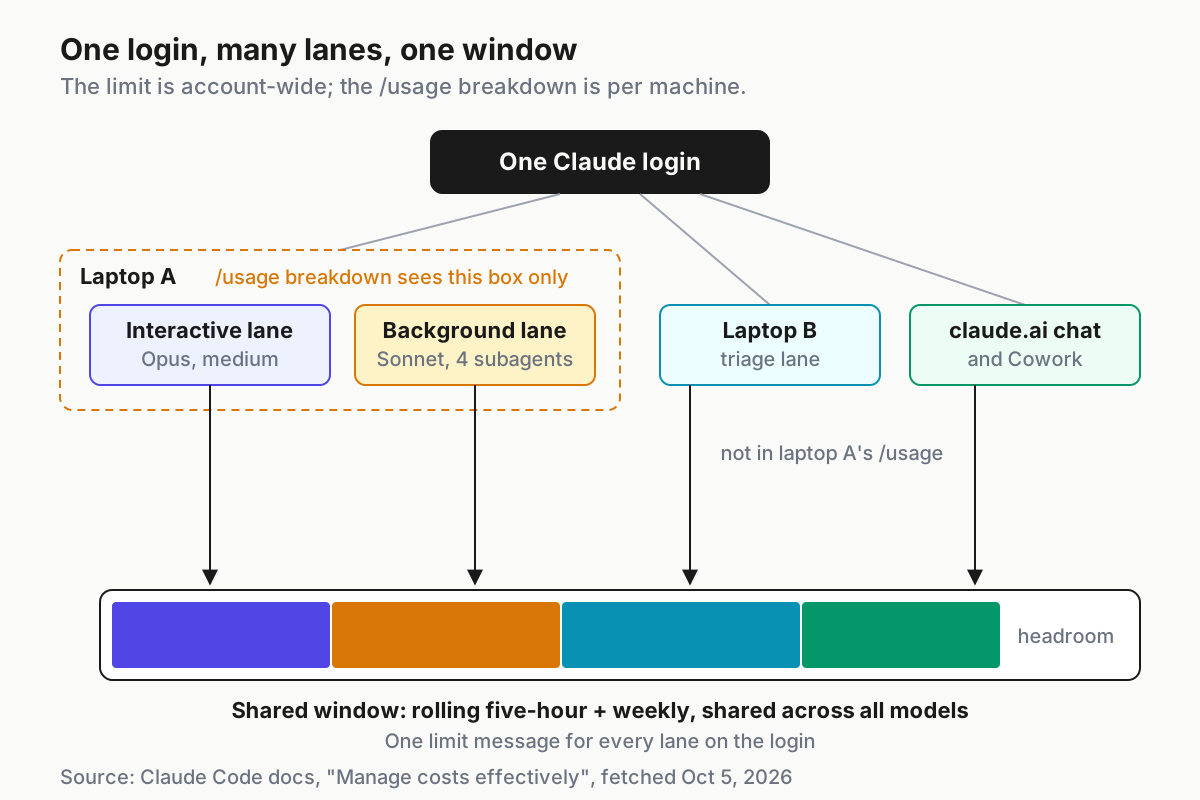
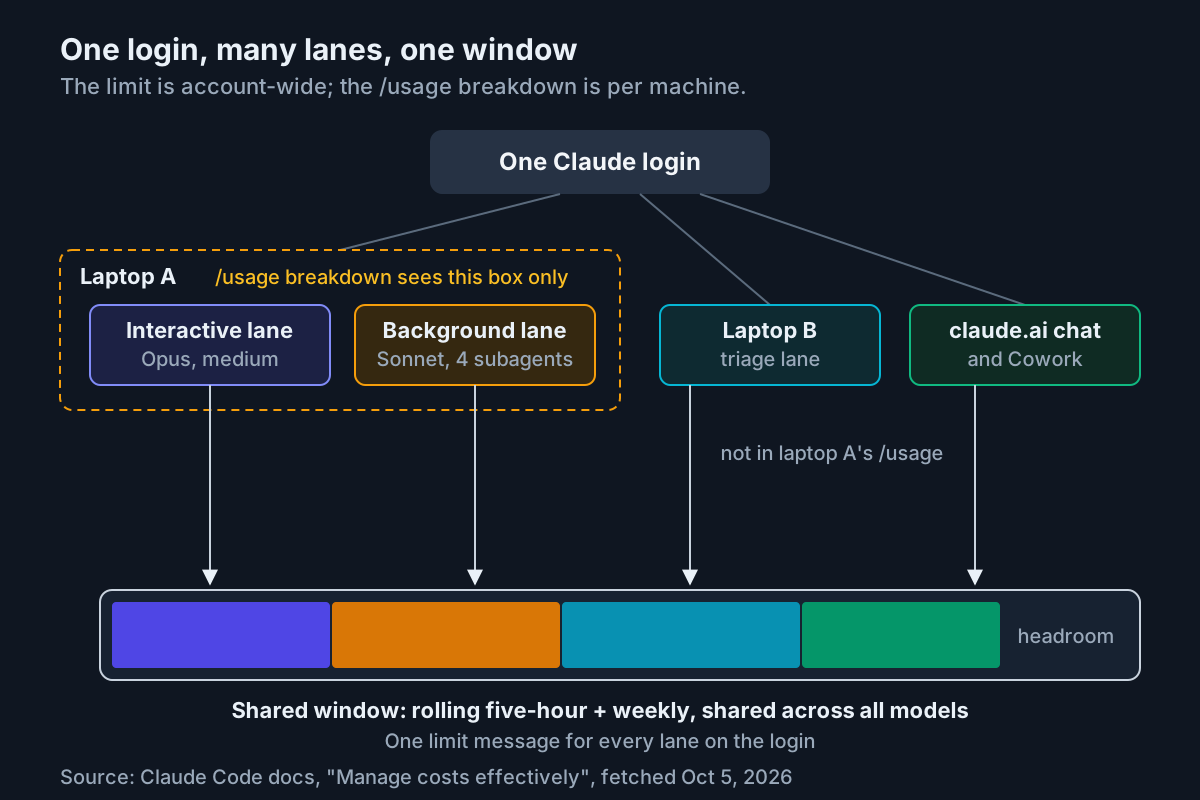 One login, many lanes, one window: the
 /usage breakdown on any machine sees that machine only, so the lane card has to add the rows up.
Once a week, and any time a limit message surprises you:
- On each machine, run
/usageand copy the breakdown by skill, subagent, plugin and MCP server into that machine’s lane rows. - Add a row for claude.ai and Cowork use on the same login, estimated by whoever uses them, because no machine’s breakdown includes it.
- Compare the sum with what the windows did. If a laptop’s lanes look light and that laptop still shows “You’ve hit your session limit”, the spend is somewhere its breakdown can’t see.
- Note which behavior crossed the 10% flag on each machine, and change exactly one card column for it before next week.
8. Write the stop rule: background lanes yield first
Every lane gets a stop rule, and the rules are ordered. When the five-hour bar passes your threshold, background lanes pause first and the lane you are typing into goes last. Write the thresholds as numbers.
Then decide reset behavior per lane, never by default. Since v2.1.234 Claude Code can wait and continue an interrupted task after the reset, offered through /rate-limit-options, and admins decide whether it starts that wait on its own with autoContinueAtUsageLimit in managed settings. A workflow run only pauses and resumes when the session is interactive, signed in through claude.ai, has autoContinueAtUsageLimit on, faces a reset within 24 hours and hasn’t already waited twice. Leave it on for the interactive lane and off for background lanes, or they all resume in the same minute and spend the fresh window before you are back.
{
  "crossSessionInbound": "hold",
  "workflowSizeGuideline": "small",
  "autoContinueAtUsageLimit": false,
  "autoCompactWindow": 300000,
  "subagentPromptCacheTtl": "1h"
}
Illustrative fragment for one background lane: key names from the Claude Code docs, example values; check formats against the settings reference.
Two more decisions belong on the stop-rule line. /usage-credits requests usage beyond the allowance if credits are on, but the prompt cache lasts “an hour on a subscription and drops to five minutes once you’re drawing on usage credits”, so a long lane on credits re-reads more context per turn; make credits a named exception with an owner. And the September 22 reset is one refill you choose when to spend: log it in a banked reset ledger instead of burning it on whichever lane hit the wall first. /fast is a separate decision with its own speed budget.
Where a shared login leaks quota, and the signal for each
- The default creeps back. Signal:
/modelin a lane shows Opus where the card says Sonnet. Fix: a session that isn’t on the card gets closed, not adjusted. - The light laptop hits the wall. Signal: a session-limit message on a machine whose
/usagebreakdown looked modest. Fix: step 7, this week. - Idle lanes spend overnight. Signal: morning breakdowns flag cross-session messages, scheduled tasks or goal check-ins on a lane nobody touched. Fix: step 6, plus a card note for any waker you keep.
- A workflow fans out past its card. Signal: the “Large workflow” warning, or a run that hits the limit minutes after starting. Fix: lower that lane’s concurrency and size guideline.
- Everything resumes at once. Signal: three lanes wake in the first minute after a reset and the five-hour bar climbs faster than before the limit. Fix:
autoContinueAtUsageLimitoff on background lanes; restart them by hand in stop-rule order. - Credits drain faster than the plan did. Signal: usage-credit spend per hour rises on a lane whose prompts didn’t change. Cause: the five-minute cache on credits. Fix:
/clearmore often on that lane, or park it until the window resets. - A model-specific message gets read as the shared window. Signal: after “You’ve hit your Opus limit”, every lane gets moved to Sonnet. That message is the one case where
/modelhelps; a session or weekly limit message is not. Put both messages, word for word, at the top of the card.
The lane card is the login’s quota contract
A lane card is the smallest version of what an operating layer does for a fleet: it names every running session, says who owns it, and writes down when it stops. That is the discipline the multi-agent command center argues for across vendors, scaled down to one subscription. The window is a fact of the plan. Which lane gets it is a decision, and decisions belong on paper before the limit message arrives.
When lanes start running behind gateways, the card grows a column for how each lane reaches Anthropic at all, and the bridge register is where that column comes from. The first question after a surprise limit is always which lane, on which machine, through which route.
FAQ
Does Claude Code have a token limit on Pro or Max?
No published one. Subscriptions run on a rolling five-hour window and a weekly window shared across Claude chat, Claude Code, Cowork and every model, plus per-model caps such as Fable’s share of the weekly limit. Anthropic states the limits as windows and limit messages, not token counts, so budget by lane and by window.
Why does /usage look low when I just hit my session limit?
Because the /usage breakdown is computed from local session history on the machine where you run it. Other laptops, CI machines and claude.ai chats on the same login are missing from it, while the limit itself is account-wide. Run /usage on every machine on the login and add the lane rows together.
Does switching to Sonnet get me past the Claude Code usage limit?
Only when the cap is model-specific. After “You’ve hit your Opus limit”, a model outside that family keeps you working. After a session or weekly limit, the window is shared across all models, so /model changes nothing until the reset, usage credits or a banked reset you decide to spend.
Sources
- Claude Code docs, “Manage costs effectively” (fetched Oct 5, 2026)
- Claude Code docs, “Model configuration” (fetched Oct 5, 2026)
- Claude Code docs, “Subagents” (fetched Oct 5, 2026)
- Claude Code docs, “Dynamic workflows” (fetched Oct 5, 2026)
- Claude Code CHANGELOG, 2.1.271 to 2.1.289 (Sep 14 to Oct 3, 2026)
- Anthropic, “Introducing Claude Opus 5.5” (Sep 22, 2026)
- Anthropic, “Claude Sonnet 5.5” (Sep 28, 2026)
- Claude Help Center, “Claude Code May–August 2026 weekly limits promotion”
- Claude Help Center, “Claude Fable 5 on your plan” (Jul 20, 2026)