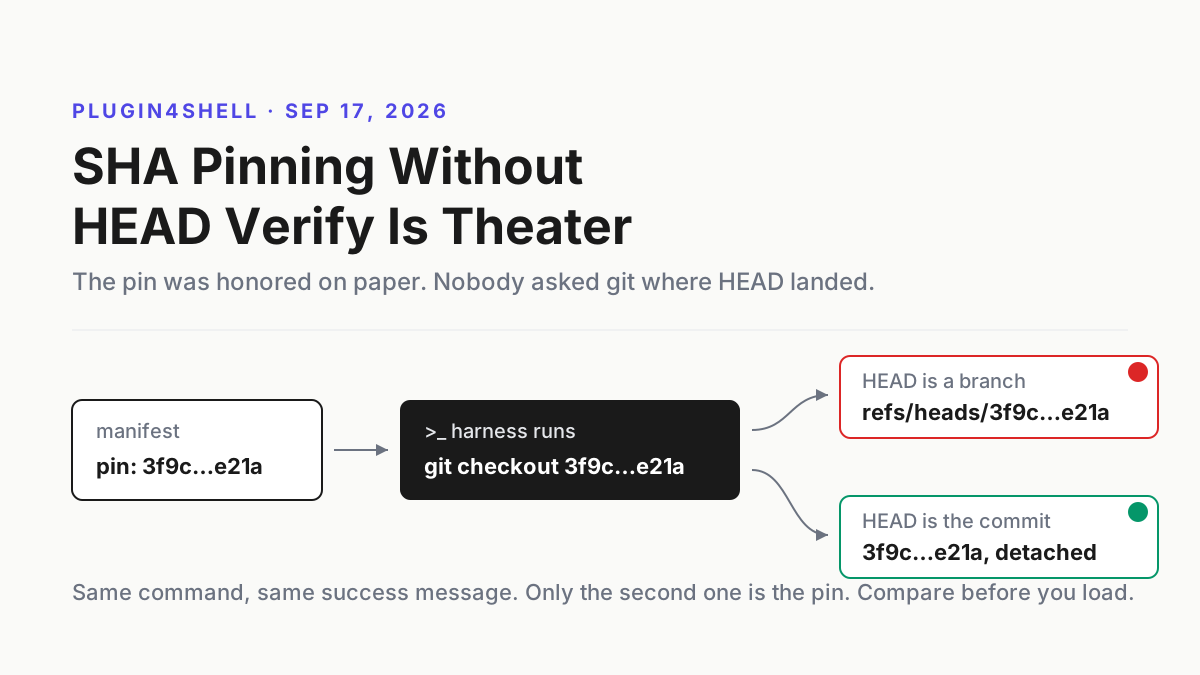
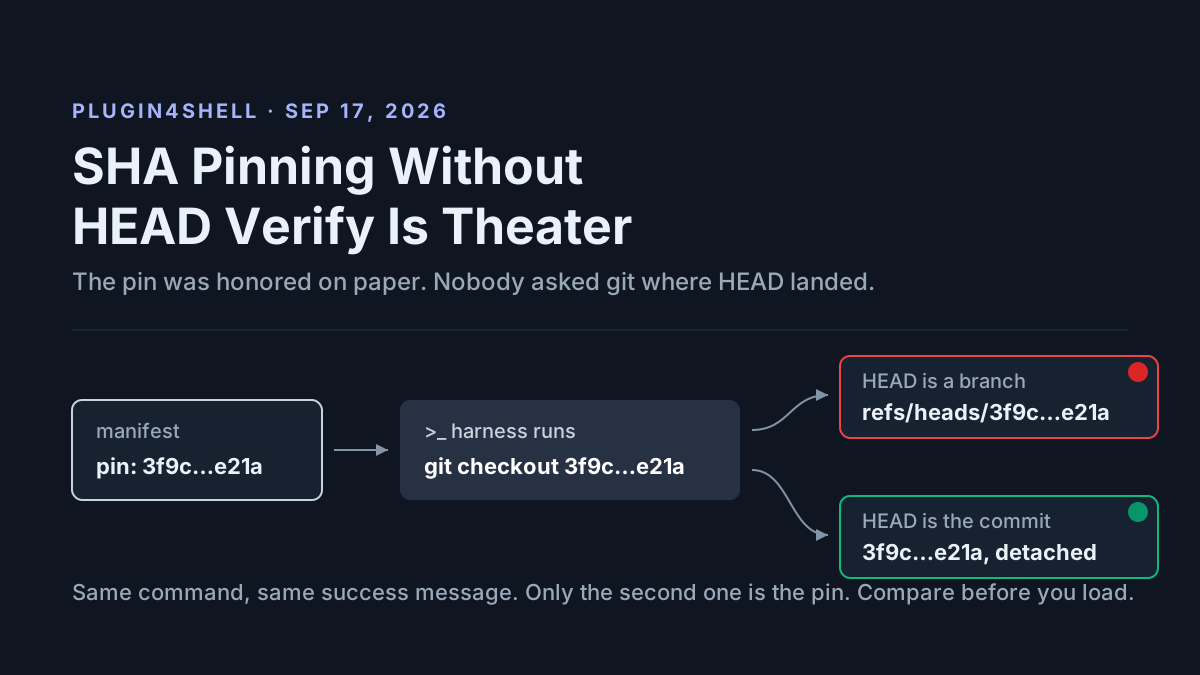
Speed Is a Meter: Write a Speed Budget Before Anyone Types /fast
Claude fast mode cost is 2x standard for faster output only. Write a speed budget per lane: who may use /fast, opt-in, a monthly cap and tested kill switches.

Go deeper. Build your own.
Typing /fast forty turns into a Claude Code session is a purchase, and the receipt arrives first: the first switch-on in a conversation bills the whole context once at the uncached fast input price. On a 200k-token context that is $1.60 (our arithmetic, at $8 per million) before a single faster token appears, and a subscription pays it from usage credits even with plan usage left.
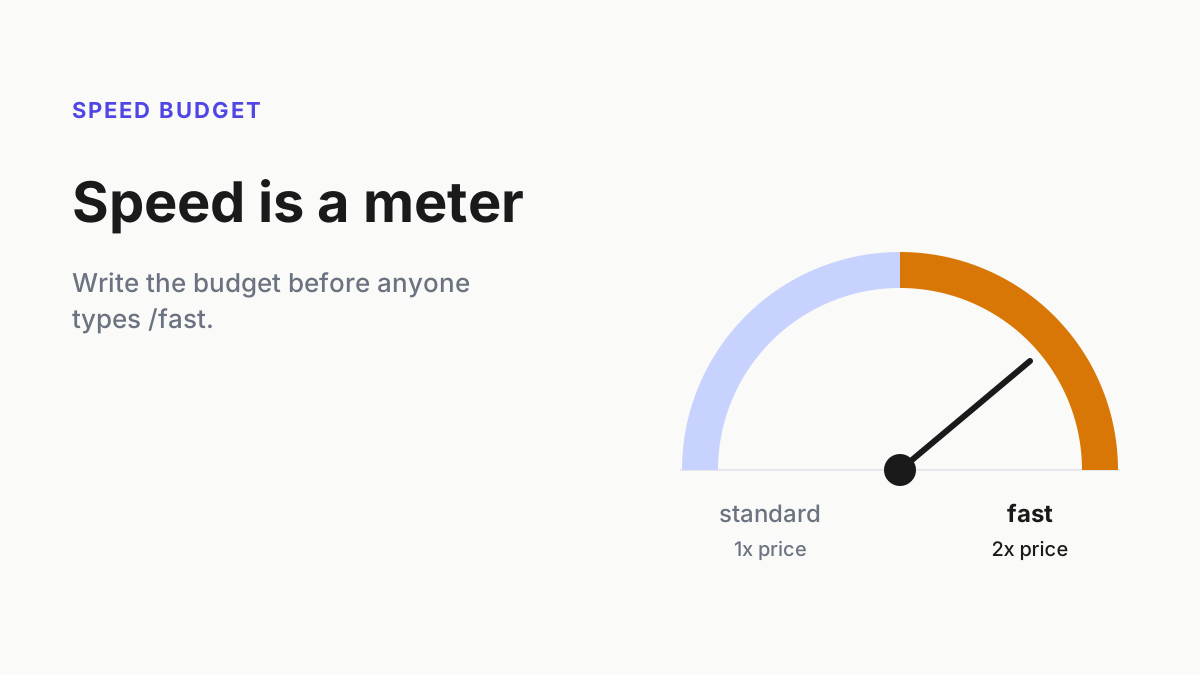
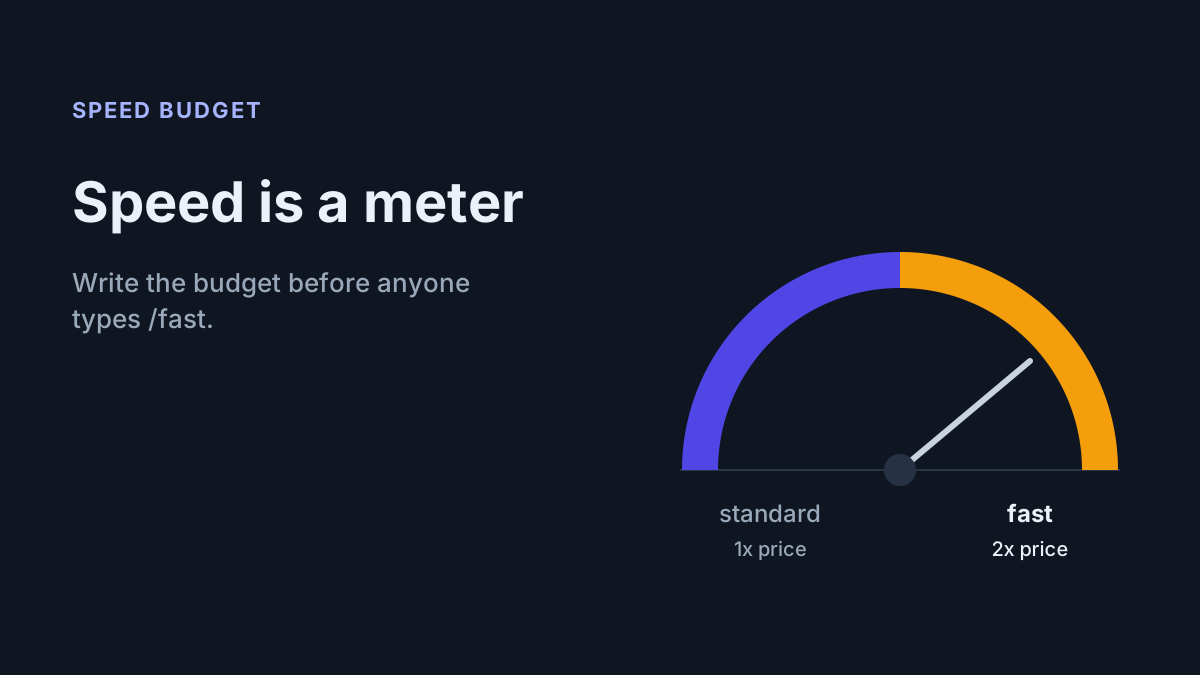
That is Claude fast mode cost in one line, and the case for a speed budget: twice the standard price for up to 2.5x the output speed, on a meter separate from the plan you thought you were spending. OpenAI sells the same trade under the same name, and neither vendor writes the budget for you.
By Tuesday, every lane gets one row: whether fast is allowed (only where a person is waiting), how it is opted into, when it may switch on, what it may spend in a month, and who owns it. Then you add a metric for whether it paid (dollars per minute of human waiting removed), a weekly check that you got the speed you paid for, and kill switches you have tested.
Sep 22: fast mode becomes a two-vendor price tier
Anthropic’s Opus 5.5 launch on Sep 22 put a price on speed: “Fast mode for Opus 5.5 is also available in Claude Code and the Claude Platform with up to 2.5x speed.” It costs $8 per million input tokens and $40 per million output, against $4 and $20 at standard, which the pricing page calls “2x standard pricing”. The same launch says standard Opus 5.5 already “generates output more than 30% faster than Opus 5”, so the baseline you compare against moved on the same day.
“Claude Platform” there means the first-party API. The API fast-mode docs list the fine print. It is a research preview behind a waitlist, on the Claude API and Managed Agents only: not on Amazon Bedrock, Claude Platform on AWS, Google Cloud or Microsoft Foundry, and not with the Batch API or a Priority Tier commitment. You opt in with speed: "fast" and the fast-mode-2026-02-01 beta header, where the date is a version tag rather than a launch date. The gain is narrow: “Speed benefits are focused on output tokens per second (OTPS), not time to first token (TTFT)”. Fast requests draw on a dedicated rate-limit pool, usage.speed reports which speed ran, and switching speeds invalidates the prompt cache.
Claude Code’s fast-mode page adds the billing rules. “Fast mode usage draws directly from usage credits, even if you have remaining usage on your plan.” It is “disabled by default for Team and Enterprise organizations” until an Owner turns it on, and a toggle “persists across sessions” unless you configure otherwise.
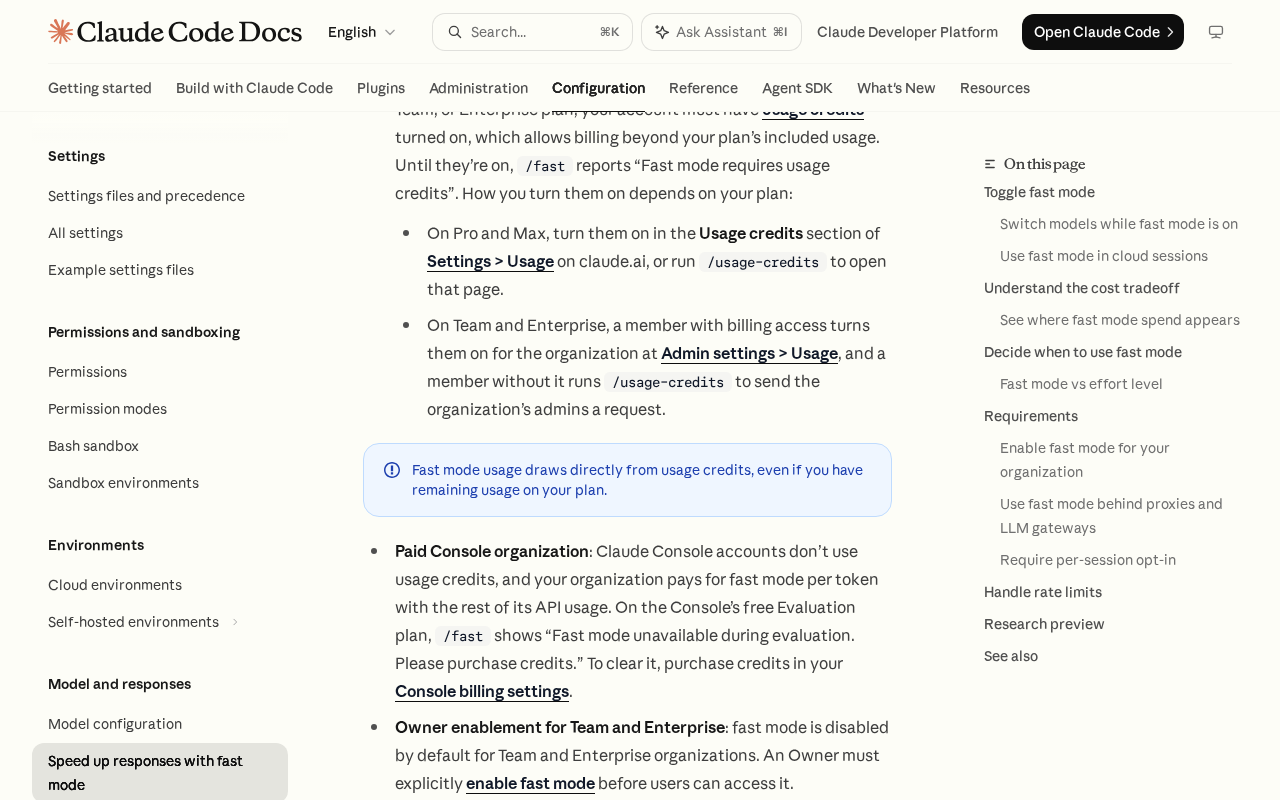 Screenshot: Claude Code Docs, “Speed up responses with fast mode - Claude Code Docs” (undated page), captured Sep 28, 2026.
The launch-day summary for Claude Code users led with bigger limits, which is exactly why a separate meter is easy to miss:
OpenAI renamed its own tier two months earlier. Its Fast mode guide says “Priority processing was renamed Fast mode on July 30, 2026,” and promises “up to 2.5× faster speeds and more consistent latency”, with the 2.5x named for gpt-5.6-sol. On the API pricing page, Fast costs 2x standard on the GPT-6, GPT-5.6 and GPT-5.4 rows, while gpt-5.5 costs 2.5x ($5/$30 becomes $12.50/$75). Requests opt in with service_tier: "fast" or the old "priority", and for GPT-5.6 and earlier the response says priority either way. The pool is where the vendors split: “For a given model, Standard processing and Fast mode share the same rate limit.”
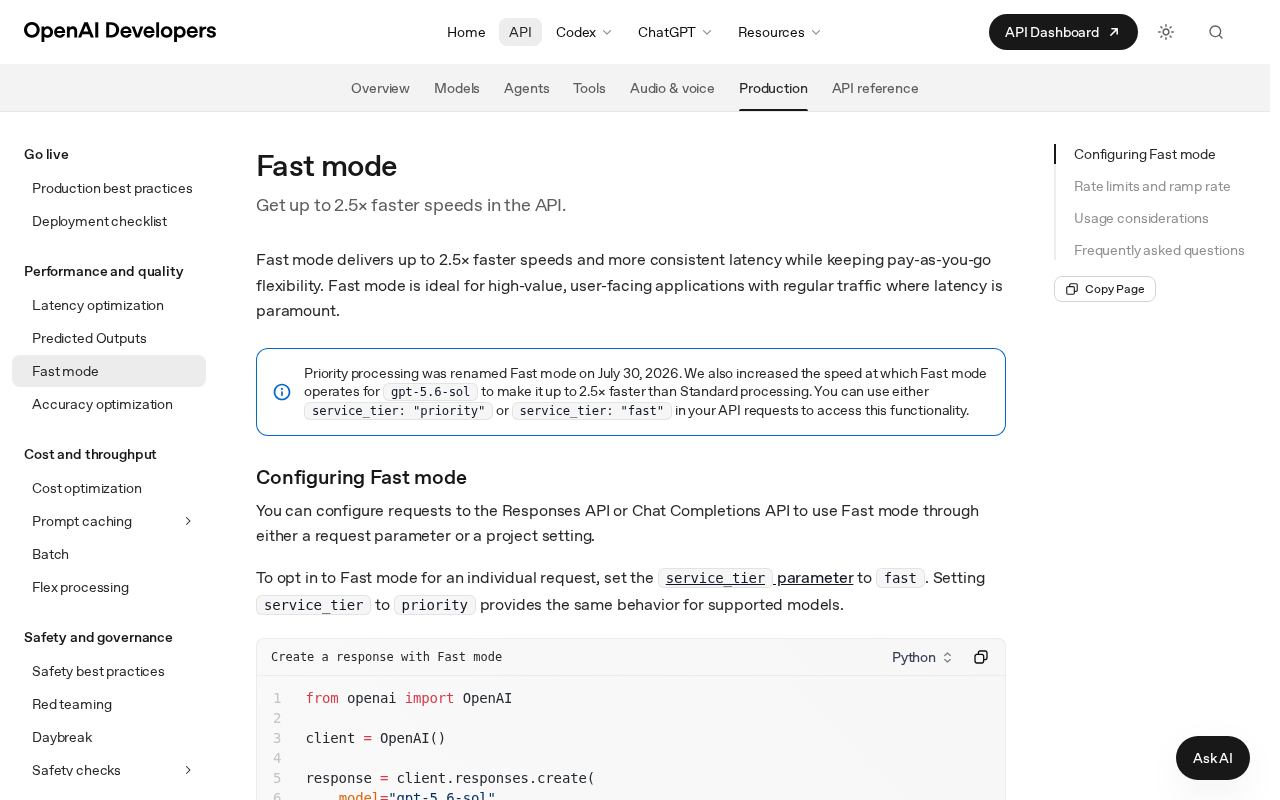 Screenshot: OpenAI Developers, “Fast mode / OpenAI API” (undated page), captured Sep 28, 2026.
Codex prices the same idea in credits. Its speed page says “For GPT-5.6, GPT-5.5, and GPT-5.4, Fast mode increases model speed by 1.5x,” and “GPT-5.6 and GPT-5.5 consume credits at 2.5x the Standard rate; GPT-5.4 consumes credits at 2x the Standard rate.” GPT-6 Astra, Sol and Luna cost 2.5x credits where available, with no speed figure given. Signed in with an API key, Codex bills API token prices and the credit multiples don’t apply.
Why an agent is the worst customer for a speed tier
A speed tier sells one thing: less waiting for a person. An agent running headless, in CI or overnight has nobody waiting, so fast mode there buys a faster wait for no one at twice the price. Neither vendor forbids it. Anthropic lists “Batch processing or CI/CD pipelines” under where standard mode is better, and OpenAI says “Avoid running large extract, transform, and load (ETL) or batch jobs in Fast mode.” Never headless is our rule, and those two lines are its support.
The second problem is shape. An agent turn is mostly context going in and tools running, and neither gets faster. Fast mode doubles the input price on Opus 5.5 too, so a turn that reads a lot and writes a little pays the full premium for a sliver of the speed. Work that can wait should wait, and an off-peak schedule is the opposite move for the same reason.
Step 1: Give every lane one speed budget row
The row is the policy. Write it before the first request for speed, because a request that arrives mid-incident gets approved without one. One row per lane, seven columns. The rows below are illustrative; the columns are the part to copy.
| Lane | Person waiting? | Fast allowed | Opt-in | Switch on | Monthly cap | Owner |
|---|---|---|---|---|---|---|
| Desk pairing, Opus 5.5 in Claude Code | yes | yes | per session | session start only | $120 | lane owner |
| Incident debugging | yes | yes | per session | session start only | $80 | on-call lead |
| Customer-facing API agent | yes, the customer | per product decision | per request, speed: "fast" |
new conversations only | $400 | product owner |
| Codex review at the desk | sometimes | yes | /fast on per session |
session start only | 2,000 credits | reviewer |
Headless CI, claude -p |
no | never | none | never | $0 | platform |
| Overnight backlog | no | never | none | never | $0 | platform |
The first column decides the second. If nobody is watching the output stream, the lane gets “never”, however urgent the work sounds, because urgent unattended work finishes when its tools finish. The timeline below shows why: in one illustrative interactive turn, fast mode shrinks only the stretch where the model writes.
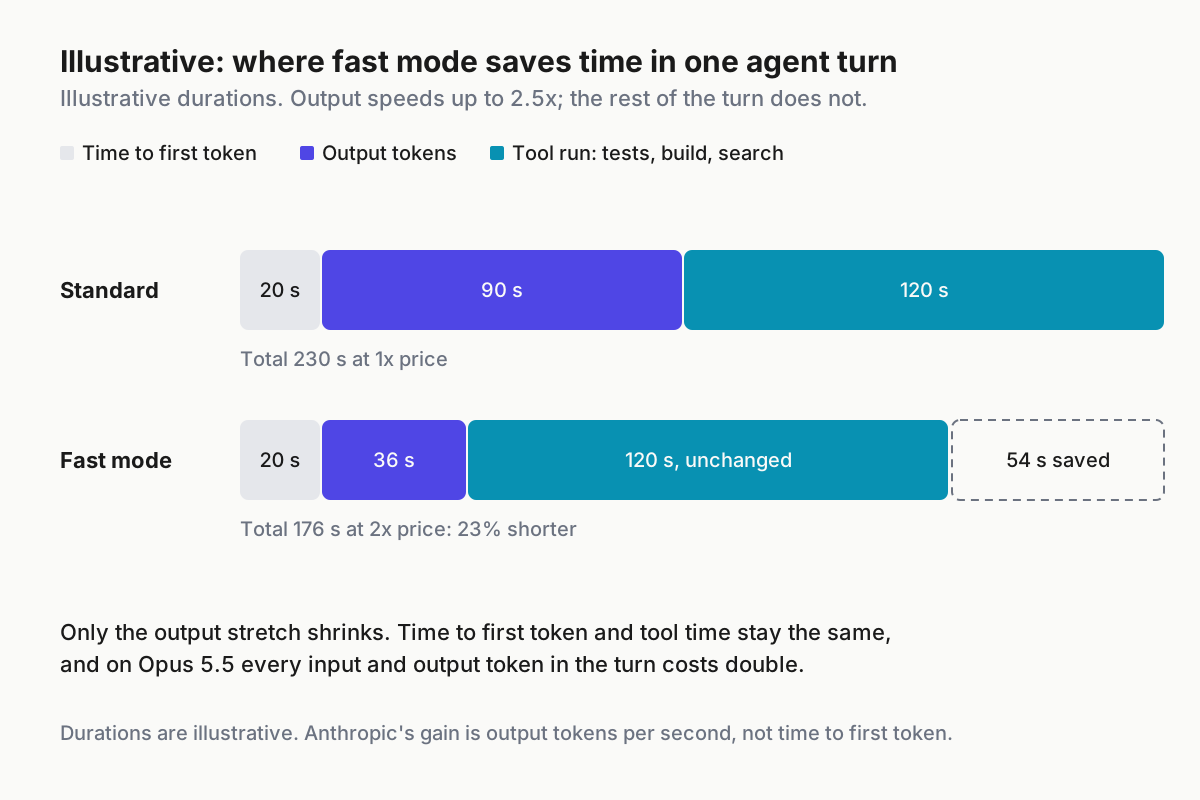
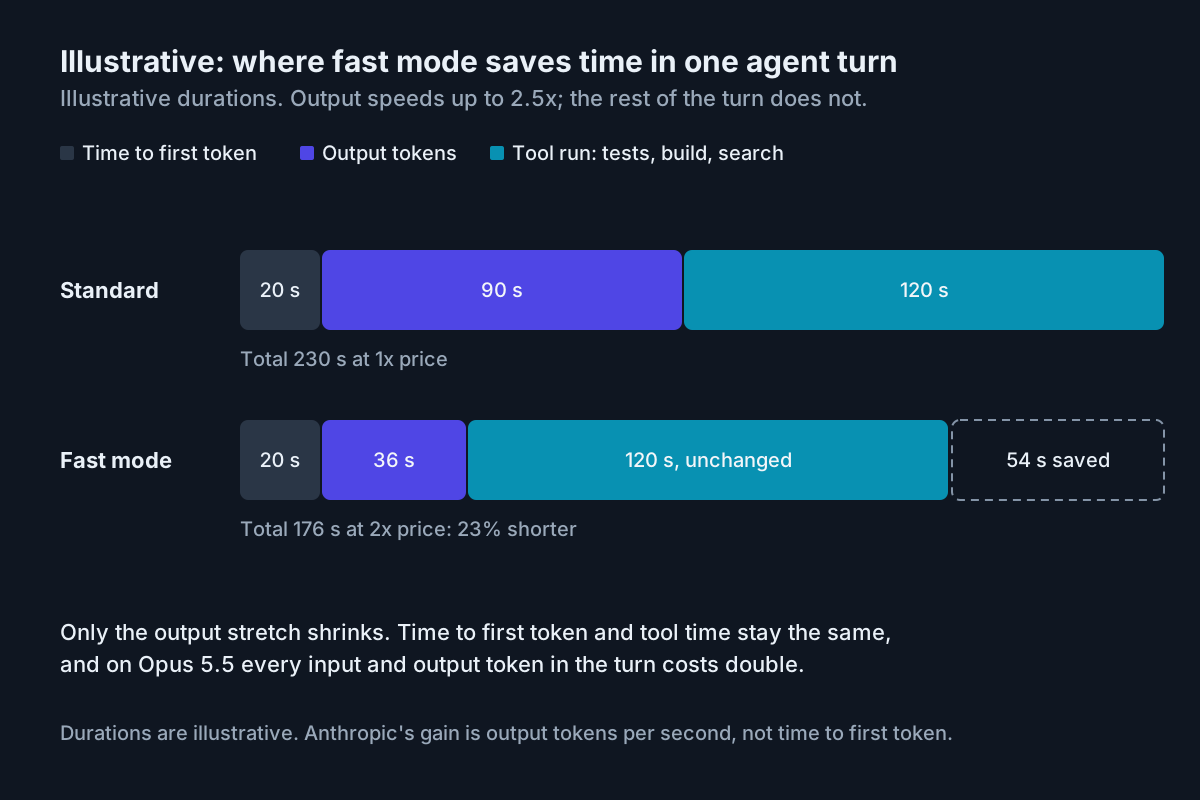 Illustrative durations. Fast mode speeds up output tokens, not time to first token or tool time.
The row is a guardrail, not a wall. Someone can still type /fast in a lane marked never. The wall behind the row is step 7’s kill switch, deployed wherever the row says never, and step 6’s weekly check, which catches what slipped through.
Step 2: Make fast mode opt-in per session
By default, fast mode that someone turns on “persists across sessions”, so one person’s Tuesday decision becomes their Wednesday default without a second thought. Turn that off. Claude Code documents one key for it, and Team and Enterprise Owners can deploy it organization-wide through server-managed settings:
{
  "fastModePerSessionOptIn": true
}
Every session then starts with fast mode off, and the user has to ask with /fast each time. Their preference is still saved, so removing the key restores the old behavior. When managed settings set the key, /fast on works only in an interactive terminal session; it is refused in non-interactive mode, in the VS Code extension and in cloud sessions. That refusal is the useful part: the lanes most likely to run unwatched cannot turn it on with /fast.
Codex’s speed page documents no equivalent and no workspace control for /fast. There, /fast on and /fast off toggle per session, and persistence comes from two lines in config.toml, which step 7 covers.
Step 3: Switch fast mode on at session start, never mid-conversation
The docs are specific about the price of a late switch: “The first time you enable fast mode in a conversation, you pay the full fast mode uncached input token price for the entire conversation context.” At session start that context is small; forty turns in, it is the $1.60 from the top of this piece. The charge happens once per conversation, and “toggling fast mode off and on again later does not repeat it”, which is a relief, not a strategy.
The API side has its own version of the trap. Switching speed “invalidates the prompt cache”, requests at different speeds do not share cached prefixes, and a fallback from fast to standard is a cache miss. Caching still stacks on top of fast pricing, so an Opus 5.5 cache read at fast speed costs $0.40 per million (our arithmetic), double the standard $0.20.
So the rule is simple. Decide at session start. If the need for speed shows up mid-task, finish at standard, or open a fresh fast session from a short handoff note rather than paying to re-read the whole conversation at the fast rate.
Step 4: Cap each lane’s fast spend per month
The docs do not describe a Claude Code setting that caps fast-mode spend per month. The documented levers are usage-credit enablement, per-session opt-in and the kill switches, so the cap is yours to write: a number in the row, a ledger that reads the right meter, and a switch someone flips when the ledger crosses the number.
The ledger depends on the account type:
- Console organizations: the Usage and Cost pages can group by “Speed (Research Preview)”. No other Anthropic usage view breaks fast spend out.
- Team and Enterprise: the organization pays from its usage credits, and each member checks their own spend with
/usage. - Pro and Max: Settings > Usage shows a usage-credits figure that, per the docs, “includes fast mode but doesn’t break it out separately”.
- OpenAI API: the dashboard groups by service tier, and GPT-5.6 and earlier appear as
priorityeven when you sentfast.
When a lane crosses its cap, flip that lane’s kill switch until the month turns. Raising the cap is a budget request like any other, so route it through a budget increase intake with a revert date rather than a chat message. And do not count on a limit reset to cover the overrun: an Anthropic reset refills a plan window and does not restore usage credits, which is why fast spend stays out of the reset ledger.
Step 5: Measure dollars per minute of waiting removed
Fast mode answers one question: is a person’s minute worth more than the premium? Measure it on the lane’s real interactive tasks. Pick five, run each from a fresh session at standard and at fast, and record dollars and wall-clock from prompt to usable answer. Then: (fast $ − standard $) ÷ (standard minutes − fast minutes). Count only minutes the person actually spent waiting, not minutes they spent in another tab.
The vendor multiples set the ceiling on that denominator:
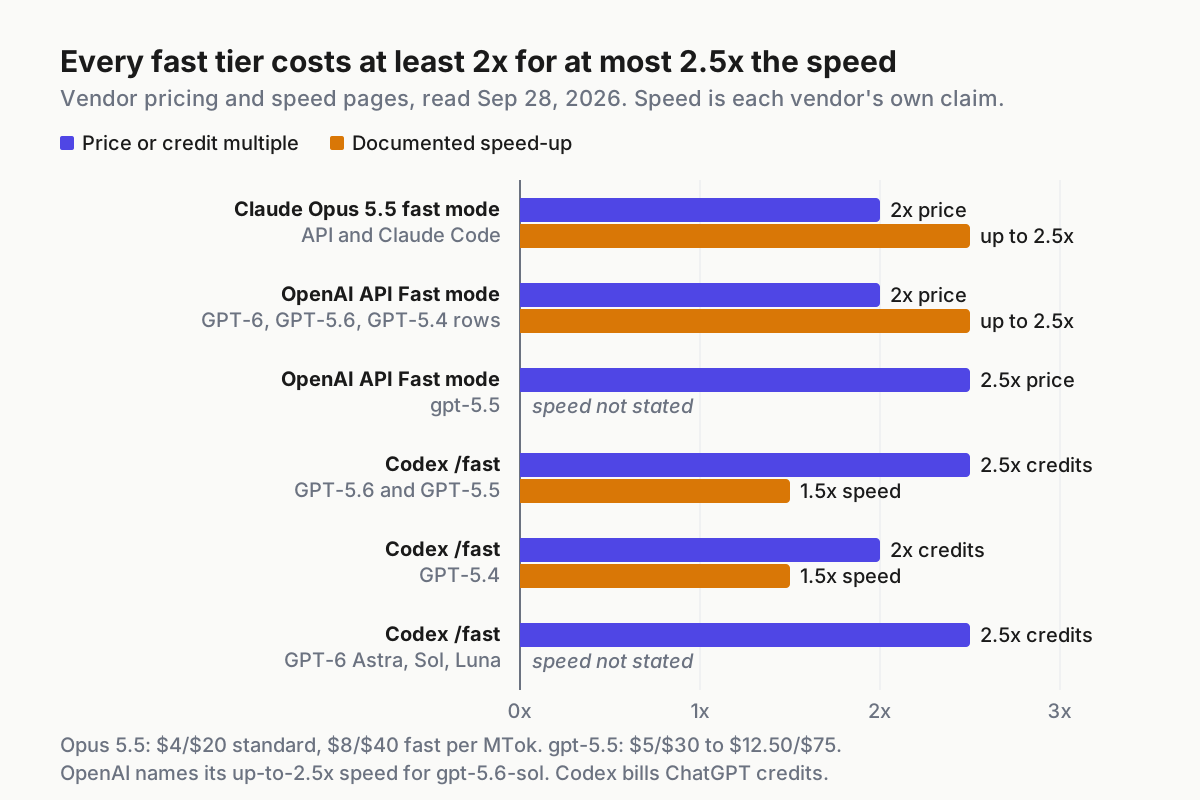
 Vendor pricing and speed pages, read Sep 28, 2026. Speed figures are vendor claims, several of them “up to”.
Even at the full 2.5x, a turn that spends 40% of its time writing gets about 24% shorter (our arithmetic), while every token in it costs double. This illustrative calculation shows how much the shape of the turn matters:
# speed_value.py (illustrative): five interactive tasks, each run at both speeds
def dollars_per_minute_saved(std_usd, fast_usd, std_min, fast_min):
    saved = std_min - fast_min
    if saved <= 0:
        return None  # paid more and waited as long: fast lost
    return (fast_usd - std_usd) / saved

# task averages from two lanes (illustrative numbers)
print(dollars_per_minute_saved(0.90, 1.80, 6.0, 4.5))  # writing-heavy lane: 0.6
print(dollars_per_minute_saved(0.90, 1.80, 6.0, 5.6))  # tool-heavy lane: 2.25
The writing-heavy lane pays 60 cents per minute of waiting removed. The tool-heavy lane saves 24 seconds and pays $2.25 a minute. Same model, same price. Re-run the measurement when the baseline moves: standard Opus 5.5 already writes more than 30% faster than Opus 5, so a habit formed on Opus 5 buys less today. This is the speed side of cost per completed task, and the same discipline as pricing effort per completed task: neither dial gets turned by feel.
Step 6: Check every week that you got the speed you paid for
On the Claude API, every response says which speed ran. This is the docs’ own example; log the last line’s value next to the request’s cost:
client = anthropic.Anthropic()

response = client.beta.messages.create(
    model="claude-opus-5-5",
    max_tokens=1024,
    speed="fast",
    betas=["fast-mode-2026-02-01"],
    messages=[{"role": "user", "content": "Hello"}],
)

print(response.usage.speed)  # "fast" or "standard"
The weekly check reads five things:
- Fast requests sent against
usage.speedvalues returned on the Anthropic API, plus 429s from the fast pool. service_tieron OpenAI:prioritymeans fast ran on GPT-5.6 and earlier, anddefaultmeans a ramp downgrade billed at standard. The docs don’t say what GPT-6 models return.- Claude Code turns that fell back. At the fast limit it silently “falls back to standard speed” and the ↯ icon turns gray, so a fast session is not proof that every turn ran fast.
- Fast spend per lane against the row’s cap.
- Any fast spend at all in a lane marked never.
Subscription seats have no per-request field, so for Pro and Max the check is the usage-credit delta set against the timings from step 5.
Step 7: Name the kill switches, and flip each one on a quiet day
The switches differ by vendor, and so do the pools and the proof fields:
| Anthropic API | Claude Code | OpenAI API | Codex | |
|---|---|---|---|---|
| Price | 2x: $8/$40 on Opus 5.5 | usage credits on plans; per token on Console | 2x on GPT-6, GPT-5.6, GPT-5.4 rows; 2.5x on gpt-5.5 | 2.5x credits; 2x on GPT-5.4 |
| Speed claim | up to 2.5x output tokens per second | same | up to 2.5x, named for gpt-5.6-sol | 1.5x on GPT-5.6, 5.5, 5.4; not stated on GPT-6 |
| Rate-limit pool | separate fast pool; 429 when spent | one fast pool across Opus models; silent fallback | shared with Standard | not documented |
| Per-request proof | usage.speed |
none on Pro/Max; Console group-by | service_tier |
not documented |
| Kill switch | stop sending speed |
managed fastMode: false; env variable |
Project Service Tier back from Fast | /fast off; remove the config lines |
In Claude Code, managed settings with this key make /fast answer “Fast mode has been disabled by your organization”:
{
  "fastMode": false
}
For the CI and overnight environments the row marks never, set the variable that disables fast mode entirely:
export CLAUDE_CODE_DISABLE_FAST_MODE=1An availableModels allowlist that excludes the fast-mode Opus model refuses it too. On OpenAI’s API, set the project’s “Project Service Tier” back from Fast (the docs don’t name the other option) and stop sending the service_tier field. In Codex, run /fast off and delete the two persistence lines from config.toml:
service_tier = "fast"

[features]
fast_mode = true
Each switch has an edge. The variable reaches only processes that inherit it, and managed settings reach only machines that receive them. Behind a gateway, CLAUDE_CODE_SKIP_FAST_MODE_ORG_CHECK=1 changes only the client-side check, and an organization-level rejection still stands, so on Team and Enterprise the Owner’s toggle is the last wall. Flip every switch once with nothing at stake, try /fast, and confirm the refusal. A kill switch nobody has flipped is a hope.
How a speed budget leaks, and the signal for each
The sticky toggle. Fast mode persists across sessions by default. Signal: usage-credit burn on days nobody declared fast work. Fix: step 2’s per-session opt-in.
The late switch. Someone turns fast on deep into a conversation. Signal: a one-time charge of roughly the context size at $8 per million. Fix: the session-start rule.
The silent fallback. Claude Code hits the fast limit and quietly runs at standard. Signal: a gray ↯ and wall-clock no better than standard. Fix: judge speed from timings, never from the toggle.
The shared pool. On OpenAI, fast and standard traffic for a model share one rate limit. Signal: 429s on a standard batch lane when a desk lane goes fast. Fix: keep fast off in projects that also run batch work on that model.
The ramp downgrade. OpenAI downgrades fast requests when traffic ramps too quickly, and bills them at standard. Signal: service_tier: "default" on requests you sent as fast. Fix: past 1M input tokens per minute, grow no more than 50% every 15 minutes.
The headless leak. A pipeline launches claude -p --settings '{"fastMode": true}'. Signal: a grep of CI configs finds fastMode. Fix: the disable variable in every CI environment.
Speed is the fourth meter, and it belongs to the fleet layer
Tokens, tool calls and sandbox time already needed three meters. Speed is the fourth, and on subscriptions it bills a different balance from the plan most people watch; token plans don’t price it at all. A speed budget is a fleet control: a row per lane, a switch per environment, a ledger per meter, and a weekly check by someone with the authority to flip the switch. That is the same shape as a restricted-mode fleet policy, and it lives in the same place, outside the model and outside the session.
Speed is worth buying when a person is waiting and the turn is mostly writing. Everywhere else it doubles the bill and saves nobody a minute. Write the row first.
FAQ
How much does Claude fast mode cost?
On Opus 5.5, fast mode costs $8 per million input tokens and $40 per million output, twice the standard $4 and $20, for up to 2.5x output speed. In Claude Code on a subscription it bills usage credits, even with plan usage left, and switching on mid-conversation charges the whole context once.
Does fast mode make coding agents faster?
Only the part where the model writes. Anthropic’s gain is output tokens per second, not time to first token, and tool runs such as tests and builds take as long as before. Agent turns that mostly read context and run tools save little wall-clock while paying double for every token.
How do I turn off fast mode for a whole team?
In Claude Code, deploy managed settings with fastMode: false, or set CLAUDE_CODE_DISABLE_FAST_MODE=1 in the environment; Team and Enterprise start with fast mode off until an Owner enables it. On OpenAI’s API, set the project’s service tier back from Fast. Codex’s speed page documents no workspace switch, so each user runs /fast off.
Sources
- Anthropic: Claude Opus 5.5 launch — Sep 22, 2026; fast mode price and speed
- Claude pricing — fast mode at “2x standard pricing”
- Claude API: Fast mode (research preview) — beta header, rate-limit pool,
usage.speed, caching - Claude API pricing: fast mode — standard and fast price table
- Claude Code: fast mode — usage credits, Owner enablement, per-session opt-in, kill switches
- OpenAI: Fast mode — the Jul 30, 2026 rename,
service_tier, shared rate limits, ramp - OpenAI API pricing — Standard and Fast rows
- OpenAI Codex: Speed —
/fastspeed and credit multiples