Azure Content Understanding: Reconcile Invoice Totals
Build an Azure Content Understanding invoice analyzer, follow asynchronous REST requests, and check calculated totals against document evidence before use.

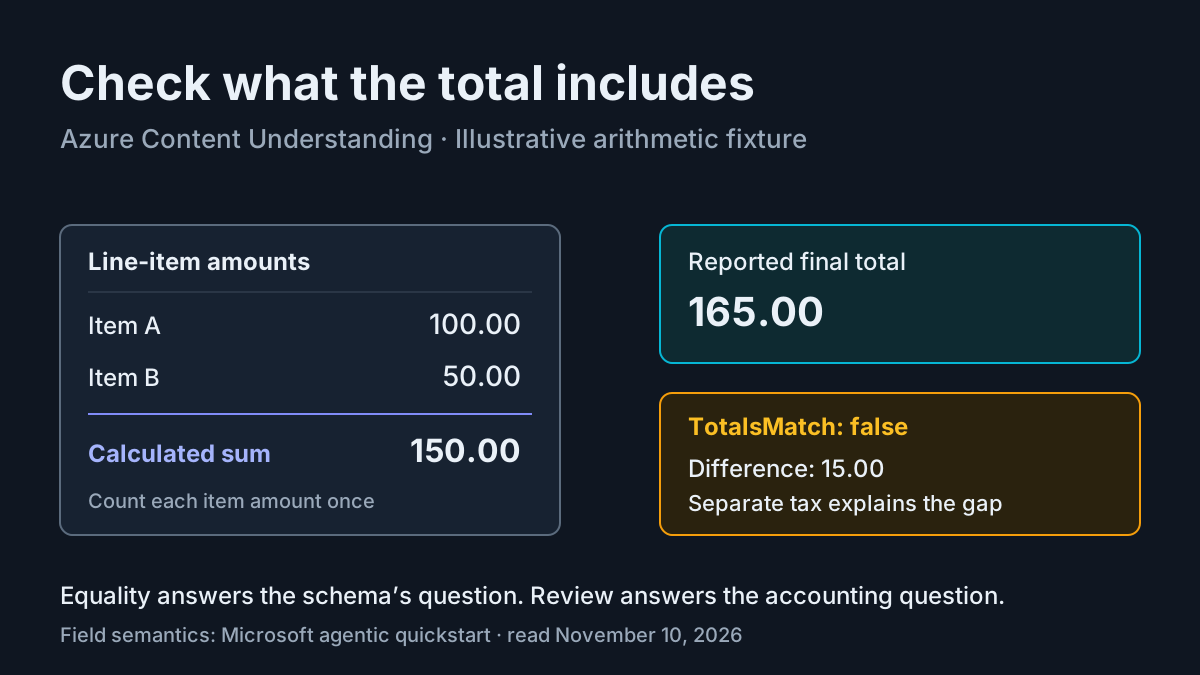
An invoice analyzer can return valid JSON and still answer the wrong accounting question. Adding the line-item amounts is different from reconstructing the amount due after tax, shipping, discounts, and prior payments. Before connecting Azure Content Understanding to a caller, you need to establish which comparison the caller actually needs.
This tutorial is for an application developer with an existing, configured Foundry resource. You will create a separate document analyzer, submit the official quickstart’s invoice URL, follow its asynchronous operation, and interpret four structured reconciliation fields. The usable artifact is a complete analyzer definition and the documented REST request sequence. A populated illustrative arithmetic case explains how to validate the answer without pretending that this article inspected the sample PDF or executed Azure requests.
Microsoft’s November 9 article describes agentic mode as a document-native reasoning loop that can revisit evidence and perform calculations. That mechanism is useful here, but it does not determine your inclusion rules. The integration below keeps those rules explicit and treats a completed analysis as material to review.
Define the comparison before sending a document
- Decide whether you want a literal comparison between line-item amounts and the reported final total, or a broader reconstruction of the final amount due.
- For this first integration, use the literal comparison documented in Microsoft’s quickstart.
- Keep any difference visible. Do not silently add tax to the calculated line-item field merely to make the boolean true.
The agentic quickstart defines CalculatedLineItemTotal as the sum of all line-item amounts and ReportedInvoiceTotal as the final total reported by the invoice. Those definitions can legitimately produce a mismatch. If an invoice has separate tax, the sum of its item rows can be correct while differing from its final total.
Use task:invoice-reconcile-01 as the stable label for the quickstart invoice request. The supplied evidence verifies its published URL and the request syntax, but does not expose the PDF’s actual rows or totals. Consequently, this guide supplies no numerical answer key for that file. Open it yourself before interpreting a returned comparison. The narrower deliverable is the documented integration and a complete interpretation procedure, rather than an asserted measured reconciliation of an unseen invoice.
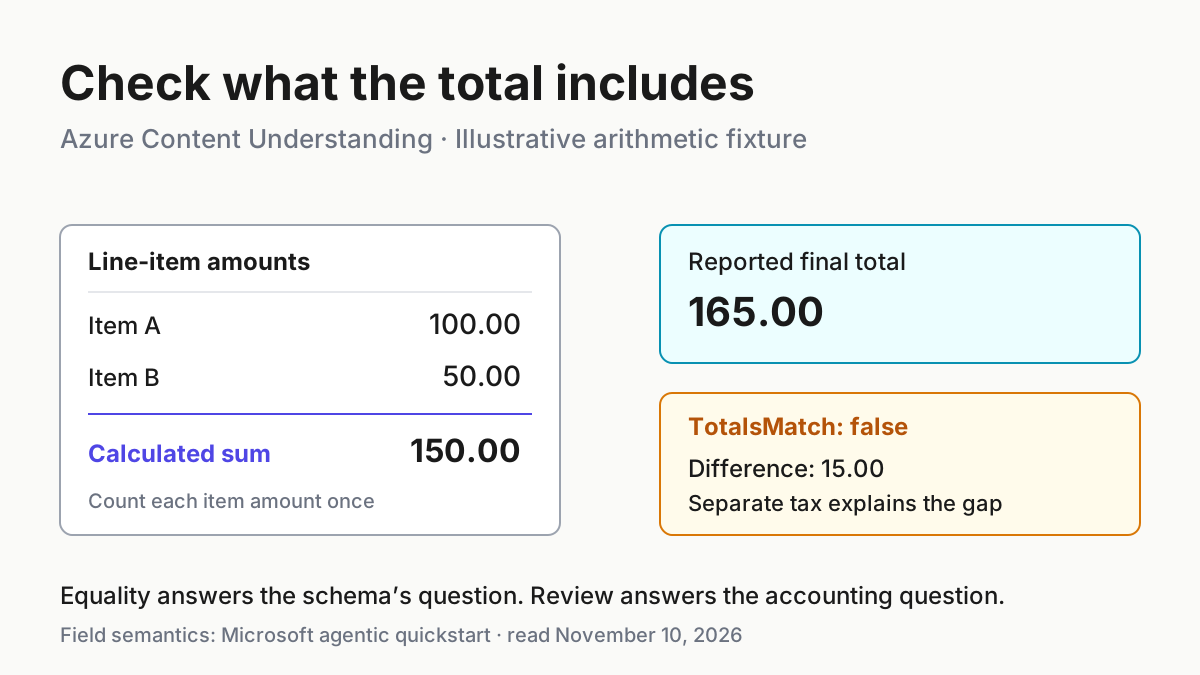
The following separate arithmetic fixture is explicitly illustrative. It is not a transcription of Microsoft’s invoice and is not an Azure response. It gives you concrete values with which to understand the four fields before reviewing your actual document.
| Input | Action | Expected result |
|---|---|---|
| task:invoice-reconcile-01: the official quickstart invoice.pdf URL; actual document amounts are not available in this evidence bank. | Submit the single URL with the documented analyzer request below, then inspect every returned field against the PDF opened by the reader. | Illustrative expected observation: a completed operation exposes schema-shaped fields; no numeric total or match result is predicted for this uninspected file. |
| task:arithmetic-demo-01, an illustrative invoice with item amounts 100.00 and 50.00, separately stated tax 15.00, and reported final total 165.00, all in one currency. | Sum only the two item amounts, compare 150.00 with 165.00, and explain the separately stated 15.00 tax without inserting it into the item sum. | Illustrative expected observation: CalculatedLineItemTotal 150.00; ReportedInvoiceTotal 165.00; TotalsMatch false; ValidationSummary identifies the 15.00 difference and the separate tax. |
That distinction prevents a common integration error: interpreting false as proof that the invoice is defective. In the illustrative fixture, false accurately answers the narrow equality question. A downstream payment decision would need a different, explicitly specified reconciliation rule.
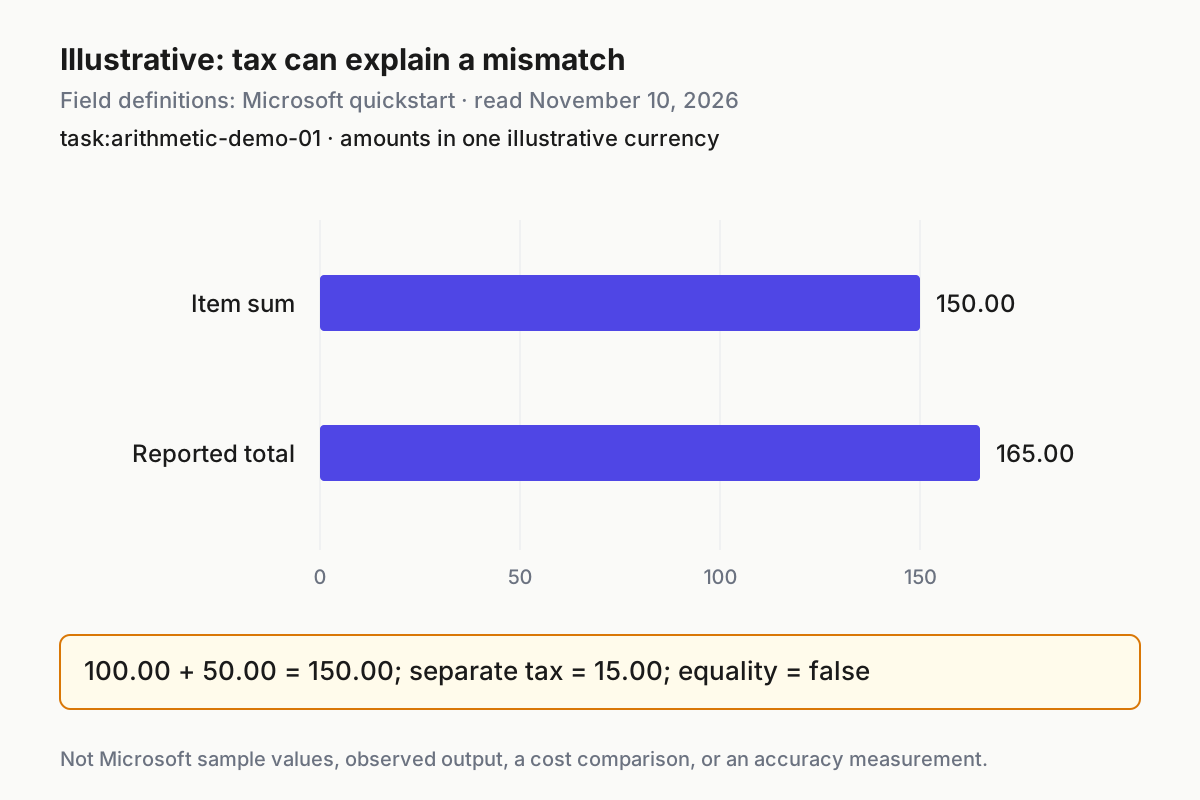
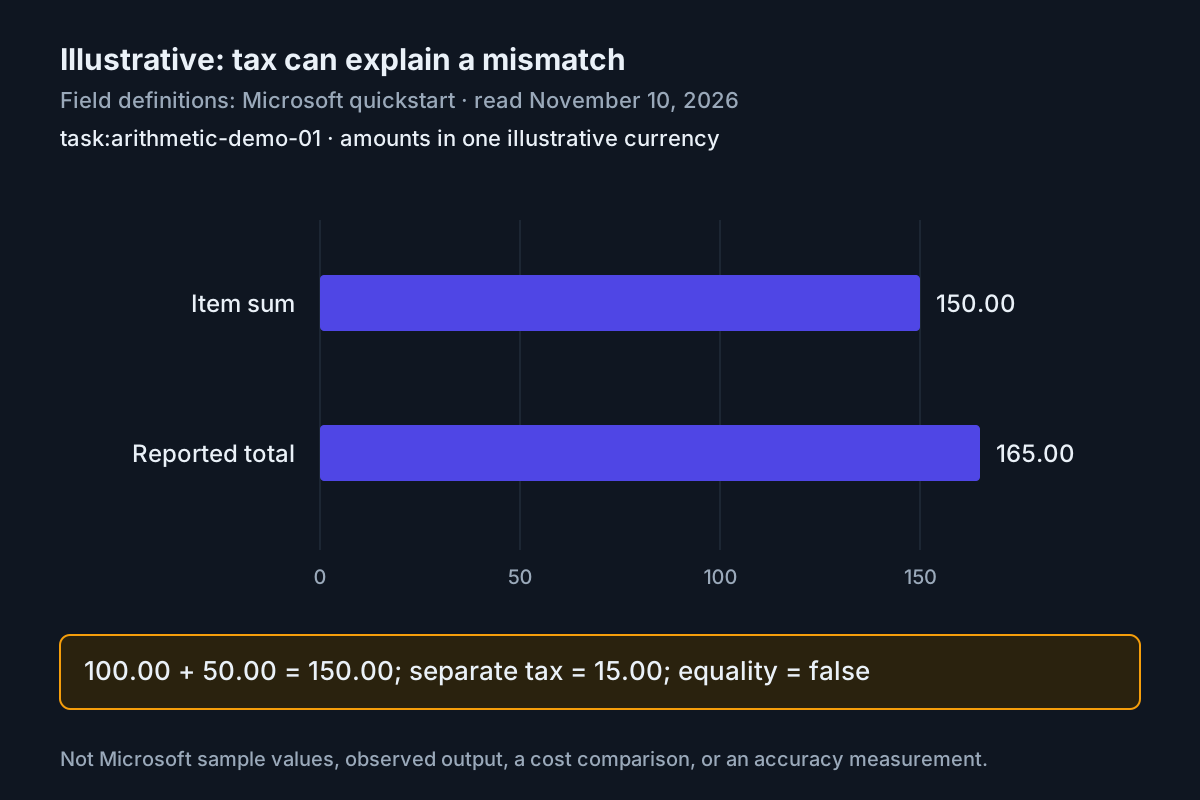
Illustrative arithmetic fixture, not Microsoft sample values or measured service output. The chart separates the item sum from the final total under the quickstart’s field definitions.
Check the resource prerequisites
- Confirm that you already have an Azure subscription and a Foundry resource in a supported region.
- Confirm that a supported completion deployment is configured as the resource’s default completion model.
- Obtain the existing resource endpoint and key through your normal authorized process, and have cURL available.
- Check capacity and preview suitability before making a paid analysis request.
Microsoft’s quickstart recommends at least 400,000 tokens per minute of deployment capacity to help avoid rate-limit errors during an agentic analysis job. The agentic overview describes approximately that capacity per analyzer job. This is capacity guidance, not a prediction of tokens consumed by one invoice. Do not turn it into an estimated per-document bill.
The preview uses API version 2026-06-01-preview, has no service-level agreement, and is not recommended for production workloads. Each analysis request supports one input file; the initial agentic preview supports document analyzers, does not support extract fields, and does not support improvement through labeled samples. These constraints explain why the definition below uses generate for every field and submits one URL.
The model deployment documentation distinguishes catalog model names from deployment names. The analyzer specifies a model name; the resource maps it to a configured deployment. Confusing those identities can leave an otherwise sensible analyzer unable to use the intended model. This tutorial assumes that mapping already exists and does not change resource defaults.
The service limits reference lists supported generative models and restricts analyzer IDs to letters, numbers, periods, and underscores, between one and 64 characters. Use invoice_reconcile_agentic_01 for the separate example analyzer. Check that it is unused in your resource; do not substitute the identity of an analyzer your application already depends on.
Before proceeding, distinguish an unavailable prerequisite from an invoice discrepancy. A missing model mapping prevents the integration from running as intended; a difference between two returned amounts concerns interpretation after analysis. Keep those investigations separate so that changing a field description does not become an attempted fix for resource configuration. Record which catalog model the definition names and which existing deployment your resource maps it to. That gives another developer a concrete starting point without requiring a change to shared defaults.
Save the reusable analyzer definition
- Save the following complete JSON as agentic-invoice.json on the machine from which you will make the requests.
- Replace the completion-model placeholder with the supported catalog name already mapped in your resource.
- Keep the four field definitions together so their comparison remains consistent.
{
  "description": "Calculate and validate totals in an invoice",
  "baseAnalyzerId": "prebuilt-document",
  "models": {
    "completion": "{your-completion-model}"
  },
  "config": {
    "workflow": "agentic"
  },
  "fieldSchema": {
    "fields": {
      "CalculatedLineItemTotal": {
        "type": "number",
        "method": "generate",
        "description": "Calculate the sum of all line-item amounts in the invoice."
      },
      "ReportedInvoiceTotal": {
        "type": "number",
        "method": "generate",
        "description": "Return the final total reported by the invoice."
      },
      "TotalsMatch": {
        "type": "boolean",
        "method": "generate",
        "description": "Return true when the calculated line-item total equals the reported invoice total. Otherwise, return false."
      },
      "ValidationSummary": {
        "type": "string",
        "method": "generate",
        "description": "Briefly explain whether the totals match and identify any discrepancy."
      }
    }
  }
}
This is the quickstart’s invoice definition, including its deliberately narrow equality question. The analyzer reference explains that a custom analyzer inherits configuration from its base analyzer and that field descriptions guide interpretation. Here prebuilt-document supplies the document foundation, while the schema names the answers your caller will inspect.
The number fields keep arithmetic values distinct from the explanation. The boolean provides a concise equality answer, and the string gives a reviewer something to investigate when the values differ. None independently establishes that every relevant row was included. In particular, a polished summary cannot repair a missing credit row, a duplicated subtotal, or a value taken from the wrong currency column.
The creation-time workflow selector is agentic. After creation, the service resolves it to agentic.2026-06-01-preview. That returned versioned value is expected behavior; it is not evidence that the service ignored your selector. The agentic family uses the advanced contextualization rate and can consume more model tokens and take longer than a standard workflow.
Create the separate analyzer and wait for completion
- Replace endpoint with your existing full resource endpoint and key with its authorized subscription key.
- Replace analyzerId with invoice_reconcile_agentic_01, after confirming that identity is available.
- Submit the definition, then copy the Operation-Location returned by the creation response.
# Expected: HTTP 201 Created and an Operation-Location header.
curl -i -X PUT \
  "{endpoint}/contentunderstanding/analyzers/{analyzerId}?api-version=2026-06-01-preview" \
  -H "Ocp-Apim-Subscription-Key: {key}" \
  -H "Content-Type: application/json" \
  -d @agentic-invoice.json
The documented initial response is 201 Created with an Operation-Location header. That header is the next URL to use, rather than a signal to submit the invoice immediately. Creation and analysis are separate operations, each with its own returned operation URL. Keep them separate when recording your requests.
# Expected: status Succeeded when creation completes; wait at least one second between polls.
curl -i -X GET "{operation-location}" \
  -H "Ocp-Apim-Subscription-Key: {key}"
Repeat this creation-status request until the response returns status Succeeded, waiting at least one second between requests. These are documented expected observations, not responses observed while writing this article. If creation has not succeeded, stop before analysis and inspect the returned response rather than assuming the analyzer is ready.
Copy the operation URL exactly. Do not manufacture a polling path from an identifier or replace it with a URL remembered from another Azure API. The quickstart’s supported approach is to follow the returned header. Similarly, use the preview API version in the create and analyze requests; copying the reference’s general GA example would select a different compatibility surface.
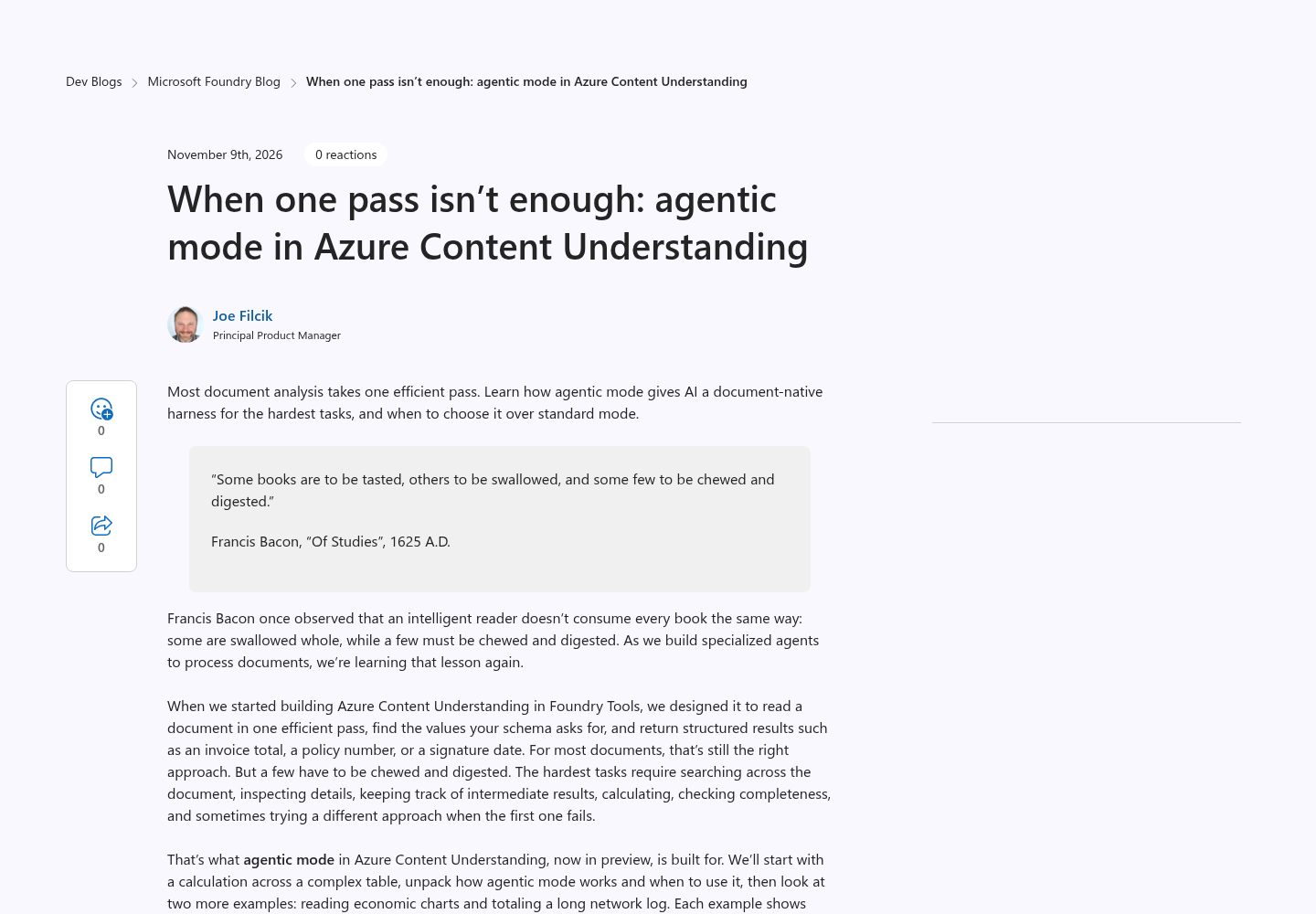
Source: Microsoft Foundry Blog. This source-page capture attributes the explanation of document-native reasoning; it is not a capture of an invoice analysis or an execution result.
Review the invoice, then submit one input
- Open the sample invoice linked by the official quickstart and inspect the document itself.
- Record the line-item amounts, any separate adjustments, the currency, and the printed final total before reading model output.
- Submit the following documented request to the successfully created example analyzer.
# Expected: HTTP 202 Accepted and a new analysis Operation-Location header.
curl -i -X POST \
  "{endpoint}/contentunderstanding/analyzers/{analyzerId}:analyze?api-version=2026-06-01-preview" \
  -H "Ocp-Apim-Subscription-Key: {key}" \
  -H "Content-Type: application/json" \
  -d '{
    "inputs": [
      {
        "url": "https://github.com/Azure-Samples/azure-ai-content-understanding-python/raw/refs/heads/main/data/invoice.pdf"
      }
    ]
  }'
The sample URL inside this documented request is an input reference supplied by the quickstart, not a claim that this article fetched or inspected the file. Its contents were unavailable in the supplied research. If you cannot open it, you can still understand and prepare the integration, but you cannot honestly complete document-level validation of that run. Keep the result unaccepted until the document is accessible.
For the manual calculation, add the amounts attached to the actual item rows. Do not add quantities and prices as separate amounts, and do not count a subtotal again after counting its component rows. Preserve negative signs on credits. Check whether a separately printed charge belongs to an item row or to the invoice summary. These are review recommendations for applying the schema, not additional service features.
In task:arithmetic-demo-01, the manual calculation is 100.00 plus 50.00 equals 150.00. The printed final total is 165.00. The difference is 15.00, matching the separately stated tax. You therefore expect a false equality result under this schema while recognizing that the broader invoice arithmetic can still be consistent. Keep that distinction when moving from the illustrative fixture to the actual PDF.
Write the illustrative decision as a complete sentence: the item sum is correct, the reported total includes a separate adjustment, and the literal equality test is false. This wording preserves the useful answer without classifying the invoice as erroneous. For the real sample, write the equivalent sentence only after reviewing its actual amounts. If you cannot identify which printed value is the final total, leave that interpretation unresolved instead of choosing whichever value makes the comparison pass.
Retrieve the result without resubmitting the invoice
- Expect the documented analysis submission response to be 202 Accepted with its own Operation-Location header.
- Copy that analysis operation URL into the GET request below.
- If status is Running or NotStarted, wait one or two seconds before requesting the same operation again.
# Expected: Running or NotStarted while pending; Succeeded exposes result.contents[].fields.
curl -i -X GET "{operation-location}" \
  -H "Ocp-Apim-Subscription-Key: {key}"
When status becomes Succeeded, the quickstart places schema-shaped output under result.contents[].fields. Inspect those fields in the actual response. This guide does not invent a complete response envelope or assume undocumented leaf-value property names. The four field names in your schema identify the answers to locate.
A polling request asks about an existing job. A second analyze POST asks the service to perform another analysis. Do not substitute the latter because the first job takes longer than expected. The official overview says agentic mode typically takes longer and uses more model tokens than standard mode, and the quickstart notes that each analysis incurs usage charges.
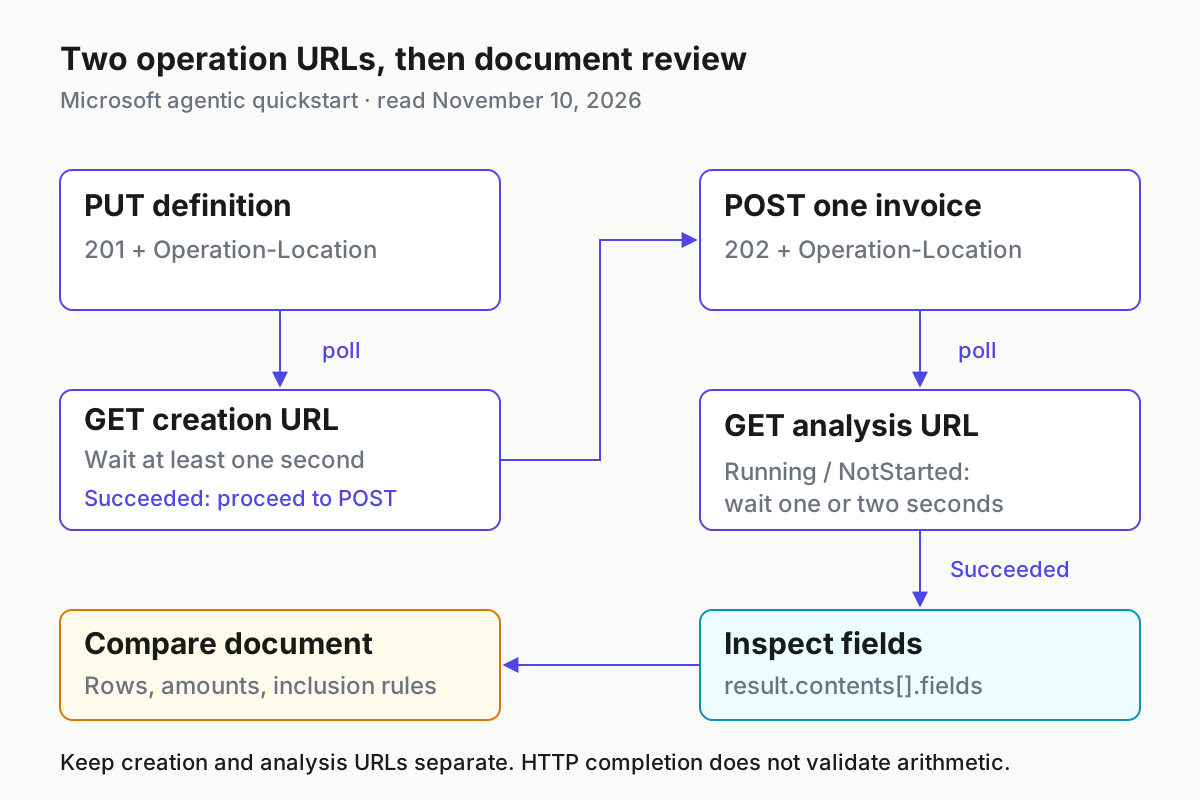
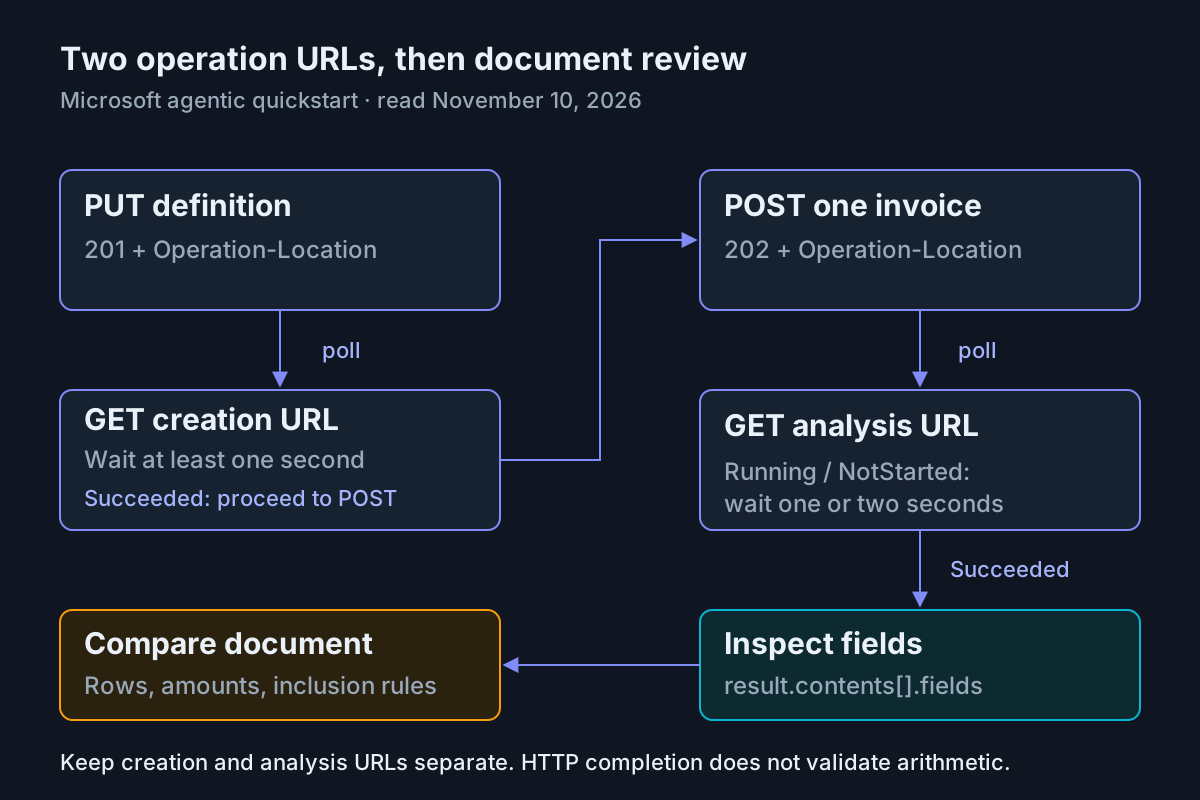
Documented request sequence from Microsoft’s agentic quickstart, read November 10, 2026. The final document comparison is an editorial validation recommendation, not an additional API operation.
Accept the interpretation only after checking the arithmetic
- Compare CalculatedLineItemTotal with your independently recorded item sum.
- Compare ReportedInvoiceTotal with the final total actually printed in the document.
- Recompute equality yourself and compare it with TotalsMatch.
- Read ValidationSummary against the rows and adjustments that explain the difference.
Do these checks in that order. If both numeric fields accidentally repeat the printed final total, TotalsMatch can be true while the calculated field is wrong. Conversely, the illustrative taxed invoice correctly produces false. An application that routes every false result as an invalid invoice would encode a business rule that the schema never established.
Check completeness as well as arithmetic. A correct sum of an incomplete selection is still the wrong answer. Review repeated headings, continued tables, credits, and summary rows wherever they occur in your actual document. If a required value is absent, do not replace it with zero just to finish the comparison. An unknown total and a documented zero total carry different meanings.
For example, an illustrative return of 165.00 for both numeric fields would require rejection for task:arithmetic-demo-01, even if its boolean were true. The expected item sum remains 150.00. An illustrative return of 150.00 and 165.00 with a true boolean also fails: the numbers are individually correct, but the equality answer contradicts them. These two checks isolate different mistakes and show why reviewing only the final summary would miss a consequential error.
The general analyzer reference documents source-and-confidence options for document fields, but the supplied agentic-specific pages do not demonstrate their returned behavior for this four-field preview example. This integration therefore promises neither confidence scores nor source-location output. It validates against the document opened by the reader. Confirm preview-specific behavior separately before designing a caller that requires those metadata fields.
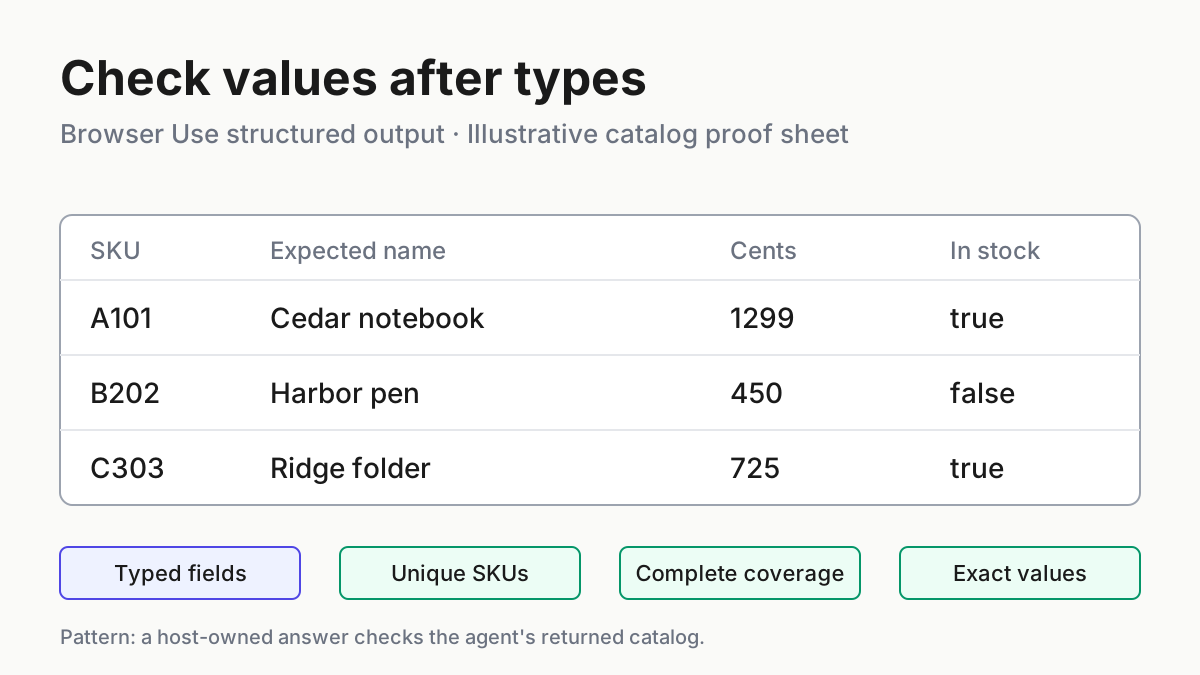
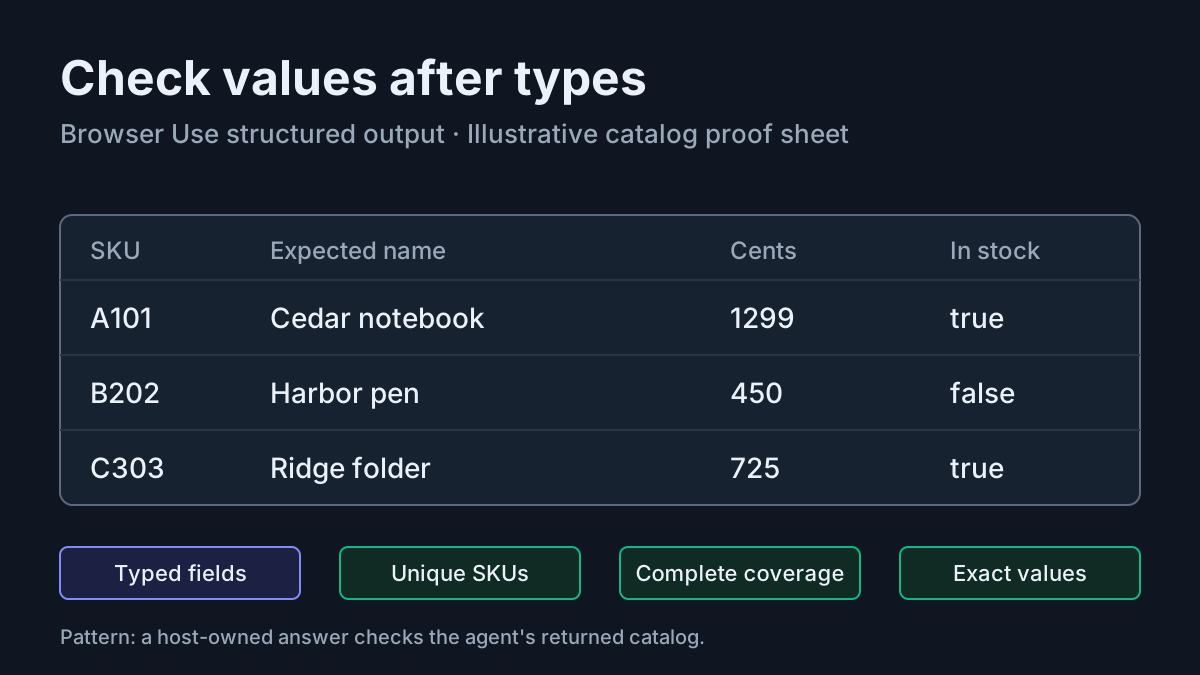
This is the same boundary explored in structured record verification: a typed answer still needs a factual comparison. Document conversion testing is relevant when the input representation itself loses rows. For broader assessment design, testing agentic software provides a related framework; it does not substitute for this invoice’s manual calculation.
Recover from incomplete or unsuccessful runs
| Observation | Next action | Completion condition |
|---|---|---|
| Creation has not returned Succeeded. | Inspect the creation operation response and correct the definition or prerequisite identified there before analyzing. | The separate example analyzer finishes creation successfully. |
| Analysis remains Running or NotStarted. | Continue retrieving that operation at the quickstart’s one-to-two-second interval. | A completed response is available for interpretation; no duplicate submission is used as polling. |
| A required field is absent or unusable. | Withhold acceptance, inspect the response and document, and review whether the field description asks an answerable question. | All required comparisons can be supported, or the case remains explicitly unresolved. |
| A rate-limit error occurs. | Check existing completion deployment capacity against the documented 400,000 TPM guidance and stop launching additional parallel example jobs. | The capacity issue is understood before another authorized attempt. |
| The result fails document validation. | Keep the example analyzer separate and return the caller to its previous analyzer configuration. | The caller no longer relies on the unvalidated result. |
The selected documentation does not supply a complete failed-job response contract or a documented retry schedule for 429 responses. Do not infer one from the normal polling interval. Waiting between status checks and recovering a rate-limited model deployment are different problems. This guide deliberately stops short of inventing automatic retries, idempotency guarantees, or terminal-status enumeration.
If you refine a field description, retain the earlier definition so you can compare what changed. The quickstart supports refining descriptions and running again, but labeled-sample improvement is unavailable in this agentic preview. Make the next attempt answer a specific question, such as whether a summary row was incorrectly included, rather than rerunning an unchanged prompt until it returns a preferred boolean.
Rollback here means returning the caller to its previous analyzer identity, not overwriting that analyzer with the example configuration. If you later want a nonagentic comparison, the documented selector is default, or workflow can be omitted; the service selects a workflow from the configuration. Build that comparison separately. Do not describe default as a guarantee of identical quality or latency.
Keep the original definition, actual operation responses, and manual calculation together when handing the issue to another developer. Fleet replay explains why retaining what happened matters; cost per completed task is useful when deciding whether extra reasoning earns its consumption. Neither requires treating a preview success response as permission to automate payment.
You have completed this integration when the separate analyzer is created, its one-file analysis finishes, and every required value agrees with a documented manual interpretation. For task:invoice-reconcile-01, the final numerical verdict remains yours to establish from the actual PDF. The copyable definition and requests are supported; the illustrative fixture shows exactly why a mismatch can be an informative result.