Docling vs MarkItDown: Run a Twenty-File Intake Bake-off on Your Own Documents
Run Docling vs MarkItDown on twenty of your own files: a per-file log, a hand-checked truth table, and a written rule for which converter gets each file class.

Go deeper. Build your own.
Seven Docling releases and a MarkItDown point release shipped between September 14 and October 3, so any converter comparison you bookmarked this summer tested software you no longer run. The Docling vs MarkItDown question also has no general answer. It has an answer for your scanned invoices, your board decks and your spreadsheets with merged headers, and you only get it by running both on them.
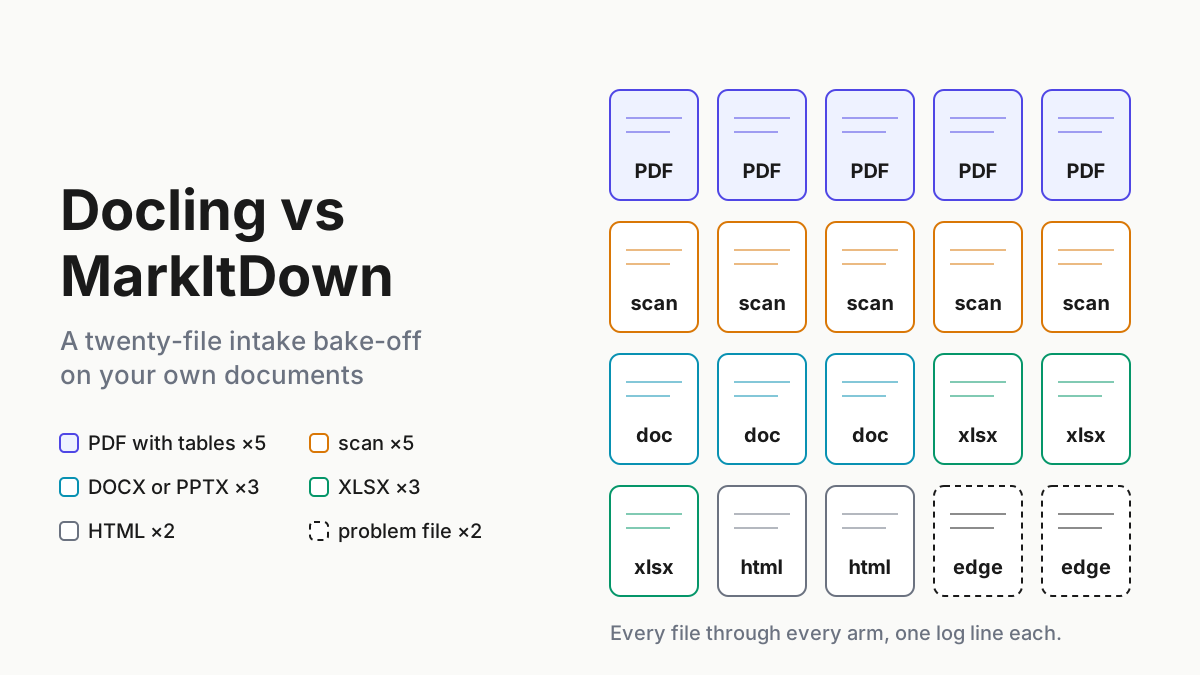
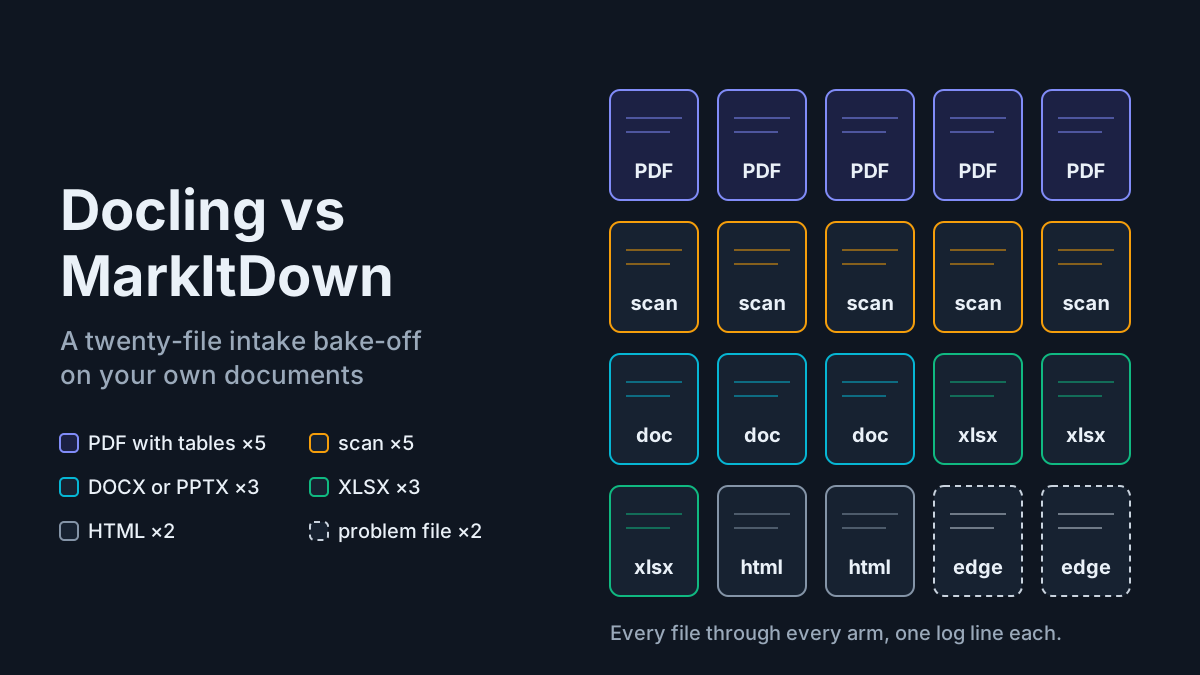
The move is a twenty-file bake-off on your own documents, one log line per file per tool, scored against a truth table you check by hand. It ends with a written rule that names a converter for each file class, and that rule usually picks both tools: MarkItDown where speed matters and the file was born digital, Docling or a vision-model tier where tables, scans or reading order carry the meaning.
Plan an afternoon for the first run and an hour for every rerun after that.
What shipped: MarkItDown 0.1.8, Docling 2.127 to 2.133, and the MCP servers beside them
Microsoft’s MarkItDown 0.1.8 reached PyPI on September 21, 2026, after betas on September 4 and 14. The release notes say it “rolls up dozens of small patches and bug fixes”, migrates to MCP SDK 2.x for compatibility with 2026-07-28 clients, refactors the markitdown-ocr plugin, and that “For most standard use cases, behavior remains consistent with version 0.1.7.” The license is MIT.
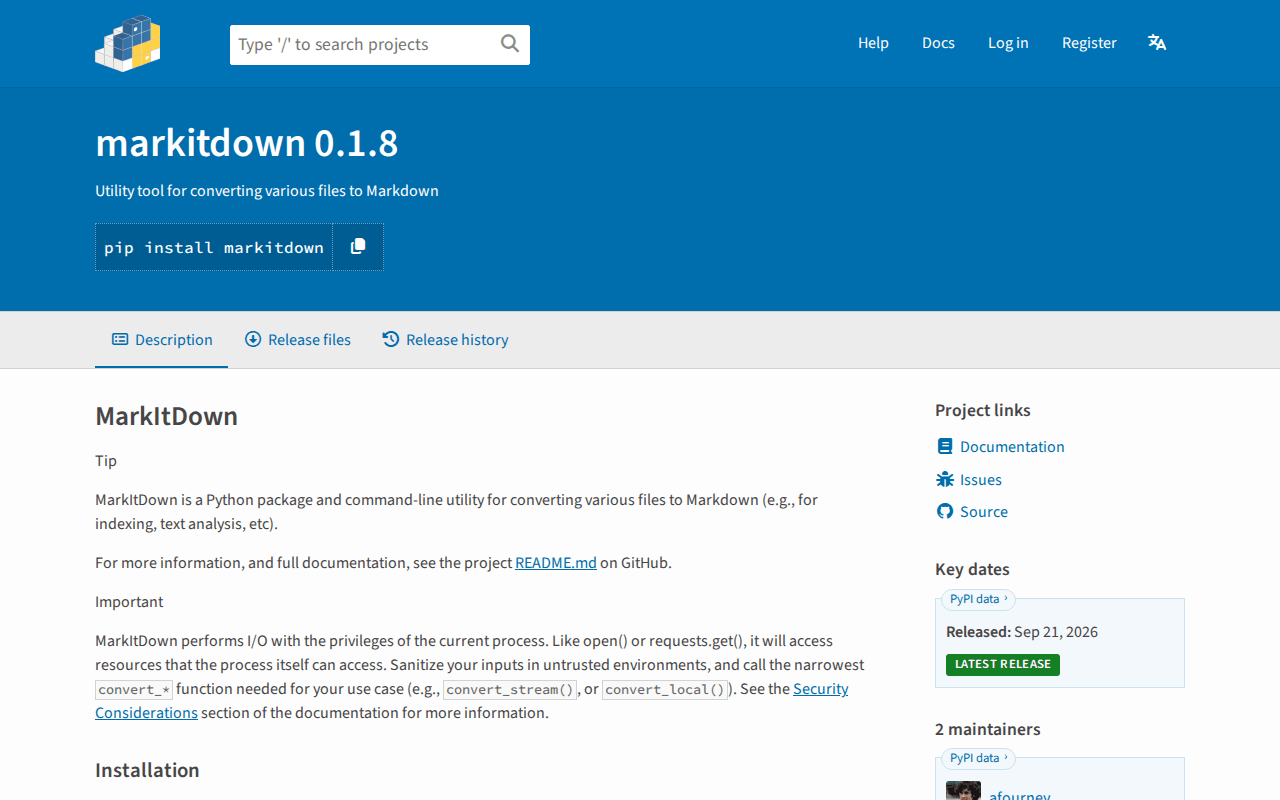 Screenshot: PyPI, “markitdown · PyPI” (0.1.8, released Sep 21, 2026), captured Oct 5, 2026.
The PyPI page carries the line every agent operator should read twice: MarkItDown “performs I/O with the privileges of the current process”, so “Sanitize your inputs in untrusted environments, and call the narrowest convert_* function needed for your use case.” Stock MarkItDown has no OCR. OCR is the optional markitdown-ocr plugin, which uses a vision-capable LLM, and plugins stay off until you pass --use-plugins. The separate markitdown-mcp package shipped 0.0.1a7 on September 14, its first release since May 2025, and its README calls it “meant for local use, with local trusted agents.”
Docling moved faster. The PyPI history shows 2.127.0 on September 14 and 2.133.0 on October 3, with five releases between. The project is MIT-licensed and hosted by the LF AI & Data Foundation.
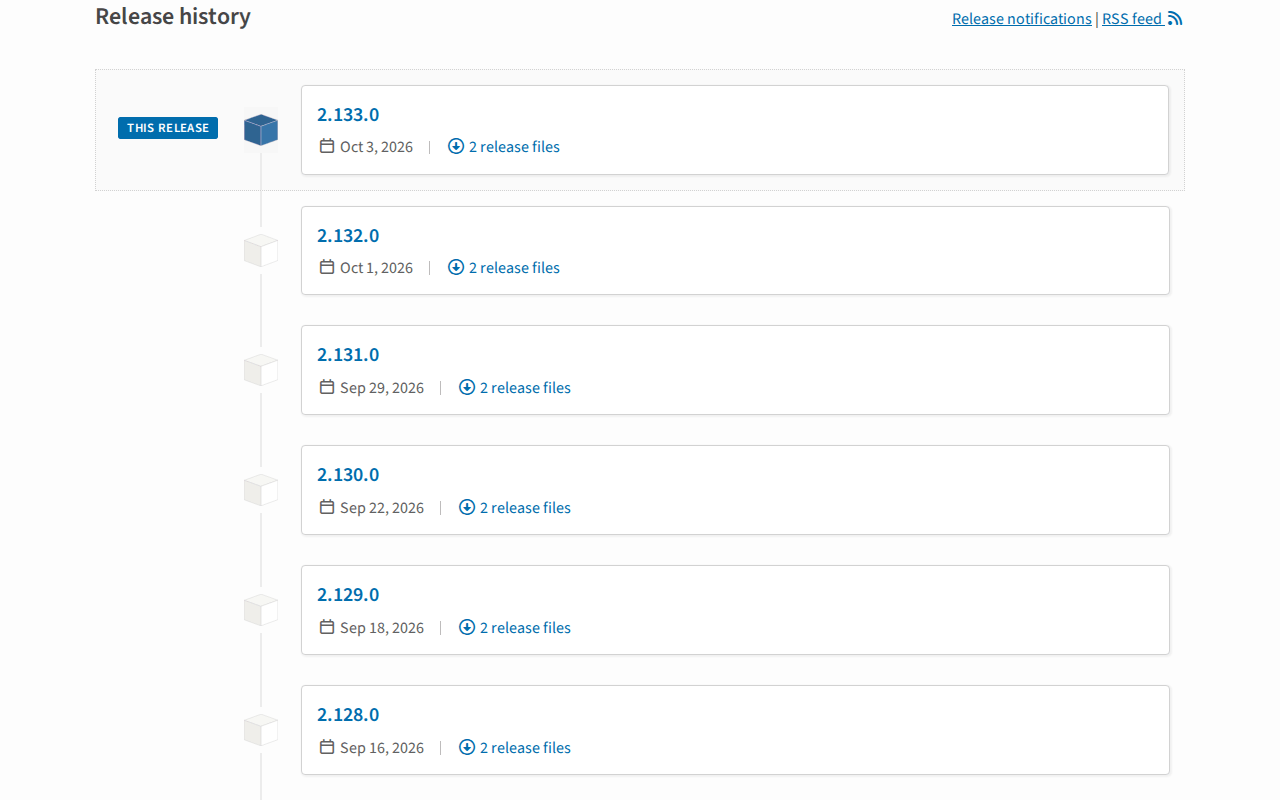 Screenshot: PyPI, “docling · PyPI” (release history, Oct 3, 2026), captured Oct 5, 2026.
The Docling release notes for the window change what a bake-off has to record. Version 2.127 added an MHTML backend and canonicalized OCR languages to BCP-47 across engines. Version 2.128 removed the pypdfium dependency in a PDF backend refactor, honored EXIF orientation and added NVIDIA Nemotron Parse 2.0 as a vision-language model option; 2.130 added MinerU 2.5 Pro as a supported VLM. Around the core, docling-mcp shipped 3.2.1 on September 24 and docling-serve shipped 1.36.0 on October 1. Those are three packages with three version numbers, and your log needs all three.
Why agent intake raised the bar for document conversion
A person reading a mangled table notices. An agent reading one copies the wrong number into a ticket, a reply or a spreadsheet, and nothing flags it. Once agents act on converted documents, conversion quality becomes an input-quality problem with consequences downstream.
MCP converters widen the blast radius too. A converter exposed as a tool lets the agent decide which file to read, and a server that accepts file: URIs reads whatever its user account can read. The bake-off below tests output quality and fences the process in one pass.
The twenty-file bake-off protocol, step by step
The format borrows from the memory-layer bake-off: a frozen input set, pinned arms, a scoring sheet written before anything runs, and a decision rule at the end.
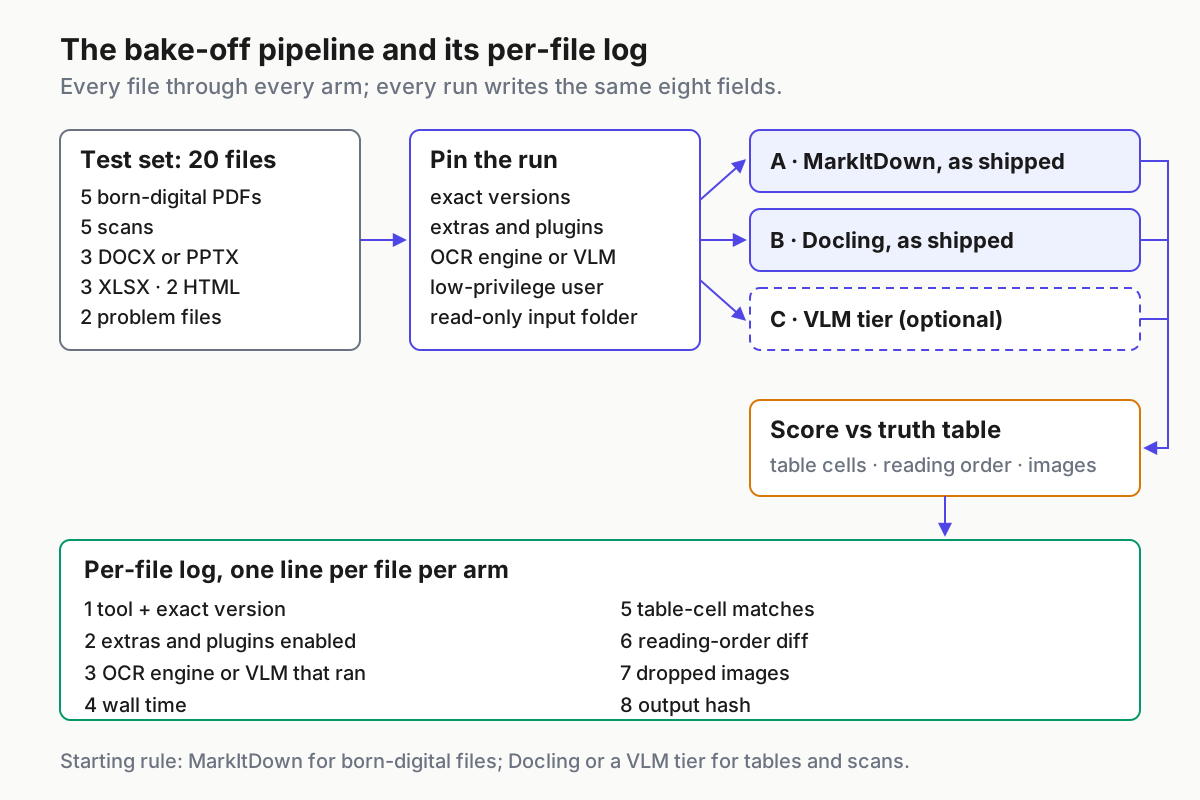
 The bake-off pipeline: every file goes through every arm, and every run writes the same eight log fields.
Step 1: Build the test set from your own worst files
Pull twenty real files from the folders your agents will actually read. Choose the ones that annoyed somebody, because the clean ones tell you nothing.
| Count | File class | Pick files that have | What it tests |
|---|---|---|---|
| 5 | Born-digital PDFs with tables | Multi-page tables, merged headers, footnotes | Table structure, reading order |
| 5 | Scans | Low contrast, stamps, handwriting margins, a non-English page | OCR engine, language settings |
| 3 | DOCX or PPTX | Nested lists, speaker notes, embedded charts | Heading levels, dropped content |
| 3 | XLSX | Several sheets, merged cells, formulas | Sheet-to-table mapping |
| 2 | HTML or MHTML | A saved web page with navigation clutter | Boilerplate removal |
| 2 | Nasty | A rotated or EXIF-tagged scan, a mixed-language report | Edge handling |
- Copy the files into a read-only input folder and record each file’s SHA-256.
- Strip or replace anything you would not paste into a ticket; the bake-off log will quote fragments.
- Freeze the set. If you swap a file later, it is a new set with a new name.
Step 2: Hand-check a truth table before any converter runs
Scoring after you have seen the outputs invites you to grade the tool you already like. Write the answer key first.
- For each file with a table, pick one table and record ten cells as (row, column, value), including one header cell and one cell under a merged header.
- For each file, write the heading sequence as it reads to a person, top to bottom.
- Count the figures and images a reader would expect to survive.
- For scans, transcribe two sentences exactly, including accents and numbers.
This is the same discipline as a session import fidelity test: decide what must survive before you look at what did.
Step 3: Pin both arms exactly as you would ship them
Test the configuration you would run in production, not the defaults on a README. That means the exact version, the extras you install, whether plugins are on, and which OCR engine or VLM the run actually used. An illustrative environment, with versions current on October 5:
python -m venv bakeoff && . bakeoff/bin/activate
pip install "markitdown[pdf,docx,pptx,xlsx]==0.1.8" "docling==2.133.0"
pip freeze > bakeoff/env.lock
MarkItDown’s extras are opt-in by name (pdf, docx, pptx, xlsx, xls, outlook, the Azure Document Intelligence and Content Understanding extras, or all), so an arm without pdf is not testing PDFs. Docling canonicalized OCR languages to BCP-47 codes in 2.127, so write the code you pass in the log rather than trusting a config file written before that release. If you want a third arm, use a VLM tier: Docling’s own VLM pipeline, Marker (2.0.0, July 20), or MinerU (4.0.10, September 29).
Read licenses before you score. Docling’s code is MIT, but the third-party VLMs it can call carry their own terms. Marker’s code is Apache-2.0 (its README and the repository’s license badge agree, after an earlier GPL-3.0 period) and its model weights are under a modified AI Pubs Open Rail-M license that is free for research, personal use and startups under $5M in funding or revenue. MinerU ships under its own “MinerU Open Source License”, Apache-2.0 based with additional conditions.
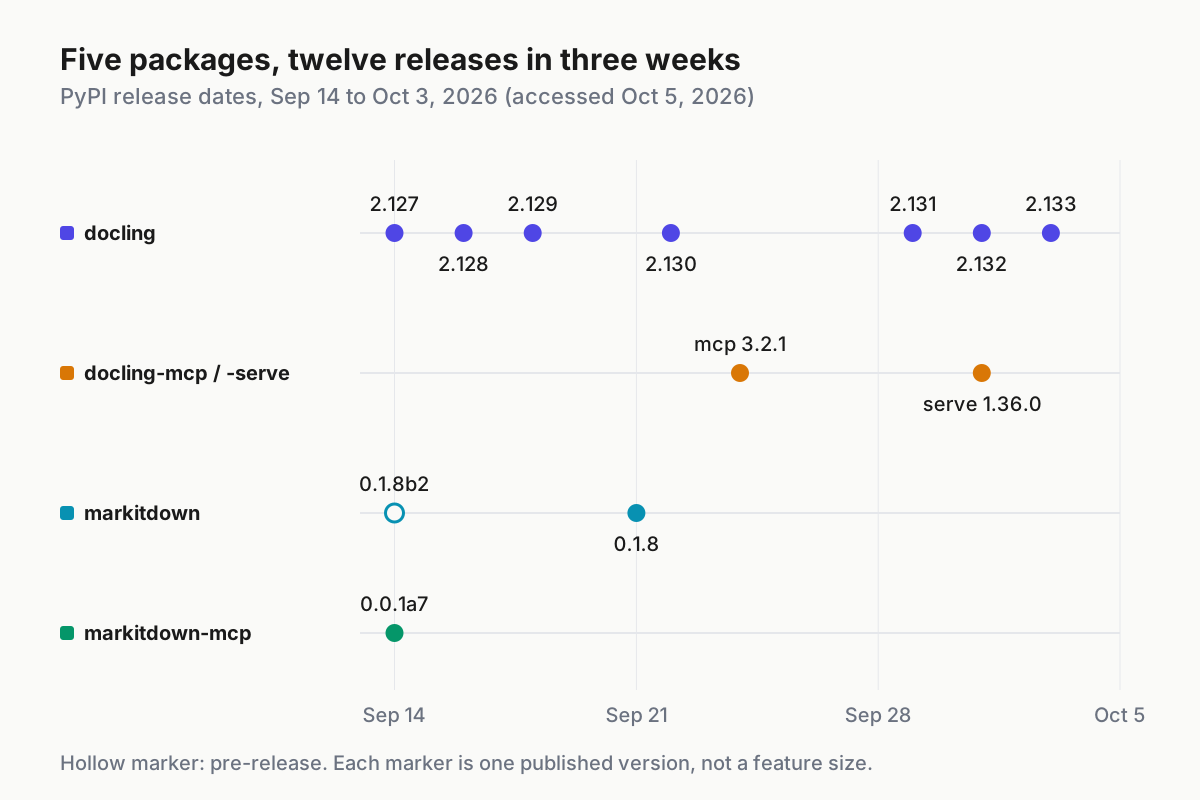
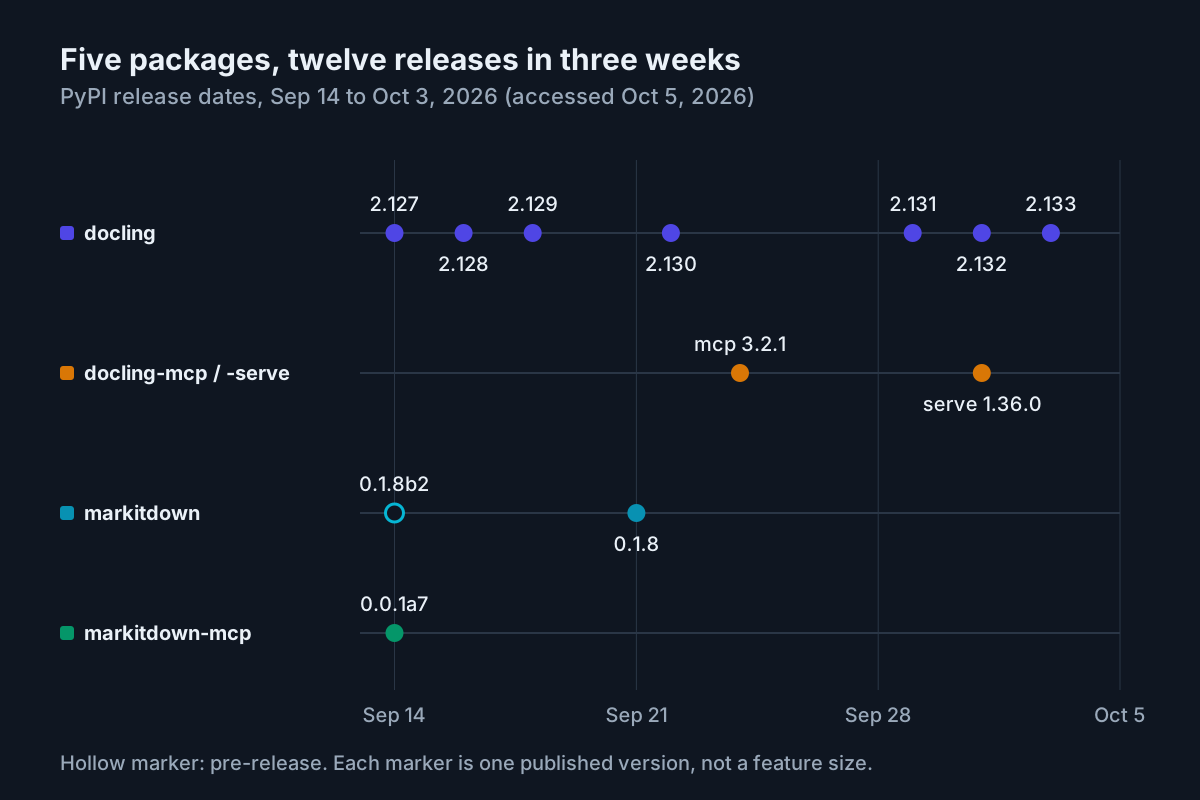 Five packages shipped twelve releases in three weeks, per PyPI release histories accessed Oct 5, 2026. Pin all of them.
Step 4: Run every file through every arm and log one line per file
Run the arms from a shell script so the commands are part of the record. The shapes below are illustrative; check each tool’s --help in your pinned version for the flags it accepts.
for f in in/*; do
  name=$(basename "$f")
  /usr/bin/time -f "%e" -o "logs/markitdown-$name.time" markitdown "$f" -o "out/markitdown/$name.md"
  /usr/bin/time -f "%e" -o "logs/docling-$name.time" docling "$f" --to md --output out/docling/
done
sha256sum out/markitdown/*.md out/docling/*.md > logs/output-hashes.txt
Run the arms on the hardware your agents will really use. Docling loads layout and OCR models before it converts anything, so time the first file separately from the rest: the cold start belongs in the log, but it should not decide a per-file comparison. If you plan to run Docling Serve in a container, the published images are large, roughly 4.4 GB for the CPU-only build and 11.4 GB for CUDA 12.8 per the PyPI page on Oct 5, which matters more on laptops and CI runners than on a server.
Then write one JSON line per file per arm. These values are invented to show the shape.
{"file": "scan-03-invoice.pdf", "class": "scan", "arm": "docling",
 "tool_version": "docling 2.133.0", "extras": [], "plugins": [],
 "ocr_engine_ran": "<engine name from the run log>", "ocr_lang": "de",
 "vlm_model_ran": null, "wall_s": 18.2,
 "table_cells_matched": "7/10", "reading_order_diff": 1,
"images_dropped": 0, "output_sha256": "4be1...90c2"}-
ocr_engine_ranandvlm_model_ranrecord what actually ran, taken from the tool’s own output, not what you configured. -
pluginsis an empty list for stock MarkItDown; ifmarkitdown-ocris in your production plan, it is a separate arm with its own rows. - Run every arm twice on two files and compare hashes. Different hashes on the same version means the arm is not deterministic, which belongs in the log too.
Step 5: Score tables, reading order and images instead of eyeballing
- Table-cell match: cells from the truth table found in the right row and column of the Markdown table. A value that appears in a paragraph instead of a table does not count.
- Reading-order diff: the number of headings missing or out of sequence against your hand-written list.
- Dropped images: expected figures minus figures present as an image reference or placeholder.
- Scan fidelity: your two transcribed sentences, character for character.
- Wall time per file, on the hardware the agent will really use.
One public test on a 14-page EU regulation (May 2026, updated August 26) timed MarkItDown at 0.6 seconds, Docling at 41 seconds on CPU and Marker at 2 minutes 14 seconds, and reported MarkItDown turning tables into “run-on paragraphs”. Those numbers come from one document on one machine and predate September’s releases. Treat them as a reason to run your own scoring.
Step 6: Read results by file class, then write the decision rule
Average scores across all twenty files hide the answer. Read the log by class and write one row per class. Set each class’s bar before you open the results; nine of ten truth-table cells is a sensible example for any class that feeds numbers to an agent, and a speed-sensitive class can trade a point of fidelity for a large cut in wall time.
| File class | Starting rule | Overturn it when your log shows |
|---|---|---|
| Born-digital PDF, prose-heavy | MarkItDown | Reading-order diff above zero on more than one file |
| Born-digital PDF with tables | Docling | MarkItDown matches your table cells at a similar rate |
| Scans | Docling with OCR, or a VLM tier | The VLM tier wins on scan fidelity and its license fits |
| DOCX, PPTX | MarkItDown | Heading levels or speaker notes go missing |
| XLSX | MarkItDown | Merged headers break the table mapping |
| HTML, MHTML | Either; Docling reads MHTML natively | Boilerplate swamps the content |
The starting rule is a hypothesis. Ship the rule your log supports, even when it contradicts the blog post you read first. Write the owner’s name and the date under the table, and store it next to the log.
Step 7: Fence every MCP converter before an agent can call it
Both projects ship conversion as an agent tool, and both tools read files with whatever rights their process has. markitdown-mcp exposes a single tool, convert_to_markdown(uri), that accepts http, https, file and data URIs; its README warns “DO NOT bind the server to other interfaces unless you understand the security implications.” docling-mcp runs in local, remote (through Docling Serve) or hybrid mode, and Docling Serve listens on 127.0.0.1:5001 with a POST /v1/convert/source endpoint.
- Run the converter over stdio, launched by the agent host, rather than as a network listener.
- Run it as a low-privilege user that can read one allowlisted input folder and nothing else.
- If you must run Docling Serve, keep it on localhost and in front of nothing.
- Decide whether the agent may pass
httpURIs at all; if research reads need the web, route them through your web-to-Markdown fetch pipe instead. - Register the server in the same tier as other unauthenticated tools; the keyless MCP trust tier lists the controls.
Treat incoming documents the way you treat incoming repos. The quarantine-user habit from the GitSpawn intake checklist applies to PDFs as well.
Step 8: Rerun the bake-off when a pinned version moves
Docling shipped seven releases in under three weeks, with gaps of two to seven days, so “upgrade when convenient” means upgrading constantly. Rerun the frozen set before any version bump reaches an agent.
- Rerun only the changed arm, on all twenty files.
- Diff output hashes against the last run; open every file whose hash changed.
- Re-score only the changed files, and promote the new version only if no class drops below its bar.
MarkItDown vs Docling failure modes and the signal for each
- An OCR test of stock MarkItDown. The scans come back empty or nearly empty and someone concludes MarkItDown “can’t read scans”. Signal: an empty
pluginsfield on scan rows. The test measured nothing. - Tables flattened into prose. Numbers survive, structure does not, and the agent pairs the wrong value with the wrong header. Signal: low table-cell match while a text search still finds every value.
- A stale language code. An OCR config written before 2.127 passes engine-specific language strings, and nobody checked how they map now that Docling uses BCP-47 codes. Signal: accented characters garbled on non-English scans after an upgrade.
- A silently different model. The VLM that ran is not the one you configured, or a default moved between versions. Signal:
vlm_model_randiffers from the config or between runs. - License drift. A third arm wins on quality, and nobody checked the weights’ terms before it went into production. Signal: an empty license column in the decision table.
- An exposed converter. A converter server ends up listening beyond localhost for convenience. Signal: a listener on a non-loopback interface in your port inventory.
Make document intake a fleet-wide lane
A converter choice made inside one agent’s prompt gets made again, differently, in the next one. Put the decision rule, the pinned versions and the MCP fencing in one place the whole fleet reads, and every agent that touches a PDF inherits the same intake lane.
The checklist for corporate AI on a Windows PC asks what leaves disk; the intake lane answers half of that for documents, because a local converter on an allowlisted folder keeps the file where it was. Review it the way you would review a computer-use trajectory: judge the process each file went through, not one impressive output.
FAQ
Is Docling better than MarkItDown for PDFs?
It depends on the PDF. Docling is built for layout, table structure and OCR, so it is the usual pick for table-heavy files and scans. MarkItDown is far lighter and often good enough for prose-heavy, born-digital files. Run both on your own files and score table cells before you decide.
Does MarkItDown do OCR on scanned documents?
Not out of the box. Stock MarkItDown has no OCR. OCR comes from the optional markitdown-ocr plugin, which uses a vision-capable LLM, or from the Azure Document Intelligence extras. Plugins are disabled until you pass –use-plugins, so test the plugin as its own arm.
Is it safe to run Docling or MarkItDown as an MCP server?
Only locally. markitdown-mcp describes itself as meant for local use with local trusted agents and has no authentication. Run either converter over stdio, as a low-privilege user restricted to one input folder, and never bind a converter server to a network interface other agents or people can reach.
Sources
- Microsoft, MarkItDown v0.1.8 release notes (Sep 21, 2026): https://github.com/microsoft/markitdown/releases/tag/v0.1.8
- PyPI, markitdown 0.1.8 (released Sep 21, 2026): https://pypi.org/project/markitdown/
- PyPI, markitdown-mcp 0.0.1a7 (Sep 14, 2026): https://pypi.org/project/markitdown-mcp/
- Docling project, GitHub releases 2.127 to 2.133 (Sep 14 to Oct 3, 2026): https://github.com/docling-project/docling/releases
- PyPI, docling release history (2.133.0, Oct 3, 2026): https://pypi.org/project/docling/#history
- PyPI, docling-mcp 3.2.1 (Sep 24, 2026): https://pypi.org/project/docling-mcp/
- PyPI, docling-serve 1.36.0 (Oct 1, 2026): https://pypi.org/project/docling-serve/
- Datalab, Marker README and license terms (2.0.0, Jul 20, 2026): https://github.com/datalab-to/marker
- PyPI, mineru 4.0.10 (Sep 29, 2026): https://pypi.org/project/mineru/
- danilchenko.dev, “markitdown vs docling vs marker” (May 3, 2026, updated Aug 26, 2026; third-party test): https://www.danilchenko.dev/posts/markitdown-vs-docling-vs-marker/