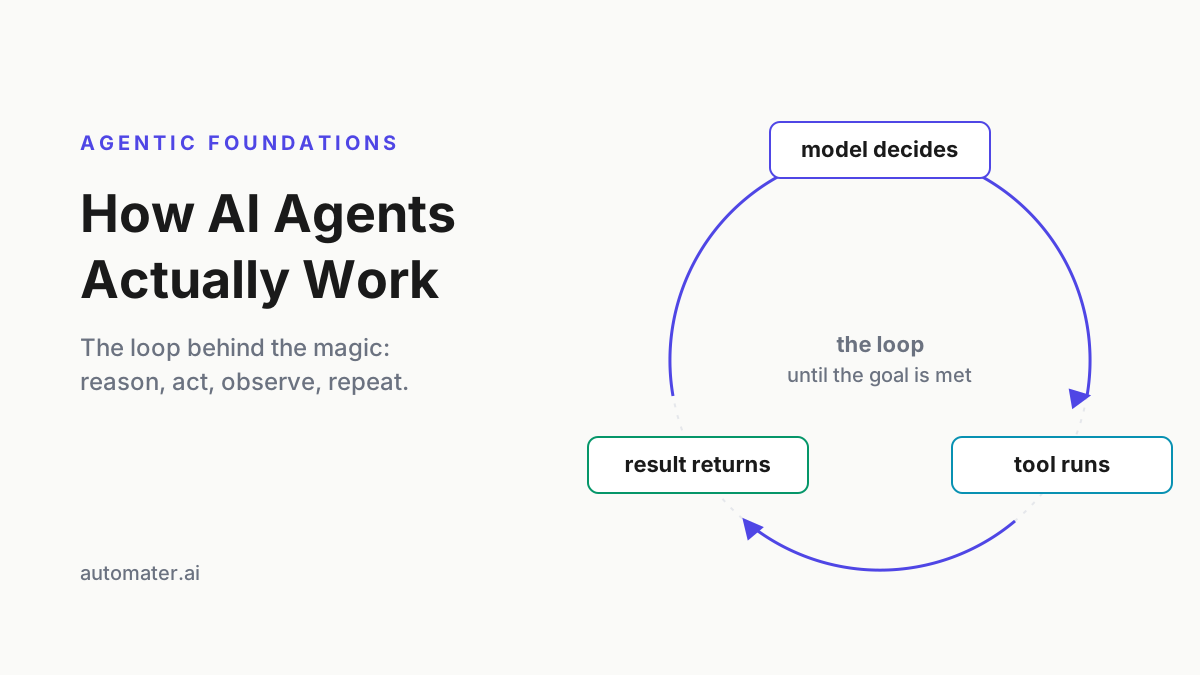
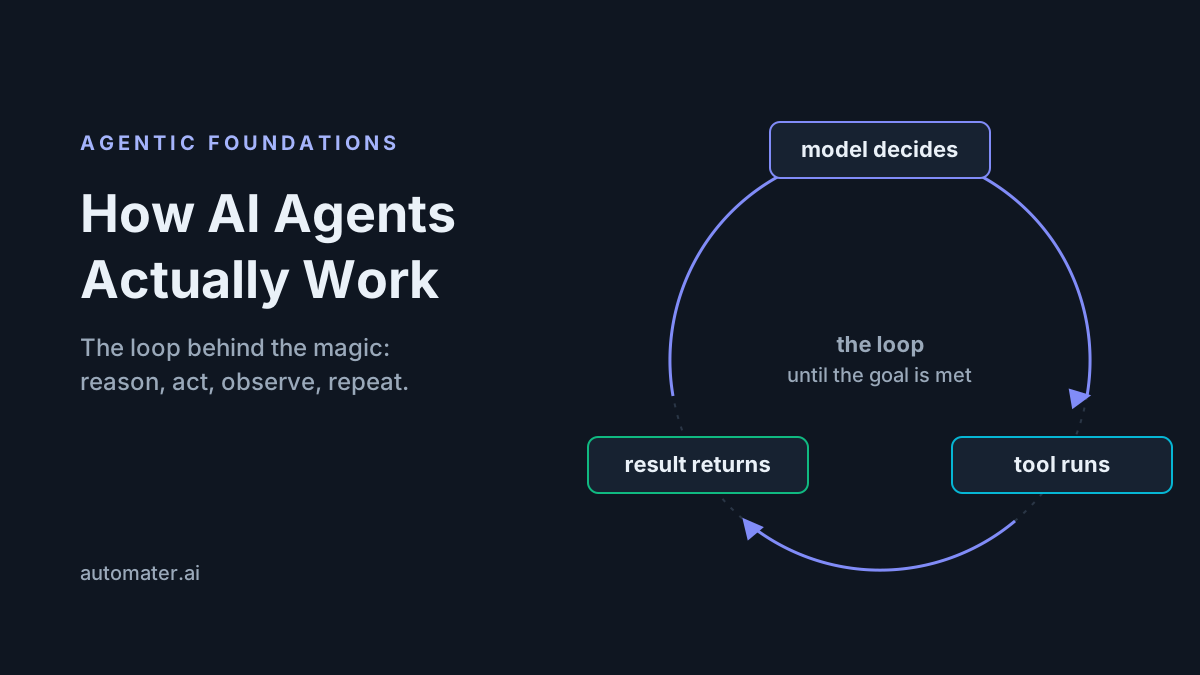
What Is an Agentic Workflow? Anatomy, Patterns, and Real Examples
Learn what an agentic workflow is: the seven-stage anatomy, six core patterns, 11 real examples, and when to skip agents — from a team that runs them daily.

Go deeper. Build your own.
What is an agentic workflow? The 40-word answer
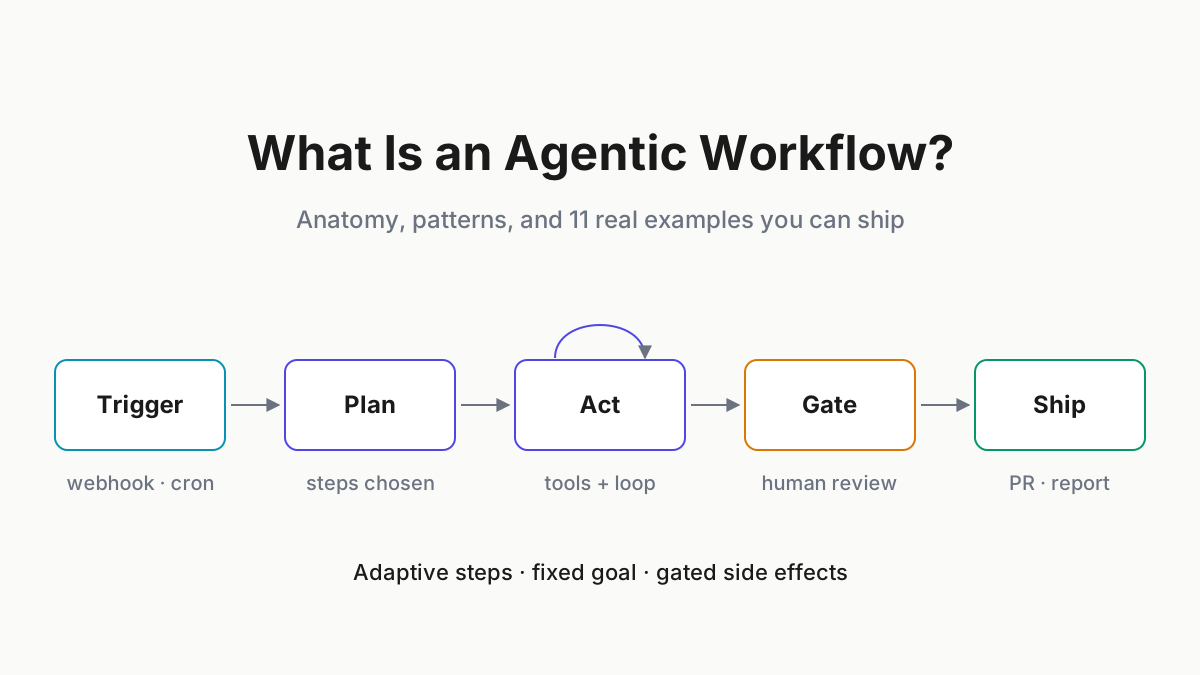
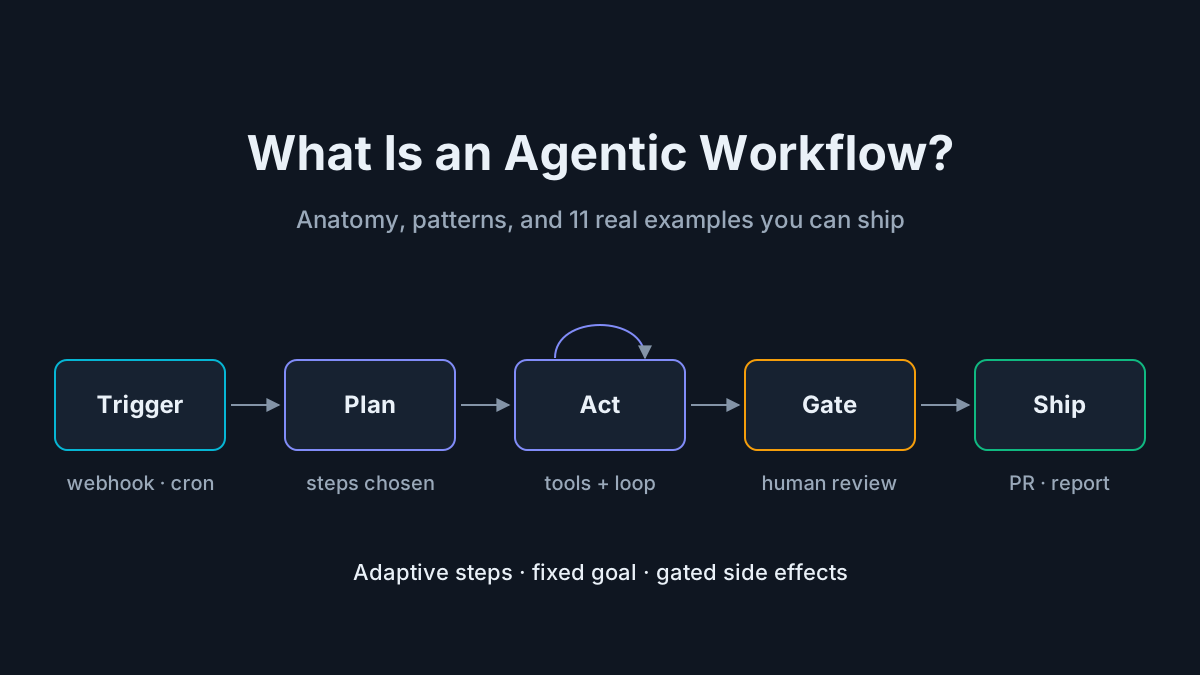
An agentic workflow is a multi-step process in which AI agents plan, call tools, and act toward a defined outcome — with checkpoints for human review — instead of executing a fixed script. Steps adapt to what the agent finds; the goal stays fixed.
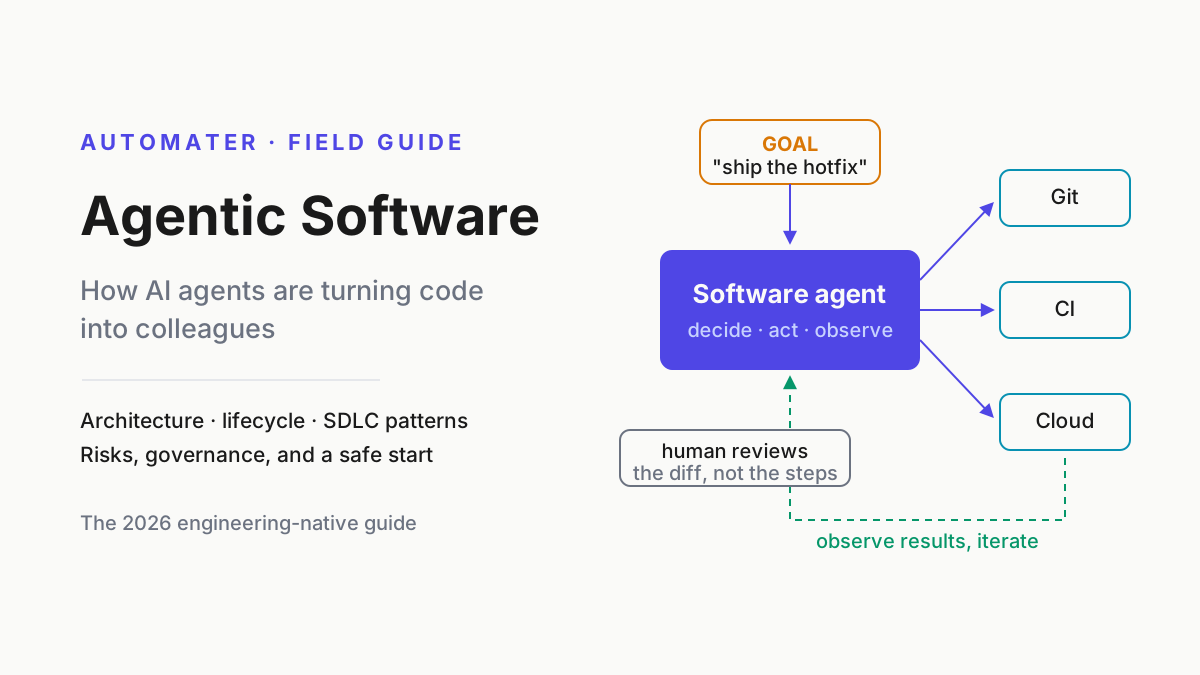
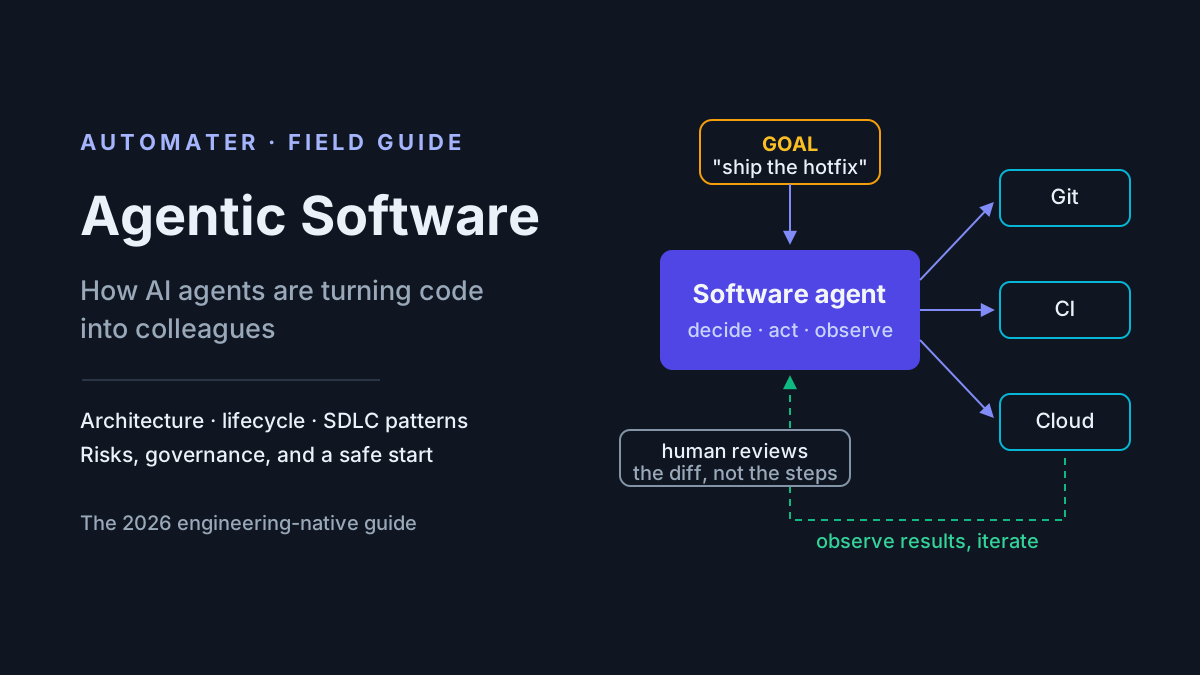
One before/after makes the difference concrete. A cron job that runs npm audit and emails you the report is automation. A workflow that reads the audit, upgrades the dependencies whose changelogs look safe, runs your test suite, and opens a pull request explaining what it skipped — that is an agentic workflow.
Three neighboring terms, one line each: the agentic workflow is the orchestrated process; the AI agent is the actor inside it; agentic software is the discipline of building systems that act. Ahead: the seven-stage anatomy, six patterns, eleven real examples, when not to bother, and how to design and run your first one.
The anatomy: seven stages every agentic workflow shares
Strip away the vendor diagrams and every agentic workflow we have built or audited runs on the same spine: trigger → context assembly → plan → tool loop → checkpoints → output → evaluation.
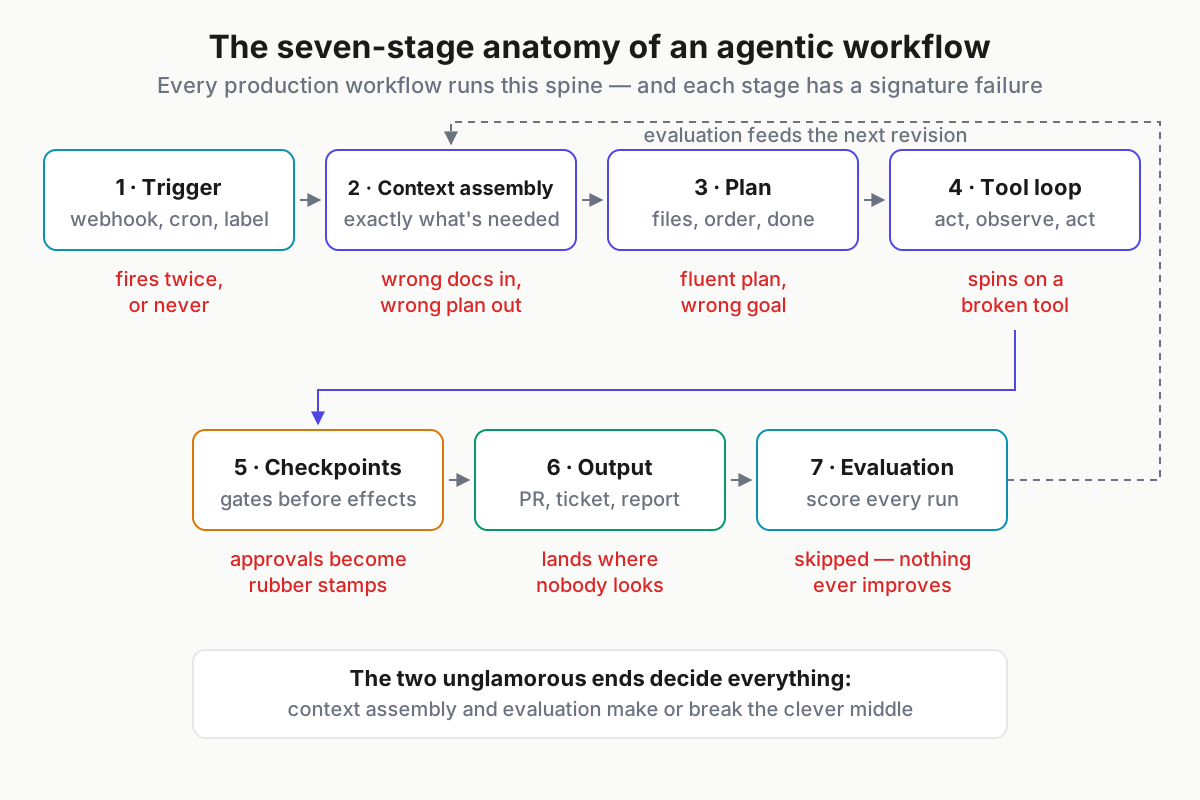
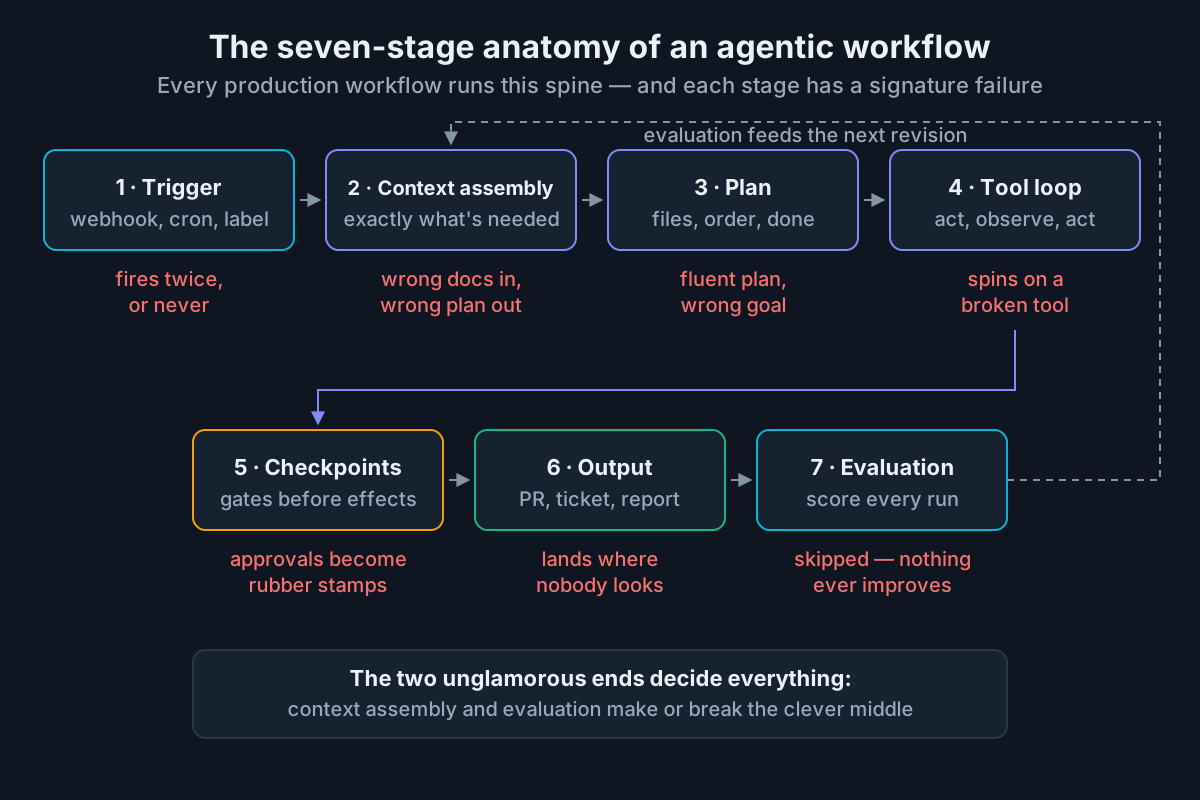 The seven stages — and where each one actually fails in production.
1. Trigger. Every run starts with an event: a webhook from the issue tracker, a nightly cron, an agent-fix label, a human typing “go”. Good triggers are idempotent and carry an ID the run can be traced back to. Characteristic failure: the trigger fires twice, or never, and nobody notices either.
2. Context assembly. Before any model call, the workflow gathers exactly what the task needs — the ticket, the diff, the failing logs, the style guide — and nothing else. Most workflow failures trace back to this stage, not to the model. Wrong docs in, confidently wrong plan out.
3. Plan. The agent proposes an approach: which files, what order, what done looks like. Plans are cheap to review and cheap to reject, which makes this the highest-leverage checkpoint in the whole pipeline. Failure mode: a fluent plan aimed at the wrong goal, approved on a skim.
4. Tool loop. The agent acts through tools — shell, editors, APIs, increasingly served over MCP now that the 2026-07-28 spec revision made tool calls stateless and gateway-friendly — observes the result, and acts again. Failure mode: spinning on a broken tool, burning tokens against the same error.
5. Checkpoints. Defined gates where side effects wait for review: draft-PR-only mode, an approval message, a dry run. Which actions need a human is a blast-radius decision, not a vibes decision. Failure mode: gate fatigue — approvals turn into rubber stamps within a month.
6. Output. The artifact ships somewhere humans already look — a pull request, a ticket update, a posted report. Failure mode: correct work landing in a log nobody reads, which is indistinguishable from no work at all.
7. Evaluation. The run gets scored — pass/fail checks, human ratings, sampled transcript reviews — and the score feeds the next revision of the workflow itself. This is the stage most teams skip, which is why most workflows never improve.
To see the spine in motion, map the dependency-upgrade example onto it: the trigger is a Monday cron; context assembly pulls advisories, the lockfile, and last week’s failures; the plan lists which packages move and which wait; the tool loop edits, installs, and runs the suite; the checkpoint is a grouped draft PR; the output is the PR itself; evaluation records merge rate and how often a human had to intervene. Every workflow in this article decomposes the same way, which is what makes the anatomy worth memorizing.
If you remember one thing from the diagram: the two unglamorous ends, context assembly and evaluation, decide whether the clever middle ever works.
Agentic workflows vs AI agents: orchestration vs autonomy
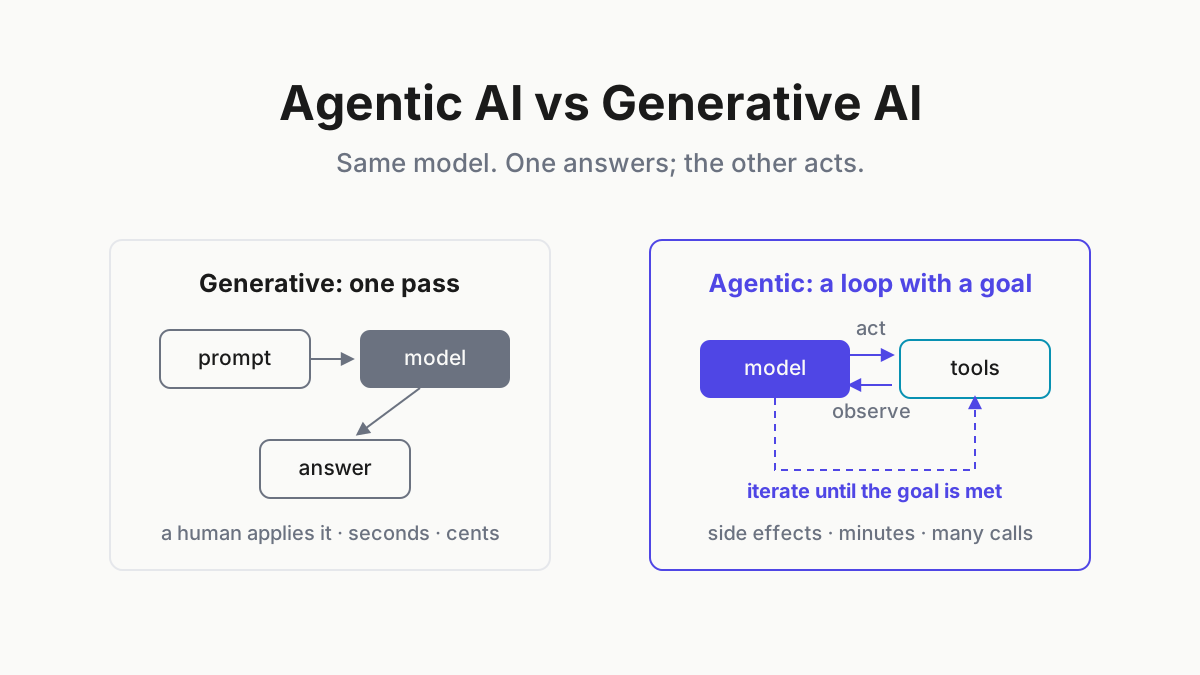
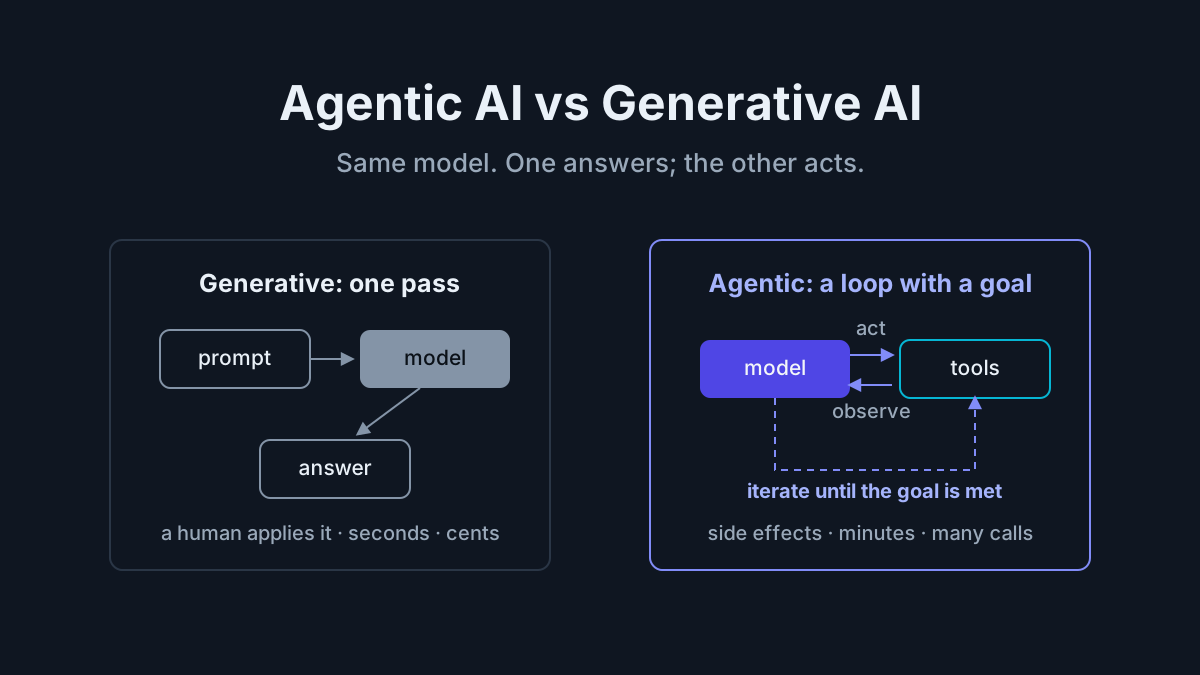
The cleanest line in the field comes from Anthropic’s Building Effective Agents guidance: workflows orchestrate models and tools through predefined code paths, while agents dynamically direct their own process and tool use. The distinction is about who owns the control flow, not about intelligence.
Concretely: a release-notes workflow always runs gather-diff → summarize → format → post, whatever the diff contains. A coding agent told “fix the flaky checkout test” chooses its own tools, order, and stopping point — the open-ended mode that agentic coding covers in depth.
| Workflows (orchestration) | Agents (autonomy) |
|---|---|
| Predefined path, adaptive steps | Path chosen at runtime |
| Bounded cost and latency per run | Open-ended cost until a limit hits |
| Evaluated stage by stage | Evaluated by final outcome |
| Fail small and locally | Fail creatively |
| Cheap to audit | Expensive to audit |
Why the line matters: workflows are cheaper, more predictable, and far easier to eval; agents absorb ambiguity that no enumerable path can. Most production systems are workflows with one or two agentic steps inside — and the maturity path runs one direction. Teams start with a workflow, hit branches they cannot enumerate, and promote specific steps to agentic. Almost nobody demotes an agent back into a script until the bill or an incident forces the conversation.
The promotion moment is usually easy to spot in retrospect. The support-triage workflow that routed cleanly for six months starts meeting tickets that span two categories; the remediation step that handled version bumps meets a breaking API change. When the branch list stops being enumerable, that one step gets an agent — and the rest of the pipeline stays exactly as boring as it was.
Foundation patterns: prompt chaining, routing, parallelization
Six patterns cover nearly every agentic workflow in production. The first three have fixed structure you can draw before the first run.
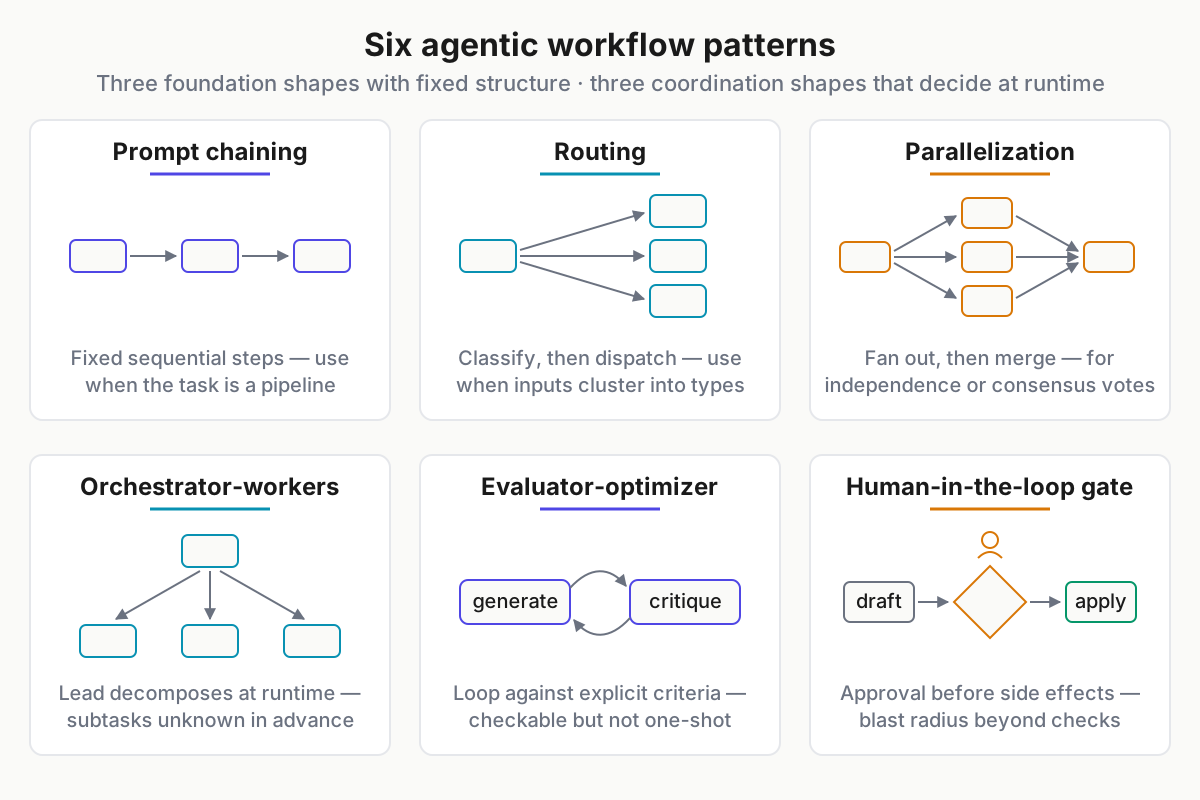
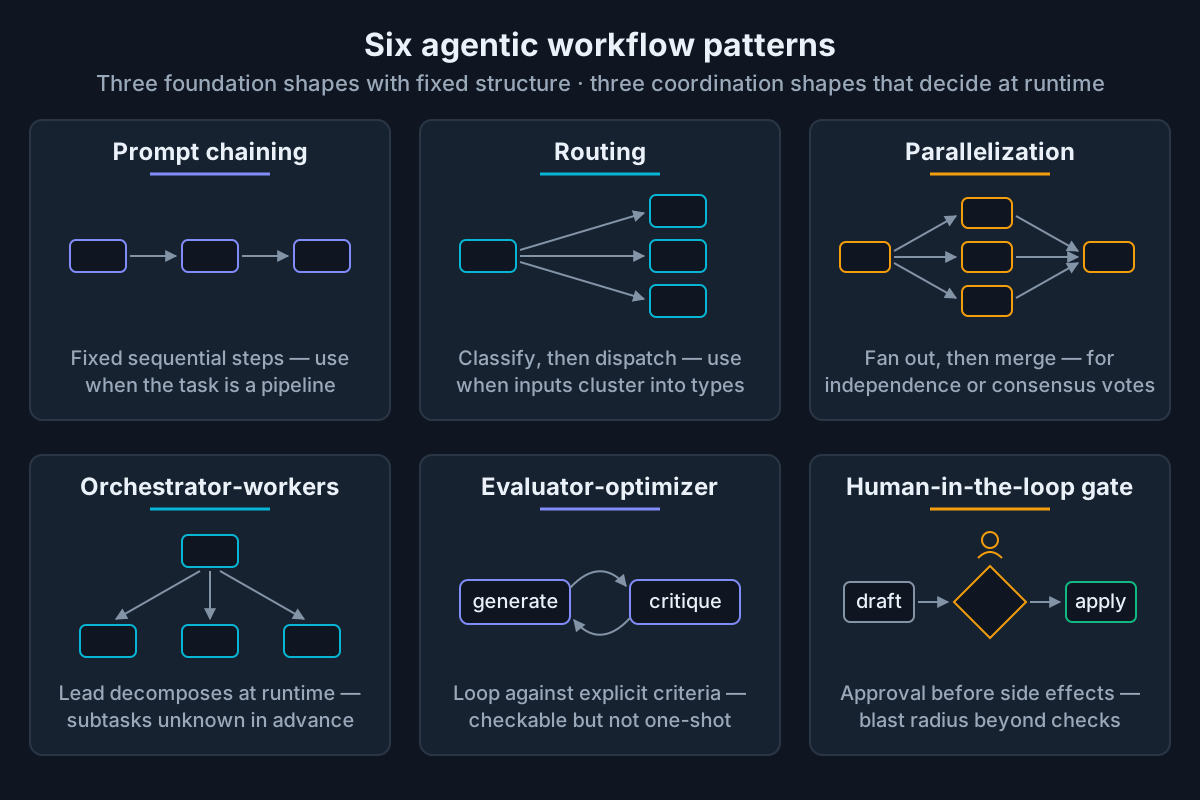 The pattern catalog: three foundation shapes, three coordination shapes.
Prompt chaining. Decompose the task into fixed sequential steps, each consuming the previous output. Use when the work has a natural pipeline. Example: changelog draft → tone pass → link check. Failure signature: drift — small errors in step one compound quietly by step three.
Routing. Classify the input, then dispatch it to a specialized path. Use when inputs cluster into types that need genuinely different handling. Example: a support ticket routed to a billing, bug, or how-to branch, each with its own context pack. Failure signature: edge cases misclassified into the wrong branch, handled confidently and wrongly.
Parallelization. Fan out independent subtasks, or run the same task several times and vote, then merge. Use for independence or consensus. Example: three model reviews of one PR, findings aggregated by union. Failure signature: cost — voting runs 3–5x the tokens of a single pass, so reserve it for decisions worth the premium.
Coordination patterns: orchestrator-workers, evaluator-optimizer, human gates
The second three patterns coordinate other work at runtime — this is where workflows start to earn the word “agentic.”
Orchestrator-workers. A lead agent decomposes the job at runtime and delegates to workers. Use when subtasks cannot be predicted in advance. Example: “upgrade this monorepo to Node 24” spawning one worker per package, each reporting back a diff. Failure signature: the orchestrator becomes the bottleneck, drowning in worker output it must summarize.
Evaluator-optimizer. A generator loops against a critic with explicit acceptance criteria. Use when quality is checkable but not one-shot achievable. Example: generated SQL checked by EXPLAIN cost, regenerated until it comes in under budget. Failure signature: loops that never terminate because the criteria were “make it good” instead of a number.
Human-in-the-loop gates. An approval checkpoint before irreversible actions. Use whenever blast radius exceeds what automated checks cover. Example: the agent drafts the refund with evidence attached, a human clicks approve, the agent executes and logs. Failure signature: the same gate fatigue as stage five — too many gates and humans stop reading them.
The composition rule: real workflows nest these. Routing feeds chains; orchestrators run workers that are themselves evaluator loops; nearly every pattern above ends in a human gate somewhere. Frameworks such as LangGraph and CrewAI ship all six as primitives, which makes composition feel free. It is not — every added box is latency, cost, and failure surface, so compose reluctantly and be able to say what each box buys you.
Agentic workflow examples: engineering
Six workflows we see working in real engineering orgs, each as a mini-spec. If an example cannot name its checkpoint, it does not belong in production.
Bug triage to PR. Trigger: issue labeled agent-fix. Steps: reproduce, bisect, patch, run the suite. Checkpoint: everything lands as a draft PR with the reproduction trace attached. Output: a reviewable PR, usually small enough to read over coffee.
Test-flake hunter. Trigger: nightly cron. Steps: parse CI history, rank tests by flake rate, attempt deterministic fixes — seeds, waits, mock clocks — and quarantine the rest. Checkpoint: quarantines each open a ticket; no test disappears silently. Output: fix PRs plus a ranked flake report.
Dependency upgrades. Trigger: weekly schedule. Steps: read advisories, upgrade within semver, run the suite, group results; one agentic remediation step handles test breakage. Checkpoint: grouped draft PRs; majors always wait for a human. Output: mergeable upgrade PRs wired into agentic CI/CD.
Release notes. Trigger: tag push. Steps: gather merged PRs, draft notes per audience, cross-link tickets. Checkpoint: draft posted to the release channel thirty minutes before publish. Output: notes in the changelog and the customer email. Low risk, high frequency — the classic first workflow.
Incident summary. Trigger: incident closed. Steps: pull the channel timeline and alert history, draft the sequence of events, link related tickets. Checkpoint: the incident commander approves before anything is shared. Output: a postmortem draft humans finish.
PR pre-review. Trigger: PR opened. Steps: three parallel passes — security, performance, style — merged by union. Checkpoint: comments only; the workflow can never block a merge. Output: review comments waiting before the human reviewer arrives.
Agentic AI workflows in business operations
The same anatomy, outside the repo. These are ai agentic workflows with named checkpoints — not “AI magic” vignettes.
Invoice intake. Trigger: document lands in the AP inbox. Steps: extract fields, validate against the PO and vendor master, post to the ERP draft queue. Checkpoint: a human approves anything above a spend threshold or below a confidence score. Output: posted drafts with an audit trail.
Support triage. Trigger: new ticket. Steps: classify, dedupe against known issues, answer from the knowledge base when confidence is high. Checkpoint: low-confidence tickets escalate to a human with an assembled context pack instead of a raw ticket. Output: answered or well-prepared tickets.
Content refresh. Trigger: monthly crawl. Steps: flag stale pages — old version numbers, dead links, outdated pricing — and draft updates. Checkpoint: an evaluator-optimizer loop against the style guide, then an editor. Output: update PRs to the docs site.
Sales-call hygiene. Trigger: call recording processed. Steps: extract commitments, next steps, and objections; update CRM fields; draft the follow-up. Checkpoint: the rep approves the follow-up before it sends. Output: a CRM that reflects reality.
KPI digest. Trigger: Monday 7 a.m. Steps: run warehouse queries, compare to targets, flag anomalies with one line of suspected cause each. Checkpoint: anomaly callouts cite their query so anyone can re-run it. Output: a digest people actually read.
That is eleven examples across two domains. Notice what repeats: every checkpoint is a named artifact — a draft PR, an approval, a citation — never a vague promise of oversight.
When not to make it agentic
If the inputs are stable and the mapping is enumerable, a deterministic pipeline beats an agentic workflow on cost, latency, and debuggability — every time. The honest tells, in checklist form:
- You could write the if/else today without meeting anyone.
- Outputs must be byte-identical across runs.
- The process is audited or regulated, and “the model decided” is not an acceptable line in the report.
- Volume is high enough that per-run model cost is material.
Payroll runs, ETL transforms, certificate rotation, invoice posting under a strict rulebook: keep them deterministic. Durable-execution engines like Temporal exist precisely because reliable fixed pipelines are a solved, boring, excellent thing.
The cost math is worth doing out loud once. A deterministic transform costs fractions of a cent and returns in milliseconds, forever. An agentic version of the same transform costs a model loop per run, returns in seconds to minutes, and introduces variance you now have to eval. If the agent is not absorbing real ambiguity, you are paying a permanent tax for flexibility you never use.
The escape hatch is hybrid: keep the pipeline deterministic and add one agentic step exactly where ambiguity actually lives — classification, summarization, exception handling. A pipeline that is 90% script and 10% agent inherits the script’s debuggability and the agent’s flexibility. The inverse inherits neither.
Designing your first agentic workflow: a mini how-to
- Scope. Pick a task that is frequent, annoying, checkable, and low blast radius — release notes and triage beat “refactor the codebase.” Write the success criteria before any prompt exists. Gate: you can state, in one sentence, how you will know a run succeeded.
- Tools and context. List the minimum tool set and the context sources the task genuinely needs. Anything the agent cannot reach becomes an explicit human step now, not a hallucination later. Gate: every input in the context list has a named source system.
- Checkpoints. Gate every irreversible action at first, then remove gates one at a time as approval rates prove out. Gate: no side effect ships ungated until its approvals have run above ~95% for a few dozen runs.
- Evals. Capture every run’s transcript and outcome from day one; twenty real runs teach you more than any synthetic benchmark about what to fix next. Wire the results into evals for AI agents as the workflow matures. Gate: you can answer “what changed since last month?” with data.
Four steps, four gates, no framework required. Resist adding anything else until run twenty — the urge to buy orchestration tooling on day two is strong and almost always premature. A workflow that survives twenty instrumented runs with its gates on has earned both your trust and a second workflow beside it.
Running agentic workflows day to day
Steady state looks like this: a few workflows means dozens of sessions per week across CLIs, CI runners, and machines — and each session holds the only record of what the agent saw and why it acted. The Tuesday flake-hunter run that decided to quarantine test_checkout_retry explained its reasoning exactly once, in a transcript, on whichever runner happened to execute it.
Four operational needs show up immediately:
- Liveness — which runs are working and which stalled forty minutes ago. From the outside, a stuck workflow looks identical to a running one.
- Search — find the session where the agent already solved this exact error, before a new run re-derives it.
- Resume — continue an interrupted run without rebuilding its context by hand.
- Metering — token cost per workflow, not per provider invoice line.
The habits that keep this manageable: treat transcripts as work product and keep them locally; review a weekly sample of runs the way you review PRs; watch specifically for silent stalls. This is the ground floor of AgentOps — and the sprawl is real, because every CLI and framework logs differently, so stitching the story together after an incident becomes the new “grep across five log formats.” The full pattern for running multiple agents without the chaos is its own playbook.
Product note: Workflows multiply sessions fast. Automater Lite keeps one searchable local archive of sessions across 10+ CLIs, shows live fleet status with stall alerts, and meters token spend per provider — the operational layer this section describes. Free on automater.ai.
The tooling spectrum: code-first, visual builders, framework graphs
Three lanes, no listicle.
Code-first. A hand-rolled loop or a lightweight vendor SDK; the workflow is a program in your repo. Wins when engineers own it and the logic is simple — most foundation patterns fit in a hundred lines. Overkill never; under-buy sometimes, once branching state arrives.
Visual builders. Canvas tools in the n8n style, where the workflow is a diagram ops teams can read and edit. Wins when the people maintaining the workflow do not live in an editor and the steps map to SaaS integrations. Overkill for repo-native engineering workflows, which want version control, not a canvas.
Framework graphs. State-machine frameworks in the LangGraph mold: nodes, edges, persisted state, replay. Wins when you genuinely have branching state, retries with memory, and coordination-tier patterns. Overkill for a three-step chain — the most common over-buy in the field is adopting an orchestration framework for a task a shell script covers.
The selection heuristic in one line: code-first until ops must edit it, visual until state must branch, graphs after that. Mixing lanes is normal — plenty of teams run an n8n canvas for the business workflows and hand-rolled loops for the engineering ones, and the anatomy from this article applies identically to both. For the full comparison see the agent frameworks guide; for the deep end, the LangGraph review and alternatives.
Conclusion: one workflow, instrumented, this month
An agentic workflow is orchestrated agent steps with checkpoints: deterministic where you can, agentic where ambiguity lives, human gates where blast radius demands. The anatomy is seven stages, the catalog is six patterns, and the failure modes are boringly predictable — which is exactly what makes them avoidable.
So the challenge: pick one example from the banks above, build it with every gate on, capture every transcript, and review after twenty runs. Start with the discipline-level view in agentic software if you want the map first. Then come back and remove one gate.
FAQ: agentic workflows
What is an agentic workflow?
An agentic workflow is a multi-step process in which AI agents plan, call tools, and act toward a defined outcome — with checkpoints for human review — instead of executing a fixed script. Steps adapt to what the agent finds; the goal stays fixed.
What is the difference between an agentic workflow and an AI agent?
A workflow orchestrates model calls and tools along a predefined path; an agent directs its own process, choosing tools, order, and stopping point at runtime. Workflows are cheaper and easier to evaluate; agents absorb ambiguity. Most production systems are workflows with a few agentic steps inside.
What is an example of an agentic workflow?
A weekly dependency-upgrade run: a Monday cron triggers it; the agent reads advisories, upgrades within semver, runs the test suite, and attempts fixes where it breaks. The checkpoint is a grouped draft pull request — nothing merges without human review, and majors always wait.
Are agentic workflows the same as automation?
No. Classic automation executes fixed steps and halts on anything unexpected. An agentic workflow keeps a defined path but handles ambiguity inside steps — interpreting a failure, adapting a fix, escalating when unsure — and recovers from errors instead of paging you at 3 a.m.
What tools are used to build agentic workflows?
Three lanes: code-first loops and vendor agent SDKs when engineers own the logic; visual builders like n8n when ops teams must read and edit it; graph frameworks like LangGraph when state genuinely branches. Start code-first, and adopt a framework only when coordination patterns demand it.