What Is Agentic Coding? From Autocomplete to Autonomous Engineering
What is agentic coding? Get the practitioner's definition, the August 2026 tool map, core team practices, and the honest anti-patterns that burn teams.

Go deeper. Build your own.
Last Tuesday one of us typed a two-paragraph spec into Claude Code, approved the plan it proposed, and came back twenty minutes later to a tested, multi-file diff — no implementation typed by hand. If you ship daily with GitHub Copilot or ChatGPT and keep meeting the term in release notes, the question “what is agentic coding” has a precise answer now, and it is a workflow change, not a marketing gloss.
The question for a working developer in 2026 is not “what is AI” — you settled that years ago. It is how far to push autonomy: what to delegate, what to gate, and what the failure modes cost when you get the boundary wrong.
This guide gives you the working definition, the three-era arc that got us here, the August 2026 toolscape by habitat, the workflow inversion, the practices experienced teams converge on, the anti-patterns that burn them, and an honest read on the skills question.
What is agentic coding? A working definition
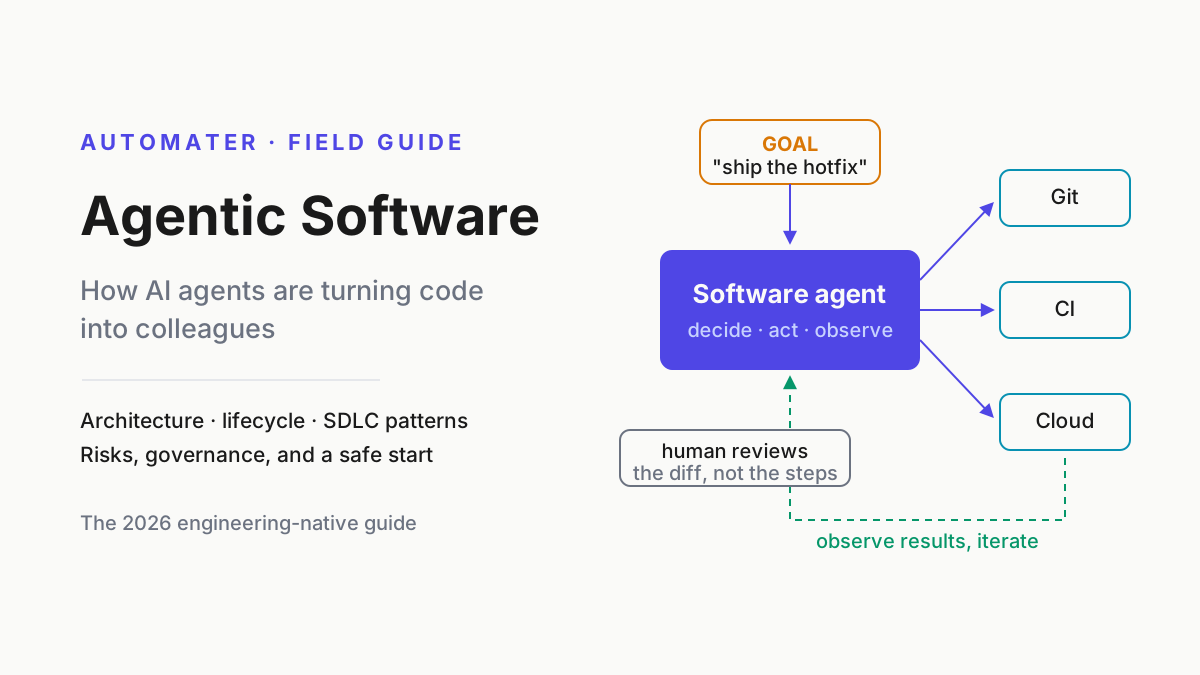
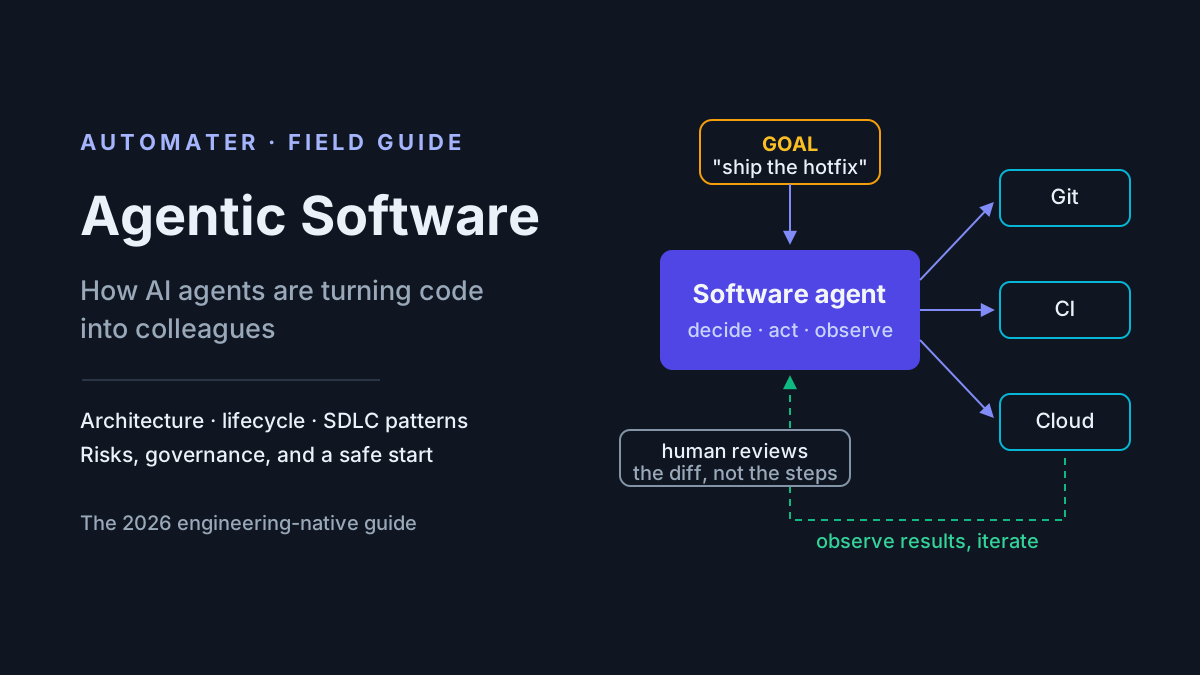
Agentic coding is a development workflow in which an AI agent — not the developer — reads the repository, plans a change, edits multiple files, runs tests and commands, and iterates on failures until the task is done, while the developer writes the spec and reviews the result.
The neighboring terms, untangled:
- Agentic coding — the workflow itself, the subject of this article.
- Agentic software engineering (or agentic engineering) — the wider discipline of building and operating software this way; the agentic software pillar covers it end to end.
- Coding agent — the tool: Claude Code, Codex CLI, Cursor’s agent mode, and their peers.
- Vibe coding — accepting generated code on feel without reading it, Andrej Karpathy’s early-2025 coinage. Related, but the opposite of a reviewed workflow.
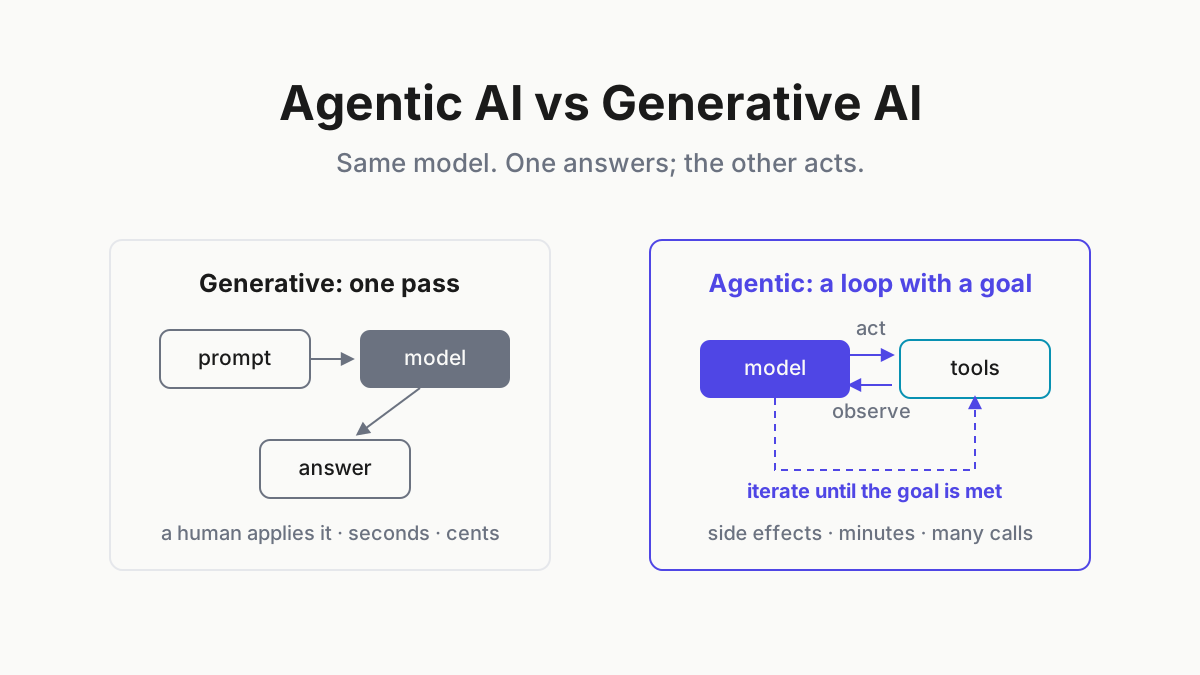
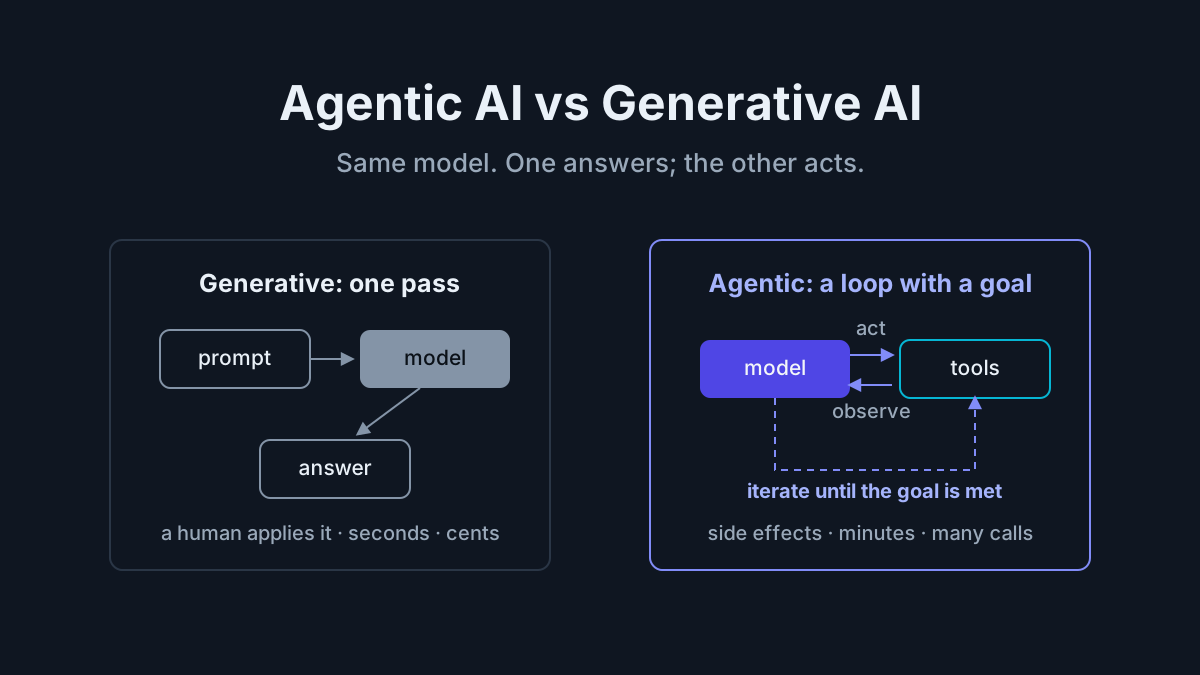
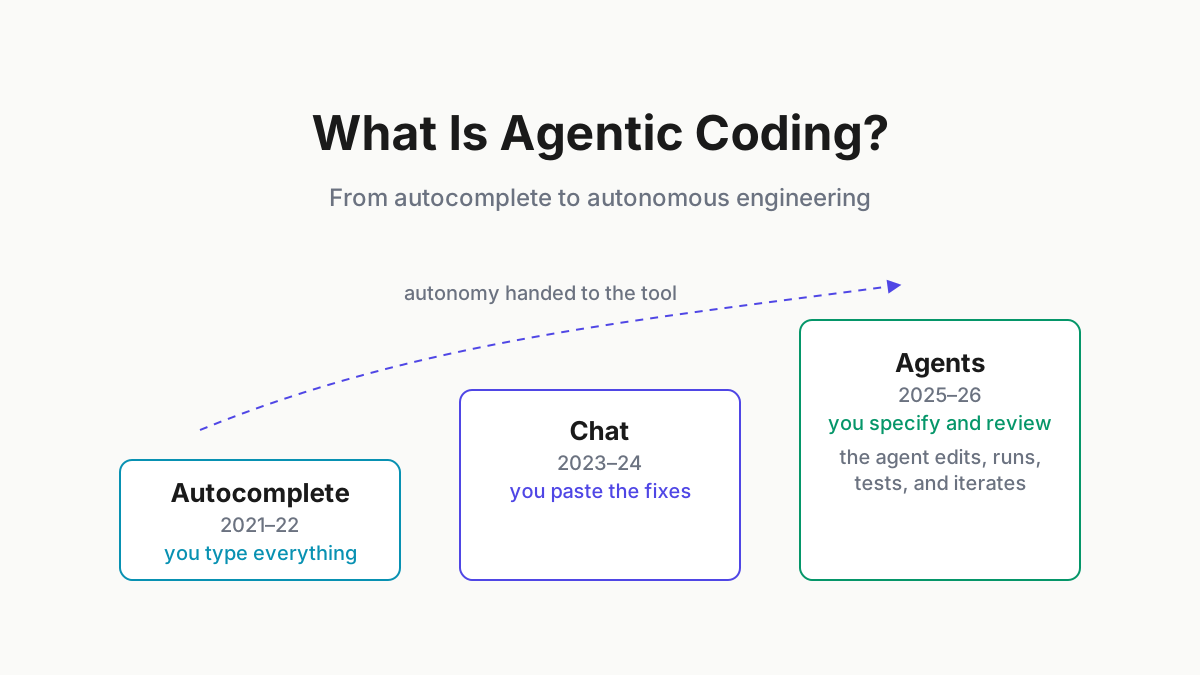
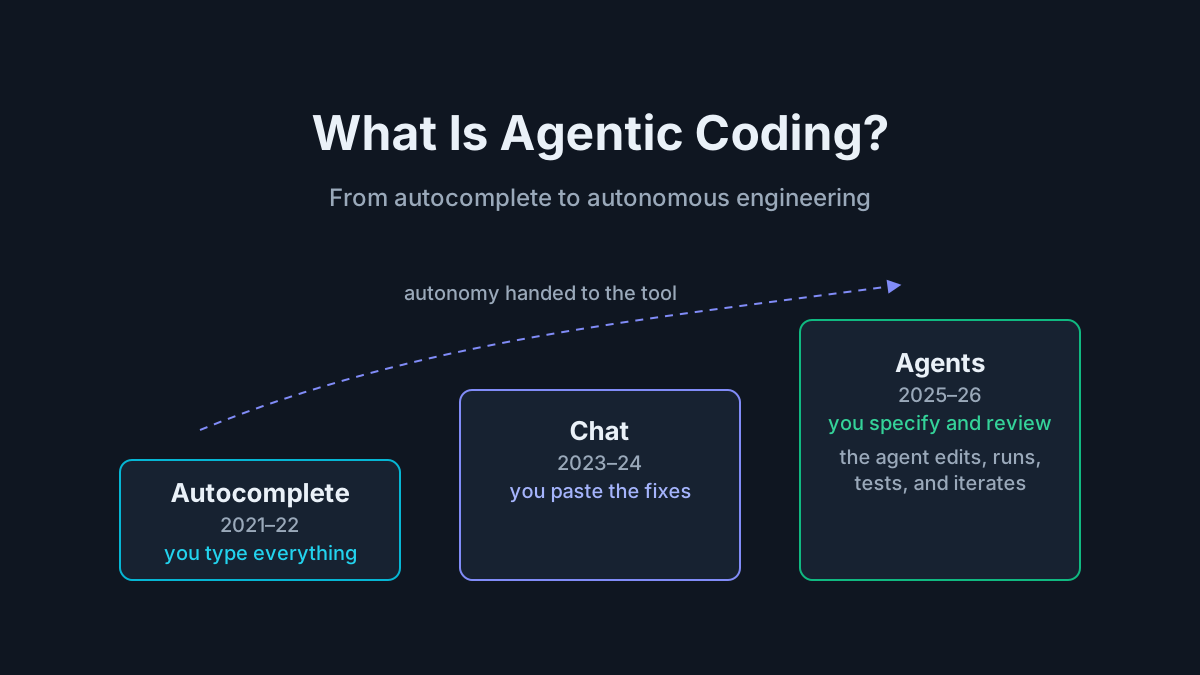
The line between assistance and agency is sharp. Autocomplete predicts text. Chat suggests code you paste. An agent executes: it has tools, a loop, and its own verification step. Which yields the field test we use on every “agentic” launch announcement: if the tool can run your test suite and react to a failure without you, it is agentic. If you copy-paste its output, it is not.
From autocomplete to agents: the three-era arc
| Era | Years | Representative tools | Who executes |
|---|---|---|---|
| Autocomplete | 2021–22 | GitHub Copilot preview, Tabnine, Kite | Human plans, types, and tests everything |
| Chat | 2023–24 | ChatGPT, GPT-4, Copilot Chat, early Cursor, Sourcegraph Cody | Model reasons; human executes |
| Agents | 2025–26 | Claude Code, Codex CLI, Antigravity CLI, Devin | Agent executes; human specifies and reviews |
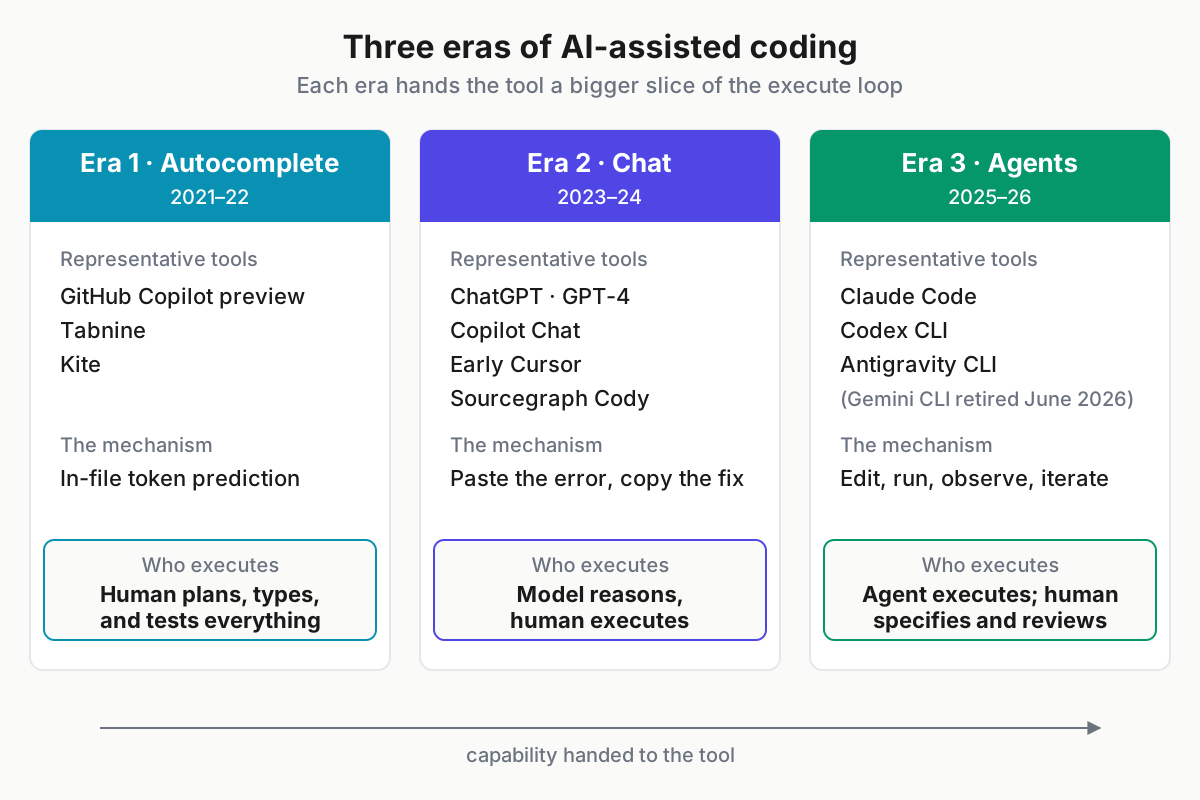
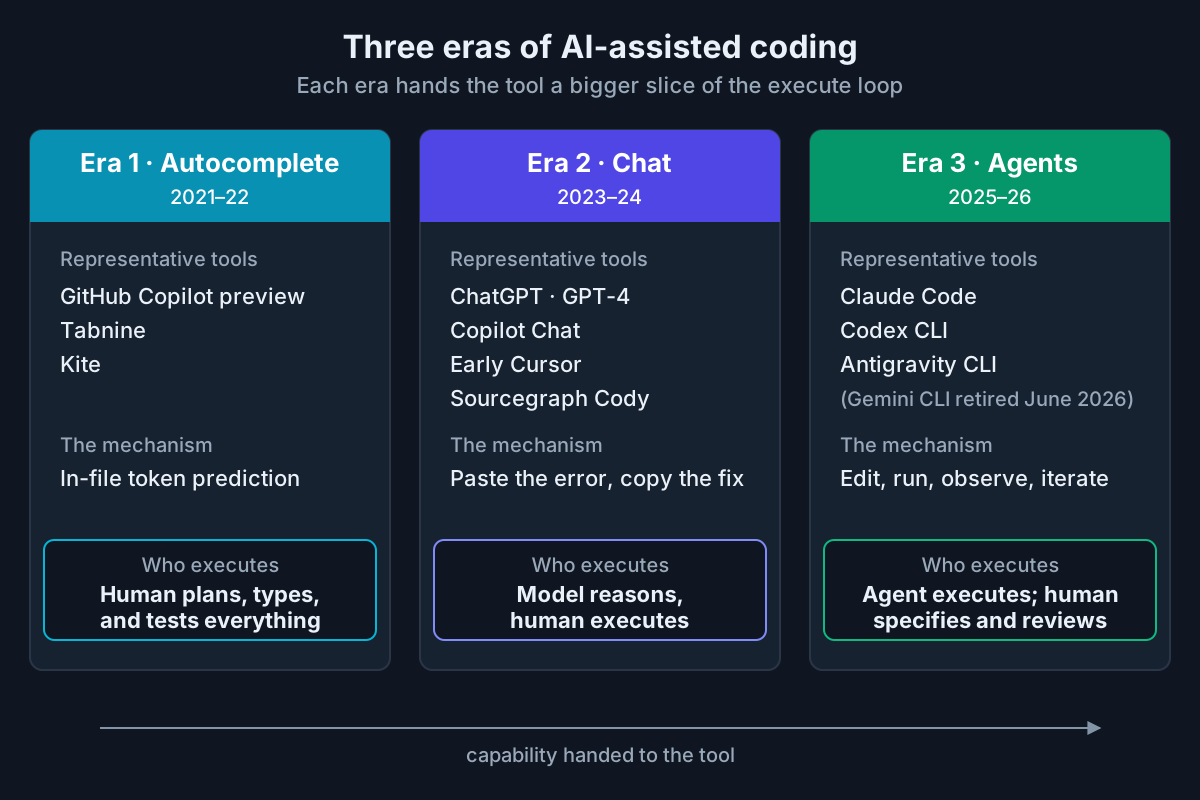 Each era hands the tool a bigger slice of the execute loop.
Each transition had a driver. Stronger base models made in-file prediction useful in 2021, when GitHub Copilot’s preview put autocomplete on the map. Long context plus reliable tool calling turned chat into a genuine reasoning partner through 2023–24 — with the human still working as the transport layer between browser and editor. Then agent loops got measured on real repository tasks: SWE-bench and its Verified subset gave the category a scoreboard, Devin’s 2024 demo gave it a poster child, and Claude Code, Codex CLI, and Gemini CLI took the pattern mainstream through 2025.
The era-3 churn has been real: Gemini CLI (discontinued June 18, 2026) broke CI pipelines on its way out, and Google’s Go-based Antigravity CLI now carries that flag. As of August 2026, the models driving the era are Claude Fable 5, GPT-5.6 (Sol), and Gemini 3.1.
What makes coding “agentic”: the loop
The load-bearing mechanism is a loop, and it is worth walking explicitly:
- Read the repo — search, file reads, git history.
- Plan — files to touch, order, definition of done.
- Edit — multi-file changes, not single completions.
- Run — build, tests, linters, arbitrary commands.
- Observe — parse the failure output.
- Fix and repeat — until green or a limit hits.
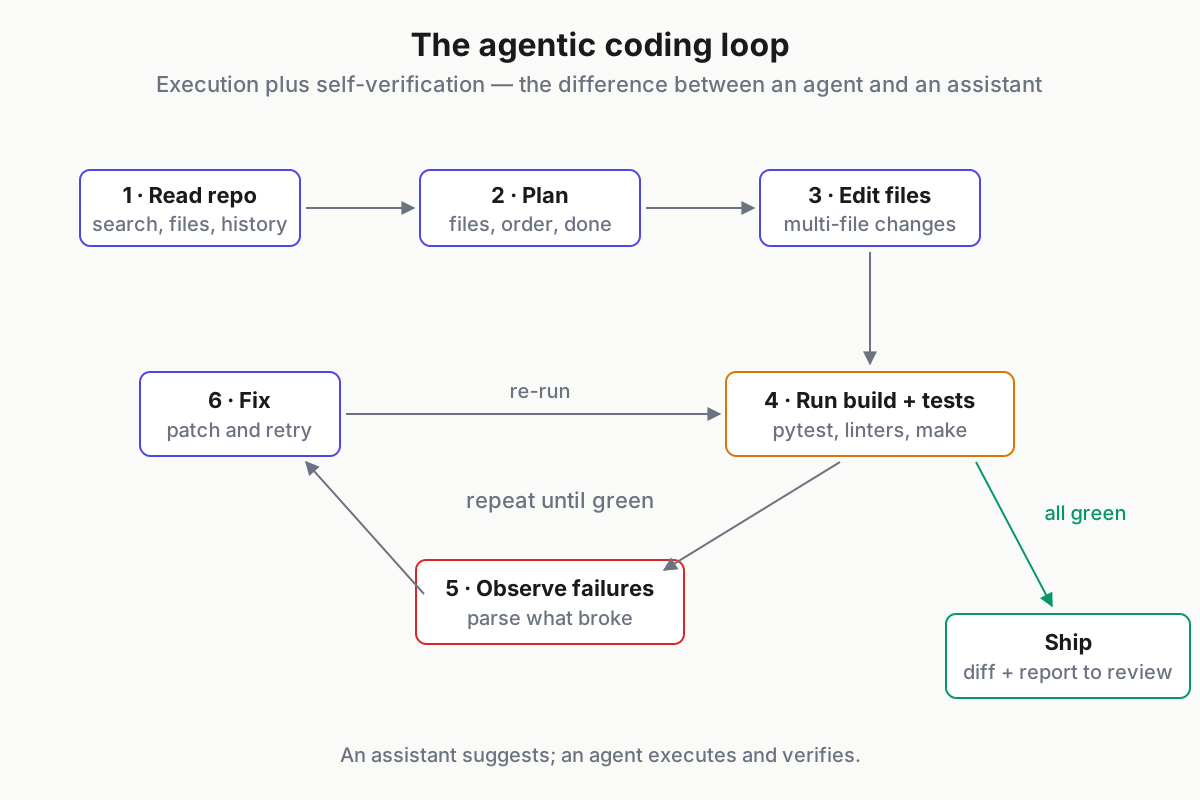
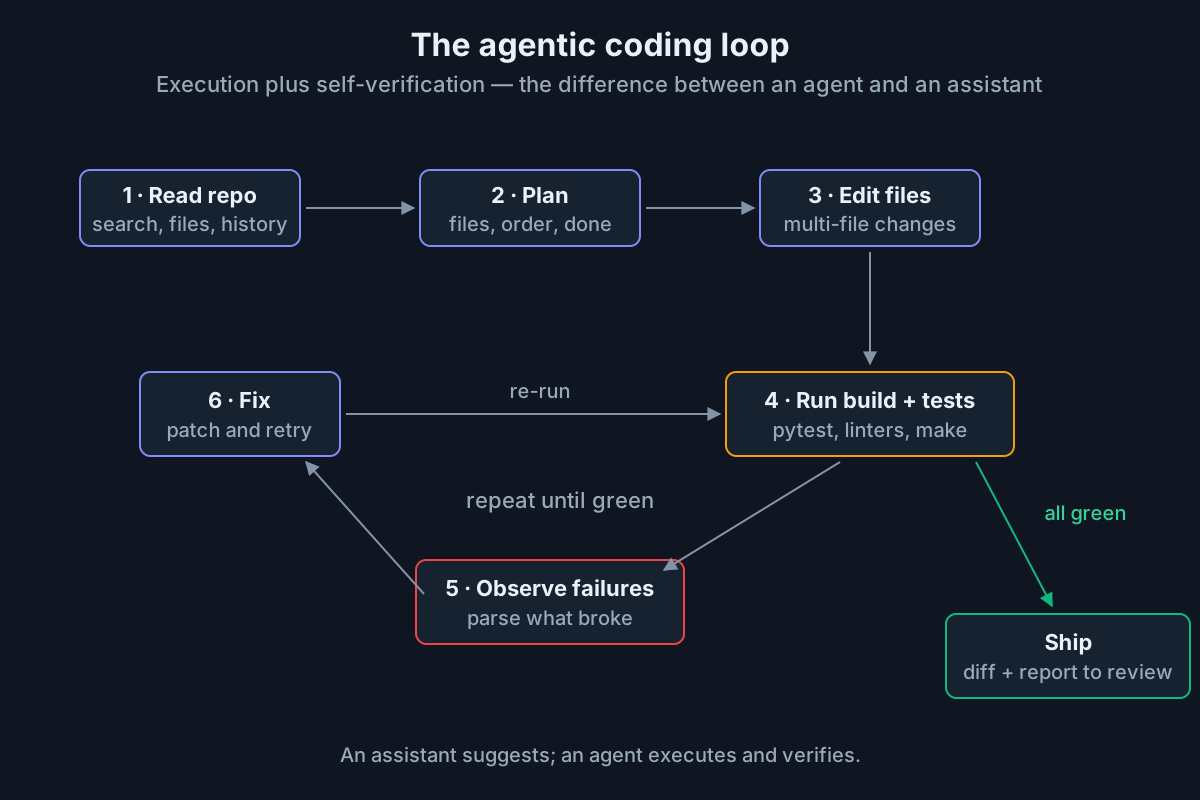 The loop that separates an agent from an assistant: execution plus self-verification.
Here is “add rate limiting to the public API” as it actually plays out:
> Add rate limiting to the public API. 100 req/min, configurable.

* Searching src/middleware for existing limiter code... none found
* Plan: (1) add limiter middleware  (2) wire into api/routes.py
        (3) RATE_LIMIT_RPM config flag  (4) tests. Approve? y
* Edited 4 files. Running pytest...
x 2 failed — conftest builds the app without the new config flag
* Patched tests/conftest.py. Running pytest...
✓ 41 passed. Diff ready: rate limiting on /api/*, default 100 rpm,
  override via RATE_LIMIT_RPM. Review with `git diff`.
The broken fixture is the point. An assistant would have handed you plausible middleware and left the fixture failure for you to discover; the agent hit it, read it, and fixed it — tool use plus self-verification. An assistant that cannot execute and observe results is chat with extra steps.
Bounded autonomy is part of the working definition, not a footnote. Real teams run these loops behind permission prompts, allow-listed tools, and sandboxes — the agent asks before running anything destructive, and the blast radius is set before the session starts.
The 2026 agentic coding toolscape
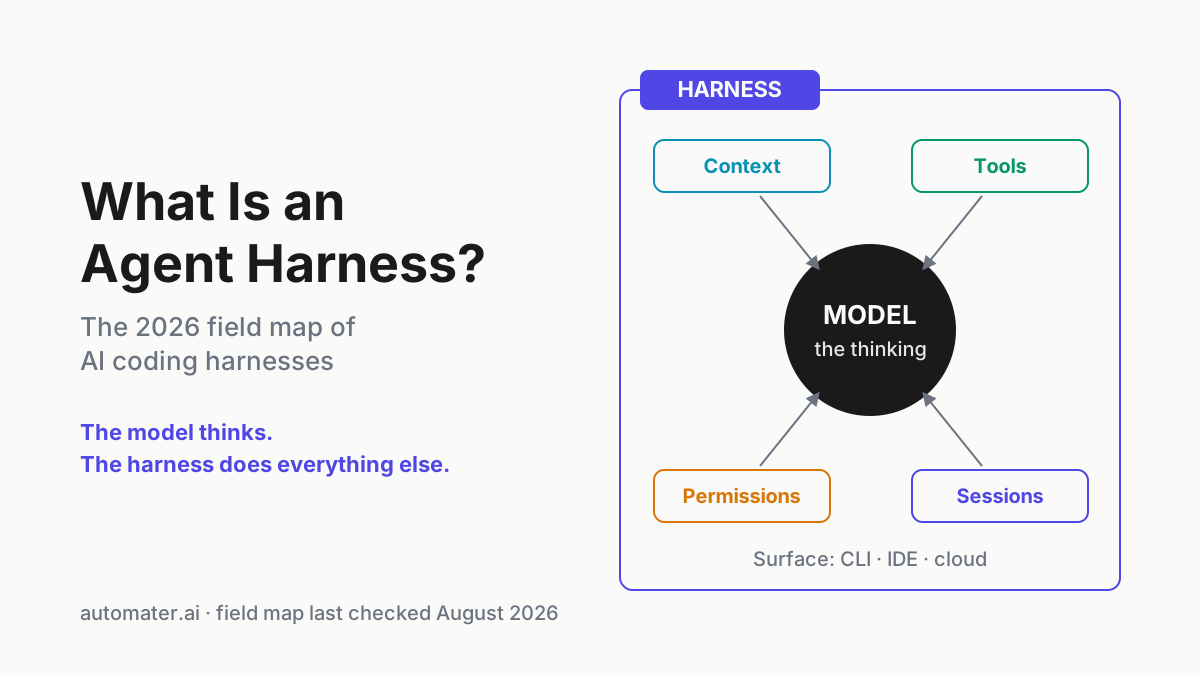
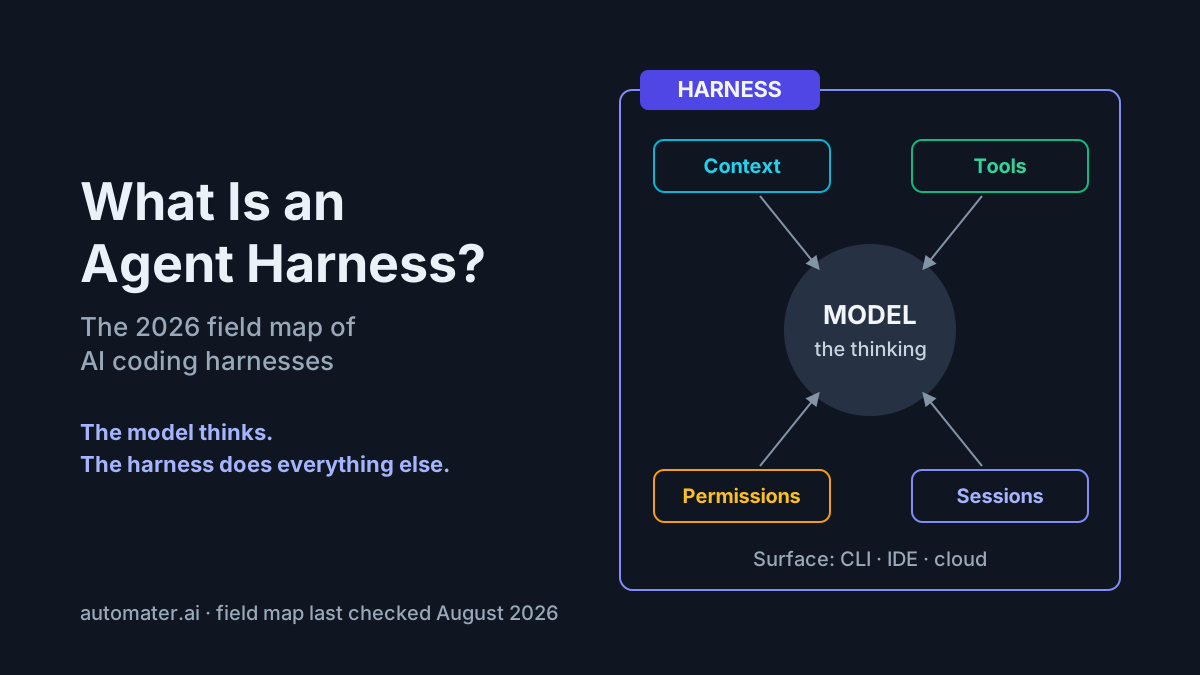
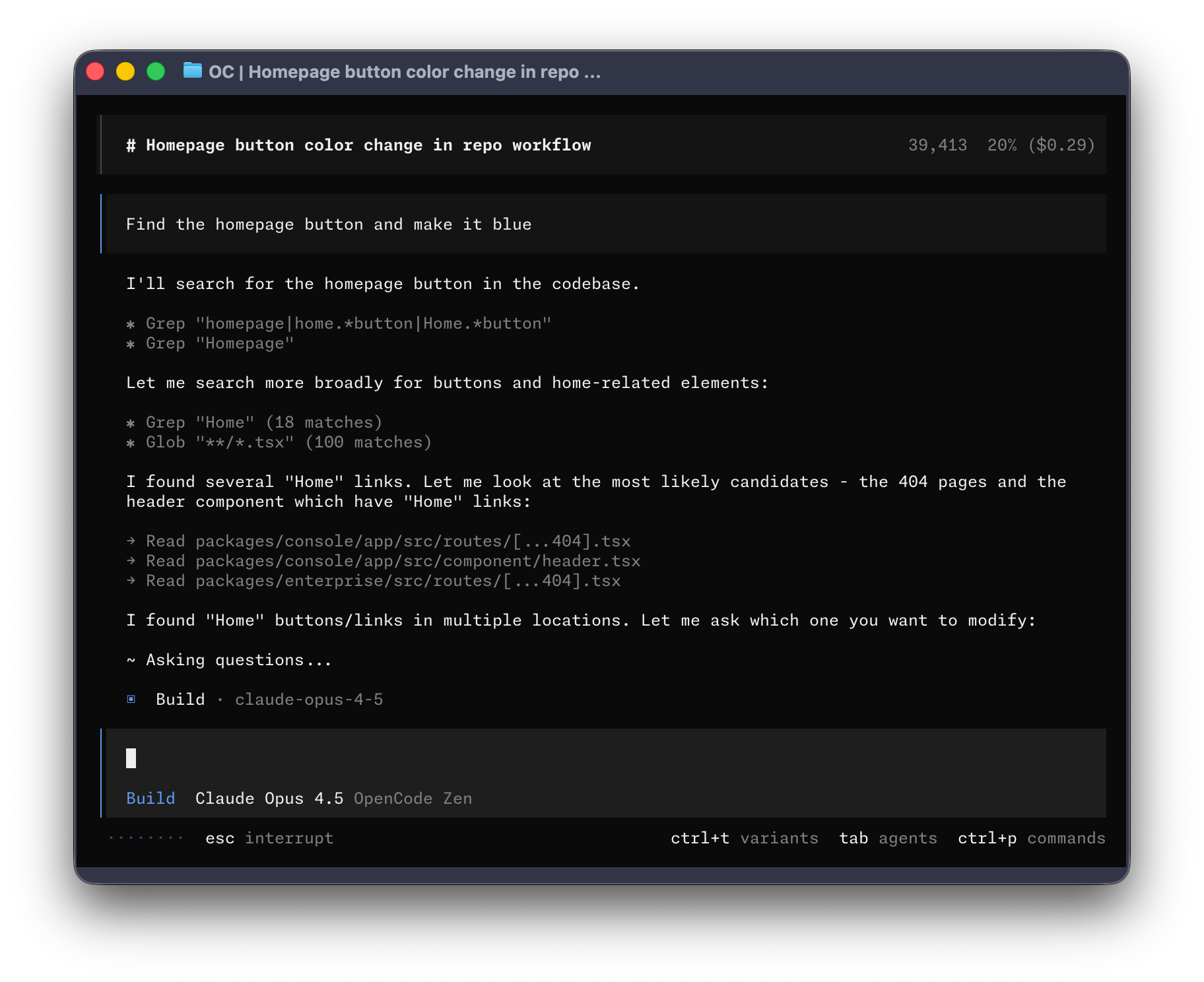
The useful split is habitat — terminal, IDE, or cloud — because where the agent lives predicts workflow fit better than any benchmark. The categories blur at the edges; several vendors now ship all three surfaces from one product line, and the agent harness field map covers that taxonomy in full. Survey rule here: one differentiator per tool, no rankings — head-to-heads live elsewhere.
Terminal-first agents
The CLI cohort is repo-native, scriptable, and lives where the tests run:
- Claude Code — the deepest permission and instruction-file ergonomics of the cohort; our Claude Code power guide is the worked example of one CLI pushed hard.
- Codex CLI — tightest handoff to cloud execution, with the same tasks runnable locally or as Codex cloud jobs.
- Antigravity CLI — Google’s Go-based successor after Gemini CLI (discontinued June 18, 2026); the shutdown-and-migration story is its own article.
- Qwen Code — the natural harness for Alibaba’s open-weight coding line.
- OpenCode and Aider — the open-source pair: provider-agnostic TUI polish from the former, git-native minimalism from the latter.
Power users default to terminals for composability — pipe it, script it, schedule it, run it headless in CI — and for first-class instruction-file support.
IDE-native agents
The same loop, embedded in the editor:
- Cursor — agent mode with the best inline-diff review ergonomics going.
- GitHub Copilot — autocomplete, chat, and a coding agent under one brand; note that it moved to usage-based “AI credits” billing on June 1, 2026, which changed the economics of leaning on it all day.
- Devin Desktop (formerly Windsurf) — Cognition’s mid-2026 rebrand of the Windsurf editor, now the desktop face of the Devin line.
- Amazon Q Developer — the Amazon Q agent tasks cover feature implementation, unit-test generation, code review, and legacy-Java transforms, with Amazon Q in the IDE shipping for VS Code and JetBrains; per the mid-2026 harness map, new signups are currently blocked, so existing seats are the audience.
The selection pressure is honest: IDE agents win on inline-review ergonomics, CLIs win on automation and parallelism. The Claude Code vs Cursor shootout is the decision in full.
Cloud and asynchronous agents
File a task; a sandboxed agent works; a PR comes back:
- GitHub Copilot coding agent — assign an issue, receive a PR.
- Codex cloud — parallel sandboxed tasks from a prompt or a TODO list.
- Devin — the original autonomous-engineer pitch, repriced in 2026 to a $20/month base plus usage.
- Google Jules — the async lane Google now folds into the Antigravity era.
The fit: background work — dependency bumps, test backfills, well-scoped tickets — while synchronous agents handle design-heavy tasks. The hidden cost: async agents multiply open PRs, and the bottleneck quietly moves to human review bandwidth. Reach for async when the task is well-specified, low-design, and verifiable by CI; otherwise stay synchronous.
The workflow inversion: specs, delegation, review
The scarce skill has moved from writing code to writing specs precise enough to delegate: inputs, constraints, acceptance criteria. That is the inversion, and it shows up in the shape of a working day.
Take “add CSV export to the reports page”:
- 2019: an afternoon of typing — controller, serializer, escaping edge cases, a test file, manual QA.
- 2026: twenty minutes writing the spec (columns, encoding, RFC 4180 quoting, permission checks, a size cap) and fifteen reviewing the agent’s diff and test output.
The hours move from implementation to specification and review — and a spec good enough to delegate once becomes a repeatable agentic workflow the second time you need it. We will not hand you a productivity multiplier, because credible measurements are messier than vendor decks: survey data consistently shows heavy adoption and real but uneven gains, with the honest studies finding the outcome depends on task type and codebase familiarity.
What does not invert: architecture judgment, requirement discovery, and taste in trade-offs stay human. The agent amplifies the judgment it is given — including bad judgment, faithfully.
Instruction files are the new config
Every serious coding agent reads a markdown briefing at session start: conventions, commands, gotchas. CLAUDE.md for Claude Code, AGENTS.md as the growing cross-tool convention, .cursor/rules for Cursor, copilot-instructions.md for GitHub Copilot — and orphaned GEMINI.md files still sitting in repos as migration debt from the Gemini CLI shutdown.
A starter that outperforms most 500-line manifestos:
# AGENTS.md

Build: `make dev` · Test: `make test` (never run `make deploy`)
Style: ruff defaults; follow the patterns in src/api/users.py
Never touch: migrations/, vendor/, tests/legacy/
Branches: feat/<ticket>-<slug>; conventional commits
PRs: under 400 lines, test evidence in the description
Gotcha: freeze time via tests/fixtures/clock.py in new tests
Thirty to sixty lines of that shape beats a manifesto because agents actually follow short, specific, imperative files. Treat them as versioned engineering artifacts: reviewed in PRs, owned like CI config, and updated after every agent misfire — the day an agent grabs a deprecated fixture is the day “don’t use fixtures from tests/legacy/” earns its line.
The multi-tool tax is real: five tools can mean five files drifting apart. Teams handle it the boring way — symlink them to one source file, or generate them all from it in CI.
Core practices: how experienced teams run agents
- Small verifiable tasks. Scope work the agent can finish and a human can review in one sitting. “Refactor the app” fails; “extract the retry logic in client.py into a decorator and add tests” ships.
- Tests as guardrails. Have the agent write or run tests first. A red-green loop converts hallucination into a caught failure instead of a merged bug — the difference between an embarrassing transcript and an embarrassing incident.
- Plan-then-act. Use plan modes — Claude Code’s plan mode, Cursor’s planning step — and read the plan before any edit lands. It is the cheapest intervention point in the entire loop: rejecting a plan costs seconds, reverting a diff costs an afternoon.
- Review like it is a junior engineer’s PR. Every line gets read. Agents optimize for plausible; reviewers exist to check for correct. The moment “it passed the tests” replaces reading the diff, you have quietly switched to vibe coding.
Running agents in parallel without losing the plot
Once one agent is routine, the next move is several at once — one per branch, in separate working copies so they cannot trample each other:
git worktree add ../app-rate-limit feature/rate-limit
git worktree add ../app-flaky-fix  fix/flaky-checkout
git worktree add ../app-docs       chore/docs-pass
# one terminal, one agent, one worktree each
cd ../app-rate-limit && claude
A refactor, a bugfix, and a docs pass advance simultaneously. The overhead is equally real: three agents means three sessions to supervise — which one stalled, which is waiting on an approval you have not noticed, and what did Tuesday’s session decide that today’s is quietly contradicting?
The failure mode has a name: session sprawl. Context scatters across terminals and tools, decisions vanish when a window closes, and nobody can say what ran where or what it cost. Merge discipline keeps the git side sane — parallel agents on disjoint files or directories, serialize anything touching shared modules, rebase early — and the supervision side is the multi-agent command center pattern in full.
Product note: Three CLIs across five branches means sessions everywhere. Automater Lite keeps a local archive of every session — searchable, resumable — plus fleet awareness with amber/green health and stall notifications. Free on automater.ai.
Anti-patterns: how teams get burned
- Vibe-coding production systems. Symptom: accept-without-reading, straight to main. Consequence: the bug ships with confident commit messages, and 2025–26 supplied a steady stream of public incident writeups from teams that merged unreviewed agent code. Corrective: vibe coding is for throwaways; production gets the review practices above.
- Giant unreviewable diffs. Symptom: a 3,000-line agent PR. Consequence: review discipline dies and rubber-stamping begins. Corrective: cap agent diff size the way you cap human PRs, and make the agent split the work.
- Letting agents guess requirements. Symptom: a vague prompt. Consequence: a confident implementation of the spec you never wrote — ambiguity in, plausible-wrong out. Corrective: acceptance criteria in the prompt, plan mode on.
- Auto-approving everything outside a sandbox. Symptom: skip-permissions flags on a laptop that holds production credentials. Consequence: one injected instruction or one bad loop away from a very bad day. Corrective: full autonomy only in disposable containers — the threat model lives in securing AI agents.
The skills atrophy question, answered honestly
The concern deserves better than cheerleading: debugging depth, API recall, and code-reading stamina degrade without reps. Pilots met this problem first — automation that flies the plane better than you on Tuesday still requires you sharp on the Saturday it fails — and the parallel is apt.
The evidence is genuinely uncomfortable. METR’s 2025 randomized trial put experienced open-source developers on real tasks in their own mature repos and found they took about 19% longer with early-2025 AI tools — while believing the tools had sped them up by roughly 20%. The perception gap is the finding: on familiar code, self-reported speedup is not evidence.
The honest split: what atrophies is not what appreciates. Syntax recall and boilerplate speed matter less every quarter; system design, spec writing, and adversarial code review matter more. The counters are concrete and cheap — periodically debug without the agent, read every agent diff line by line, and keep one gnarly subsystem hand-maintained as deliberate practice. Treat it like a strength program: nobody is coming to schedule the reps for you.
The agentic AI engineer: an emerging role
Job posts through 2025–26 increasingly name the role outright — agentic AI engineer, agent engineer — meaning: an engineer who specifies, orchestrates, and evaluates agent work rather than writing most code by hand.
The real day-to-day:
- Writing specs and maintaining instruction files.
- Building eval harnesses so “the agent got better” is measurable.
- Managing agent fleets, permissions, and token budgets.
- Reviewing output at volume without letting standards slip.
Note the shape: this is a seniority-shaped role. It rewards architecture judgment and review skill, and it is not an entry path around learning to program — you cannot review what you could not have written. Org design splits predictably: some companies centralize it in a platform team, others expect it of every senior engineer.
Skills to build this quarter, if this is your direction: write specs with acceptance criteria for work you would previously have just done; stand up one eval on one recurring task; learn your harness’s permission model properly; and practice reviewing 400-line diffs fast without skimming.
Conclusion: adopt it deliberately
Agentic coding hands the execute loop — read, edit, run, iterate — to software, and keeps specification and judgment with you. Adopted deliberately, it is the largest workflow change since version control; adopted on vibes, it is a bug-distribution mechanism with excellent manners.
Deliberately means four steps:
- One CLI on one small task class — flake fixes, small features — with all permission gates on.
- Add an instruction file the first time the agent gets a convention wrong.
- Make tests the guardrail before widening scope.
- Only then parallelize — and wire the well-specified chores into agentic CI/CD.
The multiplier compounds from judgment, not autonomy. Agents amplify the engineering discipline they are given — which is precisely why the teams with the strongest review culture are getting the most out of them.
FAQ: agentic coding
What is agentic coding?
Agentic coding is a development workflow in which an AI agent — not the developer — reads the repository, plans a change, edits multiple files, runs tests and commands, and iterates on failures until the task is done, while the developer writes the spec and reviews the result.
Is agentic coding the same as vibe coding?
No. Agentic coding means delegation with specs, tests, and line-by-line review — the developer stays accountable for every merged line. Vibe coding, Karpathy’s term, means accepting generated code on feel without reading it. Same agents underneath; opposite levels of rigor, and only one belongs in production.
What is the difference between Copilot autocomplete and a coding agent?
Suggestion versus execution. Autocomplete predicts the next lines in your buffer, and you remain the one who edits, runs, and verifies. A coding agent edits multiple files itself, runs your build and tests, reads the failures, and iterates — then hands you a finished diff to review.
What is an agentic AI engineer?
An engineer who specifies, orchestrates, and evaluates agent work instead of writing most code by hand: writing specs and instruction files, building evals, managing fleets, permissions, and token budgets, and reviewing agent output at volume. It is a seniority-shaped role built on architecture judgment and review skill.
Is Amazon Q Developer an agentic coding tool?
Yes, for its agent features: Amazon Q Developer implements features, generates unit tests, reviews code, and runs legacy-Java transforms from VS Code and JetBrains, executing and iterating rather than only suggesting. Note that per mid-2026 reporting, new signups are currently blocked, so it mainly serves existing AWS-shop seats.
Sources
- SWE-bench: Can Language Models Resolve Real-World GitHub Issues? (arXiv)
- METR — Measuring the Impact of Early-2025 AI on Experienced Developer Productivity (arXiv)
- Anthropic — Introducing Claude Fable 5 and Claude Mythos 5
- OpenAI — GPT-5.6
- GitHub — Copilot is moving to usage-based billing
- TechTimes — Gemini CLI shutdown takes effect as Antigravity CLI arrives
- Coding CLIs in mid-2026: the engineer’s map (dev.to)
- Aider — AI pair programming in your terminal