Claude Code 2.1.325 Makes Sandboxed Bash Ask for Permission by Default: What Unattended Lanes Must Set
Claude Code 2.1.325 sends sandboxed Bash commands through the normal permission flow unless sandbox.autoAllowBashIfSandboxed is true. Scheduled skills, Always allow rules and read-only git also change. Here is what to set.
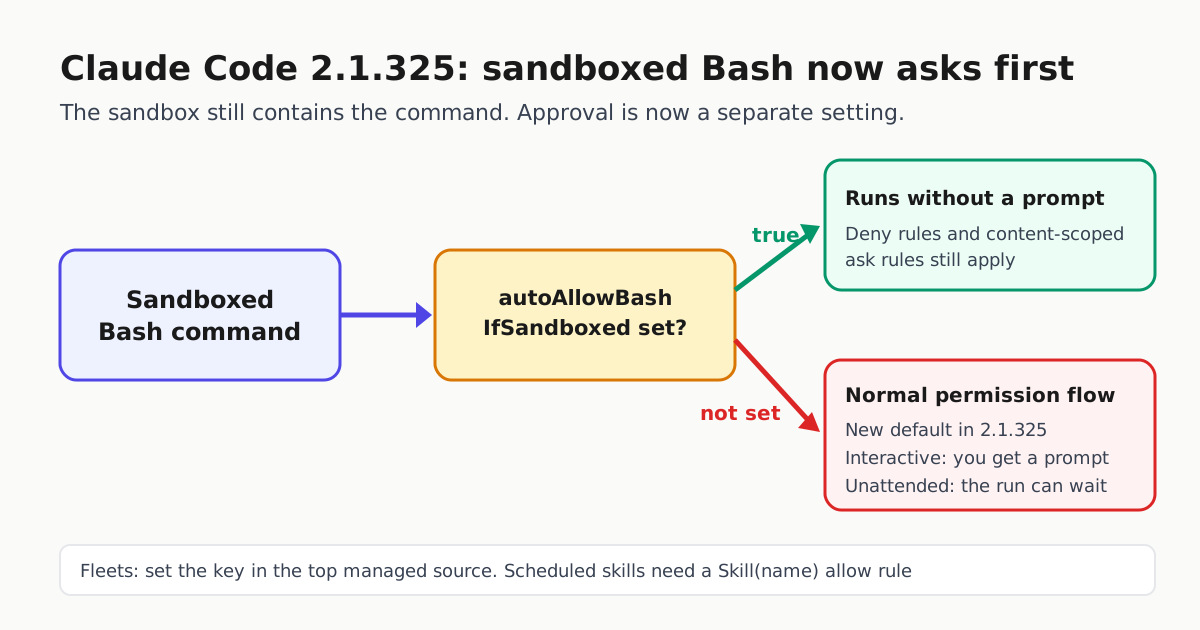
Anthropic’s Claude Code v2.1.325 release, published November 13, changes a default that many people depended on without realizing it. Sandboxed Bash commands now go through the normal permission flow. They run without a prompt only if sandbox.autoAllowBashIfSandboxed is set to true. In an interactive session, that means you see a prompt. On an unattended lane (a scheduled task, a /loop, or a Desktop, IDE or SDK host running with nobody watching), it means the run can stop and wait for an approval that nobody is there to give.
The release notes list four more permission changes that also hit unattended work. This article covers what changed, who is affected and the specific settings that restore the old behavior. It also covers when you should leave the new default alone.
The sandbox and approval are now separate decisions
The sandboxing documentation describes the sandbox as an operating-system boundary around shell commands. It limits which files they can write and which network hosts they can reach. Approval is a separate question. The docs offer two modes. In auto-allow mode, a command that runs inside the sandbox is approved automatically. In regular permissions mode, every Bash command goes through the permission flow even when it is sandboxed. The filesystem and network limits are the same in both modes.
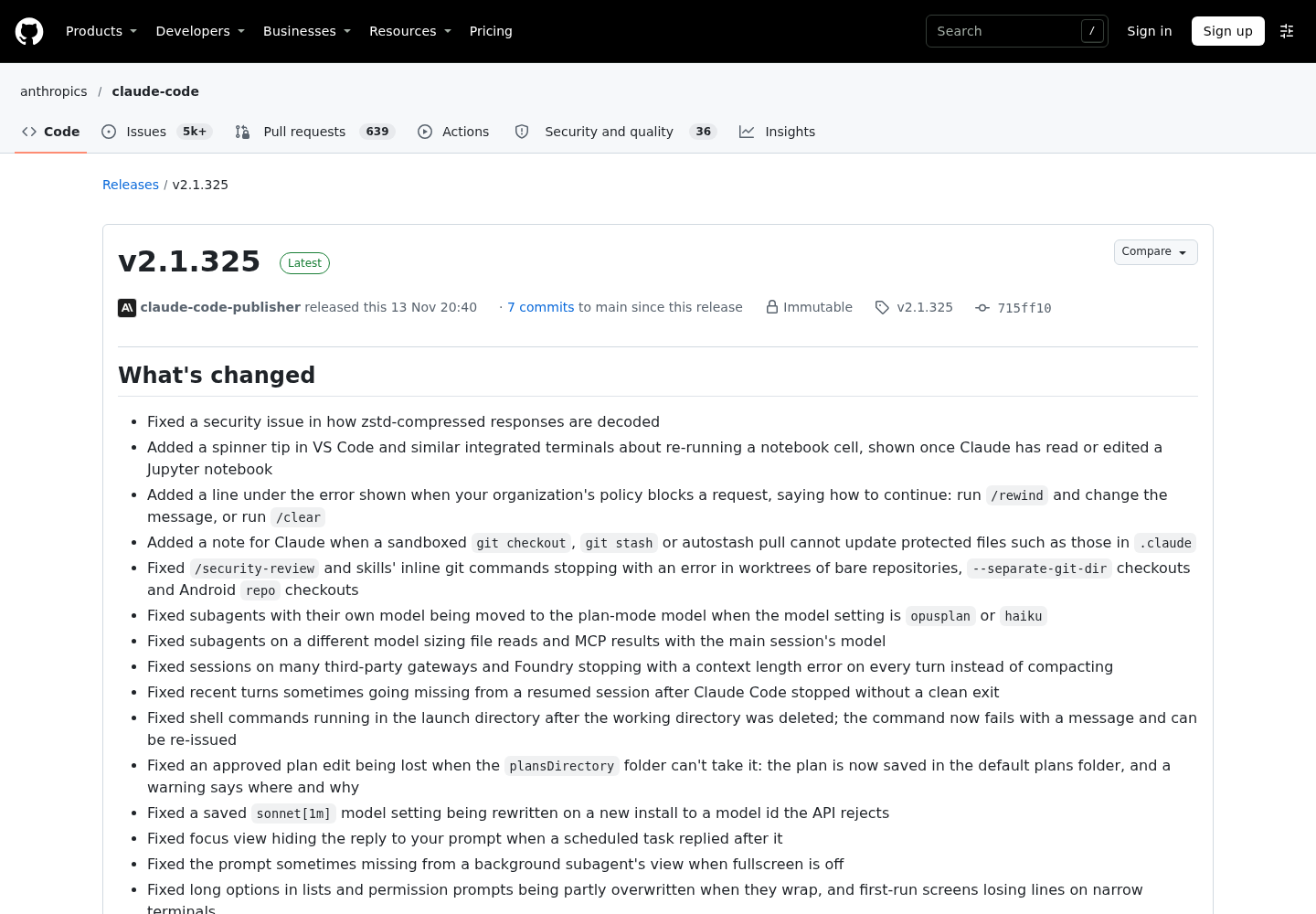
Version 2.1.325 changes which mode you get when you do nothing. The release note reads: “Changed sandboxed Bash commands to follow the normal permission flow by default; set sandbox.autoAllowBashIfSandboxed: true to keep running them without prompts.” If you enabled the sandbox so your agent could run builds and tests without prompts, you need to set the key explicitly now.
Auto-allow was never a blanket bypass, and it still isn’t. The docs list what applies even in auto-allow mode: Bash deny rules still block, rm or rmdir aimed at critical paths still prompts, and content-scoped ask rules such as Bash(git push *) still force a prompt. Restoring auto-allow does not switch those checks off.
Five changes that can stall an unattended lane
| Change in 2.1.325 | Who it hits | Documented way to run unattended |
|---|---|---|
| Sandboxed Bash follows the normal permission flow | Anyone who relied on the sandbox to remove prompts | Set sandbox.autoAllowBashIfSandboxed: true |
| Managed settings that enable the sandbox no longer imply auto-allow | Organizations that enforce the sandbox through managed settings | Set the key in the highest-ranking managed source |
Scheduled tasks and /loop ask before running a skill that declares allowed-tools or hooks |
Scheduled skill runs | Add Skill(name) to permissions.allow |
| “Always allow” in Desktop, IDE and SDK hosts offers a rule only when saving it would allow that command again | Scheduled tasks that depended on a saved rule | Write the rule yourself in settings |
| Read-only git commands ask first in a repository that is neither the project’s nor a trusted one | Lanes that inspect sibling repositories | Name the repository with --add-dir, not additionalDirectories |
The managed-settings row matters most for fleets. Under an admin-required sandbox, the sandboxing docs say a repository’s own files can still set autoAllowBashIfSandboxed, and they advise setting the key in managed settings so a repository cannot change it. In other words, the administrator picks the approval mode, not whatever repository the agent happens to open.
What to set
For a developer machine where sandboxed commands should keep running without prompts, the documented user-settings form in ~/.claude/settings.json is:
{
  "sandbox": {
    "enabled": true,
    "autoAllowBashIfSandboxed": true
  }
}
You can also run /sandbox and pick auto-allow on the Mode tab. That choice is saved to the project’s .claude/settings.local.json, so it applies to one project. If /sandbox reports that a higher-priority configuration overrides your sandbox settings, managed settings or --settings control the key, and you need your administrator to change it.
For a scheduled skill, add an explicit allow rule. nightly-report here is a placeholder for your skill’s name:
{
  "permissions": {
    "allow": ["Skill(nightly-report)"]
  }
}
Before you restore anything, decide whether you want the prompts back. The permissions documentation describes dontAsk mode, which denies every call that would otherwise prompt. For some unattended lanes, a clean denial is safer than a silent wait or an automatic yes. The new default lets you choose case by case instead of inheriting auto-allow from the sandbox.
The security fixes underneath
The default change comes with a set of Bash permission fixes that show why Anthropic is tightening approvals. According to the release notes, some compound commands could run without asking, and a Bash allow rule could run a different program than the one it named. Some deny and ask rules did not apply to certain Bash commands. Relative deny rules such as Read(./.env) stopped covering the project after a cd. A slash command’s allowed-tools grants could also reach background agents woken during or after its turn. The release also fixes a security issue in zstd response decoding, and it stops the sandbox from writing to .claude settings, skills, agents, commands and hooks in added directories.
Two more changes affect headless runs. -p and SDK runs in a worktree or submodule mounted into a container now apply .claude/settings.local.json allow rules only once the folder is trusted. And claude -p with no cached account data now waits for that data, so a first run in a clean environment can start a few seconds later.
What to do this week
Check which version each lane runs. For each scheduled or headless lane, write down whether it relied on sandbox auto-allow, on a saved “Always allow” rule or on an unlisted skill. Then set the key or rule on purpose rather than waiting for a stalled run to show you. For setup details see our Claude Code sandbox setup guide and Claude Code cron job options. The previous release is covered in our 2.1.323 report.